🌿 Advanced Branching Scenarios: Release, Hotfix, and Support Branches
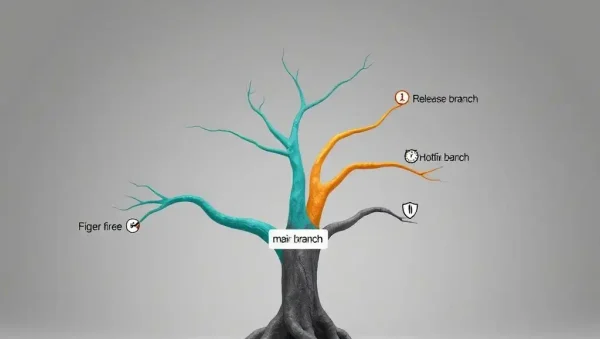
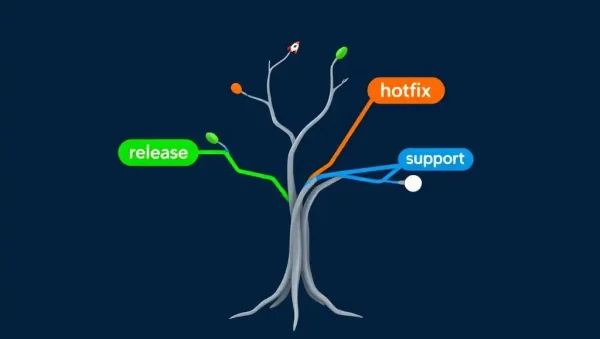
Welcome to the Advanced Branching Scenarios section of Git and Version Control Hub, your practical resource for designing reliable Git workflows around release branches, hotfix branches, and support branches. This subcategory explains how development teams manage stable software releases, urgent production fixes, long-term maintenance, and parallel development without sacrificing code quality or collaboration. Whether you use GitHub, GitLab, or a self-hosted Git platform, you will learn how advanced branching strategies improve version control, code review, deployment safety, and CI/CD automation.
🚀 Release Branches for Stable Software Delivery
Release branches provide a controlled environment for preparing a specific software version before it reaches production. You can learn how to create a release branch from a development branch, apply final bug fixes, update version numbers, generate release notes, and coordinate testing while new features continue in parallel. These practices are useful for teams following Git Flow, trunk-based development with release branches, or a customized enterprise Git workflow.
This section also covers release branch naming conventions, merge strategies, tagging releases, and protecting production-ready code. Expect guidance on integrating release branches with automated testing, staging environments, pull requests, and deployment pipelines so your team can reduce release risk and deliver predictable software versions.
🔥 Hotfix Branches for Urgent Production Issues
Hotfix branches are designed for resolving critical bugs, security vulnerabilities, data issues, or service outages in production. You will discover how to branch from the correct production tag or main branch, implement the smallest safe fix, validate the change quickly, and merge it back into every branch that requires the correction. This approach helps teams respond rapidly without mixing emergency work with unfinished features.
Readers can expect practical advice about Git hotfix workflows, emergency code reviews, automated regression testing, rollback planning, and release tagging. You will also learn why a hotfix must be synchronized with active development and support branches to prevent the same defect from reappearing in future releases.
🛠️ Support Branches for Long-Term Maintenance
Support branches allow development teams to maintain older software versions while newer releases continue to evolve. This is especially valuable for enterprise applications, products with extended support lifecycles, regulated systems, and customers who cannot upgrade immediately. Learn how to create dedicated maintenance branches, restrict changes to approved fixes, and manage backported patches safely.
This subcategory explains how to define support branch policies, track supported versions, manage security updates, and communicate end-of-life timelines. You will also explore how cherry-picking, merge commits, release tags, and automated compatibility testing can help maintain older versions without creating unnecessary conflicts or duplicated work.
🔀 Managing Parallel Branches and Merge Flow
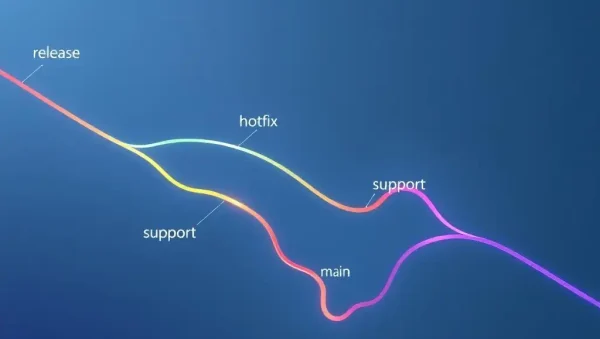
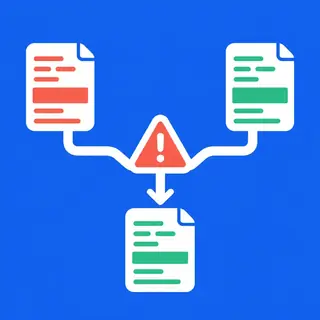
Advanced branching becomes valuable when release, hotfix, support, and feature branches exist at the same time. You will learn how to map the flow of changes between branches, identify the correct merge direction, and prevent fixes from being lost during parallel development. Clear branch relationships are essential for avoiding accidental regressions and keeping every supported version consistent.
Expect explanations of branch synchronization, forward-porting, backporting, cherry-picking, merge conflict resolution, and pull request coordination. These techniques help teams build a repeatable Git branching model that supports both rapid delivery and dependable maintenance across multiple software versions.
✅ Branch Protection, Code Review, and CI/CD Automation
Reliable advanced branching depends on strong repository controls. This section shows how protected branches, required reviews, status checks, signed commits, and permission rules can prevent untested code from reaching release or production branches. You will learn how to align GitHub or GitLab repository settings with your organization’s development and release policies.
You will also discover how to connect release management with CI/CD pipelines. Automated builds, unit tests, integration tests, security scans, deployment previews, and production approvals can be triggered by branch names, tags, or pull requests. The result is a safer and more transparent workflow for continuous integration, continuous delivery, and software lifecycle management.
📋 Frequently Asked Questions About Advanced Git Branching
What is a release branch in Git?
A release branch is a temporary branch used to stabilize and prepare a specific software version for production. It typically contains final bug fixes, documentation updates, version changes, and release testing while feature development continues elsewhere.
When should I create a hotfix branch?
Create a hotfix branch when a serious production issue requires an urgent correction outside the normal development cycle. Start it from the production branch or the relevant release tag, test the fix thoroughly, and merge it into all active branches that need the same change.
What is the purpose of a support branch?
A support branch maintains an older version of an application after newer versions have been released. It is commonly used for security patches, critical bug fixes, and customer-specific maintenance while limiting unrelated feature changes.
Should hotfix changes be merged into the development branch?
Yes. A hotfix should generally be merged or backported into the development branch and any supported release branches where the defect exists. This prevents the problem from returning in a future release and keeps codebases aligned.
How can CI/CD improve release and hotfix workflows?
CI/CD automation can run tests, security checks, builds, deployment previews, and approval gates whenever changes reach release, hotfix, or support branches. These automated controls provide faster feedback and reduce the risk of deploying incomplete or incompatible fixes.