
Unlock the Power of Git Branching: Release, Hotfix, and Support Scenarios

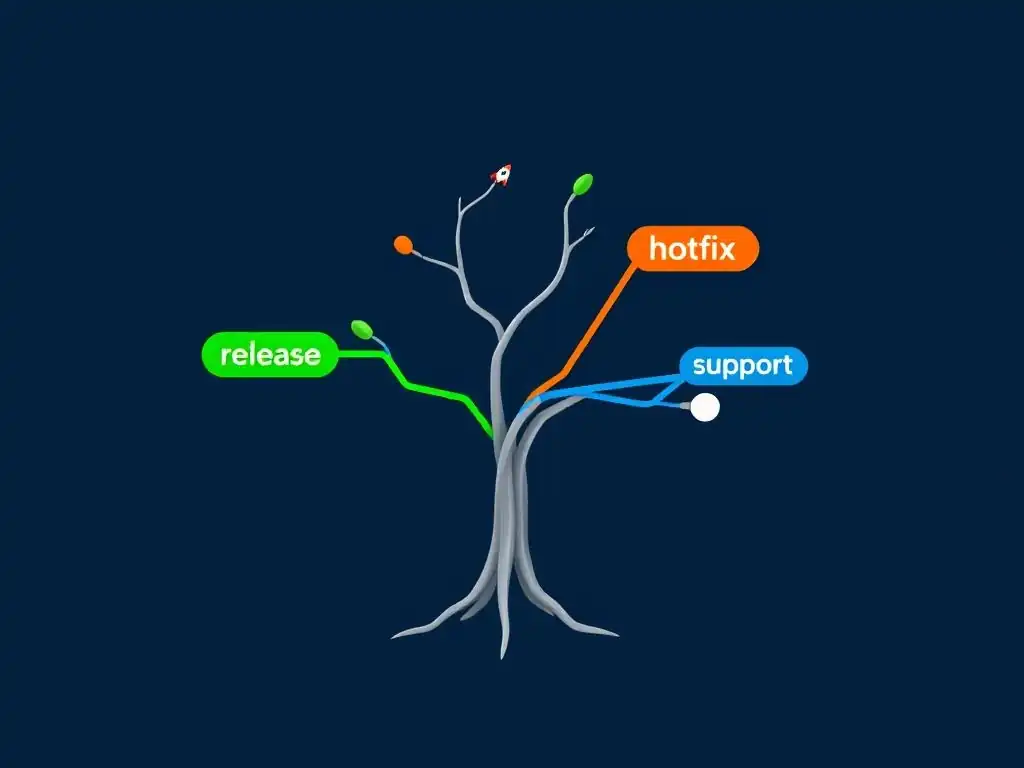
Welcome to Git and Version Control Hub, your go-to resource for mastering the art of version control! Are you ready to unlock the power of Git branching and streamline your development workflow? We'll guide you through essential techniques, starting with a deep dive into Git branching strategies for developers. Discover how strategic branching can revolutionize your release cycles, hotfix deployments, and support scenarios. Curious about crafting the perfect branching strategy for your team? Let's get started!
Mastering Git Branching: Release, Hotfix, and Support Workflows
- Understanding Git Branching Strategies for Software Development
-
Release Branching: Preparing for Stable Software Releases
- Defining Release Branches and Their Role in Software Delivery
- Creating a Release Branch: A Practical Guide
- Managing Feature Integration During Release Stabilization
- Testing and Bug Resolution on the Release Branch
- Merging the Release Branch: Tagging and Production Deployment
- Post-Release Maintenance: Ensuring Ongoing Stability
- Hotfix Branching: Rapidly Addressing Critical Production Issues
- Support Branching: Maintaining Legacy Software Versions
- Comparing Release, Hotfix, and Support Branching Approaches
- Best Practices for Collaborative Git Branching in Teams
- Mastering Git Branching: Key Recommendations for Developers
- Frequently Asked Questions
- Final Reflection: Mastering the Art of Collaboration
- Master Git Branching for Seamless Development
Understanding Git Branching Strategies for Software Development
Why Branching is Essential for Version Control and Collaboration
Branching in Git is a fundamental concept that empowers developers to work on features, bug fixes, and experiments in isolation without directly affecting the main codebase. Think of it as creating parallel universes of your project. This isolation is crucial for collaborative development, allowing multiple developers to work on different aspects of a project simultaneously without stepping on each other's toes.
Imagine a team of five developers, each working on a distinct feature for a new software version. Without branching, they would be forced to modify the same files concurrently, leading to merge conflicts, code instability, and a chaotic development process.
Furthermore, branching provides a safety net for experimentation and innovation. Developers can explore new ideas or refactor existing code in a branch, confident that any mistakes or unsuccessful experiments won't destabilize the main, production-ready codebase. For example, a developer might want to test a new algorithm that could significantly improve performance. By creating a branch, they can implement and test this algorithm thoroughly.
If it proves successful, they can merge it back into the main branch. If not, the branch can be discarded without impacting the stable version of the software. This ability to experiment safely fosters innovation and reduces the risk associated with introducing changes to a project.
Exploring Advanced Git Branching Workflows
Beyond basic feature branching, Git offers more sophisticated branching workflows designed to manage different phases of the software development lifecycle and address specific needs. These advanced strategies, such as release branching, hotfix branching, and support branching, are essential for managing complex projects, ensuring stable releases, and maintaining different versions of software. Consider a software company that releases a new version of its application every quarter.
They need a structured way to prepare for these releases while continuing to develop new features for future versions. This is where release branches come into play, allowing them to stabilize the current release in isolation while development continues on the main branch.
Similarly, in the real world of software, bugs in production are inevitable. When a critical bug is discovered in a live application, a rapid and targeted fix is required without disrupting ongoing development. Hotfix branches are designed precisely for this scenario, enabling developers to quickly create a branch from the production version, fix the bug, and deploy the fix with minimal disruption.
Finally, for software that has multiple active versions in use by customers, support branches are vital. These branches allow developers to provide ongoing maintenance, security patches, and critical bug fixes for older versions of the software, ensuring continued support for users who may not have upgraded to the latest release. Understanding and implementing these advanced Git branching workflows is paramount for professional software development teams to maintain efficiency, stability, and customer satisfaction.
Release Branching: Preparing for Stable Software Releases
Defining Release Branches and Their Role in Software Delivery
Release branches are a crucial component of structured software development, particularly when aiming for predictable and stable software releases. These branches are created to prepare a specific version of the software for deployment, isolating the release stabilization process from ongoing development efforts. Imagine a scenario where a development team is working towards version 2.0 of their application. As they approach the planned release date, they would create a release branch, say release-2.0, from the main development branch ( develop or main). This branch then becomes the dedicated space for final testing, bug fixing, and release preparation specifically for version 2.0.
The primary role of a release branch is to stabilize the software for release. Once created, only bug fixes and necessary documentation updates are applied to the release branch. New feature development is strictly prohibited and continues on the main development branch for future releases. This separation ensures that the release branch remains focused and stable, minimizing the risk of introducing new issues during the critical release preparation phase. For instance, during the stabilization of release-2.0, testers might identify minor bugs or UI issues. These fixes are applied directly to the release-2.0 branch, thoroughly tested, and then merged into both the release-2.0 branch itself and back into the main development branch to ensure these fixes are included in future development. This focused approach to stabilization significantly increases the likelihood of a smooth and reliable software release.
Creating a Release Branch: A Practical Guide
Creating a release branch in Git is a straightforward process. Typically, release branches are created from the main development branch (often named develop). Assuming you are on your develop branch and ready to start preparing for a release, the command to create a release branch named release-1.2 would be: git checkout -b release-1.2 develop. This command creates a new branch named release-1.2 that is based on the current state of the develop branch and switches you to this new branch.
After creating the release branch, it's good practice to immediately push it to your remote repository: git push origin release-1.2. This makes the release branch accessible to the entire team and ensures that the work done on this branch is backed up and can be collaborated on. From this point onwards, all activities related to preparing the release, such as bug fixing, documentation updates, and final testing, should be conducted on the release-1.2 branch. Developers will typically switch to this branch to apply fixes, and testers will focus their efforts on validating the stability of this specific branch. This clear separation of concerns is a key advantage of using release branches in Git workflows.
Managing Feature Integration During Release Stabilization
During the release stabilization phase, it's crucial to strictly manage feature integration. No new features should be introduced directly into the release branch. The focus is solely on stabilizing the software for the current release. Imagine a scenario where the development team is working on version 2.0 in the release-2.0 branch. Simultaneously, developers are actively developing features for version 2.1 on the develop branch. If a developer were to accidentally merge a new feature branch into release-2.0, it could introduce unforeseen bugs or instability, jeopardizing the release timeline and quality.
Therefore, a strict policy must be enforced: only bug fixes and essential documentation updates are allowed on the release branch. Any new features or significant changes intended for future releases should be merged only into the main development branch (e.g., develop). If, during testing on the release branch, it becomes apparent that a small, critical feature absolutely must be included in the current release, this should be a carefully considered exception. In such cases, the feature should first be fully developed and tested on a separate feature branch, then meticulously cherry-picked or merged into both the release branch and the main development branch, ensuring consistency and minimizing risk. This disciplined approach to feature integration is vital for maintaining the stability and predictability of the release process.
Testing and Bug Resolution on the Release Branch
The release branch serves as the dedicated environment for rigorous testing and bug resolution before a software version is deployed to production. Once the release branch is created, the testing team focuses their efforts on this specific branch, performing thorough functional, integration, and performance testing. Consider the release-1.5 branch, where testers are systematically executing test cases designed to cover all aspects of the software. They might find bugs ranging from minor UI glitches to more critical functional defects.
When a bug is identified on the release branch, the development team's priority is to resolve it quickly and efficiently. Developers create short-lived bug fix branches directly off the release branch, implement the fix, and thoroughly test it in isolation. Once the fix is verified, the bug fix branch is merged back into the release branch. Crucially, these bug fixes should also be merged back into the main development branch (e.g., develop) to ensure that the fixes are incorporated into future development and prevent regressions. This process of focused testing and bug fixing on the release branch is essential for ensuring the quality and stability of the software release. For instance, if a critical security vulnerability is discovered during release branch testing, addressing it promptly and thoroughly on the release branch is paramount before deployment.
Merging the Release Branch: Tagging and Production Deployment
Once the testing and bug resolution cycle on the release branch is complete and the software is deemed stable and ready for production, the release branch is merged into the main branch (often main or master) and tagged to mark the release point. The process typically involves first merging the release branch, for example, release-2.0, into the main branch. This updates the main branch to reflect the final, release-ready state of the software. The command for this would be, after checking out the main branch: git merge --no-ff release-2.0. The --no-ff flag is often used to ensure a merge commit is created, preserving the history of the release branch merge.
Following the merge into main, a tag is created to specifically mark this commit as the release version. For version 2.0, the command might be: git tag -a v2.0 -m "Release version 2.0". This creates an annotated tag named v2.0 with a message describing the release. This tag serves as a permanent marker in the Git history, allowing you to easily refer back to the exact state of the codebase at the time of release 2.0. Finally, the main branch (and the newly created tag) is pushed to the remote repository: git push origin main v2.0. From the main branch, the release version is then deployed to production environments. This tagging mechanism provides a clear and auditable record of each software release within the Git repository.
Post-Release Maintenance: Ensuring Ongoing Stability
Even after a successful release, post-release maintenance is crucial for ensuring ongoing stability and addressing any unforeseen issues that might emerge in the production environment. While new feature development continues on the main development branch, the release branch, or a branch derived from it, might be kept active for a short period for post-release hotfixes. Imagine version 1.5 has just been released from the release-1.5 branch and deployed to production. Monitoring systems are in place, and shortly after release, a minor but noticeable bug is reported by users in the live environment.
In such a scenario, a hotfix branch could be created directly from the v1.5 tag (or the release-1.5 branch if it's still active). The bug fix is developed and tested on this hotfix branch. Once verified, the hotfix is merged into the main branch (and potentially back into the release-1.5 branch if further maintenance is anticipated for this release). A new tag, perhaps v1.5.1, could be created to mark the hotfix release. This approach allows for rapid response to production issues without disrupting ongoing development on the main development branch. For more significant post-release maintenance requiring more extensive changes or even point releases (e.g., 1.6, 1.7), the release branch itself or a dedicated support branch (discussed later) might be used as the basis for these updates. Effective post-release maintenance strategies are vital for maintaining user satisfaction and the long-term health of the released software.
Hotfix Branching: Rapidly Addressing Critical Production Issues
Identifying the Need for an Immediate Hotfix
The need for a hotfix arises when a critical bug is discovered in the production environment that requires immediate attention and resolution to minimize disruption to users and business operations. These are typically issues that significantly impact functionality, security, or data integrity. Consider an e-commerce website where customers suddenly cannot complete transactions due to a bug introduced in the latest release. This is a critical production issue that needs a hotfix. Similarly, a security vulnerability discovered in the live application that could expose user data would necessitate an immediate hotfix.
Identifying the need for a hotfix often involves monitoring production systems, analyzing error logs, and receiving user reports. Robust monitoring and alerting systems are essential for quickly detecting critical issues. For example, if the website's error rate spikes dramatically after a release, or if customer support starts receiving a surge of complaints about a specific feature, these are strong indicators that a hotfix might be necessary.
The severity and impact of the bug determine whether a standard bug fix process within the regular development cycle is sufficient, or if a more urgent hotfix approach is required. Issues that cause significant business impact, data loss, security breaches, or widespread user disruption typically warrant the rapid response of a hotfix workflow.
Creating a Hotfix Branch from a Production Tag
When a hotfix is deemed necessary, the first step is to create a dedicated hotfix branch. Crucially, this branch should be created directly from the production version of the code. The most reliable way to ensure you are working on the exact codebase deployed to production is to branch off a tag that represents the production release. Let's say version 1.3.0 is currently live and has a critical bug. Assuming you tagged this release as v1.3.0, you would create a hotfix branch named, for example, hotfix-1.3.0 using the command: git checkout -b hotfix-1.3.0 v1.3.0. This command creates the hotfix-1.3.0 branch starting from the commit tagged as v1.3.0.
Branching from a tag ensures that the hotfix is applied to the precise version of the code running in production. Branching from the main branch or the develop branch could introduce changes that are not yet in production, potentially complicating the hotfix process or even introducing new issues. Immediately after creating the hotfix branch, it is good practice to push it to the remote repository: git push origin hotfix-1.3.0. This makes the hotfix branch accessible to the team and backs up the work in progress. The hotfix branch is now the dedicated space for developing and testing the fix for the critical production issue.
Developing and Thoroughly Testing the Hotfix Solution
Once the hotfix branch is created, the development team focuses on implementing and thoroughly testing the bug fix. The scope of changes on a hotfix branch should be strictly limited to addressing the specific critical issue in production. Avoid including any unrelated changes, new features, or refactoring, as these could introduce further instability and delay the deployment of the critical fix. Developers work on the hotfix-1.3.0 branch to isolate the root cause of the bug and implement the necessary code changes.
After implementing the fix, rigorous testing is paramount. Ideally, the testing environment should closely mirror the production environment to ensure the hotfix effectively resolves the issue without introducing unintended side effects. Testing should include unit tests, integration tests, and ideally, some form of user acceptance testing or exploratory testing to validate the fix from a user perspective.
For example, if the hotfix addresses a transaction failure on an e-commerce site, testing should include simulating real user transactions to confirm the fix is effective and doesn't negatively impact other parts of the system. Thorough testing at this stage is crucial to minimize the risk of deploying a hotfix that is ineffective or introduces new problems into the production environment.
Merging the Hotfix: Deploying to Production and Integrating into Development
After the hotfix solution has been developed and thoroughly tested on the hotfix branch, the next step is to merge it into the main branch for production deployment and then integrate it back into the main development branch. The merge process typically involves first merging the hotfix-1.3.0 branch into the main branch. It's often recommended to use a non-fast-forward merge ( git merge --no-ff hotfix-1.3.0) to preserve a clear merge commit in the history, indicating the hotfix integration.
Once merged into main, the updated main branch is deployed to the production environment as quickly as possible to resolve the critical issue. Following the production deployment, it's equally important to integrate the hotfix back into the main development branch (e.g., develop). This ensures that the bug fix is incorporated into future development and prevents regressions in subsequent releases. Therefore, the hotfix-1.3.0 branch should also be merged into the develop branch. This bi-directional merge process (to main for immediate production fix and to develop for future development integration) is a key characteristic of the hotfix workflow, ensuring both immediate resolution and long-term code consistency. Optionally, a new tag, like v1.3.1, can be created on the main branch after the hotfix merge to mark the updated production release.
Preventing Future Issues: Implementing Robust Monitoring and Alerting
While hotfix branching provides a mechanism for rapidly addressing critical production issues, a proactive approach focuses on preventing such issues from occurring in the first place. Implementing robust monitoring and alerting systems is crucial for early detection and prevention of production problems. These systems continuously monitor key metrics of the application and infrastructure, such as error rates, response times, resource utilization, and security events.
For example, setting up monitoring dashboards to track HTTP error rates, database query performance, and server CPU usage can provide early warning signs of potential issues. Alerting systems can be configured to automatically notify the development and operations teams when critical thresholds are breached. For instance, if the error rate exceeds a predefined limit, or if a security vulnerability is detected, alerts can be sent via email, SMS, or instant messaging to trigger immediate investigation and response.
Furthermore, investing in comprehensive testing practices, including automated testing (unit, integration, end-to-end tests) and performance testing, during the development cycle significantly reduces the likelihood of introducing bugs into production. By combining proactive monitoring and alerting with rigorous testing, organizations can minimize the frequency and impact of critical production issues, reducing the need for reactive hotfix interventions.
Support Branching: Maintaining Legacy Software Versions
Determining When to Implement a Support Branch
Support branches are employed to maintain older, released versions of software after a new version has become the primary focus of development. They are typically implemented when an organization needs to provide ongoing maintenance, bug fixes, and security patches for older releases while actively developing and releasing newer versions. Consider a software vendor that has just released version 3.0 of their application.
While they want to encourage users to upgrade to the latest version, they also understand that some customers might still be using version 2.0 and require continued support, especially for critical issues. In this scenario, a support branch for version 2.0 would be appropriate.
The decision to create a support branch is often driven by factors such as customer contracts, regulatory compliance, or the complexity and cost associated with upgrading to the latest version. If a significant customer base is still using an older version and has support agreements in place, maintaining a support branch is often necessary. Similarly, industries with strict regulatory requirements, such as healthcare or finance, might mandate ongoing support for older software versions for compliance reasons.
The cost of upgrading can also be a factor; if upgrading to the latest version requires significant infrastructure changes or application rewrites, some users might prefer to remain on an older, supported version for a longer period. The lifespan of a support branch and the level of maintenance provided will depend on these business and technical considerations.
Creating a Support Branch for a Specific Past Release
When a decision is made to support a past release, a dedicated support branch is created in Git. This branch is typically forked from the tag or release branch that corresponds to the specific version requiring support. Let's say version 1.1 of the software, tagged as v1.1, needs ongoing support. A support branch, named for example support-1.1, would be created using the command: git checkout -b support-1.1 v1.1. This command creates the support-1.1 branch starting from the exact commit tagged as v1.1, ensuring that the support branch accurately reflects the state of the 1.1 release.
Creating the support branch from a tag is crucial for maintaining a clear and auditable lineage back to the original release. Branching from the main or develop branch would be inappropriate as these branches represent more recent, potentially incompatible codebases. After creating the support branch, it's immediately pushed to the remote repository: git push origin support-1.1. This makes the support branch accessible to the maintenance team and ensures its backup. The support-1.1 branch then becomes the designated location for applying bug fixes, security patches, and other necessary maintenance updates for the 1.1 release.
Applying Critical Bug Fixes and Security Patches to the Support Branch
The primary purpose of a support branch is to apply critical bug fixes and security patches to the legacy software version it represents. Development on a support branch is typically limited in scope and focused solely on addressing high-priority issues that impact stability, security, or data integrity for users of that specific version. Consider the support-1.2 branch, created to maintain version 1.2 of an application. If a critical security vulnerability, such as a cross-site scripting (XSS) flaw, is discovered in version 1.2, the maintenance team would work on the support-1.2 branch to develop and apply a patch.
The process involves identifying the vulnerable code, implementing the fix, and rigorously testing it within the context of version 1.2. Testing is crucial to ensure that the patch effectively addresses the security vulnerability without introducing regressions or compatibility issues in the older codebase. After thorough testing, the security patch is committed to the support-1.2 branch. It's important to note that new features or significant enhancements are generally not added to support branches. The focus remains on maintaining stability and security for users who are still on the older version.
Releasing Updates from the Support Branch for Legacy Systems
Once bug fixes or security patches are applied and tested on a support branch, the next step is to release these updates to users of the legacy software version. Releasing updates from a support branch typically involves creating a new release tag and distributing the updated software package to the relevant user base. Continuing with the example of the support-1.2 branch, after applying a security patch, a new tag, such as v1.2.1, would be created on the support-1.2 branch to mark the patched release. The command might be: git tag -a v1.2.1 -m "Security patch release for version 1.2".
This tag marks the specific commit in the support branch that represents the patched version. From this tagged commit, a new software package or update is built and released to users who are still using version 1.2. The release process might involve distributing patch files, updated installers, or instructions for applying the update, depending on the nature of the software and the update. It's crucial to clearly communicate to users that these updates are specifically for the legacy version and address critical issues, encouraging them to consider upgrading to the latest version for the best experience and features. The support-1.2 branch and the v1.2.1 tag provide a clear audit trail of the maintenance activities for the legacy version.
Managing Concurrent Support Branches for Multiple Releases
In some scenarios, organizations may need to maintain concurrent support branches for multiple older releases of their software. This often occurs when there are significant differences between releases, making it difficult to backport fixes across versions, or when customer agreements dictate specific support durations for different releases. Imagine a software company that supports the last three major versions of their flagship product. They might have support branches like support-2.5, support-2.6, and support-2.7 running concurrently.
Managing multiple support branches requires careful organization and tracking. Each support branch operates independently, receiving fixes and patches relevant to its specific version. When a bug or security vulnerability is identified, it's crucial to determine which supported versions are affected and apply the fix to each relevant support branch. For example, if a security vulnerability is found to affect versions 2.5, 2.6, and 2.7, the fix would need to be developed and applied separately to each of the support-2.5, support-2.6, and support-2.7 branches, potentially requiring slightly different implementations due to code differences between versions. Effective communication and coordination within the maintenance team are essential to ensure that all relevant support branches are updated consistently and that users of each supported version receive timely patches. Using clear naming conventions for support branches (e.g., support-major.minor) and maintaining documentation outlining the supported versions and their corresponding branches is crucial for managing complexity in multi-support-branch environments.
Comparing Release, Hotfix, and Support Branching Approaches
Key Distinctions in Purpose, Scope, and Workflow
Release, hotfix, and support branching strategies, while all utilizing Git branching, serve distinct purposes, have different scopes, and follow unique workflows within the software development lifecycle. Release branches are primarily focused on preparing for planned software releases. Their purpose is to stabilize a specific version of the software, ensuring quality and predictability before deployment.
The scope of a release branch encompasses all the features and changes intended for a particular release, but strictly limits new feature integration during the stabilization phase, focusing on bug fixes and refinements. The workflow involves creating a branch from the development branch, rigorous testing and bug fixing, merging into the main branch, tagging, and deployment.
Hotfix branches, in contrast, are reactive and designed for immediate response to critical production issues. Their purpose is to rapidly resolve urgent bugs that are impacting live users. The scope of a hotfix branch is very narrow, limited strictly to the specific bug fix and essential testing. No other changes are included.
The workflow involves branching from a production tag, developing and thoroughly testing the fix, merging into both the main branch (for production deployment) and the development branch (for future integration), and potentially tagging a hotfix release. Support branches are proactive and focused on long-term maintenance of older software versions. Their purpose is to provide ongoing bug fixes, security patches, and limited updates for legacy releases.
The scope of a support branch is defined by the lifespan of the supported version and the nature of maintenance required. The workflow involves branching from a release tag, applying necessary fixes and patches, releasing updated versions from the support branch, and potentially managing multiple concurrent support branches. Understanding these key distinctions in purpose, scope, and workflow is essential for choosing the appropriate branching strategy for each situation.
Selecting the Appropriate Branching Strategy for Each Scenario
Choosing the right Git branching strategy depends heavily on the specific scenario and the goals you aim to achieve. For planned software releases, release branching is the ideal strategy. When you are approaching a scheduled release date and need to stabilize the current state of development, a release branch provides a dedicated environment for testing, bug fixing, and final preparation, ensuring a smooth and predictable release process. For example, if you are planning a quarterly release of your software, creating a release branch a few weeks before the target date is a best practice.
When faced with a critical production issue, hotfix branching is the necessary approach. If a bug is causing significant disruption in the live environment and requires immediate resolution, a hotfix branch allows you to quickly address the problem, deploy a fix, and minimize downtime. This strategy is crucial for maintaining user satisfaction and business continuity.
For maintaining older software versions, support branching is the appropriate choice. If you need to provide ongoing maintenance, security patches, or critical bug fixes for legacy releases, a support branch allows you to isolate these maintenance activities from ongoing development and ensure continued support for users who are not on the latest version.
For instance, if you are contractually obligated to support a specific version of your software for several years, a support branch is essential. In essence, release branches are for planned releases, hotfix branches are for emergency fixes, and support branches are for long-term maintenance of older versions.
Combining Different Branching Models for Optimal Flexibility
While release, hotfix, and support branching strategies are distinct, they can be effectively combined within a comprehensive Git branching model to achieve optimal flexibility and manage various aspects of the software development lifecycle. A common and effective approach is to use a combination of release branching and hotfix branching within a broader branching model like Gitflow.
In Gitflow, release branches are used for preparing planned releases, and hotfix branches are used to address critical production issues arising from any release. Support branches can be added to this model to handle long-term maintenance of older releases, branching off from release tags of those specific versions.
For example, a team might use Gitflow with release branches for quarterly releases and hotfix branches for emergency fixes. Additionally, they might implement support branches for the two previous major releases to provide ongoing maintenance for customers who haven't yet upgraded. The main branch would represent the production-ready code, the develop branch would be for ongoing feature development, release branches would be for stabilizing releases, hotfix branches for production fixes, and support branches for legacy maintenance. Combining these branching strategies in a well-defined model allows teams to manage planned releases, respond effectively to production issues, and maintain older versions concurrently, providing a robust and adaptable approach to version control and software lifecycle management. The key is to understand the purpose of each branching strategy and how they can complement each other to create a flexible and efficient workflow.
Best Practices for Collaborative Git Branching in Teams
Establishing Consistent Branching Naming Conventions and Policies
For effective collaboration in Git branching, establishing consistent naming conventions and clear branching policies is paramount. Naming conventions make branches easily identifiable and understandable by all team members, reducing confusion and errors. Policies define the purpose and expected lifespan of different branch types, ensuring a shared understanding of the branching workflow. For example, feature branches could be consistently named using the prefix feature/ followed by a descriptive name (e.g., feature/user-authentication, feature/payment-integration). Release branches could be named release/ followed by the version number (e.g., release/1.5, release/2.0). Hotfix branches could be named hotfix/ followed by a short description or issue tracker ID (e.g., hotfix/transaction-bug, hotfix/security-patch-123). Support branches could be named support/ followed by the version number (e.g., support/1.1, support/1.2).
Branching policies should clearly define when and why each type of branch should be created, who is responsible for managing them, and the expected workflow for merging and deleting branches. For instance, a policy might state that feature branches should be created for every new feature, developed by individual developers or small teams, and merged into the develop branch after code review and testing. Release branches should be created by the release manager from the develop branch when preparing for a release, and managed according to a defined release checklist. Hotfix branches should be created by designated on-call developers in response to critical production issues, following a rapid response protocol. Documenting these naming conventions and policies and making them easily accessible to the entire team is essential for maintaining consistency and promoting efficient collaboration in Git branching.
Implementing Code Review Processes for All Branching Activities
Code review is a critical best practice for collaborative Git branching, ensuring code quality, knowledge sharing, and early detection of potential issues. Implementing code review processes for all branching activities, especially for feature branches, hotfix branches, and release branches, significantly improves the overall quality and stability of the codebase. For feature branches, code reviews should be mandatory before merging into the develop branch. This allows other team members to review the code for correctness, style, potential bugs, and adherence to coding standards. Tools like GitHub Pull Requests, GitLab Merge Requests, or Bitbucket Pull Requests facilitate this process, providing a platform for code review discussions and feedback.
For hotfix branches, while speed is paramount, a quick code review by at least one other developer is still highly recommended before merging into main and deploying to production. This helps to catch any obvious errors or unintended side effects in the hotfix. For release branches, code review should be part of the release stabilization process, focusing on reviewing bug fixes and ensuring that no regressions or new issues are introduced. Code review should not be seen as a bottleneck but rather as an integral part of the development workflow, fostering collaboration, improving code quality, and reducing the risk of introducing bugs into the codebase, especially in branching scenarios where changes are being integrated from isolated branches.
Automating Branching and Merging with Continuous Integration and Continuous Delivery (CI/CD)
Automating branching and merging processes with Continuous Integration and Continuous Delivery (CI/CD) pipelines can significantly streamline Git branching workflows, reduce manual errors, and accelerate the software delivery process. CI/CD pipelines can automate tasks such as branch creation, testing, code analysis, merging, and deployment, triggered by Git events like branch creation, commits, or pull request merges.
For example, when a new feature branch is created, a CI pipeline can automatically run unit tests and integration tests to provide early feedback on the code changes. Upon creating a pull request for a feature branch, the CI pipeline can perform automated code review checks, run static analysis tools, and trigger more comprehensive testing suites.
For release branches, CI/CD can automate the build and test process, generate release notes, and even handle the deployment to staging environments. For hotfix branches, CI/CD can expedite the testing and deployment process, ensuring rapid delivery of critical fixes to production. Automating merging can also be incorporated into CI/CD pipelines. For instance, after successful code review and CI checks, feature branches can be automatically merged into the develop branch. Release branches, after passing final tests, can be automatically merged into the main branch and tagged for release. Automating branching and merging with CI/CD not only saves time and reduces manual effort but also improves consistency, reduces errors, and accelerates the entire software development lifecycle, making Git branching workflows more efficient and reliable.
Mastering Git Branching: Key Recommendations for Developers
Optimizing Your Development Process with Strategic Branching
Strategic Git branching is not just about using branches; it's about consciously choosing and implementing branching strategies that align with your development process and project needs to optimize efficiency, collaboration, and software quality. For individual developers, utilizing feature branches for each new feature or bug fix, even in personal projects, can improve organization and allow for easier experimentation without disrupting a stable working state. For small teams, adopting a simplified branching model, perhaps based on feature branches and a main branch, can provide sufficient isolation and collaboration capabilities for many projects. For larger teams and complex projects, implementing a more structured branching model like Gitflow or GitHub Flow, incorporating release branches and hotfix branches, becomes crucial for managing concurrent development streams, preparing for releases, and responding to production issues effectively.
Regularly reviewing and adapting your branching strategy is also important. As your team grows, your project evolves, or your release cadence changes, your branching model might need adjustments to remain optimal. For example, if you move towards continuous delivery, you might simplify your branching model to reduce the overhead associated with long-lived release branches. If you start supporting multiple older versions of your software, implementing support branches becomes necessary. Strategic branching involves a continuous cycle of choosing, implementing, and refining your branching strategies to best support your evolving development process and project goals.
Avoiding Common Mistakes in Git Branch Management
Several common mistakes can undermine the effectiveness of Git branching and lead to confusion, conflicts, and inefficiencies. One common mistake is creating branches that are too long-lived. Long-lived feature branches, in particular, can diverge significantly from the main development branch, leading to complex and painful merge conflicts when finally integrated. Aim to keep feature branches short-lived, merging them back into the main development branch frequently.
Another mistake is neglecting to delete branches after they are merged. Over time, a repository can become cluttered with numerous stale branches, making it difficult to navigate and identify active branches. Establish a policy for deleting branches after they are no longer needed.
Failing to establish clear branching conventions and policies is another common pitfall. Without consistent naming and clear guidelines, teams can become confused about branch purposes and workflows, leading to errors and miscommunication. Always define and document branching conventions and policies. Infrequent merging from the main development branch into feature branches can also lead to merge conflicts and integration headaches.
Regularly merge changes from the main development branch into your feature branches to keep them up-to-date and minimize divergence. Finally, neglecting code review for branching activities can allow bugs and quality issues to slip into the codebase. Implement code review processes for all significant branching activities, especially for feature branches and hotfixes, to improve code quality and knowledge sharing. Avoiding these common mistakes is crucial for leveraging the full benefits of Git branching.
Continuously Refining Your Git Branching Strategy for Improved Efficiency
Git branching strategies are not static; they should be continuously refined and adapted to improve efficiency and address evolving needs. Regularly evaluate your current branching workflow to identify bottlenecks, areas of confusion, or inefficiencies. Solicit feedback from your development team on their experiences with the current branching strategy. Are there too many merge conflicts? Are branches becoming too long-lived? Is the branching model too complex or too simplistic? Analyze metrics related to branching and merging, such as branch lifespan, merge frequency, and time spent resolving merge conflicts, to identify areas for improvement.
Experiment with different branching models or variations to see if they can better suit your needs. For example, if you are using Gitflow and find release branches to be too heavyweight for your continuous delivery approach, consider simplifying to GitHub Flow or Trunk-Based Development. If you are not using support branches and find yourself needing to maintain older versions, explore implementing support branches.
Stay informed about evolving best practices in Git branching and version control. The Git community is constantly evolving, and new strategies and tools emerge. Continuously refining your Git branching strategy based on feedback, metrics, and evolving best practices will ensure that your workflow remains efficient, adaptable, and optimized for your specific development context.
Frequently Asked Questions
What are the common Git branching strategies used in software development?
Several strategies exist, including feature branching, release branching, hotfix branching, and support branching. Each strategy serves a specific purpose in managing code changes and releases.
When should I use a release branch in Git?
Release branches are crucial when preparing for a new software release. They allow you to stabilize the code, perform final testing, and fix last-minute bugs without impacting ongoing development on the main branch.
What is the purpose of a hotfix branch in Git?
Hotfix branches are designed for quickly addressing critical bugs in production. They branch off the release branch and, after fixing the bug, are merged back into both the release and main branches.
How does a support branch differ from a hotfix branch?
Support branches are used to maintain older versions of your software. When a bug is found in an older release, the fix is applied to the support branch corresponding to that release.
Why is understanding Git branching strategies important for developers?
Mastering Git branching strategies enables efficient collaboration, parallel development, and organized code management. It improves workflow, reduces conflicts, and helps deliver high-quality software.
Final Reflection: Mastering the Art of Collaboration
The ability to effectively manage code through strategic Git branching is no longer a mere technical skill, but a cornerstone of successful software development in today's fast-paced environment. Understanding and implementing release, hotfix, and support branching strategies directly impacts a team's agility, stability, and ultimately, its ability to deliver value to users.
This mastery extends beyond the technical realm, deeply influencing the collaborative spirit within development teams. The elegance of a well-defined branching strategy lies in its power to minimize conflicts, streamline workflows, and foster a shared understanding of the project's evolution. Software is a team sport, and Git is the playing field. Branching strategies are the rules of engagement that determine whether the game is won or lost.
As you navigate your own development journey, remember that Git branching is more than just a set of commands; it's a powerful tool for orchestrating complex projects and empowering your team. Embrace the principles outlined in this article, experiment with different strategies, and continuously refine your approach to unlock the true potential of collaborative coding. The future of software development hinges on our ability to work together seamlessly, and mastering Git branching is a crucial step in that direction.
Master Git Branching for Seamless Development
We hope this article on Git branching has provided valuable insights into managing releases, hotfixes, and support processes. Now, it's time to put your new knowledge into practice and optimize your workflow.
Here's how to get started:
- Apply a release branching strategy to your next project to prevent integration issues. This simple change can significantly improve your team's efficiency.
- Share this article with colleagues who could benefit from learning more about effective Git branching. Collaboration enhances everyone's skills.
- Challenge yourself by simulating a hotfix scenario in a practice repository. Resolve a hypothetical bug to solidify your understanding.
Which branching strategy are you most excited to try? Share your plans in the comments below!