
Release Branch vs. Hotfix Branch vs. Support Branch: Which to Use When?

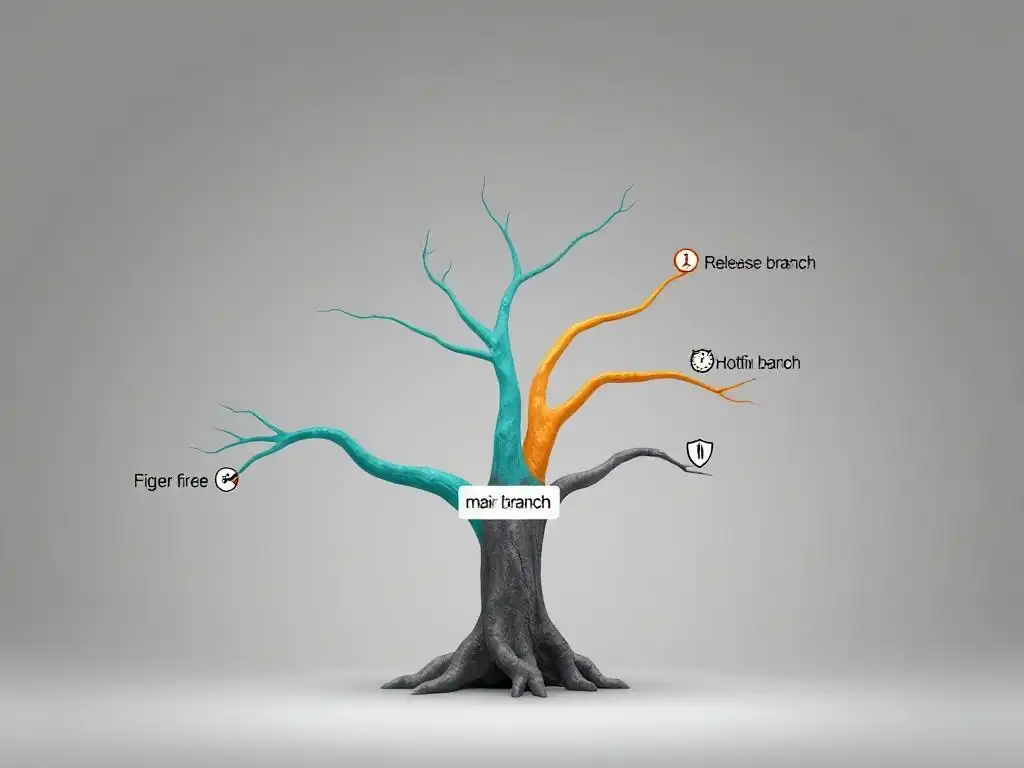
Welcome to Git and Version Control Hub, your central resource for mastering Git and version control!
Ever wondered about the crucial differences between Git release vs hotfix branches and when to strategically deploy each? This guide dives deep into the nuances of release, hotfix, and even support branches, equipping you with the knowledge to streamline your workflow and confidently manage any development scenario. Unlock the secrets to efficient branching and merging – your journey to Git mastery starts here!
Release Branch vs. Hotfix Branch vs. Support Branch: Which to Use When?
- Understanding Git Branching Strategies: Release, Hotfix, and Support Branches
- Release Branches: Managing Software Releases with Git
-
Hotfix Branches: Addressing Critical Bugs in Production
- Defining Hotfix Branches: Emergency Bug Fixes
- The Need for Hotfix Branches: Rapid Response to Production Issues
- Creating a Hotfix Branch from main: Isolating Bug Fixes
- Applying a Hotfix: Merging Back to main and Release Branches
- Best Practices for Hotfix Branches: Minimizing Disruption
- Example: Fixing a Data Corruption Bug with a hotfix/data-loss Branch
-
Support Branches: Maintaining Older Software Versions
- What are Support Branches in Git?
- Purpose of Support Branches: Long-Term Maintenance
- Creating a Support Branch: Branching from an Older Release Tag
- Applying Patches to Support Branches: Backporting Bug Fixes
- When to Use Support Branches: Maintaining Legacy Code
- Example: Maintaining a support/1.x Branch for an Older Version
-
Release Branch vs. Hotfix Branch vs. Support Branch: A Detailed Comparison
- Key Differences: Purpose, Timing, and Workflow
- Release Branches vs. Hotfix Branches: Handling Planned Releases vs. Emergency Fixes
- Release Branches vs. Support Branches: Preparing for New Releases vs. Maintaining Old Ones
- Hotfix Branches vs. Support Branches: Severity of Issues and Branching Source
- Git Flow Workflow and Branching Strategies
- Choosing the Right Branch: Scenarios and Recommendations
- Best Practices for Using Release, Hotfix, and Support Branches
- Conclusion: Mastering Git Branching for Effective Software Development
-
Frequently Asked Questions
- What is the primary purpose of a release branch in Git?
- When should I use a hotfix branch instead of directly modifying the main branch?
- How does a support branch differ from a release or hotfix branch?
- What are the key benefits of using Git branching strategies like release, hotfix, and support branches?
- What's the connection between Git workflows and continuous integration/continuous deployment (CI/CD) pipelines?
- Final Reflection: Navigating the Git Branching Labyrinth
- Unleash Your Git Mastery: Take Control of Your Branches!
Understanding Git Branching Strategies: Release, Hotfix, and Support Branches
Introduction to Branching for Software Maintenance
In the realm of software development, maintaining different versions of software is a constant necessity. As projects evolve, developers not only work on new features but also need to address bugs in released versions or provide long-term support for older ones. Git, with its powerful branching capabilities, offers structured methodologies to handle these diverse maintenance tasks effectively. Understanding and utilizing different branching strategies is crucial for managing software releases, addressing critical issues in production, and supporting multiple software versions concurrently.
Branching in Git allows developers to diverge from the main line of development and work on isolated streams of changes. This isolation is particularly valuable when it comes to software maintenance. Instead of mixing bug fixes, new features, and support efforts in a single branch, specialized branches can be created to manage each type of task distinctly. This segregation leads to a cleaner, more organized codebase and simplifies the process of releasing and maintaining software over its lifecycle.
Why Choose the Right Branching Strategy?
Selecting the appropriate branching strategy is not merely a matter of organizational preference; it directly impacts the efficiency, stability, and maintainability of a software project. An ill-chosen strategy can lead to chaotic development workflows, increased merge conflicts, and a higher risk of introducing bugs into production environments. For example, attempting to fix a critical production bug directly on the main branch while simultaneously developing new features can destabilize the entire system and delay the bug fix release.
Conversely, a well-defined branching strategy streamlines development, minimizes risks, and enhances collaboration within a team. By clearly delineating the purpose of each branch type—release, hotfix, or support—teams can work in parallel with reduced interference, ensuring that each type of change is handled in a controlled and predictable manner. This structured approach allows for faster release cycles for new features, quicker response times for critical bug fixes, and efficient long-term maintenance of software versions, ultimately leading to higher quality software and greater customer satisfaction.
Release Branches: Managing Software Releases with Git
What is a Release Branch in Git?
A release branch in Git is a dedicated branch created to prepare a specific version of software for release. It acts as a stabilization zone where the code intended for the upcoming release is refined and finalized. Typically branched off from the main or develop branch, release branches isolate the release preparation work from ongoing development efforts on new features. This isolation is crucial to ensure that the release candidate is stable and ready for deployment without being affected by potentially unstable, in-progress features.
Release branches are not meant for developing new features. Instead, they are focused on tasks directly related to the release process, such as bug fixes specific to the release candidate, documentation updates, and minor adjustments. By concentrating these activities within a release branch, teams can ensure that the released version is thoroughly tested and polished, meeting the expected quality standards before being deployed to production or distributed to users.
Creating a Release Branch: Step-by-Step
The process of creating a release branch usually begins when the development team has decided on a target release date or a set of features for the next version. A typical step-by-step approach involves branching off from a stable branch, like main or develop. Let's assume the next release is version 2.0. From the main branch, a new branch named release/2.0 would be created using the command git checkout -b release/2.0 main.
Once the release branch release/2.0 is created, the development team transitions to this branch to focus on release-specific tasks. This might involve tasks like final integration testing, resolving release-blocking bugs, updating version numbers in configuration files, and preparing release notes. All changes made in this branch are specifically aimed at stabilizing and preparing the code for the upcoming 2.0 release, without disrupting the ongoing development of future features on the main branch.
Purpose of Release Branches: Stabilizing Code for Deployment
The primary purpose of release branches is to provide a stable environment for finalizing a software version before it is deployed. Think of it as a staging area where the code is put through its final paces before being presented to the world. Release branches allow for focused testing and bug fixing specifically for the upcoming release, separate from the continuous integration and development happening in other branches like main or develop. This separation is vital for ensuring the stability and reliability of the release.
By isolating the release preparation work, release branches prevent the introduction of new, potentially unstable features into the release candidate. Any bugs discovered during the release stabilization phase are fixed directly within the release branch. These fixes are then merged back into both the release branch and the main branch to ensure that the main development line also benefits from these bug fixes. This controlled process significantly reduces the risk of deploying a release with critical issues.
When to Use a Release Branch: The Release Cycle
Release branches are typically used as part of a structured release cycle. They are initiated when the development of features for a specific release is nearing completion and the focus shifts towards stabilization and deployment. Consider a company aiming for quarterly software releases. Approximately 2-3 weeks before the planned release date, a release branch is created from the main branch. This timeframe allows sufficient time for testing, bug fixing, and final preparations.
The release branch lifecycle is tied to the release cadence. Once the release is deployed to production from the release branch, the release branch is typically merged back into main and tagged with the release version number (e.g., v2.0). This tagging marks the point of release and provides a reference point for the released code. Using release branches in this cyclical manner ensures a predictable and manageable release process, allowing for consistent and reliable software deployments.
Merging a Release Branch: From Development to Production
The merging process of a release branch is crucial and involves two key merges. First, after the release candidate in the release branch is deemed stable and ready for deployment, it is merged into the main branch. This merge operation updates the main branch with the final, release-ready code. This step is often accompanied by tagging the commit on the main branch with the release version number, for example, v2.0, to clearly mark the release point in the commit history.
Second, and equally important, the release branch is also merged back into the develop branch (if you are using a develop branch in your workflow). This ensures that any bug fixes and stabilization changes made in the release branch are incorporated back into the ongoing development line. This prevents bug fixes from being release-specific and ensures that the development branch also benefits from the stability improvements. These two merges are essential to synchronize the release changes back into both the main release line and the active development line.
Example: Creating a release/2.0 Branch
Imagine a development team working on version 2.0 of their application. They have completed the planned features and are ready to start the release process. Following best practices, they decide to create a release branch. From their main branch, they execute the command git checkout -b release/2.0 main. This command creates a new branch named release/2.0 based on the current state of the main branch.
Now, the team switches to the release/2.0 branch ( git checkout release/2.0) and begins the release stabilization process. They might perform rigorous testing and identify a minor bug in the user interface. They fix this bug directly within the release/2.0 branch. Once testing is complete and the release candidate is approved, they merge release/2.0 back into main ( git checkout main; git merge --no-ff release/2.0) and tag the release commit as v2.0 ( git tag -a v2.0 -m "Release version 2.0"). Finally, they merge release/2.0 into develop (if applicable) to propagate the bug fix to the development branch. This example demonstrates the typical lifecycle of a release branch in a Git workflow.
Hotfix Branches: Addressing Critical Bugs in Production
Defining Hotfix Branches: Emergency Bug Fixes
Hotfix branches are specifically designed to address critical bugs that arise in the production version of software. These are emergency branches created to quickly resolve urgent issues that are impacting users or system stability in a live environment. Unlike release branches that are planned as part of the release cycle, hotfix branches are reactive and created on demand when a serious problem is discovered in production.
The defining characteristic of a hotfix branch is its urgency and narrow scope. It's meant to isolate the fix for a specific critical bug, test it thoroughly, and deploy it to production as rapidly as possible. Hotfix branches are not for developing new features or making non-urgent changes; their sole purpose is to address and resolve production-critical issues with minimal delay and disruption to the ongoing development workflow.
The Need for Hotfix Branches: Rapid Response to Production Issues
The necessity for hotfix branches stems from the inevitable reality that bugs, even critical ones, can sometimes slip through testing and make their way into production. When these bugs are severe, such as security vulnerabilities, data corruption issues, or system crashes, they require immediate attention and resolution. A rapid response is crucial to minimize the negative impact on users and maintain system stability.
Without hotfix branches, the process of fixing production bugs can become cumbersome and risky. Attempting to fix a critical bug directly on the main branch, which might be undergoing active feature development, can introduce instability and delay the bug fix release. Hotfix branches provide a streamlined and isolated path to address these urgent issues without disrupting the normal development workflow, allowing for a quick and targeted resolution of production emergencies.
Creating a Hotfix Branch from main: Isolating Bug Fixes
Creating a hotfix branch starts directly from the main branch, which represents the production codebase. This ensures that the hotfix is based precisely on the version of code that is currently running in production and contains the bug. Suppose a critical bug is identified in production version 2.0, which is tagged as v2.0 on the main branch. To create a hotfix branch, you would first checkout the v2.0 tag: git checkout v2.0. Then, create a new branch named hotfix/bug-name from this point: git checkout -b hotfix/bug-name.
Naming the hotfix branch descriptively, such as hotfix/data-corruption or hotfix/security-vulnerability, is a best practice as it clearly indicates the purpose of the branch. By branching directly from the tagged production version, developers ensure that the hotfix branch contains only the necessary code to fix the specific bug, minimizing the risk of introducing unintended changes or conflicts.
Applying a Hotfix: Merging Back to main and Release Branches
Once the bug fix is implemented and thoroughly tested within the hotfix branch (e.g., hotfix/bug-name), the process of applying the hotfix involves merging it back into two key branches. First, the hotfix branch is merged into the main branch. This updates the main branch with the critical bug fix, reflecting the corrected production codebase. This merge is typically done with a non-fast-forward merge to preserve the hotfix branch history: git checkout main; git merge --no-ff hotfix/bug-name. After merging into main, a new tag is created to mark the hotfix release, for example, v2.0.1.
Second, the hotfix branch must also be merged into the develop branch (or any active development branch). This ensures that the bug fix is incorporated into the ongoing development line, preventing the bug from reappearing in future releases. This forward integration is crucial for maintaining code consistency and preventing regressions. Therefore, the hotfix branch is also merged into develop: git checkout develop; git merge --no-ff hotfix/bug-name. These dual merges ensure that the critical fix is applied to both the current production version and future development efforts.
Best Practices for Hotfix Branches: Minimizing Disruption
To maximize the effectiveness and minimize disruption from hotfix branches, several best practices should be followed. Firstly, hotfix branches should be kept as small and focused as possible, containing only the code necessary to fix the specific critical bug. Avoid including any unrelated changes or refactoring in a hotfix branch to reduce the risk of introducing new issues.
Secondly, thorough testing of the hotfix is paramount before deploying it to production. While speed is of the essence, rushing a hotfix without adequate testing can lead to further problems. Automated tests, along with targeted manual testing, should be conducted to verify the fix and ensure no regressions are introduced. Finally, clear communication within the development team and with stakeholders is crucial throughout the hotfix process. Keeping everyone informed about the issue, the fix, and the deployment plan helps manage expectations and ensures a smooth and coordinated response to production emergencies.
Example: Fixing a Data Corruption Bug with a hotfix/data-loss Branch
Suppose users report a critical data corruption issue in the production version 2.0 of an application. The development team immediately recognizes this as a high-priority problem requiring a hotfix. They identify the commit tagged v2.0 on the main branch as the source of the production code. First, they checkout the v2.0 tag: git checkout v2.0. Then, they create a hotfix branch: git checkout -b hotfix/data-loss.
Within the hotfix/data-loss branch, a developer identifies and fixes the code causing the data corruption. They write unit tests to verify the fix and perform integration testing to ensure no other parts of the system are negatively affected. Once they are confident in the fix, they merge hotfix/data-loss into main: git checkout main; git merge --no-ff hotfix/data-loss. They tag this commit as v2.0.1 to denote the hotfix release. Finally, they merge hotfix/data-loss into the develop branch to ensure the fix is included in ongoing development. This example illustrates how a hotfix branch is used to address a critical production bug swiftly and effectively.
Support Branches: Maintaining Older Software Versions
What are Support Branches in Git?
Support branches in Git are long-lived branches created to maintain older versions of software that are still in use by customers. These branches are necessary when a software vendor needs to provide ongoing support and bug fixes for previous releases, even while actively developing newer versions. Support branches diverge from the main development line to provide a dedicated space for backporting fixes and releasing updates for specific older versions.
Unlike release branches, which are short-lived and tied to specific upcoming releases, support branches are intended to exist for an extended period, often years, depending on the support lifecycle of the software. They allow for continued maintenance and patching of older versions without impacting the development of current and future releases, catering to users who may not be ready or able to upgrade to the latest version.
Purpose of Support Branches: Long-Term Maintenance
The primary purpose of support branches is to facilitate the long-term maintenance of software versions that are no longer the most current release but are still actively used and supported. Many organizations have customers who, for various reasons such as compliance requirements, system compatibility, or internal policies, cannot immediately upgrade to the latest software version. Support branches allow vendors to continue providing value and addressing issues for these users.
Support branches enable developers to backport bug fixes and security patches from newer versions or the main development line to these older supported versions. This backporting process ensures that users of older software versions receive critical updates and remain secure and functional. Without support branches, maintaining older versions would become significantly more complex and resource-intensive, potentially forcing users to upgrade prematurely or face unsupported software.
Creating a Support Branch: Branching from an Older Release Tag
Creating a support branch typically starts by branching off from a specific release tag that represents the version you intend to support. For example, if you need to provide long-term support for version 1.x of your software, which was released and tagged as v1.0, you would first checkout the v1.0 tag: git checkout v1.0. Then, create a new branch named support/1.x from this point: git checkout -b support/1.x.
Naming the support branch with a version identifier, like support/1.x or support/v2-lts (Long-Term Support), clearly indicates the version range this branch is intended to support. Branching from the release tag ensures that the support branch accurately reflects the codebase of the specific older version that requires maintenance, forming a solid foundation for backporting fixes and issuing updates for that version.
Applying Patches to Support Branches: Backporting Bug Fixes
Applying patches to support branches involves the process of backporting. Backporting means taking bug fixes or security patches that have been implemented in newer versions (typically on the main or develop branch) and applying them to the older support branch. This is essential for keeping the supported older version secure and stable.
The process usually involves identifying relevant commits from the newer branches that fix bugs applicable to the supported version. These commits are then cherry-picked or merged into the support branch. Due to code divergence between versions, backporting may not always be straightforward and might require adjustments or conflict resolution to ensure the fixes apply correctly to the older codebase. After backporting and resolving any conflicts, thorough testing of the patched support branch is necessary to confirm the fix and ensure stability.
When to Use Support Branches: Maintaining Legacy Code
Support branches are used when there is a business need to maintain and provide updates for older versions of software that are still in active use. This is common in industries with long adoption cycles or regulatory requirements that prevent users from immediately upgrading to the latest software versions. For example, enterprise software vendors often provide long-term support for several previous versions to accommodate their diverse customer base.
Consider a scenario where a company offers both a current version (version 3.0) and needs to continue supporting version 2.0 for customers who are not yet ready to migrate. In this case, a support/2.x branch would be created and maintained. Critical bug fixes and security patches developed for version 3.0 would be backported to the support/2.x branch, and periodic maintenance releases (e.g., 2.0.1, 2.0.2) would be issued from this support branch to address issues and keep version 2.0 users secure and functional. The duration of support for such branches is typically defined by the company's support policy, often lasting for several years.
Example: Maintaining a support/1.x Branch for an Older Version
Imagine a software company that released version 2.0 of their product but still has a significant customer base using version 1.x. To provide continued support for these users, they decide to create a support/1.x branch. They identify the release tag v1.0 as the base for this branch and create it using git checkout -b support/1.x v1.0.
Over time, a security vulnerability is discovered and fixed in version 2.0 on the main branch. The development team determines that this vulnerability also affects version 1.x. To address this, they backport the security fix to the support/1.x branch. This might involve cherry-picking the commit that fixed the vulnerability in main and applying it to support/1.x. After thorough testing within the support/1.x branch, they release a patch version, say 1.0.1, from this branch to address the security issue for their version 1.x users. This example illustrates the lifecycle of a support branch in maintaining an older software version and providing necessary updates.
Release Branch vs. Hotfix Branch vs. Support Branch: A Detailed Comparison
Key Differences: Purpose, Timing, and Workflow
Release branches, hotfix branches, and support branches serve distinct purposes within a Git workflow, each with its own timing and workflow characteristics. Release branches are proactive and planned, created to prepare for upcoming software releases. Their timing is dictated by the release cycle, typically a few weeks before a scheduled release. The workflow involves stabilization, bug fixing, and release preparation activities.
Hotfix branches, in contrast, are reactive and emergency-driven. They are created on demand to address critical production issues that require immediate attention. Their timing is unpredictable, triggered by the discovery of a severe bug in production. The workflow is focused on quickly isolating, fixing, and deploying a solution to the production environment.
Support branches are long-term and maintenance-oriented. They are created to support older software versions for extended periods. Their timing is determined by the support lifecycle policy of the software. The workflow involves backporting bug fixes and security patches from newer versions and issuing maintenance releases for older, supported versions. Understanding these key differences in purpose, timing, and workflow is crucial for effectively utilizing each branch type.
Release Branches vs. Hotfix Branches: Handling Planned Releases vs. Emergency Fixes
The core distinction between release branches and hotfix branches lies in their purpose and the context in which they are used. Release branches are used for planned releases, focusing on stabilizing and preparing a set of features for deployment according to a predetermined schedule. They are part of the normal release cycle and are created well in advance of the actual release date. The goal is to ensure a smooth and predictable release process for new features and planned updates.
Hotfix branches, on the other hand, are used for emergency fixes to address critical issues that have unexpectedly arisen in a production environment. They are reactive and unplanned, created in response to urgent problems that need immediate resolution to restore system stability or fix critical bugs. The primary goal of a hotfix branch is speed and minimal disruption to the ongoing development workflow, ensuring a rapid response to production emergencies. In essence, release branches are for planned evolution, while hotfix branches are for unplanned crisis management in production.
Release Branches vs. Support Branches: Preparing for New Releases vs. Maintaining Old Ones
Release branches and support branches differ significantly in their lifecycle and the versions of software they manage. Release branches are short-lived, created for a specific upcoming release and typically discarded or archived after the release is deployed. They focus on the current version of software being prepared for release and bridge the gap between development and production for new versions.
Support branches are long-lived, designed to maintain older versions of software for extended periods. They focus on versions that are no longer the latest but are still actively supported and used by customers. Support branches cater to users who are not on the latest version and require continued maintenance and bug fixes for their older software. While release branches are about moving forward with new versions, support branches are about sustaining the value and usability of past releases for users who rely on them.
Hotfix Branches vs. Support Branches: Severity of Issues and Branching Source
Hotfix branches and support branches are used for bug fixing, but they differ in the severity and urgency of the issues they address, as well as their branching source. Hotfix branches are for critical, production-breaking bugs that require immediate attention and deployment to resolve urgent issues affecting live systems. They branch directly from the production version (typically the main branch or a release tag).
Support branches are used for addressing bugs and security issues in older, supported versions of software. While the bugs fixed in support branches can be important, they are generally not as immediately critical as those addressed by hotfixes. Support branches branch from specific release tags representing older versions, not the current production version. Hotfixes are about immediate crisis control in production, while support branches are about ongoing maintenance and stability of older software versions over time.
Git Flow Workflow and Branching Strategies
The branching strategies discussed – release, hotfix, and support branches – are integral components of popular Git workflows, such as Gitflow. Gitflow, for instance, explicitly defines the use of release branches to prepare for releases, hotfix branches to address production issues, and a develop branch for ongoing feature integration. These branch types are not isolated concepts but are intended to work together within a cohesive branching model.
While Gitflow provides a structured framework, the core principles of using release, hotfix, and support branches can be adapted and applied to other Git workflows as well. Whether using Gitflow, GitHub Flow, GitLab Flow, or a custom workflow, understanding and utilizing these branch types enables teams to effectively manage software releases, respond to production emergencies, and maintain older software versions in a structured and organized manner. The specific implementation and naming conventions might vary, but the underlying purpose and benefits of these branching strategies remain consistent across different Git workflows.
Choosing the Right Branch: Scenarios and Recommendations
Scenario 1: Preparing for a Major Software Release
Scenario: Your team is nearing completion of a major new version of your software, version 3.0, packed with significant new features and improvements. You are planning a release in two weeks and need to stabilize the codebase and prepare it for deployment.
Recommendation: Utilize a release branch. Create a release/3.0 branch from your main or develop branch. Use this branch to perform final integration testing, fix release-blocking bugs, update documentation, and finalize release notes. Once stabilized, merge release/3.0 into main and tag it as v3.0 for release. Also, merge release/3.0 back into develop (if applicable) to integrate bug fixes into ongoing development. Release branches are ideal for managing planned software releases and ensuring a stable and controlled release process.
Scenario 2: Addressing a Critical Security Vulnerability in Production
Scenario: A critical security vulnerability is discovered in the production version of your software, version 2.5, currently running live. This vulnerability needs to be patched immediately to prevent potential exploits and data breaches.
Recommendation: Utilize a hotfix branch. Identify the commit tagged v2.5 on your main branch representing the production version. Create a hotfix/security-patch branch from this tag. Develop and thoroughly test the security fix within this hotfix branch. Once verified, merge hotfix/security-patch into main, tag it as v2.5.1 for the hotfix release, and deploy to production immediately. Also, merge hotfix/security-patch into develop (if applicable) to ensure the fix is included in future development. Hotfix branches are essential for rapidly responding to and resolving critical production issues.
Scenario 3: Maintaining an Older Version of Your Software
Scenario: Your company provides long-term support for version 1.x of your software, even though the current version is 3.0. Customers using version 1.x require ongoing bug fixes and security updates, but are not ready to upgrade to the latest version.
Recommendation: Utilize a support branch. Create a support/1.x branch from the release tag representing version 1.0 (or the latest 1.x release). Backport relevant bug fixes and security patches from newer versions or main to this support/1.x branch. Periodically release patch versions (e.g., 1.0.2, 1.0.3) from the support/1.x branch to provide updates to your version 1.x customers. Support branches are crucial for maintaining older software versions and providing long-term value to customers who rely on them.
Scenario 4: Backporting a Bug Fix to an Older Supported Version
Scenario: While working on version 3.0, your team fixes a bug in the core functionality of your software. You realize this bug also exists in the supported older version 2.x, currently maintained on a support/2.x branch.
Recommendation: Backport the bug fix to the support branch. Identify the commit that fixes the bug in your main or develop branch. Cherry-pick or merge this commit into your support/2.x branch. Test the backported fix in the support/2.x branch to ensure it applies correctly and doesn't introduce regressions. Once verified, release a new patch version from the support/2.x branch (e.g., 2.0.3) to provide the bug fix to users of version 2.x. Backporting ensures that critical fixes are propagated to all relevant supported versions, maintaining consistency and quality across different software versions.
Best Practices for Using Release, Hotfix, and Support Branches
Branch Naming Conventions: Clarity and Consistency
Adopting clear and consistent naming conventions for release, hotfix, and support branches is essential for team collaboration and branch management. For release branches, a common convention is release/version-number, such as release/2.0 or release/3.1. Hotfix branches are often named hotfix/issue-description or hotfix/issue-id, for example, hotfix/data-corruption or hotfix/security-vuln-123. Support branches are typically named support/version-range or support/version-identifier, like support/1.x or support/v2-lts.
Consistent naming makes it immediately clear to all team members the purpose and scope of each branch. This improves communication, reduces confusion, and simplifies branch identification and management within Git tools and workflows. Establishing and adhering to these conventions from the outset of a project significantly contributes to a more organized and maintainable codebase.
Branching Permissions: Controlling Access and Changes
Implementing branching permissions can enhance the control and stability of your Git workflow, especially when using release, hotfix, and support branches. For critical branches like main and release branches, consider restricting direct commit access and enforcing code review processes. This helps ensure that only reviewed and approved code makes its way into release candidates and production.
For hotfix branches, while speed is important, still ensure that hotfixes are reviewed before being merged into main and deployed. For support branches, controlled access can help maintain the integrity of older supported versions. Using Git hosting platforms that offer branch protection rules allows you to enforce these permissions programmatically, ensuring that branching policies are consistently applied and reducing the risk of accidental or unauthorized changes to critical branches.
Automated Testing: Ensuring Code Quality
Automated testing is paramount when using release, hotfix, and support branches to maintain code quality and prevent regressions. Release branches should undergo comprehensive automated testing, including unit tests, integration tests, and system tests, to ensure the release candidate is stable and meets quality standards. Automated testing in release branches helps catch bugs early in the release cycle, reducing the risk of deploying faulty software.
Hotfix branches, while requiring rapid deployment, should still be subjected to targeted automated tests to verify the fix and check for regressions. Even support branches benefit from automated testing. When backporting fixes to support branches, automated tests help confirm that the backported fixes apply correctly to the older codebase and maintain stability. Integrating automated testing into your CI/CD pipeline for all branch types significantly improves code quality and reduces the likelihood of introducing issues through branching and merging operations.
Continuous Integration/Continuous Deployment (CI/CD): Streamlining the Release Process
Integrating release, hotfix, and support branches into a CI/CD pipeline can significantly streamline the software release and maintenance process. For release branches, CI/CD can automate the build, test, and package generation processes, preparing release candidates for deployment. Upon merging a release branch into main, CI/CD can automatically trigger the deployment to production environments.
For hotfix branches, CI/CD can automate the build and test process, and upon merging a hotfix branch, trigger an expedited deployment pipeline to quickly push the fix to production. For support branches, CI/CD can automate the build and test process for patch releases and facilitate the creation of release artifacts for older supported versions. Utilizing CI/CD pipelines with these branch types automates many manual steps, reduces errors, accelerates release cycles, and ensures a more consistent and reliable software delivery process.
Conclusion: Mastering Git Branching for Effective Software Development
Key Takeaways: Release, Hotfix, and Support Branches
Mastering release, hotfix, and support branches in Git is crucial for effective software development, especially when managing software releases, addressing production emergencies, and maintaining older versions. Release branches streamline the process of preparing for planned releases, ensuring stability and control. Hotfix branches enable rapid responses to critical production issues, minimizing downtime and user impact. Support branches facilitate long-term maintenance of older software versions, providing continued value to users who are not on the latest release.
Understanding the purpose, workflow, and best practices for each branch type allows development teams to manage complexity, improve software quality, and enhance their overall development and maintenance processes. Choosing the right branch for the right scenario is a key skill for any development team aiming for efficient and reliable software delivery.
Further Learning: Advanced Git Concepts
To further enhance your Git skills and effectively utilize branching strategies, consider exploring advanced Git concepts such as Git workflows (Gitflow, GitHub Flow, GitLab Flow), rebasing vs. merging, advanced merge conflict resolution, and Git hooks for automation. Delving into these topics will provide a deeper understanding of Git's capabilities and enable you to optimize your version control practices for more complex development scenarios. Continuous learning and experimentation with Git are essential for mastering version control and maximizing its benefits in software development projects.
Frequently Asked Questions
What is the primary purpose of a release branch in Git?
A release branch is primarily used to prepare a version of your software for deployment. It allows for final bug fixes and stabilization without affecting the main development branch. Once the release is ready, it's merged into both main and develop.
When should I use a hotfix branch instead of directly modifying the main branch?
Hotfix branches are crucial for addressing critical bugs in a production environment. Creating a hotfix branch allows you to isolate the fix and deploy it quickly without disrupting ongoing development on other branches.
How does a support branch differ from a release or hotfix branch?
Support branches are created to maintain older versions of your software that are still in use. They allow you to apply bug fixes to these older versions without affecting the current release.
What are the key benefits of using Git branching strategies like release, hotfix, and support branches?
These branching strategies enable parallel development, prevent introducing instability into the main branch, and provide a structured way to manage multiple versions of your software.
What's the connection between Git workflows and continuous integration/continuous deployment (CI/CD) pipelines?
Git workflows, especially branching strategies like release and hotfix branches, provide the foundation for automated CI/CD pipelines. They define the process for code changes, testing, and deployment, ensuring reliable and efficient software delivery.
The complexities of Git branching strategies, particularly the distinctions between release, hotfix, and support branches, might seem purely technical, but they are profoundly relevant today. Efficient version control is the backbone of modern software development, enabling teams to collaborate seamlessly and deliver reliable products. Without a clear understanding of these branching models, projects can quickly descend into chaos, leading to wasted time, increased bugs, and ultimately, project failure.
The ongoing influence of these branching strategies extends far beyond the code itself. They shape team dynamics, influence deployment cycles, and ultimately impact the user experience. A well-defined branching strategy fosters a culture of collaboration and accountability, allowing teams to iterate quickly and confidently. The goal of software engineering is to control complexity, not to create it.
- Pamela Zave. This quote underscores the importance of choosing the right branching strategy to manage the inherent complexity of software development.
Now, consider how these branching models apply to your own projects. Are you leveraging the power of release branches to stabilize your code before deployment? Are you prepared to swiftly address critical issues with hotfix branches? Are you maintaining support branches to provide ongoing maintenance for older versions? Take a moment to reflect on your current workflow and identify areas where you can refine your branching strategy to improve efficiency, reduce errors, and ultimately, deliver better software. The path to mastery lies in continuous learning and adaptation.
Unleash Your Git Mastery: Take Control of Your Branches!
Thanks for exploring the world of release, hotfix, and support branches! Now that you have a clearer understanding of effective code management, it's time to put your knowledge into practice and refine your Git workflow.
Here's how to elevate your Git skills:
- Implement a branching strategy on your next project. Choose the branching types best suited to your project's lifecycle and create a clear, documented system.
- Practice with realistic scenarios! Simulate common development issues, such as bug fixes or feature releases, and practice creating and merging the appropriate branches.
- Share your Git expertise! Write a blog post about your team's branching approach or contribute to a discussion on Git best practices.
What branching strategy will you implement first, and how will it improve your team's workflow? Share your thoughts in the comments below!