
Advanced Branching in Git: Release, Hotfix, Support Best Practices for Teams

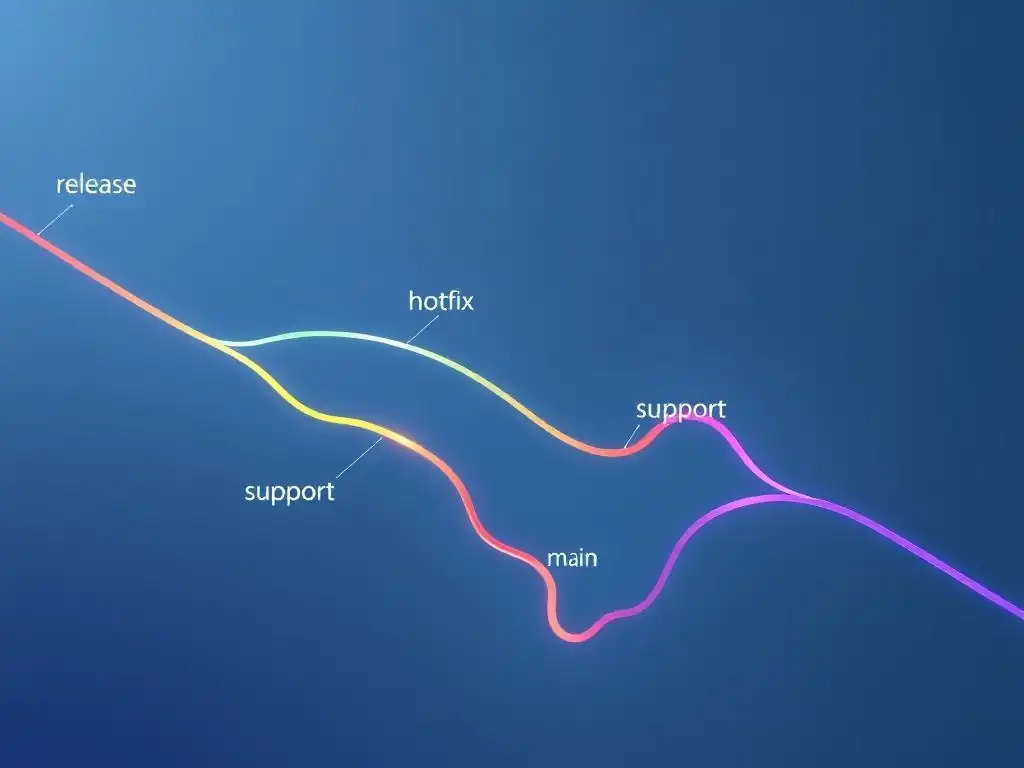
Welcome to the Git and Version Control Hub!
Are you ready to elevate your team's Git workflow? In this article, we delve into Git branching best practices for teams, moving beyond the basics to explore advanced strategies for release management, hotfixes, and long-term support. Discover how structured branching models can revolutionize your collaboration and minimize integration headaches. Learn more and unlock the full potential of Git for your projects!
Advanced Git Branching for Teams: Release, Hotfix, and Support Branch Strategies
- Understanding Advanced Git Branching Strategies for Team Collaboration
- Release Branching Strategy: Preparing for Production Deployments
- Hotfix Branching: Addressing Critical Issues in Production
- Support Branching: Maintaining Older Versions of Your Application
- Git Branching Workflow Examples for Different Team Scenarios
- Best Practices for Git Branching in Teams: A Summary
- Avoiding Common Git Branching Mistakes in Team Projects
- Conclusion: Mastering Git Branching for Effective Team Collaboration
-
Frequently Asked Questions
- What are the main types of branches commonly used in Git for team environments?
- Why is a branching strategy important for teams using Git?
- What is the purpose of a release branch in Git, and when should it be created?
- How does a hotfix branch differ from a regular feature branch in Git?
- What are some general best practices for Git branching in teams?
- Final Reflection: Mastering Collaborative Development with Git
- Unlock Git Mastery: Refine Your Branching Strategy!
Understanding Advanced Git Branching Strategies for Team Collaboration
Why Git Branching Best Practices Matter for Development Teams
Effective Git branching is more than just creating new branches; it's about establishing a structured workflow that enables development teams to work efficiently and collaboratively. In teams ranging from just a few members to large organizations with hundreds of developers, a well-defined branching strategy is crucial for managing concurrent feature development, bug fixes, and releases. Without established Git branching best practices teams can quickly descend into chaos, experiencing merge conflicts, code integration nightmares, and delayed release cycles.
For example, a study by Forrester Research indicates that companies with mature DevOps practices, including robust version control and branching strategies, experience up to 50% faster time to market for new features. This speed directly translates to a competitive advantage and increased revenue.
Furthermore, consider the practical implications for a team working on a complex e-commerce platform. Imagine multiple developers working on different features simultaneously: a new payment gateway integration, a revamped product recommendation engine, and an improved user interface for mobile devices. Without a clear branching strategy, these features would likely be developed directly on the main branch, leading to instability, potential conflicts, and a high risk of breaking the live application.
Implementing Git branching best practices for teams allows each feature to be developed in isolation, tested thoroughly, and integrated smoothly, minimizing disruption and ensuring the stability of the overall project. This structured approach not only reduces risks but also empowers developers to work independently and efficiently, fostering a more productive development environment.
The Importance of Structured Branching in Git Workflow
A structured branching workflow in Git provides a clear roadmap for development activities, ensuring that everyone on the team understands how code changes are managed and integrated. It establishes a shared understanding of branch purposes, lifecycles, and the processes for merging changes. This clarity is vital for reducing confusion and errors, especially in larger teams where communication can become challenging. For instance, according to the "State of DevOps Report," teams with well-defined workflows experience a 22% decrease in unplanned work and rework, directly attributed to improved planning and execution enabled by structured processes like branching strategies.
Beyond just reducing errors, a structured Git workflow enhances collaboration by providing designated spaces for different types of work. Feature branches allow developers to experiment and iterate on new features without impacting the main codebase. Release branches facilitate the stabilization and preparation of software releases. Hotfix branches enable rapid response to critical production issues.
Support branches cater to the maintenance of older application versions. By clearly separating these different streams of work, structured branching minimizes interference and allows teams to manage complexity effectively. Consider a scenario where a critical security vulnerability is discovered in the production version of an application. A structured hotfix branching strategy allows the team to isolate the fix, test it thoroughly, and deploy it rapidly to production without disrupting ongoing feature development, demonstrating the critical importance of a well-defined workflow in maintaining application stability and security.
Release Branching Strategy: Preparing for Production Deployments
Creating a Release Branch: Step-by-Step Guide
The release branch strategy is a cornerstone of Git branching best practices teams employ to prepare for production deployments. It essentially creates a dedicated space to stabilize and refine the code intended for an upcoming release, isolating it from ongoing feature development. The process typically begins when the development team decides to initiate the release cycle for a set of features. The first step is to create a new branch from the main development branch (often called develop or main). The command git checkout -b release-1.2.0 develop (assuming develop is your development branch and 1.2.0 is the intended release version) will create and switch to a new branch named release-1.2.0. This branch now represents the codebase for the upcoming version 1.2.0 release.
Once the release branch is created, only bug fixes, documentation updates, and release-specific tasks should be committed to it. No new features are introduced at this stage. The release branch becomes a focused environment for stabilization. Teams often use this phase to conduct rigorous testing, including user acceptance testing (UAT) and performance testing, to identify and resolve any remaining issues before the actual deployment.
For example, a typical software company might allocate one to two weeks for the release branch stabilization phase. During this time, the quality assurance team rigorously tests the release candidate, and developers address any critical bugs or performance bottlenecks discovered. This dedicated phase ensures a higher quality and more stable release.
Managing Feature Integration and Bug Fixes in Release Branches
Release branches are specifically designed to exclude new feature integration. The primary focus is on stabilizing the code for the intended release. Therefore, only bug fixes and minor refinements are permitted in release branches.
If a critical bug related to a feature is discovered during the release stabilization phase, the fix should ideally be developed and tested on the development branch first, and then cherry-picked or merged into the release branch. This ensures that the development branch also benefits from the bug fix and remains consistent. Directly committing feature-related changes to the release branch should be avoided as it blurs the purpose of the release branch and can introduce instability.
Bug fixes in release branches should be targeted and minimal, focusing solely on resolving issues that are critical for the release's stability and functionality. For example, if during testing, a critical security vulnerability is found in a specific feature included in the release, the team would create a fix on the development branch, thoroughly test it, and then carefully cherry-pick that specific commit into the release branch.
This surgical approach ensures that only the necessary fix is applied, minimizing the risk of introducing regressions or unexpected side effects. The release branch should remain as stable and predictable as possible, acting as a staging area for the final release.
Release Branch Naming Conventions for Team Clarity
Consistent and clear naming conventions for release branches are vital for team clarity and to avoid confusion. Following Git branching best practices teams should adopt a naming scheme that clearly indicates the purpose and version of the release branch. A common convention is to use the prefix release- followed by the release version number. For example, release-1.2.0, release-2.5, or release-3.0.1. Using semantic versioning (major.minor.patch) in the branch name is highly recommended as it provides immediate context about the nature and scope of the release.
Furthermore, teams might consider including additional descriptive information in the branch name if necessary, such as the target environment or release milestone. For instance, release-1.2.0-staging could indicate a release branch specifically for staging environment testing. However, it's crucial to keep the names concise and easily understandable. Avoid overly long or cryptic names. Well-defined naming conventions ensure that at a glance, any team member can quickly identify the purpose and status of a release branch, enhancing communication and reducing the likelihood of errors caused by misinterpretation of branch roles. Tools like branch naming linters can also be integrated into the workflow to enforce these conventions automatically.
Testing and Finalizing the Release Branch Before Deployment
The release branch is the designated environment for rigorous testing before production deployment. This phase typically involves various types of testing, including functional testing, integration testing, performance testing, security testing, and user acceptance testing (UAT). The goal is to identify and resolve any remaining bugs or issues that could impact the stability or user experience of the release.
Teams often employ automated testing suites to expedite the testing process and ensure comprehensive coverage. For example, a company releasing a new version of its mobile application might run thousands of automated UI tests, API tests, and performance benchmarks against the release branch.
Beyond automated testing, manual exploratory testing and UAT are also crucial in the release branch phase. UAT, in particular, involves real users testing the application in a production-like environment to validate that it meets their expectations and business requirements. Feedback from UAT is invaluable for identifying usability issues or edge cases that automated tests might miss.
Once all testing phases are complete and any critical issues are resolved, the release branch is considered finalized and ready for deployment to production. This thorough testing process in the release branch significantly reduces the risk of deploying buggy or unstable software to end-users.
Merging the Release Branch: Best Practices for Stable Code
Merging the release branch is the final step in deploying a new version to production and also updating the development branch with the release changes. Following Git branching best practices teams should merge the release branch into two key branches: the main (or master) branch and the develop branch. First, merge the release branch into main. This represents the production-ready state of the code and should be tagged with the release version number (e.g., v1.2.0). This tag serves as an immutable snapshot of the codebase at the time of release, providing a point of reference for future hotfixes or support. The command git merge --no-ff release-1.2.0 (on the main branch) followed by git tag -a v1.2.0 -m "Release version 1.2.0" achieves this, creating a merge commit and tagging the release.
Secondly, it's essential to merge the release branch back into the develop branch. This ensures that any bug fixes or minor refinements made during the release stabilization phase are incorporated back into the ongoing development stream. This merge keeps the develop branch up-to-date with the latest stable release and prevents the re-emergence of fixed bugs in future feature development. Using a merge commit ( git merge --no-ff release-1.2.0 on the develop branch) is again recommended to maintain a clear history of the release integration. These dual merges are critical for maintaining code consistency across branches and ensuring a smooth and stable development workflow.
Hotfix Branching: Addressing Critical Issues in Production
Identifying the Need for a Hotfix Branch
Hotfix branches are crucial for addressing critical issues in the production environment rapidly and efficiently. The need for a hotfix branch arises when a severe bug or security vulnerability is discovered in the live application that requires immediate attention to minimize disruption or potential damage. These issues are typically high-priority and cannot wait for the next planned release cycle. Examples of situations requiring a hotfix include critical security breaches, data corruption issues, or major functional bugs that significantly impact user experience or business operations.
The decision to create a hotfix branch should be triggered by a clear and urgent need to resolve a production problem. It's important to distinguish between regular bugs, which can be addressed in the normal development cycle, and critical issues that necessitate an immediate hotfix. Teams often have incident response protocols in place to identify and escalate such critical issues.
For instance, monitoring systems might detect a sudden spike in error rates, or customer support might report widespread user complaints about a specific feature malfunction. Once a critical issue is confirmed and prioritized, the hotfix branching process should be initiated promptly to minimize the impact on users and the business.
Creating a Hotfix Branch from the Production Branch
Following Git branching best practices teams create hotfix branches directly from the main (or master) branch, which represents the production codebase. This ensures that the hotfix is based on the exact version of the code currently running in production. Creating the hotfix branch from the development branch is incorrect as it might include changes that are not yet in production and could complicate the hotfix process. To create a hotfix branch, first, checkout the main branch to ensure you are working from the correct production state. Then, create a new branch with a descriptive name, typically prefixed with hotfix- and including a brief description or issue number. For example, git checkout -b hotfix-security-patch-1 main will create and switch to a new hotfix branch named hotfix-security-patch-1 based on the main branch.
This newly created hotfix branch is now dedicated to developing and testing the fix for the identified production issue. It's crucial to keep the hotfix branch focused solely on addressing the specific problem. Avoid including any unrelated changes or feature enhancements in the hotfix branch to minimize the risk of introducing regressions or unintended side effects. The goal is to create a minimal and targeted fix that can be deployed to production as quickly and safely as possible.
Implementing and Testing the Hotfix
Once the hotfix branch is created, the development team focuses on implementing the necessary code changes to resolve the critical production issue. The development work on a hotfix branch is typically done under high pressure and requires efficiency and precision. After implementing the fix, thorough testing is paramount, even under time constraints. Testing for hotfixes should include unit tests, integration tests, and ideally some form of staging environment testing that mirrors the production environment as closely as possible. The testing should specifically focus on verifying that the hotfix resolves the intended issue without introducing any new problems or regressions.
Due to the urgency of hotfixes, automated testing plays a crucial role in accelerating the process. Teams often have dedicated automated test suites for critical functionalities, which can be quickly run against the hotfix branch to ensure its stability. However, even with automated testing, some level of manual testing and verification is usually necessary, especially for complex or critical fixes.
The testing phase for a hotfix is often compressed compared to regular releases, but it should never be skipped or rushed. Adequate testing is essential to ensure that the hotfix effectively addresses the production issue and does not create further problems.
Merging the Hotfix: Rapid Deployment and Integration
Merging a hotfix branch is a critical process that requires speed and accuracy to restore production stability as quickly as possible. Following Git branching best practices teams should merge the hotfix branch into both the main (or master) branch and the develop branch. First, merge the hotfix branch into main. This immediately updates the production codebase with the critical fix and resolves the issue for end-users. As with release branches, use a non-fast-forward merge ( git merge --no-ff hotfix-security-patch-1) on the main branch to ensure a clear history of the hotfix application. Tag the main branch with a version number or hotfix identifier (e.g., v1.2.1 or hotfix-1) to mark the point of the hotfix deployment.
Secondly, and equally importantly, merge the hotfix branch back into the develop branch. This ensures that the fix is also incorporated into the ongoing development stream, preventing the issue from re-emerging in future releases. Again, use a non-fast-forward merge ( git merge --no-ff hotfix-security-patch-1) on the develop branch. Failing to merge the hotfix into develop can lead to the "hotfix paradox," where the production environment is fixed, but the development branch remains vulnerable, potentially reintroducing the bug in subsequent releases. These dual merges are essential for both immediate production resolution and long-term code consistency.
Documenting Hotfix Changes for Future Reference
Proper documentation of hotfix changes is often overlooked in the rush to resolve production issues, but it's a crucial aspect of Git branching best practices teams should adhere to. Documenting hotfixes serves several important purposes. Firstly, it provides a record of the issue, the fix implemented, and the rationale behind it, which is valuable for future reference and troubleshooting.
This documentation helps the team understand the context of the hotfix and avoids repeating similar mistakes in the future. Secondly, it facilitates communication within the team and with stakeholders, ensuring everyone is aware of the production issue and the steps taken to resolve it.
Hotfix documentation should include details such as the nature of the production issue, the steps to reproduce it (if applicable), the code changes implemented in the hotfix branch, the testing performed, and the date and time of deployment. This information can be recorded in commit messages, release notes, or a dedicated issue tracking system. For example, a well-documented commit message for a hotfix might read: "Hotfix: Resolve critical security vulnerability CVE-2023-XXXX. This patch addresses a cross-site scripting (XSS) vulnerability in the user profile page.
Tested in staging environment and verified by security team. Deployed to production on 2024-01-20." Thorough hotfix documentation ensures knowledge sharing and helps maintain a comprehensive history of production fixes.
Support Branching: Maintaining Older Versions of Your Application
When to Use a Support Branch
Support branches are employed when teams need to maintain and provide ongoing support for older, released versions of their application after newer versions have been deployed. This is particularly relevant for software products with long lifecycles or for companies that offer extended support agreements to their customers.
The need for a support branch typically arises when customers are not ready or able to upgrade to the latest version immediately, but still require bug fixes, security patches, or critical updates for the version they are currently using. For instance, enterprise software or operating systems often require support branches to cater to customers on older versions due to compatibility constraints, regulatory requirements, or internal upgrade cycles.
Consider a scenario where a software vendor releases version 3.0 of their product, but a significant portion of their enterprise clients are still using version 2.0. If a critical security vulnerability is discovered that affects both versions, the vendor would need to create a support branch for version 2.0 to apply the security patch, even while ongoing feature development continues on the main development branch for version 3.x and beyond.
Without support branches, maintaining older versions becomes cumbersome and inefficient, potentially leading to security risks and customer dissatisfaction. Support branches allow teams to provide targeted updates and maintain the stability of older releases without disrupting the development of newer versions.
Creating a Support Branch from a Specific Release Tag
Support branches are created from a specific release tag in the main (or master) branch that corresponds to the version requiring ongoing support. This tag represents a stable, released point in time and serves as the basis for the support branch. It is crucial to create support branches from tags rather than directly from the main branch to ensure that the support branch accurately reflects the exact state of the released version being maintained. To create a support branch, first, identify the tag associated with the release version you need to support. For example, if you need to support version 1.0.0, find the tag v1.0.0 in your main branch history. Then, create a new branch from this tag, typically named with a prefix support- followed by the version number, such as support-1.0.x. The command git checkout -b support-1.0.x v1.0.0 will create and switch to the support branch support-1.0.x based on the tag v1.0.0.
This support branch now becomes the dedicated space for applying bug fixes, security patches, and other necessary updates for version 1.0.x. It is isolated from the ongoing development of newer versions and allows the team to focus specifically on maintaining the stability and security of the older release. Creating support branches from tags ensures traceability and provides a clear lineage back to the original released version, simplifying maintenance and reducing the risk of introducing unintended changes from newer development streams.
Applying Bug Fixes and Security Patches to Support Branches
Support branches are used exclusively for applying bug fixes and security patches to older versions of the application. New features or major enhancements are not introduced into support branches. The focus is solely on maintaining the stability and security of the supported version. When a bug fix or security patch is needed for a supported version, the development team develops and tests the fix on the support branch. The process is similar to hotfix development, but typically less time-critical as support branches are for maintaining existing versions rather than urgently resolving production outages.
Once a fix is developed and tested on the support branch, it should be thoroughly reviewed and then merged back into the support branch. It's also often necessary to cherry-pick or backport these fixes into newer versions of the application, especially if the bug or vulnerability also exists in those versions. For example, if a security vulnerability is patched in the support-1.0.x branch, the team would likely need to apply a similar fix to the develop branch and any active release branches for newer versions to ensure consistent security across all supported and actively developed versions of the software. Maintaining consistency and applying fixes across relevant branches is a key aspect of effective support branch management.
Communicating Support Branch Updates to the Team
Effective communication about updates and changes in support branches is crucial for team coordination and to ensure that all relevant stakeholders are informed. Since support branches are maintained separately from the main development stream, it's important to keep the team aware of any changes, bug fixes, or security patches applied to these branches. This communication helps prevent confusion and ensures that everyone understands the status and maintenance activities related to older versions of the application.
Communication channels for support branch updates can include regular team meetings, email notifications, or updates in project management or issue tracking systems. When a fix is merged into a support branch, the team should be notified about the nature of the fix, the version it applies to, and any potential impact or dependencies.
Release notes or change logs for support branch updates should also be maintained and communicated to relevant stakeholders, including customer support teams and potentially end-users if applicable. Clear and consistent communication ensures that everyone is on the same page regarding the maintenance of older versions and minimizes the risk of misunderstandings or missed updates.
Managing Long-Term Support for Legacy Versions
Managing long-term support for legacy versions requires careful planning and resource allocation. As software ages, maintaining support branches can become increasingly challenging and costly. Over time, the codebase of older versions may diverge significantly from newer versions, making backporting fixes more complex. Furthermore, the expertise and resources required to maintain older technologies or frameworks may become scarce. Therefore, teams need to have a clear strategy for managing long-term support and eventually phasing out support for legacy versions.
This strategy should include defining a clear support lifecycle for each major version, specifying the duration of full support (including bug fixes and security patches) and extended support (security patches only), and the end-of-life date when support will be discontinued. Communicating this support lifecycle clearly to customers is essential so they can plan their upgrades accordingly.
As a version approaches its end-of-life, teams should encourage customers to migrate to newer, supported versions and provide resources and assistance for the upgrade process. Effectively managing long-term support involves balancing the needs of customers using older versions with the resources required for maintenance and the strategic direction of the product towards newer technologies and features.
Git Branching Workflow Examples for Different Team Scenarios
Example 1: Agile Development with Release Branches
In an agile development environment using release branches, teams typically work in short iterations, such as two-week sprints. Feature development happens on feature branches, branched off from the develop branch. Throughout the sprint, developers create feature branches for each user story or task they are working on. For example, a developer working on a new user authentication feature might create a branch named feature/user-authentication. Once the feature is complete and tested, it is merged back into the develop branch. At the end of each sprint, or when a set of features is ready for release, a release branch is created from develop. Let's say the team is preparing for release 1.5 at the end of sprint 3. They would create a branch release-1.5 from develop.
During the release stabilization phase, the QA team tests the release-1.5 branch, and developers address any bugs found. No new features are added to the release branch. Once the release is finalized, release-1.5 is merged into both main and develop. The main branch is tagged as v1.5. This workflow ensures that features are developed and integrated incrementally, and releases are prepared in a dedicated, stable environment, aligning well with agile principles of iterative development and frequent releases. This agile approach with release branches allows for a predictable and manageable release cycle, typically occurring at the end of each sprint or a set of sprints.
Example 2: Rapid Hotfixes in a Fast-Paced Environment
In fast-paced environments, such as SaaS companies or online services, rapid hotfixes are critical for maintaining service availability and user satisfaction. Imagine an e-commerce website experiencing a critical payment gateway issue during peak shopping hours. The incident response team immediately identifies the problem and triggers the hotfix process. A developer is assigned to create a hotfix branch directly from the main branch, which represents the live production code. They might create a branch named hotfix-payment-gateway-issue. The developer quickly implements and tests the fix on this branch, prioritizing speed and accuracy. Automated tests are run to verify the fix and minimize regressions.
Once the hotfix is tested and approved, it is rapidly merged back into main and deployed to production, ideally within minutes or hours of the issue being identified. Simultaneously, the hotfix branch is also merged into the develop branch to ensure the fix is integrated into the ongoing development stream. This rapid hotfix workflow emphasizes speed and efficiency, prioritizing the immediate resolution of critical production issues. Automated testing, streamlined deployment pipelines, and clear communication are essential components of a successful rapid hotfix process in fast-paced environments.
Example 3: Maintaining Multiple Application Versions with Support Branches
Consider a software company that offers a desktop application to enterprise clients. They have released versions 2.0, 3.0, and are currently developing version 4.0. Some enterprise clients are still using version 2.0 due to internal compatibility or validation processes and have purchased extended support agreements. The company needs to maintain support for version 2.0 while continuing development on newer versions. They create a support branch support-2.0.x from the release tag of version 2.0. When a security vulnerability is discovered that affects version 2.0, developers create a fix on the support-2.0.x branch. This fix is tested and then released as version 2.0.1, with the support-2.0.x branch tagged as v2.0.1.
Clients using version 2.0 receive this update. Meanwhile, feature development for version 4.0 continues on the develop branch, and version 3.x is also maintained separately if needed. This support branching strategy allows the company to provide ongoing maintenance and security updates for older versions to their enterprise clients without disrupting the development of newer versions. It enables them to honor support agreements and maintain customer satisfaction for users who are not yet ready to upgrade to the latest application version.
Best Practices for Git Branching in Teams: A Summary
Clear Branching Conventions: Ensuring Consistency
Establishing and enforcing clear branching conventions is fundamental to Git branching best practices teams should follow. These conventions should define the purpose, naming scheme, and lifecycle of each branch type used in the workflow. For example, consistently using prefixes like feature/, release/, hotfix/, and support/ for branch names immediately communicates the branch's purpose. Naming conventions should also incorporate version numbers or issue identifiers for better traceability. Documenting these conventions and making them readily accessible to all team members is crucial.
Furthermore, teams should utilize tools and processes to enforce these conventions. Branch naming linters can be integrated into the Git workflow to automatically check branch names against defined rules and prevent the creation of branches that violate the conventions. Code review processes should also include checks for adherence to branching conventions. Consistent branching conventions reduce confusion, improve team communication, and minimize errors arising from inconsistent or unclear branch usage. A well-defined and consistently applied branching strategy is a cornerstone of effective team collaboration with Git.
Code Reviews: Maintaining Code Quality Across Branches
Code reviews are an integral part of Git branching best practices teams employ to ensure code quality and consistency across all branches, including feature branches, release branches, and hotfix branches. Every code change, regardless of the branch it originates from, should undergo a code review before being merged into a shared branch or deployed to production. Code reviews help identify potential bugs, security vulnerabilities, and style inconsistencies early in the development process. They also promote knowledge sharing and code ownership within the team.
For feature branches, code reviews ensure that new features are implemented correctly and adhere to coding standards before integration. For release branches, code reviews focus on verifying bug fixes and ensuring the stability of the release candidate. For hotfix branches, code reviews, even under time pressure, are crucial to minimize the risk of introducing regressions or unintended side effects when resolving critical production issues. Utilizing code review tools and establishing a clear code review process, including guidelines for reviewers and authors, is essential for maintaining code quality and fostering a culture of continuous improvement within the development team.
Continuous Integration (CI): Automating Testing on Branches
Continuous Integration (CI) is a key practice that complements Git branching best practices teams adopt for automating testing and ensuring code quality across branches. CI systems automatically build and test code changes whenever new commits are pushed to any branch in the Git repository. This automated feedback loop allows teams to detect and resolve integration issues and bugs early and frequently. For feature branches, CI systems run unit tests, integration tests, and potentially static code analysis tools to validate the code changes before they are merged.
For release branches, CI pipelines can trigger more comprehensive testing suites, including performance tests, security scans, and deployment simulations. For hotfix branches, CI can provide rapid feedback on the hotfix implementation and ensure that it doesn't introduce regressions. Integrating CI with Git branching workflows significantly reduces the risk of integrating broken or unstable code.
It provides developers with fast feedback on their changes and helps maintain a high level of code quality across all branches, contributing to a more stable and efficient development process. Popular CI tools like Jenkins, GitLab CI/CD, and GitHub Actions seamlessly integrate with Git workflows and automate testing processes.
Branching Tools and Automation: Streamlining the Workflow
Leveraging branching tools and automation is essential for streamlining Git workflows and maximizing the efficiency of Git branching best practices teams implement. Git itself provides powerful command-line tools for branching and merging, but graphical Git clients and integrated development environments (IDEs) offer more user-friendly interfaces for managing branches and visualizing branch relationships. Tools like GitKraken, Sourcetree, and the Git integrations within IDEs like IntelliJ IDEA or VS Code can significantly simplify branch management tasks.
Beyond client-side tools, automation plays a crucial role in streamlining branching workflows. As mentioned earlier, CI/CD pipelines automate testing and deployment processes triggered by branch events. Branching automation can also extend to automatically creating release branches or hotfix branches based on predefined triggers or scripts. For example, a script could automatically create a release branch from the develop branch when a specific commit message pattern is detected. Automation reduces manual effort, minimizes errors, and accelerates the branching workflow, allowing teams to focus more on development and less on repetitive branch management tasks.
Gitflow Workflow Automation with GitLab CI/CD
Gitflow is a popular branching model that defines a strict branching strategy around release branches, feature branches, and hotfix branches. GitLab CI/CD provides powerful tools to automate the Gitflow workflow and enhance its efficiency. Using GitLab CI/CD, teams can automate the creation of release branches from the develop branch when a new release cycle begins. CI/CD pipelines can also be configured to automatically run tests on release branches and trigger deployment to staging environments. Upon successful testing and approval, the CI/CD pipeline can automate the merging of the release branch into main and develop, tagging the release, and deploying to production.
Similarly, GitLab CI/CD can automate the hotfix process. When a hotfix branch is created from main, a CI/CD pipeline can automatically run critical tests and facilitate rapid deployment to production after approval. GitLab CI/CD's branching and merging features, combined with its pipeline capabilities, provide a comprehensive platform for automating the entire Gitflow workflow. This automation reduces manual steps, ensures consistency, and accelerates the release and hotfix cycles, making Gitflow even more effective for teams using GitLab.
Avoiding Common Git Branching Mistakes in Team Projects
Overlapping Branch Purposes: Preventing Confusion
One common mistake to avoid in Git branching is having overlapping branch purposes. If multiple branch types are used for similar tasks or if the intended use of a branch is unclear, it can lead to confusion, merge conflicts, and workflow inefficiencies.
For example, if a team uses both "feature branches" and "development branches" for feature development, without a clear distinction between their roles, developers might be unsure where to branch from or merge into, leading to integration problems. Similarly, if release branches are used for both bug fixes and feature development during the release stabilization phase, it blurs the purpose of the release branch and introduces instability.
To prevent overlapping branch purposes, teams should clearly define the specific role and lifecycle of each branch type in their branching strategy. For example, feature branches should be solely for developing new features in isolation, release branches should be exclusively for release stabilization and bug fixes, and hotfix branches should be strictly for addressing critical production issues. Documenting these branch purposes and communicating them clearly to the team is essential. Regularly reviewing the branching strategy and ensuring that branch usage aligns with the defined purposes helps maintain clarity and prevent confusion.
Long-Lived Branches: Managing Merge Conflicts Effectively
Long-lived branches, especially feature branches that remain active for weeks or months, are a common source of merge conflicts and integration headaches in team projects. As feature branches diverge significantly from the main development branch over time, integrating changes becomes increasingly complex and prone to conflicts. These conflicts can be time-consuming to resolve and can delay feature integration and releases. Furthermore, long-lived feature branches can accumulate technical debt and become harder to maintain.
To mitigate the risks of long-lived branches, teams should strive to keep feature branches as short-lived as possible. Breaking down large features into smaller, incremental tasks and merging feature branches frequently into the development branch helps minimize divergence and reduce merge conflicts. Encouraging developers to regularly rebase their feature branches against the development branch also helps keep them up-to-date and reduces the likelihood of significant merge conflicts. Implementing continuous integration and automated testing further helps detect and resolve integration issues early in the development cycle, preventing long-lived branches from becoming a major source of problems.
Ignoring Branching Conventions: Maintaining Team Cohesion
Ignoring established branching conventions is a significant mistake that can undermine team cohesion and disrupt the Git workflow. If developers inconsistently name branches, create branches for unclear purposes, or deviate from the agreed-upon branching strategy, it leads to confusion and makes it difficult for the team to collaborate effectively. Inconsistent branching practices can also increase the risk of errors, merge conflicts, and integration problems. For instance, if some developers use feature branch prefixes while others don't, it becomes harder to identify the purpose of branches and manage them effectively.
To avoid ignoring branching conventions, teams must emphasize the importance of adhering to the agreed-upon strategy. Onboarding new team members should include training on the branching conventions and workflow. Regular team communication and reminders about branching best practices are essential. As mentioned earlier, utilizing branch naming linters and incorporating branching convention checks into code reviews can also help enforce consistency and prevent deviations. Maintaining adherence to branching conventions is not just about following rules; it's about fostering a shared understanding and ensuring smooth collaboration within the development team.
Regular Rebasing for Long-Lived Feature Branches
For teams that inevitably have some long-lived feature branches, regular rebasing against the development branch is a crucial practice to manage merge conflicts effectively. Rebasing a feature branch involves reapplying its commits on top of the latest state of the development branch.
This effectively integrates the latest changes from the development branch into the feature branch, keeping it up-to-date and minimizing divergence. Regular rebasing, ideally done daily or at least a few times a week for long-lived branches, significantly reduces the likelihood of large and complex merge conflicts when the feature branch is eventually merged back into the development branch.
Rebasing also helps maintain a cleaner and more linear commit history compared to frequent merging, especially for long-lived feature branches. However, it's important to note that rebasing should only be done on private feature branches and not on shared branches, as it rewrites the commit history and can cause problems for collaborators. Developers working on long-lived feature branches should be trained on the proper use of rebasing and understand its benefits and potential risks. Regular rebasing, when applied correctly, is a valuable technique for managing long-lived branches and minimizing merge conflicts in Git workflows.
Conclusion: Mastering Git Branching for Effective Team Collaboration
Implementing a Robust Git Branching Strategy: Key Takeaways
Implementing a robust Git branching strategy is paramount for effective team collaboration in software development. Mastering advanced branching techniques like release branches, hotfix branches, and support branches, as described in this article on Git branching best practices teams, is essential for managing complex projects and ensuring code stability. Key takeaways include the importance of clear branching conventions, code reviews for quality assurance across branches, continuous integration for automated testing, and leveraging branching tools and automation to streamline workflows.
Avoiding common mistakes like overlapping branch purposes, long-lived branches, ignoring conventions, and neglecting regular rebasing is equally crucial for maintaining a healthy and efficient Git workflow. By adopting and consistently applying these best practices, development teams can significantly improve their collaboration, reduce integration issues, accelerate release cycles, and maintain high code quality. A well-defined and effectively implemented Git branching strategy is not just a technical process; it's a cornerstone of successful team-based software development.
Further Resources for Git Branching and Version Control Mastery
To further enhance your understanding and mastery of Git branching and version control, numerous resources are available. The official Git documentation is an invaluable source for in-depth information on Git commands, concepts, and workflows. Online tutorials and interactive courses on platforms like Coursera, Udemy, and Pluralsight offer structured learning paths for Git and version control. Books like "Pro Git" by Scott Chacon and Ben Straub provide comprehensive guides to Git, covering everything from basic commands to advanced branching strategies.
Websites dedicated to Git and version control, such as the one this article is published on (GitAndVersionControlHub.com), often provide practical tutorials, blog posts, and best practice guides. Exploring real-world examples of Git branching strategies used by successful software companies can also provide valuable insights. Experimenting with different branching workflows in personal projects and team environments is crucial for practical learning and solidifying your understanding. Continuously learning and staying updated with the evolving best practices in Git branching and version control is an ongoing journey for every software developer seeking to improve their collaboration and code management skills.
Frequently Asked Questions
What are the main types of branches commonly used in Git for team environments?
The main types are main or master (for stable code), feature (for new functionality), release (for preparing a release), hotfix (for urgent bug fixes), and sometimes support branches (for maintaining older versions).
Why is a branching strategy important for teams using Git?
A well-defined branching strategy helps teams manage parallel development, isolate features, and quickly address critical issues, leading to a more stable and efficient workflow.
What is the purpose of a release branch in Git, and when should it be created?
A release branch is used to stabilize code before a release. It should be created when the team is ready to freeze feature development and focus on bug fixes and final preparations for deployment.
How does a hotfix branch differ from a regular feature branch in Git?
A hotfix branch is specifically for addressing urgent bugs in the production environment. It's created directly from main or a release branch, and after fixing the bug, it's typically merged back into both main and the release branch to ensure consistency.
What are some general best practices for Git branching in teams?
Some best practices include keeping branches short-lived, using descriptive branch names, regularly merging from main, and enforcing code review before merging feature branches to ensure high-quality code.
Final Reflection: Mastering Collaborative Development with Git
The intricacies of Git branching, as explored in this article, are not merely technical exercises; they are the cornerstone of effective teamwork and streamlined software development in today's fast-paced tech landscape. Understanding and implementing release, hotfix, and support branching strategies empowers teams to navigate complex projects with confidence, minimizing conflicts and maximizing productivity.
The impact of robust Git branching strategies extends far beyond efficient code management. It fosters a culture of collaboration, transparency, and shared ownership, ultimately leading to higher quality software and a more positive developer experience. My own experience has shown me that a well-defined branching strategy is the difference between a smooth release and a chaotic scramble. The best code is code that is never written. The best documentation is documentation that is never read.
- Kelsey Hightower. This quote encapsulates the ideal of a system so intuitive and well-structured that it minimizes the need for extensive troubleshooting and explanation.
As you consider the principles outlined in this article, I encourage you to reflect on your own team's current Git workflow. Are there areas where these best practices could be implemented to improve collaboration, reduce errors, and accelerate your development cycle? Embrace the power of structured branching, and you'll unlock a new level of efficiency and harmony within your team, building not just software, but a thriving and collaborative development environment.
Unlock Git Mastery: Refine Your Branching Strategy!
Thanks for exploring advanced Git branching! You've gained valuable insights into creating robust release, hotfix, and support workflows for your team. Ready to put these best practices into action?
Here's how to elevate your Git skills:
- Implement a dedicated release branching strategy in your next project. Start small and iterate. This will significantly improve your workflow.
- Share this article with your team and discuss standardizing your branching practices. Consistent workflows prevent many issues!
- Review one of your existing projects to identify areas for improvement using the techniques you've learned. You might be surprised by what you find!
What's the first branching strategy you plan to implement, and why? Share your thoughts in the comments below!