
Branching and Merging
Master Git branching and merging to build organized workflows, collaborate confidently, and manage code changes with fewer conflicts. Learn practical strategies for creating and switching branches, choosing effective merge techniques, resolving conflicts, and maintaining healthy development workflows in Git, GitHub, and GitLab. 🚀 Whether you’re new to version control or refining advanced release and hotfix processes, these expert resources will help you improve teamwork, streamline deployments, and keep your projects moving forward.
 Branching Fundamentals (Creating, Switching, Deleting Branches)
 Long-Lived Branches Management (Strategies to Keep Long-Lived Branches Healthy)
 Merge Conflicts (Understanding, Resolving, Conflict Markers)
 Merge Techniques (Fast-Forward, Three-Way Merge, Squash Merge)
 Advanced Branching Scenarios (Release Branches, Hotfix Branches, Support Branches)
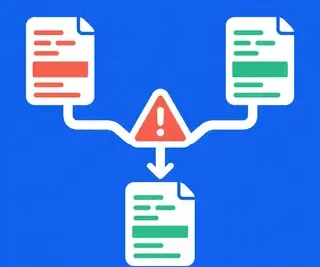 Merge Conflict Resolution Strategies (Graphical Merge Tools, Advanced Conflict Scenarios)
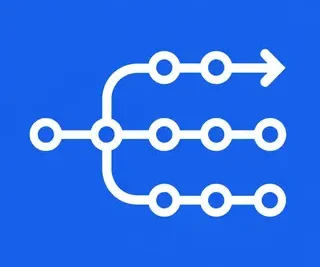 Branching Strategies (Git Flow, Feature Branching, GitHub Flow, GitLab Flow)
🌿 Branching and Merging in Git: Build a Better Version Control Workflow
Branching and merging are essential Git skills for developers who want to work safely, efficiently, and collaboratively. In this category, you will learn how to create isolated development environments, manage parallel work, combine changes, and resolve conflicts without losing valuable code. Whether you are working on a personal project or contributing to a large team repository, effective Git branching and merging can make your development workflow more organized and reliable.
Explore practical Git tutorials covering feature branches, Git Flow, GitHub Flow, GitLab Flow, merge conflicts, release branches, hotfix branches, fast-forward merges, three-way merges, and squash merges. These guides are designed for beginners and experienced developers who want to improve collaboration, code review, release management, and version control best practices using Git, GitHub, and GitLab.
🧭 Branching Strategies (Git Flow, Feature Branching, GitHub Flow, GitLab Flow)
This subcategory explains how popular Git branching strategies organize development work from initial coding through code review and production deployment. Learn how Git Flow uses dedicated development, release, and hotfix branches, while feature branching keeps new work isolated from stable code.
You will also compare GitHub Flow and GitLab Flow to understand which workflow best fits continuous delivery, team collaboration, and release-based development. Expect practical guidance on branch naming, pull requests, merge requests, code reviews, and choosing a branching model that supports your project.
🛠️ Merge Conflict Resolution Strategies (Graphical Merge Tools, Advanced Conflict Scenarios)
Merge conflicts can occur when multiple branches modify the same lines or when Git cannot determine how changes should be combined. This section covers merge conflict resolution strategies, including how to inspect conflicting files, identify the intended result, and complete a merge safely.
Learn how to use graphical merge tools and IDE integrations to compare changes more clearly. Advanced tutorials address conflicts involving renamed files, deleted files, binary files, overlapping commits, and complex team workflows, helping you resolve difficult Git conflicts with confidence.
🚀 Advanced Branching Scenarios (Release Branches, Hotfix Branches, Support Branches)
Advanced branching scenarios are useful when software teams must maintain multiple versions, prepare releases, or deliver urgent production fixes. Learn how release branches help stabilize upcoming versions, how hotfix branches support rapid bug fixes, and how support branches preserve older releases.
This section explains how to merge changes between active development, release, and maintenance branches while avoiding duplicated work. You can expect examples of branch synchronization, version management, emergency patches, and workflows for teams supporting multiple product versions.
🔀 Merge Techniques (Fast-Forward, Three-Way Merge, Squash Merge)
Git provides several ways to combine branch histories, and each merge technique affects your project’s commit graph. Learn how a fast-forward merge creates a linear history, how a three-way merge combines divergent branches, and when a squash merge is useful for condensing multiple development commits.
These tutorials explain the advantages, limitations, and practical use cases of each approach. You will also learn how merge strategy choices affect readability, auditing, reverting changes, pull requests, and long-term repository maintenance.
⚠️ Merge Conflicts (Understanding, Resolving, Conflict Markers)
This subcategory provides a clear introduction to Git merge conflicts, why they happen, and how Git represents them inside files. Understand conflict markers such as <<<<<<<, =======, and >>>>>>>, and learn how to distinguish your changes from incoming branch changes.
Step-by-step guides show how to edit conflicted files, stage resolved changes, continue a merge, and abort an unsuccessful operation. You will also learn how to test the final result and reduce future conflicts through communication, smaller commits, and regular branch updates.
🌳 Long-Lived Branches Management (Strategies to Keep Long-Lived Branches Healthy)
Long-lived branches can become difficult to merge when they remain separate from the main branch for too long. This section presents long-lived branch management strategies, including frequent synchronization, incremental integration, clear ownership, and regular testing.
Discover how to prevent branch drift, reduce merge debt, and keep large feature, release, or maintenance branches stable. The guidance covers branch hygiene, automated testing, documentation, code review practices, and deciding when a long-running branch should be divided into smaller changes.
🌱 Branching Fundamentals (Creating, Switching, Deleting Branches)
Start with the foundations of Git branching. Learn how to create branches with git branch and git switch, move between branches safely, inspect current branch status, and connect branches to specific commits or remote repositories.
You will also learn how to delete merged and unmerged branches, rename branches, track remote branches, and recover from common mistakes. These essential Git commands provide the foundation for isolated development, collaborative coding, and reliable branch management.
❓ Frequently Asked Questions About Git Branching and Merging
What is a branch in Git?
A Git branch is an independent pointer to a line of development. Branches allow developers to work on features, fixes, or experiments without changing the main branch until the work is ready to integrate.
What is the difference between merging and rebasing?
Merging combines two lines of development and usually preserves their existing history. Rebasing moves commits onto a new base to create a more linear history. Merging is often safer for shared branches, while rebasing is commonly used to organize local, unpublished work.
How can I prevent Git merge conflicts?
Reduce conflicts by keeping branches short-lived, pulling or fetching updates regularly, making focused commits, communicating about overlapping work, and integrating changes frequently. Automated tests and code reviews also help detect problems early.
What should I do when Git reports a merge conflict?
Run git status to identify conflicted files, open each file, review the conflict markers, and edit the content to keep the correct result. Then stage the resolved files with git add and complete the merge with git commit, or use git merge --abort to cancel the operation.
Which Git merge strategy should I use?
The best strategy depends on your team’s workflow. Fast-forward merges keep history linear, three-way merges preserve branch context, and squash merges create a clean single commit for a completed feature. Choose a consistent approach that supports code review, debugging, releases, and project maintenance.