GitOps: Automate Infrastructure and Deployments with Git
Explore how GitOps uses Git as the source of truth for infrastructure, application configuration, and deployment automation. Learn practical techniques for Infrastructure as Code (IaC), continuous delivery, Kubernetes operations, and reliable team workflows using GitHub, GitLab, and modern CI/CD tools.
🚀 GitOps Fundamentals and Core Principles
Understand the essential GitOps principles, including declarative configuration, version-controlled environments, automated reconciliation, and auditable change management. This subcategory explains how teams define infrastructure and application state in Git, review changes through pull requests, and let automation safely apply approved updates. Readers can expect clear guidance on GitOps workflows, desired versus actual state, configuration repositories, and the advantages of immutable, repeatable deployments for development, staging, and production environments.
🏗️ Infrastructure as Code with Git
Learn how to manage servers, cloud resources, networks, databases, and Kubernetes infrastructure through Infrastructure as Code stored in Git repositories. Tutorials cover practical patterns for Terraform, OpenTofu, Ansible, Helm, and Kubernetes manifests, including repository organization, reusable modules, environment separation, secrets management, and code review. You will discover how Git history, branching strategies, and pull requests improve infrastructure governance while reducing manual configuration drift and deployment errors.
🔄 Deployment Automation and Continuous Delivery
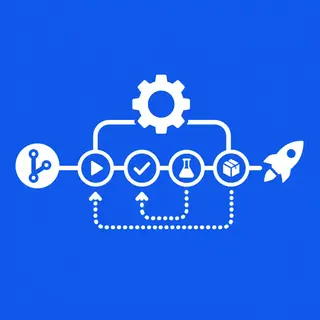
Discover how GitOps automates application releases from commit to production using continuous integration and continuous delivery pipelines. Content covers build validation, artifact publishing, environment promotion, approval workflows, rollback strategies, and automated synchronization. Readers will learn how tools such as GitHub Actions, GitLab CI/CD, Argo CD, and Flux connect Git changes to reliable deployments, enabling faster release cycles, consistent environments, and auditable software delivery without relying on manual server access.
☸️ Kubernetes GitOps Workflows
Explore Kubernetes-focused GitOps practices for managing clusters, workloads, namespaces, policies, and application configuration. Learn how pull-based deployment controllers continuously compare the declared state in Git with the live cluster, then reconcile differences automatically. This section explains Helm charts, Kustomize overlays, multi-environment repositories, cluster bootstrapping, and application synchronization. It is designed to help developers and platform engineers build scalable Kubernetes deployment automation with stronger reliability and operational visibility.
🛡️ Security, Collaboration, and Troubleshooting
Build safer GitOps pipelines with secure credentials, least-privilege access, protected branches, signed commits, policy checks, and secret encryption. Guidance also covers observability, deployment drift, failed synchronization, broken manifests, and rollback troubleshooting. Teams will learn how to combine Git reviews, automated testing, policy as code, and clear ownership to create resilient workflows. These practices support DevSecOps, compliance, incident recovery, and collaborative infrastructure management across cloud and on-premises systems.
Frequently Asked Questions
What is GitOps?
GitOps is an operational model that uses Git as the authoritative source for infrastructure and application configuration. Desired system state is declared in version-controlled files, reviewed through normal Git workflows, and applied automatically by deployment or reconciliation tools. This creates repeatable, traceable, and auditable infrastructure and software delivery.
How is GitOps different from Infrastructure as Code?
Infrastructure as Code defines infrastructure in machine-readable files, while GitOps adds a complete operating model around Git, automation, and continuous reconciliation. IaC tools may run during a pipeline or manually; GitOps continuously monitors the declared state and automatically works to keep the live environment aligned with the version-controlled configuration.
Which tools are commonly used for GitOps?
Popular GitOps tools include Argo CD and Flux for Kubernetes synchronization, Terraform and OpenTofu for infrastructure provisioning, Helm and Kustomize for Kubernetes configuration, and GitHub Actions or GitLab CI/CD for automation. The best toolset depends on your cloud platform, cluster architecture, security requirements, and team workflow.
Is GitOps suitable for production environments?
Yes. GitOps is widely used in production because it provides change history, peer review, automated deployments, predictable rollbacks, and continuous drift detection. Production teams should combine it with protected branches, secret management, policy validation, monitoring, staged promotions, and carefully defined access controls to reduce deployment and security risks.
How can beginners start learning GitOps?
Begin with Git fundamentals, YAML configuration, and a small application or Kubernetes cluster. Store a simple deployment manifest in Git, create a pull request, and connect the repository to a tool such as Argo CD or Flux. Gradually add CI testing, environment overlays, secrets management, policy checks, and automated promotion workflows.