GitHub and GitLab for Project Management 🚀
Learn how to use GitHub and GitLab as powerful project management platforms for Agile development, Kanban workflows, sprint planning, and team collaboration. This subcategory provides practical guidance for organizing work, tracking progress, improving developer productivity, and connecting project management with Git, issues, pull requests, merge requests, and CI/CD.
📋 Agile Planning with GitHub and GitLab
Discover how to manage Agile projects directly within GitHub and GitLab using issues, epics, milestones, iterations, and project boards. Tutorials explain how to break product requirements into user stories, define acceptance criteria, prioritize backlogs, and connect development tasks to commits and code reviews. Readers can build repeatable sprint planning processes that keep developers, product owners, and stakeholders aligned throughout the software development lifecycle.
🗂️ Kanban Boards and Workflow Organization
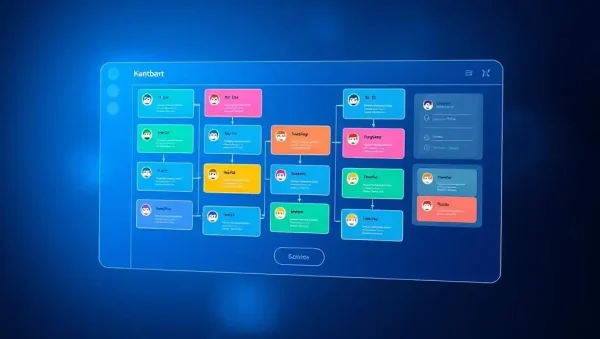
Learn how to create effective Kanban workflows with GitHub Projects and GitLab issue boards. You can organize tasks into columns such as backlog, ready, in progress, review, testing, and done while using labels, assignees, due dates, and automation rules to maintain visibility. These guides focus on work-in-progress limits, bottleneck detection, task prioritization, and continuous delivery for teams managing complex development projects.
🤝 Team Collaboration and Developer Productivity
Explore practical methods for coordinating distributed software teams through GitHub and GitLab. Topics include assigning responsibilities, using discussion threads, documenting decisions, managing notifications, and connecting issues with branches, commits, pull requests, and merge requests. Readers will learn how transparent communication and centralized project information can reduce duplicated work, improve accountability, and help teams collaborate efficiently without losing technical context.
🔗 Issues, Pull Requests, and Merge Requests
Understand how code collaboration tools support project management from planning through release. This section explains how to link issues to branches, reference tasks in commit messages, use pull requests or merge requests for review, and automatically close completed work. You will also learn how templates, checklists, labels, and approval rules create consistent processes for requirements tracking, quality assurance, code review, and release management.
⚙️ Automation, Reporting, and CI/CD Visibility
See how GitHub Actions and GitLab CI/CD can extend project management with automated testing, deployments, notifications, and status updates. Guides cover workflow automation, project metrics, burndown tracking, cycle time, lead time, and release visibility. By connecting project boards with pipelines, teams can make informed decisions using real-time delivery data, identify risks earlier, and create a more predictable Agile software development process.
Frequently Asked Questions
Can GitHub and GitLab be used as project management tools?
Yes. GitHub and GitLab provide issues, boards, milestones, labels, assignees, roadmaps, and reporting features that support project management. They are especially effective for software teams because planning remains connected to repositories, code changes, reviews, testing, and deployments. This creates a single source of truth for technical work and project progress.
What is the difference between GitHub Projects and GitLab issue boards?
GitHub Projects offers flexible table, board, and roadmap views that can be customized with fields and automation. GitLab issue boards focus strongly on issues, labels, milestones, and Agile workflows within groups and projects. Both support Kanban-style planning, but the best choice depends on your repository structure, team size, reporting needs, and preferred CI/CD tools.
How do Agile teams organize sprints in GitHub or GitLab?
Teams typically create a backlog of issues, prioritize user stories, assign work to a milestone or iteration, and track progress on a project board. Each issue should include a clear description, acceptance criteria, owner, and relevant labels. During the sprint, pull requests or merge requests are linked to issues so completed development work is easy to verify.
Can Kanban workflows be automated on these platforms?
Yes. GitHub Actions, GitLab CI/CD, built-in automation, and integrations can update task status, apply labels, assign reviewers, and trigger notifications. Automation can move work when a pull request opens or merges, but teams should keep rules simple and review them regularly. Effective automation removes repetitive administration while preserving accurate project visibility.
Which platform is better for software project management?
Neither platform is universally better. GitHub is widely adopted and offers a broad ecosystem of integrations, while GitLab provides an integrated DevOps platform with planning, source control, CI/CD, security, and deployment features. Compare repository hosting, Agile planning, permissions, reporting, automation, compliance, and budget requirements before selecting the platform for your team.