🔀 Pull Requests and Merge Requests: Creating, Reviewing, and Merging Code
Welcome to the Pull Requests/Merge Requests subcategory at Git and Version Control Hub, your practical resource for collaborating with GitHub and GitLab. Learn how to create, review, discuss, approve, update, and merge changes safely while keeping development teams aligned. Whether you are opening your first GitHub pull request, managing a GitLab merge request, or improving an established code review workflow, these guides explain the process clearly with real-world Git commands, branching strategies, review techniques, and collaboration best practices.
🚀 Creating Pull Requests and Merge Requests
Discover how to prepare a feature branch, commit focused changes, push your work to GitHub or GitLab, and open a clear request for review. Tutorials cover pull request creation, GitLab merge request setup, branch selection, titles, descriptions, issue references, labels, milestones, reviewers, and project templates.
Learn how to write a request that gives teammates the context they need to evaluate your code efficiently. You can expect guidance on organizing commits, adding testing instructions, including screenshots, describing known limitations, and confirming that automated checks pass before requesting review.
🔍 Reviewing Code Collaboratively
Improve your code review skills with practical advice for examining diffs, leaving useful comments, suggesting improvements, and identifying bugs, security risks, performance problems, and maintainability issues. These resources explain how to review changes on GitHub pull requests and GitLab merge requests without losing sight of the original task.
Readers will also learn how to give respectful, actionable feedback and distinguish between blocking problems and optional suggestions. Explore review checklists, approval rules, inline discussions, requested changes, review assignments, and techniques for making code reviews faster and more constructive.
🧩 Managing Review Feedback and Updates
Find out how developers should respond when reviewers request changes. Learn how to make additional commits, resolve discussions, update documentation, improve tests, and push revisions to an existing pull request or merge request without restarting the collaboration process.
These guides also explain how to keep a branch clean, avoid confusing unrelated changes, and communicate clearly when feedback is addressed. Topics include handling code review comments, amending commits, interactive rebase, force-pushing safely, and preserving a reliable review history.
✅ Approvals, Status Checks, and Branch Protection
Understand how automated and human checks work together before code is integrated. Learn about required approvals, CI/CD pipelines, build validation, unit tests, linting, security scans, merge conflicts, and protected branches on GitHub and GitLab.
Expect practical explanations of repository rules that help prevent accidental changes to production or main branches. You will learn how to configure and interpret branch protection rules, required status checks, CODEOWNERS, approval policies, and merge restrictions for safer team workflows.
🔀 Resolving Conflicts Before Merging
Merge conflicts can occur when multiple branches change the same lines or when a feature branch falls behind the target branch. Learn how to identify conflicts, update your branch, inspect conflicting files, choose the correct changes, and verify the final result using Git.
Our tutorials cover conflict resolution through the command line and web interfaces, including git fetch, git pull, git merge, and git rebase. You will also learn how to communicate conflict decisions clearly and prevent repeated conflicts through frequent synchronization and focused branches.
🎯 Merging Pull Requests and Merge Requests Safely
Explore when and how to merge approved work using merge commits, squash merging, or fast-forward strategies. Learn how each method affects project history, release tracking, rollback procedures, and future maintenance.
These resources help you choose the right merge strategy for your team and repository. Topics include merging pull requests on GitHub, merging merge requests on GitLab, deleting source branches, verifying deployment results, closing linked issues, and documenting important changes after integration.
❓ Frequently Asked Questions About Pull Requests and Merge Requests
What is the difference between a pull request and a merge request?
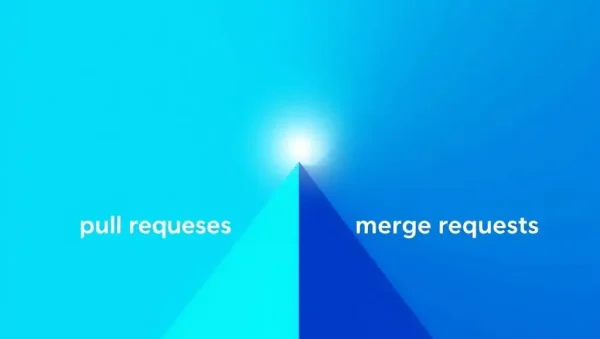
A pull request is GitHub’s term for a proposal to merge changes from one branch into another. GitLab generally uses the term merge request for the same collaborative process. Both support code review, discussions, approvals, automated checks, and controlled integration.
How do I create a pull request on GitHub?
Push your feature branch to GitHub, open the repository, select the option to create a new pull request, choose the source and target branches, and add a descriptive title and summary. Before submitting, confirm that tests pass and assign appropriate reviewers.
How do I create a merge request on GitLab?
Push your branch to GitLab and select New merge request. Choose the source and target branches, explain the changes, link relevant issues, add reviewers or approvers, and verify that the GitLab CI/CD pipeline and required checks are successful.
What should I do if a pull request has merge conflicts?
Update your branch with the latest target-branch changes, resolve conflicts carefully, run tests, and push the corrected branch. Use git merge or git rebase according to your team’s workflow, then ask reviewers to reassess any affected code.
Which merge strategy should a development team use?
The best strategy depends on your project’s history and collaboration needs. Squash merging creates a concise history, merge commits preserve the full branch context, and fast-forward merging keeps a linear history. Establish a documented team policy and apply it consistently.