Issue Tracking in GitHub and GitLab: Create, Organize, and Manage Development Work
Welcome to the Issue Tracking section of GitAndVersionControlHub.com, your practical resource for managing software development tasks with GitHub and GitLab. Learn how to create detailed issues, apply labels, set milestones, organize project boards, and improve collaboration across personal projects and development teams. These guides explain how to turn bug reports, feature requests, support tasks, and technical improvements into clear, actionable work that connects directly with your Git and version control workflow.
🐛 Creating Effective GitHub and GitLab Issues
Discover how to create high-quality issues in GitHub and GitLab for bugs, feature requests, documentation updates, and general project tasks. You will learn how to write descriptive titles, provide reproducible steps, add expected and actual behavior, include screenshots or logs, and link relevant commits, branches, merge requests, and pull requests. Well-written issues reduce confusion and help developers begin work faster.
Our tutorials also cover issue templates, assignees, participants, due dates, comments, and issue references. Whether you are managing an open-source repository or a private team project, you can expect practical advice for collecting the right information and keeping discussions focused throughout the software development lifecycle.
🏷️ Using Labels for Clear Issue Organization
Learn how GitHub and GitLab labels make issue tracking easier by categorizing work according to type, priority, status, component, team, or difficulty. Guides explain how to create consistent labels such as bug, enhancement, documentation, high priority, and good first issue. A reliable labeling system helps teams filter issues and identify important work at a glance.
You will also learn how to design a scalable label strategy for growing repositories. Explore label naming conventions, color choices, automated labeling, and techniques for avoiding duplicate or confusing categories. These practices improve GitHub issue management, GitLab issue organization, project visibility, and contributor onboarding.
🎯 Planning Releases with Milestones
Milestones help development teams group related issues and measure progress toward a release, sprint, version, or project objective. Learn how to create GitHub milestones and GitLab milestones, assign issues to them, set target dates, and monitor completion. Milestones turn a long issue list into a structured development roadmap.
Expect guidance on using milestones for bug-fix releases, product launches, sprint planning, maintenance cycles, and personal development goals. You will also discover how to review incomplete issues, identify release blockers, communicate progress, and keep project timelines realistic without losing flexibility.
📋 Managing Work with Project Boards
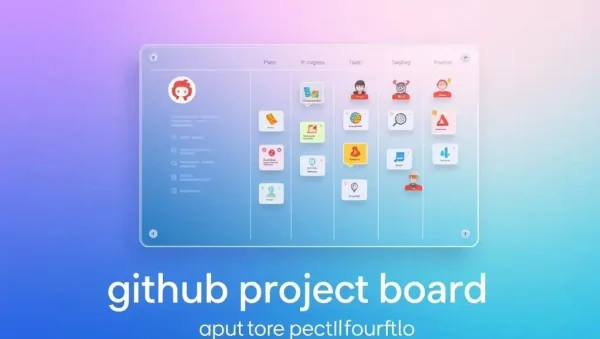
Explore GitHub Projects and GitLab issue boards for visual task management. Learn how to organize issues into columns such as To Do, In Progress, Code Review, and Done. These project boards provide a Kanban-style view of development work and make it easier to understand the current state of bugs, features, and technical tasks.
Our content explains how to configure board views, filters, workflows, automation, assignees, labels, milestones, and custom fields. You can expect practical methods for connecting project boards with branches, pull requests, merge requests, and continuous integration workflows while keeping your team aligned.
🤝 Improving Team Collaboration Through Issue Tracking
Effective issue tracking supports communication between developers, maintainers, testers, designers, and project managers. Learn how to assign responsibility, mention collaborators, request information, link related issues, and close completed work using GitHub and GitLab conventions. Transparent issue management creates a reliable source of truth for every project.
You will also find recommendations for issue triage, duplicate detection, prioritization, backlog maintenance, and respectful technical discussions. These techniques are useful for agile development, open-source collaboration, remote teams, and organizations that want better visibility into software delivery.
⚙️ Connecting Issues with Git Workflows and Automation
See how issue tracking connects with everyday Git commands and repository workflows. Learn how to reference issues in commit messages, branch names, pull requests, and merge requests so that completed code can be traced back to an original requirement or bug report. This creates a clearer audit trail from planning to deployment.
Advanced tutorials cover automation using GitHub Actions, GitLab CI/CD, bots, issue templates, and workflow rules. Discover ways to automatically label new issues, move cards on project boards, close issues when changes are merged, and enforce consistent processes across your repositories.
❓ Frequently Asked Questions About Issue Tracking
What is issue tracking in GitHub and GitLab?
Issue tracking is the process of recording, organizing, prioritizing, and managing bugs, feature requests, tasks, and discussions inside a repository. GitHub Issues and GitLab Issues keep development work connected to code, branches, pull requests, merge requests, milestones, and project boards.
How should I write a good software issue?
Use a specific title and include a clear description of the problem or requested feature. For bug reports, provide reproduction steps, expected behavior, actual behavior, environment details, logs, and screenshots when useful. Adding labels, priority, and relevant links makes the issue easier to understand and resolve.
What are labels used for in GitHub and GitLab?
Labels categorize issues by type, priority, status, component, or contributor experience. They help teams filter backlogs, find related tasks, identify urgent bugs, and organize project boards. Consistent labels are especially valuable for large repositories and open-source projects.
What is the difference between a milestone and a project board?
A milestone groups issues around a goal or deadline, such as a software release or sprint. A project board provides a visual workflow for moving work through stages such as planned, active, under review, and complete. Many teams use both features together for effective project planning.
Can GitHub and GitLab issues be automated?
Yes. Automation can assign labels, notify contributors, update project boards, close issues when pull requests or merge requests are merged, and connect issue tracking with CI/CD pipelines. GitHub Actions, GitLab CI/CD, templates, bots, and workflow rules can reduce repetitive project management tasks.