🤝 Collaboration Best Practices for GitHub and GitLab
Welcome to the Collaboration Best Practices subcategory on GitAndVersionControlHub.com, your practical resource for improving teamwork with Git, GitHub, and GitLab. Explore proven approaches to code reviews, pull requests, merge requests, branching strategies, team workflows, issue tracking, and repository management. Whether you are working on an open-source project, a startup codebase, or an enterprise development team, these guides help you build a more consistent, transparent, and productive version control workflow.
🔍 Code Review Best Practices
Learn how to perform effective GitHub code reviews and GitLab merge request reviews that improve software quality without slowing down development. Articles cover review preparation, meaningful feedback, review checklists, testing changes locally, and identifying bugs, security risks, performance issues, and maintainability problems.
Discover how to write constructive comments, separate critical issues from minor suggestions, and create a respectful review culture. You can also learn how to keep pull requests focused, reduce review fatigue, and use automated tools such as linters, test suites, and static analysis alongside human reviewers.
🌿 Branching Strategies and Team Workflows
Understand how teams can organize development using practical Git branching strategies, including feature branches, trunk-based development, Git Flow, and release branches. These resources explain how to choose a workflow based on team size, deployment frequency, project complexity, and collaboration requirements.
Learn how to name branches consistently, keep branches up to date, avoid long-lived development branches, and coordinate parallel work on GitHub or GitLab. Clear branch management reduces merge conflicts and helps developers collaborate safely across multiple features, bug fixes, and releases.
🔄 Pull Requests, Merge Requests, and Merging
Find practical guidance for creating high-quality GitHub pull requests and GitLab merge requests. Learn how to write descriptive titles, explain implementation details, link related issues, include testing information, and provide reviewers with the context they need to make informed decisions.
These guides also explain how to resolve merge conflicts, use merge commits, squash commits, rebase safely, and select appropriate merge options. Following a consistent merge request process makes code integration more predictable and preserves a useful project history.
🧭 GitHub and GitLab Team Communication
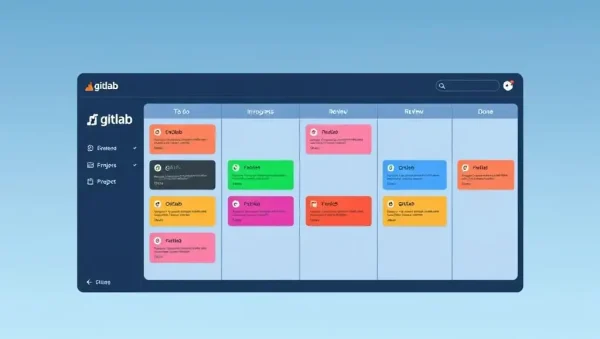
Effective collaboration depends on more than Git commands. Explore ways to use issues, discussions, project boards, labels, milestones, assignees, and notifications to coordinate development work. Learn how to document decisions and make project status visible to developers, reviewers, project managers, and contributors.
You will also discover communication practices for asynchronous software teams, including clear issue descriptions, actionable task definitions, review expectations, and escalation procedures. Better written communication helps prevent misunderstandings and supports distributed teams working across different schedules and locations.
🛡️ Permissions, Standards, and Repository Governance
Learn how to establish reliable repository rules for collaborative Git projects. Topics may include protected branches, required approvals, status checks, CODEOWNERS files, contribution guidelines, commit conventions, and permissions management in GitHub and GitLab.
These practices help teams protect production code while keeping contributions efficient. By combining repository governance with automated CI/CD checks and documented development standards, organizations can improve security, accountability, code consistency, and release confidence.
⚙️ Automation for Collaborative Development
Discover how GitHub Actions, GitLab CI/CD, bots, and automated checks can support code review and team workflows. Learn how to run unit tests, integration tests, security scans, formatting checks, and build validation automatically whenever developers open or update a pull request or merge request.
Automation provides fast, consistent feedback before code reaches protected branches. It allows reviewers to focus on architecture, behavior, and maintainability while automated systems handle repeatable quality checks and deployment prerequisites.
❓ Frequently Asked Questions About Collaboration Best Practices
What are the most important GitHub code review best practices?
Keep pull requests focused and reasonably small, explain the purpose of the change, link relevant issues, and include testing details. Reviewers should provide specific, respectful feedback and prioritize correctness, security, performance, and maintainability. Automated CI checks should run before approval whenever possible.
What is the difference between a GitHub pull request and a GitLab merge request?
They serve essentially the same purpose: proposing code changes for discussion, review, testing, and integration into another branch. GitHub calls the feature a pull request, while GitLab calls it a merge request. The exact interface and automation options differ, but the collaborative workflow is similar.
Which Git branching strategy is best for a development team?
There is no universal best strategy. Trunk-based development works well for teams that integrate small changes frequently, while feature branches and Git Flow may suit projects with formal release cycles. Choose a workflow that matches your deployment process, team size, testing maturity, and need for release isolation.
How can teams reduce merge conflicts in Git?
Developers can reduce conflicts by keeping branches short-lived, regularly synchronizing with the main branch, communicating about overlapping work, and making focused commits. Consistent formatting, clear file ownership, and early integration also make conflicts easier to prevent and resolve.
How do GitHub and GitLab improve software team collaboration?
GitHub and GitLab combine Git repositories with pull or merge requests, issue tracking, code review, project planning, permissions, and CI/CD automation. These features create a transparent workflow where teams can discuss changes, validate code automatically, document decisions, and safely deliver software.