🩹 Git Patching: Create, Apply, and Collaborate with Git Patches
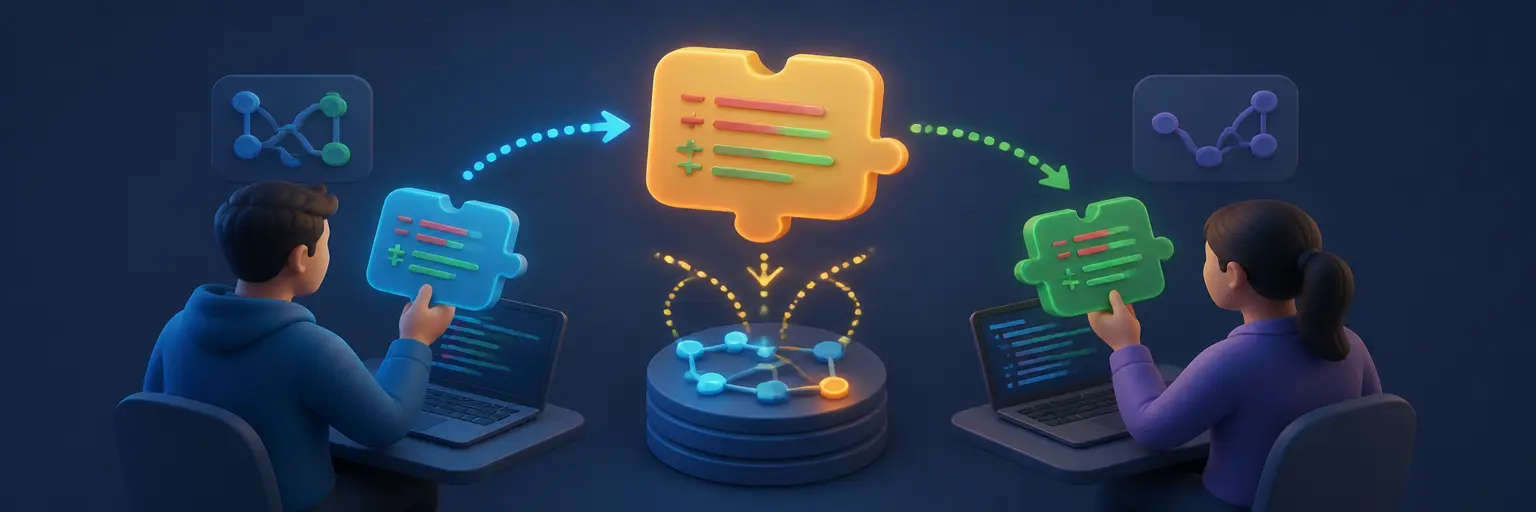
Explore Git patching with practical guidance on creating, reviewing, sharing, and applying patch files in modern software development. This subcategory on GitAndVersionControlHub.com explains how to use commands such as git diff, git format-patch, git apply, and git am to exchange code changes without immediately sharing a branch or repository. Whether you are working with distributed teams, contributing to open-source projects, or maintaining a controlled release workflow, you will learn reliable patch-based collaboration techniques.
📝 Creating Git Patches from Local Changes
Learn how to generate clear, portable patches from your working tree, staged changes, commits, or branches. Tutorials cover unified diff files, context lines, file-specific patches, and best practices for producing focused changes that are easy for teammates to inspect and apply.
You will also discover how to choose between git diff and git format-patch. While a standard diff records file changes, a format-patch can preserve valuable commit information such as the author, subject, message, and commit metadata, making it especially useful for email-based collaboration and code review.
📥 Applying Patches Safely with Git
Understand how to apply patch files using git apply and how to check a patch before changing your working directory. Guidance includes using git apply --check, reviewing patch content, handling whitespace warnings, and confirming that the target branch contains the expected files and context.
When patches do not apply cleanly, you will learn how to diagnose patch failures, resolve rejected hunks, inspect .rej files, and manually integrate changes. These techniques help developers apply external contributions safely while protecting existing work and maintaining a clean Git history.
📦 Using Git Format-Patch and Git Am
Discover how git format-patch converts commits into email-ready patch files and how git am applies those patches as commits. This workflow is valuable for projects that use mailing lists, offline contribution reviews, or distributed development processes without direct repository access.
Detailed examples explain how to create patches for one commit or an entire commit range, preserve authorship, include cover letters, and verify the resulting history. You will also learn how to continue, skip, or abort a patch application when conflicts occur during git am.
🤝 Collaborating with Developers Through Patches
Git patches provide a flexible way to share improvements through email, issue trackers, code review platforms, or secure file transfers. Learn how to prepare a patch series, write descriptive commit messages, include testing information, and give collaborators enough context to review the proposed changes efficiently.
This section also explains how patch-based collaboration fits alongside GitHub and GitLab workflows. You can compare patches with pull requests, use patches when repository permissions are limited, and maintain a productive review process across different Git hosting platforms and development environments.
🧩 Resolving Conflicts and Maintaining Patch Quality
Applying a patch can fail when the target branch has changed, files have been renamed, or surrounding code no longer matches. Learn practical methods for identifying merge conflicts in patches, updating outdated patch files, rebasing source changes, and regenerating a clean patch series.
High-quality patches should be focused, testable, and easy to understand. You will find recommendations for separating unrelated changes, avoiding generated files, documenting dependencies, validating the final result, and reviewing the patch with commands such as git diff --check.
🔍 Reviewing, Testing, and Verifying Git Patches
Effective patch review begins before application. Learn how to inspect patch metadata, examine changed files, identify unexpected modifications, and confirm that the proposed update follows project standards. Commands such as git show, git diff, and git log help provide a complete view of the change.
After applying a patch, verification is essential. Tutorials cover running automated tests, checking the working tree, reviewing the resulting commit history, and comparing the applied result with the original patch. These steps reduce integration errors and improve confidence in collaborative software delivery.
❓ Frequently Asked Questions About Git Patching
What is a Git patch?
A Git patch is a text file that describes changes made to one or more files. It can be created with git diff or git format-patch and shared with another developer. The recipient can apply the patch without receiving the entire branch or repository.
What is the difference between git apply and git am?
git apply applies the file changes described in a patch but does not automatically create a commit. git am applies patches created by git format-patch and usually preserves commit metadata, including the author, commit message, and timestamp.
How can I check whether a patch will apply cleanly?
Use git apply --check filename.patch before applying the patch. This command checks whether the patch matches the current files and reports likely problems without modifying the working tree.
What should I do if a Git patch fails to apply?
First, inspect the error message and confirm that you are on the correct branch and have no conflicting local changes. Review rejected hunks, compare the patch with the current source, resolve the differences manually, and test the final result. If using git am, you can use git am --continue, git am --skip, or git am --abort as appropriate.
When should I use a patch instead of a pull request?
Patches are useful when contributors lack direct repository access, need to work offline, or collaborate through email and issue trackers. Pull requests are often preferable for hosted platforms because they provide integrated discussion, automated checks, review tools, and branch-based collaboration. Choose the workflow that best matches the project’s technical and team requirements.