🧩 Git Internals: Understand the Data Model, Objects, Index, and Working Directory
Explore the foundations of Git with this in-depth subcategory on Git internals. Designed for developers using GitAndVersionControlHub.com, these guides explain how Git stores, tracks, and manages project history beneath familiar commands such as git add, git commit, git checkout, and git merge. Learn how the Git data model connects commits, trees, blobs, references, the staging area, and your working directory so you can troubleshoot problems, recover lost work, optimize repositories, and use Git with greater confidence.
📦 Git Object Model: Commits, Trees, Blobs, and Tags
Git is built around a content-addressable object database. This section explains the four primary Git object types: blob objects for file contents, tree objects for directory structures, commit objects for project history, and annotated tag objects for permanent references. You will learn how SHA-1 or SHA-256 object identifiers connect content to Git history and why identical content can produce the same object.
Expect practical explanations of object relationships and commands such as git cat-file, git hash-object, git ls-tree, and git rev-parse. These tutorials make Git’s internal storage easier to visualize, helping you understand commit ancestry, immutable history, object references, and the structure of a Git repository.
🌳 Git Commits, Trees, and Repository History
A Git commit is more than a snapshot: it records metadata, parent commits, author information, commit messages, and a reference to a top-level tree. This section shows how Git represents each project version and how commits form directed acyclic graphs rather than a simple linear timeline.
You will discover how Git compares revisions, follows parent relationships, and identifies changes across branches. By understanding the connection between commits and trees, you can use commands such as git log, git show, and git diff more effectively and diagnose confusing history or merge results.
🗂️ The Git Index and Staging Area Explained
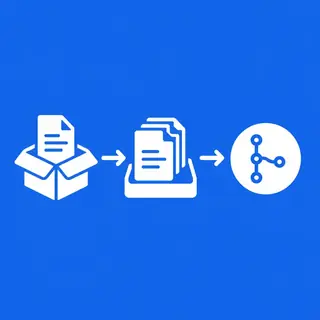
The Git index, commonly called the staging area, is the bridge between your working directory and the next commit. Learn how the index stores the exact file versions selected for a commit, allowing you to create focused commits instead of recording every local change at once.
This section covers how git add, git reset, git restore, and git commit interact with the index. You will also learn how to inspect staged content, understand staged versus unstaged changes, resolve conflicts in the index, and use partial staging to maintain clean and meaningful project history.
💻 Working Directory and Git File States
Your working directory contains the files currently checked out on disk, while Git tracks how those files differ from the index and the latest commit. These guides explain the complete Git file lifecycle, including untracked, modified, staged, committed, ignored, and deleted states.
Learn how git status reports changes and how Git compares the working directory with the staging area and repository history. Clear examples help you avoid accidentally overwriting work, understand checkout behavior, manage ignored files, and safely move changes between the working tree and the index.
🔍 Inspecting Git Internals with Plumbing Commands
Git offers high-level porcelain commands for everyday workflows and lower-level plumbing commands for inspecting its internal mechanisms. This section introduces tools such as git cat-file, git rev-list, git update-index, git write-tree, and git commit-tree.
These hands-on explanations help you see what Git does behind commands like git commit and git checkout. Understanding plumbing commands is valuable for advanced debugging, scripting, repository automation, custom Git tooling, and learning how Git internally creates and connects objects.
🧭 HEAD, Branch References, and Symbolic References
Git branches are lightweight references that point to commits rather than independent copies of files. Learn how branch references, HEAD, remote-tracking branches, and symbolic references work together to identify your current location in repository history.
You will explore commands such as git symbolic-ref, git show-ref, and git reflog to inspect and recover references. This knowledge makes branching, detached HEAD states, rebasing, resetting, and commit recovery easier to understand and safer to perform.
🛠️ Git Internals for Troubleshooting and Recovery
Understanding Git’s data model gives you practical recovery skills. This section explains how Git preserves unreachable objects temporarily, how reflogs record reference movement, and how tools such as git fsck can help locate dangling commits and recover seemingly lost work.
Expect reliable guidance for investigating corrupted-looking histories, accidental resets, deleted branches, failed rebases, and detached HEAD situations. You will learn why Git data is often recoverable and how to use internal inspection commands without putting valuable project history at risk.
❓ Frequently Asked Questions About Git Internals
What are Git internals?
Git internals are the underlying data structures and mechanisms Git uses to store project history. They include Git objects, references, the index, the working directory, object databases, and the relationships between commits, trees, and blobs.
What is the difference between the Git index and the working directory?
The working directory contains the files currently present on your computer. The index is Git’s staging area, which stores the exact content selected for the next commit. The working directory can contain changes that have not yet been staged.
What are the four Git object types?
The four main Git object types are blob, tree, commit, and tag. Blobs store file contents, trees represent directories, commits describe project snapshots and ancestry, and annotated tags identify specific Git objects with additional metadata.
Why is understanding Git internals useful?
Git internals knowledge helps you troubleshoot merge conflicts, detached HEAD states, unexpected resets, missing commits, and staging problems. It also improves your understanding of branching, rebasing, repository recovery, Git automation, and advanced version control workflows.
Which commands can inspect Git internals?
Useful commands include git cat-file, git hash-object, git ls-tree, git rev-parse, git show-ref, git reflog, and git fsck. These commands reveal object contents, references, commit relationships, tree structures, and recoverable repository data.