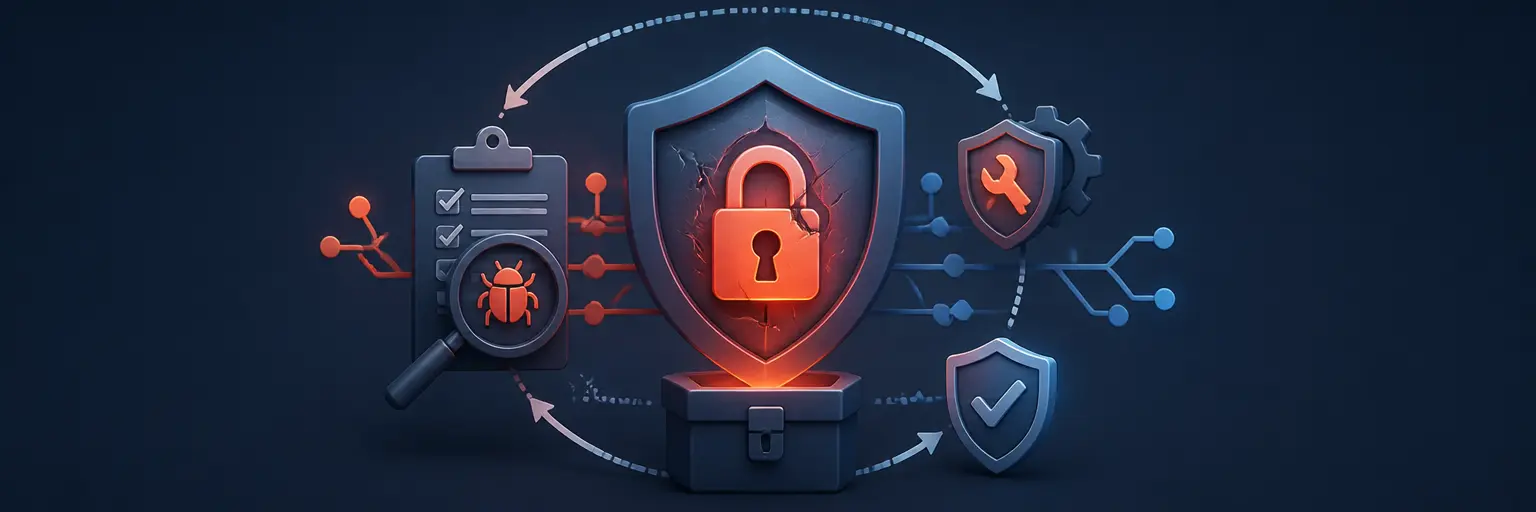
🛡️ Handling Security Vulnerabilities in Git Repositories
Learn how to identify, report, patch, and responsibly disclose security vulnerabilities in Git repositories with practical guidance from Git and Version Control Hub. This subcategory covers secure repository management, vulnerability reporting, dependency risks, secret exposure, coordinated disclosure, security patches, GitHub and GitLab security tools, and best practices for protecting source code throughout the software development lifecycle.
🔍 Discovering Security Vulnerabilities in Repositories
Effective repository security begins with finding weaknesses before attackers can exploit them. Explore how to review Git history, inspect pull requests, audit configuration files, and detect exposed credentials such as API keys, passwords, tokens, and private certificates. You will also learn how secret scanning, dependency scanning, static application security testing, and software composition analysis can strengthen vulnerability detection.
Readers can expect practical strategies for identifying outdated libraries, insecure workflows, misconfigured permissions, vulnerable container images, and accidental data exposure. These techniques apply to local Git repositories and hosted platforms such as GitHub and GitLab, helping development teams build a repeatable repository security audit process.
📣 Reporting Vulnerabilities Responsibly
Responsible vulnerability reporting helps maintainers understand and fix security issues without creating unnecessary risk. This section explains how to write a clear security report containing the affected component, vulnerability type, reproduction steps, impact assessment, affected versions, and recommended mitigation. A well-structured report makes it easier for maintainers to validate the issue and prioritize a security patch.
You will also learn how to use private security advisories, security contact addresses, bug bounty programs, and platform-specific reporting tools. The guidance emphasizes confidential communication, minimal proof-of-concept details, accurate severity ratings, and respectful collaboration between security researchers, maintainers, and organizations.
🩹 Patching Vulnerabilities and Securing Git History
Fixing a vulnerability requires more than changing one line of code. Discover how to create focused patches, update vulnerable dependencies, add regression tests, review code changes, and verify that the fix works across supported environments. Topics include secure branching strategies, pull request reviews, automated testing, and CI/CD checks designed to prevent vulnerable code from being merged.
This section also addresses secrets accidentally committed to Git history. Learn when to revoke credentials, remove sensitive files, rewrite history with appropriate tools, and notify affected teams. Because rewriting Git history can disrupt collaborators, the process should be carefully planned, documented, and followed by credential rotation and repository access reviews.
📢 Coordinated Vulnerability Disclosure
Coordinated disclosure provides maintainers and affected vendors with reasonable time to investigate and release a fix before public details are shared. Learn how to establish disclosure timelines, communicate with security teams, assign CVE identifiers when appropriate, and prepare accurate security advisories. These practices support transparency while reducing the chance of premature exploitation.
Readers will also find guidance on publishing release notes, upgrade instructions, severity information, affected versions, fixed versions, and mitigation steps. A clear disclosure helps users respond quickly and demonstrates a commitment to open source security, responsible vulnerability management, and trustworthy software distribution.
⚙️ GitHub, GitLab, and Automated Repository Security
Modern Git hosting platforms provide tools that can automate important security controls. Explore GitHub Dependabot, secret scanning, code scanning, security advisories, protected branches, and required reviews, along with GitLab dependency scanning, secret detection, SAST, container scanning, and merge request security policies.
You will learn how to integrate these features into CI/CD pipelines so every commit and merge request receives consistent security checks. Automation can identify vulnerable dependencies, exposed secrets, insecure code patterns, and policy violations early, helping teams maintain continuous repository security without slowing development.
❓ Frequently Asked Questions About Git Repository Vulnerabilities
🔐 What should I do if I accidentally commit a password or API key?
Immediately revoke or rotate the exposed credential, then investigate where it may have been used. Remove the secret from the current files and, when necessary, clean it from Git history. Treat the credential as compromised even if the commit was quickly deleted, because Git objects, forks, clones, logs, and caches may still contain it.
📝 How should I report a security vulnerability in an open source repository?
Use the project’s private security advisory feature, security policy, vulnerability reporting form, or published security email address. Include a concise description, affected versions, reproducible steps, security impact, and a suggested mitigation. Avoid posting exploitable details publicly until the maintainer has had a reasonable opportunity to investigate and release a fix.
🩹 What is the difference between fixing a vulnerability and disclosing it?
Fixing involves changing code, updating dependencies, or modifying configuration to remove or reduce the risk. Disclosure is the process of communicating information about the vulnerability to maintainers, users, vendors, and sometimes the public. Responsible security practice coordinates both activities so users can upgrade before detailed information becomes widely available.
🔎 Can Git history expose sensitive information after a file is deleted?
Yes. Deleting a file in a later commit does not remove it from earlier commits. Anyone with access to the repository may be able to retrieve the old content. Sensitive data should be revoked first, followed by careful history rewriting when appropriate. Afterward, force-push procedures, collaborator coordination, repository garbage collection, and credential rotation may be required.
🤖 Which automated tools help secure Git repositories?
Useful tools include secret scanners, dependency vulnerability scanners, SAST platforms, container scanners, Software Bill of Materials tools, and CI/CD policy checks. GitHub and GitLab provide integrated security features, while third-party solutions can extend coverage. Automation is most effective when combined with human code review, secure development training, access controls, and a documented incident response plan.