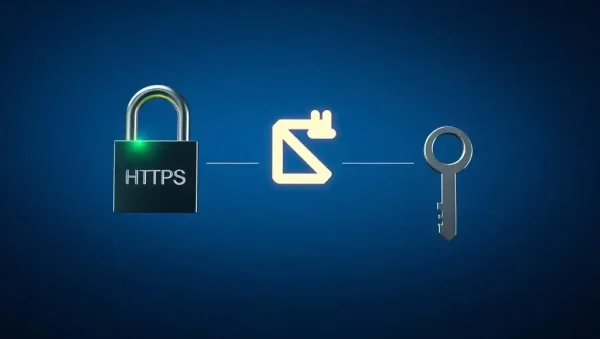
🔐 Authentication and Authorization for Git Security
Learn how to protect Git repositories with SSH keys, HTTPS authentication, access control, and secure credential management. This subcategory helps developers configure reliable Git access for local projects, GitHub, GitLab, teams, and CI/CD environments.
🔑 SSH Keys for Secure Git Access
Discover how SSH keys provide secure, convenient authentication without repeatedly entering passwords or personal access tokens. Learn to generate Ed25519 keys, configure the SSH agent, add public keys to GitHub or GitLab, and test connections with commands such as ssh -T. Clear guidance helps you avoid common permission errors and safely manage multiple accounts or workstations.
🌐 HTTPS Authentication and Credential Management
Understand how Git authentication over HTTPS works and when to use personal access tokens instead of account passwords. Explore credential helpers, secure token storage, token scopes, expiration policies, and remote URL configuration. These practices help prevent credentials from appearing in scripts, shell history, configuration files, or shared development environments.
🛡️ Repository Access Control and Permissions
Learn how authorization determines who can read, write, review, or administer a Git repository. This section explains repository roles, organization membership, team permissions, protected branches, and least-privilege access for GitHub and GitLab. Applying role-based access control reduces accidental changes while supporting productive collaboration across development teams.
🤖 Authentication for CI/CD and Automation
Secure automated workflows with deploy keys, machine users, repository tokens, and secret managers. Learn how to grant pipelines only the permissions they require, protect credentials in GitHub Actions or GitLab CI/CD variables, and prevent secrets from appearing in build logs. Proper automation authentication supports safer deployments, dependency updates, testing, and release processes.
🚨 Troubleshooting and Security Best Practices
Find practical solutions for rejected SSH keys, invalid tokens, permission-denied errors, incorrect remotes, and expired credentials. You will also learn how to rotate keys, revoke compromised tokens, audit repository access, and remove exposed secrets from future commits. Combining strong authentication with regular authorization reviews creates a resilient Git security strategy for individual developers and organizations.
Frequently Asked Questions
Should I use SSH or HTTPS for Git authentication?
Both methods can be secure when configured correctly. SSH is convenient for frequent repository access and supports key-based authentication, while HTTPS works well with personal access tokens, credential managers, and restricted networks. Choose the method that fits your organization’s policies, then protect keys or tokens with strong storage and regular rotation.
How do I create an SSH key for GitHub or GitLab?
Generate an Ed25519 key with ssh-keygen -t ed25519, protect it with a passphrase, and load it into your SSH agent. Copy the public key, usually ending in .pub, into your GitHub or GitLab account settings. Test the connection afterward to confirm authentication before cloning or pushing repositories.
Are Git personal access tokens safer than passwords?
Yes, personal access tokens are generally safer because they can be limited by scope, assigned an expiration date, and revoked without changing the account password. Store tokens in a trusted credential manager or secret store, never commit them to source code, and replace them immediately if exposure is suspected.
What is the principle of least privilege in Git?
Least privilege means granting users, applications, and CI/CD pipelines only the repository permissions they genuinely need. For example, a deployment job may require read access or narrowly scoped release permissions rather than full administration. This limits the impact of compromised credentials, mistakes, and unauthorized repository changes.
How can I fix a Git “permission denied” error?
First confirm the remote URL and determine whether it uses SSH or HTTPS. For SSH, test the key, agent, account, and repository permissions. For HTTPS, verify the token is valid, correctly scoped, and stored by the credential helper. Also check organization membership, protected branch rules, and whether the remote points to the intended repository.