
Emergency Merge Conflict Resolution: Techniques for HighPressure Situations

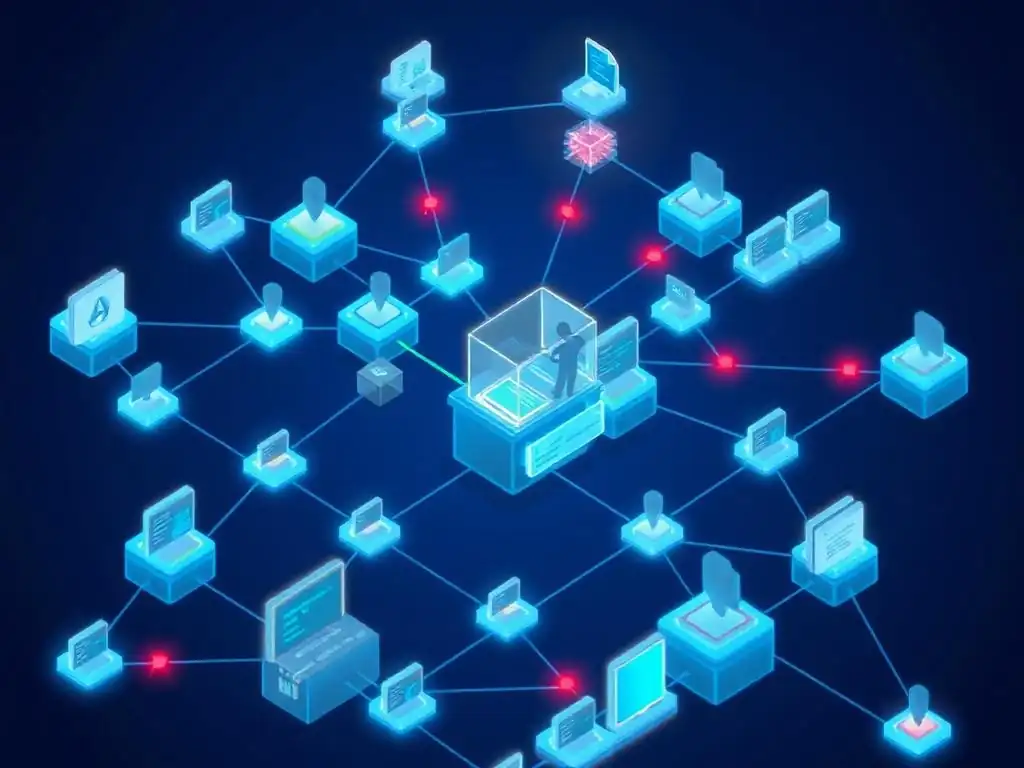
Welcome to Git and Version Control Hub, your one-stop resource for mastering the art of version control! Are you facing a dreaded merge conflict that's threatening to derail your project? Dive into our latest article on merge conflict resolution techniques to learn practical strategies for navigating these high-pressure situations. Unlock the secrets to a smoother workflow and collaborative coding – your journey to Git mastery starts now!
- Understanding Merge Conflicts in Git: A High-Stakes Scenario
- Immediate Actions: Triage and Assessment of the Merge Conflict
- Emergency Merge Conflict Resolution Techniques: A Step-by-Step Guide
- Advanced Strategies for Emergency Merge Situations
- Preventing Future Emergency Merge Conflicts: Best Practices for Collaboration
- Conclusion: Mastering Merge Conflict Resolution for Efficient Teamwork
- Frequently Asked Questions
- Final Reflection: Navigating the Labyrinth of Code
- Conquer Your Merge Conflicts!
Understanding Merge Conflicts in Git: A High-Stakes Scenario
What Causes Emergency Merge Conflicts? Identifying Root Causes
Emergency merge conflicts arise when Git encounters irreconcilable differences between branches during a merge or rebase operation. These situations are particularly stressful when they occur close to a release deadline or during a critical bug fix, effectively halting development until resolved. Often, the root cause lies in parallel changes to the same lines of code in different branches.
For example, imagine two developers working on separate features, both modifying the same configuration file or function without realizing the overlap. When attempting to merge these feature branches into the main branch, Git detects that it cannot automatically integrate these divergent changes. This situation escalates into an emergency when these conflicts block crucial deployments or hotfixes.
Another frequent trigger for emergency merge conflicts is long-lived feature branches that diverge significantly from the main branch over time. As feature branches age and accumulate changes, they become increasingly prone to conflicts when integrated. This is especially true in fast-paced development environments where the main branch evolves rapidly.
Consider a scenario where a team is working on a major feature across several weeks in a dedicated branch. During this time, the main branch receives numerous updates, including bug fixes and other feature integrations. When the feature branch is finally merged, the sheer volume of changes and the potential for overlaps dramatically increase the likelihood and complexity of merge conflicts, potentially creating a high-pressure situation requiring immediate resolution.
The Impact of Unresolved Conflicts: Delays and Data Integrity Risks
Unresolved merge conflicts can have severe repercussions, particularly in time-sensitive situations. The most immediate impact is a halt in the development workflow. A blocked merge prevents the integration of critical features or bug fixes into the main codebase, directly delaying releases and potentially missing deadlines.
In a continuous integration/continuous deployment (CI/CD) pipeline, a merge conflict can break the build process entirely, stopping automated testing and deployment, and effectively freezing updates to production environments. For instance, imagine an e-commerce platform experiencing a critical checkout bug. If the bug fix branch encounters a merge conflict and cannot be integrated promptly, the platform remains vulnerable, potentially leading to lost sales and customer dissatisfaction, escalating the situation to an emergency.
Beyond immediate delays, unresolved merge conflicts pose significant risks to data integrity. If conflicts are not addressed carefully and correctly, developers might inadvertently introduce bugs or inconsistencies into the codebase during the resolution process. A hasty or poorly executed merge conflict resolution can lead to logical errors, broken functionality, or even security vulnerabilities.
For example, if conflicting changes involve database schema modifications or API endpoint updates, incorrect resolution can lead to data corruption or application crashes in production. Therefore, emergency merge conflict resolution is not just about speed; it's equally crucial to maintain code quality and prevent the introduction of new problems while resolving existing ones, especially when the pressure is high.
Immediate Actions: Triage and Assessment of the Merge Conflict
Assessing the Scope of the Conflict: Identifying Affected Files and Lines
When faced with an emergency merge conflict, the first crucial step is to quickly assess the scope of the problem. Git clearly marks files containing conflicts in the working directory. A command like git status will immediately list these files under the "Unmerged paths" section. This provides a preliminary overview of the breadth of the conflict. For a more detailed analysis, opening one of the conflicted files in a text editor reveals the conflict markers Git has inserted. These markers, <<<<<<< HEAD, =======, and >>>>>>> branch-name, delineate the conflicting sections of code. By scanning through a few conflicted files, developers can quickly gauge whether the conflict is localized to a few files or widespread across the project.
Furthermore, understanding the types of files involved is critical in assessing the impact. Conflicts in configuration files or core application logic are generally more critical than conflicts in documentation or test files. For example, if the conflict is in a database migration script or a routing configuration file, the urgency to resolve it increases significantly due to its potential impact on the application's core functionality.
Conversely, conflicts confined to less critical files might allow for a slightly more relaxed, albeit still prompt, resolution process. Therefore, the initial assessment should not only identify the number of conflicted files but also the nature and importance of these files within the project.
Prioritizing Critical Conflicts: Focus on Blocking Issues First
In emergency merge conflict situations, efficiency is paramount. It's often beneficial to prioritize resolving the most critical conflicts first, especially if dealing with a large number of conflicted files. Critical conflicts are those that directly block essential functionalities or prevent the application from running correctly. These might include conflicts in application startup scripts, database connection configurations, or core business logic modules. Identifying and resolving these blocking conflicts quickly can restore basic application functionality and allow other developers to continue working on less critical areas.
Prioritization can be achieved by a quick analysis of the affected files and their role in the application architecture. For instance, conflicts in files related to user authentication, payment processing, or order fulfillment in an e-commerce application would be considered high priority. Addressing these first ensures the core business operations are restored as quickly as possible.
Less critical conflicts, such as those in UI components or non-essential features, can be deferred slightly, allowing the team to focus on resolving the immediate crisis. This strategic prioritization helps manage the emergency effectively and minimizes downtime by addressing the most impactful issues first.
Communication is Key: Alerting the Team and Establishing Coordination
Effective communication is absolutely vital during emergency merge conflict resolution. As soon as a significant merge conflict is detected, especially in a collaborative environment, it's crucial to alert the team immediately. This proactive communication prevents other developers from building upon a broken or conflicting codebase and ensures everyone is aware of the situation. A quick message on the team's communication channel (e.g., Slack, Microsoft Teams) or a dedicated incident channel is essential to raise awareness and initiate the resolution process collaboratively.
Furthermore, establishing clear coordination within the team is crucial for efficient resolution. Depending on the complexity and scope of the conflict, assigning specific individuals or sub-teams to focus on different aspects of the resolution can streamline the process. For instance, if the conflict spans multiple modules, dividing responsibilities based on module ownership can improve parallel resolution efforts.
Regular, brief check-in meetings or updates on the communication channel ensure everyone is aligned, progress is tracked, and potential roadblocks are addressed promptly. This coordinated approach minimizes redundant effort, prevents conflicting resolutions, and accelerates the overall merge conflict resolution process in a high-pressure situation.
Emergency Merge Conflict Resolution Techniques: A Step-by-Step Guide
Technique 1: Manual Conflict Resolution with a Text Editor
Navigating Conflict Markers: <<<<<<< HEAD, =======, and >>>>>>> branch-name
Manual conflict resolution, while sometimes perceived as daunting, offers the most granular control over the merging process. It begins with understanding the conflict markers inserted by Git within the conflicted files. The <<<<<<< HEAD marker denotes the code in your current branch (typically the branch you are attempting to merge into). The ======= marker separates your branch's code from the code originating from the branch being merged in. Finally, >>>>>>> branch-name indicates the code from the branch you are merging. These markers act as visual delimiters, clearly highlighting the sections of code where Git detected conflicting changes.
For example, consider a scenario where both branches modified the same line of code in a config.ini file. Opening this file in a text editor would reveal a section enclosed by these markers, showing the original line from your branch above the ======= and the incoming change from the other branch below it. Understanding these markers is the first step towards manually resolving the conflict. They provide the necessary context to compare the divergent changes and decide how to integrate them. Developers need to carefully examine the code blocks between these markers to discern the intended changes from both branches.
Analyzing Conflicting Changes: Understanding the Differences
Once the conflict markers are understood, the next step in manual resolution is to carefully analyze the conflicting changes. This involves comparing the code blocks marked by <<<<<<< HEAD and >>>>>>> branch-name to understand the exact nature of the divergences. Developers must discern why these changes conflict and what each branch intended to achieve. Simply deleting one block of code in favor of the other without understanding the context can lead to logical errors or broken functionality. Tools like "diff" utilities or integrated diff views within code editors can be invaluable at this stage. These tools visually highlight the differences between the two conflicting versions, making it easier to identify the specific modifications made in each branch.
For instance, if a conflict arises in a function that calculates discounts, analyzing the conflicting changes might reveal that one branch implemented a percentage-based discount while the other introduced a fixed-amount discount for the same condition. Understanding this difference is crucial. The resolution might involve choosing one approach over the other, or, more likely, merging the logic to accommodate both discount types. This analytical phase is not just about syntax; it's about understanding the semantic differences and their implications for the application's behavior. A thorough understanding of the changes is key to making informed decisions during the resolution process.
Choosing the Correct Changes: Selecting, Editing, and Removing Conflict Markers
After analyzing the conflicting changes, the crucial step is to decide how to resolve the conflict. This often involves a combination of selecting code from one branch, incorporating code from the other, or rewriting the conflicting section entirely to reconcile both sets of changes. Manual resolution provides the flexibility to craft a solution that best fits the desired outcome. Once the decision is made, developers must carefully edit the conflicted file, removing the conflict markers ( <<<<<<< HEAD, =======, >>>>>>> branch-name) and modifying the code to reflect the chosen resolution. This editing process requires precision to ensure that only the markers are removed and the intended code integration is achieved without introducing syntax errors or unintended side effects.
For example, in the discount function conflict mentioned earlier, the resolution might involve keeping the core discount calculation logic but adding a configuration parameter to switch between percentage-based and fixed-amount discounts. This would entail carefully editing the code within the conflict markers to combine elements from both branches while removing the markers themselves. It's vital to ensure that after editing, the resulting code is syntactically correct and logically sound. Careless editing can easily introduce new errors, so attention to detail is paramount during this phase of manual conflict resolution.
Testing the Resolved Code: Ensuring Functionality and No New Errors
The final and arguably most important step in manual conflict resolution is thorough testing of the resolved code. Simply resolving the conflict markers is not enough; it's essential to verify that the merged code functions correctly and that no new errors or regressions have been introduced during the resolution process. Unit tests, integration tests, and even manual testing are crucial to validate the functionality of the affected code paths. Running the test suite immediately after resolving a conflict helps catch any errors early and ensures the stability of the codebase.
For instance, after resolving the discount function conflict and removing the markers, running the unit tests associated with the discount module is mandatory. These tests will confirm that the discount calculations are still accurate and that the new merged logic works as expected. If tests fail, it indicates that the resolution was not entirely correct, and further debugging and code adjustments are required. Testing is not just a formality; it's a critical safety net that prevents introducing bugs into the codebase during the high-pressure situation of emergency merge conflict resolution, ensuring that the fix doesn't create new problems.
Technique 2: Utilizing Git's Conflict Resolution Tools
Using git mergetool: Launching a Visual Merge Tool
Git provides powerful built-in tools to aid in merge conflict resolution, significantly streamlining the process compared to purely manual editing. The git mergetool command is the gateway to these visual merge tools. When executed after encountering merge conflicts, git mergetool launches a configured visual merge tool, if one is set up, or prompts the user to choose from available tools. These tools offer a graphical interface that simplifies the comparison and merging of conflicting files, making the resolution process more intuitive and less error-prone, especially in emergency situations where speed and accuracy are critical.
Popular visual merge tools compatible with Git include Meld, Beyond Compare, KDiff3, and P4Merge, among others. These tools are typically installed separately and then configured within Git using commands like git config --global merge.tool <tool_name>. Once configured, simply running git mergetool will launch the chosen tool for each conflicted file. The advantage of using git mergetool is that it automates the process of opening each conflicted file in a dedicated merge resolution environment, saving time and reducing the manual overhead of navigating and editing files directly in a text editor.
Understanding Visual Merge Tool Interfaces: A Comparison of Popular Options
Visual merge tools, while varying in specific features and interface design, generally share a common structure optimized for conflict resolution. Typically, they present a three-pane view: the "local" version (your branch), the "remote" version (the branch being merged), and the "merged" or "result" version. This side-by-side comparison facilitates a clear understanding of the conflicting changes. For example, Meld is known for its clean and simple interface, effectively highlighting line-by-line differences and allowing users to easily select changes from either side or edit the merged output directly.
Beyond Compare offers more advanced features like semantic diffing and three-way merging, which can be beneficial for complex conflicts. KDiff3 is another popular free option, providing a clear three-pane view and intuitive controls for conflict resolution. P4Merge, often favored in enterprise environments, offers robust features and integration capabilities.
The key advantage of these tools lies in their visual representation of changes. Instead of manually parsing through text with conflict markers, developers can visually compare the code, see highlighted differences, and often use mouse clicks or simple keyboard shortcuts to accept changes from one side or the other, or to manually edit the merged result. The choice of visual merge tool often comes down to personal preference and specific project needs, but all aim to make the conflict resolution process more efficient and less error-prone than purely manual methods.
Resolving Conflicts Visually: Interactive Editing and Merging
Visual merge tools significantly enhance the conflict resolution process through interactive editing and merging capabilities. These tools allow developers to resolve conflicts directly within the graphical interface, often with features like line-by-line selection, text editing within the merged view, and visual indicators of resolved and unresolved conflicts.
For instance, in a typical visual merge tool workflow, after launching the tool for a conflicted file, the developer would examine the three panes. If a conflict is simple, such as differing lines of text, the tool often provides buttons or checkboxes to accept either the "local" or "remote" version of the change, or to edit the merged version directly in the central pane.
For more complex conflicts involving code logic, visual merge tools still offer substantial advantages. They allow developers to see the context of the changes more clearly, making it easier to understand the implications of choosing one version over another. Many tools also support features like "auto-merge" for non-conflicting changes within the same file, further streamlining the process.
Once all conflicts within a file are resolved, the tool typically provides a "save and mark resolved" option, which automatically updates the file with the merged content and marks the conflict as resolved in Git. This interactive, visual approach drastically reduces the cognitive load and potential for errors compared to manual text editing, especially in time-sensitive emergency situations.
Technique 3: Leveraging Pre-Merge Reviews for Conflict Prevention
Implementing Branching Strategies: Feature Branches and Release Branches
Proactive measures to prevent emergency merge conflicts are often more effective than reactive resolution techniques. Implementing well-defined branching strategies is a cornerstone of conflict prevention. Feature branches, where developers work on new features in isolation, are crucial. These branches should be kept short-lived and focused on a single feature to minimize divergence from the main branch. For example, instead of working directly on the main branch, developers should create a branch like feature/add-user-authentication for user authentication implementation. This isolates changes and reduces the risk of direct conflicts on the main branch.
Release branches are another essential component of a robust branching strategy. These branches are created for preparing releases and allow for final bug fixes and stabilization without disrupting ongoing feature development in the main branch. Using release branches like release/1.2.0 ensures that the main branch remains relatively stable and focused on integrating new features. By separating feature development from release preparation using these branching strategies, teams can significantly reduce the frequency and severity of merge conflicts, particularly those that escalate into emergency situations close to release deadlines. A clear branching strategy provides structure and predictability, minimizing chaotic merges and associated conflicts.
Using Pull Requests and Code Reviews: Catching Conflicts Early
Pull requests (or merge requests in GitLab) and code reviews are powerful mechanisms for catching potential merge conflicts early in the development cycle, before they escalate into emergencies. Before merging any feature branch into the main branch (or a release branch), a pull request should be created. This pull request serves as a formal proposal to integrate the changes and triggers a code review process.
During code review, other developers examine the changes in the feature branch, looking not only for code quality and correctness but also for potential merge conflicts with the target branch. Modern platforms like GitHub and GitLab often automatically detect potential merge conflicts within pull requests, providing early warnings.
Code reviews provide an opportunity to identify and resolve potential conflicts proactively. Reviewers can spot areas where changes in the feature branch might overlap with recent changes in the target branch. By discussing these potential conflicts during the review process, developers can adjust their code or coordinate changes to avoid or minimize conflicts before the actual merge attempt.
For example, if a reviewer notices that a feature branch modifies the same API endpoint as a recently merged feature, they can alert the feature branch developer to investigate and potentially rebase or adjust their changes to preemptively resolve the conflict. This proactive conflict detection and resolution during code review drastically reduces the likelihood of encountering emergency merge conflicts later.
Automated Conflict Detection: Tools and Integrations for Preemptive Alerts
Automating conflict detection adds another layer of defense against emergency merge conflicts. Various tools and integrations can be leveraged to provide preemptive alerts about potential conflicts, even before a merge is attempted. Many CI/CD pipelines incorporate automated checks that can detect potential merge conflicts. For instance, running git diff --check or using linters and static analysis tools configured to detect merge conflicts as part of the CI pipeline can provide early warnings. Some advanced CI/CD systems can even automatically attempt merges in isolated environments and report any conflicts detected before they impact the main development workflow.
Furthermore, integrations with platforms like GitHub and GitLab can provide real-time feedback on branch divergence and potential merge conflicts. Branch protection rules can be configured to prevent merging branches that are significantly out of sync with the target branch or that have known potential conflicts.
These automated alerts and preventative measures enable teams to address potential merge conflicts proactively, often in the background, before they become critical blocking issues. By integrating automated conflict detection into the development workflow, teams can significantly reduce the chances of being caught off guard by emergency merge conflicts, especially during critical phases of development or release cycles.
Advanced Strategies for Emergency Merge Situations
The "Ours" or "Theirs" Strategy: Choosing an Entire Branch's Changes
When to Use "Ours": Prioritizing Local Changes
In extreme emergency situations, particularly when facing tight deadlines or critical hotfixes, the "ours" or "theirs" merge strategy can offer a rapid, albeit potentially risky, resolution. The "ours" strategy, invoked using git merge -X ours <branch-name>, instructs Git to favor the changes in your current branch (the "ours" side) and discard all conflicting changes from the branch being merged (the "theirs" side). This strategy is most appropriate when the changes in your current branch are definitively considered more important or correct in the context of the emergency. A common scenario is when applying a hotfix to a release branch. If the hotfix branch has diverged slightly from the main development branch, and the priority is to quickly deploy the hotfix, using "ours" to merge the hotfix back into the release branch can expedite the process.
For example, imagine a critical security vulnerability is discovered in a released version of software. A hotfix is quickly developed and tested in a dedicated branch. To deploy this hotfix immediately, merging it back into the release branch using the "ours" strategy might be justified, especially if the potential conflicts are deemed less critical than the immediate security risk.
In such cases, prioritizing the hotfix and accepting its changes wholesale, even at the potential cost of discarding some minor, conflicting changes from the release branch, can be a necessary trade-off to resolve the emergency swiftly. However, it's crucial to understand the risks and implications before employing this strategy.
When to Use "Theirs": Accepting Changes from a Remote Branch
Conversely, the "theirs" strategy, using git merge -X theirs <branch-name>, prioritizes the changes from the branch being merged (the "theirs" side) and discards conflicting changes from your current branch (the "ours" side). This strategy is less frequently used in emergency situations but can be applicable in specific scenarios. One such scenario is when you realize that your local branch has diverged incorrectly or contains erroneous changes compared to a more authoritative remote branch. In this case, accepting "theirs" might be a quick way to align your local branch with the remote branch and resolve the emergency by adopting the presumed correct version.
Consider a situation where a junior developer accidentally introduced a breaking change in their feature branch, and this branch has somehow been mistakenly merged into a shared development branch, causing widespread issues. If a more senior developer has already corrected this error in a separate, more authoritative branch, merging the senior developer's branch into the broken shared branch using the "theirs" strategy could be a rapid way to revert the erroneous changes and restore stability. However, like the "ours" strategy, "theirs" should be used cautiously, with a clear understanding of the consequences and potential data loss.
Risks and Considerations: Data Loss and Potential Rollbacks
Both "ours" and "theirs" merge strategies carry significant risks, primarily the potential for unintentional data loss. By discarding entire blocks of conflicting code, these strategies can inadvertently remove important changes or introduce regressions if not used with extreme care and understanding. Using these strategies should be considered a last resort in emergency situations, and only when the implications are fully understood and accepted. It's crucial to thoroughly assess the conflicting changes, understand which branch contains the more desirable or correct version, and carefully weigh the risks of potentially discarding valuable code.
Before employing "ours" or "theirs", it's highly recommended to create a backup of the affected branch using git branch <backup-branch-name> HEAD to allow for easy rollback if the strategy leads to undesirable outcomes. After using either strategy, rigorous testing is absolutely essential to ensure that no critical functionality has been broken or data has been lost. In many cases, even in emergency situations, a more nuanced, manual or visual merge resolution approach, while taking longer, is often safer and less prone to introducing unintended consequences compared to the blunt force of "ours" or "theirs". These strategies should only be employed when the speed of resolution outweighs the potential risks, and when a rollback plan is in place.
Chunk-by-Chunk Resolution: Addressing Complex Conflicts Methodically
Breaking Down Large Conflicts: Focusing on Individual Sections
When facing exceptionally large and complex merge conflicts, especially in emergency scenarios, a methodical, chunk-by-chunk resolution approach is often the most effective way to maintain control and minimize errors. Instead of attempting to resolve the entire conflict at once, which can be overwhelming and error-prone, breaking down the conflict into smaller, manageable sections or "chunks" simplifies the process.
This involves focusing on resolving one conflict marker at a time within a file, rather than trying to grasp the entire conflicted file at once. Visual merge tools are particularly helpful for this approach, as they often visually segment conflicts into manageable blocks.
For example, in a large conflicted file with multiple sections marked by conflict markers, start by addressing the first conflict marker. Analyze the conflicting code blocks, decide on the resolution, apply the necessary edits, and remove the marker for that specific section. Then, move on to the next conflict marker, and repeat the process.
This iterative, focused approach makes the resolution process less daunting and reduces the chances of overlooking critical details or making mistakes in the heat of the emergency. By concentrating on individual chunks, developers can maintain better cognitive focus and ensure each conflict is resolved thoughtfully and accurately.
Using Git's revert and cherry-pick: Fine-Grained Control Over Changes
For complex merge conflicts, especially those involving logical or semantic disagreements, Git's revert and cherry-pick commands can offer fine-grained control over change integration. Instead of a full merge, which attempts to integrate all changes at once, these commands allow for selective integration or removal of specific commits. git revert <commit-hash> creates a new commit that undoes the changes introduced by a specific commit. This can be useful when a particular commit in one branch is identified as the source of a conflict or is deemed undesirable to merge. Reverting allows you to effectively remove that specific change from the merge consideration.
git cherry-pick <commit-hash> selectively applies the changes from a specific commit onto your current branch. This is beneficial when you want to incorporate only certain changes from the other branch, rather than merging the entire branch. In complex conflict scenarios, these commands can be used in combination to carefully craft the merged result. For example, you might revert a problematic commit from one branch, cherry-pick specific commits from the other branch that contain necessary fixes, and then proceed with a standard merge to integrate the remaining changes. This fine-grained control allows for a more surgical approach to conflict resolution, particularly in emergencies where precision and control are paramount.
Recovering from a Bad Merge: Rolling Back and Restarting the Process
Using git reset --hard: A Last Resort for Undoing a Merge
Despite best efforts, sometimes a merge conflict resolution goes wrong, leading to a "bad merge" that introduces new bugs or breaks functionality. In emergency situations where a bad merge has been pushed or deployed, rapid rollback is crucial. git reset --hard <commit-hash> is a powerful, albeit destructive, command that can be used as a last resort to undo a merge and revert the branch to a previous state. By resetting to a commit hash before the problematic merge, you effectively discard all changes made by the merge and subsequent commits on the current branch.
For example, if you realize that a recent merge to the main branch has introduced a critical regression, and you know the commit hash of the main branch just before the merge, you can use git reset --hard <previous-commit-hash> to quickly roll back the main branch to that state. This immediately undoes the bad merge and restores the codebase to a known working condition. However, it's extremely important to understand the implications of git reset --hard before using it, especially in shared branches.
Understanding the Risks of git reset --hard: Data Loss and Branch History
git reset --hard is a destructive command that permanently discards commits from the branch history. When used to undo a merge, it not only removes the merge commit but also any commits made after the specified commit hash on the current branch. This means that any work done after the point to which you are resetting will be lost if not properly backed up or pushed to a remote branch. Using git reset --hard on shared branches, like main or develop, can have severe consequences for team collaboration, potentially causing confusion, lost work for other developers, and disruption to the shared branch history.
Therefore, git reset --hard should only be used as a last resort in emergency rollback situations, and only when the risks and consequences are fully understood and accepted. Before using it, ensure that all important changes made since the target commit hash are backed up or pushed to remote branches. After using git reset --hard on a shared branch, it's crucial to communicate the rollback clearly to the team to avoid further confusion and potential conflicts. In many cases, alternative rollback strategies, like git revert on the merge commit itself, might be safer and less disruptive than git reset --hard, especially in collaborative environments.
Preventing Future Emergency Merge Conflicts: Best Practices for Collaboration
Clear Branching and Merging Strategies: Establishing a Consistent Workflow
Preventing emergency merge conflicts starts with establishing and consistently following clear branching and merging strategies. A well-defined workflow reduces ambiguity and minimizes the chances of developers working in isolation and creating divergent changes. Strategies like Gitflow or GitHub Flow provide structured frameworks for branching, feature development, release management, and hotfix procedures. These strategies emphasize the use of feature branches for development, release branches for stabilization, and hotfix branches for urgent fixes, all branching off and merging back into a central integration branch (like main or develop).
Consistency in applying the chosen branching strategy is crucial. Teams should establish clear guidelines on branch naming conventions, branch lifecycles, and the purpose of each branch type. Regular training and reinforcement of these guidelines ensure that all team members adhere to the agreed-upon workflow.
For example, mandating the use of feature branches for all new development, enforcing code reviews before merges, and strictly controlling direct commits to the main branch are practices that significantly reduce the likelihood of unexpected and complex merge conflicts. A consistent and well-understood branching strategy provides a predictable and stable foundation for collaborative development, minimizing emergency merge situations.
Frequent Integration: Small, Regular Merges to Minimize Conflicts
Frequent integration, often referred to as continuous integration, is a key practice for preventing merge conflicts from escalating into emergencies. Instead of allowing feature branches to diverge significantly over long periods, developers should aim to integrate their changes into the main branch frequently and in small increments. Small, regular merges minimize the divergence between branches, reducing the potential for overlapping changes and complex conflicts. Ideally, feature branches should be merged back into the main branch at least daily, or even multiple times a day, if possible.
This practice encourages developers to work in smaller, more manageable units of change. It also promotes early detection of potential conflicts. When merges are frequent and small, any conflicts that do arise are typically easier to resolve because the changesets are smaller and the context is more recent.
For example, instead of working on a feature branch for two weeks and then attempting a large, complex merge, developers should strive to break down the feature into smaller tasks and integrate each task incrementally. Frequent integration, combined with automated testing in a CI pipeline, ensures that merge conflicts are identified and addressed promptly, preventing them from accumulating and turning into emergency situations.
Code Reviews and Pair Programming: Sharing Knowledge and Identifying Potential Issues
Code reviews and pair programming are not only beneficial for code quality but also play a crucial role in preventing merge conflicts. Code reviews, as discussed earlier, provide an opportunity to catch potential merge conflicts before they happen. Reviewers can identify areas of code where changes in a feature branch might clash with recent changes in the target branch, prompting discussions and adjustments to avoid conflicts. Pair programming, where two developers work together on the same code, offers an even more proactive approach to conflict prevention.
When developers pair program, they are constantly communicating and collaborating on code changes in real-time. This close collaboration naturally leads to better awareness of potential conflicts and promotes immediate resolution of any disagreements in code direction. Pair programming also facilitates knowledge sharing within the team, ensuring that multiple developers are familiar with different parts of the codebase, which can be invaluable during conflict resolution. Both code reviews and pair programming foster a culture of collaboration and shared responsibility, significantly reducing the likelihood of developers working in isolation and creating unexpected merge conflicts that escalate into emergencies.
Automating Conflict Detection and Resolution: Leveraging CI/CD Pipelines
Automating conflict detection and, where possible, resolution within CI/CD pipelines provides a final layer of defense against emergency merge conflicts. CI/CD pipelines can be configured to automatically detect potential merge conflicts as part of the build process. This can involve running scripts that check for merge conflicts or integrating with tools that provide static analysis and conflict detection capabilities. If conflicts are detected, the CI/CD pipeline can fail the build, alerting the development team to the issue before it impacts integration or deployment.
In some cases, for simple, predictable conflicts, CI/CD pipelines can even be configured to attempt automated conflict resolution. For example, if conflicts are consistently resolved in a specific way, scripts can be written to automatically apply these resolutions. While fully automated conflict resolution is complex and not always feasible, even partial automation of conflict detection significantly reduces the burden on developers and provides early warnings. By leveraging the power of CI/CD pipelines to automate conflict detection and resolution, teams can proactively manage merge conflicts, preventing them from becoming emergency situations and ensuring a smoother, more efficient development workflow.
Conclusion: Mastering Merge Conflict Resolution for Efficient Teamwork
Mastering merge conflict resolution techniques is not merely a technical skill; it's a crucial competency for effective teamwork and efficient software development, especially in high-pressure situations. By understanding the causes of merge conflicts, implementing proactive prevention strategies, and mastering resolution techniques, development teams can transform potential emergencies into manageable challenges.
From manual editing to visual merge tools, and from "ours/theirs" strategies to chunk-by-chunk resolution, a well-equipped developer can navigate even the most complex merge conflicts with confidence. Ultimately, embracing best practices like clear branching strategies, frequent integration, code reviews, and automation not only minimizes emergency merge conflicts but also fosters a more collaborative, resilient, and productive development environment.
Frequently Asked Questions
What is a merge conflict in Git?
A merge conflict arises when Git cannot automatically resolve differences between two branches you're trying to merge. This usually happens when the same lines of a file have been changed in different branches.
Why is merge conflict resolution important?
Failing to properly resolve merge conflicts can lead to broken code, unstable applications, and lost work. Effective resolution ensures the integrity and functionality of your codebase.
What are some common techniques for resolving merge conflicts?
Common techniques include manually editing the conflicted files to choose the correct changes, using Git's built-in merge tools, or employing a graphical merge tool for a visual comparison.
How can I prevent merge conflicts from occurring frequently?
To minimize conflicts, communicate effectively with your team, frequently integrate changes from the main branch, and break down large features into smaller, more manageable branches.
Are there any tools or resources that can help with merge conflict resolution?
Yes, numerous graphical merge tools such as Visual Studio Code's GitLens extension and dedicated merge tools exist. Also, Git documentation and online tutorials offer detailed guidance on resolving conflicts.
The ability to effectively resolve merge conflicts, as explored throughout this article, is not merely a technical skill; it's a crucial competency in today's collaborative software development landscape. The speed and efficiency with which teams can navigate these "emergency" situations directly impacts project timelines, code quality, and overall team morale. Ignoring the strategies outlined here risks stagnation, frustration, and ultimately, project failure.
This topic has profoundly shaped the way I approach collaborative coding, highlighting the importance of clear communication and proactive conflict prevention. Understanding the nuances of different merge conflict resolution techniques has transformed stressful situations into opportunities for learning and growth. The best way to predict the future is to create it.
- Peter Drucker. This quote resonates deeply, reminding us that by mastering these techniques, we actively shape a more collaborative and efficient future for software development.
Now, consider how you can apply these merge conflict resolution techniques within your own team and projects. Embrace the strategies discussed, foster open communication, and proactively address potential conflicts. By doing so, you not only mitigate the immediate challenges of merge conflicts but also cultivate a more resilient and collaborative development environment, paving the way for smoother, more successful projects in the future.
Conquer Your Merge Conflicts!
Thanks for diving into the world of emergency merge conflict resolution! We hope you've now got a solid toolkit to tackle those high-pressure situations with confidence and keep your projects running smoothly. Ready to put your knowledge to the test?
Here's what you can do next:
- Immediately practice resolving a simulated merge conflict using a test repository. Create a branch, make conflicting changes, and merge them back. Mastering these techniques now will save you major headaches later.
- Share this article with your team! Equip them with the same strategies to ensure everyone's prepared for merge conflicts.
- Explore our "Git Advanced Techniques" section for even more ways to optimize your workflow and become a Git pro!
What's one new merge conflict resolution technique you're excited to implement in your next project?