Version Control for Documentation with Git
Learn how to use Git for documentation, manage documentation changes, and build reliable workflows for Markdown, README files, wikis, and other non-code content. This subcategory helps developers, technical writers, and teams track revisions, review updates, and collaborate confidently.
📚 Managing Documentation Changes with Git
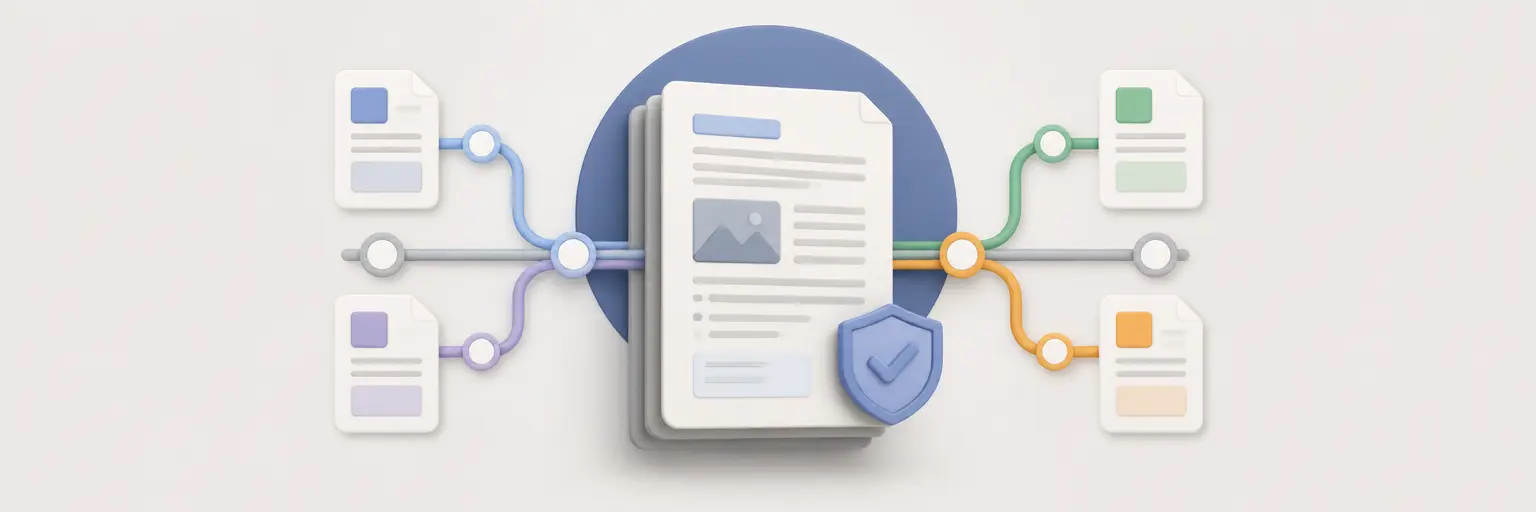
Discover how Git tracks changes to documentation files just as effectively as source code. Learn practical workflows for creating commits, comparing revisions, viewing file history, and restoring earlier versions of guides, API references, release notes, and project README files. Clear commit messages and organized documentation history make it easier to understand why content changed and who approved each update.
🌿 Branching and Reviewing Documentation Updates
Use Git branches to develop documentation improvements without disrupting the published version. This section explains how to create focused branches for spelling corrections, major tutorials, product updates, and documentation migrations. Readers will also learn how pull requests support documentation review, editorial collaboration, and quality control before changes are merged into the main branch.
✍️ Git Workflows for Markdown and Non-Code Files
Explore efficient Git workflows for Markdown, plain text, diagrams, configuration references, and other non-code files. Learn how to structure documentation repositories, organize folders, write meaningful commits, and avoid common problems such as inconsistent formatting or unclear ownership. These practices help teams maintain search-friendly, readable, and dependable documentation throughout a project’s lifecycle.
🔄 Merging, Rebasing, and Resolving Documentation Conflicts
Documentation can receive simultaneous edits from developers, writers, and support teams. Learn how to merge branches, rebase local work, and resolve conflicts in Markdown and text files safely. Practical guidance covers identifying conflicting lines, preserving valuable edits, checking links, and reviewing the final result. Careful conflict resolution prevents duplicated content and accidental loss of important instructions.
🚀 Documentation Collaboration with GitHub and GitLab
Connect local Git documentation workflows with GitHub and GitLab for remote collaboration, issue tracking, pull requests, and publishing. Learn how teams can use labels, reviewers, protected branches, and commit history to coordinate documentation changes. This approach supports distributed documentation teams, open-source contributions, and transparent content maintenance while integrating documentation into broader development and release processes.
Frequently Asked Questions
Why use Git for documentation?
Git provides version history, collaboration tools, review workflows, and reliable backups for documentation. It allows teams to see what changed, compare revisions, restore earlier content, and connect documentation updates with software releases. Git is especially useful for Markdown, README files, API references, and technical guides maintained alongside code.
Can Git track Markdown and other non-code files?
Yes. Git tracks Markdown, plain text, JSON, YAML, diagrams, and many other file types. It is particularly effective with text-based documentation because teams can compare line-by-line changes, review edits in pull requests, and merge contributions. Binary files may require additional tools because their differences are harder to display and combine.
How should documentation commits be written?
Documentation commits should use concise, descriptive messages that explain the purpose of the change. Examples include “Update installation prerequisites” or “Fix authentication example.” Keeping commits focused makes history easier to search and review. Avoid vague messages such as “Update docs,” especially in repositories with frequent content changes.
How can documentation merge conflicts be prevented?
Reduce conflicts by dividing documentation into focused files, coordinating major edits, pulling recent changes before starting work, and using short-lived branches. Consistent formatting and clear ownership also help. When conflicts occur, review both versions carefully, preserve accurate information, and test links, code samples, and formatting before committing the resolution.
Is GitHub or GitLab useful for documentation teams?
Both platforms provide valuable tools for documentation collaboration, including pull requests or merge requests, issue tracking, reviewers, protected branches, and automation. Teams can discuss proposed edits, approve changes, and connect documentation updates to releases. The best choice depends on the organization’s existing development workflow, hosting preferences, and publishing integrations.