
Rollback Ready: Implementing GitBased Rollback Strategies in Jenkins Pipelines

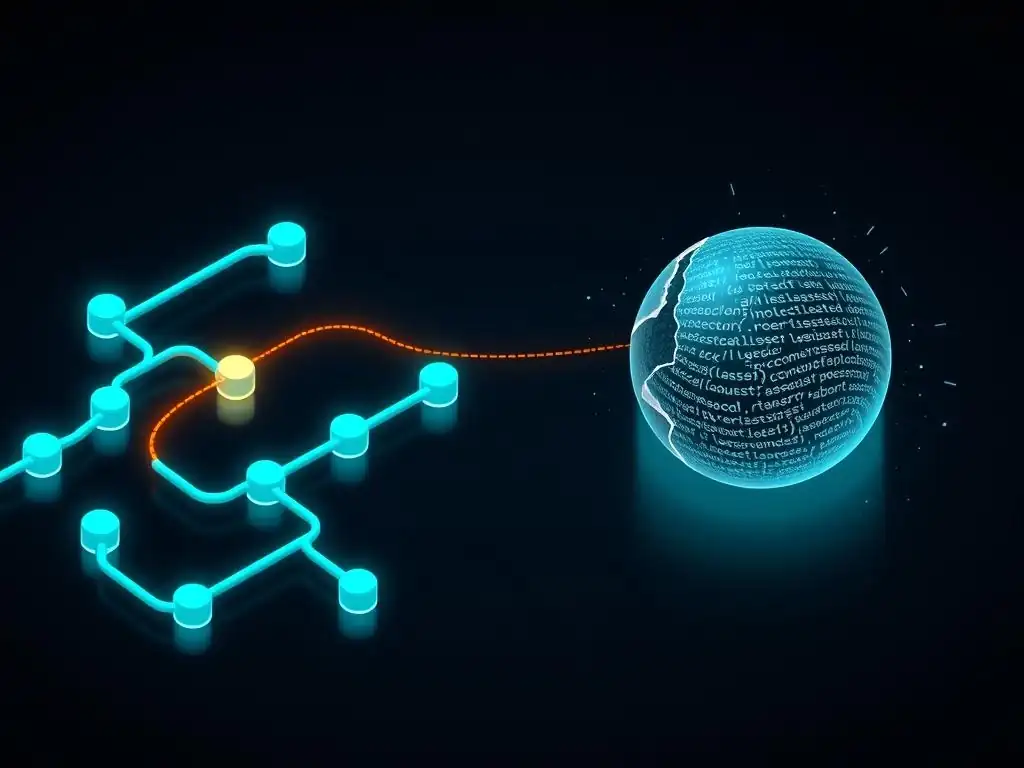
Welcome to Git and Version Control Hub!
Are you ready to supercharge your Jenkins pipelines with the power of Git? Dive into our latest article, "Rollback Ready: Implementing Git-Based Rollback Strategies in Jenkins Pipelines," and discover how to leverage Git rollback strategies for seamless and reliable deployment automation. Learn how to recover from failed deployments with confidence, ensuring your team maintains a stable and efficient workflow. Curious about how to harness Git's versioning capabilities to create robust rollback mechanisms within Jenkins? Let's explore!
Rollback Ready: Implementing Git-Based Rollback Strategies in Jenkins Pipelines
- Introduction: Ensuring Stability with Git Rollbacks in Jenkins CI/CD
- Understanding Git Rollback Mechanisms for Jenkins
-
Implementing Git Rollback Strategies in Jenkins Pipelines: A Step-by-Step Guide
- Prerequisites: Setting Up Your Jenkins Environment and Git Repository
- Step 1: Configuring Your Jenkins Pipeline to Detect Failed Deployments
- Step 2: Creating a Rollback Trigger Based on Deployment Status
- Step 3: Defining the Git Rollback Logic within Your Jenkins Pipeline
- Step 4: Testing and Validating Your Git Rollback Implementation
- Advanced Git Rollback Techniques for Jenkins
- Best Practices for Git Rollback Strategies in Jenkins
- Troubleshooting Common Git Rollback Issues in Jenkins
- Conclusion: Strengthening Your CI/CD with Git-Based Rollbacks
-
Frequently Asked Questions
- What are Git-based rollback strategies in the context of Jenkins pipelines?
- Why is it important to implement Git rollback strategies in Jenkins?
- How can I trigger a Git rollback within a Jenkins pipeline?
- What are some common methods for implementing Git rollbacks in Jenkins pipelines?
- What considerations should be taken into account when designing a Git rollback strategy for Jenkins?
- Final Reflection: Embracing Resilience Through Git-Based Rollback
- Conquer Pipeline Chaos: Unleash Your Rollback Power!
Introduction: Ensuring Stability with Git Rollbacks in Jenkins CI/CD
The Importance of Rollback Strategies in Continuous Integration
In the fast-paced world of Continuous Integration and Continuous Delivery (CI/CD), the ability to rapidly deploy software updates is paramount. However, with increased deployment frequency comes an inherent risk: the possibility of introducing bugs or instability into production environments. Rollback strategies are therefore not merely a contingency plan, but a critical component of a robust CI/CD pipeline.
They provide a safety net, allowing development teams to quickly revert to a stable, previous version of their application when a new deployment introduces unforeseen issues. Without effective rollback mechanisms, organizations risk prolonged downtime, user dissatisfaction, and potential financial losses stemming from service disruptions. Imagine a critical e-commerce platform experiencing a major bug after a deployment during peak shopping hours; a swift rollback capability can be the difference between a minor inconvenience and a significant business crisis.
Consider the scenario of a major online banking platform that releases a new feature to enhance user experience. Despite rigorous testing in staging environments, a subtle bug slips through and manifests only in the live production environment under real user load. This bug causes intermittent transaction failures, directly impacting customers' ability to manage their finances. In such a situation, a well-defined rollback strategy is essential.
It allows the platform to immediately revert to the previously stable version, minimizing disruption and maintaining user trust. Without a rollback strategy, the development team would be scrambling to diagnose and fix the issue directly in production, leading to potentially extended downtime and damage to the bank's reputation. Rollback strategies ensure that failures are contained and resolved in a controlled manner, away from the live user experience.
Why Git-Based Rollbacks are Crucial for Jenkins Pipelines
Jenkins, as a leading automation server, plays a central role in orchestrating CI/CD pipelines. Integrating Git, the dominant version control system, into these pipelines unlocks powerful rollback capabilities. Git-based rollbacks are particularly crucial for Jenkins pipelines because they leverage the inherent versioning and history tracking features of Git to manage and revert code deployments.
When a Jenkins pipeline deploys an application, it typically does so from a specific commit in a Git repository. This commit serves as a snapshot of the application code at a particular point in time. In the event of a failed deployment, Git provides the tools to easily revert back to a previously deployed, stable commit.
The synergy between Git and Jenkins for rollbacks is further amplified by the declarative and scriptable nature of Jenkins pipelines. Pipelines can be designed to automatically trigger Git rollback operations based on deployment health checks or monitoring alerts. For example, if automated tests fail after a deployment, or if application performance metrics degrade beyond a certain threshold, a Jenkins pipeline can be configured to execute a Git command to revert to the last known good commit. This automation drastically reduces the time to recovery and minimizes manual intervention, making the entire rollback process faster and more reliable. Furthermore, using Git for rollbacks ensures that the code being reverted to is precisely the code that was previously deployed and tested, reducing the risk of introducing new, unforeseen issues during the rollback process itself. This level of precision and control is paramount for maintaining system stability and confidence in the CI/CD pipeline.
Understanding Git Rollback Mechanisms for Jenkins
Exploring Git Revert: A Safe Approach to Undoing Changes
git revert is a fundamental Git command that provides a safe and non-destructive way to undo changes introduced by a specific commit. When you execute git revert <commit-hash>, Git does not delete or modify the history of your repository. Instead, it creates a new commit that explicitly undoes the changes made in the target commit. This new commit effectively "rolls back" the codebase to the state it was in before the reverted commit was introduced, but it does so by adding to the history, not by rewriting it. This is a crucial distinction, especially in collaborative environments and within automated systems like Jenkins pipelines, as it preserves the integrity of the commit history and avoids the potential for conflicts and data loss that can arise from history rewriting operations.
Consider a scenario where a developer introduces a feature in commit X that is later found to contain a bug after being deployed through a Jenkins pipeline. To rollback this buggy feature using git revert, the pipeline would execute git revert X. This command would generate a new commit, let's call it commit Y, which contains the inverse changes of commit X. When commit Y is deployed, it effectively removes the buggy feature introduced in X without altering the original commit history. The repository now contains both commit X (the buggy feature) and commit Y (the rollback commit), providing a clear audit trail of the changes and the rollback action. This approach is particularly valuable for maintaining transparency and traceability within a development team and for facilitating future debugging and analysis of issues.
Git Reset: Power and Peril in Rollback Scenarios
git reset is another powerful Git command that can be used for rollback purposes, but it comes with significant caveats regarding its potential to rewrite commit history. Unlike git revert, git reset moves the current branch pointer to a specified commit, effectively discarding all commits that came after it. Depending on the reset mode used ( --soft, --mixed, --hard), git reset can affect not only the commit history but also the staging area and the working directory. While git reset can be quicker for local undo operations during development, its history-rewriting nature makes it generally unsuitable and potentially dangerous for automated rollback strategies in Jenkins pipelines, especially when dealing with shared repositories or collaborative workflows.
For instance, using git reset --hard <commit-hash> to rollback in a Jenkins pipeline would force the branch to point to an older commit, discarding all subsequent commits. If these discarded commits have already been pushed to a remote repository shared with other developers, it can lead to significant confusion, conflicts, and even data loss as developers' local repositories diverge from the rewritten remote history. While git reset --soft or git reset --mixed are less destructive in terms of working directory and staging area changes, they still fundamentally alter the commit history. Therefore, while git reset might be appropriate in very specific and controlled rollback scenarios, such as reverting local, unpushed changes during development, it is generally recommended to avoid git reset for automated rollback mechanisms in Jenkins pipelines, favoring the safer and history-preserving git revert command instead.
Choosing the Right Git Rollback Method for Your Jenkins Pipeline
For implementing robust and safe Git rollback strategies in Jenkins pipelines, git revert is overwhelmingly the recommended method. The primary reason for this preference is its non-destructive nature and its preservation of commit history. In the context of automated pipelines and collaborative development, maintaining a clear and auditable commit history is paramount. git revert achieves this by creating explicit rollback commits, making it transparent when and why a rollback occurred. This transparency is crucial for debugging, auditing, and understanding the evolution of the codebase over time. Furthermore, git revert inherently handles potential conflicts gracefully. If a revert operation introduces conflicts (which can happen if changes have been made on top of the commit being reverted), Git will prompt for conflict resolution, allowing the pipeline to handle these situations in a controlled manner.
In contrast, git reset, with its history-rewriting capabilities, introduces significant risks in automated pipeline scenarios. Rewriting history can lead to inconsistencies between local and remote repositories, forcing developers to perform complex and error-prone history synchronization operations. In an automated Jenkins pipeline, such manual interventions are undesirable and can disrupt the entire CI/CD process. Moreover, git reset --hard, in particular, can lead to irreversible data loss if not used with extreme caution. Therefore, for the vast majority of Git rollback strategies within Jenkins pipelines, particularly those aiming for automation, safety, and maintainability, git revert is the superior and best-practice choice. It aligns with the principles of continuous integration and promotes a stable and predictable rollback process.
Implementing Git Rollback Strategies in Jenkins Pipelines: A Step-by-Step Guide
Prerequisites: Setting Up Your Jenkins Environment and Git Repository
Before implementing Git rollback strategies in your Jenkins pipelines, you need to ensure your environment is properly set up. Firstly, you need a functioning Jenkins server installation. This includes having Jenkins installed and accessible, along with necessary plugins. Crucially, the Git plugin must be installed in Jenkins. This plugin enables Jenkins to interact with Git repositories, allowing your pipelines to checkout code, execute Git commands, and manage Git-related workflows. You can typically install plugins through the Jenkins web interface by navigating to "Manage Jenkins" - Manage Plugins
and searching for "Git plugin" under the "Available" tab.
Secondly, you require access to a Git repository that hosts your application code. This repository should be the same repository that your Jenkins pipeline uses for deployments. Ensure that Jenkins has the necessary credentials to access this repository. This usually involves configuring credentials in Jenkins, such as SSH keys or username/password combinations, and associating these credentials with your pipeline jobs. For example, if your repository is hosted on GitHub, you might configure an SSH key for Jenkins to authenticate with GitHub. Finally, it's recommended to have a well-defined branching strategy in your Git repository. For rollback strategies, consider using a branching model like Gitflow or a simplified version where you have a main branch for stable releases and potentially feature branches for development. This structure will help in defining your rollback target and ensuring you are reverting to a known stable state.
Step 1: Configuring Your Jenkins Pipeline to Detect Failed Deployments
Implementing Health Checks and Error Handling in Your Pipeline
The first crucial step in implementing Git rollback strategies in Jenkins is to configure your pipeline to reliably detect deployment failures. This detection mechanism will act as the trigger for initiating the rollback process. A common and effective approach is to incorporate health checks into your deployment pipeline.
Health checks are automated tests designed to verify the operational status of your deployed application. These checks can range from simple ping requests to more complex functional tests that validate critical application features. For instance, after deploying a web application, a health check might involve sending an HTTP request to a specific endpoint and verifying that the application responds with a 200 OK status code and that essential services are functioning correctly.
In addition to health checks, robust error handling within your Jenkins pipeline script is essential. This involves capturing and interpreting the exit codes of deployment commands or scripts. If a deployment step fails, it should return a non-zero exit code. Your Jenkins pipeline script should be designed to trap these non-zero exit codes and interpret them as deployment failures. For example, if you are using shell scripts for deployment, you can use constructs like if [ $? -ne 0 ]; then ... fi to check the exit code of the previous command. Furthermore, consider using Jenkins pipeline features like try/ catch blocks in declarative pipelines or try/ catch/ finally blocks in scripted pipelines to handle exceptions and errors gracefully. By combining health checks and comprehensive error handling, your Jenkins pipeline can reliably identify deployment failures and trigger the subsequent rollback process.
Step 2: Creating a Rollback Trigger Based on Deployment Status
Using Jenkins Plugins for Rollback Automation (e.g., Rollback Deployer Plugin)
Once your Jenkins pipeline is configured to detect deployment failures, the next step is to establish a mechanism to trigger the rollback process based on the detected deployment status. The most straightforward approach is to use conditional execution within your Jenkins pipeline script. After your deployment steps and health checks, you can add a conditional stage or step that checks the overall status of the deployment. If the status indicates a failure (e.g., health checks failed, deployment commands returned errors), then this conditional block will be executed, initiating the rollback. For example, in a declarative pipeline, you might use the post section with failure condition to define rollback steps that are executed only when the pipeline build status is FAILURE.
For more advanced rollback automation, you can explore Jenkins plugins designed specifically for deployment management and rollback, such as the Rollback Deployer Plugin (note: plugin availability and functionality may vary and should be verified in the Jenkins plugin repository). While specific plugin features evolve, such plugins often provide pre-built steps or functionalities to simplify rollback implementation. They might offer features like automatic rollback triggering based on deployment status, integration with deployment platforms, and potentially even more sophisticated rollback strategies beyond basic Git reverts.
However, even without relying on specialized plugins, you can achieve robust rollback triggering using the built-in conditional execution capabilities of Jenkins pipelines in conjunction with your deployment failure detection mechanisms. The key is to ensure that the rollback trigger is reliably activated only when a genuine deployment failure is confirmed.
Step 3: Defining the Git Rollback Logic within Your Jenkins Pipeline
Utilizing Git Commands in Your Jenkinsfile for Rollback
Defining the Git rollback logic within your Jenkins pipeline, specifically within your Jenkinsfile, is the core of implementing Git-based rollbacks. This involves incorporating Git commands into your pipeline script to perform the rollback operation. As discussed earlier, git revert is the recommended command for safe and history-preserving rollbacks. To use git revert in your Jenkins pipeline, you'll typically execute it within a shell script step or using a Git plugin step that allows executing arbitrary Git commands. You need to determine the target commit to which you want to rollback. A common strategy is to rollback to the commit that was deployed in the immediately preceding successful deployment.
To achieve this, you can track the commit hash of the last successful deployment. One approach is to store the commit hash of each successful deployment in a file or a Jenkins environment variable. When a rollback is triggered, your pipeline can retrieve this stored commit hash and use it to perform the git revert. For instance, if you're rolling back to the commit before the current HEAD, you could potentially use git revert HEAD to revert the last commit. However, for more precise control and traceability, it's generally better to explicitly revert a specific commit hash representing a known stable state. Your Jenkinsfile would then include a step that executes a shell command like git revert <target-commit-hash> within the workspace where your Git repository is checked out. Ensure that Jenkins has the necessary Git credentials configured to execute these Git commands successfully within the pipeline environment.
Automating Git Revert in Jenkins for Immediate Issue Resolution
Automating the git revert process within your Jenkins pipeline is crucial for achieving immediate issue resolution during failed deployments. The goal is to minimize manual intervention and ensure that rollbacks are executed swiftly and reliably when needed. To fully automate Git revert, you need to integrate the Git command execution seamlessly into your rollback trigger logic. When your pipeline detects a deployment failure (through health checks or error handling), the conditional step or stage that is triggered should automatically execute the git revert command. This execution should be part of the automated workflow, requiring no manual intervention from developers or operations teams.
Consider a declarative Jenkins pipeline structure where the post section with the failure condition is used to define rollback actions. Within this failure block, you would include the necessary steps to perform the git revert. This might involve retrieving the target commit hash (perhaps from a previously stored environment variable), executing the git revert <target-commit-hash> command using a sh step, and then potentially triggering a redeployment of the reverted commit. The entire process, from failure detection to Git revert execution and redeployment, should be fully automated. This automation ensures that in the event of a problematic deployment, the system automatically reverts to a known stable state, minimizing downtime and quickly restoring service availability. This rapid, automated response is a key benefit of implementing Git-based rollback strategies in Jenkins pipelines.
Step 4: Testing and Validating Your Git Rollback Implementation
Simulating Deployment Failures to Trigger Rollbacks
Testing and validating your Git rollback implementation is paramount to ensure that it functions correctly when a real deployment failure occurs. The best way to validate your rollback strategy is to simulate deployment failures in a controlled testing environment. This involves intentionally introducing a failure condition into your deployment process to trigger the rollback mechanism.
For example, you could modify your application code to introduce a bug that you know will cause health checks to fail after deployment. Alternatively, you could simulate a failure in your deployment scripts themselves, perhaps by adding a command that always returns an error code or by temporarily disrupting network connectivity required for deployment.
Once you have introduced a simulated failure, run your Jenkins pipeline. Observe the pipeline execution to verify that the failure detection mechanisms are triggered correctly. Confirm that your health checks fail as expected or that your error handling logic in the pipeline script correctly identifies the simulated deployment failure. Crucially, verify that the rollback trigger is activated and that the git revert command is executed as defined in your Jenkinsfile. Examine the pipeline logs to ensure that the git revert command runs without errors and that a new commit is created to revert the changes. This simulation testing allows you to thoroughly exercise your rollback logic and identify any potential issues or misconfigurations before encountering a real production failure.
Monitoring Rollback Success and Recovery Time
After simulating deployment failures and triggering rollbacks, it's essential to monitor the rollback process to confirm its success and measure the recovery time. Monitoring rollback success involves verifying that the git revert operation was completed successfully in Git and that the deployed application indeed reverted to the intended previous stable state. You can check the Jenkins pipeline logs to confirm that the git revert command executed without errors. Additionally, re-run your health checks after the rollback is expected to be complete. These health checks should now pass, indicating that the application has successfully reverted to a stable version. You can also manually verify the deployed application to confirm that it is running the expected, rolled-back version of the code.
Measuring recovery time is also crucial for evaluating the effectiveness of your rollback strategy. Recovery time is the duration from the point of failure detection to the point where the application is successfully rolled back and operational again. You can use Jenkins pipeline timestamps or logging to measure this duration.
A shorter recovery time is generally desirable as it minimizes downtime and impact on users. By monitoring rollback success and measuring recovery time during your testing and validation phase, you can fine-tune your rollback implementation, identify areas for optimization, and gain confidence in its ability to effectively handle real deployment failures in production.
Advanced Git Rollback Techniques for Jenkins
Using Git Tags to Mark Stable Releases for Easy Rollback
Git tags are lightweight, immutable references to specific points in your Git history, and they can be effectively leveraged to enhance automated rollback strategies in Jenkins. Using Git tags to mark stable releases provides a clear and reliable way to identify known good commits to which you can rollback. When you successfully deploy a version of your application to production and confirm its stability, you can create a Git tag on the commit representing that release. This tag serves as a permanent marker for that stable release, making it easy to reference in your rollback logic. For instance, you might use tags like release-v1.0.0, release-v1.1.0, etc., to tag your stable releases.
In your Jenkins pipeline, instead of relying on dynamically determining the previous commit hash, you can configure your rollback logic to revert to the commit associated with the most recent stable release tag. This approach offers several advantages. It provides a more human-readable and easily understandable rollback target compared to raw commit hashes. It also reduces the risk of accidentally rolling back to an unintended commit. To implement this, your Jenkins pipeline would first need to fetch tags from your Git repository. Then, it would need to identify the most recent stable release tag (e.g., by sorting tags chronologically or semantically). Finally, it would execute git revert targeting the commit hash associated with that tag. This tag-based rollback strategy provides a more robust and manageable approach to automated rollbacks, especially in environments with frequent releases.
Handling Database Rollbacks in Conjunction with Git Rollbacks (e.g., MySQL)
Software applications often consist of both code and databases. Therefore, a comprehensive rollback strategy needs to consider database changes in addition to code rollbacks. Simply reverting the application code using Git might not be sufficient if the deployment also involved database schema migrations or data modifications that are incompatible with the older code version. Handling database rollbacks in conjunction with Git rollbacks is crucial for ensuring a consistent and functional rollback. For databases like MySQL, this might involve implementing database migration tools and strategies that allow for both forward and backward migrations.
Database migration tools, such as Flyway or Liquibase, help manage database schema changes in a version-controlled manner, similar to how Git manages code changes. These tools allow you to define database migrations as scripts that can be applied to upgrade or downgrade the database schema. In your Jenkins pipeline, you can integrate database migration steps alongside code deployment steps.
For rollback scenarios, your pipeline would need to execute the corresponding "down" migrations to revert the database schema changes introduced in the failed deployment. This ensures that the database schema is consistent with the rolled-back application code.
For instance, if a deployment included a database migration script that added a new column to a table, the rollback process would need to execute a corresponding migration script to remove that column, effectively reverting the database schema to its previous state. Managing database rollbacks alongside Git rollbacks is essential for a complete and reliable application rollback strategy.
Implementing Canary Deployments and Automated Rollbacks
Canary deployments are a deployment strategy that reduces risk by gradually rolling out new application versions to a small subset of users or servers before a full rollout. This allows you to monitor the new version in a limited production environment and detect any issues early on before they impact a large user base. Canary deployments can be effectively combined with automated rollbacks to create a highly resilient deployment process.
In a canary deployment setup, you initially deploy the new version to a small "canary" group of servers or users. Automated health checks and monitoring are then performed on the canary deployment to assess its stability and performance.
If the health checks or monitoring metrics indicate issues with the canary deployment (e.g., increased error rates, performance degradation), an automated rollback can be triggered. This rollback would typically involve reverting only the canary deployment group back to the previous stable version, while the rest of the production environment remains unaffected. If the canary deployment is successful and stable for a predetermined period, the deployment can then proceed to a full rollout to the entire production environment.
This canary deployment and automated rollback approach significantly reduces the blast radius of potential deployment failures. Issues are detected and contained within the canary group, and automated rollbacks ensure rapid recovery, minimizing user impact. This strategy is particularly valuable for high-availability and mission-critical applications where minimizing downtime is paramount.
Best Practices for Git Rollback Strategies in Jenkins
Version Control Your Jenkins Pipeline Configuration
Just as your application code is under version control with Git, it is equally crucial to version control your Jenkins pipeline configuration, typically your Jenkinsfile. Treat your Jenkinsfile as code and store it in the same Git repository as your application code, ideally at the root of the repository. Version controlling your Jenkins pipeline configuration provides several significant benefits. It enables you to track changes to your pipeline over time, allowing you to understand how your deployment and rollback processes have evolved. It also facilitates collaboration, as multiple team members can contribute to and review pipeline changes through standard Git workflows like pull requests.
Furthermore, version control allows you to rollback changes to your Jenkins pipeline itself. If you introduce a change to your Jenkinsfile that breaks your deployment or rollback process, you can easily revert to a previous version of the pipeline configuration from Git. This self-rollback capability for your pipeline is essential for maintaining the reliability and stability of your CI/CD system. By version controlling your Jenkinsfile, you ensure that your entire deployment and rollback process is auditable, reproducible, and resilient to accidental configuration changes. This practice aligns with the principles of "Infrastructure as Code" and promotes a more robust and maintainable CI/CD pipeline.
Documenting Your Rollback Process and Procedures
Comprehensive documentation of your rollback process and procedures is vital for ensuring that your team can effectively and efficiently handle rollback scenarios when they arise. Documentation should clearly outline the steps involved in the rollback process, including how rollbacks are triggered, the Git commands used, any manual steps required, and how to verify a successful rollback. This documentation should be easily accessible to all team members who are responsible for deployments and incident response. Consider creating a dedicated document or wiki page that specifically details your rollback strategy for each application or service.
Your documentation should also include information about who is responsible for initiating and overseeing rollbacks, escalation procedures in case of rollback failures, and communication protocols for informing stakeholders about rollback events. Furthermore, document any specific configurations or prerequisites required for the rollback process to function correctly, such as Jenkins credentials, Git repository access, or database migration settings. Well-documented rollback procedures reduce confusion and errors during high-pressure incident situations, enabling your team to respond quickly and confidently to deployment failures. Regularly review and update your rollback documentation to reflect any changes in your deployment process or infrastructure.
Monitoring and Logging Rollback Events for Analysis
Effective monitoring and logging of rollback events are essential for understanding the frequency, causes, and impact of rollbacks in your CI/CD pipeline. Implement monitoring to track rollback triggers and executions. This can involve setting up alerts in your monitoring system to notify your team whenever a rollback is initiated.
Logging rollback events provides a detailed record of each rollback occurrence, including timestamps, the commit being rolled back, the user or process that triggered the rollback, and the outcome of the rollback operation (success or failure). These logs are invaluable for post-incident analysis and for identifying trends and patterns in deployment failures.
Analyze your rollback logs to understand the common causes of rollbacks. Are rollbacks frequently triggered by specific types of code changes? Are there recurring issues with certain parts of your application? This analysis can help you proactively address the root causes of deployment failures and improve your overall software quality and deployment process. Monitoring and logging rollback events also provide valuable insights into the effectiveness of your rollback strategy itself. By tracking rollback frequency and recovery times, you can assess whether your rollback process is achieving its intended goals of minimizing downtime and quickly restoring service availability.
Regularly Testing Your Git Rollback Strategies
Just like any other critical part of your CI/CD pipeline, your Git rollback strategies should be regularly tested to ensure they remain effective and functional. Do not wait for a real production failure to discover that your rollback process is broken or misconfigured. Schedule regular testing of your rollback procedures in a staging or testing environment. This testing should simulate real-world deployment failure scenarios and validate that your rollback mechanisms trigger correctly, execute Git revert operations as expected, and successfully restore the application to a stable state.
These tests should be automated as much as possible and integrated into your regular testing cycle. Consider adding rollback tests as part of your nightly build or release pipeline. Regular testing helps identify and address any issues with your rollback configuration proactively, before they can impact production environments. It also provides your team with valuable practice in executing rollback procedures, building confidence and familiarity with the process. Regular rollback testing is a crucial aspect of maintaining a resilient and reliable CI/CD pipeline and ensuring that your rollback strategies are truly "rollback ready" when needed.
Troubleshooting Common Git Rollback Issues in Jenkins
Resolving Conflicts During Git Revert Operations
One common issue encountered during Git revert operations, especially in automated Jenkins pipelines, is merge conflicts. Conflicts can arise when the commit being reverted introduces changes that conflict with changes made in subsequent commits on the same branch. When git revert encounters a conflict, it will pause the revert process and require manual conflict resolution. In an automated Jenkins pipeline, manual intervention is generally undesirable. Therefore, it's important to design your rollback process to handle potential conflicts gracefully or minimize their likelihood.
One approach to minimize conflicts is to ensure that your rollback target (the commit you are reverting to) is as close as possible to the current HEAD of the branch. Rolling back very old commits increases the chances of encountering conflicts with more recent changes. If conflicts do occur, your Jenkins pipeline script needs to be able to detect the conflict state after the git revert command. You can check the exit code of the git revert command or parse the output for conflict markers. When a conflict is detected, you might need to implement a conflict resolution strategy within your pipeline. This could involve automatically resolving conflicts based on predefined rules (e.g., favoring changes from the commit being reverted or from the current branch) or, in more complex scenarios, pausing the pipeline and requiring manual conflict resolution by a developer.
Handling Rollbacks When Branches Have Diverged
Rollback scenarios can become more complex when dealing with Git repositories that use branching strategies, particularly long-lived feature branches or release branches. If your Jenkins pipeline is deploying from a feature branch and a rollback is required, simply reverting commits on the feature branch might not be sufficient or appropriate.
The feature branch might have diverged significantly from the main branch, and reverting commits on the feature branch could introduce inconsistencies or break integrations with other parts of the application. In such cases, you need to carefully consider your branching strategy and how rollbacks should be handled in a branched environment.
One approach is to ensure that rollbacks are always performed on a stable integration branch, such as a main or release branch, rather than directly on feature branches. When deploying from a feature branch, you might first merge the feature branch into the integration branch and then deploy from the integration branch. For rollbacks, you would then revert commits on the integration branch. Alternatively, if you need to rollback changes specifically introduced by a feature branch, you might consider using git revert -m 1 <merge-commit-hash> to revert the merge commit that introduced the feature branch, effectively removing the entire feature from the integration branch. Carefully consider your branching strategy and how rollbacks should interact with your branch structure to avoid unintended consequences and ensure a consistent rollback process.
Addressing Permissions Issues in Jenkins and Git
Permissions issues between Jenkins and your Git repository are a common source of problems when implementing Git-based rollbacks in Jenkins pipelines. Jenkins needs to have the necessary permissions to perform Git operations in your repository, including checking out code, creating commits (for git revert), and pushing changes back to the repository (if your rollback process involves pushing the revert commit). If Jenkins lacks the required permissions, Git commands within your pipeline will fail, and your rollback process will be broken.
Ensure that you have properly configured Jenkins credentials for accessing your Git repository. This typically involves setting up SSH keys or username/password credentials in Jenkins and associating these credentials with your pipeline jobs. Verify that the credentials you are using have sufficient permissions in your Git repository. For example, if you are using SSH keys, ensure that the public key is added as a deploy key or user key with write access to your repository.
If you are using username/password, ensure that the user account has write permissions. Furthermore, check the permissions settings within your Git repository hosting platform (e.g., GitHub, GitLab, Bitbucket) to ensure that Jenkins is granted the necessary access rights. Incorrectly configured permissions can lead to cryptic error messages in your Jenkins pipeline logs, so carefully verify your Jenkins and Git repository permissions to troubleshoot rollback failures related to authorization or access issues.
Conclusion: Strengthening Your CI/CD with Git-Based Rollbacks
The Future of Automated Rollbacks in Jenkins
The future of automated rollbacks in Jenkins and CI/CD pipelines is likely to be driven by advancements in artificial intelligence (AI) and machine learning (ML), as well as increased sophistication in monitoring and observability tools. AI and ML could play a role in predicting potential deployment failures even before they fully manifest in production. By analyzing historical deployment data, code changes, and system performance metrics, AI algorithms could identify high-risk deployments and proactively trigger automated rollbacks or preventative measures. This predictive rollback approach could significantly reduce downtime and improve system stability.
Furthermore, advancements in monitoring and observability tools will provide more granular and real-time insights into application health and performance. These enhanced monitoring capabilities will enable more precise and reliable detection of deployment failures, leading to more accurate and timely rollback triggers. Future rollback strategies might also incorporate more intelligent decision-making, such as dynamically selecting the optimal rollback target based on the nature of the failure and the application's current state.
For example, instead of always reverting to the immediately preceding commit, the system might analyze the failure and choose a rollback target that is known to be stable and minimizes disruption. The trend is towards more proactive, intelligent, and automated rollback mechanisms that further enhance the resilience and reliability of CI/CD pipelines.
Embracing Git Rollback Strategies for Enhanced Software Reliability
Embracing Git rollback strategies within Jenkins pipelines is not just a best practice, but a fundamental requirement for building robust and reliable software in today's fast-paced development environment. Git-based rollbacks provide a crucial safety net, allowing development teams to confidently deploy updates and new features while mitigating the risks associated with potential deployment failures.
By implementing effective Git rollback mechanisms, organizations can significantly reduce downtime, minimize user impact during incidents, and maintain a high level of service availability. The ability to quickly and reliably revert to a stable state is paramount for building trust with users and ensuring business continuity.
Git's version control capabilities, combined with Jenkins' automation power, create a powerful synergy for implementing robust rollback strategies. By leveraging git revert, automating rollback triggers, and incorporating best practices for testing and monitoring, teams can create CI/CD pipelines that are not only fast and efficient but also inherently resilient. Investing in and prioritizing Git rollback strategies is an investment in software reliability, developer productivity, and overall business success. In the ever-evolving landscape of software development and deployment, embracing Git-based rollbacks is a key step towards achieving enhanced software reliability and building truly "rollback ready" systems.
Frequently Asked Questions
What are Git-based rollback strategies in the context of Jenkins pipelines?
Git-based rollback strategies leverage version control history to revert to a previous, stable state of your code, allowing you to quickly recover from failed deployments within your Jenkins pipeline.
Why is it important to implement Git rollback strategies in Jenkins?
Implementing Git rollback strategies provides a safety net for deployments, enabling you to quickly mitigate issues by reverting to a known good version, minimizing downtime and impact on users.
How can I trigger a Git rollback within a Jenkins pipeline?
A rollback can be triggered automatically based on deployment failure detection or manually through a Jenkins UI interaction, initiating a pipeline stage that reverts the Git repository to a previous commit.
What are some common methods for implementing Git rollbacks in Jenkins pipelines?
Common methods include using the git revert command to create a rollback commit or directly checking out a previous commit or tag to revert the code to a desired state.
What considerations should be taken into account when designing a Git rollback strategy for Jenkins?
Consider factors like the frequency of deployments, the complexity of the application, and the level of automation desired when designing your rollback strategy to ensure it's effective and reliable.
Final Reflection: Embracing Resilience Through Git-Based Rollback
The journey through implementing Git-based rollback strategies in Jenkins pipelines underscores a crucial truth in software development: failure is inevitable, but resilience is a choice. As we navigate increasingly complex deployments, the ability to quickly and reliably revert to a stable state becomes not just a convenience, but a necessity for maintaining system integrity and user trust. The strategies outlined here offer a practical roadmap for building that resilience into our CI/CD workflows.
This exploration into Git rollbacks has profoundly influenced my perspective on software deployment, highlighting the importance of proactive planning and robust error handling. The peace of mind that comes from knowing a reliable rollback mechanism is in place is invaluable, allowing for bolder experimentation and faster iteration. The only constant in life is change,
as Heraclitus famously said, and in software, this change often requires the ability to undo and adapt.
Now, as you integrate these Git rollback strategies into your own Jenkins pipelines, I encourage you to reflect on the broader implications of resilience in your work. Consider how you can proactively build safeguards into your systems, not just to prevent failures, but to learn and grow from them. Embrace the power of Git and Jenkins to create a more robust and adaptable development process, and empower yourself and your team to confidently navigate the ever-changing landscape of software development.
Conquer Pipeline Chaos: Unleash Your Rollback Power!
Thanks for exploring Git-based rollbacks in Jenkins! You now understand how to make your deployments more resilient and streamline your development process. Ready to apply this knowledge?
Here's how to benefit immediately:
- Implement a rollback strategy in your most critical Jenkins pipeline this week. Proactive resilience is key; don't wait for a crisis.
- Explore different Git rollback techniques, such as
git revertandgit reset, to optimize your approach for each project. - Share your successes (and lessons learned!) with the GitAndVersionControlHub community in the comments. Let's learn from each other!
Which pipeline will you fortify with a Git-based rollback strategy first? Share your plan!