
Minimize Downtime Dramatically: Implement Blue/Green Deployments with Git

Welcome to Git and Version Control Hub!
Are you ready to revolutionize your deployment strategy and virtually eliminate downtime? Dive into our latest article and discover how to implement Blue/Green Deployments with Git. This powerful technique, showcased within our "Automating Workflows with Git" series, will transform the way you think about releases. Intrigued? Keep reading to unlock seamless transitions and happier users!
Minimize Downtime Dramatically: Implement Blue/Green Deployments with Git
- Introduction to Blue/Green Deployment Strategy with Git
- Setting Up Your Git Repository for Blue/Green Deployments
- Implementing Blue/Green Deployments: A Step-by-Step Guide with Git
- Blue/Green Deployments with Git: Advanced Techniques
- Best Practices for Blue/Green Deployments with Git
- Troubleshooting Common Issues in Blue/Green Deployments with Git
- Conclusion: Achieving Seamless Deployments with Blue/Green and Git
- Frequently Asked Questions
- Final Reflection: Embracing Continuous Evolution
- Embrace Seamless Updates: Unleash the Power of Blue/Green!
Introduction to Blue/Green Deployment Strategy with Git
Understanding the Core Principles of Blue/Green Deployments
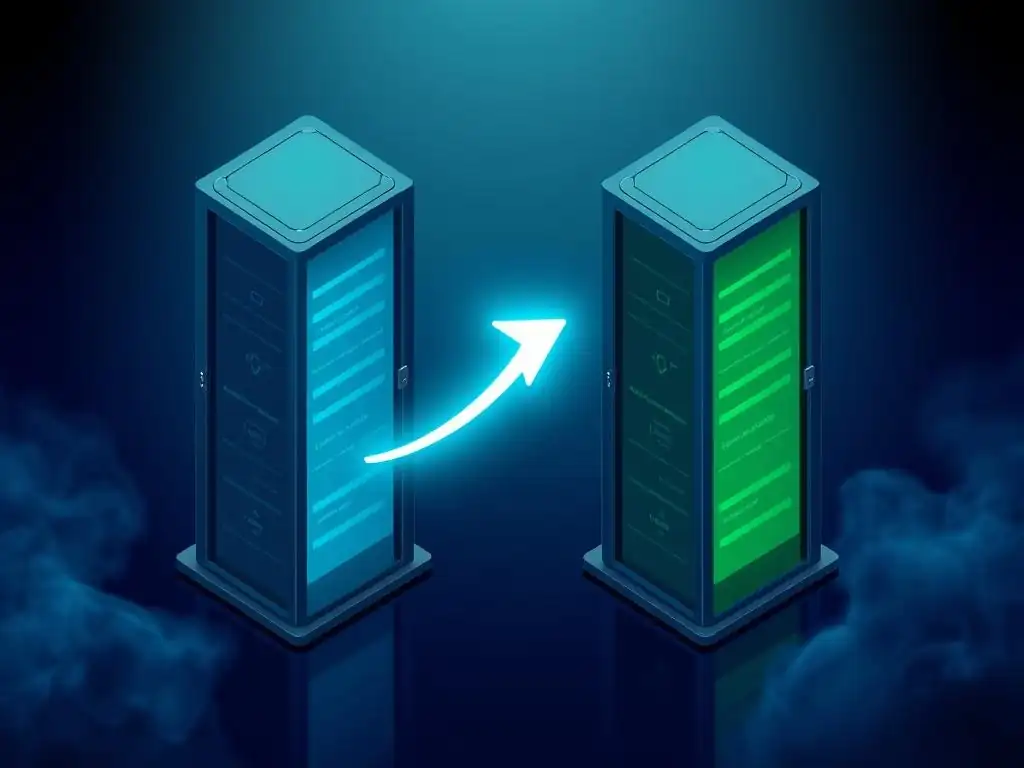
Blue/Green deployment is a sophisticated release management strategy aimed at minimizing downtime and risk when deploying new software versions. The core principle revolves around maintaining two identical production environments, traditionally named "Blue" and "Green." At any given time, only one environment is live, serving production traffic. For instance, if "Green" is live, "Blue" remains idle but contains the previous version of the application. This setup allows for comprehensive testing and validation of the new version in the inactive environment without affecting the live application.
The power of Blue/Green deployments lies in its ability to facilitate near-instantaneous rollbacks and seamless updates. When a new version is ready for release, it is deployed to the inactive environment. After rigorous testing and verification in this staging environment, traffic is switched from the live environment to the newly updated one.
This switch is typically done at the load balancer level, making it remarkably fast and efficient. In case any issues arise in the new environment after the switch, reverting to the previous version is as simple as switching traffic back to the original environment, ensuring minimal disruption to users.
Benefits of Using Blue/Green Deployments for Continuous Delivery
Adopting Blue/Green deployments offers substantial benefits for organizations practicing continuous delivery. One of the most significant advantages is the near-zero downtime deployments. Because the new version is thoroughly tested in a separate environment before going live, the actual switchover to the new version is incredibly quick, often just a matter of seconds. This drastically reduces the maintenance windows typically associated with deployments and keeps applications highly available.
Furthermore, Blue/Green deployments significantly mitigate the risks associated with software releases. By having a fully functional backup environment readily available, rollbacks are simplified and expedited. If a newly deployed version encounters unforeseen issues in production, reverting to the stable, previous version is a swift operation, minimizing the impact of bugs or errors on users. This rapid rollback capability enhances system resilience and allows development teams to release updates more confidently and frequently, accelerating the pace of innovation and feature delivery. This approach directly supports the goals of continuous delivery by enabling faster, safer, and more reliable software releases.
Why Choose Git for Blue/Green Deployment Automation?
Git, as a robust version control system, is an ideal foundation for automating Blue/Green deployments. Its branching and tagging capabilities provide a natural and efficient way to manage different versions of the application code corresponding to the Blue and Green environments. Branches can represent different environments or deployment stages, allowing developers to isolate changes and manage code versions specifically for each environment. For instance, a 'blue-deploy' branch might track the codebase deployed to the Blue environment, while 'green-deploy' branch corresponds to the Green environment.
Git's distributed nature and its powerful command-line interface facilitate automation through scripting and integration with CI/CD tools. Deployment scripts can be triggered by Git events, such as pushing code to specific branches or tagging releases. For example, pushing code to the 'blue-deploy' branch could automatically initiate the deployment process to the Blue environment.
Git tags are also invaluable for release management in Blue/Green setups. Tags can mark specific commits that correspond to deployed versions, providing a clear and auditable history of releases and simplifying rollbacks to previous stable versions when needed. The combination of Git's version control features and its automation potential makes it a powerful tool for orchestrating and managing Blue/Green deployment workflows.
Setting Up Your Git Repository for Blue/Green Deployments
Structuring Your Git Branches for Efficient Deployment
To effectively implement Blue/Green deployments, structuring your Git branches strategically is crucial. A well-organized branching model simplifies the deployment process and enhances maintainability. Consider using a branching strategy that clearly delineates release branches from development and feature branches. For Blue/Green, you might designate specific branches that directly correspond to your Blue and Green environments, such as blue-deploy and green-deploy. These branches would reflect the exact codebase deployed to each environment.
In addition to environment-specific branches, it's beneficial to maintain a main or master branch representing the latest stable version of your application. Feature branches should be branched off from main, and once features are complete and tested, they are merged back into main. When preparing for a Blue/Green deployment, you can then merge main into the appropriate deployment branch (either blue-deploy or green-deploy, depending on which environment is currently inactive and ready for update). This structure ensures that your deployment branches always reflect deployable states and are synchronized with the main development line.
Branching Strategy for Blue/Green Environments
A practical branching strategy for Blue/Green environments might involve a combination of feature branches, a main integration branch, and dedicated deployment branches. Feature branches are used for developing new features and bug fixes, branching off from and merging back into the main branch. The main branch serves as the integration point for all developed features and represents the release-ready state of the application.
For Blue/Green deployment, create two long-lived branches, blue-deploy and green-deploy. These branches directly mirror the codebase running in the respective Blue and Green environments. When a new version is ready to be deployed, merge the main branch into the inactive deployment branch (e.g., if Blue is active, merge main into green-deploy). This merge triggers the deployment process to the Green environment. Once testing in Green is successful, traffic is switched to Green. The blue-deploy branch then holds the previously live version, ready for rollback if needed, and becomes the target for the next deployment cycle. This branching model provides clear separation and version control for each environment, simplifying management and rollbacks.
Git tags are invaluable for managing releases in a Blue/Green deployment strategy. Tags provide immutable snapshots of your codebase at specific points in time, typically marking releases. When you deploy a version to either the Blue or Green environment, create a Git tag to mark the commit that was deployed. This tag acts as a permanent reference to that specific release, making it easy to identify and revert to a particular version if necessary.
For example, you might tag releases with version numbers like v1.0.0-blue, v1.0.1-green, and so on, clearly indicating the version and the environment it was initially deployed to. When a rollback is required, you can easily check out the Git tag corresponding to the last known stable version and redeploy it to the currently inactive environment, then switch traffic back. Using Git tags for release management provides a robust and auditable history of deployments, simplifying version tracking and rollback procedures in Blue/Green setups.
Implementing Blue/Green Deployments: A Step-by-Step Guide with Git
Step 1: Provisioning Your "Blue" and "Green" Environments
Defining Infrastructure as Code for Blue/Green
Provisioning identical "Blue" and "Green" environments is the foundational step in Blue/Green deployments. Infrastructure as Code (IaC) is paramount here. Tools like Terraform, AWS CloudFormation, or Azure Resource Manager enable you to define your entire infrastructure—servers, networks, databases, load balancers—in declarative configuration files. This IaC approach ensures that both environments are consistently configured and easily reproducible.
For instance, using Terraform, you could define your server configurations, network settings, and load balancer rules in .tf files. This configuration can then be applied to create both the Blue and Green environments, guaranteeing they are identical. IaC not only automates environment provisioning but also facilitates version control for your infrastructure setup. Changes to infrastructure are tracked in version control systems like Git, providing an audit trail and enabling easy rollback of infrastructure changes, mirroring the benefits of version control for application code. This consistency and repeatability are critical for the reliability and success of Blue/Green deployments.
Configuring Load Balancers for Traffic Switching
Load balancers are central to the traffic switching mechanism in Blue/Green deployments. They distribute incoming traffic to the active environment and facilitate the seamless switch between Blue and Green. Configuring your load balancer correctly is crucial for achieving zero-downtime deployments. Modern load balancers, such as AWS Elastic Load Balancer (ELB), Nginx, or HAProxy, offer features that support dynamic traffic routing based on backend health checks and configuration updates.
For Blue/Green, the load balancer should be configured to initially route all traffic to the active environment (e.g., Green). When switching to the new version in Blue, the load balancer configuration is updated to direct traffic to the Blue environment instead. This switch is typically done by updating the target groups or backend sets associated with the load balancer.
The configuration should also include health checks to ensure that the load balancer only directs traffic to healthy instances in the active environment. This ensures that users experience no interruption during the switchover and are always directed to a functional application instance.
Step 2: Deploying the Application to the "Blue" Environment
Automating the Deployment Process with Git Hooks or CI/CD Pipelines
Automating the deployment process to the inactive environment is key to an efficient Blue/Green workflow. Git hooks and CI/CD pipelines are powerful tools for achieving this automation. Git hooks allow you to trigger scripts based on Git events, like commits or pushes. For example, a post-receive hook on your Git server can be configured to initiate a deployment process whenever code is pushed to the blue-deploy or green-deploy branch.
Alternatively, CI/CD pipelines, such as Jenkins, GitLab CI, GitHub Actions, or CircleCI, provide a more comprehensive and robust automation solution. A CI/CD pipeline can be configured to automatically build, test, and deploy your application whenever changes are pushed to designated branches. For Blue/Green, your pipeline would be set up to deploy to the inactive environment. For instance, pushing to blue-deploy would trigger the pipeline to build the application, run automated tests, and deploy the new version to the Blue environment. This automation streamlines the deployment process, reduces manual errors, and ensures consistency in deployments.
Verifying the Deployment on the "Blue" Environment
After deploying the application to the inactive "Blue" environment, thorough verification is essential before switching traffic. This verification stage aims to ensure that the new version is functioning correctly and is ready to handle production traffic. Automated testing plays a crucial role here. Implement a suite of tests, including unit tests, integration tests, and end-to-end tests, to validate the application's functionality, performance, and stability in the Blue environment.
Run these automated tests as part of your CI/CD pipeline after deployment. In addition to automated tests, consider performing manual exploratory testing and user acceptance testing (UAT) in the Blue environment. This might involve QA engineers or product owners manually testing key workflows and features to ensure they meet requirements. Monitoring the Blue environment's logs and performance metrics during testing is also important to identify any potential issues or errors. Only after successful verification should you proceed to switch traffic to the Blue environment, ensuring a smooth and reliable transition.
Step 3: Switching Traffic from "Green" to "Blue"
Implementing Zero-Downtime Traffic Switching
Achieving zero-downtime traffic switching is a primary goal of Blue/Green deployments. This switch should be seamless and imperceptible to users. The key to zero-downtime switching lies in the load balancer configuration. Modern load balancers allow for near-instantaneous redirection of traffic by updating their routing rules. The switch typically involves updating the load balancer to point to the "Blue" environment instead of "Green" as the active backend.
This can be done through API calls to the load balancer (e.g., AWS ELB API, Nginx configuration reload). The switch itself should be automated as part of your deployment pipeline. Before initiating the switch, ensure that the "Blue" environment is fully verified and ready to handle production load. After the switch, the "Green" environment becomes inactive, but it is retained as a hot standby, ready for immediate rollback if necessary. The speed and automation of this traffic switch are what enable the near-zero downtime associated with Blue/Green deployments.
Monitoring the "Blue" Environment After the Switch
Immediately after switching traffic to the "Blue" environment, intensive monitoring is crucial. This post-switch monitoring period is critical for quickly detecting and addressing any issues that might arise in the newly live environment. Implement comprehensive monitoring dashboards that track key application metrics, such as error rates, response times, CPU and memory utilization, and database performance. Tools like Prometheus, Grafana, Datadog, or New Relic are commonly used for real-time monitoring.
Set up alerts to notify your operations team immediately if any anomalies or errors are detected. Monitor application logs for errors or exceptions. Keep a close watch on user experience metrics to ensure that the switch has not negatively impacted users. This vigilant monitoring allows for rapid identification of any post-deployment issues, enabling quick intervention and minimizing potential impact. If critical issues are detected, the ability to quickly rollback to the "Green" environment becomes paramount.
Step 4: Deploying the Application to the "Green" Environment
Keeping the "Green" Environment Ready for Rollback
After successfully switching traffic to the "Blue" environment, the "Green" environment is now inactive but remains a crucial component of the Blue/Green strategy. It serves as a hot standby, ready for immediate rollback if any critical issues emerge in the "Blue" environment. Therefore, it's essential to keep the "Green" environment in a state where it can be quickly reactivated. Do not decommission or repurpose the "Green" environment immediately after a successful switch to "Blue."
Maintain the "Green" environment as a fully functional, albeit inactive, replica of the production setup, running the previously stable version of the application. Regular maintenance and patching of the "Green" environment are still necessary to ensure it remains secure and ready for rollback. Think of the inactive environment as a safety net. Its readiness for rollback provides a critical safety valve in case unforeseen problems arise in the newly deployed "Blue" environment.
Validating Functionality in the "Green" Environment
While the "Green" environment is inactive post-switch to "Blue," it's still beneficial to periodically validate its functionality. This proactive validation ensures that the "Green" environment remains in a healthy state and ready for rollback if needed. Run health checks and basic functional tests on the "Green" environment periodically, even when it's not serving live traffic. This might include automated scripts that check application endpoints and database connectivity.
These validations can be part of a scheduled maintenance routine or triggered automatically after certain events, such as infrastructure updates. The goal is to catch any potential degradation in the "Green" environment early, ensuring that it remains a reliable rollback option. Regular validation of the inactive environment adds an extra layer of assurance to the Blue/Green deployment strategy, enhancing its overall robustness and reliability.
Step 5: Maintaining the Blue/Green Environments
Synchronization Strategies for Data and Configuration
Maintaining consistency between the Blue and Green environments, especially concerning data and configuration, is crucial for the long-term success of Blue/Green deployments. While application code is version controlled with Git and deployed consistently, databases and configurations might require specific synchronization strategies. Consider how database schema migrations and data updates are handled in your Blue/Green setup. Database migrations should be designed to be forward and backward compatible to facilitate seamless switches and rollbacks.
Configuration management tools like Ansible, Chef, or Puppet can be used to ensure consistent configuration across both environments. These tools can automate the application of configuration changes to both Blue and Green environments, ensuring they remain synchronized. Careful planning for data synchronization and configuration management is essential to avoid inconsistencies that could lead to issues during deployments or rollbacks. A well-defined synchronization strategy contributes significantly to the stability and predictability of your Blue/Green deployment process.
Automating Environment Updates and Maintenance
Automating environment updates and maintenance tasks for both Blue and Green environments is vital for reducing operational overhead and ensuring consistency. This includes tasks such as applying security patches, updating operating system packages, and performing routine maintenance operations. Configuration management tools and scripting can be used to automate these tasks across both environments simultaneously.
For instance, using Ansible, you can create playbooks to apply security patches to all servers in both Blue and Green environments. Similarly, scripts can be scheduled to perform database maintenance or log rotation on both environments. Automation not only reduces manual effort but also minimizes the risk of human error and ensures that maintenance tasks are performed consistently across both environments. Regular, automated maintenance keeps both Blue and Green environments healthy, secure, and ready for their respective roles in the Blue/Green deployment lifecycle.
Blue/Green Deployments with Git: Advanced Techniques
Implementing Rollbacks with Git in a Blue/Green Setup
Automating Rollbacks Using Git Revert and CI/CD
Git plays a crucial role in automating rollbacks within a Blue/Green deployment strategy. If issues arise after switching to a new version in the "Blue" environment, Git can facilitate a rapid and reliable rollback to the previous "Green" environment. Automating this rollback process using Git and CI/CD pipelines is essential for minimizing downtime. When a rollback is needed, the CI/CD pipeline can be triggered to perform the following steps: First, identify the Git tag or commit associated with the last stable version deployed to the "Green" environment.
Next, use Git commands, potentially git revert or git checkout <tag>, to revert the codebase in the "Blue" environment back to this stable version. Alternatively, and often more effectively in a Blue/Green context, simply switch the load balancer back to directing traffic to the "Green" environment, which is already running the stable version. The CI/CD pipeline can automate the load balancer configuration update, effectively reverting to the "Green" environment in seconds. This automated rollback process leverages Git's version control capabilities to ensure a quick and reliable return to a known good state.
Handling Data Migrations During Rollbacks
Data migrations can present complexities during rollbacks in Blue/Green deployments. If database schema changes or data transformations are part of your deployments, you need a strategy to handle rollbacks gracefully, especially concerning data compatibility. Ideally, database migrations should be designed to be backward compatible, allowing the previous version of the application to work with the newer database schema, at least for a short rollback period.
If backward compatibility isn't fully achievable, consider using techniques like feature flags to decouple code deployments from database changes. This allows you to roll back the application code without necessarily rolling back database schema changes immediately. For critical data migrations that are not backward compatible, a more complex rollback strategy might be needed, potentially involving database schema reversion scripts or data restoration from backups. Careful planning and testing of data migration rollback procedures are crucial to ensure data integrity and application stability during rollbacks in Blue/Green environments.
Integrating Blue/Green with Continuous Integration/Continuous Delivery (CI/CD)
Automating the Entire Deployment Pipeline
Integrating Blue/Green deployment with CI/CD pipelines allows for full automation of the software release process, from code commit to production deployment and rollback. A well-designed CI/CD pipeline automates the build, test, deploy, and switchover stages of Blue/Green deployments. Upon code commit to a designated branch (e.g., main or a release branch), the CI/CD pipeline automatically kicks off. It compiles the application, runs unit and integration tests, and then deploys the new version to the inactive environment (e.g., Blue if Green is active).
After successful deployment and automated testing in the inactive environment, the pipeline triggers the traffic switch at the load balancer, making the newly deployed version live. Post-deployment checks and monitoring are also automated within the pipeline. Furthermore, the pipeline should include automated rollback capabilities, triggered by monitoring alerts or manual intervention, to quickly revert to the previous environment if necessary. This end-to-end automation streamlines the release process, reduces manual errors, and accelerates the delivery of software updates.
Using GitOps for Blue/Green Deployment Management
GitOps, a declarative approach to infrastructure and application management, aligns perfectly with Blue/Green deployment strategies. GitOps leverages Git as the single source of truth for both application code and infrastructure configuration. In a GitOps workflow for Blue/Green, the desired state of both Blue and Green environments, including application versions and infrastructure configurations, is defined declaratively in Git repositories.
Changes to deployments are made by updating the Git repository. Automated operators or controllers, such as Argo CD or Flux, continuously monitor the Git repository and reconcile the live environments with the desired state defined in Git. When deploying a new version in a Blue/Green setup using GitOps, you would update the Git repository to reflect the desired new version for the inactive environment. The GitOps operator then automatically applies these changes, deploying the new version and managing the traffic switch. GitOps enhances the auditability, reproducibility, and consistency of Blue/Green deployments, making them more reliable and easier to manage.
Monitoring and Observability in Blue/Green Deployments
Setting Up Monitoring for Both Environments
Comprehensive monitoring and observability are paramount in Blue/Green deployments, requiring monitoring of both the active and inactive environments. While the active environment requires continuous monitoring for performance and error detection, the inactive environment also needs monitoring to ensure it remains healthy and ready for a potential switch or rollback. Set up monitoring dashboards that provide real-time insights into key metrics for both environments.
These metrics should include application performance indicators (response times, error rates), infrastructure metrics (CPU utilization, memory usage, network traffic), and database performance metrics. Use monitoring tools that can track metrics across both Blue and Green environments, allowing for easy comparison and identification of anomalies in either environment. Effective monitoring of both environments ensures that you have a complete picture of the system's health and readiness, facilitating proactive issue detection and efficient management of Blue/Green deployments.
Implementing Alerting for Deployment Issues
Robust alerting is crucial for proactively identifying and responding to issues in Blue/Green deployments. Set up alerting rules based on the monitoring metrics collected from both Blue and Green environments. Alerts should be configured to trigger notifications when critical thresholds are breached, indicating potential problems such as increased error rates, slow response times, or infrastructure failures. Alerts should be routed to the appropriate teams, such as operations, development, or on-call engineers, enabling prompt investigation and resolution of issues.
Implement different levels of alerts for different severities of issues, allowing for prioritized response. For example, critical alerts for application downtime should trigger immediate action, while warning alerts for performance degradation might require investigation but not immediate intervention. Effective alerting ensures that deployment issues are detected quickly and addressed promptly, minimizing potential downtime and impact on users in Blue/Green environments.
Best Practices for Blue/Green Deployments with Git
Ensuring Database Compatibility During Deployments
Database compatibility is a critical consideration in Blue/Green deployments. Ensure that database schema changes and data migrations are carefully planned and executed to maintain compatibility between application versions, especially during switches and rollbacks. Design database migrations to be backward compatible whenever possible. This means that the new version of the application should be able to work with the previous database schema, and the previous version should also be compatible with the new schema, at least for a short period.
Use database migration tools (like Flyway, Liquibase) to manage and apply database schema changes in a controlled and versioned manner. Test database migrations thoroughly in non-production environments before applying them to production. Consider decoupling database changes from application code deployments using feature flags or separate deployment pipelines if backward compatibility is difficult to achieve. Careful database migration planning and execution are essential to prevent data inconsistencies and application failures during Blue/Green deployments.
Managing Configuration Changes in Blue/Green
Managing configuration changes effectively in Blue/Green environments is crucial for maintaining consistency and avoiding configuration drift. Treat configuration as code and manage it under version control, ideally in Git, alongside your application code or in separate configuration repositories. Use configuration management tools (Ansible, Chef, Puppet) to automate the application of configuration changes to both Blue and Green environments, ensuring consistency.
Avoid manual configuration changes directly on the servers, as this can lead to configuration drift and inconsistencies between environments. Define environment-specific configurations using variables or environment files, allowing for customization of configurations for Blue and Green environments while maintaining a common base configuration. Test configuration changes thoroughly in non-production environments before applying them to production. Effective configuration management ensures that both Blue and Green environments are consistently configured and that configuration changes are applied in a controlled and auditable manner.
Testing Strategies for Blue/Green Environments
Robust testing is integral to the success of Blue/Green deployments. Implement a comprehensive testing strategy that covers various levels of testing in the inactive environment before switching traffic. This includes unit tests, integration tests, and end-to-end tests to validate the application's functionality, performance, and stability. Automate these tests and integrate them into your CI/CD pipeline, ensuring that tests are run automatically with every deployment to the inactive environment.
In addition to automated tests, consider incorporating performance testing and load testing in the inactive environment to simulate production traffic and identify potential performance bottlenecks before going live. Perform exploratory testing and user acceptance testing (UAT) in the inactive environment to ensure that the new version meets user requirements and business objectives. Thorough testing in the inactive environment significantly reduces the risk of issues in production and ensures a smoother and more reliable Blue/Green deployment process.
Troubleshooting Common Issues in Blue/Green Deployments with Git
Addressing Traffic Switching Problems
Traffic switching issues are among the most critical problems in Blue/Green deployments, potentially leading to downtime if not handled correctly. If traffic fails to switch or switches intermittently, first verify the load balancer configuration. Check that the load balancer is correctly configured to route traffic to the intended environment (Blue or Green). Examine the load balancer's health checks to ensure that instances in both environments are reporting as healthy. Incorrect health check configurations can prevent traffic from being routed correctly.
Review the network configuration to ensure there are no network connectivity issues between the load balancer and the backend environments. Check firewall rules and network routing tables. Examine load balancer logs for any errors or anomalies during the switchover. If using DNS-based traffic switching, verify DNS propagation and TTL settings. Thoroughly investigate load balancer configuration, health checks, network connectivity, and logs to diagnose and resolve traffic switching problems effectively.
Resolving Deployment Failures
Deployment failures in Blue/Green setups can occur in various stages, from code deployment to environment provisioning. When a deployment fails, first examine the deployment logs for detailed error messages and stack traces. These logs provide valuable clues about the cause of the failure. If using CI/CD pipelines, review the pipeline execution logs to identify the step where the failure occurred (e.g., build, test, deploy).
Check resource availability in the target environment. Deployment failures can be caused by insufficient disk space, memory, or CPU resources. Verify application dependencies and configuration settings. Incorrect dependencies or misconfigurations can lead to deployment errors. If infrastructure provisioning is part of the deployment process, examine infrastructure provisioning logs for errors. Thoroughly investigate deployment logs, CI/CD pipeline logs, resource availability, application dependencies, and infrastructure provisioning to diagnose and resolve deployment failures effectively.
Handling Database Migration Errors
Database migration errors during Blue/Green deployments can lead to application instability and data corruption. If database migrations fail, immediately rollback the migration process to prevent further issues. Examine the database migration logs for detailed error messages and SQL errors. These logs are crucial for understanding the cause of the migration failure. Verify the database connection settings and credentials used for the migration process.
Check for database schema conflicts or inconsistencies that might be preventing the migration from succeeding. Ensure that the database migration scripts are correctly written and tested in non-production environments before applying them to production. If necessary, restore the database from a backup to revert to a known good state before attempting the migration again. Thoroughly investigate database migration logs, connection settings, schema conflicts, and migration scripts to diagnose and resolve database migration errors effectively and prevent data integrity issues.
Conclusion: Achieving Seamless Deployments with Blue/Green and Git
The Future of Blue/Green Deployment Strategies
Blue/Green deployment strategies, especially when combined with the power of Git for version control and automation, are poised to remain a cornerstone of modern software delivery. As cloud-native architectures and microservices become increasingly prevalent, the need for zero-downtime deployments and rapid rollbacks will only intensify. Blue/Green provides a robust and proven approach to meet these demands. Future advancements in containerization, orchestration platforms like Kubernetes, and serverless computing will further enhance the efficiency and scalability of Blue/Green deployments.
We can expect to see even greater automation and integration of Blue/Green with CI/CD pipelines and GitOps workflows, making deployments even more seamless and reliable. The focus will likely shift towards more intelligent traffic management and observability tools, allowing for finer-grained control and deeper insights into Blue/Green environments. Blue/Green, with its inherent simplicity and effectiveness, will continue to evolve and adapt to the changing landscape of software deployment, remaining a vital technique for organizations striving for continuous delivery and high availability.
Key Takeaways for Implementing Blue/Green with Git
Implementing Blue/Green deployments with Git offers significant advantages, but successful adoption requires careful planning and execution. Key takeaways include the importance of Infrastructure as Code (IaC) for consistent environment provisioning and Git for version controlling both application code and infrastructure configurations. A well-defined branching strategy, using dedicated branches for Blue and Green environments, streamlines the deployment process. Automation is paramount, leveraging CI/CD pipelines and Git hooks to automate build, test, deploy, and switchover stages.
Robust monitoring and alerting for both environments are essential for proactive issue detection. Thorough testing in the inactive environment, covering various test levels, minimizes production risks. Database compatibility and configuration management require careful consideration to avoid inconsistencies. Finally, practicing rollback procedures and having a well-defined rollback strategy is crucial for quickly mitigating issues. By focusing on these key takeaways, organizations can effectively leverage Blue/Green deployments with Git to achieve seamless, zero-downtime releases and enhance their software delivery capabilities.
Further Resources for Mastering Blue/Green Deployments
To deepen your understanding and expertise in Blue/Green deployments with Git, numerous resources are available. Explore online documentation for CI/CD tools like Jenkins, GitLab CI, GitHub Actions, and CircleCI, focusing on their Blue/Green deployment capabilities. Consult documentation for infrastructure as code tools such as Terraform, AWS CloudFormation, and Azure Resource Manager to learn how to provision consistent Blue and Green environments. Study GitOps principles and tools like Argo CD and Flux to understand how to manage Blue/Green deployments declaratively using Git as the source of truth.
Online courses and tutorials on platforms like Udemy, Coursera, and edX often cover Blue/Green deployments and CI/CD practices in detail. Read blog posts and articles from industry leaders and practitioners sharing their experiences and best practices with Blue/Green deployments. Engage with online communities and forums dedicated to DevOps and continuous delivery to ask questions and learn from others' experiences. By actively utilizing these resources, you can continuously expand your knowledge and skills in mastering Blue/Green deployments with Git and stay abreast of the latest advancements in this field.
Frequently Asked Questions
What is a Blue/Green Deployment?
A Blue/Green deployment is a deployment strategy that reduces downtime by having two identical environments, "Blue" (live) and "Green" (new version), and switching traffic between them. This allows for zero-downtime deployments and easy rollbacks.
How does Git facilitate Blue/Green Deployments?
Git helps manage different versions of your code, ensuring the "Green" environment has the correct code ready for deployment. Branching and tagging in Git are crucial for tracking and deploying the specific version you want.
What are the benefits of using Blue/Green deployments with Git?
The primary benefit is minimized downtime, allowing for seamless updates and a better user experience. It also provides a quick rollback mechanism if any issues arise in the "Green" environment.
What are the challenges of implementing Blue/Green deployments with Git?
Challenges include infrastructure complexity, needing duplicate environments and automated traffic switching. Database migration management and ensuring data consistency between the environments are also critical considerations.
How do I automate Blue/Green deployments with Git?
Automation tools like CI/CD pipelines (using Jenkins, GitLab CI, or GitHub Actions) are essential to streamline the process. These pipelines can automatically build, test, and deploy code to the "Green" environment and then switch traffic upon successful validation.
Final Reflection: Embracing Continuous Evolution
The journey from traditional deployments to the streamlined efficiency of Blue/Green Deployments with Git is more than just a technical upgrade; it's a paradigm shift in how we approach software development and delivery. In today's fast-paced digital landscape, where user expectations are constantly evolving, the ability to minimize downtime and rapidly iterate is no longer a luxury, but a necessity for survival. This approach ensures that innovation doesn't come at the cost of stability, offering a pathway to continuous improvement without disrupting the user experience.
The implementation of Blue/Green Deployments has profoundly influenced the cultural landscape of development teams, fostering a culture of collaboration, automation, and proactive risk management. This shift towards a more resilient and responsive development process has not only improved the quality of our software but has also empowered developers to experiment and innovate with greater confidence. The only constant in life is change.
- Heraclitus. This ancient wisdom resonates deeply with the principles of Blue/Green Deployments, reminding us that adaptability and continuous evolution are key to long-term success.
As you consider the potential of Blue/Green Deployments with Git, I invite you to reflect on how this approach can transform your own development workflows. Embrace the principles of continuous integration, continuous delivery, and automated testing. Dare to experiment, iterate, and evolve. By adopting this mindset, you can not only minimize downtime but also unlock new levels of agility, innovation, and ultimately, deliver exceptional value to your users.
Okay, here's a CTA designed for the end of a web article titled "Minimize Downtime Dramatically: Implement Blue/Green Deployments with Git," hosted on the website GitAndVersionControlHub.com:
Embrace Seamless Updates: Unleash the Power of Blue/Green!
Thank you for diving into the world of Blue/Green deployments and their potential to revolutionize your development workflow! We hope you've gained valuable insights into minimizing downtime and boosting your team's efficiency. Now, it's time to put that knowledge into action!
Here are a few steps you can take right now:
- Implement a Blue/Green deployment strategy for your next project using Git. Start small, experiment, and scale as you become more comfortable.
- Explore different branching models in Git that complement Blue/Green deployments, like Gitflow or trunk-based development, to optimize your workflow.
- Share this article with your team members and discuss how Blue/Green deployments could benefit your current development processes.
What immediate improvements will you implement in your deployment strategy based on what you've learned today? Share your plans in the comments!