
Conquer Deployment Downtime: The Power of Git and Blue/Green Strategies

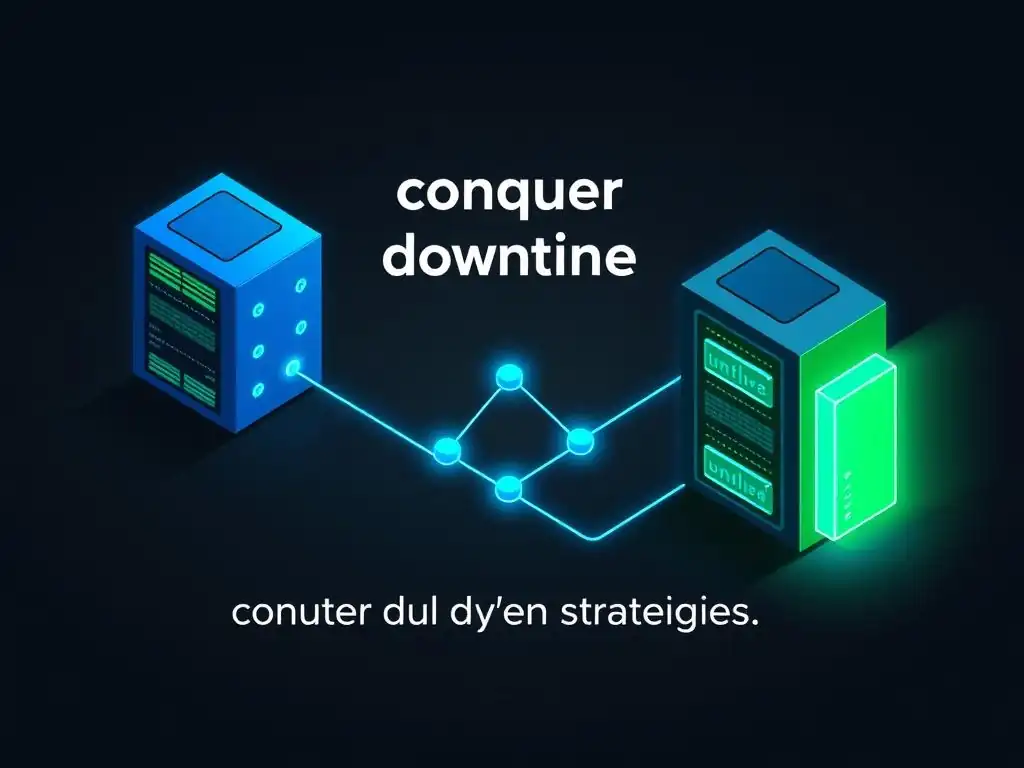
Welcome to Git and Version Control Hub, your go-to resource for mastering the art of version control! Are you tired of deployment downtime disrupting your workflow? Dive into our latest article, "Conquer Deployment Downtime: The Power of Git and Blue/Green Strategies," and unlock the secrets to seamless, zero-downtime Git deployment strategies for uptime. Discover how to leverage Git to minimize disruptions and keep your applications running smoothly. Intrigued? Let's explore how to revolutionize your deployment process!
Conquer Deployment Downtime: The Power of Git and Blue/Green Strategies
- Introduction: Achieving Zero-Downtime Deployment with Git
- Understanding Deployment Downtime and Its Impact
- Git Deployment Strategies for Uptime: An Overview
- Blue/Green Deployment Strategy: A Deep Dive
-
Frequently Asked Questions
- What are some common problems developers face with deployment downtime?
- How can Git help reduce deployment downtime?
- What is a Blue/Green deployment strategy, and how does it relate to Git?
- What are the key benefits of using Blue/Green deployments with Git?
- How does Git contribute to CI/CD pipelines for improved uptime?
- Final Reflection: Embracing Continuous Uptime
- Unlock Seamless Updates: Dive Deeper Into Blue/Green Deployments!
Introduction: Achieving Zero-Downtime Deployment with Git
In the fast-paced world of software development, downtime is not just an inconvenience; it's a significant threat to business continuity and user satisfaction. Imagine a popular e-commerce site going offline during a flash sale, or a critical SaaS application becoming unavailable during peak business hours. The consequences can range from lost revenue and damaged reputation to eroded customer trust and compliance issues. Therefore, achieving zero-downtime deployment is no longer a luxury but a necessity for modern software applications, especially those that operate at scale and require continuous availability.
Git, the ubiquitous version control system, is not merely a tool for tracking code changes; it's a powerful enabler for sophisticated deployment strategies that minimize or eliminate downtime. By leveraging Git's branching, tagging, and automation capabilities, development teams can orchestrate deployments that are both efficient and remarkably resilient. This article delves into one such strategy – Blue/Green deployment – and explores how, when combined with Git, it can become a cornerstone of your high-availability infrastructure, ensuring your applications remain accessible and responsive, even during updates and releases.
Understanding Deployment Downtime and Its Impact
The Cost of Downtime in Software Development
Downtime in software development translates directly into tangible and intangible costs that can severely impact an organization. Financially, downtime can lead to lost revenue from e-commerce transactions, missed service level agreement (SLA) targets resulting in penalties, and decreased productivity of employees who rely on the affected systems.
For instance, a study by Information Technology Intelligence Consulting (ITIC) found that a single hour of downtime can cost enterprises anywhere from \$300,000 to over \$17 million, depending on the size and nature of the business. This cost not only encompasses direct revenue loss but also includes expenses related to recovery efforts, incident response, and potential regulatory fines.
Beyond the immediate financial implications, downtime significantly damages a company's reputation and erodes customer trust. In today's digital landscape, users expect seamless and uninterrupted access to online services. Frequent or prolonged outages can lead to customer churn, negative reviews, and a loss of competitive edge.
Consider the impact on customer loyalty if a banking application is consistently unavailable during critical transaction periods. The reputational damage can be long-lasting and far harder to recover than the immediate financial losses. Furthermore, downtime can disrupt internal workflows, delaying project timelines and hindering innovation, ultimately impacting the overall agility and efficiency of the software development lifecycle.
Traditional Deployment Methods and Downtime Challenges
Traditional deployment methods, often involving direct server updates or "in-place" upgrades, inherently carry significant downtime risks. These methods typically require taking the application offline, even if briefly, while new code is deployed and the system is restarted. For example, a common approach might involve stopping the application server, replacing the existing application files with the new version, and then restarting the server. During this process, users attempting to access the application will encounter errors or be completely unable to connect, resulting in service interruption.
The challenges associated with traditional methods extend beyond simple downtime. Rollbacks in case of deployment failures are often complex and time-consuming, potentially prolonging outages. If a newly deployed version introduces critical bugs, reverting to the previous stable state can be a manual and error-prone process, especially in complex environments.
Furthermore, testing in production becomes a significant concern with in-place upgrades. Any unforeseen issues or incompatibilities in the production environment are immediately exposed to users, increasing the risk of post-deployment failures and necessitating rapid, often reactive, fixes. These limitations highlight the need for more robust and downtime-resistant deployment strategies, such as Blue/Green deployment, to overcome the inherent risks of traditional approaches.
Git Deployment Strategies for Uptime: An Overview
Leveraging Git for Efficient and Reliable Deployments
Git's inherent features make it exceptionally well-suited for building efficient and reliable deployment pipelines focused on maximizing uptime. Its distributed nature, branching capabilities, and robust version history provide a solid foundation for managing code changes and orchestrating deployments with precision. For instance, Git's branching model allows developers to work on new features or bug fixes in isolation without disrupting the main codebase, enabling parallel development and reducing the risk of introducing instability into production environments. This isolation is crucial for maintaining a stable production branch that can be readily deployed at any time.
Furthermore, Git's version history acts as a comprehensive audit trail, allowing teams to track every change, understand the evolution of the codebase, and easily revert to previous states if necessary. This feature is invaluable for rollback strategies, ensuring that in the event of a failed deployment, teams can quickly and confidently restore the application to a known working version, minimizing downtime. Combined with Git's command-line tools and scripting capabilities, developers can automate deployment processes, creating repeatable and consistent pipelines that reduce human error and accelerate release cycles, all while prioritizing application uptime and stability.
Exploring Different Git-Based Deployment Approaches
Git's flexibility allows for a variety of deployment approaches, each leveraging its core functionalities to enhance deployment efficiency and uptime. Beyond Blue/Green deployments, which will be discussed in detail, other Git-centric strategies include Canary deployments and Rolling deployments. Canary deployments involve releasing a new version of the application to a small subset of users or servers initially, monitoring its performance and stability before gradually rolling it out to the entire infrastructure. This approach minimizes the impact of potential issues, limiting them to a small user group and allowing for early detection and resolution.
Rolling deployments, on the other hand, involve updating application instances incrementally, one at a time or in small batches, replacing old versions with new ones in a gradual and controlled manner. This method ensures continuous availability by always having some instances of the application online while others are being updated.
Both Canary and Rolling deployments, like Blue/Green, can be effectively orchestrated using Git for version control and deployment automation, offering different trade-offs in terms of risk, complexity, and deployment speed, but all aiming to improve uptime and reduce the impact of deployments on users. The choice of strategy often depends on the specific needs and constraints of the project and the organization's risk tolerance.
Blue/Green Deployment Strategy: A Deep Dive
What is Blue/Green Deployment?
Blue/Green deployment is a sophisticated release strategy designed to minimize downtime and risk during software deployments. The core principle is to maintain two identical production environments, traditionally referred to as "Blue" and "Green." At any given time, only one environment is live and serving production traffic. For instance, the "Blue" environment might be live, handling all user requests. While "Blue" is live, all new code changes and updates are deployed and thoroughly tested in the inactive "Green" environment. This parallel environment acts as a staging area that mirrors the production setup, allowing for comprehensive testing without affecting live users.
Once the "Green" environment is fully tested and validated, the deployment process involves a rapid switch of the live traffic from the "Blue" environment to the "Green" environment. This switch is typically achieved by updating a load balancer or router configuration to redirect incoming requests to the newly updated "Green" environment. The "Blue" environment then becomes inactive and serves as a standby environment for the next deployment cycle.
This approach effectively eliminates downtime because the switchover is instantaneous from the user's perspective. If any issues arise in the newly live "Green" environment, a quick rollback is possible by simply switching traffic back to the still-running and stable "Blue" environment.
How Blue/Green Deployment Works with Git
Git plays a crucial role in enabling and streamlining Blue/Green deployments. Its branching model, tagging capabilities, and automation potential are perfectly aligned with the requirements of this strategy. Typically, a dedicated Git branch, such as main or production, represents the codebase deployed in the live environment (e.g., "Blue"). When preparing for a new release, developers create a new branch, perhaps named develop or release, to integrate new features and bug fixes. Once development and testing are complete in this branch, it is merged into a branch representing the inactive environment (e.g., "green-deploy").
This "green-deploy" branch is then used to build and deploy the application to the "Green" environment. Git tags can be used to mark specific commits that correspond to releases in each environment, providing a clear and auditable history of deployments. Automation scripts, triggered by Git events like merges or tag creation, can be configured to automatically deploy the code to the respective Blue or Green environments. Furthermore, Git facilitates configuration management, allowing environment-specific configurations to be version-controlled and applied consistently during deployments, ensuring that both Blue and Green environments are properly configured and synchronized with the correct code versions.
Benefits of Blue/Green Deployments for Minimizing Downtime
The primary benefit of Blue/Green deployment is, unequivocally, the significant reduction, and often elimination, of downtime during deployments. The near-instantaneous switchover from one environment to another minimizes service interruption to mere seconds, often imperceptible to users. This is a stark contrast to traditional deployment methods where downtime can range from minutes to hours, depending on the complexity of the application and the deployment process. For businesses reliant on continuous online presence, this near-zero downtime is invaluable for maintaining user satisfaction and business continuity.
Beyond downtime reduction, Blue/Green deployments offer enhanced rollback capabilities. If issues are detected in the newly live environment ("Green"), reverting to the previous stable version ("Blue") is as simple as switching traffic back. This rollback is fast, safe, and minimizes the impact of deployment failures. The "Blue" environment remains untouched and ready to take over, providing a robust safety net.
Furthermore, the isolated testing environment ("Green") allows for thorough pre-production testing and validation. Because "Green" is a mirror image of "Blue," testing in "Green" closely replicates the production environment, increasing confidence in the new release and reducing the likelihood of production issues. This comprehensive testing and rapid rollback capability contribute to a more stable and reliable deployment process overall.
Implementing Blue/Green Deployments with Git: A Step-by-Step Guide
Setting up Blue and Green Environments
The foundation of a Blue/Green deployment strategy lies in establishing two identical environments. These environments, "Blue" and "Green," should be as close replicas of each other as possible, encompassing hardware, software configurations, and network settings. This parity ensures that testing in the inactive environment accurately reflects the behavior of the application when it goes live.
For instance, if your production environment runs on AWS EC2 instances with a specific operating system, database version, and middleware configuration, both your Blue and Green environments should mirror this setup. Infrastructure-as-Code (IaC) tools like Terraform or CloudFormation can be invaluable in automating the creation and maintenance of these identical environments, ensuring consistency and reducing manual configuration errors.
Consider using containerization technologies like Docker and orchestration platforms like Kubernetes to further simplify environment setup and management. Containers provide a consistent and portable runtime environment, making it easier to replicate application deployments across Blue and Green. Kubernetes can automate the deployment and scaling of containerized applications, simplifying the management of these environments. Regardless of the specific technologies used, the key is to prioritize environment parity. Differences between Blue and Green, however minor they may seem, can lead to unexpected issues when switching traffic, undermining the benefits of the Blue/Green deployment approach.
Automating the Deployment Process with Git Hooks and CI/CD
Automation is paramount for efficient and reliable Blue/Green deployments, and Git provides excellent integration points for automating the entire process. Git hooks, scripts that run automatically before or after Git events such as commits, pushes, or tag creation, can be used to trigger deployment pipelines. For example, a post-push hook on the branch designated for the "Green" environment can initiate a CI/CD (Continuous Integration/Continuous Delivery) pipeline. This pipeline would typically include steps such as building the application, running automated tests, and deploying the application to the "Green" environment.
CI/CD platforms like Jenkins, GitLab CI, GitHub Actions, or CircleCI are central to automating Blue/Green workflows. These platforms can orchestrate the entire deployment process, from code checkout to environment updates and testing. They can be configured to listen for Git events, trigger automated builds and tests, and manage the deployment to the designated environment (Blue or Green).
By automating these steps, you eliminate manual intervention, reduce the risk of human error, and significantly accelerate the deployment cycle. Furthermore, automated pipelines ensure consistency and repeatability, making the deployment process more predictable and reliable, crucial for minimizing downtime and enabling frequent releases.
Performing the Switch: Live Traffic to the Green Environment
The critical step in Blue/Green deployment is the traffic switch, transitioning live user requests from the "Blue" environment to the newly updated "Green" environment. This switch should be as rapid and seamless as possible to minimize any perceived downtime. Load balancers or reverse proxies, such as Nginx or HAProxy, are typically used to manage traffic routing in Blue/Green setups. These components sit in front of the Blue and Green environments and direct incoming traffic to the currently active environment. The switch is then performed by reconfiguring the load balancer to point to the "Green" environment instead of "Blue."
This reconfiguration can be automated as part of the CI/CD pipeline. For example, after successful deployment and testing in the "Green" environment, the pipeline can trigger a script that updates the load balancer configuration. The exact mechanism for switching traffic depends on the infrastructure. It could involve DNS updates, load balancer configuration changes, or routing rules adjustments.
Regardless of the method, the goal is to make the switchover atomic and instantaneous. It's crucial to thoroughly test the traffic switch process in non-production environments to ensure it works reliably and quickly before implementing it in production. A well-executed switch should be virtually invisible to users, ensuring continuous service availability.
Monitoring and Rollback Strategies for Blue/Green Deployments
Even with rigorous testing, unexpected issues can sometimes arise after switching to the "Green" environment. Robust monitoring and rollback strategies are essential components of a successful Blue/Green deployment to address these situations effectively. Comprehensive monitoring systems should be in place to track the health and performance of the newly live "Green" environment immediately after the switch.
This monitoring should include key metrics such as application response times, error rates, server resource utilization (CPU, memory, disk I/O), and database performance. Tools like Prometheus, Grafana, Datadog, or New Relic can be used to collect and visualize these metrics in real-time, providing immediate visibility into the application's behavior.
Alerting systems should be configured to trigger notifications when critical metrics deviate from expected baselines, indicating potential problems. If monitoring reveals significant issues in the "Green" environment, a rapid rollback to the "Blue" environment is necessary. This rollback is simply the reverse of the traffic switch, reconfiguring the load balancer to direct traffic back to the "Blue" environment.
This process should also be automated and triggered by the alerting system or through a manual intervention if needed. The speed and ease of rollback are critical advantages of Blue/Green deployment, allowing for quick recovery from deployment failures and minimizing the impact on users. Regularly practicing rollback procedures is crucial to ensure the team is prepared to handle unexpected issues effectively and confidently.
Frequently Asked Questions
What are some common problems developers face with deployment downtime?
Deployment downtime often stems from long deployment cycles, errors during the deployment process, and lack of rollback mechanisms. These issues can disrupt user experience and impact business operations.
How can Git help reduce deployment downtime?
Git enables efficient version control and easy rollback to previous working states. Branching allows developers to test changes in isolation before merging them into the main branch for deployment.
What is a Blue/Green deployment strategy, and how does it relate to Git?
Blue/Green deployment involves maintaining two identical environments, one active (Blue) and one idle (Green). Git facilitates deploying the latest code to the idle environment, which is then switched to become the active environment, minimizing downtime.
What are the key benefits of using Blue/Green deployments with Git?
The primary benefit is near-zero downtime deployments, allowing users to access the application without interruption. It also provides a quick rollback mechanism by simply switching back to the previous active environment if issues arise.
How does Git contribute to CI/CD pipelines for improved uptime?
Git acts as the source code repository that triggers CI/CD pipelines upon commits. These pipelines automate testing and deployment, ensuring that changes are validated and deployed efficiently, ultimately contributing to higher uptime and faster releases.
Final Reflection: Embracing Continuous Uptime
The relentless pursuit of seamless user experiences in today's digital landscape makes uninterrupted service delivery a non-negotiable imperative. This article has explored how Git, coupled with Blue/Green deployment strategies, empowers developers to achieve precisely that: minimizing, and even eliminating, deployment downtime, ensuring users remain blissfully unaware of the intricate processes happening behind the scenes.
The impact of these strategies extends far beyond mere technical efficiency. It's about building trust with our users, fostering a sense of reliability, and ultimately, shaping the perception of our brand. The ability to deploy updates and new features without disrupting service is a powerful differentiator in a competitive market. The best way to predict the future is to create it.
- Peter Drucker. This quote resonates deeply, as mastering Git deployment strategies allows us to proactively shape a future where software updates are a source of delight, not disruption.
Now, consider how you can apply these principles to your own projects and workflows. How can you leverage Git and Blue/Green deployments to not only minimize downtime but also to cultivate a culture of continuous improvement and unwavering reliability? Embrace these strategies, and you'll be well on your way to delivering exceptional user experiences and building a future where uptime is not just a goal, but a guarantee.
Unlock Seamless Updates: Dive Deeper Into Blue/Green Deployments!
Thanks for exploring the world of zero-downtime deployments with us! We hope you've gained valuable insights into leveraging Git and Blue/Green strategies to revolutionize your development workflow. Ready to put this knowledge into action? Here's how to take the next step:
- Implement a Blue/Green deployment strategy for one of your smaller projects. Start small and learn the ropes before tackling larger, more complex systems.
- Share your key learnings and setup configurations in the comments below. Let's learn together!
- Explore Git's advanced branching techniques to streamline your Blue/Green process further, and discover automated rollback procedures that save the day.
What unique deployment challenges are you facing, and how could a Blue/Green approach help you overcome them? Share your thoughts below!