
Integrate Git Hooks with Jenkins: CI/CD Automation Guide

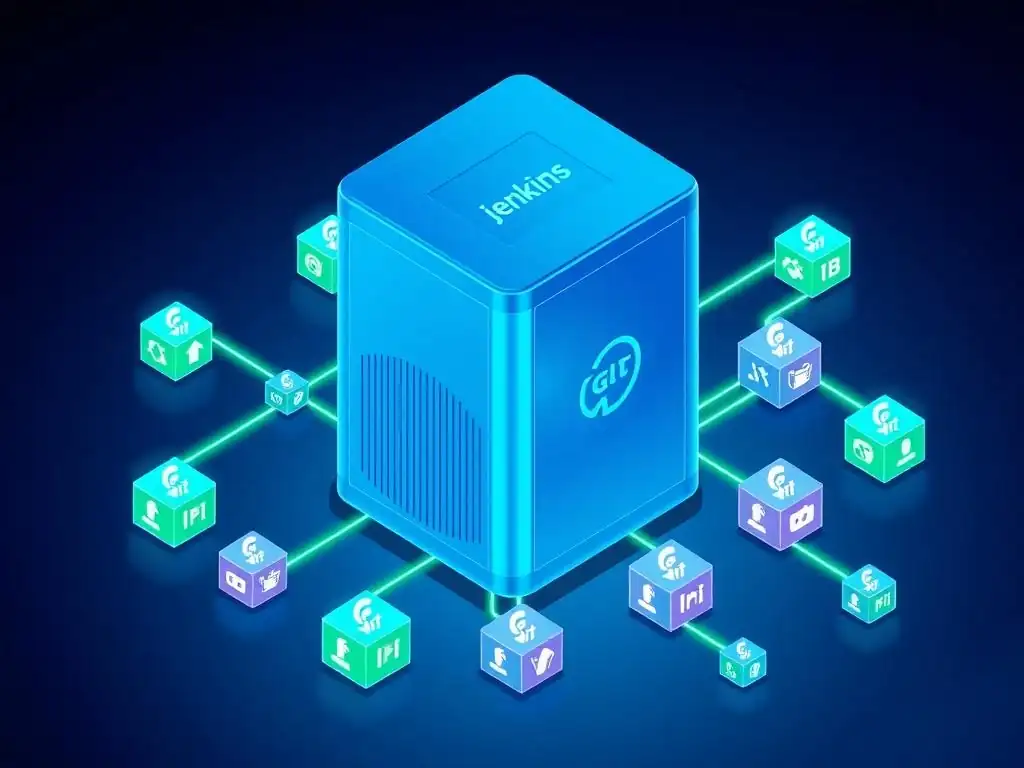
Welcome to Git and Version Control Hub, your definitive resource for mastering Git and version control! Are you ready to unlock the full potential of your development workflow? This guide dives deep into the powerful synergy between Git hooks and Jenkins, revealing how to achieve seamless CI/CD automation. Curious how to leverage Git hooks Jenkins CI/CD integration to streamline your deployments and catch errors before they reach production? Let's explore the secrets to building robust and efficient pipelines, transforming your development process from reactive to proactive.
Understanding Git Hooks: Automating Git Workflows
Git hooks are scripts that Git executes before or after events such as commit, push, and receive. They are powerful tools that allow developers to automate actions within their Git workflow, ensuring consistency and enforcing policies across the development lifecycle. Think of them as triggers that fire in response to specific Git operations, offering a way to customize Git's internal behavior. These scripts can be written in any scripting language, such as Bash, Python, or Ruby, as long as they are executable.
There are two main categories of Git hooks: client-side and server-side. Client-side hooks are local to your repository and are triggered by actions like committing or pushing. They are useful for tasks such as checking commit messages for formatting, running linters to ensure code quality before committing, or preventing pushes that don't meet certain criteria.
Server-side hooks, on the other hand, are executed on the Git server when receiving pushed commits. These are typically used for enforcing team policies, running CI/CD pipelines, or deploying code after a successful push. For example, a server-side hook could trigger a Jenkins build upon receiving new code, initiating the automated testing and deployment process.
Jenkins for Continuous Integration and Continuous Delivery (CI/CD)
Jenkins is a leading open-source automation server widely used for implementing Continuous Integration and Continuous Delivery (CI/CD) pipelines. It automates the software build, test, and deployment processes, enabling development teams to deliver changes more frequently and reliably. Jenkins achieves this by providing a platform to define and execute pipelines, which are sequences of automated tasks. These pipelines can range from simple build and test jobs to complex workflows involving multiple stages like static code analysis, security scans, and deployment to various environments.
The strength of Jenkins lies in its extensive plugin ecosystem and its flexibility to integrate with a vast array of development tools and technologies. With thousands of plugins available, Jenkins can be customized to support virtually any CI/CD requirement. It seamlessly integrates with version control systems like Git, build tools like Maven and Gradle, testing frameworks like JUnit and Selenium, and deployment platforms like Docker and Kubernetes. This rich ecosystem allows developers to create highly tailored and efficient CI/CD pipelines, automating everything from code commit to production deployment, significantly reducing manual effort and the potential for human error.
The Synergy of Git Hooks and Jenkins: Enhancing Automation
The combination of Git hooks and Jenkins creates a powerful synergy that significantly enhances automation within the software development lifecycle. Git hooks provide the trigger points within the version control system, while Jenkins acts as the automation engine that responds to these triggers. By integrating these two systems, you can create a seamless and automated CI/CD pipeline where code changes automatically initiate build, test, and deployment processes. This integration minimizes manual intervention, accelerates feedback loops, and ensures consistent and reliable software delivery.
For instance, a post-receive hook on a Git server can be configured to notify Jenkins every time new code is pushed to a repository. Upon receiving this notification, Jenkins can automatically pull the latest code, initiate a build process, run automated tests, and, if all tests pass, deploy the application to a staging or production environment. This tight integration ensures that every code change is automatically validated and integrated, leading to faster release cycles, improved code quality, and increased developer productivity. The real-time triggering provided by Git hooks, combined with Jenkins' robust automation capabilities, forms a cornerstone of modern DevOps practices.
- Understanding Git Hooks: Automating Git Workflows
- Jenkins for Continuous Integration and Continuous Delivery (CI/CD)
- The Synergy of Git Hooks and Jenkins: Enhancing Automation
- What are Git hooks and why are they important for CI/CD?
- How can Git hooks be used to trigger Jenkins builds?
- What are some common examples of Git hooks that can be integrated with Jenkins?
- What are the benefits of using Git hooks with Jenkins for CI/CD integration?
- What security considerations should be taken into account when integrating Git hooks with Jenkins?
Frequently Asked Questions
What are Git hooks and why are they important for CI/CD?
Git hooks are custom scripts that run automatically when certain events occur in a Git repository. They are important for CI/CD because they can trigger automated builds and tests in response to code changes, ensuring quality and consistency.
How can Git hooks be used to trigger Jenkins builds?
Git hooks, specifically the post-receive hook, can be configured to send a web request to Jenkins when new code is pushed to a repository. This web request then triggers a pre-configured Jenkins job, initiating the CI/CD pipeline.
What are some common examples of Git hooks that can be integrated with Jenkins?
The pre-commit hook can be used to run linting and code formatting checks before a commit is allowed. The post-receive hook, as mentioned, can trigger Jenkins builds upon receiving new commits.
What are the benefits of using Git hooks with Jenkins for CI/CD integration?
Using Git hooks enables real-time or near real-time CI/CD, automating the process of building, testing, and deploying code whenever changes are made. This significantly speeds up the development cycle and reduces manual intervention.
What security considerations should be taken into account when integrating Git hooks with Jenkins?
Ensure that the Jenkins URL is secured with authentication to prevent unauthorized build triggers. Also, carefully validate the input from Git hooks to prevent potential injection attacks on the Jenkins server.
Final Reflection: Embracing Continuous Integration Through Automation
The journey of integrating Git hooks with Jenkins, as explored in this guide, underscores the critical need for seamless CI/CD pipelines in modern software development. The ability to automate code quality checks, testing, and deployment directly from Git commits isn't just a convenience; it's a cornerstone of efficient and reliable software delivery, ensuring that only the best code makes its way into production. This integration empowers teams to catch errors early, reduce manual intervention, and accelerate the development lifecycle.
This powerful combination has profoundly shaped the way we approach software development. The shift towards automated workflows has not only improved code quality but also fostered a culture of collaboration and continuous improvement within development teams. The ability to instantly validate code changes and receive immediate feedback has become an indispensable part of the development process. Continuous integration doesn't get rid of bugs, but it does make them dramatically easier to find and remove.
- Martin Fowler. This quote perfectly encapsulates the transformative power of Git hooks and Jenkins integration.
As we conclude this exploration, I invite you to consider how you can further leverage the power of automation in your own workflows. Embrace the principles of continuous integration and continuous delivery, and explore the vast potential of Git hooks and Jenkins to streamline your development process. By investing in automation, you can unlock new levels of efficiency, quality, and innovation, ultimately building better software and empowering your team to achieve greater success.
Here's a CTA designed for the end of a web article titled "Integrate Git Hooks with Jenkins: CI/CD Automation Guide" on GitAndVersionControlHub.com:
Unleash Your Automation Potential!
Thanks for diving into the world of Git Hooks and Jenkins integration! You've unlocked powerful insights into streamlining your CI/CD pipeline and boosting your development workflow. Now, let's put that knowledge into action and supercharge your projects.
Here's how you can take the next step:
- Implement your first Git hook triggered Jenkins job. Start small, choose a simple hook like
pre-committo run your linter, and experience the magic of automated checks firsthand. - Share your newfound knowledge! Spread the word by forwarding this article to colleagues or posting on your favorite developer forum. Let's build a community of CI/CD masters!
- Experiment with less common hooks! Dive into
post-receiveorupdateto automate tasks like database backups or server deployments. The possibilities are endless!
Ready to transform your development workflow with Git Hooks and Jenkins? Share your biggest "aha!" moment from this article in the comments below!