
Pull Request Security Checks: Automating Vulnerability Scans Before Merging

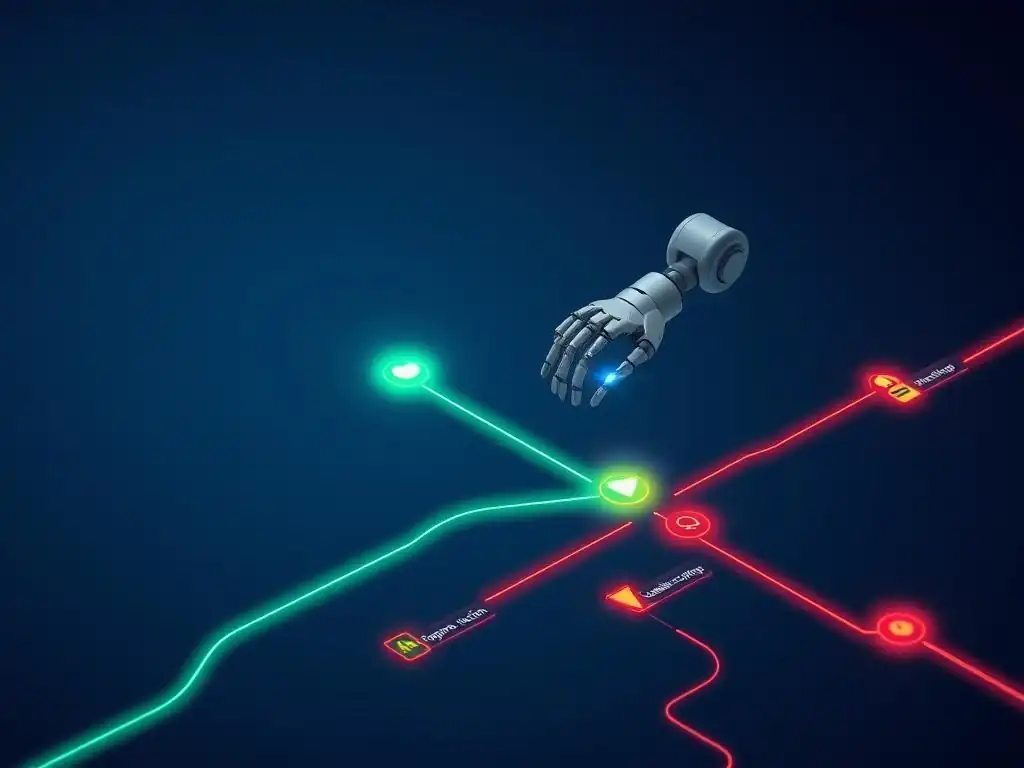
Welcome to Git and Version Control Hub, your central resource for mastering the art of version control! Are you ready to fortify your software development workflow? Dive into our latest article and discover effective strategies for automating Git pull request security. Learn how to proactively identify and address vulnerabilities before they ever reach your codebase, ensuring a more secure and robust application. Intrigued? Keep reading to unlock the secrets to a safer, more efficient development process!
Pull Request Security Checks: Automating Vulnerability Scans Before Merging
- Introduction: Securing Your Codebase with Automated Pull Request Scans
- Understanding the Importance of Pull Request Security
- Automating Git Pull Request Security: A Step-by-Step Guide
- Types of Security Checks to Automate in Pull Requests
- Implementing Automated Vulnerability Scanning: Practical Examples
- Benefits of Automating Git Pull Request Security
- Best Practices for Effective Pull Request Security Automation
- Addressing Common Challenges in Pull Request Security Automation
- Monitoring and Reporting on Pull Request Security
- Conclusion: Building a Secure and Efficient Development Workflow with Automated Pull Request Security Checks
-
Frequently Asked Questions
- How does automating Git pull request security benefit development teams?
- What types of security checks can be automated in Git pull requests?
- What tools are commonly used for automating Git pull request security?
- How does automating security checks improve the speed of the development process?
- Why is it important to integrate automated security checks into the CI/CD pipeline?
- Final Reflection: Securing the Future, One Pull Request at a Time
- Supercharge Your Code Security: Embrace Automated Pull Request Scans!
Introduction: Securing Your Codebase with Automated Pull Request Scans
In today's fast-paced software development environment, speed and efficiency are paramount. However, the rush to deliver features can sometimes overshadow critical security considerations. Pull requests (PRs), or merge requests in GitLab terminology, are a cornerstone of modern collaborative development workflows. They provide a crucial checkpoint for code review before changes are integrated into the main codebase.
Automating security checks within this pull request process is no longer a luxury, but a necessity for maintaining a robust and secure software product. By integrating automated vulnerability scanning into your pull request workflow, you can proactively identify and address security issues early in the development lifecycle, significantly reducing the risk of introducing vulnerabilities into production. This approach, often referred to as "shift-left security," ensures that security becomes an integral part of your development process, rather than an afterthought.
Understanding the Importance of Pull Request Security
Why Pull Request Security is Crucial for Code Integrity
Pull requests are more than just a mechanism for merging code; they are a critical gatekeeper for code quality and security. Every pull request represents a proposed change to your codebase, and without proper scrutiny, these changes could introduce vulnerabilities, bugs, or architectural flaws. Consider a scenario where a developer, under pressure to meet a deadline, introduces a seemingly small change that inadvertently opens a security hole, such as an SQL injection vulnerability.
Without pull request security checks, this vulnerability might go unnoticed until it's exploited in a live environment, potentially leading to data breaches and significant financial and reputational damage. Pull request security ensures that code integrity is maintained by catching these potential issues before they become deeply embedded in the system and costly to fix.
Risks of Unsecured Pull Requests: Vulnerabilities and Exploits
Failing to secure pull requests exposes your codebase to a multitude of risks. Unsecured pull requests can become vectors for introducing common web application vulnerabilities like Cross-Site Scripting (XSS), SQL Injection, and Cross-Site Request Forgery (CSRF). For instance, a developer might unknowingly include a vulnerable third-party library or write code that doesn't properly sanitize user inputs, creating an entry point for attackers.
Beyond web application vulnerabilities, unsecured pull requests can also introduce logic flaws, misconfigurations, and dependencies with known security issues. Statistics show that a significant percentage of security breaches originate from vulnerabilities in application code. By neglecting pull request security, organizations are essentially leaving the door open for attackers to exploit these weaknesses, potentially leading to data theft, service disruption, and regulatory penalties.
The Shift-Left Approach: Integrating Security Early in the Development Lifecycle
The "shift-left" approach advocates for moving security considerations earlier in the software development lifecycle. Traditionally, security was often addressed late in the development process, typically just before deployment. This late-stage approach is not only less effective but also more expensive and time-consuming to remediate vulnerabilities.
Imagine finding a critical security flaw in production; fixing it requires patching live systems, potentially causing downtime, and can be significantly more complex than addressing it during development. By integrating security into the pull request process, you are effectively shifting security to the left, addressing potential issues at the earliest possible stage. This proactive approach is far more efficient and cost-effective, allowing developers to fix vulnerabilities while the code is still fresh in their minds and before it impacts the wider system.
Automating Git Pull Request Security: A Step-by-Step Guide
Setting Up Automated Security Checks in Your Git Repository
Setting up automated security checks in your Git repository involves several key steps. First, you need to choose a suitable Continuous Integration/Continuous Delivery (CI/CD) platform like GitHub Actions, GitLab CI, Jenkins, or CircleCI. These platforms allow you to define automated workflows triggered by pull request events. Next, you'll configure your CI/CD pipeline to include security scanning tools. This typically involves adding steps to your pipeline configuration file (e.g., .github/workflows/main.yml for GitHub Actions or .gitlab-ci.yml for GitLab CI) that execute these tools against the code changes in the pull request. You'll need to configure these tools with your security policies and rules, specifying which types of vulnerabilities to scan for and the severity levels that should trigger alerts or build failures. Finally, you'll integrate the feedback from these security scans back into your pull request workflow, typically by configuring the CI/CD platform to post comments or status checks directly on the pull request, providing developers with immediate visibility into any detected security issues.
Choosing the Right Security Scanning Tools for Your Needs
Selecting the appropriate security scanning tools is crucial for effective pull request security automation. The right tools will depend on your project's technology stack, security requirements, and budget. For static code analysis, tools like SonarQube, Code Climate, and Checkstyle are popular choices.
These tools analyze your source code for potential vulnerabilities without actually executing the code. For dependency scanning, tools like Snyk, OWASP Dependency-Check, and Dependabot can identify vulnerabilities in your project's dependencies. If you are using containers, tools like Anchore, Clair, and Trivy can scan your container images for known vulnerabilities.
For secret detection, tools like git-secrets, TruffleHog, and Bandit can help prevent accidental exposure of API keys, passwords, and other sensitive information in your code. Consider evaluating free and open-source options alongside commercial solutions to find the best fit for your specific needs. Factors to consider include the tool's accuracy (low false positives), performance (scan speed), ease of integration, and reporting capabilities.
Integrating Security Scanners with Your CI/CD Pipeline
Seamless integration of security scanners into your CI/CD pipeline is key to automating pull request security. Most CI/CD platforms offer pre-built integrations or plugins for popular security scanning tools, simplifying the setup process. For example, GitHub Actions Marketplace offers actions for Snyk, SonarQube, and many other security tools.
Similarly, GitLab CI provides built-in integrations and readily available Docker images for various scanners. The integration process typically involves adding steps to your CI/CD pipeline configuration file that invoke the chosen security scanner. These steps are usually triggered automatically when a new pull request is created or updated.
The scanner then analyzes the code changes in the pull request and reports any findings back to the CI/CD pipeline. You can configure the pipeline to fail if critical vulnerabilities are detected, preventing the pull request from being merged until the issues are addressed. The results of the security scans are usually presented directly in the CI/CD pipeline logs and often integrated back into the pull request interface, providing developers with immediate feedback within their familiar workflow.
Types of Security Checks to Automate in Pull Requests
Static Code Analysis: Identifying Potential Vulnerabilities
Static code analysis is a fundamental security check to automate in pull requests. It involves analyzing source code to identify potential vulnerabilities and coding errors without actually executing the code. Static analysis tools examine code for patterns that are known to be associated with security flaws, such as buffer overflows, SQL injection vulnerabilities, and cross-site scripting (XSS) weaknesses. For example, a static analyzer might flag code that uses string concatenation to build SQL queries, a common source of SQL injection vulnerabilities. These tools use a variety of techniques, including pattern matching, data flow analysis, and control flow analysis, to detect potential issues. Static analysis is particularly effective at catching vulnerabilities early in the development lifecycle, often before the code is even tested. By automating static analysis in pull requests, you can ensure that every code change is automatically scanned for common security weaknesses, preventing many vulnerabilities from ever reaching production.
Dependency Scanning: Managing and Securing Third-Party Libraries
Modern software development heavily relies on third-party libraries and frameworks. While these dependencies accelerate development, they also introduce potential security risks. Vulnerabilities are frequently discovered in popular libraries, and if your application uses a vulnerable version, it becomes susceptible to exploitation. Dependency scanning automates the process of identifying and managing these risks. Tools like Snyk and OWASP Dependency-Check analyze your project's dependency manifest files (e.g., pom.xml for Maven, package.json for npm, requirements.txt for Python) and compare the listed dependencies against databases of known vulnerabilities. When a vulnerability is detected in a dependency, the scanner alerts you, providing information about the vulnerability, its severity, and often suggesting remediation steps, such as updating to a patched version of the library. Automating dependency scanning in pull requests ensures that every code change that introduces or modifies dependencies is automatically checked for security vulnerabilities, helping you maintain a secure and up-to-date dependency inventory.
Secret Detection: Preventing Accidental Exposure of Credentials
Accidentally committing secrets like API keys, passwords, and private keys to version control is a common and serious security mistake. Once committed, these secrets can be easily discovered by attackers, even if the commit is later removed. Secret detection tools address this risk by scanning code changes in pull requests for patterns that resemble secrets. Tools like git-secrets, TruffleHog, and Bandit use regular expressions and entropy analysis to identify potential secrets within code, configuration files, and even commit history. For example, these tools can detect strings that look like AWS API keys or private SSH keys. When a potential secret is detected, the tool alerts the developer and prevents the pull request from being merged, giving the developer a chance to remove the secret before it's exposed. Automating secret detection in pull requests is a crucial step in preventing accidental credential leaks and maintaining the confidentiality of sensitive information.
Container Image Scanning: Ensuring Secure Container Deployments
For applications deployed using containers (like Docker), container image scanning is an essential security check. Container images are often built from base images and include multiple layers of software, increasing the potential attack surface. Container image scanning tools analyze container images for known vulnerabilities in the operating system packages, libraries, and application code contained within the image layers. Tools like Anchore, Clair, and Trivy scan container images stored in registries like Docker Hub or private registries.
They compare the software components within the image against vulnerability databases and generate reports detailing any detected vulnerabilities. Automating container image scanning in pull requests, especially when Dockerfiles are modified, ensures that you are building and deploying containers free of known vulnerabilities. This is particularly important in Kubernetes environments, where vulnerable containers can compromise the entire cluster.
Implementing Automated Vulnerability Scanning: Practical Examples
Example 1: Integrating SonarQube for Static Analysis in GitHub Actions
Integrating SonarQube for static analysis in GitHub Actions is a straightforward way to automate pull request security for code quality and vulnerability detection. First, you need a SonarQube server instance, either self-hosted or using SonarCloud. Then, in your GitHub repository, create a workflow file (e.g., .github/workflows/sonarqube.yml). Within this file, define a GitHub Action that checks out your code, sets up Java (if needed for SonarQube scanner), and then uses the SonarQube Scanner Action. You'll need to configure the SonarQube Scanner Action with your SonarQube server URL, authentication token, and project key. The workflow should be triggered on pull_request events. When a pull request is opened, the workflow will automatically run SonarQube analysis on the code changes. SonarQube will then report the analysis results back to GitHub, typically as annotations on the pull request, highlighting code issues and potential vulnerabilities directly within the GitHub interface. Developers can then review these findings and address them before merging the pull request.
Example 2: Configuring Snyk for Dependency Scanning in GitLab CI
Configuring Snyk for dependency scanning in GitLab CI is a powerful way to automate the detection of vulnerabilities in your project's dependencies. To integrate Snyk, you first need a Snyk account and your Snyk API token. In your GitLab repository, you'll modify your .gitlab-ci.yml file. Add a new stage for security scanning and define a job within that stage that uses the Snyk Docker image. You'll need to set environment variables in your GitLab CI configuration to provide your Snyk API token to the Snyk container. The Snyk job should be configured to run on pull requests (merge requests in GitLab terminology). When a merge request is created, the GitLab CI pipeline will execute the Snyk scan, analyzing your project's dependencies. Snyk will then report any vulnerabilities found in your dependencies directly in the GitLab merge request interface, often as security findings within the GitLab Security Dashboard. You can configure Snyk to fail the pipeline if high-severity vulnerabilities are detected, preventing the merge request from being accepted until the dependency issues are resolved.
Example 3: Using git-secrets for Secret Detection in Bitbucket Pipelines
Implementing git-secrets for secret detection in Bitbucket Pipelines helps prevent accidental commits of sensitive information. First, you need to install git-secrets in your Bitbucket Pipelines environment. This can be done by adding a step in your bitbucket-pipelines.yml file that installs git-secrets. Then, in the same step or a subsequent step, you initialize git-secrets in your repository using git secrets --install. You'll also need to configure git-secrets with regular expressions to define patterns for secrets you want to detect. For example, you can add patterns for AWS API keys or private keys using git secrets --add-pattern 'AKIA[0-9A-Z]{16}' for AWS keys. Finally, add a step to your pipeline that runs git secrets --scan-history to scan the current commit and commit history for secrets. Configure the pipeline to fail if git-secrets detects any potential secrets. This prevents developers from pushing commits containing secrets, especially in pull requests, ensuring that sensitive information does not inadvertently end up in your repository.
Benefits of Automating Git Pull Request Security
Reduced Risk of Vulnerabilities in Production
Automating pull request security significantly reduces the risk of vulnerabilities reaching production environments. By identifying and addressing security issues early in the development lifecycle, before code is merged into the main branch, you prevent vulnerabilities from being deployed to production. Studies have shown that vulnerabilities are much cheaper and easier to fix when detected early in the development process.
Catching vulnerabilities in pull requests means developers can address them while the code is still fresh in their minds, minimizing the time and effort required for remediation compared to fixing vulnerabilities found in production. This proactive approach minimizes the attack surface of your application and reduces the likelihood of security breaches, data leaks, and service disruptions.
Improved Code Quality and Security Awareness
Automated pull request security checks not only reduce vulnerabilities but also improve overall code quality and security awareness among development teams. By providing immediate feedback on code changes, these checks help developers learn about secure coding practices and identify potential security weaknesses in their code. When developers consistently receive automated feedback from static analysis or dependency scanning tools, they become more conscious of security considerations during development.
This continuous feedback loop fosters a culture of security within the development team, encouraging developers to write more secure code from the outset. Over time, this leads to a general improvement in code quality and a deeper understanding of security principles among developers, making security a shared responsibility rather than solely the domain of security specialists.
Faster Development Cycles and Reduced Remediation Costs
While it might seem that adding security checks to pull requests could slow down development, in the long run, it actually leads to faster development cycles and reduced remediation costs. Identifying and fixing vulnerabilities early in the development process is far less time-consuming and expensive than dealing with them in later stages, especially in production. Finding a vulnerability in production often involves incident response, patching live systems, potential downtime, and reputational damage, all of which are costly and disruptive.
By automating security checks in pull requests, you catch vulnerabilities early, allowing developers to fix them quickly and efficiently within their normal development workflow. This proactive approach reduces the overall cost of security remediation and prevents delays caused by last-minute security fixes, ultimately speeding up the development cycle.
Enhanced Collaboration and Trust Among Developers
Automated pull request security enhances collaboration and trust among developers. When security checks are automated and consistently applied, they provide an objective and transparent way to assess code changes for security risks. This removes the subjective element from security reviews and fosters a more collaborative environment.
Developers can rely on the automated checks to identify potential issues, allowing code reviews to focus on higher-level design and functionality aspects rather than getting bogged down in basic security checks. Furthermore, when security feedback is integrated directly into the pull request workflow, it provides developers with immediate and actionable insights, promoting a shared understanding of security requirements and fostering a sense of collective responsibility for code security. This transparency and shared responsibility builds trust within the team and improves the overall security posture of the project.
Best Practices for Effective Pull Request Security Automation
Defining Clear Security Policies and Guidelines
For pull request security automation to be effective, it's crucial to define clear security policies and guidelines. These policies should outline the organization's security standards, acceptable risk levels, and specific security requirements for code changes. For example, policies might specify which types of vulnerabilities are considered critical, what security scanning tools should be used, and what actions are required when vulnerabilities are detected.
Clear guidelines should also be provided to developers on secure coding practices, common vulnerabilities to avoid, and how to interpret and respond to security scan results. Documenting these policies and guidelines and making them easily accessible to the development team ensures that everyone is on the same page regarding security expectations and responsibilities. Regular review and updates of these policies are important to keep them aligned with evolving security threats and best practices.
Configuring Meaningful Security Alerts and Notifications
Configuring meaningful security alerts and notifications is essential to ensure that developers are promptly informed about security issues detected in pull requests. Security scanning tools often generate a large number of alerts, and it's important to configure them to prioritize and highlight the most critical issues. Alerts should be informative and actionable, providing developers with sufficient context to understand the vulnerability and how to fix it.
Integrate security alerts directly into the pull request workflow, for example, by posting comments on pull requests or failing CI/CD pipelines for high-severity vulnerabilities. Configure notifications to ensure that relevant developers are promptly notified when security issues are detected, for example, via email, Slack, or other communication channels. Avoid overwhelming developers with excessive or noisy alerts; focus on delivering clear, concise, and actionable security feedback that helps them effectively address real security risks.
Regularly Reviewing and Updating Security Scanning Rules
Security threats and vulnerabilities are constantly evolving, so it's crucial to regularly review and update security scanning rules and configurations. Security scanning tools rely on rules and vulnerability databases that need to be kept up-to-date to detect the latest threats. Regularly update the vulnerability databases used by your dependency scanning and container image scanning tools. Review and refine the rules used by your static analysis tools to ensure they are effectively detecting relevant vulnerabilities and minimizing false positives.
Stay informed about new security vulnerabilities and attack techniques and adjust your security scanning rules accordingly. Periodically evaluate the effectiveness of your security scanning setup and make adjustments as needed to improve its accuracy and coverage. This ongoing maintenance ensures that your pull request security automation remains effective in protecting your codebase against emerging threats.
Training Developers on Secure Coding Practices and Pull Request Security
Training developers on secure coding practices and pull request security is a vital component of effective pull request security automation. While automated tools are essential, they are not a substitute for developer security awareness and knowledge. Provide developers with regular training on secure coding principles, common vulnerabilities, and best practices for writing secure code. Educate them on how to interpret security scan results and how to remediate identified vulnerabilities.
Conduct workshops and hands-on training sessions to familiarize developers with the security scanning tools used in pull requests and how to effectively use them in their workflow. Foster a security-conscious culture within the development team by encouraging knowledge sharing, security discussions, and continuous learning about security best practices. Investing in developer security training empowers developers to proactively contribute to code security and effectively utilize pull request security automation.
Addressing Common Challenges in Pull Request Security Automation
False Positives: Minimizing Noise and Focusing on Real Issues
False positives are a common challenge in pull request security automation. Security scanning tools, especially static analysis tools, can sometimes flag code as potentially vulnerable when it is not. Excessive false positives can create noise, overwhelm developers, and reduce confidence in the security scanning process. To minimize false positives, carefully configure your security scanning tools and rules. Tune static analysis tools to reduce the sensitivity of rules that generate frequent false positives.
Utilize tool features to suppress or ignore known false positives or low-priority issues. Prioritize triaging and investigating security alerts, focusing on those with higher severity and likelihood of being real vulnerabilities. Provide developers with clear guidelines on how to handle false positives, including how to report them and how to suppress them when appropriate. Continuously monitor and analyze false positive rates and adjust tool configurations to optimize accuracy and minimize noise.
Performance Impact: Optimizing Scan Times for Faster Feedback
Performance impact is another challenge in pull request security automation. Security scans, especially static analysis and container image scanning, can be time-consuming, potentially slowing down the pull request workflow and delaying developer feedback. To optimize scan times, choose security scanning tools that are performant and designed for CI/CD environments. Configure scanners to analyze only the code changes in the pull request rather than the entire codebase, when possible.
Optimize your CI/CD pipeline infrastructure to ensure sufficient resources for running security scans efficiently. Explore techniques like incremental scanning or caching to reduce redundant scanning and speed up subsequent scans. Set appropriate timeouts for security scan jobs in your CI/CD pipeline to prevent them from blocking the workflow indefinitely in case of performance issues. Strive for a balance between comprehensive security scanning and fast feedback loops to maintain developer productivity.
Integration Complexity: Streamlining the Setup Process
Integration complexity can be a barrier to adopting pull request security automation. Setting up and configuring security scanning tools and integrating them seamlessly into your CI/CD pipeline can be complex, especially for teams new to security automation. To streamline the setup process, leverage pre-built integrations and plugins offered by CI/CD platforms and security scanning tool vendors. Start with a limited set of essential security checks and gradually expand as your team gains experience and confidence.
Document the integration process clearly and provide step-by-step guides and templates to simplify setup for developers. Seek support from security tool vendors or CI/CD platform providers if you encounter integration challenges. Consider using infrastructure-as-code tools to automate the provisioning and configuration of security scanning infrastructure. Focus on simplifying the initial setup and gradually iterating to enhance and expand your pull request security automation over time.
Monitoring and Reporting on Pull Request Security
Tracking Security Metrics and Trends
Monitoring and tracking security metrics and trends related to pull request security is crucial for measuring the effectiveness of your automation efforts and identifying areas for improvement. Track key metrics such as the number of vulnerabilities detected in pull requests, the severity distribution of vulnerabilities, and the time taken to remediate vulnerabilities identified in pull requests. Monitor trends in vulnerability detection rates over time to assess whether your security automation is becoming more effective or if new types of vulnerabilities are emerging.
Track false positive rates to ensure that your security scanning tools are accurate and not generating excessive noise. Visualize security metrics using dashboards and reporting tools to gain insights into your pull request security posture and identify areas that require attention. Regularly review these metrics to assess the overall effectiveness of your pull request security automation and make data-driven decisions to improve your security processes.
Generating Security Reports for Compliance and Auditing
Generating security reports from pull request security data is important for compliance and auditing purposes. Many regulatory frameworks and security standards require organizations to demonstrate that they have implemented adequate security controls, including vulnerability management processes. Security reports generated from pull request security data can provide evidence of your vulnerability detection and remediation efforts. Generate reports that summarize vulnerability findings, remediation status, and trends over time.
Customize reports to meet the specific requirements of different compliance frameworks and audit standards. Automate report generation to ensure that up-to-date security reports are readily available for compliance audits and internal security reviews. These reports can help demonstrate your organization's commitment to security and compliance and provide valuable insights for continuous security improvement.
Integrating Security Data with Existing Monitoring Systems
Integrating security data from pull request security automation with existing monitoring systems provides a holistic view of your organization's security posture. Send security findings from pull request scans to centralized security information and event management (SIEM) systems or security dashboards. Correlate pull request security data with other security data sources, such as runtime security monitoring and infrastructure security scans, to gain a comprehensive understanding of your security landscape.
Use integrated security data to trigger alerts and notifications in your existing monitoring systems when critical vulnerabilities are detected in pull requests. This integration enables security teams to monitor pull request security alongside other security events and incidents, facilitating faster incident response and proactive security management. By integrating pull request security data into your broader security monitoring infrastructure, you enhance your overall security visibility and improve your ability to detect and respond to security threats across your entire development lifecycle.
Conclusion: Building a Secure and Efficient Development Workflow with Automated Pull Request Security Checks
Automating pull request security checks is an essential practice for building a secure and efficient software development workflow. By integrating vulnerability scanning into the pull request process, organizations can proactively identify and address security issues early in the development lifecycle, significantly reducing the risk of introducing vulnerabilities into production. This approach not only reduces security risks but also improves code quality, accelerates development cycles, and enhances collaboration among developers.
While implementing pull request security automation presents some challenges, such as false positives and performance impact, these can be effectively addressed through careful tool selection, configuration, and continuous optimization. By embracing automated pull request security checks and following best practices, development teams can build more secure software, improve their security posture, and foster a culture of security throughout the development lifecycle.
Frequently Asked Questions
How does automating Git pull request security benefit development teams?
Automating pull request security helps teams by identifying vulnerabilities before code is merged. This prevents introducing security flaws into the main codebase and reduces the risk of costly remediation later.
What types of security checks can be automated in Git pull requests?
Automated security checks can include static code analysis, dependency vulnerability scanning, and secrets detection. These checks help uncover potential security issues early in the development process.
What tools are commonly used for automating Git pull request security?
Common tools include SAST (Static Application Security Testing) scanners, DAST (Dynamic Application Security Testing) scanners, and dependency scanning tools. These tools are often integrated into CI/CD pipelines.
How does automating security checks improve the speed of the development process?
While initially requiring setup, automation ultimately speeds up development by catching issues early. This prevents lengthy debugging cycles and ensures faster code review processes.
Why is it important to integrate automated security checks into the CI/CD pipeline?
Integrating security checks into the CI/CD pipeline ensures that every code change is automatically scanned for vulnerabilities. This creates a seamless security process and promotes a security-first approach.
Final Reflection: Securing the Future, One Pull Request at a Time
The journey to secure software begins long before deployment, and automating Git pull request security is no longer a luxury, but a necessity in today's rapidly evolving threat landscape. By integrating vulnerability scans directly into the development workflow, we shift security left, empowering developers to proactively identify and address potential risks before they ever reach production. This proactive approach not only reduces the overall attack surface but also fosters a culture of security awareness within development teams.
The impact of integrating security into the pull request process is profound, transforming security from a reactive afterthought to an integral part of the development lifecycle. This shift is crucial for building robust and resilient software. As the complexity of applications increases, so too does the potential for vulnerabilities. An ounce of prevention is worth a pound of cure,
a sentiment that resonates deeply when considering the potential costs of a security breach.
Now, consider the power you hold as a developer, a security professional, or even a curious reader. The tools and techniques discussed here are within your reach. Take the initiative to explore these solutions, implement them within your own projects, and champion the cause of proactive security. By embracing automated pull request security, you contribute to a safer digital world, one pull request at a time.
Supercharge Your Code Security: Embrace Automated Pull Request Scans!
Thank you for exploring automated security checks! You can significantly improve your code's integrity before merging. Ready to build more secure applications?
Here's how to enhance your pull request security:
- Prioritize vulnerability scanning in your next pull request. Implement a tool like SonarQube or GitHub Advanced Security to automate the process and catch issues early.
- Explore various vulnerability scanning tools and compare their effectiveness in your development environment. Sharing your findings with your team improves overall security practices.
- Collaborate with your team to identify potential vulnerabilities and create automated checks to prevent them.
What security check will you automate first to make an immediate impact? Share your plans in the comments below!