
RoleBased Access Control (RBAC) in Git: Streamlining Permissions Management

Welcome to Git and Version Control Hub!
Are you ready to elevate your Git mastery beyond basic commands? Dive deep into the world of Role-Based Access Control (RBAC) permissions management in Git and discover how to streamline your team's workflow and security. Uncover the secrets to granular control and efficient collaboration, ensuring the right access for the right people. Curious how RBAC can revolutionize your version control strategy? Let's explore how to implement this crucial best practice and unlock a new level of professional development!
RoleBased Access Control (RBAC) in Git: Streamlining Permissions Management
- Introduction: Understanding RBAC Permissions Management in Git
- Why Implement RBAC for Git Repositories?
- Step 1: Assessing Your Git Security Needs and Access Requirements
- Step 2: Choosing an RBAC Solution for Git
- Step 3: Configuring RBAC Permissions in GitLab (Example)
- Step 5: Implementing Branch Protection Rules
- Step 6: Monitoring and Auditing RBAC Permissions
- Step 7: Testing and Validating Your RBAC Implementation
- Best Practices for RBAC Permissions Management in Git
- Conclusion: Securing Your Git Repositories with RBAC
-
Frequently Asked Questions
- How does RBAC improve security in Git repositories?
- What are some common roles that are typically defined in an RBAC system for Git?
- What tools or platforms are typically used to implement RBAC for Git repositories?
- How does RBAC facilitate better collaboration within a team using Git?
- What are some challenges associated with implementing RBAC in Git, and how can they be addressed?
- Final Reflection: Empowering Collaboration Through Controlled Access
- Unlock Your Team's Potential: Master Git Permissions!
Introduction: Understanding RBAC Permissions Management in Git
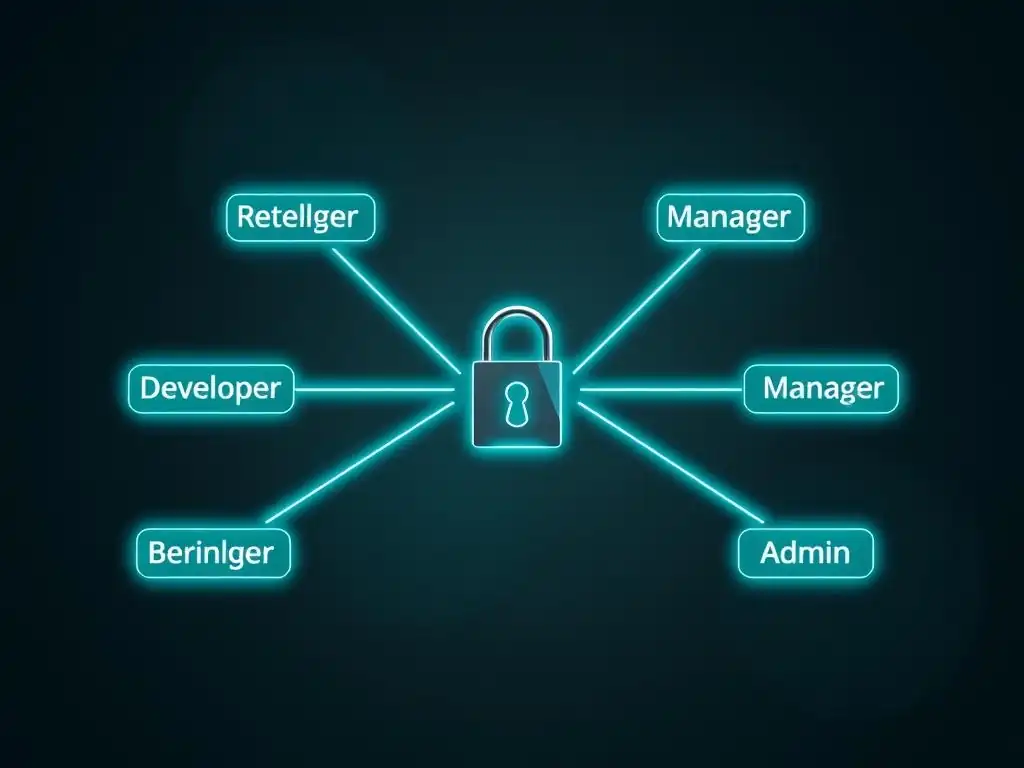
Role-Based Access Control (RBAC) in Git is a method of regulating access to Git repositories based on the roles of individual users within an organization. Instead of assigning permissions directly to each user, RBAC groups users into roles, such as developers, reviewers, or administrators, and then assigns permissions to these roles.
This approach greatly simplifies the management of access rights, especially in larger teams and organizations where managing individual permissions can become overwhelmingly complex and error-prone. Effectively implementing RBAC for Git repositories enhances security, streamlines workflows, and ensures that only authorized personnel can perform specific actions, such as pushing code, creating branches, or managing repository settings.
RBAC permissions management in Git is crucial because it directly addresses the balance between accessibility and security. In collaborative software development, various team members require different levels of access. For instance, a junior developer might need to contribute code but shouldn't have the authority to alter critical branch settings, while a project manager might need read-only access to monitor progress without making code changes.
RBAC provides a structured framework to define and enforce these granular access levels, ensuring that each team member has the necessary permissions to perform their duties efficiently without compromising the integrity and security of the codebase. This structured approach is essential for maintaining a secure and well-organized Git environment.
Why Implement RBAC for Git Repositories?
Implementing RBAC for Git repositories offers a multitude of benefits, significantly enhancing both security and operational efficiency. Primarily, RBAC substantially strengthens security by minimizing the risk of unauthorized access and accidental or malicious data breaches. By precisely defining who can access and modify what within the repository, organizations can prevent unintended changes to critical code or sensitive information.
This is particularly vital in industries dealing with sensitive data or regulated environments where compliance mandates strict access controls. For example, in the financial sector, RBAC can ensure that only authorized developers can commit changes to the production codebase, thereby reducing the risk of compliance violations and security incidents.
Beyond security, RBAC streamlines collaboration and simplifies administrative overhead. Instead of managing permissions for each developer individually, administrators can manage roles. When a new team member joins, they are simply assigned a role, instantly granting them the appropriate level of access. This significantly reduces the time and effort spent on access management, especially as teams scale.
Furthermore, RBAC facilitates clearer workflows and responsibilities. By defining roles such as 'code reviewer' or 'release manager,' organizations can enforce specific processes, ensuring that code changes are reviewed by designated individuals before being merged or that releases are handled by authorized personnel. This structured approach minimizes confusion, reduces errors, and promotes a more organized and efficient development process.
Step 1: Assessing Your Git Security Needs and Access Requirements
Before implementing RBAC permissions management in Git, a thorough assessment of your organization's specific security needs and access requirements is essential. This initial step involves identifying different user roles within your development teams and determining the level of access each role requires to Git repositories. Start by listing all the distinct roles involved in your software development lifecycle, such as developers, testers, project managers, designers, and security auditors.
For each role, consider the tasks they perform and the level of Git access necessary for them to effectively carry out these tasks. For instance, developers typically need read and write access to specific branches, while project managers might only require read-only access to track progress.
Next, evaluate the sensitivity of your repositories and the potential impact of unauthorized access. Repositories containing proprietary algorithms, customer data, or trade secrets require stricter access controls compared to public documentation repositories. Consider compliance requirements as well, such as GDPR, HIPAA, or PCI DSS, which often mandate specific access control measures to protect sensitive information.
For example, a healthcare company storing patient data in Git repositories must implement robust RBAC to comply with HIPAA regulations, ensuring that only authorized personnel can access and modify patient-related code or configurations. This assessment should result in a clear matrix outlining roles, required access levels (read, write, admin), and any specific branch or repository access needs for each role, forming the foundation for your RBAC implementation strategy.
Step 2: Choosing an RBAC Solution for Git
Selecting the right RBAC solution for Git depends heavily on your existing infrastructure, the size of your team, and your specific security requirements. Several options are available, ranging from leveraging built-in features of Git hosting platforms to implementing third-party access management tools. For organizations using platforms like GitHub, GitLab, or Bitbucket, these platforms offer robust built-in RBAC capabilities.
For instance, GitHub offers organization roles like 'Owner,' 'Member,' and 'Billing Manager,' along with repository-level roles such as 'Admin,' 'Write,' 'Read,' and 'Triage.' GitLab provides a similar structure with roles like 'Guest,' 'Reporter,' 'Developer,' 'Maintainer,' and 'Owner,' configurable at both group and project levels. These built-in features are often sufficient for many teams, especially those already invested in these platforms.
Alternatively, for organizations requiring more granular control or integration with existing identity and access management (IAM) systems, third-party RBAC solutions or custom implementations might be considered. Some organizations might integrate their Git repositories with enterprise IAM solutions like Active Directory or Okta. These solutions can provide centralized user management and enforce consistent access policies across various systems, including Git.
However, implementing custom solutions or integrating with complex IAM systems can be more technically challenging and might require dedicated resources for setup and maintenance. The choice of RBAC solution should be based on a careful evaluation of your organization's technical capabilities, budget, and the desired level of security and control over Git repository access.
Step 3: Configuring RBAC Permissions in GitLab (Example)
GitLab's RBAC system is highly flexible and allows for granular control over repository access. Permissions in GitLab are managed through roles that can be assigned at both the group and project levels. GitLab offers five main roles: Guest, Reporter, Developer, Maintainer, and Owner, each with progressively increasing levels of permissions.
For example, the 'Guest' role has minimal access, primarily for issue tracking and viewing project information, while the 'Developer' role can push code, create merge requests, and interact more actively with the codebase. The 'Maintainer' role has administrative privileges within a project, and the 'Owner' role has full control over groups and projects.
To configure RBAC in GitLab, start by defining groups that represent teams or departments within your organization. Then, create projects within these groups to house your Git repositories. Within each group or project, you can assign roles to individual users or to subgroups. For instance, to grant a team of frontend developers write access to a specific project, you would add each developer to the project and assign them the 'Developer' role.
If you need to provide read-only access to project managers, you could add them with the 'Reporter' role. GitLab also allows for custom roles through its Premium and Ultimate tiers, offering even more tailored permissions. A real-world example could be setting up a 'Security Auditor' role with read-only access to all repositories within a group to facilitate security reviews without granting them write permissions, thus enhancing security and compliance.
GitHub's RBAC system, while conceptually similar to GitLab's, has its own nuances in role definitions and implementation. GitHub provides organization roles and repository roles to manage access. Organization roles include 'Owner,' 'Member,' and 'Billing Manager,' primarily focused on organization-level administration. Repository roles are more granular and directly control access to specific repositories. These repository roles include 'Admin,' 'Maintain,' 'Write,' 'Triage,' and 'Read,' each offering different levels of permissions. The 'Read' role provides view-only access, 'Write' allows pushing code and creating issues, 'Maintain' includes merging pull requests and managing releases, and 'Admin' grants full control over repository settings and permissions.
To configure RBAC in GitHub, you typically start at the organization level by inviting team members and assigning them to teams. GitHub Teams are a crucial component for RBAC, allowing you to group users and manage their permissions collectively. You can then assign repository roles to teams or individual users.
For instance, to give a team of backend engineers write access to a specific repository, you would add the team to the repository as collaborators and assign them the 'Write' role. For external stakeholders who need to review code but not contribute, you could grant them 'Read' access.
GitHub also offers features like protected branches (discussed later), which complement RBAC by adding another layer of control over code changes. A practical example is creating a 'Security Team' in GitHub and granting them 'Read' access to all organization repositories to proactively monitor for vulnerabilities without granting them write or administrative privileges, thereby bolstering the organization's overall security posture.
Step 5: Implementing Branch Protection Rules
Branch protection rules are a critical complementary security measure to RBAC permissions management in Git. While RBAC controls who has access to repositories, branch protection rules govern how changes are made to specific branches, especially crucial branches like main or develop. These rules allow you to enforce specific workflows and prevent accidental or unauthorized changes from being directly pushed to protected branches. For example, you can configure branch protection to require pull request reviews before code can be merged, ensuring that all changes are reviewed by at least one other team member before integration.
Common branch protection rules include requiring a certain number of approvals from code reviewers, enforcing status checks (like CI/CD pipeline success), and preventing force pushes. For instance, you can configure the main branch to require two approvals from designated code reviewers and ensure that all automated tests pass before a merge is allowed. You can also restrict who can push directly to a protected branch, typically limiting direct pushes to administrators or specific roles, forcing developers to use pull requests. Implementing branch protection rules adds a significant layer of security and code quality control on top of RBAC. Consider a scenario where even if a developer with 'Write' access accidentally introduces a bug, branch protection requiring reviews and status checks would likely catch the issue before it's merged into the protected branch, safeguarding the stability and integrity of the codebase.
Step 6: Monitoring and Auditing RBAC Permissions
Monitoring and auditing RBAC permissions in Git is crucial for maintaining a secure and compliant environment over time. RBAC configurations are not static; they need to be regularly reviewed and adjusted as teams evolve, projects change, and security requirements shift. Implementing a system for monitoring access attempts and permission changes is essential. Both GitHub and GitLab provide audit logs that record events such as permission changes, access attempts, and administrative actions. Regularly reviewing these logs can help identify suspicious activity, detect misconfigurations, and ensure that RBAC policies are being effectively enforced.
Beyond automated logs, periodic manual audits of RBAC settings are recommended. This involves reviewing user roles, team memberships, and assigned permissions to verify that they still align with current organizational needs and security policies. For example, quarterly access reviews can ensure that individuals who have changed roles or left the organization no longer have inappropriate access.
Auditing should also include verifying the effectiveness of branch protection rules and ensuring they are correctly applied to critical branches. For instance, an audit might reveal that a newly created branch was not properly protected, leaving it vulnerable to direct, unreviewed pushes. Proactive monitoring and auditing of RBAC permissions are vital for maintaining a robust security posture and preventing potential security breaches or compliance violations.
Step 7: Testing and Validating Your RBAC Implementation
After configuring RBAC permissions in Git, rigorous testing and validation are necessary to ensure that the implemented policies work as intended and effectively enforce the desired access controls. Testing should involve simulating different user roles and access scenarios to verify that permissions are correctly applied and that unauthorized access is effectively blocked. Create test accounts representing different roles, such as a 'developer,' a 'reviewer,' and a 'read-only stakeholder.' Then, attempt to perform actions with each test account that they should and should not be able to do based on their assigned roles.
For example, using the 'developer' test account, verify that they can push code to designated branches, create pull requests, but cannot modify repository settings if they shouldn't have admin rights. With the 'reviewer' account, confirm they can approve pull requests and add comments but cannot directly commit code to protected branches. For the 'read-only stakeholder,' verify they can clone the repository and view code but cannot make any changes.
Automated testing scripts can be developed to streamline this validation process, especially for larger and more complex RBAC configurations. Regularly repeating these tests, especially after any changes to RBAC policies or Git infrastructure, is crucial to maintain confidence in your security implementation and prevent unintended access vulnerabilities.
Best Practices for RBAC Permissions Management in Git
Effective RBAC permissions management in Git relies on adhering to several best practices to ensure ongoing security and operational efficiency. The principle of least privilege should be the cornerstone of your RBAC strategy. This principle dictates that users should only be granted the minimum level of access necessary to perform their job functions. Avoid over-permissioning roles, as excessive access increases the risk of accidental or malicious misuse. Regularly review and update roles and permissions to reflect changes in team structures, projects, and security requirements. Permissions should not be 'set and forget'; they need to be dynamically managed.
Document your RBAC policies and procedures clearly and make them accessible to all team members. This documentation should outline the different roles, their associated permissions, and the processes for requesting and granting access. Training users on RBAC principles and security best practices is also essential. Developers and other stakeholders need to understand their roles and responsibilities within the RBAC framework and the importance of adhering to access control policies.
Utilize groups and teams within your Git hosting platform to simplify permission management. Assigning permissions to groups rather than individual users makes it easier to manage access for teams and reduces administrative overhead when team membership changes. By consistently applying these best practices, organizations can maximize the benefits of RBAC, creating a secure, efficient, and well-managed Git environment.
Conclusion: Securing Your Git Repositories with RBAC
Implementing Role-Based Access Control (RBAC) is a fundamental step towards securing your Git repositories and streamlining permissions management. By moving away from ad-hoc permission assignments to a structured, role-based system, organizations can significantly enhance their security posture, improve collaboration, and reduce administrative complexity. RBAC ensures that access to sensitive code and repository settings is granted based on clearly defined roles and responsibilities, minimizing the risk of unauthorized access and insider threats. The benefits of RBAC extend beyond security, fostering a more organized and efficient development workflow by clarifying permissions and responsibilities for each team member.
Adopting RBAC in Git is not merely a best practice; it is a necessity for modern software development, particularly for teams working on sensitive projects or in regulated industries. By carefully assessing access needs, choosing the right RBAC solution, diligently configuring permissions, and continuously monitoring and auditing the system, organizations can build a robust and secure Git environment. Embracing RBAC empowers development teams to collaborate effectively while maintaining stringent security controls, ultimately contributing to the overall success and security of software development endeavors.
Frequently Asked Questions
How does RBAC improve security in Git repositories?
RBAC enhances security by providing granular control over who can access and modify different parts of a repository. This limits the impact of potential security breaches by restricting privileges based on roles. This ensures that users only have the minimum necessary permissions.
What are some common roles that are typically defined in an RBAC system for Git?
Common roles often include administrators (full access), developers (read/write access to specific branches), and read-only users (access to view the code but not make changes). These roles are assigned based on job function and the level of trust. This promotes a least privilege model.
What tools or platforms are typically used to implement RBAC for Git repositories?
While Git itself doesn't natively support RBAC, platforms like GitHub Enterprise and GitLab offer RBAC features. These platforms allow administrators to define roles and assign permissions to users or groups within the organization. Third-party tools can also be integrated.
How does RBAC facilitate better collaboration within a team using Git?
RBAC streamlines collaboration by ensuring that team members have appropriate access to the code they need to work on while preventing unauthorized modifications. This reduces the risk of accidental or malicious changes and promotes accountability among team members. It also helps maintain code integrity.
What are some challenges associated with implementing RBAC in Git, and how can they be addressed?
Challenges include the initial setup complexity and the ongoing maintenance of roles and permissions. These can be addressed by carefully planning your RBAC strategy, using automation tools, and regularly reviewing and updating your permissions model to reflect changes in the team or project requirements. Proper documentation is also key.
Final Reflection: Empowering Collaboration Through Controlled Access
The principles of Role-Based Access Control, as explored in the context of Git, are not merely theoretical constructs; they are essential pillars for fostering secure and efficient collaboration in today's software development landscape. In a world increasingly reliant on distributed teams and open-source contributions, the ability to granularly manage permissions within Git repositories is paramount to protecting valuable code assets and ensuring the integrity of development workflows.
The impact of RBAC on Git extends far beyond simple access control. It shapes the very culture of development teams, fostering trust, accountability, and a clear understanding of individual responsibilities. My own experience has shown me that when developers feel empowered within clearly defined roles, they are more likely to contribute meaningfully and take ownership of their work. Good fences make good neighbors,
as Robert Frost famously wrote. In the digital realm, well-defined RBAC policies are those good fences, enabling collaboration without compromising security.
As you consider the potential of RBAC permissions management in your own Git workflows, I encourage you to move beyond the technical implementation and reflect on the human element. How can you leverage these tools to empower your team, foster a culture of trust, and ultimately, build better software? The future of collaborative development hinges on our ability to manage access responsibly and strategically.
Unlock Your Team's Potential: Master Git Permissions!
Thanks for exploring Role-Based Access Control in Git! You now understand how to streamline permissions and boost team efficiency. It's time to apply this knowledge and improve your workflow. Here's how:
- Implement RBAC on a key project repository. Start by configuring roles for a real-world project to see the benefits.
- Explore integrating RBAC with your CI/CD pipeline to enhance security and automation through granular permissions.
- Share this article with your team to promote understanding of effective Git permissions management.
What's the first RBAC role you'll implement, and how do you anticipate it improving your team's workflow? Share your thoughts in the comments below!