
Dependency Management Done Right: Avoiding Vulnerabilities in Your Git Projects

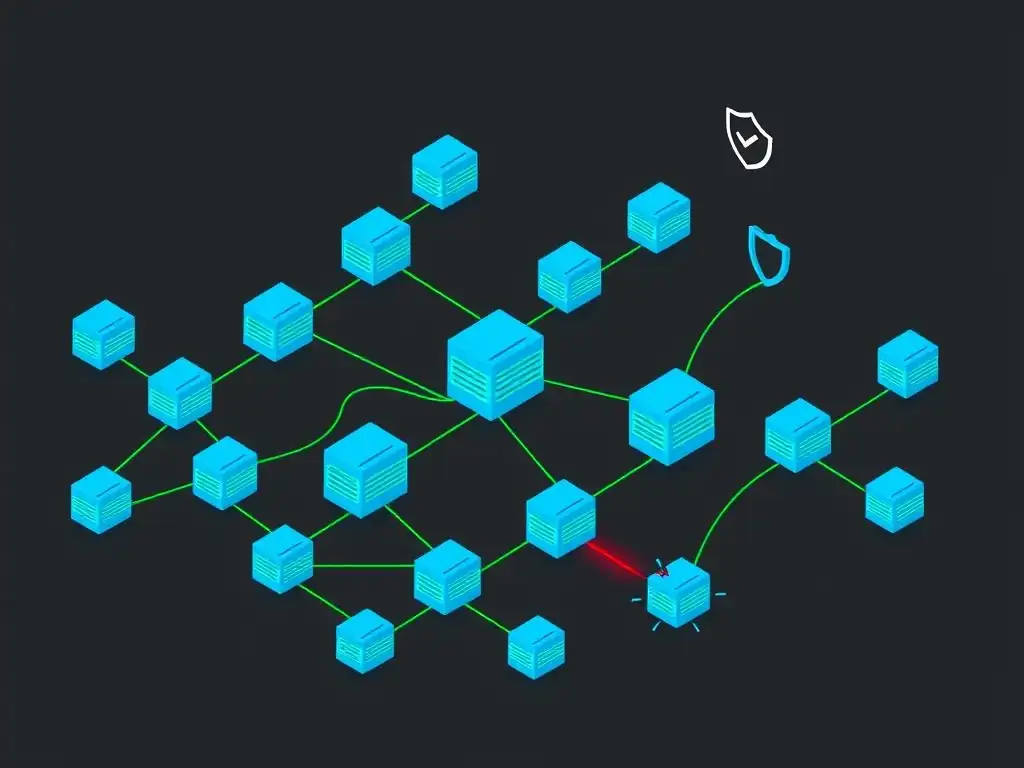
Welcome to Git and Version Control Hub!
Are you tired of wrestling with dependencies and worrying about security vulnerabilities in your Git projects? Dive deep into our latest article, "Dependency Management Done Right: Avoiding Vulnerabilities in Your Git Projects," where we unlock essential Git dependency management best practices. Learn how to keep your codebase clean, secure, and collaboration-ready. Intrigued? Let's explore how to fortify your projects, one commit at a time!
- Introduction: Securing Your Git Projects Through Effective Dependency Management
- Understanding Git Dependencies and Their Risks
- Git Dependency Management Best Practices: A Step-by-Step Guide
- Mitigating Vulnerabilities: Patching and Reporting
- Integrating Dependency Management into Your Git Workflow
- Conclusion: Strengthening Your Git Projects with Proactive Dependency Management
-
Frequently Asked Questions
- What exactly is dependency management in the context of Git projects?
- Why is proper dependency management crucial for avoiding vulnerabilities?
- What are some best practices for Git dependency management?
- How can I integrate dependency scanning into my Git workflow?
- What are the implications of ignoring dependency management in a Git project?
- Final Reflection: Securing the Foundation of Our Projects
- Fortify Your Code: Take Control of Your Dependencies!
Introduction: Securing Your Git Projects Through Effective Dependency Management
In the fast-paced world of software development, leveraging external libraries and frameworks, known as dependencies, has become indispensable. These dependencies accelerate development, reduce redundancy, and allow developers to focus on unique project features. However, this convenience comes with inherent security risks. Unmanaged or outdated dependencies can introduce significant vulnerabilities into your Git projects, potentially leading to data breaches, system compromises, and reputational damage. Effective Git dependency management is not merely about functionality; it's fundamentally about ensuring the security and integrity of your codebase and the applications you build.
This article delves into the critical realm of Git dependency management, focusing specifically on how to mitigate security vulnerabilities. We will explore the inherent risks associated with dependencies, outline practical best practices for managing them securely, and provide a step-by-step guide to fortify your Git projects against potential threats. By implementing these strategies, you can proactively minimize risks, enhance your project's security posture, and maintain the trust of your users and stakeholders.
Understanding Git Dependencies and Their Risks
What are Dependencies in Git Projects?
In the context of Git projects and software development, dependencies are external packages, libraries, frameworks, or tools that your project relies upon to function correctly. These components are often developed and maintained by third-party communities or organizations and are incorporated into your project to extend its capabilities without writing every piece of code from scratch. For instance, a web application might depend on libraries for handling user authentication, managing databases, or creating user interfaces. Similarly, a data science project might rely on libraries for numerical computation, data visualization, or machine learning algorithms.
Dependencies are typically managed using package managers specific to the programming language or ecosystem of your project. For example, in JavaScript projects using Node.js, npm or yarn are commonly used to manage dependencies declared in a package.json file. Python projects often use pip and rely on a requirements.txt or Pipfile. Java projects may use Maven or Gradle with dependency declarations in pom.xml or build.gradle files respectively. These package managers facilitate the download, installation, and updating of dependencies, streamlining the process of integrating external code into your Git projects.
The Security Risks of Unmanaged Dependencies
While dependencies offer significant benefits in terms of development speed and efficiency, they also introduce a crucial attack vector if not managed properly. The primary security risk stems from the fact that vulnerabilities discovered in dependencies directly impact any project that uses them. If a dependency contains a security flaw, such as a cross-site scripting (XSS) vulnerability or a SQL injection vulnerability, your project becomes inherently vulnerable as well. This is particularly concerning because modern software projects often rely on a vast number of dependencies, creating a complex web of potential security weaknesses.
A significant concern is the prevalence of outdated dependencies. Developers may forget to update their project's dependencies, leaving them exposed to known vulnerabilities that have already been patched in newer versions. According to a 2023 report by Snyk, approximately 41% of vulnerabilities found in applications are in direct dependencies, and another 49% are in transitive dependencies (dependencies of your dependencies).
This highlights that neglecting dependency updates is a major source of security risk. Moreover, the "supply chain attack" is a growing threat, where malicious actors inject malicious code into popular dependencies. If a compromised dependency is incorporated into your project, it can grant attackers access to your system and data, as seen in the 2018 event-stream incident where malicious code was injected into a popular npm package, affecting numerous downstream projects.
Git Dependency Management Best Practices: A Step-by-Step Guide
1. Choosing a Robust Dependency Management Tool
The foundation of effective Git dependency management lies in selecting and utilizing a robust dependency management tool appropriate for your project's ecosystem. These tools are not just about downloading packages; they are crucial for security and project stability. For JavaScript projects, npm and yarn are popular choices, each offering features like dependency resolution, version locking, and script execution. Python developers commonly use pip or pipenv, which help manage virtual environments and dependency versions. Java projects benefit from Maven or Gradle, which provide comprehensive build automation and dependency management capabilities.
When choosing a tool, consider features that enhance security. Look for tools that support dependency version locking to ensure consistent builds and prevent unexpected updates that might introduce vulnerabilities. Many modern package managers also integrate with vulnerability scanning services, providing automated alerts when known vulnerabilities are detected in your dependencies. For instance, npm audit and yarn audit are built-in commands that scan your project's dependencies for known security issues. Choosing the right tool, and understanding its security features, is the first crucial step in establishing a secure dependency management strategy for your Git projects.
2. Implementing Secure Dependency Versioning
Secure dependency versioning is paramount to maintaining a stable and secure Git project. The common practice of using "latest" tags or wildcard version ranges (e.g., ^1.0.0, *) in your dependency files can introduce significant risks. These configurations allow package managers to automatically update dependencies to the newest versions, which might contain breaking changes or, more critically, introduce vulnerabilities if a newly released version is compromised or flawed.
Instead, implement precise version pinning or use narrower version ranges with semantic versioning in mind. Semantic versioning (SemVer) is a widely adopted standard that uses a three-part version number (MAJOR.MINOR.PATCH) to indicate the type of changes in a release. For example, specifying a dependency as "package": "1.2.3" will strictly use version 1.2.3. Using ranges like "package": "~1.2.3" (patch updates only) or "package": ">=1.2.3, <1.3.0" (minor updates within a major version) provides more flexibility while still limiting updates to compatible versions. By locking down dependency versions or using controlled ranges, you gain predictability and reduce the risk of unexpected changes and potential security regressions introduced by automatic, uncontrolled updates.
3. Automating Dependency Security Scanning
Manual dependency checks are inefficient and prone to human error. Automating dependency security scanning is a critical best practice for proactively identifying vulnerabilities in your Git projects. Several excellent tools are available that integrate directly into your development workflow and CI/CD pipelines to continuously monitor your dependencies for known security flaws. Tools like Snyk, OWASP Dependency-Check, GitHub Dependabot, and GitLab Dependency Scanning provide automated vulnerability scanning capabilities.
These tools typically work by analyzing your project's dependency manifest files (e.g., package.json, requirements.txt, pom.xml) and comparing them against databases of known vulnerabilities, such as the National Vulnerability Database (NVD). When a vulnerability is detected, these tools generate alerts, often providing details about the vulnerability, its severity, and recommended remediation steps, such as updating to a patched version. Some tools, like GitHub Dependabot, can even automatically create pull requests to update vulnerable dependencies to secure versions, streamlining the patching process and significantly reducing the time window of exposure to security threats.
4. Regularly Updating Dependencies
Even with automated security scanning in place, regularly updating dependencies remains a crucial proactive security measure. Vulnerabilities are constantly being discovered and patched in software libraries. Staying up-to-date with the latest versions ensures that you benefit from these security fixes and bug resolutions. Neglecting updates leaves your project vulnerable to exploits that have already been addressed by the dependency maintainers.
Establish a routine for dependency updates as part of your project maintenance schedule. The frequency of updates might depend on the project's nature and risk tolerance, but a monthly or bi-weekly review is a good starting point for many projects. Prioritize updating dependencies that have known vulnerabilities or are critical to your application's security. Before updating, always review the release notes and changelogs of the updated dependencies to understand the changes and potential impact on your project. Thorough testing after dependency updates is essential to ensure compatibility and prevent regressions.
5. Implementing a Dependency Review Process
Introducing a dependency review process adds a human layer of oversight to your automated security measures. This process involves carefully reviewing any changes to your project's dependencies before they are merged into the main codebase. Dependency reviews are particularly important when adding new dependencies or making significant version updates.
During a dependency review, assess the necessity of the new dependency, its reputation, and its security track record. Check the dependency's project website, GitHub repository, or community forums to gauge its maintenance activity, the responsiveness of maintainers to security issues, and the overall community sentiment. Look for any red flags, such as unresolved security vulnerabilities, infrequent updates, or signs of abandonment.
For existing dependencies being updated, review the changelogs for any security-related fixes and ensure that the update aligns with your project's requirements and security policies. Dependency reviews can be integrated into your code review process, making security a shared responsibility within your development team.
6. Monitoring Transitive Dependencies for Vulnerabilities
Transitive dependencies, also known as indirect dependencies, are dependencies of your direct dependencies. These hidden dependencies can pose a significant security risk because they are often overlooked in manual security assessments. A vulnerability in a transitive dependency can indirectly affect your project, even if your direct dependencies are secure. For example, if your project directly depends on library 'A', and library 'A' depends on vulnerable library 'B', your project is indirectly exposed to the vulnerabilities in 'B'.
Effective Git dependency management must include monitoring transitive dependencies. Dependency scanning tools, as mentioned earlier, typically analyze the entire dependency tree, including transitive dependencies. Utilize these tools to gain visibility into your project's complete dependency graph and identify vulnerabilities deep within the dependency chain.
When a vulnerability is found in a transitive dependency, the remediation might involve updating your direct dependency that relies on the vulnerable transitive dependency, or, in some cases, you might need to find alternative direct dependencies that do not rely on the problematic transitive dependency. Understanding and addressing transitive dependency risks is crucial for comprehensive Git project security.
Mitigating Vulnerabilities: Patching and Reporting
Responding to Security Alerts
When a dependency security scanning tool or a security advisory alerts you to a vulnerability, a swift and well-defined response is critical. Treat security alerts with high priority. The first step is to verify the alert and understand the nature and severity of the vulnerability. Consult the vulnerability database (like NVD or CVE) for detailed information about the Common Vulnerabilities and Exposures (CVE) identifier, the affected versions, and the potential impact.
Once verified, the primary action is to patch the vulnerability by updating the dependency to a secure version. The security alert or the vulnerability database typically recommends a patched version. Follow the recommended upgrade path and update your dependency using your project's package manager. After updating, thoroughly test your application to ensure that the patch has resolved the vulnerability and that the update has not introduced any regressions or broken functionality. Document the incident, the steps taken to remediate it, and the testing performed, maintaining an audit trail of security responses.
Reporting Vulnerabilities Responsibly
In the course of development, you might discover a potential security vulnerability in a dependency that has not yet been publicly disclosed or patched. Responsible vulnerability disclosure is crucial for protecting the wider community and ensuring that vulnerabilities are addressed effectively. Do not publicly disclose the vulnerability immediately, as this could put other users at risk before a patch is available.
Instead, follow a responsible disclosure process. First, attempt to contact the maintainers of the affected dependency privately. Look for security contact information in the project's documentation, website, or GitHub repository. If direct contact information is not available, create a private security advisory or issue report if the project provides such a mechanism.
Provide clear and detailed information about the vulnerability, including steps to reproduce it and the potential impact. Allow the maintainers a reasonable timeframe to acknowledge the report and develop a patch. Collaborate with the maintainers, if possible, to help them understand and fix the vulnerability. Only after a patch is released and a reasonable time has passed for users to update should you consider public disclosure, if necessary, and in coordination with the maintainers.
Integrating Dependency Management into Your Git Workflow
Streamlining Security with CI/CD Pipelines
Integrating dependency management into your Continuous Integration and Continuous Delivery (CI/CD) pipelines is a powerful way to automate and enforce security best practices throughout your development lifecycle. CI/CD pipelines automate the build, test, and deployment processes, and they can be extended to include automated dependency security checks at each stage.
Incorporate dependency scanning tools into your CI/CD pipeline. Configure your pipeline to run dependency scans automatically on each code commit or pull request. If a vulnerability is detected, the pipeline can be configured to fail the build, preventing vulnerable code from being merged or deployed.
Automated alerts from the scanning tools can notify the development team immediately about security issues. Furthermore, CI/CD pipelines can be set up to automatically create pull requests to update vulnerable dependencies, further streamlining the remediation process. By embedding security checks into your CI/CD pipeline, you make security an integral part of your development workflow, ensuring continuous monitoring and proactive vulnerability mitigation.
Best Practices for Git Repository Security
While robust dependency management is a cornerstone of Git project security, it is part of a broader landscape of Git repository security best practices. Securing your Git repository itself is essential to protect your codebase and prevent unauthorized access or modifications. Implement strong access controls to your Git repository, following the principle of least privilege. Grant access only to authorized personnel and restrict permissions based on roles and responsibilities. Utilize branch protection rules to safeguard important branches like main or release from direct commits, requiring code reviews and passing CI checks before merging.
Enable Git's built-in features for security, such as commit signing to verify the authenticity of commits and prevent tampering. Regularly audit your repository's access logs and activity to detect any suspicious behavior. Consider using Git hosting platforms like GitHub or GitLab, which offer advanced security features like vulnerability scanning, secret scanning (to detect accidentally committed secrets), and security dashboards. By combining strong Git repository security practices with effective dependency management, you create a comprehensive security posture for your Git projects, minimizing risks and safeguarding your valuable code assets.
Conclusion: Strengthening Your Git Projects with Proactive Dependency Management
Effective Git dependency management is not merely a checklist of tasks; it is a continuous and proactive approach to securing your software projects. By understanding the inherent risks associated with dependencies and implementing the best practices outlined in this article, you can significantly strengthen the security posture of your Git projects. From choosing robust dependency management tools and implementing secure versioning to automating security scanning and establishing review processes, each step contributes to a more resilient and secure codebase.
Remember that dependency security is an ongoing process. Regularly update dependencies, monitor for new vulnerabilities, and adapt your security practices as the threat landscape evolves. By making proactive dependency management a core part of your Git workflow, you not only mitigate potential security vulnerabilities but also foster a culture of security awareness within your development team, ensuring the long-term health and integrity of your software projects and the trust of your users.
Frequently Asked Questions
What exactly is dependency management in the context of Git projects?
Dependency management in Git projects refers to the process of tracking and managing external libraries and frameworks that your project relies on. It ensures consistency and avoids compatibility issues.
Why is proper dependency management crucial for avoiding vulnerabilities?
Poor dependency management can lead to the inclusion of vulnerable dependencies in your project. These vulnerabilities can be exploited by attackers, potentially compromising your entire application.
What are some best practices for Git dependency management?
Some best practices include using a dependency management tool, regularly updating dependencies to the latest versions, and scanning dependencies for known vulnerabilities.
How can I integrate dependency scanning into my Git workflow?
You can integrate dependency scanning by using tools that automatically analyze your project's dependencies in your CI/CD pipeline. This helps to identify and flag vulnerable dependencies before they are deployed.
What are the implications of ignoring dependency management in a Git project?
Ignoring dependency management can lead to security risks, compatibility issues, and increased maintenance burden. It can also make it more difficult to collaborate with other developers.
Final Reflection: Securing the Foundation of Our Projects
The intricacies of dependency management, often overlooked, are now more critical than ever in safeguarding the integrity of our Git projects. In today's rapidly evolving digital landscape, where vulnerabilities can be exploited in mere moments, mastering Git dependency management best practices is not just a recommendation, but a necessity for ensuring the security and reliability of our software.
The impact of robust dependency management extends far beyond the immediate codebase; it shapes the trust and confidence users place in our applications. My own experience has shown me that neglecting this area can lead to significant repercussions, from data breaches to reputational damage. Security is not a product, but a process.
This quote underscores the ongoing commitment required to maintain a secure and resilient software ecosystem, beginning with the very foundations of our dependencies.
As we conclude this exploration of Git dependency management best practices, I invite you to reflect on the role you play in securing the digital world. Consider how you can implement these strategies in your own projects, advocate for their adoption within your teams, and contribute to a culture of security awareness. Let us all strive to build a future where software is not just innovative and efficient, but also inherently secure, protecting users and organizations alike from the ever-present threat of vulnerabilities.
Fortify Your Code: Take Control of Your Dependencies!
Thanks for reading about dependency management! We hope this article has given you the tools to build more secure and reliable Git projects. Now, it's time to put your new knowledge into practice and strengthen your code.
Here are a few immediate steps you can take:
- Conduct a thorough security audit of your project's dependencies. Identifying and addressing potential vulnerabilities is crucial. Use a vulnerability scanner to pinpoint weaknesses.
- Explore alternative dependency management strategies such as specifying version ranges or implementing dependency pinning for greater control over updates. The benefits may surprise you!
- Share this article with your team to encourage adoption of these best practices. A secure codebase requires a collaborative effort.
What's the first dependency you'll examine in your project, and which tools will you use to ensure its security? Let us know in the comments below!