
Git for Distributed Teams: Collaboration Across Time Zones and Locations

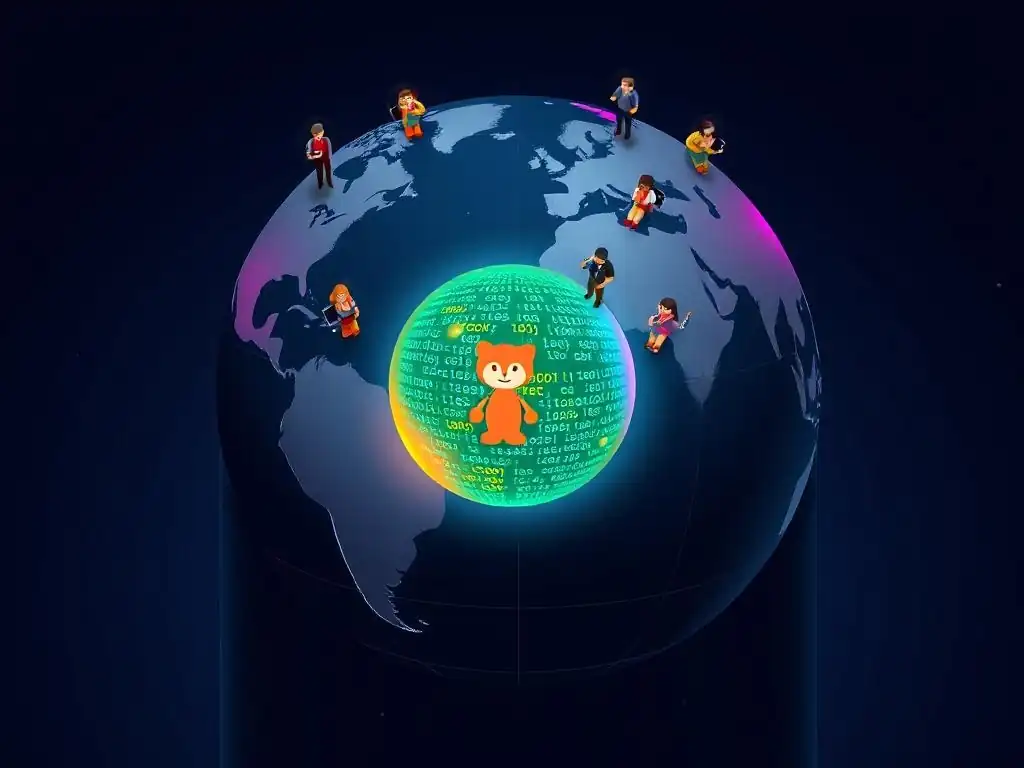
Welcome to Git and Version Control Hub, your ultimate resource for mastering the art of version control! Are you ready to unlock the secrets of seamless teamwork, regardless of distance? Explore our in-depth guide on Git collaboration for distributed teams and discover how to bridge the gaps between time zones and locations. Intrigued by the possibilities? Dive in and learn how to transform your team's workflow today!
- Introduction: Mastering Git Collaboration in Distributed Environments
- Understanding the Landscape: Challenges of Distributed Git Workflows
- Optimizing Git Workflows for Distributed Teams
- Essential Git Tools and Techniques for Remote Collaboration
- Best Practices for Git Collaboration in Distributed Teams
- Case Studies: Successful Git Collaboration in Distributed Teams
- Conclusion: Empowering Distributed Teams with Effective Git Collaboration
-
Frequently Asked Questions
- What are the primary challenges of Git collaboration in distributed teams?
- How can Git branching strategies improve collaboration in distributed teams?
- What role do code reviews play in successful Git collaboration for distributed teams?
- How can Git hooks be used to automate processes and improve collaboration?
- What are some best practices for resolving merge conflicts in a distributed Git workflow?
- Final Reflection: Embracing Seamless Collaboration
- Rediscover Seamless Collaboration: Unleash Your Team's Potential!
Introduction: Mastering Git Collaboration in Distributed Environments
In today's globalized tech landscape, distributed teams are increasingly becoming the norm. Companies are no longer confined by geographical boundaries, and software development teams are often spread across multiple time zones and locations. This shift presents unique challenges to team collaboration, especially when it comes to version control.
Git, as a distributed version control system, is inherently well-suited for such environments, but its effective utilization requires careful planning and strategic implementation. This article delves into the intricacies of Git collaboration for distributed teams, exploring the specific hurdles and outlining best practices to ensure seamless and productive workflows across geographical divides. Mastering Git in a distributed setting is not just about using the right commands; it's about fostering a collaborative culture and adopting workflows that bridge the gaps created by distance and time.
Effective Git collaboration is the backbone of successful distributed software development. Without a robust version control system and well-defined collaborative practices, distributed teams can easily fall prey to miscommunication, integration conflicts, and slowed development cycles. This introduction serves as a guide to navigate these challenges. We will explore how to leverage Git's features to their full potential, focusing on strategies that promote transparency, efficiency, and cohesion within distributed teams. By understanding the nuances of distributed Git workflows, teams can transform geographical dispersion from a potential obstacle into a source of diverse perspectives and round-the-clock productivity.
Understanding the Landscape: Challenges of Distributed Git Workflows
Distributed teams face a unique set of challenges when it comes to Git collaboration, stemming from time zone differences, geographical distance, and varied cultural and communication styles. These factors can significantly impact the efficiency and effectiveness of development workflows if not addressed proactively. Understanding these challenges is the first step towards building a robust and collaborative distributed Git environment.
Time Zone Differences and Their Impact on Git Collaboration
Time zone differences are perhaps the most immediately apparent challenge for distributed Git teams. A team spanning from San Francisco to London, for example, operates with an 8-hour time difference. This means that when developers in California are starting their day, their colleagues in London are already nearing the end of theirs.
This asynchronicity can lead to delays in code reviews, feedback loops, and even basic communication regarding code changes. Imagine a developer in London pushing a feature branch late in their day. Developers in San Francisco will only be able to review and provide feedback at the start of their workday, effectively pushing the integration process back by at least half a day.
Furthermore, time zone differences can complicate real-time collaboration and pair programming sessions. Finding overlapping working hours for synchronous meetings or collaborative coding sessions becomes a logistical puzzle. While asynchronous communication tools can mitigate some of these issues, the inherent delay introduced by time zone differences can slow down the iterative development process.
For instance, if a critical bug fix is needed, the time lag in communication and code integration across time zones can extend the resolution time, potentially impacting project deadlines and overall team velocity. A study by Harvard Business Review found that teams with significant time zone dispersion can experience up to a 30% decrease in spontaneous communication, which is often crucial for quick problem-solving in software development.
Geographical Distance and Network Latency Considerations
Geographical distance introduces the challenge of network latency, which can significantly affect the speed and efficiency of Git operations. While Git is designed to be efficient, operations like cloning large repositories, pushing commits with substantial changes, or fetching branches can become noticeably slower when team members are geographically dispersed. For teams with developers in locations with less robust internet infrastructure, these delays can be even more pronounced.
Imagine a scenario where a developer in a location with lower bandwidth needs to clone a multi-gigabyte repository. The download time can be substantially longer compared to a developer in a location with high-speed internet, leading to frustration and lost productivity.
Beyond individual developer experience, network latency can also impact the overall rhythm of team collaboration. Slow Git operations can discourage frequent commits and pushes, potentially leading to larger, less frequent code integrations, which in turn increase the risk of merge conflicts. Moreover, delays in receiving notifications about branch updates or pull requests can disrupt the flow of information and slow down the code review process.
In extreme cases, high latency can even lead to Git operations timing out, requiring retries and further disrupting workflow. A study by Akamai found that even a 100-millisecond delay in website load time can decrease conversion rates by 7%, highlighting the impact of latency on user experience - and by extension, developer experience when dealing with network-dependent tools like Git.
Cultural Differences and Communication Styles in Remote Git Teams
Cultural differences and varied communication styles within distributed teams can present subtle yet significant challenges to Git collaboration. Teams composed of individuals from diverse cultural backgrounds may have different approaches to communication, feedback, and conflict resolution. For example, direct communication styles prevalent in some cultures might be perceived as blunt or aggressive in others where indirect communication is preferred. This can lead to misunderstandings during code reviews or discussions on merge requests, potentially causing friction within the team.
Furthermore, different cultures may have varying expectations regarding documentation, commenting in code, and the level of detail required in commit messages. What is considered sufficient documentation by one team member might be perceived as inadequate by another from a different cultural background. These subtle differences, if not acknowledged and addressed, can lead to inconsistencies in code quality and misunderstandings regarding team conventions.
Research in cross-cultural communication emphasizes the importance of establishing clear communication protocols and fostering cultural awareness within distributed teams. Teams that invest in understanding and respecting cultural nuances are better equipped to build a harmonious and productive collaborative environment, even when working across geographical and cultural boundaries.
Optimizing Git Workflows for Distributed Teams
To overcome the challenges inherent in distributed Git collaboration, teams need to proactively optimize their workflows. This involves establishing clear branching strategies, implementing effective code review processes, leveraging Git hooks for automation, and adopting asynchronous communication strategies. These optimizations are crucial for maintaining efficiency, code quality, and team cohesion in a distributed setting.
Establishing Clear Branching Strategies for Remote Collaboration
A well-defined branching strategy is paramount for effective Git collaboration in distributed teams. Ambiguous or overly complex branching models can lead to confusion, integration conflicts, and slowed development, especially when team members are working asynchronously across time zones. Strategies like Gitflow or GitHub Flow, when adapted appropriately, can provide a solid foundation for distributed collaboration. For instance, a simplified Gitflow approach, focusing on main and develop branches with feature branches branching off develop, can provide a clear structure for feature development and releases.
In a distributed context, it's crucial to emphasize short-lived feature branches and frequent integration into the develop branch. This minimizes the risk of long-running, divergent branches that become difficult to merge and increases the frequency of code integration, fostering better communication and reducing integration headaches. Furthermore, clearly documented branching conventions, readily accessible to all team members regardless of their location, are essential. This documentation should outline the purpose of each branch type, the branching and merging workflows, and any specific naming conventions. According to a study by Atlassian, teams that adopt clear branching strategies experience a 20% reduction in merge conflicts and a 15% increase in development velocity, highlighting the tangible benefits of well-defined branching models in collaborative environments.
Implementing Effective Code Review Processes for Remote Teams
Code reviews are a cornerstone of quality software development, and their importance is amplified in distributed teams where informal, face-to-face code reviews are not always feasible. Effective code review processes for remote teams need to be asynchronous, transparent, and focused on constructive feedback. Leveraging Git platforms like GitHub, GitLab, or Bitbucket for pull request (or merge request) based code reviews is crucial. These platforms provide tools for inline commenting, automated checks, and clear visibility into the code changes being proposed.
To optimize asynchronous code reviews, teams should establish clear expectations regarding review turnaround time. For instance, aiming to provide initial feedback within 24 hours ensures that code reviews don't become bottlenecks in the development process, even across time zones. Furthermore, promoting a culture of constructive and respectful feedback is vital.
Code review comments should focus on improving code quality and maintainability, avoiding personal critiques. Tools like static code analyzers and linters can be integrated into the code review process to automate checks for coding style and potential errors, freeing up reviewers to focus on higher-level design and logic. A study by SmartBear found that code reviews can reduce defect density by up to 15%, emphasizing their role in improving software quality, particularly crucial in distributed projects where communication and oversight might be less direct.
Leveraging Git Hooks for Automation and Consistency
Git hooks are powerful tools for automating tasks and enforcing consistency in Git workflows, particularly beneficial for distributed teams where maintaining standards across geographically dispersed developers can be challenging. Git hooks are scripts that run automatically before or after certain Git events like commits, pushes, or merges. They can be used to automate a wide range of tasks, from running linters and unit tests before commits to enforcing commit message formatting or preventing pushes of code that fails quality checks.
For distributed teams, pre-commit hooks can be used to ensure that all code committed adheres to coding standards and passes basic tests before it's even shared with the team. Pre-push hooks can be used to run more comprehensive tests and checks before code is pushed to remote repositories, preventing the introduction of broken or inconsistent code into shared branches.
Centralizing the management and distribution of Git hooks, perhaps through a shared configuration repository or tooling, ensures that all team members, regardless of location, are using the same set of hooks and adhering to the same standards. By automating these checks and processes, Git hooks contribute to code consistency, reduce errors, and streamline workflows in distributed Git collaboration.
Asynchronous Communication Strategies for Git Collaboration
Asynchronous communication is the lifeblood of effective Git collaboration in distributed teams, especially when time zone differences make real-time interaction challenging. Teams need to adopt communication tools and strategies that facilitate clear, efficient, and well-documented communication without requiring immediate responses. Utilizing platforms like Slack, Microsoft Teams, or dedicated project management tools with asynchronous communication features is essential. These tools allow for threaded conversations, persistent message history, and the ability to share code snippets, error logs, or screenshots effectively.
Beyond tools, establishing clear communication protocols is crucial. This includes defining response time expectations, specifying preferred communication channels for different types of queries (e.g., urgent issues via direct message, general questions via project channel), and encouraging the use of written documentation for important decisions and discussions related to Git workflows. Emphasizing clear and concise written communication in commit messages, pull request descriptions, and code review comments is also vital. Well-written documentation and communication serve as a shared knowledge base, reducing misunderstandings and ensuring that information is accessible to all team members, regardless of their location or working hours.
Essential Git Tools and Techniques for Remote Collaboration
Beyond workflow optimizations, specific Git tools and techniques are particularly valuable for remote collaboration. Utilizing Git platforms, leveraging pull requests, and mastering rebase and merge techniques are essential for distributed teams to maintain efficiency and code quality.
Utilizing Git Platforms: GitHub, GitLab, and Bitbucket for Distributed Teams
Git platforms like GitHub, GitLab, and Bitbucket are indispensable tools for distributed Git teams. These platforms provide a centralized hub for code repositories, collaboration features, and project management functionalities, specifically designed to facilitate remote teamwork. They offer features that go beyond basic Git hosting, including robust access control, issue tracking, project wikis, and integrated CI/CD pipelines. For distributed teams, these platforms act as virtual offices, enabling seamless collaboration regardless of geographical location.
GitHub, with its vast community and mature feature set, is a popular choice for many distributed teams. GitLab, offering a complete DevOps platform, is favored by teams seeking a self-hosted or comprehensive cloud solution. Bitbucket, particularly strong in its integration with Jira and other Atlassian products, is often preferred by teams already using the Atlassian ecosystem.
All three platforms excel in facilitating pull request based code reviews, providing tools for inline commenting, automated checks, and branch management. Choosing the right platform depends on a team's specific needs and preferences, but leveraging the collaborative features of these platforms is crucial for effective distributed Git collaboration.
Leveraging Pull Requests (Merge Requests) for Code Review and Collaboration
Pull requests (or merge requests, depending on the platform) are the cornerstone of asynchronous code review and collaborative development in distributed Git teams. They provide a structured and transparent process for proposing, reviewing, and integrating code changes. In a distributed setting, where real-time code reviews might be challenging due to time zone differences, pull requests facilitate asynchronous feedback and discussion, ensuring code quality and knowledge sharing across the team.
The pull request workflow typically involves a developer creating a feature branch, making code changes, and then submitting a pull request to merge their branch into a target branch (e.g., develop or main). This pull request then becomes a forum for code review, where other team members can examine the proposed changes, provide feedback, and suggest improvements. The asynchronous nature of pull requests allows reviewers to provide feedback at their convenience, regardless of time zone differences, while maintaining a clear record of the review process and discussions. Well-crafted pull requests with clear descriptions of the changes, along with automated checks and constructive feedback during reviews, are essential for maintaining code quality and promoting collaborative development in distributed teams.
Mastering Git Rebase and Merge Techniques for Remote Teams
Mastering Git rebase and merge techniques is crucial for maintaining a clean and efficient repository history, especially in distributed teams where multiple developers are working on different branches concurrently. Both merge and rebase serve to integrate changes from one branch into another, but they do so in fundamentally different ways, with implications for repository history and collaboration workflows.
Merge creates a new merge commit that explicitly records the integration of branches, preserving the entire history of each branch. This approach is generally safer and easier to understand, making it a common choice for teams, especially when dealing with long-lived feature branches or when preserving the complete history is paramount. Rebase, on the other hand, rewrites the commit history by moving the commits of a feature branch on top of the target branch, creating a linear and cleaner history. Rebase can simplify the commit history and make it easier to follow, but it also alters the commit history, which can be problematic if not used carefully, especially in shared branches. For distributed teams, a balanced approach is often recommended. Merging is generally preferred for integrating feature branches into shared branches like develop or main to preserve history. Rebase can be used judiciously on local feature branches before pushing or submitting a pull request to keep the branch history clean and focused on the feature being developed. Understanding the nuances of both merge and rebase and choosing the appropriate technique for different scenarios is essential for effective Git collaboration in distributed teams.
Best Practices for Git Collaboration in Distributed Teams
To ensure sustained success in distributed Git collaboration, teams must adopt and consistently follow best practices. Documenting workflows, fostering open communication, and prioritizing training are key to building a high-performing distributed team.
Documenting Git Workflows and Conventions for Clarity
Clear and comprehensive documentation of Git workflows and conventions is paramount for distributed teams. Lack of documentation can lead to confusion, inconsistencies, and errors, especially when team members are working asynchronously and have fewer opportunities for informal knowledge sharing. Documentation should cover all aspects of the team's Git usage, including branching strategies, commit message conventions, code review processes, and conflict resolution procedures. This documentation should be easily accessible to all team members, ideally hosted in a central location like a project wiki or a dedicated documentation repository.
Well-documented workflows serve as a single source of truth, ensuring that everyone is on the same page regarding Git practices. This reduces ambiguity, minimizes misunderstandings, and streamlines onboarding for new team members. Regularly reviewing and updating the documentation to reflect changes in workflows or best practices is also crucial to maintain its relevance and effectiveness. Investing in clear and accessible documentation is an investment in team efficiency and reduces the overhead of managing Git collaboration in a distributed environment.
Fostering a Culture of Open Communication and Feedback
Fostering a culture of open communication and feedback is essential for successful distributed Git collaboration. In the absence of frequent face-to-face interactions, proactive and transparent communication becomes even more critical. Teams should encourage open dialogue, constructive feedback, and proactive information sharing across all communication channels, from pull request reviews to project discussions. This includes actively soliciting feedback on code changes, clearly articulating decisions and rationale, and promptly responding to questions and concerns.
Creating a psychologically safe environment where team members feel comfortable asking questions, raising concerns, and providing honest feedback is crucial. Regular team meetings, even if asynchronous, can provide opportunities for team members to connect, share updates, and address any challenges related to Git collaboration or workflow. Promoting a culture of continuous learning and improvement, where feedback is seen as an opportunity for growth rather than criticism, contributes to a more collaborative and effective distributed Git environment.
Training and Onboarding New Team Members on Git Best Practices
Comprehensive training and onboarding for new team members on Git best practices are crucial for ensuring consistent and effective Git collaboration in distributed teams. New team members, regardless of their prior Git experience, need to be onboarded to the team's specific Git workflows, conventions, and best practices. This onboarding process should include dedicated training sessions, access to comprehensive documentation, and mentorship from experienced team members.
Training should cover not only the technical aspects of Git commands and workflows but also the team's collaborative practices, communication protocols, and expectations for code reviews and contributions. Providing hands-on exercises and real-world scenarios can help new team members quickly grasp the team's Git approach and integrate smoothly into the collaborative workflow.
Ongoing training and knowledge sharing sessions, even for experienced team members, can help the team stay up-to-date with Git best practices and continuously improve their collaborative Git workflows. Investing in thorough training and onboarding ensures that all team members are equipped with the necessary skills and knowledge to contribute effectively to Git collaboration in a distributed setting.
Case Studies: Successful Git Collaboration in Distributed Teams
Many successful distributed companies rely heavily on Git for collaboration. For instance, companies like Automattic, the creators of WordPress.com, are fully distributed and leverage Git extensively for their development workflows. Their teams, spread across numerous time zones, utilize GitHub for code hosting and pull request based code reviews. They emphasize clear branching strategies and asynchronous communication to maintain a productive and collaborative environment.
Another example is GitLab, a company that builds a Git platform and is itself a fully remote organization. They "dogfood" their own product, using GitLab for all their internal development and collaboration. Their open-source model and distributed team structure necessitate robust Git workflows and communication practices. They showcase how effective documentation, asynchronous communication, and a strong emphasis on code review can lead to successful large-scale distributed software development using Git. These real-world examples demonstrate that with the right strategies and tools, distributed teams can not only collaborate effectively with Git but also thrive and innovate in a globalized environment.
Conclusion: Empowering Distributed Teams with Effective Git Collaboration
Effective Git collaboration is not just a technical necessity for distributed teams; it is a strategic enabler of productivity, innovation, and team cohesion. By understanding the unique challenges of distributed environments and implementing optimized workflows, teams can transform geographical dispersion from a potential obstacle into a source of strength. Clear branching strategies, robust code review processes, automated workflows through Git hooks, and effective asynchronous communication are all essential components of a successful distributed Git strategy.
Mastering Git in a distributed context is an ongoing process that requires continuous adaptation and improvement. By embracing best practices, fostering a culture of open communication, and investing in training and documentation, distributed teams can unlock the full potential of Git to empower seamless collaboration across time zones and locations. Ultimately, effective Git collaboration empowers distributed teams to build high-quality software, foster innovation, and thrive in the increasingly globalized landscape of software development.
Frequently Asked Questions
What are the primary challenges of Git collaboration in distributed teams?
Distributed teams face challenges like communication barriers, time zone differences, and maintaining code consistency across diverse environments. These can slow down development.
How can Git branching strategies improve collaboration in distributed teams?
Using branching strategies like Gitflow allows teams to work on features independently, minimizing conflicts and enabling parallel development across different time zones. This improves workflow.
What role do code reviews play in successful Git collaboration for distributed teams?
Code reviews ensure code quality and knowledge sharing among team members, regardless of their location. They help catch errors and maintain consistency, vital for distributed teams.
How can Git hooks be used to automate processes and improve collaboration?
Git hooks can automate tasks like running tests or enforcing coding standards before commits. This promotes consistent code quality and prevents integration issues in distributed environments.
What are some best practices for resolving merge conflicts in a distributed Git workflow?
Clear communication, frequent integration, and using Git's conflict resolution tools effectively are crucial. Also, establishing guidelines on how to handle conflicts helps prevent them.
Final Reflection: Embracing Seamless Collaboration
The principles of effective Git collaboration, as explored throughout this article, are not merely theoretical; they are essential tools for navigating the increasingly distributed nature of modern work. In a world where teams span continents and time zones, mastering Git workflows becomes the bedrock upon which successful projects are built. Without a shared understanding and disciplined application of these practices, the potential for miscommunication, conflicts, and ultimately, project failure, looms large.
The impact of Git on distributed teams extends far beyond simply managing code; it fosters a culture of transparency, accountability, and shared ownership. This shift towards collaborative development, facilitated by Git, has profoundly impacted how we build software, fostering innovation and empowering individuals regardless of their location. Coming together is a beginning, staying together is progress, and working together is success.
- Henry Ford. This quote encapsulates the essence of Git collaboration, highlighting the journey from initial connection to sustained productivity and ultimate achievement.
As you navigate the complexities of distributed teamwork, remember that Git is more than just a version control system; it's a powerful enabler of human connection and shared purpose. Let the lessons learned here inspire you to champion best practices, foster open communication, and build a collaborative environment where every team member can contribute their best work, regardless of where they are in the world.
Rediscover Seamless Collaboration: Unleash Your Team's Potential!
Thank you for exploring strategies to enhance collaboration within distributed teams. You've now gained insights into utilizing Git to bridge geographical and time zone gaps, making teamwork more efficient and effective. Now, let's put that knowledge into action!
Here are some immediate steps you can take to foster a more collaborative environment:
- Implement a standardized branching strategy within your team. Consistent workflows are key to reducing merge conflicts and confusion, especially when team members are working asynchronously.
- Encourage the use of Git hooks to automate code quality checks and ensure adherence to coding standards before code is even committed, reducing rework and enhancing overall code health.
- Share this article with your fellow developers and team leads! Spark a conversation about how these strategies can be tailored to your specific team dynamics.
What innovative Git workflow adjustments could your team implement to dramatically improve cross-timezone collaboration starting next week? Let's discuss in the comments below!