
Collaboration Supercharged: How Git Connects Project Managers and Developers

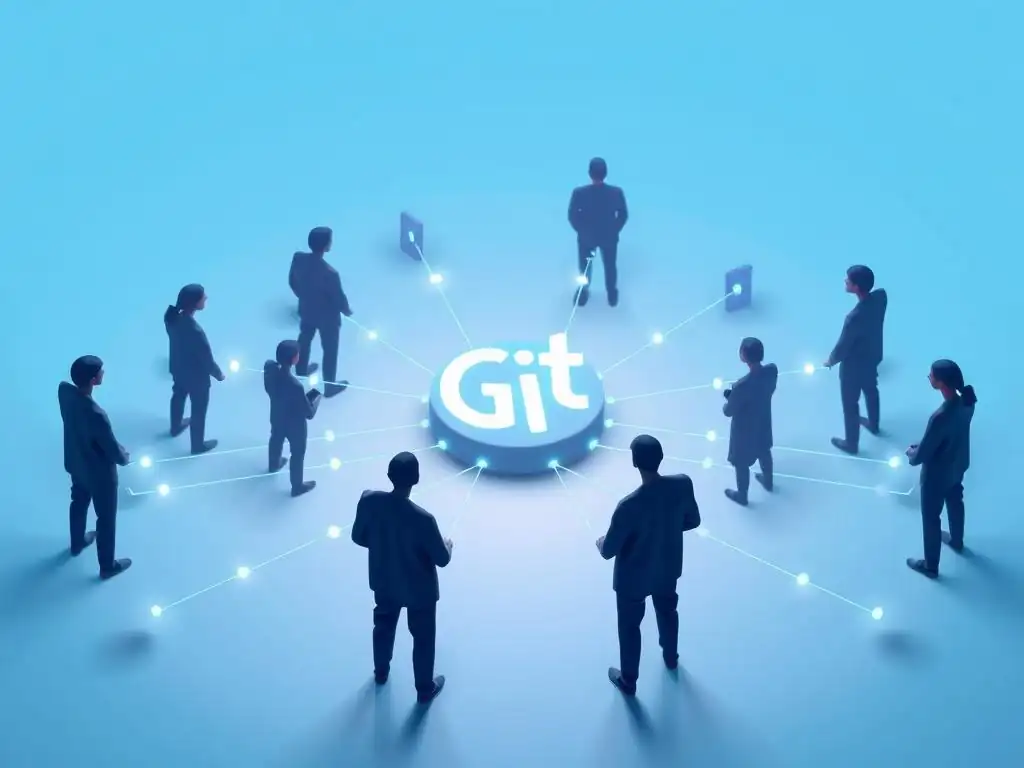
Welcome to Git and Version Control Hub, your go-to resource for mastering the art of version control. Unlock the power of collaborative development and discover how Git can revolutionize your team's workflow. Intrigued by how Git for project management collaboration can bridge the gap between project managers and developers? Dive into our latest article to learn how Git can supercharge your projects and streamline your teamwork!
- Git for Project Management Collaboration: Bridging the Gap
- Git Fundamentals for Project Managers: A Practical Introduction
- Streamlining Project Workflows with Git: Practical Applications
- Enhanced Team Collaboration: How Git Fosters Better Communication
- Git Integration with Project Management Tools: A Synergistic Approach
- Best Practices for Project Managers Using Git
- Git for Project Management Collaboration: Benefits and Advantages
- Case Studies: Successful Project Management with Git
- Conclusion: Git – The Cornerstone of Modern Project Management Collaboration
-
Frequently Asked Questions
- How can Git improve collaboration between project managers and developers?
- What are the basic Git commands that project managers should understand?
- How does Git's branching feature help in project management?
- What role do platforms like GitHub and GitLab play in Git-based project collaboration?
- How can Git be integrated into CI/CD pipelines to improve project delivery?
- Final Reflection: The Symphony of Shared Code
- Unlock Seamless Project Harmony Now!
Git for Project Management Collaboration: Bridging the Gap
Understanding the Challenges of Project Management Without Version Control
In the realm of project management, particularly within software development, the absence of version control can introduce a cascade of complexities and inefficiencies. Imagine a scenario where multiple team members are working on different aspects of a project simultaneously, perhaps editing crucial documents like project requirements, design specifications, or even code. Without a system to track and manage these changes, chaos can quickly ensue.
Project managers face the daunting task of ensuring everyone is working on the latest version, resolving conflicting edits manually, and potentially losing valuable work due to overwrites or accidental deletions. This lack of a centralized, versioned system creates a significant hurdle in maintaining project integrity and progress.
Consider the practical implications: without version control, tracing the evolution of project documentation becomes a near-impossible feat. If a decision made weeks ago needs to be revisited or understood in context, project managers are left sifting through email threads, shared drives with multiple "final" versions, and fragmented notes. This not only consumes valuable time but also increases the risk of miscommunication and errors based on outdated or incomplete information.
Furthermore, the absence of a structured change history makes it difficult to pinpoint when and why certain modifications were made, hindering accountability and lessons learned from past project iterations. This murky environment directly impacts a project manager's ability to effectively oversee and guide their team towards successful project delivery.
How Git Addresses Key Project Management Pain Points
Git, as a distributed version control system, directly tackles the core pain points that project managers encounter in environments lacking version control. At its heart, Git meticulously tracks every change made to files within a project, creating a detailed and auditable history. This history is not just a linear timeline; Git allows for branching and merging, enabling parallel work streams to exist without interfering with each other.
For project managers, this translates to unparalleled visibility into the project's evolution. They can easily access previous versions of any document or code file, compare changes over time, and understand the context behind each modification.
Moreover, Git empowers project managers to foster collaboration in a structured and controlled manner. By using Git, teams can work concurrently on different features or tasks in separate branches. This parallel development minimizes conflicts and allows for focused work.
When changes are ready to be integrated, Git's merging capabilities facilitate a systematic and traceable process. Project managers can leverage this to ensure that all team members are working with the most up-to-date codebase and project documentation, significantly reducing the risks of integration issues and rework. The inherent transparency and controlled collaboration offered by Git directly address the communication and coordination challenges that plague projects managed without version control, making it an invaluable tool for modern project management.
Git Fundamentals for Project Managers: A Practical Introduction
Essential Git Concepts for Project Managers
For project managers, diving into the technical depths of Git’s inner workings isn't always necessary. However, grasping a few core concepts is crucial to effectively leverage Git for project management collaboration. Think of a Git repository as the central hub for your project’s files and their complete history. It's like a well-organized archive that holds every version of your project.
Within this repository, a commit acts as a snapshot in time. Each time a change is made and saved in Git, it’s recorded as a commit, along with a message describing what was changed and why. These commits build up a chronological history of the project's development, making it easy to track progress and revert to previous states if needed.
Another vital concept for project managers is branching. Imagine branches as parallel timelines of development stemming from the main project line. They allow teams to work on new features, bug fixes, or experiments without directly impacting the stable main project.
This isolation is key to preventing disruptions and ensuring a controlled development process. Finally, merging is the process of bringing the changes from one branch back into another, typically integrating completed feature branches back into the main project line. Understanding these fundamental concepts – repository, commit, branch, and merge – equips project managers to navigate Git workflows effectively, even without writing code themselves.
Understanding Branches and Merging for Project Workflow
Branches and merging are not just technical Git features; they are powerful tools for organizing and managing project workflows. For project managers, understanding how to utilize branches strategically can significantly enhance team productivity and project stability. Consider using feature branches for each new functionality or user story.
When a developer starts working on a new feature, they create a dedicated branch, isolating their work from the main codebase. This allows for focused development and prevents unfinished or unstable code from affecting the overall project. Multiple developers can even work on different features simultaneously in their respective branches, further accelerating development.
The merging process then becomes a controlled gatekeeper for integrating completed work. Once a feature is developed and tested in its branch, a merge request (or pull request in GitHub terminology) is typically created. This initiates a review process, where team members can examine the changes before they are incorporated into the main project.
For project managers, this offers an opportunity to oversee the integration of new features, ensure quality through code reviews, and maintain a stable and well-organized project codebase. By strategically using branches for feature isolation and merge requests for controlled integration, project managers can establish a robust and efficient development workflow with Git.
Using Git for Tracking Project Progress and Changes
Git provides project managers with unprecedented capabilities for tracking project progress and understanding the evolution of changes. Every commit in Git acts as a progress marker, documenting a specific set of modifications made at a particular point in time.
By examining the commit history, project managers can gain a granular view of how the project has evolved, see which features have been implemented, and identify the timeline of development. Git platforms like GitHub, GitLab, and Azure DevOps offer visual tools, such as commit graphs and branch visualizations, that further enhance this visibility, making it easy to understand complex development timelines at a glance.
Furthermore, Git’s ability to show the differences between commits, known as diffs, is invaluable for understanding the specific changes introduced at each stage. Project managers can use diffs to review code modifications, track changes in project documentation, and quickly grasp the impact of recent updates.
This level of detail empowers project managers to proactively monitor project progress, identify potential roadblocks early on, and ensure that the project stays aligned with its intended goals and timelines. By leveraging Git's history and change tracking features, project managers can move from reactive monitoring to proactive management, leading to more predictable and successful project outcomes.
Streamlining Project Workflows with Git: Practical Applications
Version Control for Project Documentation and Requirements
While often associated primarily with code, Git's power extends far beyond just software files. Project managers can significantly streamline workflows by utilizing version control for all project documentation, including requirements documents, design specifications, meeting minutes, and even project plans. Imagine the benefits of having a complete history of every change made to the project requirements document. Instead of relying on email chains and multiple file versions scattered across shared drives, Git provides a single source of truth, where every revision is tracked, timestamped, and linked to a specific author.
This approach brings several advantages. Firstly, it ensures that everyone on the project team always has access to the latest and most accurate version of critical documents. Secondly, it allows project managers to easily track changes, understand the rationale behind modifications, and revert to previous versions if necessary.
For example, if a requirement is clarified or changed during a meeting, updating the document in Git instantly makes the revised requirement accessible to the entire team, along with a clear record of the update. By treating project documentation with the same version control rigor as code, project managers can foster better communication, reduce errors arising from outdated information, and maintain a clear and auditable project history for all essential artifacts.
Git as a Centralized Hub for Project Communication
Beyond version control, Git platforms like GitHub, GitLab, and Azure DevOps are transforming into centralized hubs for project communication, fostering transparency and collaboration across teams. Commit messages themselves become a form of project communication, providing context for every change made to the codebase or project documentation. Well-crafted commit messages not only explain what was changed but also why, offering valuable insights for project managers and team members alike when reviewing the project history.
Furthermore, the pull request (or merge request) process in Git platforms serves as a structured communication channel for code reviews and feature integration discussions. Developers can use pull requests to propose changes, and project managers, along with other team members, can participate in discussions directly within the context of the proposed changes.
This centralized communication within Git platforms ensures that project-related discussions are kept together with the relevant code and project artifacts, creating a more transparent and easily accessible communication history compared to fragmented email threads or chat messages. By leveraging Git and its associated platforms, project managers can establish a more cohesive and communicative project environment.
Managing Project Tasks and Issues with Git Integration Tools (GitHub Issues, GitLab Issues, Azure Boards)
The ecosystem around Git extends beyond version control to encompass project task and issue management, further streamlining workflows for project managers. Git platforms like GitHub, GitLab, and Azure DevOps seamlessly integrate issue tracking systems, allowing project managers to manage tasks, bugs, and feature requests directly within the same environment as the codebase. These integrated issue trackers enable project managers to create, assign, and track tasks, set priorities, and monitor progress, all linked directly to the Git repository.
For instance, a bug reported by a tester can be logged as an issue in GitHub Issues or GitLab Issues. Developers can then create branches to address these issues, and link their commits and pull requests directly to the issue, providing a clear audit trail from problem identification to resolution.
Project managers can use these tools to visualize the status of tasks and issues, track team workload, and gain a holistic view of project progress, all within the familiar Git environment. This integration eliminates the need to switch between separate project management tools and version control systems, simplifying workflows and enhancing overall project management efficiency.
Enhanced Team Collaboration: How Git Fosters Better Communication
Improving Code Review Processes with Git
Git fundamentally transforms code review processes, making them more efficient, transparent, and collaborative. The pull request (or merge request) mechanism, a cornerstone of Git-based workflows, is specifically designed to facilitate code reviews. When a developer completes a feature or bug fix in a branch, they submit a pull request to merge their changes into the main project branch.
This pull request isn't just a technical operation; it's an invitation for code review. The pull request interface in Git platforms displays the proposed changes clearly, allowing reviewers – including project managers and other developers – to examine the code modifications line by line.
Reviewers can provide feedback directly within the pull request, adding comments on specific lines of code or engaging in discussions about design choices and implementation details. This inline commenting and threaded discussion feature keeps code review feedback contextual and easily traceable. Project managers can participate in code reviews to ensure that code quality standards are met, and to gain insights into the technical implementation of features. By making code reviews a standard part of the Git workflow, project managers can foster a culture of shared code ownership, improve code quality, and facilitate knowledge sharing within the development team.
Preventing Conflicts and Errors with Git's Branching Strategy
Git's branching strategy is not just about organizing code; it's a powerful mechanism for preventing conflicts and minimizing errors, particularly in collaborative development environments. By encouraging the use of feature branches, Git isolates changes being made by different developers or teams. This isolation dramatically reduces the likelihood of direct code conflicts, which can arise when multiple developers are simultaneously working on the same files in a shared, non-versioned environment.
When developers work in branches and integrate their changes through controlled merges, Git provides robust tools for detecting and resolving conflicts that do inevitably occur. Git's merge algorithms can automatically handle many simple merges, and when conflicts require manual resolution, Git clearly highlights the conflicting sections, making it easier for developers to understand and address them.
Project managers benefit from this structured approach as it minimizes the risk of integration errors, reduces the time spent resolving conflicts, and ultimately leads to a more stable and reliable project codebase. Git's branching and merging capabilities are essential for maintaining code integrity and preventing costly errors in collaborative software development.
Utilizing Git for Transparent Project History and Accountability
Git provides an unparalleled level of transparency and accountability in project development through its detailed and immutable history. Every commit in Git is permanently recorded, along with the author, timestamp, and commit message. This creates a complete and auditable record of every change made to the project, from initial setup to the latest feature implementation. Project managers can leverage this transparent history to understand the evolution of the project, track down the origin of specific changes, and gain insights into the decision-making process throughout the project lifecycle.
Furthermore, Git's commit authorship clearly identifies who made each change, fostering accountability within the team. If an issue arises or a decision needs to be revisited, the Git history provides a clear trail back to the responsible individual and the context surrounding the change. This level of accountability is invaluable for project management, enabling better understanding of project dynamics, facilitating performance evaluations, and promoting a sense of ownership and responsibility among team members. Git's transparent history serves as a powerful tool for project managers to ensure accountability, learn from past iterations, and improve future project outcomes.
Git Integration with Project Management Tools: A Synergistic Approach
Connecting Git to Project Management Software (Jira, Asana, Trello, Azure DevOps)
The true power of Git in project management is often amplified through its seamless integration with dedicated project management software. Popular tools like Jira, Asana, Trello, and Azure DevOps offer robust integrations with Git platforms, creating a synergistic ecosystem that streamlines workflows and enhances collaboration. These integrations typically allow for two-way synchronization between Git activities and project management tasks. For example, committing code with a specific issue ID in the commit message can automatically update the status of that issue in Jira, providing real-time progress updates to project managers without manual intervention.
Similarly, task assignments in project management software can trigger branch creation in Git, directly linking development work to specific tasks. These integrations reduce the need for manual updates and context switching between different tools, saving time and minimizing the risk of errors. Project managers can gain a unified view of project progress, linking development activities directly to project plans and task lists within their preferred project management software, leveraging the strengths of both Git and dedicated PM tools for optimal project control and visibility.
Automating Project Tasks with Git Hooks and CI/CD Pipelines
Git's extensibility through hooks and its integration with CI/CD (Continuous Integration/Continuous Delivery) pipelines unlock powerful automation capabilities that can significantly streamline project workflows. Git hooks are scripts that can be configured to run automatically at various points in the Git workflow, such as before a commit, after a push, or upon receiving a pull request. Project managers can leverage hooks to automate tasks like enforcing commit message conventions, triggering code quality checks, or sending notifications upon specific Git events.
CI/CD pipelines further extend automation by automating the build, test, and deployment processes based on Git repository changes. When code is pushed to a Git repository, a CI/CD pipeline can automatically compile the code, run automated tests, and even deploy the application to staging or production environments. This automation reduces manual effort, accelerates feedback loops, and minimizes the risk of human error in repetitive tasks. Project managers can leverage Git hooks and CI/CD pipelines to establish more efficient and reliable development workflows, freeing up time for strategic planning and higher-level project management activities.
Real-time Collaboration and Notifications through Git Services
Modern Git platforms like GitHub, GitLab, and Azure DevOps are designed to facilitate real-time collaboration and keep teams informed through comprehensive notification systems. These platforms provide features like real-time issue tracking updates, pull request activity streams, and comment notifications, ensuring that project managers and team members are immediately aware of relevant project events. For instance, when a developer pushes a new commit, opens a pull request, or comments on an issue, relevant stakeholders can receive instant notifications via email, platform notifications, or integrated communication channels like Slack or Microsoft Teams.
This real-time notification system keeps everyone on the same page and enables faster responses to critical events, such as bug reports or urgent code review requests. Project managers can use these notifications to stay informed about project progress, identify potential bottlenecks, and proactively address issues as they arise. The real-time collaboration features and notification systems within Git platforms contribute to a more responsive and efficient project environment, fostering better team communication and faster project cycles.
Best Practices for Project Managers Using Git
Establishing Clear Git Workflow Guidelines for the Team
To maximize the benefits of Git for project management collaboration, it's crucial to establish clear and well-defined Git workflow guidelines for the entire team. This involves choosing an appropriate branching strategy, such as Gitflow, GitHub Flow, or GitLab Flow, and documenting it clearly for all team members. The guidelines should specify how branches are to be used for different purposes (e.g., feature development, bug fixes, releases), how and when merges should occur, and any conventions for commit messages and code reviews.
Clear workflow guidelines ensure consistency across the team, reduce confusion, and minimize the risk of errors arising from inconsistent Git usage. Project managers play a key role in defining these guidelines, communicating them effectively to the team, and ensuring adherence. Regularly reviewing and refining the workflow guidelines based on team feedback and project needs is also essential to maintain an efficient and adaptable Git-based development process. A well-defined Git workflow is the foundation for successful project management with Git.
Implementing Code Review Standards and Processes
Code reviews are a cornerstone of high-quality software development, and project managers should actively champion and implement robust code review standards and processes within their Git workflows. This involves defining clear criteria for code reviews, such as focusing on code functionality, readability, maintainability, and adherence to coding standards. It's also important to establish a clear process for conducting code reviews, including assigning reviewers, setting expectations for review turnaround time, and defining how feedback should be addressed and incorporated.
Project managers can encourage a positive and constructive code review culture by emphasizing the benefits of code reviews for knowledge sharing, error prevention, and overall code quality improvement. Integrating code reviews into the Git workflow, typically through pull requests, ensures that all code changes are reviewed before being merged into the main project branch. By implementing effective code review standards and processes, project managers can leverage Git to significantly enhance the quality and reliability of their projects.
Training and Onboarding Project Managers on Git Usage
To fully empower project managers to leverage Git for collaboration, providing adequate training and onboarding on Git usage is essential. While project managers don't need to become Git experts, a solid understanding of core Git concepts and workflows is crucial for them to effectively participate in and oversee Git-based projects. Training should focus on the Git concepts most relevant to project management, such as repositories, commits, branches, merges, and pull requests. Practical, hands-on exercises that simulate real-world project scenarios are particularly effective.
Onboarding should also include familiarizing project managers with the specific Git platform being used (e.g., GitHub, GitLab, Azure DevOps), and how to access project repositories, review commit history, track branches, and participate in code reviews. Providing ongoing support and resources, such as documentation and access to experienced Git users within the team, is also important to ensure that project managers can confidently and effectively utilize Git in their daily project management activities. Investing in Git training for project managers is an investment in improved project efficiency and collaboration.
Git for Project Management Collaboration: Benefits and Advantages
Improved Project Visibility and Traceability
One of the most significant benefits of using Git for project management collaboration is the vastly improved project visibility and traceability it provides. Git's detailed commit history acts as a complete audit trail, documenting every change made to the project, who made it, when, and why. Project managers can easily access this history to understand the project's evolution, track down specific changes, and gain insights into the decision-making process. Branching and merging strategies further enhance visibility by providing clear separation and controlled integration of different development streams.
This enhanced visibility empowers project managers to proactively monitor project progress, identify potential issues early on, and make data-driven decisions. Traceability is also significantly improved, as every change is linked back to its source and context. This is invaluable for understanding the impact of changes, debugging issues, and ensuring accountability throughout the project lifecycle. Git transforms project management from relying on fragmented information and manual tracking to a data-rich, transparent, and easily auditable environment.
Enhanced Team Productivity and Efficiency
Git directly contributes to enhanced team productivity and efficiency by streamlining workflows and fostering better collaboration. Branching allows for parallel development, enabling multiple team members to work on different features or tasks concurrently without interfering with each other. The pull request process facilitates efficient code reviews, improving code quality and reducing the likelihood of errors. Automation through Git hooks and CI/CD pipelines further reduces manual effort and accelerates development cycles.
By providing a centralized and versioned repository for all project artifacts, Git eliminates the confusion and wasted time associated with managing multiple file versions and fragmented communication channels. Team members can collaborate more effectively, communicate more transparently, and work with greater confidence knowing that their changes are tracked, versioned, and integrated in a controlled manner. The overall result is a more productive and efficient development process, allowing teams to deliver projects faster and with higher quality.
Reduced Errors and Rework
By implementing Git and its associated best practices, project managers can significantly reduce errors and rework throughout the project lifecycle. Version control itself acts as a safety net, allowing for easy rollback to previous versions in case of mistakes or unexpected issues. Branching strategies minimize integration conflicts and prevent unstable code from disrupting the main project. Code reviews, facilitated by Git's pull request mechanism, catch potential errors and improve code quality before changes are integrated.
Automation through CI/CD pipelines ensures consistent testing and validation of code changes, further reducing the risk of introducing bugs into the production environment. By proactively addressing potential issues through code reviews, branching, and automated testing, Git helps teams minimize errors and rework, leading to cost savings, faster delivery times, and higher overall project quality. The error reduction capabilities of Git are a significant advantage for project managers striving for successful project outcomes.
Case Studies: Successful Project Management with Git
Optimizing Software Releases with Git Branching Strategies
Consider the case of a software company, "TechSolutions Inc.", that significantly optimized its software release process by adopting Git branching strategies. Previously, TechSolutions relied on a single main branch for development, leading to instability and delays during release cycles. They transitioned to a Gitflow workflow, utilizing separate branches for development, releases, and hotfixes.
Feature development took place in dedicated feature branches, ensuring that the main development branch remained stable. Release branches were created for each software version, allowing for final stabilization and testing before release. Hotfix branches were used to quickly address critical issues in released versions without disrupting ongoing development.
This structured branching strategy dramatically improved their release process. Release cycles became more predictable, and the risk of introducing bugs into releases was significantly reduced. The clear separation of development and release work allowed for parallel activities, speeding up the overall release timeline. TechSolutions reported a 40% reduction in time spent on bug fixing during release cycles and a 25% faster time-to-market for new software versions after implementing Gitflow. This case demonstrates how strategic use of Git branching can optimize software releases and improve project efficiency.
Improving Cross-functional Team Collaboration Through Git
"Global Marketing Corp.", a large marketing agency, faced challenges in collaborating across its development, design, and content creation teams. Project assets were scattered across different systems, communication was fragmented, and version control was inconsistent. They adopted Git to manage all project assets, including code, design files (using Git Large File Storage for large assets), and content documents. They established a centralized Git repository accessible to all teams, and implemented a GitHub-based workflow for collaboration.
Designers used Git to version control design files and submit design changes via pull requests. Content creators used Git to manage website content and collaborate on documents. Developers integrated design and content changes into the codebase using Git. This centralized Git-based workflow significantly improved cross-functional team collaboration. Communication became more transparent, version control was consistent across all project assets, and teams could work together more efficiently. Global Marketing Corp. reported a 30% increase in project completion speed and a significant improvement in team communication and collaboration after implementing Git as a central collaboration hub.
Conclusion: Git – The Cornerstone of Modern Project Management Collaboration
Embracing Git for Future-Proof Project Management Strategies
In today's rapidly evolving technological landscape, Git has become an indispensable tool for project managers, particularly in software development and increasingly in other collaborative domains. Embracing Git is not just about adopting a version control system; it's about adopting a modern, collaborative, and efficient approach to project management. Git provides the foundation for streamlined workflows, enhanced team communication, improved code quality, and greater project visibility – all critical components of successful project delivery in the 21st century.
For project managers who want to stay ahead of the curve and lead successful projects in the future, mastering the fundamentals of Git and integrating it into their project management strategies is no longer optional, but essential. As software development methodologies continue to evolve towards more agile and collaborative approaches, Git's role as the cornerstone of modern project management collaboration will only continue to grow in importance. Project managers who embrace Git are equipping themselves and their teams for future success in an increasingly complex and dynamic project environment.
Resources for Project Managers to Learn Git
For project managers looking to deepen their understanding of Git and effectively leverage it for project collaboration, numerous resources are available. Online platforms like Coursera, Udemy, and edX offer courses specifically designed for project managers to learn Git, often focusing on practical applications and real-world scenarios. Websites like "Git and Version Control Hub" (GitAndVersionControlHub.com) provide tutorials and articles tailored to different skill levels, including project managers seeking to understand Git fundamentals.
The official Git documentation is a comprehensive resource for in-depth learning. Interactive Git tutorials, such as those found on websites like LearnGitBranching.js.org, offer a hands-on approach to mastering Git commands and concepts. For project managers who prefer a more structured learning path, consider exploring books like "Pro Git" (available online for free) which provides a detailed guide to Git. By utilizing these resources, project managers can gain the knowledge and skills necessary to confidently and effectively integrate Git into their project management workflows, unlocking its full potential for enhanced collaboration and project success.
Frequently Asked Questions
How can Git improve collaboration between project managers and developers?
Git facilitates collaboration by providing a central version control system. This allows all team members to track changes, revert to previous states, and work on features independently without disrupting the main codebase.
What are the basic Git commands that project managers should understand?
Project managers should be familiar with commands like git clone, git pull, git status, and git log. These commands help them monitor progress, review code changes, and understand the project's history.
How does Git's branching feature help in project management?
Branching allows developers to work on new features or bug fixes in isolation. This prevents conflicts and allows project managers to manage different development streams effectively.
What role do platforms like GitHub and GitLab play in Git-based project collaboration?
GitHub and GitLab provide a centralized platform for hosting Git repositories. They offer features like issue tracking, code review, and project management tools that enhance team collaboration.
How can Git be integrated into CI/CD pipelines to improve project delivery?
Git acts as the trigger for CI/CD pipelines. When code is pushed to a repository, automated tests and deployments can be initiated, leading to faster and more reliable project delivery.
The digital landscape thrives on collaboration, and Git's role in fostering seamless teamwork between project managers and developers is more vital than ever. In a world demanding rapid innovation and efficient execution, the ability to manage complex projects with clarity and precision is no longer a luxury, but a necessity. Git, as we've explored, is the conductor of this collaborative symphony, ensuring every instrument plays in harmony.
The impact of Git extends far beyond mere code management; it shapes the very culture of software development. It empowers transparency, accountability, and shared ownership, fostering a sense of collective responsibility that drives projects forward. This shift towards collaborative workflows is transforming how teams operate, breaking down silos and promoting a more unified approach to problem-solving. Coming together is a beginning, staying together is progress, and working together is success.
- Henry Ford. This quote perfectly encapsulates the transformative power of Git in enabling teams to not only start projects together but to successfully navigate the complexities of development as a cohesive unit.
As we conclude this exploration of Git's potential in project management collaboration, I invite you to consider how these principles can be applied within your own teams and projects. Embrace the power of version control, champion transparency, and foster a culture of shared responsibility. By doing so, you can unlock the true potential of your team and build a future where collaboration is not just a buzzword, but the very foundation of your success.
Unlock Seamless Project Harmony Now!
Thanks for exploring how Git can bridge the gap between project managers and developers! We hope you've gained valuable insights into streamlining workflows and boosting team collaboration. Now, let's put that knowledge into action!
Here are a few next steps:
- Implement a structured branching strategy in your next project to experience a more efficient development workflow.
- Share this article with your team to spark a conversation about improving your collaboration practices with Git.
- Explore GitAndVersionControlHub.com's resources on advanced Git workflows to further optimize your team's processes.
Ready to ditch the communication bottlenecks and build a smoother, more collaborative development process? Let us know in the comments which Git tool you're most excited to use to improve project coordination.