
Exploring Git's Directed Acyclic Graph (DAG) for History Tracking

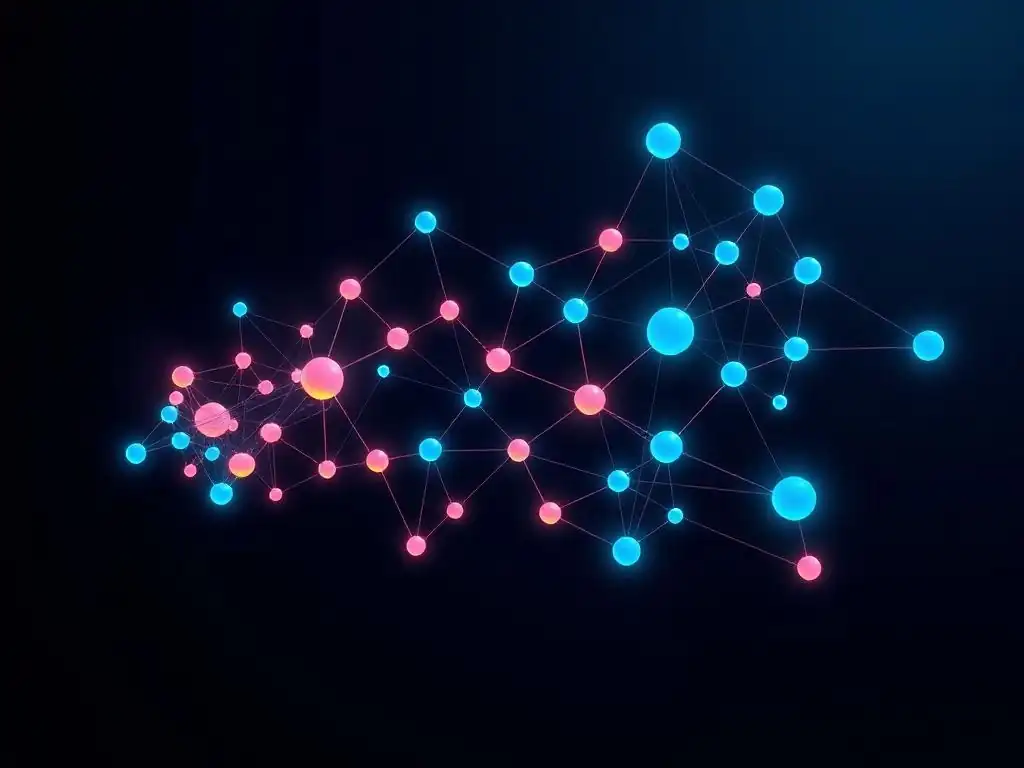
Welcome to Git and Version Control Hub, your central resource for mastering Git! Ever wondered how Git really keeps track of your project's history? This article delves into the fascinating world of Git's underlying structure. Prepare to unlock the secrets behind the Git Directed Acyclic Graph (DAG) tutorial, and discover how this powerful tool ensures data integrity and efficient version control. Intrigued? Let's explore the foundation of Git together!
Understanding Git's History Through its Directed Acyclic Graph (DAG)
- Introduction: Visualizing Project History with Git's DAG
- Core Concepts of Git's Directed Acyclic Graph
- Navigating the Git DAG: Commands and Techniques
- Advanced Git DAG Concepts
- Practical Applications of Understanding the Git DAG
- Git DAG vs. Other Version Control Systems
- Example: Exploring a Simple Git Repository's DAG
- Optimizing Git Performance
- Conclusion: Mastering Git History Through DAG Comprehension
-
Frequently Asked Questions
- How does Git use a Directed Acyclic Graph (DAG) to track history?
- What are the benefits of using a DAG for version control in Git?
- How does a "commit" relate to the Directed Acyclic Graph in Git?
- What happens during a "merge" operation in the context of Git's DAG?
- How can I visualize Git's DAG to understand my project's history better?
- Final Reflection: Unraveling the Threads of Time
- Unleash the Power of Your Git History!
Introduction: Visualizing Project History with Git's DAG
The Importance of Version Control History
Version control history is the backbone of collaborative and efficient software development. It's not just a log of changes; it's a detailed record of the evolution of a project, capturing every modification, decision, and feature implementation. Understanding this history is crucial for several reasons. Firstly, it enables teams to revert to previous states, effectively undoing errors or experimenting with new ideas without fear of losing progress.
Imagine a scenario where a recent code change introduces a critical bug; a well-maintained version history allows developers to quickly identify the problematic commit and roll back to a stable version, minimizing downtime and disruption. Furthermore, version history serves as an audit trail, providing insights into who made what changes and when. This is invaluable for code reviews, debugging, and understanding the context behind specific code segments.
Beyond immediate problem-solving, a robust version history is essential for long-term project maintainability and knowledge transfer. When new developers join a project, the history becomes a learning tool, allowing them to understand the project's architecture, development patterns, and the rationale behind past decisions. By examining the commit messages and the sequence of changes, they can quickly grasp the project's evolution and contribute more effectively. In essence, version control history is not just about tracking files; it's about preserving the intellectual history of a project, fostering collaboration, and ensuring the project's longevity.
What is a Directed Acyclic Graph (DAG)?
A Directed Acyclic Graph, or DAG, is a type of graph in mathematics and computer science. It is characterized by two key properties: it is directed, meaning the relationships between elements have a specific direction, and it is acyclic, meaning it contains no cycles. In simpler terms, imagine a network of nodes connected by arrows.
The arrows indicate direction, moving from one node to another, and in a DAG, you can't start at a node and follow the arrows to return to the same node. DAGs are used to model various types of relationships and dependencies where order and history are important, such as task scheduling, dependency resolution in software packages, and, crucially, version control systems like Git.
In the context of computer science, DAGs are incredibly versatile because they can represent hierarchical structures and dependencies in a clear and efficient manner. For example, in a build process, a DAG can represent the dependencies between different modules, ensuring that components are compiled in the correct order. The acyclic nature is vital because it prevents infinite loops or circular dependencies, which would be problematic in processes like compilation or dependency resolution.
The 'directed' aspect reflects the flow of information or dependency, making it explicit how elements relate to each other. Understanding the fundamental properties of a DAG is the first step towards grasping how Git leverages this structure to manage and represent project history.
Why Git Uses a DAG for Version History Management
Git employs a Directed Acyclic Graph (DAG) to manage version history because a DAG naturally and efficiently represents the branching and merging workflows that are central to modern software development. Unlike linear history models, a DAG can accurately capture parallel development paths and the points at which they diverge and converge.
This is critical for teams working on features in parallel, experimenting with different approaches, and integrating changes from multiple developers seamlessly. The DAG structure allows Git to track not just the changes themselves, but also the relationships between these changes, forming a comprehensive and branching narrative of the project's evolution.
The choice of a DAG is particularly beneficial for Git's non-linear workflow. In a linear history system, branching and merging can become cumbersome and often result in a flattened, less informative history. With a DAG, each branch in Git is essentially a diverging path in the graph, and merges are represented as points where these paths rejoin. This accurately reflects the reality of collaborative development, where multiple features are often developed concurrently and integrated later.
Furthermore, the DAG structure is highly efficient for Git’s internal operations. Operations like branching, merging, and history traversal are optimized by the graph structure, allowing Git to handle complex version histories with speed and reliability, even in very large projects with extensive branching and merging activity. This makes the Git Directed Acyclic Graph tutorial an important aspect for developers to understand for efficient version control.
Core Concepts of Git's Directed Acyclic Graph
Nodes and Edges in a Git DAG
In Git's Directed Acyclic Graph, the core components are nodes and edges, which represent the fundamental elements of version history and their relationships. Nodes in a Git DAG primarily represent commit objects. Each commit object is a snapshot of the entire project at a specific point in time, including all files and directories.
These nodes are uniquely identified by SHA-1 hashes, cryptographic fingerprints that ensure the integrity and uniqueness of each commit. Edges, on the other hand, represent the relationships between these commit objects. Specifically, they indicate the parent-child relationships, showing the lineage and flow of changes through the project's history.
Commit Objects as Nodes
Commit objects are the fundamental building blocks of Git's DAG. Each commit object is more than just a collection of changes; it's a complete snapshot of the project at a given point in time. These objects contain critical metadata, including the author of the changes, the committer (who might be different in scenarios like patch application), a timestamp, and a descriptive commit message explaining the changes introduced.
Crucially, each commit object also points to its parent commit(s), forming the edges of the DAG. The content of a commit is stored as a tree object, which represents the directory structure and file contents at that specific revision.
Because commit objects are identified by SHA-1 hashes, any alteration to a commit, even a single bit, will result in a completely different hash, ensuring immutability and integrity of the version history. This cryptographic hashing is a cornerstone of Git's data model and is essential for the reliability of the Git Directed Acyclic Graph tutorial.
Parent Relationships as Edges
The edges in a Git DAG are defined by parent relationships between commits. Each commit, except for the initial root commit, points back to one or more parent commits. This parent pointer is what creates the directed nature of the graph, showing the flow of history from parent to child commits. In a simple linear history, each commit has only one parent, representing a sequential chain of changes.
However, in branching and merging scenarios, commits can have multiple parents. A merge commit, for example, typically has two parents: the heads of the branches being merged. These parent relationships are crucial for Git to reconstruct the history and understand the lineage of changes. When you examine the Git history, you are essentially traversing these edges, following the parent pointers backward from the latest commit to the root commit, revealing the project's evolution through the DAG structure.
The Root Commit: The Foundation of the DAG
The root commit is the very first commit in a Git repository and serves as the foundational node of the entire Directed Acyclic Graph. Unlike all subsequent commits, the root commit has no parent. It represents the initial state of the project, the very beginning from which all other versions are derived.
When you initialize a new Git repository and make your first commit, you are creating the root commit. It's the origin point in the history, and every branch and commit in the repository can trace its ancestry back to this single point. The root commit is essential because it establishes the starting point for version tracking and provides a stable, unchanging reference for the entire project's history.
While the root commit itself is not special in terms of its structure or content compared to other commits (it's still a commit object with metadata and a tree representing the project state), its significance lies in its role as the ancestor of all other commits. Because it has no parent, it marks the beginning of the DAG, the point from which the project's history diverges and evolves. Understanding the root commit is important for comprehending the overall structure of the Git DAG, as it helps visualize the entire history as a tree-like structure emanating from this initial point. Tools like git log --graph --oneline --decorate --all visually emphasize the root commit as the starting point of the graph, further illustrating its fundamental role in the Git Directed Acyclic Graph tutorial.
Branching and Merging: Impacts on the DAG Structure
Branching and merging are core Git operations that profoundly shape the structure of the Directed Acyclic Graph. Branching creates new, parallel paths of development diverging from a specific commit, effectively creating new branches in the DAG. Each branch represents an independent line of development, allowing teams to work on features, bug fixes, or experiments in isolation without disrupting the main codebase.
When a new branch is created, Git essentially creates a new pointer to a commit, and subsequent commits on that branch extend this new path in the DAG. This branching operation adds new nodes and edges to the graph, representing the parallel development history.
Merging, conversely, is the process of integrating changes from one branch into another. In terms of the DAG, a merge operation typically creates a new commit called a "merge commit." This merge commit has two parents: the heads of the branches being merged. This creates a point of convergence in the DAG, where two separate paths of development are brought back together.
Merge commits are crucial for representing the integration of features or bug fixes back into the main development line. The DAG structure elegantly handles both simple merges (like fast-forward merges) and more complex merges involving divergent histories, accurately capturing the branching and merging workflow that is central to Git. Understanding how branching and merging operations alter the Git Directed Acyclic Graph is vital for effective collaboration and version control.
Using git log to Visualize the DAG
The git log command is the primary tool for visualizing and exploring the Git Directed Acyclic Graph. By default, git log displays commit history in a linear format, showing commits in reverse chronological order. However, with specific options, git log can be transformed to graphically represent the DAG structure, making it much easier to understand branching, merging, and the overall flow of history. Options like --graph, --oneline, --decorate, and --all are particularly useful for DAG visualization, providing different levels of detail and perspectives on the repository's history.
Exploring Commit History with git log --graph
The --graph option in git log is specifically designed to render an ASCII art representation of the DAG in the command line output. When used, git log will display lines and asterisks to visually depict the branching and merging structure of the commit history. This option is incredibly helpful for quickly grasping the non-linear nature of Git history, especially in repositories with frequent branching and merging. Combined with --oneline, which condenses each commit to a single line, and --decorate, which shows branch and tag names, --graph provides a concise yet informative visualization of the DAG. For example, the command git log --graph --oneline --decorate will show a graphical representation of the commit history, with each commit on a single line, decorated with branch and tag pointers, and visually connected to its parents.
Customizing git log Output for DAG Analysis
Beyond the basic --graph option, git log offers a wide array of customization options to tailor the output for in-depth DAG analysis. Options like --author, --grep, and --since can be used to filter commits based on author, commit message content, or date range, allowing you to focus on specific parts of the history. The --pretty option allows you to customize the format of each commit in the output, enabling you to display specific information like commit hashes, author names, dates, and commit messages in various formats (e.g., oneline, short, full, format:<string>). For deeper DAG exploration, options like --walk-reflogs can include reflog entries in the output, providing a more complete history including branch movements and resets. By combining these options, developers can create highly specific git log queries to analyze particular aspects of the Git Directed Acyclic Graph and understand the evolution of their projects in detail. Mastering these customization techniques is crucial for getting the most out of the Git Directed Acyclic Graph tutorial.
Understanding Commit Hashes
Commit hashes, also known as SHA-1 hashes, are unique identifiers for each commit object in Git. These hashes are cryptographic checksums computed based on the content of the commit, including the tree object (representing the file snapshot), parent commit hashes, author and committer information, and the commit message. Because they are derived from the entire commit content, any change to any part of a commit will result in a completely different hash. This property ensures the integrity of the Git history; if a commit is tampered with, its hash will change, and Git will detect the inconsistency. Commit hashes are typically represented as 40-character hexadecimal strings, like e7a9c5816e1b62337c5c9051b0e858ff6a748f4d.
Commit hashes are not just random strings; they are fundamental to how Git references and links commit objects within the DAG. When a commit points to its parent(s), it does so using the parent commit's hash. Branch and tag pointers also store commit hashes, indicating the commit they currently point to. Essentially, commit hashes are the glue that holds the entire DAG together, providing a stable and immutable way to refer to specific points in history. Understanding commit hashes is crucial for navigating the Git DAG, as they are used in almost all Git commands that operate on specific commits, such as git checkout <commit-hash>, git revert <commit-hash>, and when examining commit relationships using git log. They provide a precise and reliable way to address any point in the project's history.
Traversing the DAG with Git Commands
Navigating the Git DAG involves using various Git commands to move through the commit history and explore different branches and commits. Commands like git checkout, git branch, git merge, and git reset all interact with the DAG in different ways, allowing developers to move between commits, create and switch branches, integrate changes, and even rewind history. git checkout <commit-hash> allows you to directly move to a specific commit in the history, effectively traveling back in time within the DAG. git branch <branch-name> <commit-hash> creates a new branch pointer at a specific commit, branching off from that point in the DAG. git merge <branch-name> integrates the history of another branch into the current branch, creating a merge commit and altering the DAG structure by adding a new node with multiple parents.
Understanding how these commands manipulate the DAG is essential for effective Git usage. For instance, git reset --hard <commit-hash> moves the current branch pointer and the working directory to a specific commit, effectively rewriting history from that point onwards. This command directly manipulates the DAG structure by changing branch pointers. Similarly, git rebase rewrites history by moving a branch to start from a different base commit, effectively altering the DAG by changing parent relationships. By combining these commands and visualizing the DAG with git log --graph, developers can gain a deep understanding of their project's history and effectively manage complex branching and merging workflows, making the Git Directed Acyclic Graph tutorial indispensable for advanced Git users.
Advanced Git DAG Concepts
Orphan Commits and DAG Integrity
Orphan commits are commits in a Git repository that are not reachable from any branch or tag. In essence, they are nodes in the DAG that are disconnected from the main history, meaning there is no path from any branch tip to these commits. Orphan commits can arise in various scenarios, such as when branches are deleted or when commits are removed using commands like git filter-branch or interactive rebasing (if not done carefully). While orphan commits are not inherently problematic, they can sometimes indicate unintended history alterations or lost work if they were not created intentionally. Git's garbage collection process, git gc, is designed to eventually remove unreachable objects, including orphan commits, to optimize repository size and performance.
Despite the potential for orphan commits, Git's DAG structure is inherently designed for integrity. The cryptographic hashing of commit objects ensures that once a commit is created and part of the reachable history, it cannot be altered without changing its hash and breaking the chain of parent pointers. This immutability is a cornerstone of Git's data model and ensures that the historical record is trustworthy.
While orphan commits might exist in isolation, the integrity of the connected DAG, the main history accessible through branches and tags, remains robust. Understanding orphan commits and Git's integrity mechanisms is important for maintaining a clean and reliable repository history.
Detecting and Resolving DAG Corruption
While rare, Git DAG corruption can occur due to hardware failures, file system errors, or manual manipulation of Git's internal files. DAG corruption typically manifests as inconsistencies in the object database, broken links between commits, or inability to access certain parts of the history. Git provides tools to detect and, in some cases, resolve DAG corruption. The git fsck command (file system consistency check) is a primary tool for verifying the integrity of the Git repository. git fsck --full performs a more thorough check, looking for dangling and corrupted objects, and verifying the connectivity and structure of the DAG.
If git fsck detects corruption, the severity and nature of the corruption will determine the recovery options. In some cases, Git might be able to automatically repair minor inconsistencies. For more severe corruption, recovery might involve using backups, reflogs (discussed in the next section), or, in extreme scenarios, manual object database repair (which is highly advanced and generally discouraged). Regularly running git fsck can help proactively detect potential corruption issues before they lead to data loss or significant problems. Understanding how to detect and address DAG corruption is a critical aspect of advanced Git repository management and ensures the reliability of the Git Directed Acyclic Graph tutorial in real-world scenarios.
Reflogs and DAG Recovery
Reflogs, or "reference logs," are a safety net in Git, providing a detailed record of updates to branch tips and other references (like HEAD). Every time a branch tip is updated (e.g., by committing, branching, merging, resetting), an entry is added to the reflog for that branch. Reflogs are crucial for DAG recovery because they often contain references to commits that might have become unreachable due to accidental resets, hard rebases, or branch deletions. Even if a commit becomes an orphan commit and is no longer directly referenced by any branch or tag, it might still be accessible through the reflog.
Reflogs are invaluable for recovering from accidental history rewrites or data loss scenarios. If you accidentally perform a git reset --hard and lose recent commits, you can often use git reflog to find the commit hash of your lost work and then use git reset --hard <commit-hash> to restore your branch to that state. The command git reflog displays the reflog entries, showing the history of branch tip movements. By examining the reflog, you can identify commit hashes that are no longer part of the main DAG but are still recorded in the reflog history. Reflogs are typically enabled by default and are a powerful tool for recovering from mistakes and ensuring that even seemingly lost commits can often be retrieved, providing a robust safety mechanism for Git users and enhancing the practical value of the Git Directed Acyclic Graph tutorial.
Practical Applications of Understanding the Git DAG
Resolving Complex Merge Conflicts
Understanding the Git Directed Acyclic Graph is immensely helpful when resolving complex merge conflicts. Merge conflicts arise when Git cannot automatically integrate changes from different branches, typically because the same lines of code have been modified in both branches. Visualizing the DAG, especially using git log --graph, can provide crucial context about the divergence and convergence points of the branches involved in the merge. By examining the DAG, developers can understand the history of changes in both branches leading up to the conflict, making it easier to understand the nature of the conflicting modifications.
For example, when faced with a complex merge conflict, examining the DAG can reveal if the conflict is due to logically related changes made in parallel or if it's a result of more divergent development paths. Tools like git merge-tree and visual merge tools, when used in conjunction with DAG visualization, become much more powerful. Understanding the ancestor commits and the sequence of changes on each branch helps in making informed decisions about how to resolve the conflict. Instead of blindly accepting changes, developers can use their understanding of the DAG to strategically resolve conflicts in a way that maintains the integrity and logical flow of the codebase. This deeper understanding of the history through the DAG significantly improves the efficiency and accuracy of complex merge conflict resolution.
Identifying Bug Origins Through History Analysis
The Git DAG is an invaluable resource for identifying the origins of bugs through history analysis. When a bug is discovered, tracing its introduction point is crucial for efficient debugging and fixing. By using commands like git bisect, which automates binary search through the commit history, developers can pinpoint the exact commit that introduced a bug. Understanding the DAG enhances this process by providing context about the changes introduced in the suspect commit and its surrounding commits. Visualizing the DAG around the commit identified by git bisect can reveal related changes made around the same time, potentially offering clues about the root cause of the bug.
Furthermore, examining the commit message and the changes introduced in the bug-introducing commit, in the context of the DAG, can provide valuable insights. Were there any merges or branch integrations around that time? Were there any major refactoring efforts? Understanding the broader historical context, as represented by the DAG, can help developers formulate hypotheses about the bug's origin and devise effective debugging strategies. The DAG allows developers to move beyond simply identifying when a bug was introduced to understanding why and how it might have been introduced, significantly accelerating the debugging process.
Optimizing Git Workflow with DAG-Based Strategies
A solid understanding of the Git DAG enables developers to optimize their Git workflow and adopt more effective version control strategies. For example, understanding how branching and merging impact the DAG allows teams to design branching strategies that are well-suited to their development process.
Teams can choose between different branching models like Gitflow, GitHub Flow, or GitLab Flow, based on their understanding of how these models will structure the DAG and facilitate collaboration. For instance, teams that frequently release features might benefit from a branching strategy that emphasizes short-lived feature branches and frequent merges, creating a DAG that reflects this rapid iteration cycle.
Furthermore, understanding the DAG helps in making informed decisions about when to use commands like merge vs. rebase. While both commands integrate changes from one branch to another, they result in different DAG structures. merge creates a merge commit, preserving the branch history and creating a non-linear DAG, while rebase rewrites history to create a linear DAG (or a less branching DAG if rebasing onto a feature branch). Choosing between these commands based on a clear understanding of their DAG implications can lead to a cleaner, more understandable project history. Optimizing Git workflow with DAG-based strategies leads to better collaboration, improved history clarity, and more efficient version control practices.
Git DAG vs. Other Version Control Systems
Comparing Git's DAG to Linear History Models
Traditional version control systems like SVN and CVS often employ a linear history model, where changes are recorded as a single, sequential timeline. In a linear history model, branching and merging are typically represented as copies or tags, and the true branching history is often flattened or lost. In contrast, Git's Directed Acyclic Graph inherently represents branching and merging as first-class operations, preserving the complete, non-linear history of development. This fundamental difference in history representation has significant implications for workflow flexibility and historical accuracy.
Linear history models struggle to accurately represent parallel development and complex branching scenarios. While branching is possible in linear systems, it is often treated as creating a separate copy rather than a true divergence in history. Merging in linear systems can be complex and may not always accurately reflect the point of integration.
Git's DAG, on the other hand, excels at handling complex branching and merging, accurately capturing parallel development paths and the points where they converge. This makes Git's DAG significantly more powerful and flexible for modern software development practices that often involve extensive branching and collaborative, parallel work.
Advantages of DAGs for Branching and Parallel Development
The Directed Acyclic Graph structure offers several key advantages over linear history models, particularly for branching and parallel development. Firstly, DAGs provide a more accurate and complete representation of project history in branching scenarios. They preserve the full history of each branch and the relationships between branches, making it easier to understand the evolution of different features or development streams. This detailed history is invaluable for debugging, auditing, and understanding the context of changes.
Secondly, DAGs facilitate more flexible and efficient branching and merging workflows. Git's DAG allows for lightweight branching and merging operations, making it easy to create and integrate branches frequently. This encourages parallel development, experimentation, and feature isolation, leading to faster development cycles and improved team collaboration. The DAG structure also optimizes Git's internal operations for branching and merging, making these operations fast and efficient even in large repositories with complex histories. The ability to effectively manage branching and parallel development is a significant advantage of Git's DAG-based approach.
Considerations for Large and Complex Git Repositories
While Git's DAG is highly efficient, very large and complex Git repositories, especially those with extensive history and numerous branches, can present performance challenges. The size of the object database and the complexity of the DAG can impact operations like git log, git status, and garbage collection. Traversing a very large DAG can become computationally intensive, potentially slowing down certain Git operations.
However, Git provides several strategies for mitigating these performance challenges in large repositories. These include using shallow clones to reduce the amount of history downloaded, optimizing repository structure, using git gc regularly to prune unreachable objects and pack the object database, and employing techniques like commit graph optimization. Understanding the potential performance implications of large DAGs and employing these optimization strategies is important for maintaining responsiveness and efficiency in very large and long-lived Git repositories. Despite these considerations, the benefits of Git's DAG structure for history tracking and version control generally outweigh the performance challenges, especially when proper repository management practices are followed.
Example: Exploring a Simple Git Repository's DAG
Setting up a Git Repository
To practically explore the Git Directed Acyclic Graph, let's start by setting up a simple Git repository. Open your terminal and navigate to a directory where you want to create the repository. Run the command mkdir git-dag-example to create a new directory, and then cd git-dag-example to enter it. Inside this directory, initialize a Git repository by running git init. This command creates a .git subdirectory, which is the core of your Git repository, containing the object database, index, and configuration files. At this point, your repository is initialized, but it's empty, with no commits yet.
To add files to the repository, create a new file, for example, example.txt, and add some content to it, like "Initial content.". Then, stage this file using git add example.txt. Staging prepares the file to be included in the next commit. Finally, create the initial commit by running git commit -m "Initial commit". This command creates the root commit of your DAG, containing the example.txt file and the commit message "Initial commit". You now have a basic Git repository with a single commit, forming the starting point for exploring the DAG.
Creating Commits and Branches
Let's expand our simple repository by creating more commits and branches to see how they impact the DAG. Modify example.txt to add a new line, for instance, "Added line two.". Stage the change with git add example.txt and commit it with git commit -m "Second commit". Now, create a new branch named feature-branch using git branch feature-branch. This command creates a new branch pointer pointing to the current commit, but doesn't switch to the new branch yet. Switch to the new branch using git checkout feature-branch.
On the feature-branch, modify example.txt again, adding "Feature branch modification.". Stage and commit this change with git add example.txt and git commit -m "Commit on feature branch". Now, switch back to the main branch (or master depending on your Git configuration) using git checkout main. Modify example.txt again on the main branch by adding "Main branch modification.". Stage and commit this change with git add example.txt and git commit -m "Commit on main branch". You have now created a repository with a main branch and a feature branch, each with a few commits, setting the stage for observing branch divergence in the DAG.
Performing Merges and Observing DAG Changes
To observe how merges affect the DAG, let's merge the feature-branch into the main branch. Ensure you are on the main branch by running git checkout main. Then, execute the command git merge feature-branch. Git will perform a merge, and if there are no conflicts (which there shouldn't be in this example), it will create a merge commit. The merge commit will have two parents: the last commit on the main branch and the last commit on the feature-branch. This merge operation will create a point of convergence in the DAG, demonstrating how branches are integrated.
After the merge, use git log --graph --oneline --decorate --all to visualize the DAG. You should see a graphical representation showing the branching of feature-branch from main, the commits made on each branch, and the merge commit bringing them back together. The output will visually demonstrate the non-linear nature of the DAG, with branches diverging and merging, illustrating how Git tracks history in a branching and merging workflow. This practical example provides a hands-on understanding of how Git's DAG structure evolves with commits, branches, and merges.
Visualizing the DAG with git log --graph
Finally, let's focus on visualizing the DAG of our example repository using git log --graph. Run the command git log --graph --oneline --decorate --all in your git-dag-example repository. The output will display an ASCII art representation of the DAG in your terminal. You should see lines connecting commits, indicating parent-child relationships. Branches ( main, feature-branch) will be decorated, showing where they point in the DAG. The oneline option makes the output concise, showing each commit on a single line with its hash and commit message. The --all option ensures that all branches and references are included in the visualization.
By examining the output of git log --graph, you can trace the history of your repository, see how branches diverge and merge, and understand the flow of changes. Experiment with adding more commits, branches, and merges to your repository and then re-run git log --graph to observe how the DAG evolves. Try different git log options, such as --pretty=format:"%h %ad | %s%d [%an]" --graph --date=short --branches=* for a more customized output format. This hands-on practice with git log --graph is essential for developing a strong visual understanding of the Git Directed Acyclic Graph and how it represents project history.
Optimizing Git Performance
The Impact of Repository Size on DAG Traversal
The size of a Git repository, particularly the size of its object database and the complexity of its Directed Acyclic Graph, can significantly impact Git performance. Larger repositories with extensive commit histories and numerous branches require Git to process and traverse a more complex DAG during various operations. Commands like git log, git status, git branch, and garbage collection can become slower in very large repositories as Git needs to navigate and analyze a larger and more intricate graph structure. The time taken to traverse the DAG is directly related to the number of commits, branches, and the overall complexity of the history.
For example, running git log on a repository with hundreds of thousands of commits will naturally take longer than on a repository with only a few commits because Git has to traverse a much larger portion of the DAG to generate the history output. Similarly, operations that involve calculating reachability or diffing across a large history, such as garbage collection or certain merge operations, can also be affected by the size and complexity of the DAG. Understanding this performance impact is crucial for managing large Git repositories effectively and implementing strategies to maintain optimal performance.
Strategies for Maintaining DAG Efficiency
To maintain DAG efficiency and optimize Git performance in large repositories, several strategies can be employed. Firstly, regular garbage collection using git gc is essential. git gc prunes unreachable objects from the object database, packs objects for storage efficiency, and optimizes the repository's internal structure. Running git gc --aggressive can further optimize the repository, although it may take longer to complete. Secondly, using shallow clones ( git clone --depth=<depth>) can significantly reduce the initial clone time and repository size by limiting the amount of history downloaded. Shallow clones are particularly useful when the full history is not immediately required.
Another strategy is to optimize the repository structure. Avoiding unnecessary large files in the repository and using .gitignore to exclude build artifacts and temporary files can help keep the repository size manageable. Commit graph optimization, a newer Git feature, can significantly improve the performance of commit graph traversal operations, especially in repositories with deep and complex histories. Enabling commit graph write and read can speed up commands like git log and git status. Finally, regularly reviewing and cleaning up old branches and tags can help reduce DAG complexity over time. Implementing these strategies can significantly improve Git performance and maintain DAG efficiency in large and complex repositories.
Using git gc for Repository Optimization
The git gc (garbage collection) command is a crucial tool for optimizing Git repository performance and maintaining DAG efficiency. git gc performs several important maintenance tasks, including: removing unreachable objects, packing objects into packfiles to reduce storage space, and pruning reflog entries that are older than a certain threshold. Unreachable objects are objects in the Git database that are no longer referenced by any commits, branches, or tags. These objects accumulate over time due to history rewrites, branch deletions, and other operations. git gc identifies and removes these objects, reclaiming disk space and reducing the size of the object database.
Packing objects involves compressing and combining multiple loose objects into packfiles. Packfiles are more efficient for storage and retrieval, improving Git's overall performance. git gc automatically repacks objects as needed to maintain repository efficiency. Running git gc --aggressive performs a more thorough optimization, including more aggressive object packing and reflog pruning, potentially resulting in further performance improvements and disk space savings. Regularly running git gc, especially in large and actively used repositories, is a best practice for maintaining optimal Git performance and ensuring the long-term health of the repository and its DAG structure.
Conclusion: Mastering Git History Through DAG Comprehension
Key Takeaways on Git's Directed Acyclic Graph
The Directed Acyclic Graph (DAG) is the fundamental data structure that underpins Git's version control system. Understanding the DAG is crucial for mastering Git and effectively managing project history. Key takeaways include: the DAG represents commit history as a graph of nodes (commits) and directed edges (parent relationships); branching and merging operations directly shape the DAG structure, creating parallel paths and points of convergence; git log --graph is the primary tool for visualizing and exploring the DAG; commit hashes are unique identifiers that link objects within the DAG and ensure history integrity; and DAG-based strategies can optimize Git workflow and enhance collaboration. Comprehending the Git Directed Acyclic Graph tutorial empowers developers to leverage Git's full potential for version control and collaborative development.
Further Resources for Git Mastery
To further deepen your understanding of Git and the DAG, several resources are available. The official Git documentation is an excellent starting point, providing comprehensive information on Git concepts, commands, and internals. Online tutorials and interactive Git learning platforms offer hands-on exercises and visual explanations of Git concepts, including the DAG. Books like "Pro Git" by Scott Chacon and Ben Straub provide in-depth coverage of Git internals and advanced topics. Exploring blog posts and articles on Git workflows, branching strategies, and repository optimization can also enhance your practical Git skills. Experimenting with Git commands, visualizing DAGs using git log --graph, and practicing real-world Git workflows are essential for solidifying your understanding and becoming a proficient Git user.
The Evolution of Version Control and Graph-Based History
The adoption of graph-based history models, like Git's DAG, represents a significant evolution in version control systems. Traditional linear history models, while simpler, often fall short in representing the complexities of modern software development, particularly parallel development and branching workflows. DAGs offer a more accurate and flexible representation of project history, better reflecting the non-linear and collaborative nature of contemporary software development practices.
The success and widespread adoption of Git have demonstrated the power and advantages of graph-based version control. As software development continues to evolve towards more collaborative, distributed, and rapid-iteration models, graph-based version control systems are likely to become even more prevalent, solidifying the importance of understanding concepts like the Git Directed Acyclic Graph tutorial for developers.
Frequently Asked Questions
How does Git use a Directed Acyclic Graph (DAG) to track history?
Git employs a DAG to represent the project's history as a series of interconnected commits. Each commit points to its parent commit(s), forming a graph structure. This allows for branching and merging, while ensuring the graph remains acyclic.
What are the benefits of using a DAG for version control in Git?
The DAG structure enables Git to efficiently track changesets and maintain a complete history of the project. It also facilitates branching and merging without data loss or corruption, making collaboration easier.
How does a "commit" relate to the Directed Acyclic Graph in Git?
Each commit in Git represents a snapshot of the project at a specific point in time. It's a node in the DAG, containing the code changes, author information, and a pointer to its parent commit(s).
What happens during a "merge" operation in the context of Git's DAG?
A merge operation creates a new commit that has multiple parent commits. This new commit combines the changes from the merged branches, effectively joining different development paths in the DAG.
How can I visualize Git's DAG to understand my project's history better?
Tools like git log --graph or GUI clients such as GitKraken or SourceTree can visually represent the DAG. These tools help you see the branching structure and the relationships between different commits.
Final Reflection: Unraveling the Threads of Time
The journey through Git's Directed Acyclic Graph (DAG) reveals more than just a technical architecture; it exposes a powerful metaphor for understanding history itself. The ability to visualize and navigate the branching narratives of software development, and indeed any collaborative project, is profoundly relevant in our increasingly complex and interconnected world. We are constantly building upon the past, creating new branches of innovation, and merging ideas in ways that echo the very structure of the DAG.
This intricate web of commits and branches has not only revolutionized software development but has also subtly influenced how we perceive collaboration and version control in other fields. The DAG's inherent transparency and traceability offer a compelling model for managing information and fostering accountability, a concept that resonates deeply in an era grappling with misinformation and the need for verifiable sources. Those who cannot remember the past are condemned to repeat it.
- George Santayana. This quote underscores the importance of understanding the lineage of ideas, a task that Git's DAG so elegantly facilitates.
As you navigate your own projects, and indeed your own life, consider the power of visualizing your progress as a DAG. Embrace the branching paths, the inevitable merges, and the occasional need to revert to a previous state. Let the principles of Git's DAG inspire you to document your journey, track your changes, and collaborate effectively, knowing that every commit, every branch, contributes to a richer, more resilient, and ultimately, more meaningful narrative.
Unleash the Power of Your Git History!
Thank you for exploring the fascinating world of Git's directed acyclic graph (DAG)! Now that you understand how Git uses this structure to track your project's history, it's time to put that knowledge into practice. Let's unlock new ways to leverage your repository's past.
Here are some actions you can take to solidify your understanding:
- Dive into your own repositories and visualize the commit history of a complex feature branch. Seeing the DAG in action is crucial for comprehension.
- Experiment with Git commands like
git log --graph,gitk, orgitgto explore different visual representations of your repository's DAG. - Share your newfound understanding! Explain the concept of a DAG to a colleague new to Git. Teaching is a powerful learning tool.
What surprising connections did you uncover in your Git history today? Share your discoveries in the comments below!