
The Ultimate Guide to Git Advanced Branching: Release, Hotfix, Support Branches

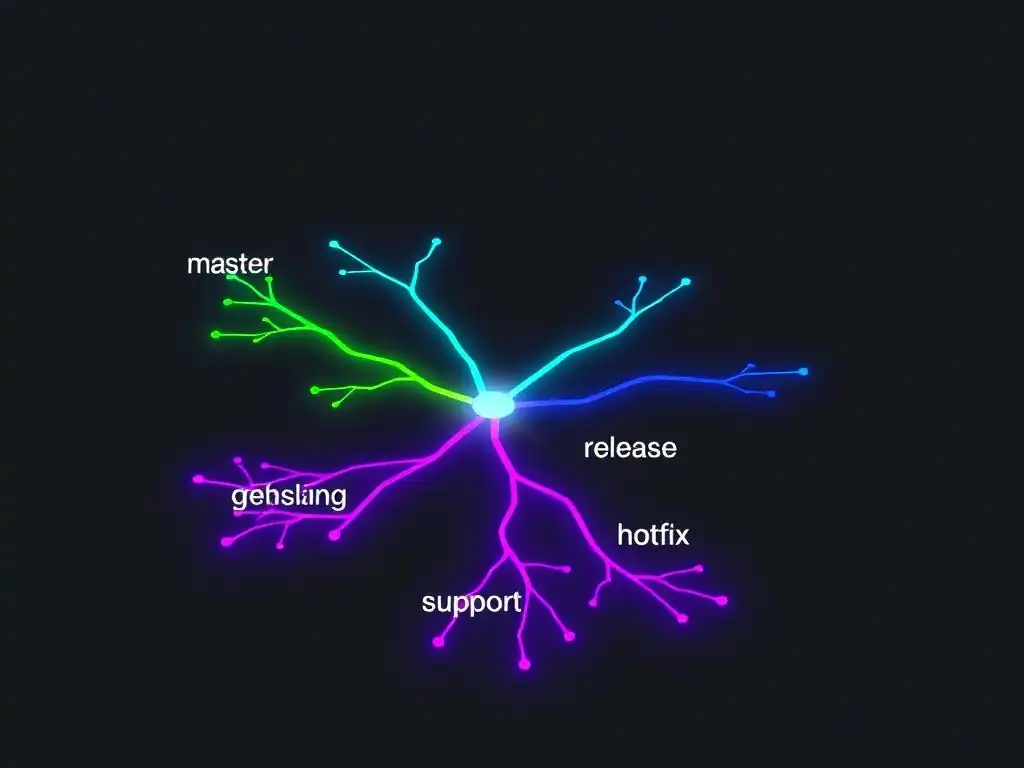
Welcome to Git and Version Control Hub!
Are you ready to take your Git skills to the next level? Dive into our comprehensive guide and unlock the power of advanced Git branching techniques. Discover how to effectively manage your workflow with release, hotfix, and support branches, ensuring seamless collaboration and efficient project management. Curious about how these strategies can revolutionize your development process? Keep reading to find out!
- Release Branches: Preparing and Deploying Software Releases
- Hotfix Branches: Addressing Critical Issues in Production Environments
- Support Branches: Providing Long-Term Maintenance for Older Releases
- Frequently Asked Questions
- Final Reflection: Mastering the Art of Collaborative Development
- Unlock Your Git Power: Conquer Branching Like a Pro!
Release Branches: Preparing and Deploying Software Releases
Understanding the Purpose of Release Branches
Release branches are a critical component of advanced Git branching techniques, serving as a dedicated space to prepare for software deployments. Unlike feature branches, which focus on individual functionalities, release branches are designed to stabilize and refine the codebase for an upcoming release.
They act as a buffer between the ongoing development efforts in the main branch (or develop branch in Gitflow) and the production-ready state. This isolation is crucial for ensuring that the main development line remains open for new features while the release branch undergoes final testing, bug fixes, and documentation updates specifically targeted for the upcoming version.
The primary purpose of a release branch is to allow for a period of stabilization and refinement before deploying a new version of the software. This involves tasks such as final bug fixes, performance optimizations, updating documentation, and preparing release notes. By isolating these activities in a dedicated branch, the development team can continue working on new features without destabilizing the release process.
This separation minimizes the risk of introducing regressions or conflicts into the release candidate, leading to a more stable and predictable deployment process. Release branches essentially provide a focused environment to polish the software and ensure it meets the quality standards expected for a production release.
Creating a Release Branch: From Development to Production
The creation of a release branch is a pivotal step in the release management process and a key element of advanced Git branching techniques. Typically, a release branch is forked from the main development branch (often named develop in Gitflow or main in simpler workflows). This branching point signifies the beginning of the release preparation phase. The naming convention for release branches usually follows a pattern like release-x.y.z, where x.y.z represents the version number of the upcoming release. For example, if you are preparing to release version 2.5.1 of your software, you would create a branch named release-2.5.1 from the develop branch.
Once the release branch is created, it becomes the focal point for all activities related to preparing the software for production. Developers will switch to this branch to perform final bug fixes, conduct thorough testing, and update any release-specific documentation. Crucially, no new features are merged directly into the release branch.
Any new features are developed and merged into the main development branch, and they will be included in a subsequent release. This separation ensures that the release branch remains stable and focused solely on preparing the current version for deployment. Think of it as creating a dedicated assembly line for the current product version, separate from the ongoing innovation and development line.
Finalizing a Release: Versioning, Testing, and Documentation
Finalizing a release within a release branch involves several critical steps that are essential for a successful deployment. Versioning is a primary task, where the software's version number is updated within the release branch to accurately reflect the upcoming release (e.g., updating version numbers in configuration files, package managers, or about sections). This ensures clear identification and tracking of the deployed software version.
Thorough testing is paramount at this stage. QA teams will focus on rigorous testing within the release branch, specifically targeting release-critical functionalities and regression testing to ensure no new issues have been introduced during the stabilization process. Performance testing and security audits are also often conducted in this phase.
Documentation is another key area finalized in the release branch. Release notes detailing new features, bug fixes, and known issues are prepared. User manuals, API documentation, and installation guides are reviewed and updated to align with the released version. This comprehensive documentation ensures that users have the necessary information to effectively use the new release. Essentially, the release branch becomes a staging area where all elements of the release – code, versioning, tests, and documentation – are brought together, polished, and validated before being promoted to production. This meticulous process minimizes risks and ensures a high-quality software release.
Merging Release Branches: Promoting Stability and Tagging
Merging a release branch is the culmination of the release preparation process and is a critical aspect of advanced Git branching techniques. Once the release branch has been thoroughly tested, finalized, and deemed ready for production, it needs to be merged into two key branches: the main branch (e.g., main or master) and back into the main development branch (e.g., develop). Merging into the main branch represents the promotion of the release to production. This merge signifies that the code in the main branch now reflects the released version of the software. Simultaneously, merging back into the development branch is crucial to ensure that any bug fixes or stabilization changes made in the release branch are incorporated back into the ongoing development stream. This prevents the reintroduction of fixed bugs in future feature development.
After merging into both branches, it is standard practice to tag the commit on the main branch that represents the release. Tagging creates a permanent snapshot of the released version, using the version number as the tag name (e.g., v2.5.1). This tag serves as an immutable marker, allowing for easy retrieval of the exact codebase that was released at any point in the future. Tags are invaluable for auditing, rollback procedures, and creating hotfix branches if needed. The merging and tagging process effectively solidifies the release, ensuring that the production codebase is up-to-date and that a clear, versioned record of the release is maintained within the Git repository.
Post-Release Tasks: Monitoring and Maintenance
Even after a successful release, the work related to a release branch is not entirely finished. Post-release tasks are crucial for ensuring the continued stability and success of the deployed software. Monitoring the production environment is paramount immediately after a release. Teams actively monitor application performance, error logs, and user feedback to quickly identify and address any unforeseen issues that may arise in the live environment. Performance metrics, error rates, and user reports are closely scrutinized to detect anomalies or regressions that may have slipped through pre-release testing.
Furthermore, the release branch may remain active for a short period after the initial deployment for what is sometimes termed "post-release maintenance". This involves addressing any critical bugs or issues discovered in the immediate post-release phase. If minor hotfixes are required shortly after the release, they might initially be applied to the release branch before being merged into both main and develop. However, for more significant issues or for longer-term maintenance, dedicated hotfix or support branches (discussed later) would typically be used. The post-release monitoring and potential short-term maintenance period ensure a smooth transition to the new version and demonstrate a commitment to ongoing software quality and user satisfaction.
Hotfix Branches: Addressing Critical Issues in Production Environments
Understanding the Need for Hotfix Branches
Hotfix branches are an indispensable part of advanced Git branching techniques, specifically designed to address critical issues in production environments swiftly and efficiently. Unlike regular bug fixes that can be incorporated into feature branches and released in a scheduled manner, hotfixes are reserved for urgent problems that are impacting live users or systems and require immediate attention.
These issues can range from security vulnerabilities and data corruption to critical functional bugs that are disrupting core business operations. The urgency stems from the fact that these problems are directly affecting the live product and potentially causing significant negative consequences, such as service outages, security breaches, or financial losses.
The primary need for hotfix branches arises from the requirement to quickly isolate, fix, and deploy a solution to production without disrupting the ongoing development workflow. Imagine a scenario where a critical security flaw is discovered in the currently released version of your application. Waiting for the next scheduled release cycle to address this vulnerability is simply not an option.
A hotfix branch provides a streamlined process to create a dedicated branch directly from the production codebase, implement the necessary fix, thoroughly test it in isolation, and rapidly deploy the corrected version to production. This bypasses the regular feature development and release cycle, ensuring the fastest possible resolution for critical production issues.
Creating a Hotfix Branch from a Production Release Tag
Creating a hotfix branch is a precise process that starts directly from the currently deployed version in production. In advanced Git branching techniques, this typically means branching off from a tag that represents the specific release version that is experiencing the critical issue. Recall that release branches are tagged upon deployment to production (e.g., v2.5.1). To create a hotfix branch for version 2.5.1, you would checkout this tag and create a new branch from it, often named following a convention like hotfix-2.5.1-issue-description or simply hotfix/issue-description. Branching from the tag is crucial because it ensures that the hotfix is applied to the exact codebase that is currently running in production, minimizing the risk of introducing unintended side effects or incompatibilities.
This approach differs significantly from feature branches, which are branched off from the development branch. Hotfix branches are specifically designed to address issues in production releases, so they must originate from the production version. By branching from the release tag, developers are working with a precise snapshot of the production code, ensuring that the fix is tailored to the exact context of the problem.
This targeted approach is essential for maintaining stability and minimizing disruption during the hotfix process. It’s like performing emergency surgery – you need to operate on the precise location of the problem, starting from the current state of the patient (production code).
Developing and Testing the Hotfix
Once the hotfix branch is created, the development process focuses solely on implementing the necessary fix for the critical production issue. The scope of work in a hotfix branch is deliberately kept narrow and focused. The goal is to address the specific problem with minimal code changes, reducing the risk of introducing new bugs or regressions. Developers working on a hotfix branch prioritize speed and stability, aiming to create the smallest, most effective fix possible. Extensive new feature development or refactoring is strictly avoided in hotfix branches.
Testing the hotfix is crucial before deploying it to production. Although speed is of the essence, thorough testing cannot be compromised. Testing in a hotfix context often involves a focused approach, concentrating on verifying that the hotfix effectively resolves the reported issue and that it does not introduce any new problems, particularly regressions in critical functionalities.
Depending on the severity and complexity of the hotfix, testing may include unit tests, integration tests, and potentially even expedited user acceptance testing in a staging environment that closely mirrors production. The testing phase is a critical gatekeeper, ensuring that the hotfix is both effective and safe to deploy to production.
Merging a Hotfix Branch: Prioritizing Stability and Speed
Merging a hotfix branch is a process that prioritizes both stability and speed, reflecting the urgent nature of production issues. After the hotfix has been developed and thoroughly tested, it needs to be merged back into the main branch (e.g., main or master) and also into the main development branch (e.g., develop). Merging into the main branch immediately deploys the hotfix to production, resolving the critical issue for users. This merge is typically expedited and may involve a streamlined code review process to ensure speed without sacrificing code quality.
Simultaneously, it is essential to merge the hotfix back into the development branch. This ensures that the fix is incorporated into the ongoing development stream, preventing the re-emergence of the same issue in future releases. If release branches are being used (as in Gitflow), the hotfix should also be merged into the current release branch to ensure that the fix is included in the next planned release.
The merging process for hotfixes is a delicate balance between speed and stability. While rapid deployment to production is the primary goal, it is equally important to maintain code quality and ensure that the fix is properly integrated into the development and release pipelines for long-term maintenance.
Ensuring Code Quality After a Hotfix
While speed is paramount in deploying hotfixes, ensuring code quality after a hotfix is equally critical for long-term stability. The urgency of a hotfix situation can sometimes lead to shortcuts or less rigorous processes than typical feature development. Therefore, post-hotfix actions are essential to maintain code quality and prevent technical debt accumulation.
Following the immediate deployment of a hotfix, it is important to conduct a more thorough code review of the hotfix changes. This review can be performed after the immediate pressure of the production issue has subsided and can focus on identifying any potential areas for improvement, ensuring code clarity, and confirming adherence to coding standards.
Furthermore, it is good practice to add unit tests or integration tests that specifically cover the hotfix. This ensures that the fix is well-tested and prevents regressions in the future. If the hotfix was implemented under time pressure, there might be opportunities to refactor or improve the code in the hotfix branch after the immediate crisis is resolved.
This could involve improving code clarity, optimizing performance, or addressing any potential edge cases that were not fully considered during the initial fix. The goal is to integrate the hotfix cleanly and robustly into the codebase, treating it as a valuable learning experience that strengthens the overall software quality and resilience.
Support Branches: Providing Long-Term Maintenance for Older Releases
When to Implement Support Branches
Support branches, a sophisticated element within advanced Git branching techniques, are implemented when long-term maintenance is required for older, released versions of software. These branches become necessary when a company or project continues to support multiple versions of its software concurrently. This is common in scenarios where users may not immediately upgrade to the latest version due to various reasons such as compatibility issues, regulatory compliance, or internal policies. For instance, enterprise software or operating systems often require extended support for older versions to accommodate users who cannot or choose not to upgrade to the newest release.
The decision to implement support branches typically arises when the cost and effort of forcing all users to upgrade outweigh the benefits of maintaining older versions. If a significant user base relies on older versions and requires ongoing bug fixes, security patches, or critical updates, then creating support branches becomes a viable and often necessary strategy. Without support branches, maintaining older versions would become cumbersome and error-prone, potentially leading to security vulnerabilities and dissatisfied customers. Support branches allow for targeted maintenance of specific older releases without disrupting the development of newer versions.
Creating a Support Branch from a Release Tag
Creating a support branch is a deliberate and version-specific process, deeply rooted in advanced Git branching techniques. A support branch is always created from a release tag that corresponds to the specific older version requiring long-term maintenance. Similar to hotfix branches, this ensures that the support efforts are directed at the exact codebase of the maintained version. For example, if you need to provide long-term support for version 1.2.0 of your software, which was tagged as v1.2.0, you would checkout this tag and create a new branch from it, typically named following a convention like support-1.2.x or support/1.2. The x in the branch name often indicates that this branch will encompass all patches and fixes for the 1.2 series of releases.
Branching from the release tag is crucial for isolating the maintenance work to the specific version. It prevents accidental introduction of changes from newer versions and ensures that fixes applied to the support branch are relevant and compatible with the older codebase. The support branch effectively becomes a dedicated maintenance channel for that specific release version, allowing developers to apply patches and fixes without affecting the main development line or newer releases. This precise branching strategy is essential for managing the complexities of supporting multiple software versions concurrently.
Applying Bug Fixes and Security Patches to Support Branches
The primary purpose of support branches is to provide a focused environment for applying bug fixes and security patches to older software releases. When a bug or security vulnerability is discovered in a supported older version, the fix is developed and tested directly within the relevant support branch. The scope of changes in a support branch is typically limited to addressing specific issues and maintaining stability. New features or major enhancements are generally not introduced into support branches; the focus is purely on corrective maintenance.
Applying patches to a support branch usually involves cherry-picking commits from the main development branch or creating specific fixes tailored to the older codebase. Thorough testing within the support branch is essential to ensure that the patches effectively resolve the issues and do not introduce regressions or break compatibility with the older version.
The process is designed to be as minimally invasive as possible, aiming to maintain the stability and predictability of the supported release while addressing critical issues. By concentrating maintenance efforts within dedicated support branches, organizations can efficiently provide ongoing support for older versions without disrupting the development of newer software releases.
Managing Multiple Support Branches
In scenarios where a company supports multiple older versions of its software, managing multiple support branches becomes necessary. This complexity is a hallmark of advanced Git branching techniques in real-world software maintenance. For each supported older version, a dedicated support branch is created and maintained. For example, you might have support-1.2.x, support-1.3.x, and support-1.4.x branches, each corresponding to a different supported version of your software. Managing multiple support branches requires careful organization and tracking to ensure that patches and fixes are applied to the correct branches and versions.
Effective management often involves clear naming conventions, documentation of supported versions and their corresponding branches, and well-defined processes for applying patches and releasing updated versions from support branches. Tools and scripts can be helpful in automating tasks such as cherry-picking patches across multiple support branches or generating release notes for each supported version. Maintaining multiple support branches demands a disciplined approach to version control and release management, ensuring that each supported version receives the necessary maintenance while minimizing the risk of errors and confusion.
Deprecating Support Branches: End-of-Life Strategies
Eventually, the need to support older software versions diminishes, and support branches reach their end-of-life. Deprecating a support branch is a crucial part of the software lifecycle management and an important consideration in advanced Git branching techniques. The decision to deprecate a support branch is typically based on factors such as declining user base for the older version, increasing maintenance costs, and the availability of newer, more feature-rich versions. Communicating the end-of-life plan to users well in advance is essential, providing them with sufficient time to migrate to newer supported versions.
The deprecation process involves formally announcing the end of support for a specific version, setting a date after which no further updates or patches will be provided for the corresponding support branch. After the end-of-life date, the support branch is effectively archived. While the branch may remain in the Git repository for historical purposes, no further development or maintenance activities are conducted on it. Deprecating support branches helps to streamline maintenance efforts, focus resources on actively supported versions, and encourage users to adopt the latest software releases, ultimately contributing to a more sustainable and efficient software ecosystem.
Frequently Asked Questions
What are the main types of branches covered in the guide?
The guide focuses on release, hotfix, and support branches, which are essential for managing different stages of a software development lifecycle. These help manage code stability and feature development.
Why are advanced branching techniques important for team collaboration?
Advanced branching techniques enable parallel development and minimize integration conflicts. They help teams manage complex projects and maintain code quality more effectively.
How do release branches contribute to a stable software release?
Release branches allow for final testing and bug fixes before deployment. This ensures that the main branch remains stable, leading to a more reliable software release.
When should you use a hotfix branch?
A hotfix branch is used to quickly address critical bugs in the production environment. This allows for rapid fixes without disrupting ongoing development on other branches.
What are support branches used for?
Support branches are created to provide ongoing maintenance and bug fixes for older versions of the software. This is crucial for users who are not yet ready to upgrade to the latest version.
Final Reflection: Mastering the Art of Collaborative Development
The journey through advanced Git branching techniques underscores a fundamental truth about modern software development: collaboration is paramount. What began as a technical exploration of release, hotfix, and support branches culminates in a deeper understanding of how these strategies empower teams to navigate complexity, mitigate risk, and deliver exceptional software with greater agility. The ability to effectively manage parallel development streams and swiftly address critical issues is no longer a luxury, but a necessity in today's fast-paced technological landscape.
The impact of mastering these techniques extends far beyond cleaner code and fewer merge conflicts. It fosters a culture of shared responsibility and continuous improvement, allowing teams to iterate rapidly while maintaining stability. This resonates deeply with the evolving nature of software itself, demanding adaptability and resilience. The best code is no code at all,
as Jeff Atwood famously said, but the best managed code is code that can evolve gracefully and reliably. Understanding these branching strategies is key to achieving that grace.
Now, as you step away from this guide, consider how you can integrate these advanced Git branching techniques into your own workflow. Reflect on the challenges your team currently faces and envision how these strategies can streamline your processes, enhance collaboration, and ultimately, empower you to build better software, together. Embrace the power of branching, and unlock the true potential of collaborative development.
Unlock Your Git Power: Conquer Branching Like a Pro!
Thank you for diving deep into the world of advanced Git branching strategies! We hope this guide has armed you with the knowledge to tackle complex release cycles, hotfixes, and support requests with confidence. Now, it's time to put that knowledge into action!
Here are some ways you can immediately leverage your newfound expertise:
- Master the Workflow: Implement at least one of the branching strategies discussed in this guide within a personal project or sandbox repository. This hands-on experience is the best way to solidify your understanding.
- Share Your Knowledge: Talk to your team and see if you can optimize your current branching process. Bring up the concepts discussed in the article and propose how to improve efficiency.
- Explore Deeper: Experiment with Git's advanced features like
git rebaseandgit cherry-pickto further refine your branching and merging skills.
Ready to transform your Git workflow and bring stability and efficiency to your team's development process? What is one action you are going to immediately take to improve your version control?