
Squash Merge: Mastering Git History Manipulation for Project Clarity

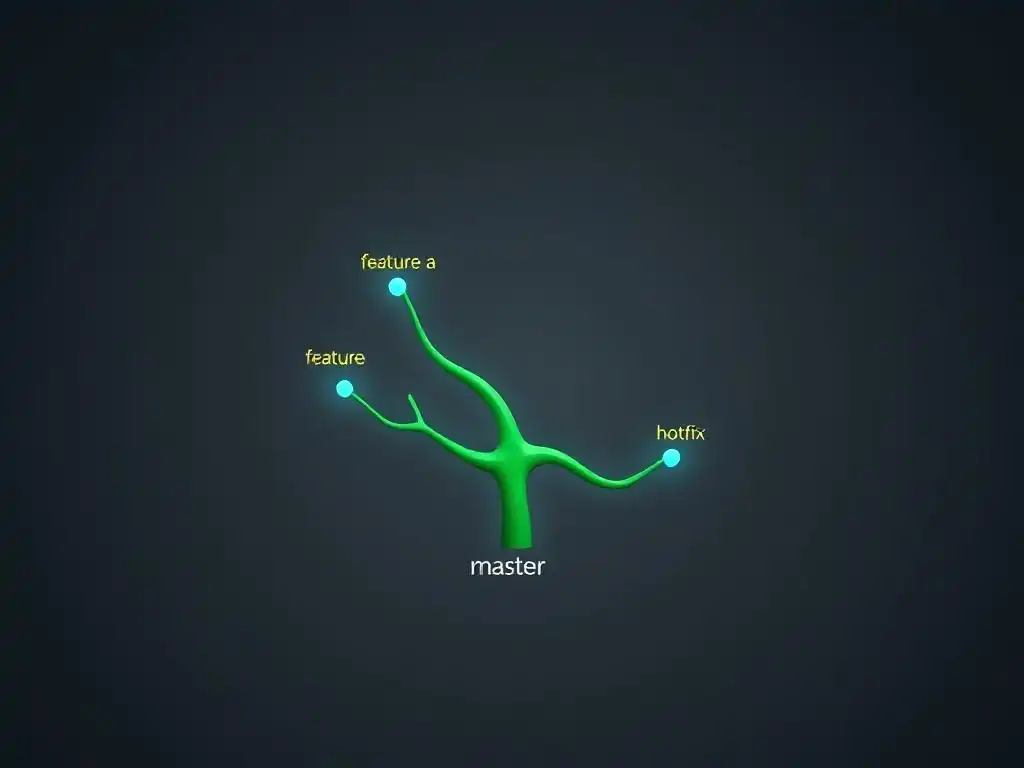
Welcome to the Git and Version Control Hub!
Ever felt your Git history resembles a tangled web more than a clear narrative? Dive into our squash merge Git tutorial and discover how to transform chaotic commit logs into a streamlined, easily understandable project history. Unlock the power of history manipulation and learn how to enhance team collaboration and simplify code reviews. Ready to clean up your act and master the art of Git history rewriting? Let's get started!
Feature Branch Workflow: Streamlining Development with Git
- Introduction to Feature Branch Workflow
-
Feature Branch Workflow Tutorial: A Step-by-Step Guide
- Prerequisites: Setting Up Your Git Environment
- Step 1: Creating a New Feature Branch from Main
- Step 2: Developing and Committing Changes on the Feature Branch
- Step 3: Pushing the Feature Branch to a Remote Repository
- Step 4: Creating a Pull Request for Code Review
- Step 5: Merging the Feature Branch into Main After Review
- Advanced Feature Branch Techniques
- Benefits of Using Feature Branch Workflow
- Drawbacks and Considerations of Feature Branch Workflow
- Feature Branch Workflow vs. Other Workflows: A Comparison
- Real-World Examples of Feature Branch Workflow Usage
- Best Practices for Effective Feature Branch Workflow
- Troubleshooting Common Feature Branch Issues
- Conclusion: Optimizing Development with Feature Branch Workflow
- Frequently Asked Questions
- Final Reflection: Shaping a Clearer Git Narrative
- Reclaim Your Git History Today!
Introduction to Feature Branch Workflow
Understanding Branching Strategies in Git
Git, as a distributed version control system, offers various branching strategies to manage concurrent development efforts efficiently. Branching, at its core, allows developers to diverge from the main line of development and work on features or fixes in isolation. Understanding these strategies is crucial for any team using Git, as the chosen approach directly impacts collaboration, code stability, and release cycles.
Common strategies include Gitflow, GitHub Flow, GitLab Flow, and Trunk-Based Development, each with its own set of rules and best practices for branch creation, merging, and overall workflow management. Selecting the appropriate strategy depends heavily on the team's size, project complexity, release frequency, and organizational culture.
Different branching strategies cater to diverse needs. For instance, Gitflow, known for its robust release management, utilizes multiple long-lived branches like develop, release, and hotfix alongside feature branches. This strategy is well-suited for projects with scheduled releases and a need for strict version control. Conversely, Trunk-Based Development promotes frequent integration into a single trunk or main branch, emphasizing continuous integration and delivery. GitHub Flow, popular in web development, simplifies the process with short-lived feature branches and direct merges to main after review. Feature Branch Workflow, the focus of this article, sits in a comfortable middle ground, offering a balance between isolation and integration, making it highly adaptable for a wide range of projects and team sizes.
The Purpose of Feature Branches: Isolated Development
Feature branches serve as isolated environments for developing new features, bug fixes, or experimental changes without directly affecting the stable codebase. Imagine a team working on a large e-commerce platform. Without feature branches, every developer would be committing directly to the main branch, leading to potential conflicts, instability, and difficulty in managing work in progress. Feature branches solve this problem by providing dedicated spaces for each development task. This isolation is fundamental to maintaining code quality and stability, as it prevents unfinished or potentially broken code from being integrated into the main project prematurely.
The isolation provided by feature branches allows developers to experiment freely and iterate on their code without disrupting the work of others or the stability of the main branch. For example, a developer implementing a new payment gateway can work on their feature branch, make multiple commits, and even rewrite sections of code without fear of breaking the existing checkout process in the main branch. This separation is not only beneficial for stability but also for developer productivity, as it eliminates the need for constant coordination and reduces the risk of stepping on each other's toes. Furthermore, feature branches facilitate focused code reviews, as changes are grouped logically by feature, making it easier to understand and assess the impact of the proposed modifications.
Why Choose Feature Branch Workflow Over Other Git Workflows?
Feature Branch Workflow stands out due to its simplicity, flexibility, and broad applicability, making it a popular choice for many development teams. Compared to more complex workflows like Gitflow, Feature Branch Workflow is easier to understand and implement, especially for smaller teams or projects with less stringent release schedules. It avoids the overhead of managing multiple long-lived branches and simplifies the merging process. For teams transitioning from centralized version control systems or those new to Git branching, Feature Branch Workflow offers a gentle learning curve and a clear path to improved collaboration and code management.
Moreover, Feature Branch Workflow strikes a balance between isolation and integration. While providing the essential isolation for feature development, it encourages frequent integration back into the main branch through pull requests and code reviews. This balance minimizes the risk of long-lived feature branches diverging significantly from main, which can lead to complex merge conflicts later on. In contrast to Trunk-Based Development, which requires a high degree of discipline and continuous integration maturity, Feature Branch Workflow offers more flexibility for teams that may not yet have fully automated CI/CD pipelines or require more time for code review and feature stabilization before integration. This adaptability makes Feature Branch Workflow a pragmatic and effective solution for a wide spectrum of development scenarios.
Feature Branch Workflow Tutorial: A Step-by-Step Guide
Prerequisites: Setting Up Your Git Environment
Before diving into Feature Branch Workflow, ensuring your Git environment is properly set up is crucial. This begins with having Git installed on your local machine. You can download the latest version from the official Git website, git-scm.com, and follow the installation instructions for your operating system (Windows, macOS, or Linux). After installation, verify it by opening your terminal or command prompt and running git --version. This command should display the installed Git version, confirming a successful setup. For instance, you might see output like git version 2.39.2.windows.1.
Next, configure your Git identity by setting your username and email. Git uses this information to associate commits with your name. Use the following commands, replacing "Your Name" and "your.email@example.com" with your actual details:
git config --global user.name "Your Name"
git config --global user.email "your.email@example.com"
These commands set global configurations, meaning they will apply to all Git repositories you work with on your system. Optionally, you can configure repository-specific settings later if needed. Finally, ensure you have access to a remote Git repository, such as one hosted on GitHub, GitLab, or Bitbucket. You'll need the repository URL to clone it to your local machine and begin working with feature branches.
Step 1: Creating a New Feature Branch from Main
The first step in Feature Branch Workflow is to create a new feature branch derived from the main branch. The main branch represents the stable, production-ready codebase. Before creating a new branch, it's best practice to ensure your local main branch is up-to-date with the remote repository. Navigate to your project directory in your terminal and execute:
git checkout main
git pull origin main
The git checkout main command switches your working directory to the main branch. The git pull origin main command fetches and merges changes from the remote main branch (often named origin) into your local main branch. This ensures you are starting your feature branch from the latest state of the main codebase.
Once your local main branch is updated, create a new feature branch using the following command:
git checkout -b feature/your-feature-name
Replace feature/your-feature-name with a descriptive name for your feature branch. Branch names should be concise, informative, and follow a consistent naming convention within your team. For example, feature/add-user-authentication or feature/implement-shopping-cart. The -b flag in the git checkout command tells Git to create a new branch and immediately switch to it. This command effectively creates a new branch named feature/your-feature-name that is branched off from your currently active branch, which should be main. You are now working in your isolated feature branch, ready to implement your changes.
Step 2: Developing and Committing Changes on the Feature Branch
With your feature branch created and active, you can now begin developing your feature. Make the necessary code changes, add new files, modify existing ones, and perform your development tasks within this branch. As you make progress, commit your changes frequently. Frequent, small commits are a cornerstone of effective version control. They create a detailed history of your work, making it easier to track changes, revert mistakes, and understand the evolution of your feature. Use the git add command to stage your changes and the git commit command to commit them.
For example, after making some code modifications, you might stage and commit them like this:
git add .
git commit -m "feat: Implement basic user authentication logic"
The git add . command stages all modified and new files in your working directory. The git commit -m "feat: Implement basic user authentication logic" command commits the staged changes with a descriptive commit message. Commit messages should be clear, concise, and explain the purpose of the changes. Following commit message conventions, like using prefixes such as feat (feature), fix (bug fix), docs (documentation), style (code style), refactor, test, and chore, can further enhance the clarity and organization of your commit history. Aim to commit logical units of work as you progress, rather than waiting until the entire feature is complete.
Step 3: Pushing the Feature Branch to a Remote Repository
Once you have made several commits on your feature branch, it's time to push it to the remote repository. Pushing your feature branch makes it available to your team, allows for collaboration, and enables you to create a pull request for code review. Use the git push command to push your local feature branch to the remote repository. The first time you push a new branch, you'll typically need to use the -u or --set-upstream flag to establish the upstream tracking branch.
Execute the following command to push your feature branch:
git push -u origin feature/your-feature-name
Here, origin is the conventional name for the remote repository, and feature/your-feature-name is the name of your feature branch. The -u origin feature/your-feature-name part sets up a tracking connection between your local feature/your-feature-name branch and the remote origin/feature/your-feature-name branch. This tracking allows you to use simpler commands like git push and git pull in the future to synchronize your local and remote branches. After successfully pushing, your feature branch and its commits are now available on the remote repository, ready for the next steps in the Feature Branch Workflow, such as creating a pull request.
Step 4: Creating a Pull Request for Code Review
After pushing your feature branch to the remote repository, the next crucial step is to create a pull request (or merge request, depending on your Git hosting platform – GitHub uses "Pull Request," GitLab uses "Merge Request"). A pull request initiates the code review process, allowing your team members to examine your changes, provide feedback, and ensure code quality before merging into the main branch. Navigate to your Git repository on the web interface (e.g., GitHub, GitLab, Bitbucket). You should see a prompt to create a pull request for your newly pushed feature branch.
Click on the "Create Pull Request" (or equivalent) button. You'll be presented with a form to fill out. Provide a clear and descriptive title for your pull request, summarizing the feature or changes you've implemented. In the description, elaborate on the purpose of the pull request, explain the changes made, and highlight any important considerations or areas that reviewers should pay particular attention to.
Assign reviewers from your team who are responsible for reviewing your code. Many platforms also allow you to link your pull request to relevant issues or tasks in your project management system. Once you've filled out the necessary information, create the pull request. This will notify your reviewers and start the code review process, which is a vital part of maintaining code quality and team collaboration.
Step 5: Merging the Feature Branch into Main After Review
Once your pull request has been reviewed, and all necessary feedback has been addressed and incorporated, the final step is to merge your feature branch into the main branch. Typically, one of the reviewers or a designated team member with merge permissions will perform the merge. Before merging, ensure your local main branch is up-to-date again by executing:
git checkout main
git pull origin main
This step is crucial to avoid merge conflicts and ensure you are merging into the latest state of the main branch.
After updating your local main branch, you can merge your feature branch. There are different merge strategies, such as a standard merge or a squash merge. A standard merge creates a merge commit, preserving the entire history of your feature branch. A squash merge, on the other hand, combines all commits from your feature branch into a single commit on the main branch, resulting in a cleaner, linear history. To perform a squash merge, you can typically use the merge functionality provided by your Git hosting platform (e.g., GitHub or GitLab) when closing the pull request, often selecting the "Squash and merge" option. Alternatively, you can perform a squash merge locally using Git commands:
git merge --squash feature/your-feature-name
git commit -m "feat: Merge feature branch 'feature/your-feature-name' (squashed commits)"
git push origin main
After merging (either standard or squash), your feature is now integrated into the main branch. Finally, it's good practice to delete the feature branch, both locally and remotely, as it is no longer needed:
git branch -d feature/your-feature-name
git push origin -d feature/your-feature-name
This cleanup helps keep your repository tidy and reduces branch clutter.
Advanced Feature Branch Techniques
Working with Long-Lived Feature Branches
While Feature Branch Workflow generally advocates for short-lived feature branches, situations arise where feature development takes longer, resulting in long-lived branches. These might be for complex features, large refactoring efforts, or features dependent on external factors. Managing long-lived feature branches requires extra attention to prevent them from diverging too far from the main branch, which can lead to significant merge conflicts and integration challenges. Regularly integrating changes from main into long-lived feature branches is crucial.
To keep a long-lived feature branch synchronized with main, perform regular merges or rebases of main into your feature branch. For merging, switch to your feature branch and execute:
git merge main
This will merge the latest changes from main into your feature branch. Alternatively, for a cleaner history, you can rebase your feature branch onto main:
git rebase main
Rebasing replays your feature branch commits on top of the latest main branch commits, resulting in a linear history without merge commits. However, rebasing public branches can be controversial, so ensure your team agrees on a rebasing strategy. Resolving merge conflicts proactively and frequently during these integration steps is essential to manage long-lived feature branches effectively. Consider using feature flags to control the release of features developed on long-lived branches, allowing you to merge code to main incrementally and activate features only when ready.
Integrating Changes from Main into a Feature Branch
Frequently integrating changes from the main branch into your feature branch is a vital practice in Feature Branch Workflow, especially for longer-lived feature branches. As development progresses on main (e.g., bug fixes, other features being merged), your feature branch can become out of sync. Integrating changes from main helps to minimize merge conflicts when you eventually merge your feature branch back into main and ensures your feature is being developed on top of the latest codebase, incorporating recent bug fixes and improvements.
To integrate changes from main into your feature branch, first, switch to your feature branch:
git checkout feature/your-feature-name
Then, you can either merge or rebase from main. For merging:
git merge main
Git will attempt to automatically merge changes from main into your feature branch. If there are conflicts, you will need to resolve them manually. After resolving conflicts, stage the resolved files ( git add <conflicted_file>) and complete the merge commit ( git commit). For rebasing:
git rebase main
Rebasing will replay your feature branch commits on top of the main branch. If conflicts arise during rebasing, Git will pause and prompt you to resolve them. After resolving a conflict in a file, use git add <conflicted_file> and then git rebase --continue to continue the rebase process. If you encounter significant issues during rebasing, you can abort the rebase with git rebase --abort. Choose the integration method (merge or rebase) that best suits your team's workflow and preferences, and perform these integrations regularly to keep your feature branches up-to-date.
Using Feature Flags for Gradual Rollouts
Feature flags (also known as feature toggles) are a powerful technique to decouple feature deployment from feature release, and they work exceptionally well in conjunction with Feature Branch Workflow. Feature flags allow you to merge code for new features into the main branch, even if those features are not yet ready for public release. You can then use feature flags to control the visibility of these features, enabling them for specific users or groups, or gradually rolling them out to a wider audience. This approach reduces the risk associated with large feature merges and allows for iterative testing and validation in production.
To implement feature flags, you typically introduce a configuration system into your application that determines whether a specific feature is enabled or disabled. This configuration can be controlled through environment variables, configuration files, or a dedicated feature flag management service. In your code, you wrap the new feature functionality within conditional statements that check the status of the feature flag. For example:
if is_feature_enabled("new_payment_gateway"):
    # Use the new payment gateway logic
    process_payment_new_gateway()
else:
    # Use the existing payment gateway logic
    process_payment_old_gateway()
When you merge your feature branch containing the new payment gateway code into main, the feature flag "new_payment_gateway" would initially be disabled. You can then gradually enable it for internal testers, a small percentage of users, and eventually, for everyone. Feature flags provide a safety net, allowing you to quickly disable a feature in production if issues arise, without needing to revert code or redeploy. They also support A/B testing and personalized user experiences by enabling features selectively.
Benefits of Using Feature Branch Workflow
Isolating New Features from the Main Codebase
One of the primary benefits of Feature Branch Workflow is the isolation it provides for new feature development. By creating dedicated branches for each feature, developers can work in isolation, free from the risk of directly impacting the stable main branch. This isolation is crucial for maintaining code stability and preventing unfinished or potentially broken code from being integrated prematurely. Imagine multiple developers working on different features simultaneously. Without feature branches, their changes would be intertwined in the main branch, leading to increased complexity, potential conflicts, and a higher risk of introducing bugs into the shared codebase.
Feature branches act as sandboxes where developers can experiment, iterate, and make changes without disrupting the ongoing work on the main branch or the stability of the production environment. This isolation reduces the cognitive load on developers, as they can focus solely on their feature without worrying about interfering with others' work. It also allows for more focused testing and debugging within the feature branch before integration. Furthermore, if a feature proves to be problematic or needs to be abandoned, it can be easily discarded by simply deleting the feature branch without affecting the main branch. This isolation fosters a safer and more productive development environment.
Facilitating Collaboration and Code Review
Feature Branch Workflow inherently promotes collaboration and facilitates effective code review practices. Pull requests, a central component of this workflow, serve as the primary mechanism for code review and team communication. When a developer completes a feature on their branch, they create a pull request to merge it into the main branch. This pull request acts as a formal request for review, notifying team members that new code is ready for inspection. Code review is a critical quality assurance step, allowing peers to examine the code for potential bugs, code style violations, performance issues, and adherence to best practices.
The pull request interface provides a platform for discussions, comments, and feedback on the proposed changes. Reviewers can leave inline comments directly on specific lines of code, suggesting improvements, pointing out potential issues, or asking clarifying questions. This interactive process fosters knowledge sharing, improves code quality, and reduces the likelihood of bugs making their way into the main branch. Feature Branch Workflow, through pull requests, transforms code review from a potentially ad-hoc or informal process into a structured and integral part of the development lifecycle, leading to better code quality and enhanced team collaboration.
Enabling Parallel Development Across Multiple Features
Feature Branch Workflow is exceptionally well-suited for enabling parallel development across multiple features or tasks. Because each feature is developed in its own isolated branch, multiple developers or teams can work on different features concurrently without stepping on each other's toes. This parallelism significantly accelerates the overall development process, allowing teams to deliver features faster and respond more quickly to changing requirements or market demands.
Consider a scenario where a team needs to implement three new features for an upcoming release. With Feature Branch Workflow, three developers or sub-teams can create separate feature branches and work on these features in parallel.
This parallel development capability is particularly beneficial for larger projects with multiple features in progress or for teams that need to deliver features rapidly. It maximizes developer productivity and reduces bottlenecks by eliminating sequential dependencies between feature development efforts. The isolation provided by feature branches ensures that changes made in one feature branch do not interfere with the development of other features. When each feature is completed and reviewed, its branch can be merged into main independently, allowing for flexible and efficient feature integration. Feature Branch Workflow's support for parallel development is a key advantage in fast-paced development environments.
Reducing the Risk of Introducing Bugs into Production
By promoting isolation, code review, and controlled integration, Feature Branch Workflow significantly reduces the risk of introducing bugs into the production environment. The isolation of feature branches prevents unfinished or untested code from being directly committed to the main branch, which is typically considered the production-ready branch. Code review, enforced through pull requests, acts as a crucial gatekeeper, catching potential bugs and issues before they are merged into main. Multiple pairs of eyes reviewing code are more likely to identify errors, edge cases, and security vulnerabilities than a single developer working in isolation.
The controlled merging process, typically involving pull requests and code review, ensures that changes are thoroughly vetted before being integrated into the main branch. This rigorous process minimizes the chance of regressions or unexpected behavior in production. Furthermore, the ability to use feature flags in conjunction with Feature Branch Workflow adds another layer of risk mitigation. Features can be merged into main but initially disabled in production, allowing for further testing and validation in a staging or pre-production environment before being gradually rolled out to end-users. This multi-layered approach to quality control makes Feature Branch Workflow a robust strategy for building reliable and stable software.
Drawbacks and Considerations of Feature Branch Workflow
Potential for Merge Conflicts and Integration Issues
Despite its many advantages, Feature Branch Workflow is not without its drawbacks, and one of the most significant is the potential for merge conflicts and integration issues. As feature branches diverge from the main branch and development progresses in parallel, the codebase in feature branches can become increasingly out of sync with main. When attempting to merge a feature branch back into main, especially after it has been long-lived or main has seen substantial changes, merge conflicts are more likely to occur. These conflicts arise when Git cannot automatically reconcile changes made in different branches to the same lines of code.
Resolving merge conflicts can be time-consuming and require careful manual intervention. Developers need to understand the conflicting changes, decide which changes to keep, and edit the affected files to produce a merged version that incorporates the desired changes from both branches. If merge conflicts are not handled correctly, they can introduce bugs or inconsistencies into the codebase. To mitigate the risk of merge conflicts, it's crucial to keep feature branches relatively short-lived and to integrate changes from main into feature branches frequently. Good communication and coordination within the team are also essential to minimize parallel changes to the same parts of the codebase.
Increased Complexity Compared to Simpler Workflows
Compared to simpler workflows like Trunk-Based Development or even a centralized workflow, Feature Branch Workflow introduces a degree of complexity. Managing multiple branches, creating pull requests, conducting code reviews, and resolving merge conflicts adds overhead to the development process. For very small projects or teams where changes are infrequent and collaboration is minimal, the overhead of Feature Branch Workflow might seem excessive. The learning curve for developers new to branching and pull requests can also be a consideration.
While Feature Branch Workflow is generally considered easier to understand and implement than more complex workflows like Gitflow, it still requires a certain level of Git proficiency and discipline from the development team. Teams need to establish clear branching conventions, understand the pull request process, and be proficient in resolving merge conflicts.
The increased complexity, however, is often justified by the benefits of isolation, code review, and parallel development, especially for projects of medium to large size or for teams that prioritize code quality and collaboration. For very simple projects, simpler workflows might be more appropriate, but as project complexity and team size grow, the advantages of Feature Branch Workflow typically outweigh the added complexity.
Requires Careful Branch Management and Coordination
Effective use of Feature Branch Workflow necessitates careful branch management and coordination within the development team. Without proper discipline and communication, branch management can become chaotic, leading to branch sprawl, stale branches, and confusion. Teams need to establish clear conventions for branch naming, branch lifespan, and the pull request process. Consistent branch naming conventions (e.g., using prefixes like feature/, fix/, hotfix/) help to organize branches and make it easier to identify their purpose. Regularly deleting merged feature branches is essential to prevent branch sprawl and keep the repository tidy.
Coordination is crucial to minimize merge conflicts and ensure smooth integration of features. Developers need to communicate effectively about their ongoing work, especially when working on related features or modifying the same parts of the codebase. Regular team meetings, communication tools (e.g., Slack, Microsoft Teams), and project management tools can facilitate this coordination. Establishing clear roles and responsibilities for branch management and pull request reviews also contributes to a more organized and efficient workflow. While Feature Branch Workflow offers significant benefits, its success depends heavily on the team's commitment to disciplined branch management and effective communication.
Feature Branch Workflow vs. Other Workflows: A Comparison
Feature Branch vs. Gitflow: Choosing the Right Approach
Feature Branch Workflow and Gitflow are both popular branching strategies, but they cater to different needs and project contexts. Gitflow is a more prescriptive and complex workflow designed for projects with scheduled releases and a need for strict version control. It utilizes multiple long-lived branches, including develop, release, and hotfix, in addition to feature branches. Gitflow excels in managing releases, hotfixes, and supporting multiple versions of software in production simultaneously. It is well-suited for projects with infrequent releases, such as traditional software products or embedded systems, where a well-defined release cycle is crucial.
Feature Branch Workflow, on the other hand, is simpler and more flexible. It primarily uses feature branches and the main branch (often with an implied or explicit develop branch in some variations). It is better suited for projects with more frequent releases, such as web applications or SaaS products, where continuous delivery and rapid iteration are priorities. Feature Branch Workflow is easier to learn and implement than Gitflow, making it a good choice for smaller teams or projects with less stringent release management requirements. Choosing between Gitflow and Feature Branch Workflow depends on the project's release cadence, complexity, and the team's need for formal release management processes. If you need robust release management and support for multiple parallel releases, Gitflow might be appropriate. If you prioritize simplicity, flexibility, and frequent releases, Feature Branch Workflow is often a better choice.
Feature Branch vs. Trunk-Based Development: A Trade-Off
Feature Branch Workflow and Trunk-Based Development represent different ends of the spectrum in branching strategies, each with its own set of trade-offs. Trunk-Based Development is a streamlined workflow that emphasizes frequent integration into a single shared branch, typically called trunk or main. Developers work in short-lived branches (often just for a few hours or a day) and merge their changes back into main multiple times a day. Trunk-Based Development is optimized for continuous integration and continuous delivery (CI/CD), promoting rapid feedback cycles and minimizing merge conflicts. It requires a high degree of discipline, strong automated testing, and a mature CI/CD pipeline.
Feature Branch Workflow, in contrast, allows for longer-lived feature branches and less frequent integration into main. This provides more isolation for feature development and allows for more deliberate code review through pull requests. Feature Branch Workflow is more forgiving and adaptable to teams that may not have fully mature CI/CD pipelines or require more time for code review and feature stabilization before integration. The trade-off is between speed and risk. Trunk-Based Development prioritizes speed and rapid iteration but requires a high level of engineering maturity and automated testing to mitigate the risks associated with frequent integration. Feature Branch Workflow offers more safety and control through isolation and code review but may be less agile and have a slightly slower pace of integration. The choice depends on the team's maturity, risk tolerance, and the project's release frequency requirements.
GitHub Flow vs. Feature Branch Workflow: Key Differences
GitHub Flow is often considered a simplified variant of Feature Branch Workflow, particularly well-suited for web development and continuous deployment. While both workflows utilize feature branches and pull requests, GitHub Flow is even more streamlined and minimalistic. GitHub Flow typically has only two main branches: main and feature branches. There is no dedicated develop branch or release branches as in Gitflow. Features are developed in short-lived feature branches branched from main, and once reviewed and merged, they are directly deployed to production from main. GitHub Flow emphasizes continuous deployment and is designed for rapid iteration and frequent releases.
The key difference lies in the branching model and release management approach. Feature Branch Workflow, as described in this article, often implies a slightly more structured approach, potentially including a develop branch or more formal release management steps, although it can be adapted to be very similar to GitHub Flow. GitHub Flow is extremely simple and focuses on continuous deployment from main. It is ideal for projects where deployments are frequent and automated, and there is a strong emphasis on continuous delivery. Feature Branch Workflow offers slightly more flexibility and can accommodate projects with less frequent deployments or more complex release processes. In practice, the terms "Feature Branch Workflow" and "GitHub Flow" are sometimes used interchangeably, especially when referring to simplified branching models based on short-lived feature branches and pull requests.
Real-World Examples of Feature Branch Workflow Usage
Open Source Projects Utilizing Feature Branches
Many open-source projects widely adopt Feature Branch Workflow due to its collaborative nature and suitability for distributed development. Projects like the Linux kernel, while complex and massive, utilize a branching strategy that, in essence, resembles Feature Branch Workflow. Individual features and drivers are developed in separate branches by contributors and then submitted as patches (similar to pull requests) for review and integration into the main kernel development tree. This allows for a large number of developers to contribute concurrently while maintaining code quality and stability.
Smaller open-source projects on platforms like GitHub and GitLab almost universally rely on Feature Branch Workflow. Projects ranging from web frameworks and libraries to command-line tools and desktop applications use feature branches and pull requests as their primary collaboration model. For example, popular JavaScript frameworks like React and Vue.js, and Python libraries like Requests and NumPy, all heavily utilize feature branches for contributions.
The transparency and collaborative nature of Feature Branch Workflow align perfectly with the open-source ethos, enabling contributions from a global community while ensuring code quality through peer review. The success of countless open-source projects is a testament to the effectiveness of Feature Branch Workflow in managing collaborative software development.
Using Feature Branches in Continuous Integration/Continuous Deployment (CI/CD)
Feature Branch Workflow integrates seamlessly with Continuous Integration and Continuous Deployment (CI/CD) pipelines, enhancing automation and streamlining the software delivery process. In a CI/CD setup, each time a developer pushes a commit to a feature branch, the CI system automatically builds, tests, and validates the changes. This provides rapid feedback on the quality and integration of the code within the feature branch. If tests fail, developers receive immediate notification and can address the issues before merging the feature branch.
When a pull request is created for a feature branch, the CI system typically runs another round of builds and tests, ensuring that the combined changes in the feature branch are compatible with the main branch. Upon successful code review and CI checks, the feature branch can be automatically merged into main and, in a continuous deployment scenario, automatically deployed to production. Feature Branch Workflow, in combination with CI/CD, automates many of the manual steps in the software delivery pipeline, reduces human error, and accelerates the release cycle. The isolation provided by feature branches and the quality assurance provided by code review and automated testing in CI/CD create a robust and efficient software development process.
Migrating from a Centralized Workflow to Feature Branches
Organizations transitioning from a centralized version control workflow (e.g., using a single shared branch or a system like SVN without extensive branching) to Git often find Feature Branch Workflow to be a natural and beneficial migration path. Centralized workflows, while simpler to understand initially, often become bottlenecks as teams grow and development becomes more complex. Moving to Feature Branch Workflow introduces the concepts of branching and pull requests, which can significantly improve collaboration, code quality, and development velocity. The transition typically involves educating the team about Git branching concepts, pull request processes, and conflict resolution.
The migration can be phased, starting with adopting feature branches for new feature development while initially keeping bug fixes or smaller changes closer to the main branch. Gradually, as the team becomes more comfortable with branching, the use of feature branches can be expanded to encompass all types of development tasks. Tools and training are crucial to support this transition. Providing Git tutorials, setting up code review guidelines, and using Git hosting platforms with user-friendly pull request interfaces can ease the learning curve and facilitate adoption. Migrating to Feature Branch Workflow from a centralized workflow often results in improved code quality, faster development cycles, and enhanced team collaboration, making it a worthwhile investment for organizations seeking to modernize their software development practices.
Best Practices for Effective Feature Branch Workflow
Establishing Clear Branching Conventions in Your Team
For Feature Branch Workflow to be successful, establishing clear and consistent branching conventions within your team is paramount. These conventions should cover branch naming, branch lifespan, and the overall branching strategy. For branch naming, adopt a consistent prefix-based approach, such as feature/, fix/, hotfix/, docs/, and refactor/, followed by a descriptive name for the branch. For example, feature/user-profile-page or fix/login-error. This naming convention makes it easy to identify the purpose of each branch at a glance.
Define guidelines for branch lifespan. Encourage short-lived feature branches that are merged back into main relatively quickly, ideally within a few days or a week. Long-lived feature branches increase the risk of merge conflicts and integration issues. Establish clear rules for when to branch off main, when to merge back in, and how to handle long-lived branches if necessary. Document these branching conventions and communicate them clearly to the entire team. Regularly review and refine these conventions as your team's workflow evolves. Consistent branching conventions are essential for maintaining order, reducing confusion, and ensuring smooth collaboration in Feature Branch Workflow.
Encouraging Frequent Commits and Pull Requests
Frequent commits and pull requests are key practices for maximizing the benefits of Feature Branch Workflow. Encourage developers to commit their changes frequently, ideally multiple times a day, in small, logical units of work. Small, frequent commits create a detailed history of changes, making it easier to track progress, revert mistakes, and understand the evolution of features. Well-crafted commit messages that clearly describe the purpose of each commit are also crucial for maintainability and collaboration.
Promote the practice of creating pull requests early and often, even for work in progress. Early pull requests facilitate early feedback and code review, allowing reviewers to provide input while the feature is still being developed, rather than waiting until it's "complete." This early feedback loop can prevent developers from going too far down the wrong path and improve the overall quality of the code.
Encourage iterative code review, where reviewers provide feedback in stages, and developers respond and iterate on their code based on the feedback. Frequent commits and pull requests, combined with iterative code review, foster a collaborative and efficient development process within Feature Branch Workflow.
Automating Code Review and Testing Processes
To further enhance the efficiency and effectiveness of Feature Branch Workflow, automate code review and testing processes as much as possible. Utilize linters and static analysis tools to automatically check code style and identify potential code quality issues before code review. These tools can catch common errors and enforce coding standards, freeing up reviewers to focus on higher-level design and logic issues. Integrate these tools into your CI/CD pipeline to automatically run checks on every commit and pull request.
Automate testing by implementing comprehensive unit tests, integration tests, and end-to-end tests. Run these tests automatically as part of your CI/CD pipeline for every commit and pull request. Automated testing provides rapid feedback on code changes and helps to prevent regressions.
Consider using automated code review tools that can provide initial code review feedback and identify potential issues automatically. While automated tools cannot replace human code review entirely, they can significantly streamline the process, improve code quality, and reduce the workload on human reviewers. Automating code review and testing processes is essential for scaling Feature Branch Workflow and achieving continuous integration and continuous delivery.
Troubleshooting Common Feature Branch Issues
Resolving Merge Conflicts Effectively
Merge conflicts are a common challenge in Feature Branch Workflow, especially when working with long-lived feature branches or when multiple developers are modifying the same parts of the codebase concurrently. When Git encounters a merge conflict, it marks the conflicting files and requires manual resolution. Effective conflict resolution involves understanding the conflicting changes, deciding which changes to keep or how to combine them, and editing the conflicted files to produce a merged version that incorporates the desired outcome.
Git provides visual cues in conflicted files, typically using markers like <<<<<<<, =======, and >>>>>>> to delineate the conflicting sections from different branches. Use a visual merge tool (many Git clients and IDEs offer integrated merge tools) to help visualize and resolve conflicts. These tools often provide a three-way view, showing the common ancestor version, the changes from each branch, and a merged output area where you can edit and resolve conflicts. Communicate with team members who made conflicting changes to understand their intentions and collaborate on resolving the conflicts effectively. After resolving all conflicts in a file, stage the resolved file ( git add <resolved_file>) and continue the merge process ( git commit or git rebase --continue). Practice and familiarity with merge conflict resolution tools and techniques are essential for smooth Feature Branch Workflow.
Dealing with Stale Feature Branches
Stale feature branches, branches that have diverged significantly from main and have not been updated for a long time, can become a problem in Feature Branch Workflow. Stale branches increase the likelihood of merge conflicts, make code review more difficult, and can lead to integration headaches. To prevent stale branches, encourage short-lived feature branches and regular integration of changes from main into feature branches. Set up automated reminders or scripts to identify and flag stale branches that have not been updated or merged in a certain period.
Regularly review the list of active feature branches and identify branches that are no longer needed or have become stale. Communicate with the branch owners to determine if the branch is still active, if it can be merged, or if it should be deleted. If a branch is no longer actively being worked on and is significantly out of date, consider archiving or deleting it to reduce branch clutter and prevent future confusion. Proactive management of feature branches, including identifying and addressing stale branches, is crucial for maintaining a healthy and efficient Feature Branch Workflow.
Managing Dependencies Between Feature Branches
In complex projects, dependencies between feature branches can arise, where one feature branch relies on changes or functionality being developed in another feature branch. Managing these dependencies requires careful coordination and communication between developers working on related features. Avoid creating hard dependencies between feature branches whenever possible by designing features to be as independent as possible. If dependencies are unavoidable, clearly document them and communicate them to the team.
Consider using feature flags to decouple feature development and deployment. If feature A depends on feature B, you can merge feature B into main first, even if feature A is still under development, and use feature flags to control the visibility of feature B in production. Alternatively, in some cases, it might be appropriate to temporarily merge the dependent feature branch (e.g., feature B) into the branch that depends on it (e.g., feature A) to facilitate testing and integration, but this should be done cautiously and ideally only for short-lived integration purposes. Effective communication and coordination are key to managing dependencies between feature branches and preventing integration issues.
Conclusion: Optimizing Development with Feature Branch Workflow
Key Takeaways: Mastering Git Branching for Efficient Development
Feature Branch Workflow is a powerful and versatile branching strategy that significantly enhances software development efficiency, code quality, and team collaboration. Its core principle of isolating feature development in dedicated branches allows for parallel work, reduces the risk of introducing bugs into the main codebase, and facilitates thorough code review through pull requests. By embracing Feature Branch Workflow, development teams can streamline their development process, accelerate feature delivery, and build more robust and reliable software. Key takeaways for mastering Git branching with Feature Branch Workflow include:
- Embrace isolation: Utilize feature branches to isolate new features, bug fixes, and experimental changes from the
mainbranch. - Prioritize code review: Make pull requests and code review an integral part of your workflow to ensure code quality and knowledge sharing.
- Encourage frequent integration: Integrate changes from
maininto feature branches regularly and merge feature branches back intomainfrequently to minimize merge conflicts. - Automate processes: Automate testing and code review processes to improve efficiency and code quality.
- Establish clear conventions: Define and adhere to clear branching conventions for naming, lifespan, and workflow.
- Communicate and coordinate: Foster effective communication and coordination within the team to manage dependencies and resolve conflicts efficiently.
By implementing these key practices, teams can effectively leverage Feature Branch Workflow to optimize their development process and achieve significant improvements in productivity and code quality.
Further Resources for Git and Version Control Mastery
To deepen your understanding of Git and Version Control Mastery, and to further refine your Feature Branch Workflow implementation, numerous resources are available. The official Git documentation (git-scm.com/doc) is an invaluable resource, providing comprehensive information on all aspects of Git, from basic commands to advanced concepts. Online platforms like GitHub Guides (guides.github.com) and GitLab Learn (docs.gitlab.com/learn/) offer tutorials and best practices for using Git in collaborative workflows. Interactive learning platforms like Codecademy, Coursera, and Udemy provide Git courses for various skill levels, from beginners to advanced users.
Books such as "Pro Git" by Scott Chacon and Ben Straub (git-scm.com/book/en/v2) and "Version Control with Git" by Jon Loeliger and Matthew McCullough offer in-depth explorations of Git concepts and best practices. Blogs and articles from reputable sources like Atlassian, GitHub, and GitLab often publish insightful articles and tutorials on Git workflows and advanced techniques.
Experimenting with Git in personal projects and contributing to open-source projects are excellent ways to gain practical experience and solidify your understanding. Continuously learning and exploring these resources will empower you and your team to master Git and Version Control, and to effectively implement and optimize Feature Branch Workflow for your specific development needs.
Frequently Asked Questions
What is a squash merge in Git?
A squash merge in Git is a merge strategy that collapses a series of commits from a branch into a single commit on the target branch. This helps to maintain a cleaner project history by avoiding the inclusion of numerous small or intermediate commits. The result is a single commit representing the entire feature or change.
Why would I use a squash merge instead of a regular merge?
Squash merges are useful when you want to present a polished and concise history on the main branch. They are often preferred when the feature branch contains many smaller "work-in-progress" commits that aren't valuable to keep in the main branch's history. It simplifies reviewing the project history.
How do I perform a squash merge using Git?
The command git checkout <target_branch> switches to the target branch. Then, run git merge --squash <feature_branch>. This brings the changes from <feature_branch> into your working directory. Finally, you'll git commit to create a single commit with all the changes.
What happens to the commit history of the feature branch after a squash merge?
The commit history of the feature branch remains unchanged after a squash merge. The squash merge only affects the history of the target branch where the feature branch's changes are incorporated. The feature branch can be kept or deleted.
When is a squash merge not a good idea?
Squash merges are not ideal when you need to preserve the detailed commit history of the feature branch for auditing or debugging purposes. If each commit in the feature branch represents a significant, independent change, a regular merge might be more appropriate to retain that granularity.
Final Reflection: Shaping a Clearer Git Narrative
The intricacies of Git history often feel like navigating a dense forest, but mastering techniques like squash merging offers a powerful tool for cultivating a more understandable and maintainable project landscape. The ability to consolidate commits into cohesive units not only simplifies collaboration but also transforms the repository into a clearer reflection of the project's evolution, making it easier for future developers to understand the "why" behind the code.
The impact of a clean and well-organized Git history extends far beyond mere aesthetics; it directly influences team productivity and long-term project success. My own experience has shown that a well-structured commit history significantly reduces the time spent debugging and onboarding new team members. The best code is self-documenting. The best Git history tells the story of that code.
This principle underscores the importance of actively shaping our Git narratives to ensure they serve as valuable assets, not confusing obstacles.
Now, consider the power you hold to shape the story of your projects. Embrace the principles of squash merging, not just as a technical skill, but as an opportunity to craft a clearer, more accessible, and ultimately more valuable legacy for your team and future collaborators. Take the knowledge you've gained and apply it thoughtfully, striving to create Git histories that inspire understanding and foster seamless collaboration. Your commitment to clarity will resonate far beyond the immediate project, contributing to a more efficient and enjoyable development experience for everyone involved.
Reclaim Your Git History Today!
Thank you for exploring squash merges with Git and Version Control Hub! You've learned a powerful technique for maintaining a clear and understandable project history. Let's put this knowledge into practice and deepen your understanding.
- Try a squash merge on a feature branch in one of your projects. Notice how much cleaner your main branch history becomes! This is key to seeing the practical benefits.
- Discuss the advantages and disadvantages of squash merging with your team. Could it improve teamwork or boost developer productivity?
- Share this article with a colleague who might appreciate a cleaner commit history – spread the Git knowledge!
Ready to transform messy commit logs into a pristine project history? Let us know in the comments which projects you'll apply squash merging to first!