
The Role of 'main' Branch in Different Git Branching Strategies

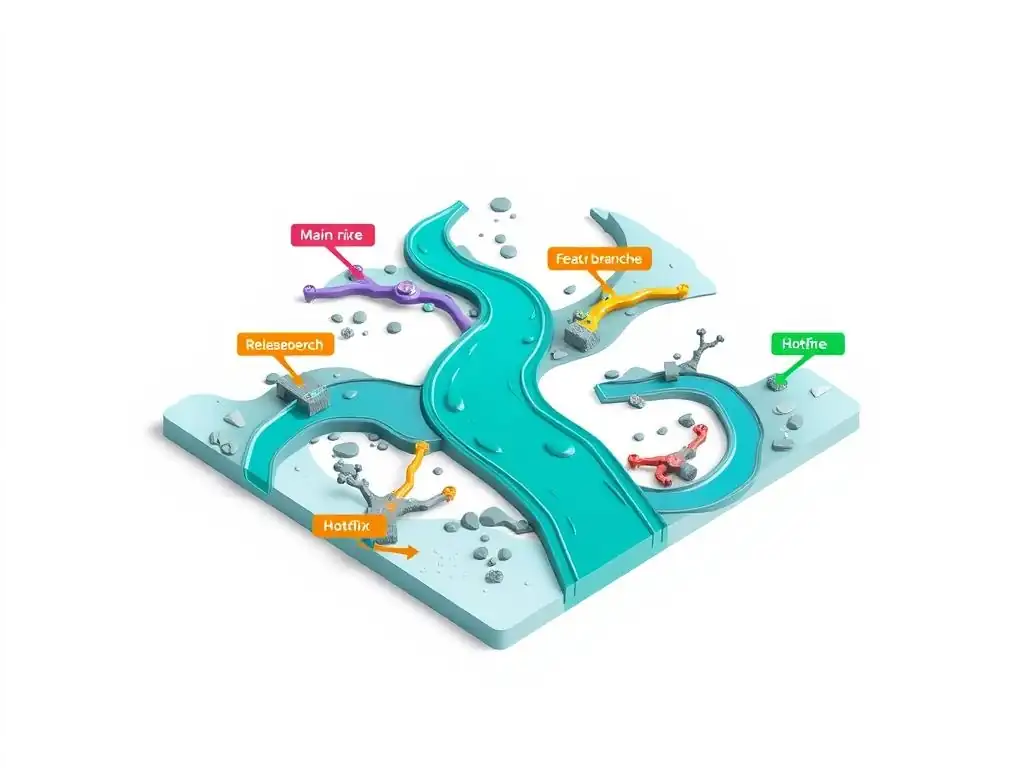
Welcome to Git and Version Control Hub, your central resource for mastering the art of version control!
Are you ready to unravel the mysteries behind effective Git workflows? In this article, we dive deep into the crucial role of the 'main' branch in Git strategies, exploring how its careful management can streamline your development process and foster seamless collaboration. Curious about how different branching models leverage the 'main' branch for releases, hotfixes, and feature integration? Keep reading to discover the best practices and avoid common pitfalls. Let's unlock the full potential of your Git workflow together!
The Role of 'main' Branch in Different Git Branching Strategies
- Understanding the Significance of the 'main' Branch in Git
- 'main' Branch in Popular Git Branching Strategies: A Comparative Analysis
- Best Practices for Managing the 'main' Branch
- Common Challenges and Solutions When Working with the 'main' Branch
- The Future of Branching and the 'main' Branch's Role
- Conclusion: Mastering the 'main' Branch for Effective Version Control
-
Frequently Asked Questions
- What is the 'main' branch and what is its primary role in Git?
- How does the 'main' branch function within a Gitflow branching strategy?
- How does the 'main' branch differ in a simpler branching strategy like GitHub Flow?
- Can the name of the 'main' branch be changed, and if so, what are the implications?
- What are some best practices for managing the 'main' branch to maintain code stability?
- Final Reflection: The Enduring Significance of 'main'
- Unleash Your Branching Power!
Understanding the Significance of the 'main' Branch in Git
What is the 'main' Branch in Git? A Foundational Overview
In Git, the main branch serves as the foundational trunk of your project's version control history. It is the default branch that Git creates when you initialize a new repository. Think of it as the definitive record of your project, representing the currently released or production-ready version of your codebase. For many development teams, the main branch is more than just another branch; it's the single source of truth, reflecting the stable and deployable state of the application at any given time. Changes are typically integrated into main after thorough testing and review, ensuring that it remains a reliable representation of the project's progress.
The main branch is crucial for collaboration and release management. Developers branch off from main to work on new features or bug fixes, ensuring that ongoing development doesn't directly impact the stable codebase. Once features are complete and tested, they are merged back into main, ideally through pull requests and code reviews. This process helps maintain code quality and stability on the main branch. Furthermore, release processes often start from the main branch, tagging specific commits to mark release versions. This makes it easy to track and manage different versions of the software that have been deployed or distributed.
The Evolution of Git Branch Naming: From 'master' to 'main'
Historically, the default branch in Git repositories was named master. This naming convention was inherited from older version control systems and became widely adopted throughout the software development community. However, in recent years, there has been a significant movement within the tech industry to adopt more inclusive and neutral terminology. This shift has led to the increasing adoption of main as the default branch name, replacing master. This change is primarily driven by the desire to move away from potentially offensive or exclusionary language in technology and promote a more welcoming and inclusive environment for all developers.
The transition from master to main is largely a cosmetic change from a technical perspective. Git treats both names identically; the functionality remains the same regardless of the branch name. Major platforms like GitHub, GitLab, and Bitbucket have actively supported this transition, making it easier for users to rename their default branch and for new repositories to be initialized with main as the default. While the change is straightforward in new projects, migrating existing repositories can require some coordination, especially in larger teams. However, the long-term benefits of using inclusive language and aligning with industry best practices far outweigh the short-term effort of renaming the default branch to main.
'main' Branch in Popular Git Branching Strategies: A Comparative Analysis
Gitflow Workflow and the 'main' Branch: Release Management
Gitflow is a branching strategy designed for managing larger projects with scheduled releases. In Gitflow, the main branch plays a specific and crucial role: it exclusively records the official release history. This means that every commit on the main branch represents a tagged release version that has been deployed to production. The main branch, therefore, acts as an immutable and chronologically ordered log of all production releases, providing a clear and auditable history of the software's lifecycle.
How 'main' Branch Functions as the Release History in Gitflow
Within the Gitflow workflow, the main branch is intentionally kept stable and reflects only production-ready code. When a new version of the software is ready for release, a release branch is created from the develop branch. This release branch is used for final testing and bug fixes specific to the upcoming release. Once the release is finalized, the release branch is merged into both main and develop. The merge into main is tagged with a version number, marking the point of release. This process ensures that the main branch is clean, only containing commits that correspond to official releases, and provides a historical record of each software version.
The Relationship Between 'main' and 'develop' Branches in Gitflow
In Gitflow, the main branch works in tandem with the develop branch. While main tracks releases, the develop branch serves as the integration branch for all new features. Developers branch off from develop to create feature branches. Once a feature is complete, it is merged back into develop. The develop branch, therefore, represents the latest development state, incorporating all integrated features that are planned for future releases. Periodically, when enough features are accumulated and a release cycle begins, a release branch is created from develop, eventually leading to a merge into main. This separation ensures that main remains focused on release history, while develop tracks ongoing development efforts.
Feature Branching and the 'main' Branch: Continuous Integration
Feature Branching is a simpler branching strategy that aligns well with Continuous Integration (CI) practices. In this model, the main branch is central to the development process and represents the integration point for all feature branches. The core principle is that developers create short-lived feature branches from main, implement their changes, and then merge these branches back into main frequently, ideally multiple times a day. This frequent integration into main is the cornerstone of continuous integration, promoting rapid feedback and early detection of integration issues.
Integrating Feature Branches into 'main' for Frequent Releases
Feature Branching emphasizes keeping feature branches small and focused, encouraging developers to break down large features into smaller, manageable tasks. This approach facilitates quicker reviews and merges, reducing the risk of large, complex merges that are prone to conflicts. The goal is to have main always in a releasable state. After a feature branch is merged into main, automated CI pipelines typically run tests to ensure the stability of main. If tests pass, the changes on main can be automatically deployed to staging or production environments, enabling continuous delivery.
Managing Code Conflicts During Feature Branch Integration into 'main'
Frequent integration into main, while beneficial, can also lead to merge conflicts, especially when multiple developers are working on overlapping areas of the codebase. To mitigate this, Feature Branching relies on strong collaboration and communication within the development team. Developers are encouraged to keep their feature branches up-to-date with main by regularly rebasing or merging main into their feature branches. This proactive approach helps to surface and resolve conflicts early, before they become more complex during the final merge into main. Furthermore, code reviews before merging into main are critical to catch potential issues and ensure code quality, reducing the likelihood of conflicts and regressions in the main branch.
GitHub Flow and the 'main' Branch: Simplified Deployment
GitHub Flow is an even more streamlined branching strategy, often favored for projects with continuous deployment. In GitHub Flow, the main branch holds a paramount position as the single source of truth. It represents the currently deployed version of the application, and every commit on main is potentially deployable to production. This simplicity makes GitHub Flow particularly well-suited for web applications and services that can be deployed frequently and iteratively.
'main' as the Single Source of Truth in GitHub Flow
GitHub Flow operates with a minimal number of branches, primarily relying on feature branches and the main branch. There are no dedicated develop or release branches as found in Gitflow. Instead, all development work starts by branching from main. When a feature is ready for deployment, the feature branch is merged back into main. Because main is the single source of truth, it's crucial to maintain its stability and ensure that it always reflects a deployable state. This is achieved through rigorous testing and code review processes before merging into main.
Deploying Directly from the 'main' Branch in GitHub Flow
In GitHub Flow, deployment is directly tied to the main branch. Once a feature branch is merged into main and passes all automated tests, it is typically deployed to production. This direct deployment from main is a key characteristic of continuous deployment. Tags can be used on main to mark specific releases or versions for historical purposes, but the primary focus is on the continuous flow of changes from feature branches to main and then directly to production. This rapid deployment cycle allows for quick iteration and fast delivery of new features and bug fixes to users.
GitLab Flow and the 'main' Branch: Balancing Stability and Innovation
GitLab Flow is designed to offer a more flexible approach, bridging the gap between the simplicity of GitHub Flow and the release management focus of Gitflow. In GitLab Flow, the main branch typically represents the stable, production-ready state, similar to GitHub Flow. However, GitLab Flow also introduces environment branches to manage different deployment environments and release branches for versioned releases, providing more structure for larger or more complex projects.
Using 'main' as the Basis for Release Branches in GitLab Flow
In GitLab Flow, while main is still considered deployable, it also serves as the basis for creating release branches when versioned releases are necessary. For projects that require formal releases with version numbers, release branches are branched off from main. These release branches are then used for final stabilization and hotfixes specific to a particular release version. Once a release is finalized, it is tagged on the release branch and can also be merged back into main and potentially develop (if a develop branch is used in GitLab Flow). This allows main to maintain a relatively stable state while still enabling the creation of specific release versions.
Environment Branches and Their Interaction with 'main' in GitLab Flow
GitLab Flow often incorporates environment branches, such as production, staging, and pre-production. These branches reflect the code deployed in different environments. In this context, the main branch is typically considered the source for the production branch. Changes are first merged into main, tested, and then cherry-picked or merged into the environment branches to deploy to specific environments. This setup provides a clear and controlled deployment pipeline. While main might not be deployed directly to production in this scenario, it remains the central integration branch and the foundation for all deployments, ensuring a traceable and manageable flow of changes across different environments.
Best Practices for Managing the 'main' Branch
Protecting the 'main' Branch: Branch Protection Rules
Protecting the main branch is a critical best practice in Git to ensure the stability and integrity of your codebase. Most Git hosting platforms, like GitHub, GitLab, and Bitbucket, offer branch protection rules that allow you to restrict direct pushes to main. These rules can enforce that all changes to main must go through a pull request and code review process. Furthermore, branch protection can prevent accidental force pushes or deletions of the main branch, safeguarding against unintended disruptions to the project's history and stability.
Enforcing Code Review Before Merging into 'main'
Code review is an indispensable step before merging any changes into the main branch. By requiring pull requests and code reviews, teams can ensure that all code integrated into main has been inspected by at least one other developer. This process helps to catch bugs, improve code quality, and ensure adherence to coding standards. Code reviews also facilitate knowledge sharing within the team and contribute to a more robust and maintainable codebase on the main branch. Setting up automated checks as part of the pull request process, such as linters and static analysis tools, further enhances the effectiveness of code reviews and helps maintain code consistency.
Automating Testing and Deployment from the 'main' Branch
Automation is key to efficiently managing the main branch and ensuring its reliability. Implementing Continuous Integration (CI) pipelines that automatically run tests whenever changes are pushed to or merged into main is crucial. These automated tests should cover unit tests, integration tests, and potentially end-to-end tests to verify the functionality and stability of the code. Furthermore, Continuous Deployment (CD) can be automated from the main branch, automatically deploying changes to staging or production environments after successful testing. This automation reduces manual effort, accelerates the release cycle, and ensures that the main branch consistently represents a tested and deployable state of the application.
Common Challenges and Solutions When Working with the 'main' Branch
Resolving Merge Conflicts in the 'main' Branch
Merge conflicts are a common challenge when working with Git, and they can occur when integrating feature branches into the main branch, especially in collaborative environments. Conflicts arise when changes in a feature branch overlap with changes in main. To resolve merge conflicts, developers need to manually edit the affected files, choosing which changes to keep and which to discard. Using Git's merge conflict resolution tools and clearly understanding the conflicting changes are essential. Regularly integrating changes from main into feature branches can help minimize the size and complexity of merge conflicts.
Reverting Changes in the 'main' Branch
Occasionally, it may become necessary to revert changes that have been merged into the main branch, perhaps due to a bug or unintended consequence. Git provides commands like git revert to create a new commit that undoes the changes introduced by a specific commit on main. Alternatively, in more complex scenarios, git reset might be used with caution to move the main branch back to a previous state. However, using git reset on a shared branch like main can rewrite history and cause issues for collaborators, so git revert is generally the safer and preferred method for undoing changes on main in a collaborative setting.
Handling Hotfixes from the 'main' Branch
Hotfixes are critical bug fixes that need to be applied to the production version of the software quickly. In most branching strategies, hotfixes are branched directly from the main branch. This ensures that the hotfix is based on the exact code that is currently in production. Once the hotfix is developed and tested, it is merged back into main and also typically merged or cherry-picked into other relevant branches like develop or release branches to ensure the fix is incorporated into future releases. This process allows for rapid resolution of production issues while maintaining the integrity of the main branch and other development branches.
The Future of Branching and the 'main' Branch's Role
Emerging Trends in Git Branching Practices
Git branching practices continue to evolve alongside software development methodologies. There's a noticeable trend towards simpler, more streamlined branching strategies like Trunk-Based Development and variations of GitHub Flow and GitLab Flow, especially for teams practicing continuous delivery and DevOps. These modern strategies emphasize frequent integration into the main branch, smaller feature branches, and a focus on automation and testing. The goal is to reduce branching complexity, accelerate development cycles, and improve collaboration.
Exploring Trunk-Based Development and Its Impact on 'main'
Trunk-Based Development (TBD) represents a further simplification of branching, where developers primarily commit directly to the main branch (trunk). Feature branches are still used, but they are extremely short-lived, often merged back into main within a day. TBD relies heavily on robust automated testing and continuous integration to ensure that main remains stable despite frequent direct commits. While TBD can significantly accelerate development and reduce merge conflicts, it requires a high level of discipline, strong testing infrastructure, and a mature development team. In Trunk-Based Development, the main branch becomes even more central, truly representing the single source of truth and the constantly evolving, yet always releasable, state of the software.
Conclusion: Mastering the 'main' Branch for Effective Version Control
The main branch is not just a default branch name in Git; it is the cornerstone of effective version control and collaborative software development. Its role varies slightly across different branching strategies like Gitflow, Feature Branching, GitHub Flow, and GitLab Flow, but its fundamental importance remains constant. Whether it serves as the release history in Gitflow, the integration point in Feature Branching, or the single source of truth in GitHub Flow, the main branch is central to managing code stability, facilitating collaboration, and enabling efficient release processes. By understanding the nuances of the main branch within each strategy and adopting best practices for its management, development teams can significantly improve their workflow, code quality, and overall software delivery pipeline. Mastering the main branch is, therefore, essential for any team aiming to leverage Git for robust and scalable version control.
Frequently Asked Questions
What is the 'main' branch and what is its primary role in Git?
The 'main' branch is typically the default branch in a Git repository, often serving as the production-ready code baseline. It represents the stable and deployable version of the project.
How does the 'main' branch function within a Gitflow branching strategy?
In Gitflow, the 'main' branch stores the official release history. New features are developed in separate branches and then merged into the 'main' branch upon release.
How does the 'main' branch differ in a simpler branching strategy like GitHub Flow?
GitHub Flow emphasizes a simpler approach where features are branched directly off 'main', and once reviewed and tested, are merged back into 'main for deployment. 'Main' is therefore always deployable.
Can the name of the 'main' branch be changed, and if so, what are the implications?
Yes, the 'main' branch can be renamed, often to 'trunk' or 'develop'. However, this requires updating Git configurations and ensuring all team members are aware of the change to avoid confusion.
What are some best practices for managing the 'main' branch to maintain code stability?
Best practices include requiring code reviews before merging into 'main', implementing automated testing, and strictly controlling access to prevent direct commits.
Final Reflection: The Enduring Significance of 'main'
The exploration of the 'main' branch across various Git branching strategies reveals more than just technical nuances; it highlights the fundamental principle of stability and collaboration at the heart of software development. In today's fast-paced tech landscape, where continuous integration and deployment are paramount, understanding the role and management of 'main' is not merely best practice, but a crucial element for project success and team cohesion.
The influence of 'main' extends beyond the codebase, shaping the very culture of development teams. It represents the shared truth, the stable foundation upon which innovation is built. My own experiences have shown me that a well-managed 'main' branch fosters trust and confidence within a team, allowing developers to experiment and contribute without fear of destabilizing the entire project. The key to successful software development is to organize for change.
- Grady Booch. This quote perfectly encapsulates the importance of a robust 'main' branch as a cornerstone for adapting to evolving requirements and unforeseen challenges.
As you navigate your own development journeys, remember the lessons learned about the 'main' branch. Consider its role in your chosen strategy, and strive to maintain its integrity. Let it be a symbol of stability, a testament to collaboration, and a springboard for innovation. Embrace the power of a well-managed 'main' branch, and watch your projects flourish.
Unleash Your Branching Power!
Thanks for exploring the intricacies of the main branch and Git branching strategies. You now have a solid understanding of its crucial role in your project's development. Ready to apply this knowledge?
Here's how to solidify your understanding and improve your Git skills:
- Implement a branching strategy in your next project, clearly defining the role of your main branch. Experiment with Gitflow, GitHub Flow, or a simpler workflow to find the best fit.
- Explore advanced Git features like interactive rebasing or cherry-picking to refine your workflow and handle complex scenarios.
- Share your preferred branching strategy with your team or on our community forum at GitAndVersionControlHub.com. Help others learn from your experience!
What's one key takeaway about the main branch that will change your approach to your next Git project? Share your thoughts in the comments below!