
Rebasing for a Linear History: The Advantages of a Clean Git Timeline

Welcome to Git and Version Control Hub, your central resource for mastering Git! Ready to unlock a cleaner, more streamlined Git history? This article delves into the often-misunderstood, yet incredibly powerful technique of rebasing. Discover the benefits of Git rebasing and how it can transform your workflow, leading to a more manageable and collaborative development process. Curious to learn how to create a beautiful, linear history? Dive in and let's unravel the secrets!
- Introduction: Understanding the Power of Git Rebasing for a Streamlined Workflow
- What is Git Rebasing and Why is it Important?
- The Key Benefits of Git Rebasing for a Linear Project History
- Use Cases: When to Leverage Git Rebasing for Maximum Impact
- Potential Drawbacks and Risks of Git Rebasing
- Git Rebasing Best Practices for a Smooth Experience
- Conclusion: Embracing Git Rebasing for a Superior Git Workflow
-
Frequently Asked Questions
- What are the primary benefits of Git rebasing in terms of project history?
- How does rebasing differ from merging, and why might I choose rebasing over merging?
- What are some potential risks associated with rebasing, especially in a collaborative environment?
- How does rebasing contribute to a cleaner and more understandable Git timeline?
- Does rebasing affect the actual code changes made, or does it only change the commit history?
- Final Reflection: Embracing Clarity in Code's Evolution
- Unlock Your Git Potential: Rebase Like a Pro!
Introduction: Understanding the Power of Git Rebasing for a Streamlined Workflow
In the world of software development, version control systems are the backbone of collaborative and efficient coding practices. Git, a leading version control system, offers a plethora of tools to manage code changes effectively. Among these tools, rebasing stands out as a powerful technique to maintain a clean and linear project history.
While merging is often the go-to method for integrating changes, understanding and utilizing rebasing can significantly enhance your workflow, leading to a more organized and comprehensible project timeline. This article delves into the benefits of Git rebasing, exploring how it can streamline your development process and contribute to a more professional and maintainable codebase.
What is Git Rebasing and Why is it Important?
Defining Git Rebasing: Rewriting Your Commit History
Git rebasing is a powerful command that allows you to rewrite the commit history of a branch. Unlike merging, which preserves the entire history including merge commits, rebasing aims to create a linear sequence of commits. Essentially, rebasing takes a series of commits from one branch and replays them onto another branch, making it appear as if the changes were developed sequentially from the target branch. This process involves changing the base of your branch, hence the term "rebasing." For instance, if you have a feature branch branched off from main, rebasing your feature branch onto main will move the base of your feature branch to the latest commit on main, effectively placing your feature branch commits on top of the main branch commits.
Why Rebasing Matters: Cleanliness, Readability, and Collaboration
The importance of rebasing stems from its ability to create a cleaner and more readable commit history. A linear history, achieved through rebasing, simplifies the understanding of project evolution. Instead of a complex branching and merging graph, you get a straight line of commits, each representing a logical step in the project's development.
This clarity significantly aids in code reviews, debugging, and overall project comprehension. For teams, a clean history facilitates smoother collaboration as it reduces the cognitive load associated with navigating convoluted commit timelines. Imagine trying to understand the development path of a feature six months down the line; a rebased history makes this task considerably easier compared to a history riddled with merge commits.
Contrasting Rebasing with Merging: Choosing the Right Approach
While both rebasing and merging serve the purpose of integrating changes from one branch into another, they achieve this in fundamentally different ways. Merging is a non-destructive operation that preserves the entire history. When you merge, Git creates a new commit (a merge commit) that joins the histories of the two branches.
This approach is safe as it doesn't alter existing history. However, frequent merges, especially in long-lived feature branches, can lead to a cluttered history filled with numerous merge commits, making the timeline harder to follow. On the other hand, rebasing rewrites history by applying your commits on top of the target branch.
This results in a linear history without merge commits, but it also means that the commit SHA-1 hashes are changed, effectively altering the original history of the rebased branch. Choosing between rebasing and merging depends on the context and desired outcome. For maintaining a clean, linear history, especially for feature branches before integrating into a main branch, rebasing is often the preferred method.
The Key Benefits of Git Rebasing for a Linear Project History
Benefit 1: Achieving a Clear and Concise Commit History
Eliminating Merge Commits: A Visual Improvement
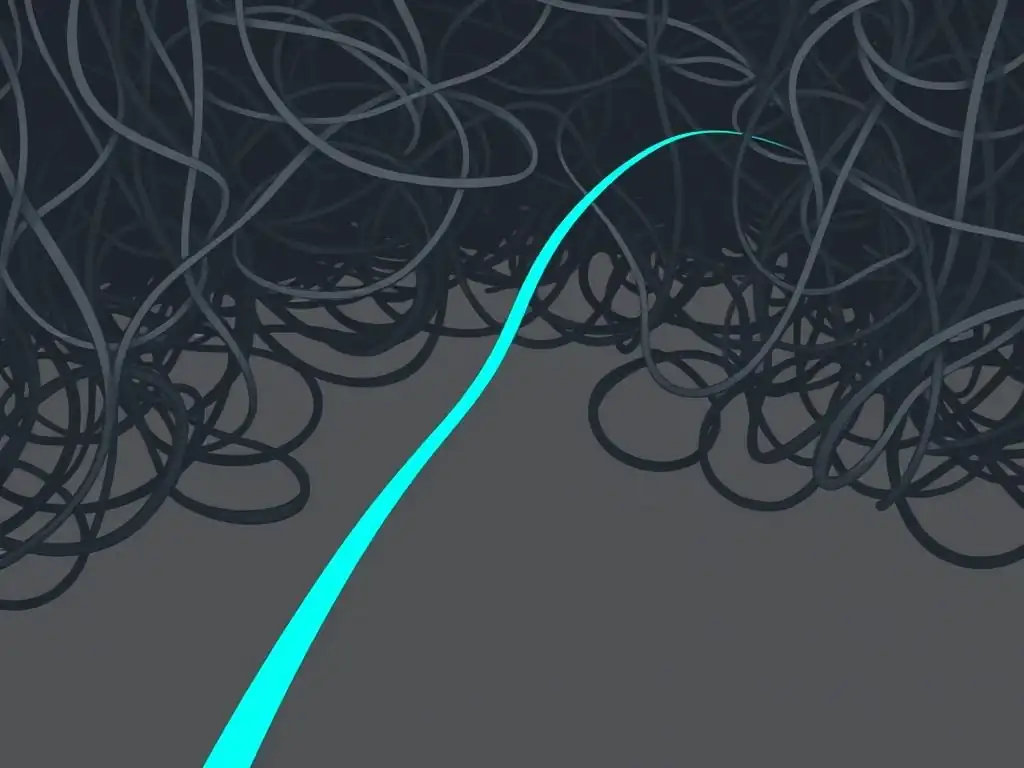
One of the most significant benefits of Git rebasing is the elimination of unnecessary merge commits, resulting in a visually cleaner and more concise commit history. In a merge-heavy workflow, the commit graph can become complex and branched, resembling a tangled web. Each merge operation introduces a new commit that often doesn't add substantial information about the code changes themselves but rather just marks the point of integration.
Rebasing, by contrast, avoids these merge commits entirely. It integrates changes by effectively rewriting the history to appear as if all feature development happened sequentially on top of the main branch. This linear history makes the commit graph easier to read and understand at a glance.
Imagine comparing two project histories: one with numerous merge commits making it difficult to follow the logical progression of features, and another, rebased history, presenting a clear, linear timeline of development. The visual improvement and ease of navigation are immediately apparent.
Easier Code Review: Streamlining Collaboration
A clean, linear commit history directly translates into easier and more efficient code reviews. When reviewers examine a rebased branch, they can focus solely on the actual code changes introduced by the feature, without being distracted by merge commits and the complexities of branching patterns. Each commit in a rebased history ideally represents a logical and focused change, making it simpler for reviewers to understand the purpose and impact of each modification.
This streamlined review process saves time and reduces the cognitive load on reviewers, leading to more thorough and effective feedback. For instance, consider a scenario where a feature branch has been merged multiple times during its development.
Reviewing this branch would involve navigating through numerous merge commits, potentially obscuring the actual feature changes. In contrast, reviewing a rebased feature branch allows reviewers to sequentially examine the commits that constitute the feature, making the review process significantly smoother and more productive.
Feature Branches: Keeping Your Main Branch Clean
Rebasing plays a crucial role in maintaining a clean and pristine main branch, particularly when working with feature branches. In a typical Git workflow, developers create feature branches to isolate new feature development or bug fixes. Without rebasing, merging these feature branches back into the main branch will introduce merge commits. Over time, with numerous features and merges, the main branch's history can become cluttered with these integration points. Rebasing feature branches before merging them into main ensures that the main branch remains linear and reflects a clear, sequential progression of project milestones. Each commit on the main branch, in a rebased workflow, represents a significant, integrated change, rather than just a merge point. This clean main branch is easier to navigate, understand, and use as a stable foundation for future development.
Easier Branch Tracking: Understanding Project Evolution
A linear history achieved through rebasing simplifies branch tracking and enhances the understanding of project evolution. When the commit history is linear, it becomes straightforward to trace the development of features and understand how the project has progressed over time. Tools like git bisect, used for debugging by pinpointing the commit that introduced a bug, work more effectively and efficiently on a linear history. Furthermore, visualizing the project's timeline becomes intuitive. Imagine trying to understand the development history of a complex project with a tangled, merge-commit-heavy graph versus a project with a clean, linear history achieved through rebasing. The rebased history provides a clear and chronological narrative of the project's evolution, making it much easier to track changes and understand the project's trajectory.
Benefit 3: Enhanced Debugging and Troubleshooting Capabilities
Bisecting with Ease: Finding the Root Cause Faster
Git bisect, a powerful tool for identifying the commit that introduced a bug, works exceptionally well with a linear commit history created through rebasing. git bisect performs a binary search through your commit history to quickly pinpoint the problematic commit. When the history is linear, git bisect can navigate through the commits in a straightforward and efficient manner, significantly reducing the time and effort required to locate the bug's origin. In contrast, a history cluttered with merge commits can complicate the bisect process, potentially leading to false positives or requiring manual intervention to navigate through irrelevant merge points. A rebased history provides a clean and direct path for git bisect to follow, making debugging faster and more accurate. In scenarios where time is critical for resolving production issues, the efficiency gained through easier bisecting is invaluable.
Reduced Complexity: Simplifying Error Identification
A linear commit history simplifies error identification by reducing the overall complexity of the codebase's history. When investigating a bug or an unexpected behavior, developers often need to examine the commit history to understand the changes that might have introduced the issue. A linear history makes this process less daunting.
Each commit in a rebased history ideally represents a focused and logical change, making it easier to isolate and analyze potential sources of errors. Furthermore, the absence of merge commits reduces noise and allows developers to concentrate on the actual code modifications that are relevant to the problem at hand. This reduced complexity in the commit history translates to a more straightforward and less error-prone debugging process.
Benefit 4: Presenting a Professional and Organized Project
Showcase Your Project: Making a Good Impression
A clean and linear Git history achieved through rebasing contributes to a more professional and organized presentation of your project, especially when showcasing it to potential employers, collaborators, or the open-source community. A well-structured and easy-to-follow commit history reflects attention to detail and good development practices. It demonstrates that the project has been developed in a methodical and disciplined manner.
When someone browses the project's commit history on platforms like GitHub or GitLab, a linear, rebased history creates a positive first impression, suggesting a higher level of professionalism and code quality. Conversely, a tangled, merge-commit-heavy history might give the impression of a less organized or chaotic development process, even if the code itself is of high quality.
Maintainability: Facilitating Long-Term Development
Maintainability is a crucial aspect of software development, and a clean Git history, facilitated by rebasing, significantly enhances long-term project maintainability. As projects evolve and are worked on by different developers over time, a clear and understandable commit history becomes invaluable for onboarding new team members, understanding past changes, and troubleshooting issues. A linear history allows developers to quickly grasp the project's evolution, understand the purpose of different code sections, and confidently make modifications without introducing unintended side effects.
In contrast, a cluttered and convoluted history can make it challenging to navigate the codebase, increasing the risk of errors and slowing down development cycles. By promoting a clean and maintainable commit history, rebasing contributes to the long-term health and success of software projects.
Use Cases: When to Leverage Git Rebasing for Maximum Impact
Rebasing Feature Branches Before Merging
One of the most common and beneficial use cases for Git rebasing is when preparing feature branches for merging into a main branch like main or develop. Before integrating a feature, rebasing the feature branch onto the target branch ensures that the main branch's history remains linear and uncluttered. This practice involves updating the feature branch with the latest changes from the main branch and then replaying the feature branch commits on top of it. This results in a clean, sequential history when the feature branch is eventually merged (often using a fast-forward merge if possible) into the main branch. Rebasing feature branches in this manner is a cornerstone of maintaining a streamlined and professional project history.
Cleaning Up Local Commits Before Pushing
Rebasing is also extremely useful for cleaning up your local commits before pushing them to a remote repository. During feature development, developers often make numerous small, incremental commits, some of which might be less polished or even contain minor errors that are quickly corrected in subsequent commits. Before sharing these changes with the team or pushing to a shared branch, interactive rebasing can be used to consolidate these commits into a smaller number of more meaningful and coherent commits.
This process might involve squashing multiple related commits into one, rewording commit messages for clarity, or even reordering commits to present a more logical flow of changes. Cleaning up local commits with rebasing before pushing results in a cleaner and more professional contribution to the shared repository.
Interactive Rebasing: Refining Individual Commits
Combining Commits: Squashing and Fixing
Interactive rebasing provides granular control over your commit history, allowing for the refinement of individual commits. One powerful application of interactive rebasing is "squashing" commits. Squashing combines multiple consecutive commits into a single commit.
This is particularly useful for consolidating small, incremental commits or fixing commits into a more cohesive unit. For instance, if you made several "fix typo," "minor adjustment," or "WIP" commits during feature development, you can use interactive rebasing to squash these into the preceding feature commit, resulting in a cleaner and more focused commit history. Squashing helps to eliminate noise and present a more polished and logical sequence of changes.
Reordering Commits: Optimizing the Timeline
Interactive rebasing also allows for the reordering of commits within a branch. While less frequently used than squashing, reordering commits can be beneficial in certain situations. For example, if you realize that commits are not in the most logical order chronologically or thematically, you can use interactive rebasing to rearrange them.
This can improve the readability and understanding of the commit history, especially when presenting a complex feature or bug fix. Reordering commits should be done cautiously and primarily on local or private branches to avoid disrupting shared histories. When used judiciously, reordering can contribute to a more optimized and intuitively understandable project timeline.
Potential Drawbacks and Risks of Git Rebasing
Rebasing Public Branches: A Cautionary Tale
The Golden Rule of Rebasing: Don't Rebase Shared History
The most critical caveat when considering Git rebasing is the golden rule: never rebase commits that have already been pushed to a public or shared branch. Rebasing rewrites history, changing the commit SHA-1 hashes. If others have already based their work on the original commits from the rebased branch, rebasing will create significant confusion and potential conflicts.
Their local repositories will diverge from the rewritten history, leading to difficulties in synchronization and integration. This can result in duplicated commits, lost work, and a generally chaotic situation for the team. Therefore, rebasing should be strictly limited to local branches or private feature branches that have not yet been shared with others.
Avoiding Conflicts: Careful Planning is Key
Rebasing, while powerful, can introduce conflicts, especially when rebasing a branch onto a fast-moving target branch like main. Conflicts arise when changes in the target branch overlap with changes in the branch being rebased, and Git cannot automatically reconcile them. While Git provides tools to resolve these conflicts, dealing with them can be time-consuming and require careful attention to detail. To minimize the risk of rebasing conflicts, it's essential to keep your feature branches relatively short-lived and to rebase frequently against the target branch. Regular rebasing helps to integrate changes incrementally and detect potential conflicts early, making them easier to resolve compared to dealing with a large number of conflicts in a single rebasing operation.
Dealing with Conflicts During Rebasing
Understanding Conflict Resolution: A Step-by-Step Guide
When rebasing results in conflicts, Git pauses the rebasing process and requires manual intervention to resolve them. Git clearly marks the conflicting sections in the affected files using conflict markers ( <<<<<<<, =======, >>>>>>>). Resolving these conflicts involves manually editing the files, choosing which changes to keep (or merging them), and removing the conflict markers. After resolving all conflicts in a file, you need to stage the resolved file using git add <filename> and then continue the rebasing process using git rebase --continue. If you encounter difficulties or wish to abort the rebasing process, you can use git rebase --abort to return to the state before the rebase started. Understanding this step-by-step conflict resolution process is crucial for effectively handling rebasing conflicts.
Best Practices: Preventing Rebasing Conflicts
While conflicts are sometimes inevitable, several best practices can help minimize their occurrence during rebasing. First, as mentioned earlier, keep feature branches short-lived and rebase frequently. This reduces the divergence between branches and minimizes the chance of overlapping changes. Second, communicate with your team, especially if you are working on branches that might interact with each other.
Coordinating rebasing activities can prevent situations where multiple developers are rebasing branches based on outdated information. Third, before rebasing, always ensure your local branch is up-to-date with the remote target branch. Fetching and merging or rebasing the target branch into your local branch before starting the rebase of your feature branch can help identify and resolve potential conflicts proactively, before they become part of the rebasing process itself.
Git Rebasing Best Practices for a Smooth Experience
Communicate Effectively with Your Team
Effective communication is paramount when incorporating rebasing into a team workflow. Since rebasing rewrites history, it's crucial to ensure that team members are aware of rebasing practices and understand when and how to use it appropriately. Establish clear guidelines within the team regarding rebasing, specifically emphasizing the golden rule of not rebasing public branches. Discuss preferred workflows, such as rebasing feature branches before merging, and ensure everyone is on the same page. Open communication helps prevent misunderstandings and potential issues arising from history rewriting, fostering a collaborative and harmonious development environment.
Regularly Update Your Local Branches
To minimize conflicts and ensure a smooth rebasing experience, regularly update your local branches, especially before initiating a rebase operation. Before rebasing your feature branch onto main, for example, always fetch the latest changes from the remote main branch and integrate them into your local main branch. This ensures that you are rebasing your feature branch onto the most current state of the target branch, reducing the likelihood of conflicts. Regularly updating local branches is a good general practice in Git workflows, promoting synchronization and preventing your local repository from falling too far behind the remote repository.
Practice Rebasing in a Safe Environment
If you are new to Git rebasing or hesitant about using it in a production environment, it's highly recommended to practice in a safe and isolated environment. Create a test repository or use a personal branch to experiment with different rebasing scenarios, including basic rebasing, interactive rebasing, and conflict resolution. This hands-on practice allows you to become comfortable with the rebasing process, understand its effects, and develop confidence in using it effectively. Experimenting in a safe environment minimizes the risk of accidentally disrupting a production codebase while learning the nuances of Git rebasing.
Conclusion: Embracing Git Rebasing for a Superior Git Workflow
The Long-Term Value of a Clean Git History
The long-term value of maintaining a clean Git history through techniques like rebasing cannot be overstated. A well-organized and linear commit history significantly contributes to the maintainability, understandability, and overall health of a software project. It simplifies code reviews, debugging, and collaboration, making the development process more efficient and less error-prone. In the long run, investing in practices that promote a clean history, such as judicious use of rebasing, pays dividends by reducing technical debt, improving team productivity, and ensuring the project remains manageable and adaptable as it evolves.
Rebasing: A Powerful Tool for Git Mastery
Git rebasing is a powerful tool in the arsenal of any Git user aiming for mastery. While it requires understanding and careful application, the benefits of Git rebasing in creating a linear and clean project history are substantial. By embracing rebasing strategically and adhering to best practices, developers can elevate their Git workflow, enhance project clarity, and contribute to a more professional and efficient software development process. Mastering rebasing is a significant step towards becoming a proficient and effective Git user, unlocking the full potential of version control for improved collaboration and project success.
Frequently Asked Questions
What are the primary benefits of Git rebasing in terms of project history?
Git rebasing primarily aims to create a cleaner and more linear project history. This makes it easier to follow the development process and understand the evolution of the codebase.
How does rebasing differ from merging, and why might I choose rebasing over merging?
While both integrate changes, rebasing rewrites history by moving your branch's commits onto another branch. Merging creates a merge commit, preserving the existing history, which can lead to a more complex commit graph.
What are some potential risks associated with rebasing, especially in a collaborative environment?
Rebasing rewrites commit history, which can cause problems if others have already based their work on the original commits. This can lead to significant confusion and potential conflicts.
How does rebasing contribute to a cleaner and more understandable Git timeline?
By replaying commits on top of the target branch, rebasing eliminates unnecessary merge commits and creates a linear sequence of commits. This makes the history easier to read and navigate.
Does rebasing affect the actual code changes made, or does it only change the commit history?
Rebasing only changes the commit history by rearranging and potentially rewriting commits. It does not inherently alter the actual code changes within those commits, although conflicts may arise that require manual resolution.
Final Reflection: Embracing Clarity in Code's Evolution
The journey through the intricacies of Git rebasing reveals more than just technical advantages; it underscores the profound impact of a well-structured narrative on collaborative development. The benefits of Git rebasing, as explored, extend beyond mere code organization, fostering a clearer understanding of project history and streamlining future contributions. This pursuit of a linear, comprehensible timeline is not just about efficiency; it's about empowering teams to build upon a solid foundation of knowledge.
The concept of a clean Git history resonates deeply because it mirrors our own desire for clarity and order in a complex world. The ability to rewrite history, responsibly and thoughtfully, allows us to present the most coherent and impactful version of our work, both individually and collectively. It reminds us that progress isn't always linear, but our representation of it can be. The best way to predict the future is to create it.
- Peter Drucker. This quote perfectly encapsulates the spirit of rebasing: proactively shaping our project's history to facilitate a brighter, more understandable future.
Now, consider the power you hold to shape the narrative of your own projects. Embrace the benefits of Git rebasing, not just as a technical tool, but as a philosophy for clear communication and collaborative growth. Strive to create a timeline that tells a compelling story, one that empowers your team and inspires future generations of developers. Let your code's history be a testament to the power of clarity and intentionality.
Unlock Your Git Potential: Rebase Like a Pro!
Thanks for taking the time to dive into the world of rebasing and its benefits for a cleaner Git history! You've now seen how rebasing can transform your project's timeline into a more streamlined and understandable narrative. Now it's time to put that knowledge into action!
Here are a few things you can do right now:
- Experiment with
git rebase -iin a safe, non-critical branch to understand the power of interactive rebasing. Don't worry about making mistakes; that's how you learn! - Share this article with a fellow developer who might be struggling with messy Git histories. Help them discover the clarity of a rebased timeline!
- Consider setting up a team agreement on rebasing guidelines to ensure consistent and readable commit histories across your projects.
Ready to transform your project's Git history from tangled web to a clear narrative?