
CherryPicking in Team Environments: Collaboration with Selective Commits

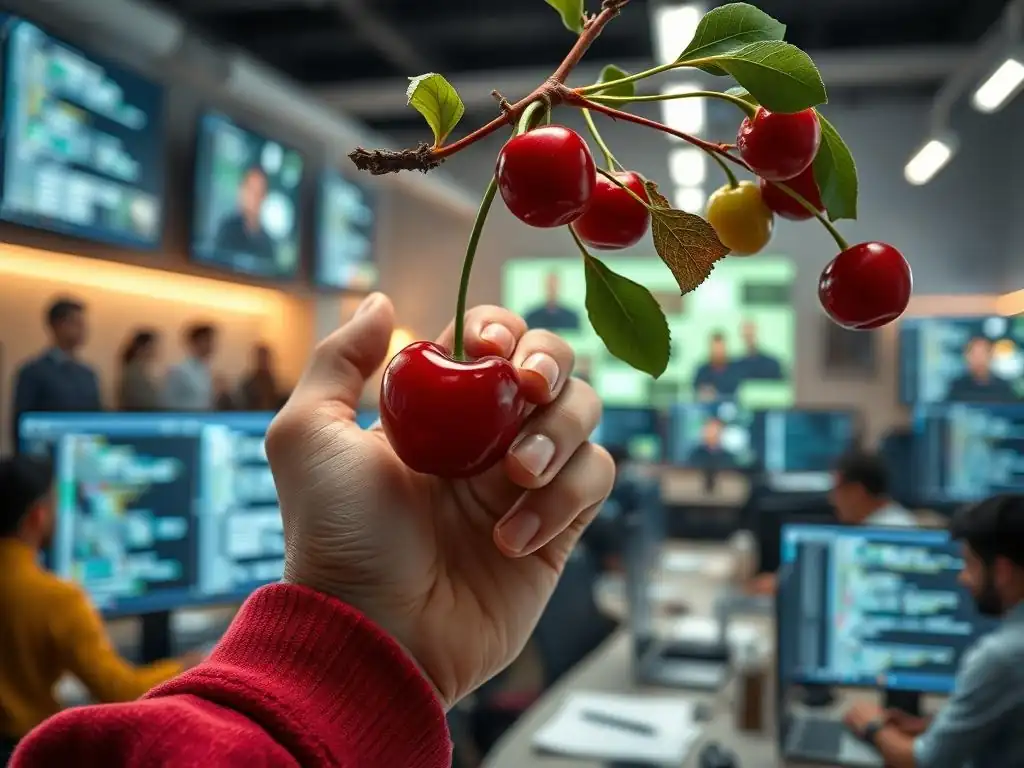
Welcome to Git and Version Control Hub, your ultimate resource for mastering the art of version control! Ever wished you could selectively incorporate changes from one branch to another without merging everything? This article dives deep into the power of cherry picking in Git collaboration, an advanced technique that can revolutionize how you work with teams. Discover how to strategically integrate specific commits, resolve conflicts effectively, and streamline your workflow. Intrigued? Let's explore how cherry-picking can enhance your collaborative coding efforts and unlock new levels of control over your projects!
Cherry-Picking in Team Environments: Collaboration with Selective Commits
- Understanding Cherry-Picking for Collaborative Git Workflows
- Effective Cherry-Picking Strategies for Team Collaboration
- Avoiding Conflicts and Issues During Collaborative Cherry-Picking
- Cherry-Picking vs. Other Git Collaboration Methods
- Real-World Examples of Cherry-Picking in Team Environments
- Advanced Cherry-Picking Techniques for Collaborative Projects
- Integrating Cherry-Picking into Your Team's Git Workflow
- Conclusion: Mastering Cherry-Picking for Enhanced Git Collaboration
-
Frequently Asked Questions
- What exactly is cherry-picking in Git, and how does it relate to collaboration?
- When is cherry-picking a good idea for collaborative projects?
- What are the potential risks of cherry-picking in a team environment?
- How does cherry-picking affect the commit history of a repository?
- How can I use cherry-picking to improve my team's workflow and collaboration?
- Final Reflection: Cultivating Collaborative Clarity
- Unleash the Power of Precise Code Integration!
Understanding Cherry-Picking for Collaborative Git Workflows
What is Cherry-Picking in Git? A Definition for Team Use
Cherry-picking in Git is the act of selecting specific commits from one branch and applying them to a different branch. In a team environment, this technique becomes invaluable when you need to incorporate particular changes without merging entire branches.
Imagine a scenario where a teammate has developed a crucial bug fix on a feature branch, but that entire feature is not yet ready to be merged into the main development branch. Cherry-picking allows you to precisely select the commit containing just the bug fix and apply it to the main branch, ensuring stability and timely resolution of critical issues without introducing unfinished features.
For teams, understanding cherry-picking is crucial for efficient collaboration. It offers a surgical approach to code integration, moving away from the all-or-nothing nature of branch merging. This selective application of commits can be particularly beneficial in fast-paced development cycles where features are developed in parallel, and certain fixes or enhancements need to be quickly deployed without waiting for the completion of larger features. Cherry-picking empowers teams to be more agile and responsive to immediate needs, fostering a more streamlined and controlled development process.
Why Use Cherry-Picking for Collaborative Projects?
Collaborative projects often benefit significantly from cherry-picking due to its flexibility and precision. In team settings, development frequently occurs across multiple branches – feature branches, hotfix branches, release branches, and the main development branch. Cherry-picking provides a mechanism to selectively share code changes between these branches without the overhead or potential instability of merging entire branches. For instance, if a developer working on a feature branch discovers a generally applicable improvement, they can cherry-pick that specific commit to the development branch, making the enhancement available to the entire team immediately.
Furthermore, cherry-picking is exceptionally useful for managing hotfixes in collaborative projects. When a critical bug is discovered in a production branch, a team can quickly create a hotfix branch, implement the fix, and then cherry-pick only the bug-fixing commit directly into the production branch. This ensures a rapid resolution for end-users while keeping the production branch clean and focused solely on essential fixes.
This targeted approach minimizes the risk of introducing unintended changes that might come with merging a larger, potentially less stable, branch into production. Cherry-picking therefore supports a more controlled and less disruptive workflow for addressing urgent issues in collaborative software development.
Effective Cherry-Picking Strategies for Team Collaboration
Identifying the Right Commits for Cherry-Picking in a Team
In a collaborative environment, identifying the correct commits for cherry-picking requires clear communication and a good understanding of the team's workflow. Before initiating a cherry-pick, it's essential to pinpoint the exact commit or commits that contain the desired changes. Tools like git log are invaluable for this purpose, allowing team members to review commit histories, examine commit messages, and differentiate between changes. For example, using git log --oneline --graph --decorate in the terminal provides a concise visual representation of the branch structure and commits, making it easier to locate specific commits by their hash or descriptive messages.
Effective identification also involves considering the context of the commit. A seemingly isolated commit might depend on previous changes not intended for cherry-picking. Therefore, teams should review the commit's content using git show <commit-hash> to ensure it’s self-contained and doesn't introduce unintended dependencies or break existing functionality in the target branch. Clear and descriptive commit messages become especially important here; well-written commit messages act as valuable documentation, helping teammates quickly assess the purpose and impact of each commit and decide if it’s appropriate for cherry-picking in a collaborative setting.
Best Practices for Cherry-Picking in a Collaborative Environment
To ensure smooth collaboration when using cherry-picking, teams should adopt specific best practices. Firstly, always cherry-pick into a dedicated branch, not directly into a shared main branch. This practice allows for review and testing of the cherry-picked changes in isolation before integrating them into the main codebase. For example, a developer might cherry-pick a commit into a temporary branch named cherry-pick-review, test the changes, and then merge this branch into the target branch if everything works as expected.
Secondly, after cherry-picking, thoroughly test the changes in the new context. Even though a commit works perfectly in its original branch, the target branch might have diverged, leading to unexpected conflicts or behavior. Running unit tests, integration tests, and even manual testing if necessary, is crucial to verify the cherry-picked commit's stability. Lastly, communicate clearly with your team. Inform team members about the cherry-pick, the reason behind it, and any potential impact it might have. This transparency minimizes confusion and ensures everyone is aware of the changes being introduced into the codebase.
Communicating Cherry-Pick Intent Within the Team
Clear communication is paramount when employing cherry-picking in collaborative Git workflows. Before performing a cherry-pick, it is vital to inform the team about your intentions. This can be achieved through various channels, such as team chat applications like Slack or Microsoft Teams, project management tools like Jira or Asana, or even during daily stand-up meetings. Clearly stating the commit(s) you plan to cherry-pick, the target branch, and the reason behind this action prevents misunderstandings and potential conflicts.
Furthermore, including the cherry-pick action in commit messages or pull request descriptions enhances transparency and provides a historical record. For instance, when creating a pull request to merge a branch that contains cherry-picked commits, explicitly mention which commits were cherry-picked and from which branch. Similarly, in the commit message of a cherry-picked commit itself, adding a line like "Cherry-picked from commit provides valuable context and traceability. This practice ensures that the team understands the origin and purpose of the changes, fostering better collaboration and codebase management.
Avoiding Conflicts and Issues During Collaborative Cherry-Picking
Resolving Conflicts After Cherry-Picking in a Team Setting
Conflicts after cherry-picking are a common occurrence, especially in collaborative projects where branches diverge significantly. When a conflict arises during a cherry-pick, Git will halt the process and indicate the files with conflicts. Resolving these conflicts requires a careful approach and clear communication within the team. The first step is to identify the conflicting files and understand the nature of the conflict. Git uses conflict markers ( <<<<<<<, =======, >>>>>>>) within the affected files to highlight the differing sections of code.
To resolve conflicts, team members need to manually edit the conflicting files, deciding which changes to keep or how to merge the different versions. Collaboration is key here; if the conflict is complex or involves code owned by another team member, reaching out to them for input is highly recommended. After resolving all conflicts in the affected files, use git add <resolved-file> to stage the resolved files and then git cherry-pick --continue to proceed with the cherry-picking process. In cases where the conflicts are too intricate or the cherry-pick is no longer desired, git cherry-pick --abort can be used to stop the process and revert the changes.
Preventing Duplicate Commits with Cherry-Picking Strategies
One potential issue with frequent cherry-picking in collaborative environments is the creation of duplicate commits or the unintended application of the same changes multiple times. To prevent this, teams need to employ strategies that ensure clarity and track cherry-picking activities effectively. One approach is to meticulously document each cherry-pick operation, noting which commits were cherry-picked, when, and into which branch. This documentation can be maintained in a shared document or project management system.
Another effective strategy is to leverage Git's commit metadata. When cherry-picking, Git often includes a line in the commit message indicating the original commit it was cherry-picked from. Teams can use this information to quickly identify if a commit has already been cherry-picked. Additionally, using tools or scripts to analyze commit histories can help detect potential duplicate cherry-picks. For instance, a script could compare commit diffs across branches to identify commits with identical changes. Proactive monitoring and clear communication about cherry-picking actions within the team are crucial to avoid redundancy and maintain a clean and efficient codebase history.
Managing Branch History with Careful Cherry-Picking
Careful cherry-picking practices are essential for maintaining a clean and understandable branch history, especially in collaborative projects. While cherry-picking is a powerful tool, overuse or misuse can lead to a convoluted and confusing commit history, making it harder to track changes and understand the project's evolution. To mitigate this, teams should use cherry-picking judiciously and strategically, primarily for specific scenarios like hotfixes or porting essential features rather than as a routine code integration method.
When cherry-picking, strive to cherry-pick entire, self-contained commits rather than partial changes. This maintains the logical integrity of commits and makes it easier to understand the changes being introduced. Avoid cherry-picking a large number of commits at once, as this can make the branch history resemble a merge without the explicit merge context. Instead, consider if merging the entire source branch might be a more appropriate and history-preserving approach. Regularly reviewing and pruning branches, along with clear naming conventions for branches and commits, also contributes to a more manageable and comprehensible Git history, even when cherry-picking is utilized.
Cherry-Picking vs. Other Git Collaboration Methods
Cherry-Picking vs. Merging: Choosing the Right Approach for Your Team
Choosing between cherry-picking and merging in a collaborative Git workflow depends heavily on the specific scenario and the desired outcome. Merging integrates all changes from one branch into another, preserving the entire history of both branches. It is the standard approach for incorporating completed features or integrating bug fixes from a development branch into a stable branch. Merging is ideal when you want to bring in all the changes and maintain a clear record of branch integrations.
Cherry-picking, on the other hand, is selective. It's best suited for situations where you need to apply only specific commits, often for hotfixes, backporting features, or isolating particular changes. For example, if a feature branch contains both completed and incomplete features, and you only want to apply a bug fix from it, cherry-picking is more appropriate than merging the entire branch.
Consider the scope of changes you want to integrate: for comprehensive integration, merge; for targeted, selective changes, cherry-pick. The decision should also consider the impact on branch history; merging maintains history more linearly, while cherry-picking creates a more selective, potentially less linear history.
Cherry-Picking vs. Rebasing: A Comparison for Collaborative Projects
Cherry-picking and rebasing are both techniques to integrate changes from one branch to another, but they operate fundamentally differently and are suited for different collaborative scenarios. Rebasing, specifically, is the process of rewriting commit history by moving a branch's base point to another branch. It results in a linear commit history and is often used to keep feature branches up-to-date with the main development branch before merging. Rebasing is generally recommended for feature branches before they are merged into shared branches, as it simplifies history and avoids complex merge commits.
In contrast, cherry-picking does not rewrite history in the same way. It creates new commits on the target branch that contain the changes from the cherry-picked commits, but the original commits remain unchanged in their original branches.
Cherry-picking is preferred when you want to selectively apply specific changes without altering the base history of the target branch or when rebasing might be too disruptive, especially in shared branches. For collaborative projects, rebasing is often used for personal feature branches to maintain a clean linear history before merging, while cherry-picking is used for selectively applying specific fixes or features across different branches without a full merge or rebase operation.
When to Use Cherry-Picking Instead of Branching in Team Workflows
While branching is a fundamental aspect of Git workflows for feature development, hotfixes, and releases, there are specific situations where cherry-picking offers a more efficient and targeted approach compared to creating new branches. Consider a scenario where a bug fix is developed on a feature branch, but this bug also exists in the production branch. Instead of merging the entire feature branch (which might be premature), cherry-picking the bug-fixing commit directly to the production branch provides a rapid and isolated fix.
Another case is when backporting features or fixes to older maintenance branches. If a new feature or a critical fix is implemented in the main development branch, and it's also needed in an older, actively maintained release branch, cherry-picking is a direct way to apply those specific changes without merging entire branch histories.
Furthermore, in situations where a contributor provides a specific, isolated improvement in their fork, and you want to incorporate just that change into your project, cherry-picking from their fork can be simpler and cleaner than creating a merge branch. In essence, use cherry-picking when you need to selectively apply very specific, isolated changes across branches, rather than integrating entire sets of changes as done with branching and merging.
Real-World Examples of Cherry-Picking in Team Environments
Case Study 1: Hotfixing a Security Vulnerability in a Production Branch
Imagine a scenario where a security vulnerability is discovered in the production version of a widely used software application. The development team immediately creates a hotfix branch from the production branch to address this critical issue. A developer identifies the vulnerable code, implements a robust fix, and commits these changes to the hotfix branch. After thorough testing on the hotfix branch, the team needs to deploy this fix to production as quickly as possible without introducing any other changes from ongoing development.
In this situation, cherry-picking is the perfect solution. The team can cherry-pick the specific commit containing the security fix from the hotfix branch directly into the production branch. This ensures that only the essential security patch is applied to production, minimizing the risk of introducing new bugs or instability. Once the cherry-pick is successful and tested in a staging environment mirroring production, the updated production code with the security fix can be rapidly deployed, mitigating the vulnerability and protecting users. This real-world example showcases how cherry-picking enables teams to respond swiftly and surgically to critical issues in live environments.
Case Study 2: Porting UI Improvements to a Legacy Maintenance Branch
Consider a company maintaining a legacy software product that is still in use by a significant customer base, even as the main development efforts are focused on a newer version. The UX team, while working on the new version, identifies some valuable user interface (UI) improvements that would significantly enhance the user experience of the legacy product as well. However, a full merge of the new version's UI codebase into the legacy branch is not feasible or desirable due to extensive architectural differences and potential instability.
Cherry-picking offers a practical approach here. The development team can selectively cherry-pick commits related specifically to the UI improvements from the new version's branch and apply them to the legacy maintenance branch. For example, commits that refine button styles, improve form layouts, or enhance navigation can be individually cherry-picked. This allows the team to incrementally enhance the legacy product's usability without the risks and overhead of a full merge. This example demonstrates how cherry-picking can be used to selectively backport enhancements to older versions of software, extending their lifespan and user satisfaction.
Case Study 3: Applying a Performance Optimization from a Contributor's Fork
In an open-source project, a community contributor identifies and implements a significant performance optimization in their personal fork of the project repository. They submit a pull request with this optimization. The core development team reviews the contribution and recognizes the value of the performance improvement but finds that the contributor's branch also includes other unrelated changes or is based on a slightly outdated version of the main development branch. Merging the entire pull request branch directly might introduce unwanted code or require significant rework to align with the current main branch.
Cherry-picking provides a streamlined way to incorporate just the performance optimization. The core team can cherry-pick the specific commit (or commits) from the contributor's fork that contains only the performance-enhancing code. This allows them to adopt the valuable optimization without bringing in any potentially problematic or extraneous changes from the contributor's branch. After cherry-picking, the team can test the optimization in their environment and integrate it cleanly into the main project branch. This case illustrates how cherry-picking facilitates the selective adoption of valuable contributions from external sources, enhancing collaboration and code quality in open-source projects.
Advanced Cherry-Picking Techniques for Collaborative Projects
Using git cherry-pick --continue, --skip, and --abort in a Team
When performing cherry-picking in a team environment, especially when dealing with potential conflicts, understanding and utilizing the git cherry-pick --continue, --skip, and --abort options is crucial for efficient workflow management. If a conflict arises during a cherry-pick operation, Git pauses the process. At this point, team members need to resolve the conflicts manually by editing the affected files. After resolving the conflicts, using git add <resolved-files> to stage the changes, the command git cherry-pick --continue resumes the cherry-picking process, applying the rest of the commit and completing the operation.
In situations where a particular commit in a series of cherry-picks is deemed unnecessary or problematic to resolve, the --skip option can be used via git cherry-pick --skip. This option skips the current commit and moves on to the next commit in the sequence, if any. This is useful when a commit is no longer relevant or its changes are not needed in the target branch. Conversely, if during the conflict resolution process or for any other reason, the team decides to abandon the entire cherry-pick operation, git cherry-pick --abort can be used. This command stops the cherry-picking process entirely and returns the branch to the state it was in before the cherry-pick was initiated. These options provide team members with fine-grained control over the cherry-picking process, enabling them to handle conflicts and unexpected situations effectively.
Cherry-Picking with Signatures and Verification
In collaborative projects where code integrity and authenticity are paramount, especially in security-sensitive domains or regulated industries, cherry-picking with commit signatures and verification becomes an important advanced technique. Git allows for signing commits using GPG keys, ensuring that a commit is indeed authored by the claimed author and hasn't been tampered with since signing. When cherry-picking commits that are signed, it's possible to verify these signatures in the target branch to maintain the chain of trust and ensure that cherry-picked changes are from trusted sources.
Teams can enforce policies that require signing of all commits, or at least commits that are cherry-picked into critical branches like production or release branches. Tools and Git configurations can be set up to automatically verify commit signatures during cherry-pick operations and flag or reject cherry-picks of unsigned or unverifiable commits. This practice adds a layer of security and accountability to collaborative cherry-picking, ensuring that changes applied selectively are both authentic and originate from authorized team members, mitigating risks associated with code provenance and integrity.
Automating Cherry-Picking Workflows with Scripts
For teams that frequently use cherry-picking in their Git workflow, especially for repetitive tasks like backporting fixes to multiple maintenance branches, automating cherry-picking operations with scripts can significantly improve efficiency and reduce manual errors. Scripts can be written using shell scripting languages like Bash or scripting languages like Python to automate the process of identifying commits to cherry-pick, performing the cherry-pick operation across multiple branches, and even handling simple conflict resolution scenarios.
For example, a script could take a commit hash as input and automatically cherry-pick that commit to a predefined list of branches. More sophisticated scripts could integrate with issue tracking systems to identify commits associated with specific bug fixes and automatically cherry-pick those fixes to relevant release branches. Automation can also include steps for testing the cherry-picked changes and sending notifications to team members upon completion. By automating repetitive cherry-picking tasks, teams can save valuable development time, minimize human error, and ensure consistent application of cherry-picked changes across different branches, streamlining their collaborative Git workflow.
Integrating Cherry-Picking into Your Team's Git Workflow
Establishing Clear Guidelines for Cherry-Picking
To effectively integrate cherry-picking into a team's Git workflow and avoid potential misuse or confusion, establishing clear guidelines is essential. These guidelines should define when cherry-picking is appropriate, who is authorized to perform cherry-picks, and what procedures should be followed. For instance, guidelines might specify that cherry-picking is primarily intended for hotfixes, backporting critical fixes, or selectively applying isolated features, and not as a routine method for integrating larger feature sets.
The guidelines should also outline the communication process. For example, requiring team members to announce their intention to cherry-pick on a team communication channel before proceeding or mandating that cherry-picked commits are reviewed by another team member before integration. Furthermore, guidelines should address conflict resolution procedures, emphasizing collaboration and clear communication in case of conflicts. By establishing and documenting these clear guidelines, teams can ensure that cherry-picking is used effectively and consistently, enhancing collaboration and maintaining codebase integrity.
Training Your Team on Best Practices for Cherry-Picking
Effective adoption of cherry-picking within a team requires proper training and education on its best practices. Many developers may be familiar with basic Git operations but less comfortable with more advanced techniques like cherry-picking. Training sessions should cover the concept of cherry-picking, its use cases, and when it's more suitable than merging or rebasing. Practical workshops with hands-on exercises, simulating real-world scenarios like hotfixing or backporting, are highly effective.
Training should also emphasize best practices for collaborative cherry-picking, including clear communication, conflict resolution strategies, and maintaining a clean commit history. Highlighting the potential pitfalls of misuse, such as creating duplicate commits or complicating branch history, is also crucial. Regular refresher sessions and readily available documentation on team-specific cherry-picking guidelines can reinforce these practices and ensure that all team members are proficient and confident in using cherry-picking effectively as a collaborative tool.
Monitoring and Auditing Cherry-Picking Activities
To ensure adherence to established guidelines and to maintain transparency and accountability, teams should implement mechanisms for monitoring and auditing cherry-picking activities within their Git repositories. This can involve setting up Git hooks or using repository management tools that provide logs and reports of cherry-pick operations. Monitoring can track who is cherry-picking, which commits are being cherry-picked, and into which branches.
Auditing cherry-picking activities can help identify any deviations from established guidelines or potential misuse. For example, if cherry-picking is intended only for hotfixes, an audit might flag instances where it's being used for larger feature integrations, prompting a review of the workflow. Tools can also be configured to send notifications or alerts for cherry-pick operations on critical branches, providing real-time visibility. By actively monitoring and auditing cherry-picking, teams can maintain control over their Git workflow, ensure best practices are followed, and proactively address any issues related to selective commit integration.
Conclusion: Mastering Cherry-Picking for Enhanced Git Collaboration
Key Takeaways for Effective Team Cherry-Picking
Mastering cherry-picking is a valuable skill for enhancing Git collaboration within development teams. The key takeaway is that cherry-picking is a powerful tool for selectively integrating specific changes, offering a surgical approach to code management compared to the broader integration of merging. For effective team cherry-picking, clear communication is paramount. Teams must establish guidelines, communicate intent, and document cherry-pick operations to ensure transparency and avoid confusion. Best practices include cherry-picking into dedicated branches, thorough testing after cherry-picking, and careful consideration of branch history to avoid a convoluted commit log.
Furthermore, understanding when to use cherry-picking versus merging or rebasing is crucial. Cherry-picking excels in scenarios like hotfixes, backporting, and selective feature integration, while merging is better suited for comprehensive branch integration and rebasing for maintaining a linear history in feature branches. Advanced techniques like conflict resolution, signature verification, and automation enhance the efficiency and security of cherry-picking in collaborative environments. Ultimately, mastering cherry-picking empowers teams to be more agile, responsive, and precise in managing code changes, leading to a more streamlined and controlled collaborative Git workflow.
Further Resources for Learning More About Git Collaboration
To deepen your understanding of Git collaboration and cherry-picking, several resources are available. The official Git documentation ( https://git-scm.com/doc ) provides comprehensive information on all Git commands and concepts, including detailed explanations of cherry-picking and related workflows. Online platforms like GitHub ( https://docs.github.com/en/pull-requests/collaborating-with-pull-requests/incorporating-changes-from-pull-requests/cherry-picking-a-pull-request ) and GitLab ( https://docs.gitlab.com/ee/user/project/repository/cherry-pick.html ) offer tutorials and guides specific to using cherry-picking within their respective platforms.
Interactive Git learning websites like Learn Git Branching ( https://learngitbranching.js.org/ ) provide visual and interactive exercises to practice cherry-picking and other Git operations. Books like Pro Git" by Scott Chacon and Ben Straub (available online for free at https://git-scm.com/book/en/v2 ) offer in-depth explanations of Git concepts, including advanced collaboration techniques. Exploring blog posts and articles from reputable sources in the software development community can also provide valuable insights and real-world examples of effective cherry-picking strategies in team environments. Continued learning and practice are key to mastering cherry-picking and leveraging its full potential for enhanced Git collaboration.
Frequently Asked Questions
What exactly is cherry-picking in Git, and how does it relate to collaboration?
Cherry-picking in Git allows you to apply a specific commit from one branch to another. This is useful for collaboration as it allows you to selectively incorporate changes without merging entire branches, facilitating focused code sharing.
When is cherry-picking a good idea for collaborative projects?
Cherry-picking is beneficial when you need to isolate specific bug fixes or features from another branch and apply them to your current branch without pulling in unrelated changes. This enhances collaborative efficiency by preventing unnecessary code integration.
What are the potential risks of cherry-picking in a team environment?
The primary risk is introducing duplicate commits with the same changes but different commit hashes, which can lead to confusion and conflicts during future merges. Careful communication and coordination among team members are crucial.
How does cherry-picking affect the commit history of a repository?
Cherry-picking creates a new commit on the target branch that duplicates the changes from the original commit. This can make the commit history less linear and harder to follow if overused, impacting long-term collaboration.
How can I use cherry-picking to improve my team's workflow and collaboration?
Use cherry-picking sparingly and strategically to address specific issues or implement isolated features. Always communicate your intentions to the team and ensure thorough testing after cherry-picking to maintain code quality and collaborative harmony.
Final Reflection: Cultivating Collaborative Clarity
The intricacies of cherry picking in Git collaboration extend far beyond mere technical execution; they represent a conscious choice in shaping the narrative of a project. In today's fast-paced development landscape, where teams are often distributed and working on parallel features, the judicious application of cherry picking can be the difference between a streamlined release and a chaotic merge conflict. The ability to selectively integrate specific commits allows for targeted bug fixes, feature enhancements, and the avoidance of unnecessary code bloat, ultimately contributing to a more manageable and understandable codebase.
The impact of cherry picking on team dynamics is profound, influencing not only the technical aspects of development but also the culture of collaboration and transparency. It demands careful consideration and clear communication to ensure that everyone understands the rationale behind each selected commit. The key is not to prioritize what's on your schedule, but to schedule your priorities.
- Stephen Covey. This quote resonates deeply with the responsible use of cherry picking, highlighting the need to prioritize code integrity and team alignment over simply expediting the development process.
As you navigate the complexities of Git and collaborative development, remember that cherry picking is a powerful tool, but one that requires thoughtful application. Consider the long-term implications of each selected commit, and strive to create a codebase that is not only functional but also maintainable and understandable. Let the principles of clarity, communication, and conscious decision-making guide your journey, and you will undoubtedly foster a more productive and harmonious team environment.
Unleash the Power of Precise Code Integration!
Thanks for exploring the intricacies of cherry-picking! Now that you understand how to strategically integrate specific commits, let's put that knowledge into practice and enhance your team's collaborative workflow. Ready to take control?
- Begin experimenting with cherry-picking on a local branch to practice the technique without impacting the main codebase. Master the workflow before applying it in a team setting.
- Further refine your process by clearly documenting your cherry-picking decisions in commit messages. This ensures team understanding of the rationale behind specific changes and fosters transparency.
- Share your newfound expertise! Lead a short internal workshop demonstrating how to resolve merge conflicts and maintain a clean commit history.
What's the first problem you'll tackle using strategic cherry-picking? Share your approach in the comments!