
Git Branching for Beginners: A StepbyStep Introduction

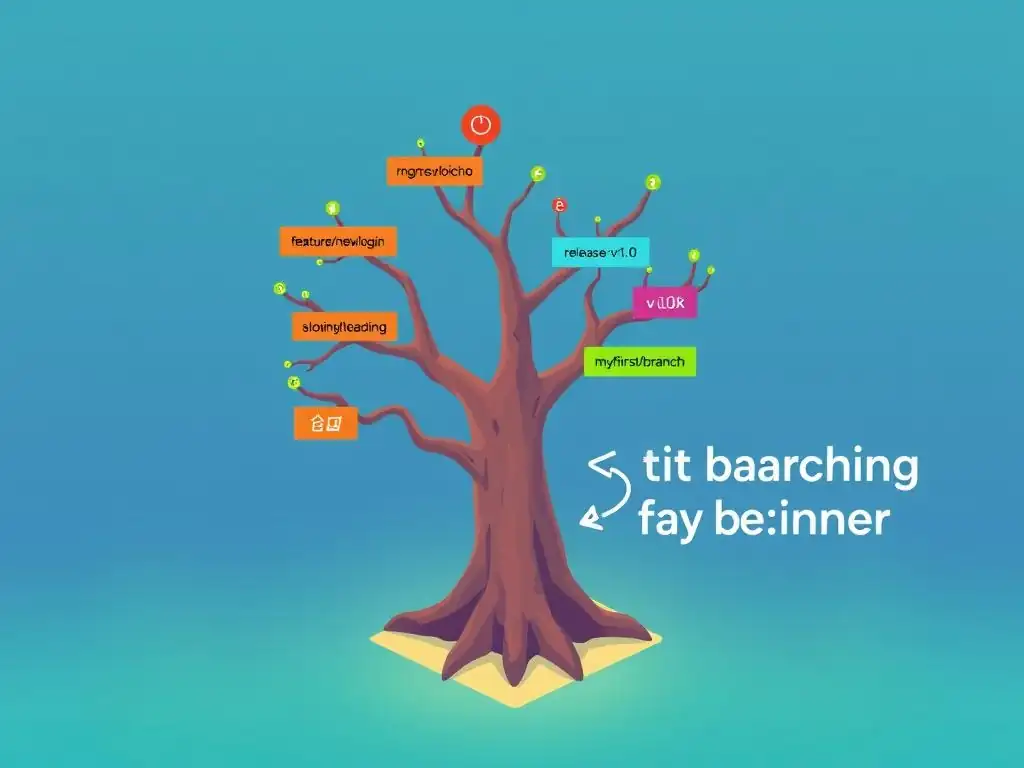
Welcome to Git and Version Control Hub, your go-to resource for mastering Git! Are you ready to unlock the power of Git branching and streamline your development workflow? Dive into our beginner git branching tutorial below and discover a step-by-step introduction to creating, merging, and managing branches. Uncover the secrets to efficient collaboration and error-free project management – let's begin your branching adventure!
Understanding Git Branching
What is Git Branching and Why is it Important?
Git branching is a fundamental concept in version control systems, especially Git. Imagine your project's history as a tree, with the main trunk representing the primary development path. Branching allows you to diverge from this main trunk and create parallel paths of development, known as branches. These branches are essentially independent lines of development, enabling you to work on new features, bug fixes, or experiments without directly affecting the main project or other ongoing work. Think of it as creating separate copies of your project at a specific point in time, where you can make changes in isolation.
The importance of Git branching cannot be overstated, especially in collaborative software development. Without branching, all developers would be working directly on the same codebase simultaneously, leading to chaos and conflicts. Branching provides a structured and organized way to manage concurrent development efforts. It allows teams to work on different features in parallel, isolate experimental features from stable code, and quickly address bugs in production without disrupting ongoing development. This isolation and organization are crucial for maintaining code stability, improving team productivity, and enabling a more agile development process.
Key Benefits of Using Git Branches
Employing Git branches offers a multitude of benefits that significantly enhance the software development lifecycle. One of the primary advantages is isolation of features and bug fixes. When you start working on a new feature or need to fix a bug, creating a dedicated branch ensures that these changes are isolated from the main codebase. This isolation prevents unstable or incomplete code from being integrated into the main project prematurely, maintaining the stability and reliability of the primary codebase. This approach is invaluable for preventing regressions and ensuring that the main branch, often representing the production-ready code, remains stable.
Another crucial benefit is parallel development. Branches empower multiple developers or teams to work on different aspects of the project concurrently without stepping on each other's toes. Each team or developer can work on their assigned feature or task within their own branch, completely isolated from the work of others.
This parallel development capability dramatically accelerates the development process, as multiple features can be developed and tested simultaneously. Once a feature is complete and tested in its branch, it can be seamlessly integrated back into the main branch, merging the parallel efforts into a cohesive whole. This ability to work in parallel is a cornerstone of efficient and scalable software development practices.
Frequently Asked Questions
What is Git branching and why is it important?
Git branching allows you to create separate lines of development from your main code base. This is crucial for isolating new features or bug fixes without affecting the stable version of your project.
How do I create a new branch in Git?
You can create a new branch using the command git branch <branch_name>. This command creates the branch, but you still need to switch to it using git checkout <branch_name> or the combined command git checkout -b <branch_name> to begin working on the new branch.
What is the difference between git merge and git rebase?
Both git merge and git rebase are used to integrate changes from one branch into another. git merge creates a new merge commit, while git rebase rewrites the commit history to appear as if the branch was created from the latest point in the target branch, resulting in a cleaner, linear history.
How do I resolve merge conflicts in Git?
Merge conflicts occur when Git cannot automatically determine how to combine changes from different branches. You'll need to manually edit the conflicted files, marking which changes to keep, and then use git add and git commit to resolve the conflict.
What are some best practices for Git branching in a team environment?
Establish a clear branching strategy (e.g., Gitflow) to define branch naming conventions and workflows. Regularly integrate changes from the main branch into feature branches to avoid large, difficult merges later on. Use pull requests for code review before merging branches.
Final Reflection: Mastering the Art of Collaboration
The power of Git branching, as explored in this tutorial, extends far beyond mere code management; it represents a fundamental shift in how we approach collaborative problem-solving. Understanding and utilizing Git branching is no longer just a technical skill, but a crucial competency for anyone working in a team environment, regardless of their technical background. The ability to experiment, iterate, and integrate changes seamlessly is paramount in today's fast-paced development landscape, and Git branching provides the framework for achieving this.
The impact of Git branching on software development, and even beyond, is undeniable. It fosters a culture of experimentation and reduces the fear of making mistakes, allowing for more innovative and robust solutions. This resonates deeply with the need for continuous improvement and adaptation in all aspects of life. The best way to predict the future is to create it.
- Peter Drucker. This quote perfectly encapsulates the spirit of Git branching: empowering us to shape our projects, and ultimately, our future, through controlled experimentation and iterative development.
Now, armed with this beginner git branching tutorial, I invite you to embrace the power of branching in your own projects and collaborations. Don't be afraid to experiment, to create new branches, and to explore different approaches. The beauty of Git lies in its ability to allow you to explore without fear of breaking things. Go forth, branch out, and build something amazing!
Unlock Your Git Potential: Dive Deeper!
Thanks for joining us on this Git branching journey! We hope you now feel more confident navigating the world of version control and collaboration. Ready to put your new skills to the test? Here's how you can continue your exploration:
- Create your first branch on a personal project or a learning repository. Commit changes, merge them back, and experience the power of branching firsthand!
- Delve into advanced branching strategies like feature branches, release branches, and hotfix branches. Experiment with Git commands like
git rebaseto refine your commit history. - Share this article with a fellow developer who's just starting out! Help them conquer the fear of Git and embrace the collaborative power of version control.
What's the first exciting feature you're going to build? Share your plans in the comments below!