
Decoding GitLab CI/CD Pipeline Structure: Stages and Jobs Explained

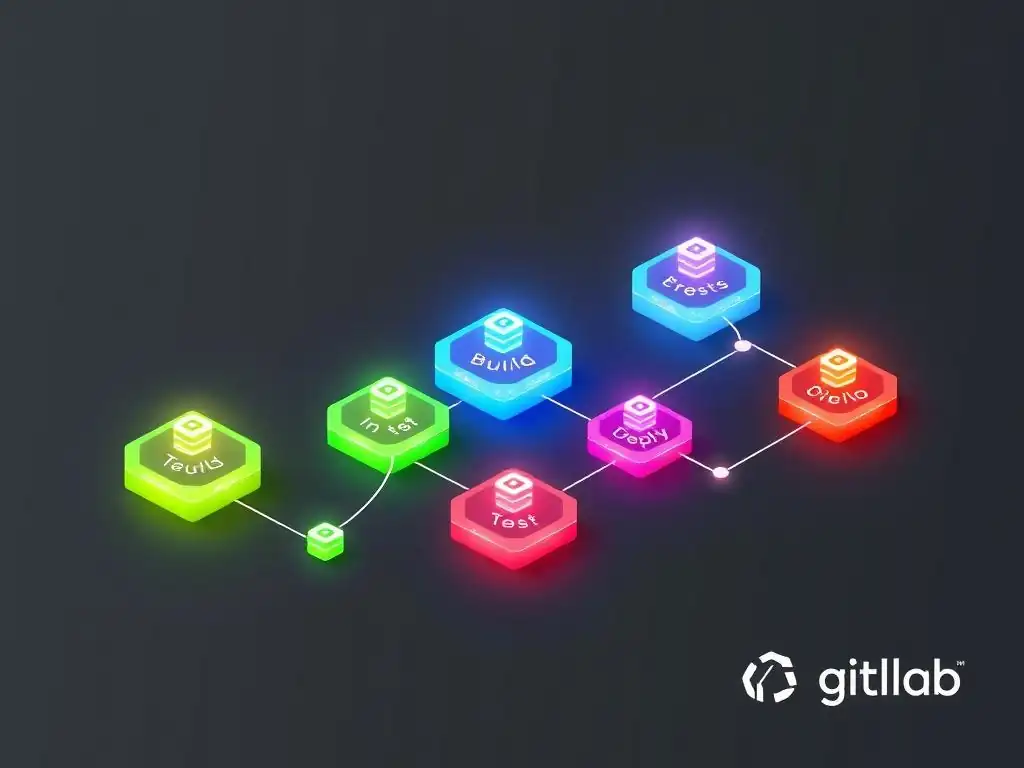
Welcome to Git and Version Control Hub, your central resource for mastering the art of version control. Ever wondered how to streamline your development workflow and automate deployments? We dive deep into the powerful world of CI/CD, specifically focusing on how to effectively structure your GitLab CI/CD pipeline with stages and jobs. Unlock the secrets to faster, more reliable software delivery by understanding the nuances of pipeline configuration. Read on to discover how to build robust and efficient pipelines that will revolutionize your development process!
- GitLab CI/CD Pipeline Fundamentals: Stages and Jobs
-
Frequently Asked Questions
- What are GitLab CI/CD pipeline stages and how do they relate to jobs?
- How do I define stages and jobs in my .gitlab-ci.yml file?
- What happens if a job in a stage fails in a GitLab CI/CD pipeline?
- Can I run jobs in different stages concurrently?
- How can I use GitLab CI/CD to automate my software deployment process?
- Final Reflection: Embracing Automation's Potential
- Unleash Your GitLab CI/CD Power!
GitLab CI/CD Pipeline Fundamentals: Stages and Jobs
Defining the GitLab CI/CD Pipeline: A YAML-Based Configuration
At the heart of GitLab CI/CD lies the pipeline, a powerful tool for automating your software development lifecycle. A GitLab CI/CD pipeline is essentially a configuration defined in a YAML file named .gitlab-ci.yml, which resides at the root of your repository. This file dictates the entire automated process, from code changes to deployment. Think of it as a blueprint for your CI/CD, outlining each step your code must go through, ensuring consistency and repeatability in your software delivery process. The YAML format provides a human-readable structure, making it relatively easy to define and understand the pipeline's logic, even for those less familiar with scripting or configuration languages.
This .gitlab-ci.yml file is automatically detected by GitLab when changes are pushed to your repository. Upon detection, GitLab initiates the pipeline, executing the defined stages and jobs in the order specified. This declarative approach means you define the desired state of your pipeline in the YAML file, and GitLab takes care of orchestrating the execution to achieve that state. This significantly reduces manual intervention, minimizes errors, and ensures that every code change undergoes the same rigorous process, contributing to higher software quality and faster release cycles.
GitLab CI/CD Stages: Organizing Your Pipeline Workflow
GitLab CI/CD stages are the foundational elements for structuring your pipeline, providing a logical way to organize and group related jobs. Stages define the order of execution within your pipeline; all jobs within a stage must complete successfully before the pipeline progresses to the next stage. This sequential execution model is crucial for ensuring that each phase of your software development process is completed and validated before moving on to the next. For example, you might have a build stage, followed by a test stage, and then a deploy stage, ensuring that your code is built, tested, and only then deployed.
Stages are defined in the .gitlab-ci.yml file using the stages keyword, followed by a list of stage names in the desired execution order. The names you choose for your stages should be descriptive and reflect the purpose of that stage in your workflow. Well-defined stages not only structure your pipeline logically but also enhance its readability and maintainability. By breaking down your CI/CD process into distinct stages, you gain better control over the workflow, making it easier to understand, debug, and optimize your software delivery pipeline.
What are GitLab CI/CD Stages? A Sequential Execution Model
GitLab CI/CD stages represent distinct phases in your automated workflow, executed in a predefined sequence. Imagine stages as checkpoints in a relay race. The pipeline only moves to the next stage after all jobs within the current stage have successfully finished.
This sequential nature guarantees that critical steps, like building and testing, are completed before proceeding to deployment. If any job within a stage fails, the entire pipeline is halted, preventing potentially flawed code from progressing further down the delivery chain. This early detection of issues is a core benefit of using stages, saving time and resources by avoiding problems in later stages.
This sequential model is fundamental to maintaining the integrity of your software release process. For instance, in a typical pipeline, the build stage must successfully compile the application before the test stage can run tests against the compiled code. Similarly, the deploy stage should only proceed if the test stage confirms the code's quality. This ordered execution, enforced by stages, creates a reliable and predictable path for your code, from commit to deployment, ensuring each step is validated before moving forward.
Defining Stages in GitLab CI/CD: The .gitlab-ci.yml File
Defining stages in GitLab CI/CD is straightforward and done within the .gitlab-ci.yml file using the stages keyword. This keyword is placed at the top level of your YAML configuration and is followed by a list of stage names, presented in the order you want them to execute. The order in which you list the stages is critical, as GitLab will execute them sequentially from top to bottom. For example, if you want a pipeline with build, test, and deploy stages, you would define them in that order under the stages keyword.
stages:
  - build
  - test
  - deploy
This simple declaration establishes the structure of your GitLab CI/CD pipeline. Each stage name you define here becomes a category under which you can group your jobs. When defining individual jobs later in the .gitlab-ci.yml file, you will assign each job to one of these declared stages using the stage keyword within the job definition. This linkage between stages and jobs is what brings the pipeline to life, dictating both the grouping and order of execution for all tasks in your CI/CD process.
Common GitLab CI/CD Stage Examples: Build, Test, Deploy
While you can customize stage names to fit your specific workflow, certain stages are commonly used in GitLab CI/CD pipelines due to their fundamental roles in software development. The build stage is almost universally present, responsible for compiling source code, packaging applications, and preparing artifacts for subsequent stages. For example, in a Java project, the build stage would involve compiling Java code using Maven or Gradle, and packaging the application into a JAR or WAR file. This stage ensures that the code is correctly transformed into an executable or deployable format.
The test stage is equally crucial, focusing on verifying the quality and reliability of the code. This stage typically includes running various types of automated tests, such as unit tests, integration tests, and end-to-end tests. For instance, in a Python project, the test stage might execute unit tests using pytest and integration tests against a staging environment. The deploy stage, as the name suggests, automates the deployment of the application to different environments. This could involve deploying to staging, production, or other environments like development or QA. For example, a deploy stage might use tools like Ansible or Kubernetes to deploy a Dockerized application to a cloud platform like AWS or Google Cloud. These three stages – build, test, and deploy – form a core pipeline structure for many software projects, providing a solid foundation for continuous integration and continuous delivery.
GitLab CI/CD Jobs: Executing Tasks Within Stages
GitLab CI/CD jobs are the actual units of work that are executed within each stage of your pipeline. A job defines a specific task, such as compiling code, running tests, or deploying an application. Jobs are configured within the .gitlab-ci.yml file and are associated with a specific stage. Crucially, jobs within the same stage can run in parallel if there are enough available GitLab Runner resources, significantly speeding up the pipeline execution time. This parallel execution capability is a key advantage of GitLab CI/CD, allowing for faster feedback loops and quicker delivery cycles.
Each job definition in the .gitlab-ci.yml file includes instructions on what needs to be executed. This typically involves specifying a Docker image to use as the execution environment, commands to run (usually shell scripts), and any dependencies or artifacts the job might require or produce. Jobs are the building blocks of your entire CI/CD process, and their configuration determines exactly how each step in your pipeline is carried out. By carefully defining jobs and organizing them into stages, you construct a robust and efficient automated software delivery pipeline.
What are GitLab CI/CD Jobs? The Building Blocks of Your Pipeline
GitLab CI/CD jobs are the fundamental, indivisible units of work that make up your CI/CD pipeline. Think of jobs as individual tasks that need to be performed as part of your automated workflow. Each job is responsible for a specific action, whether it's compiling code, running a security scan, or deploying to a server. Jobs are always executed within the context of a stage, and multiple jobs can be defined within a single stage. These jobs are the real workhorses of your pipeline, performing the actual operations that transform your code from its initial state to a deployed application.
Jobs are defined in the .gitlab-ci.yml file and contain all the necessary instructions for GitLab Runner to execute them. This includes specifying the Docker image to use, the scripts to run, and configurations for caching, artifacts, and dependencies. The successful completion of all jobs in a stage is required for the pipeline to proceed to the next stage. If a job fails, the pipeline typically stops, signaling an issue that needs to be addressed. This granular approach, using jobs to define individual tasks, provides a high degree of control and flexibility in designing your CI/CD pipeline.
Configuring Jobs in GitLab CI/CD: Commands and Scripts
Configuring jobs in GitLab CI/CD involves specifying various parameters within the job definition in your .gitlab-ci.yml file. The most critical part of job configuration is the script section. This section contains a list of shell commands that GitLab Runner will execute when running the job. These commands can be anything from simple shell commands like echo "Hello World" to complex scripts that compile code, run tests, or deploy applications. For example, a simple job to echo "Hello World" would look like this:
job_hello:
  stage: build
  script:
    - echo "Hello World"
Beyond the script, you can configure other aspects of a job, such as the Docker image to use with the image keyword. This allows you to define the execution environment for your job. For instance, to use a specific Node.js version for your build job, you might specify an image like image: node:16. You can also define environment variables using the variables keyword, control when a job runs using rules or only/ except, and configure caching and artifacts. Effective job configuration is key to creating a powerful and tailored CI/CD pipeline that meets your specific project needs.
Job Dependencies and Artifacts in GitLab CI/CD
GitLab CI/CD facilitates the creation of complex workflows by allowing jobs to depend on each other and to pass data between them through artifacts. Job dependencies are defined using the dependencies keyword within a job definition. This allows you to specify that a job should only start after one or more other jobs have completed successfully. This is crucial for workflows where the output of one job is required as input for another. For example, a test job might depend on a build job to ensure that the code is built before tests are executed.
Artifacts in GitLab CI/CD are files or directories produced by a job that can be passed to subsequent jobs in the pipeline or downloaded externally. They are defined using the artifacts keyword in a job definition, specifying the paths to the files or directories to be saved as artifacts. For instance, a build job might create a compiled application package as an artifact, which can then be used by a deploy job to deploy the application. Artifacts are essential for sharing output between different stages and jobs in your GitLab CI/CD pipeline, enabling complex and multi-stage workflows. They also serve as a way to store and access the output of specific jobs for auditing or debugging purposes.
Frequently Asked Questions
What are GitLab CI/CD pipeline stages and how do they relate to jobs?
GitLab CI/CD pipelines are structured around stages, which define the order in which jobs are executed. Each stage contains one or more jobs that run in parallel.
How do I define stages and jobs in my .gitlab-ci.yml file?
You define stages using the stages: keyword at the top of your .gitlab-ci.yml file. Jobs are then defined with a name and assigned to a specific stage using the stage: keyword within the job definition.
What happens if a job in a stage fails in a GitLab CI/CD pipeline?
By default, if a job fails within a stage, the entire pipeline will stop. However, you can configure jobs to allow failures using the allow_failure: keyword.
Can I run jobs in different stages concurrently?
No, stages run sequentially. All jobs within a stage run in parallel, but the next stage only begins after all jobs in the current stage have completed (successfully or with allowed failures).
How can I use GitLab CI/CD to automate my software deployment process?
GitLab CI/CD allows you to automate your deployment process by defining jobs that deploy your application to different environments (e.g., staging, production). These jobs can be triggered by specific events, such as a push to the main branch.
Final Reflection: Embracing Automation's Potential
The intricate dance between GitLab CI/CD pipeline stages and jobs is more than just a technical process; it's a testament to the power of automation in modern software development. Understanding this structure is crucial not just for efficient code deployment, but for fostering a culture of continuous improvement and rapid innovation in today's fast-paced technological landscape. The ability to orchestrate complex workflows with precision and speed is a defining characteristic of successful software teams, and GitLab CI/CD provides the tools to achieve just that.
The impact of well-defined CI/CD pipelines extends far beyond mere efficiency. It shapes the very fabric of how we build and deliver software, empowering developers to focus on creativity and problem-solving rather than tedious manual tasks. This shift towards automation is not just a trend, but a fundamental change in the way we approach software development, allowing for faster feedback loops and higher quality products. The key is not to prioritize what's on your schedule, but to schedule your priorities.
- Stephen Covey. This quote perfectly encapsulates the value of CI/CD, allowing us to prioritize innovation by automating the mundane.
As you navigate the world of GitLab CI/CD, remember that the pipeline is more than just a series of stages and jobs; it's a reflection of your team's values and aspirations. Embrace the power of automation, experiment with different configurations, and continuously refine your pipelines to achieve optimal performance. Let the principles of continuous integration and continuous delivery guide your journey, and unlock the full potential of your software development process. Your dedication to mastering these tools will not only improve your workflow but also contribute to a more innovative and efficient future for software development as a whole.
Alright, here's a CTA tailored for the end of a web article titled "Decoding GitLab CI/CD Pipeline Structure: Stages and Jobs Explained," targeting GitAndVersionControlHub.com:
Unleash Your GitLab CI/CD Power!
Thanks for diving deep into GitLab CI/CD pipelines with us! We hope you now have a clearer understanding of stages and jobs. Now it's time to put that knowledge to work.
- Immediately apply what you've learned by building a sample pipeline for a small personal project. This is the single best way to solidify your understanding.
- Explore GitLab's advanced CI/CD features, such as dynamic environments or parent-child pipelines, to further refine your workflow.
- Share this article with a colleague who's also struggling with GitLab CI/CD – helping them will reinforce your own understanding!
Ready to build your first optimized pipeline and watch your code deployments become a breeze? What's the first small project you'll use to test your new GitLab CI/CD skills?