
Creating Branches in Git: A Beginner's Guide to Isolation and Innovation

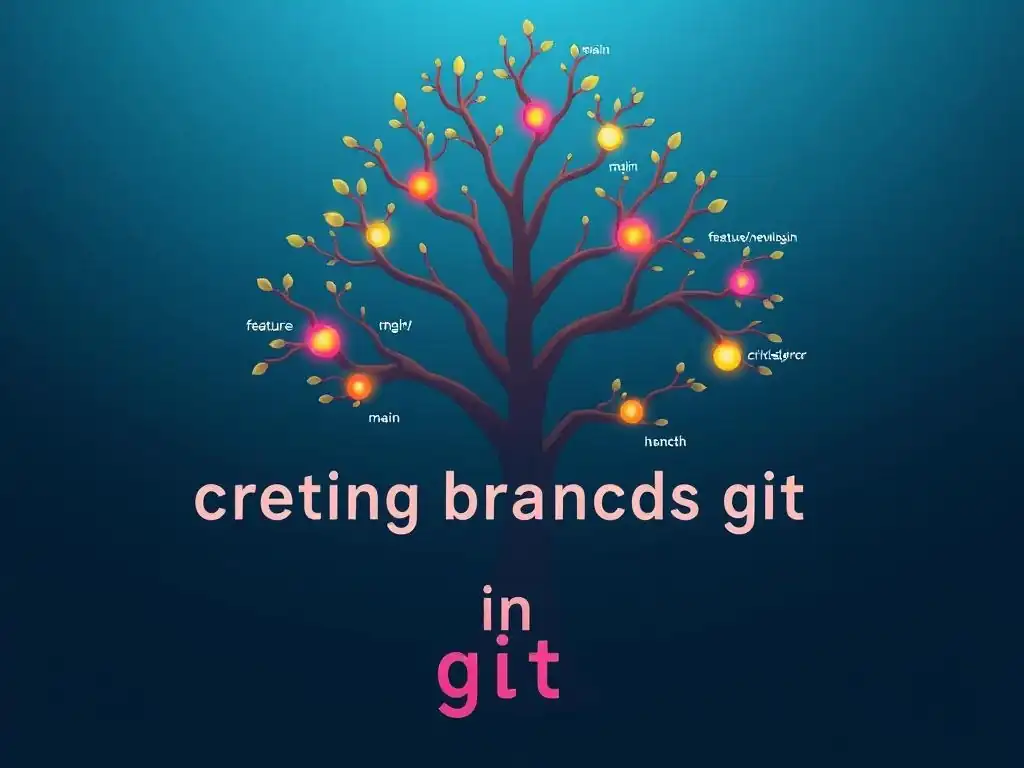
Welcome to Git and Version Control Hub, your central resource for all things Git!
Ever wondered how seasoned developers manage multiple features simultaneously without crashing their projects? The secret lies in branching. In this guide, we'll dive into how to create branches in Git, unlocking a powerful technique that allows you to experiment fearlessly and collaborate seamlessly. Get ready to isolate your work, explore new ideas, and revolutionize your development workflow. Intrigued? Let's get branching!
Implementing Feature Flags: A Guide to Controlled Rollouts and Experimentation
Introduction to Feature Flags: Why Use Them?
Understanding the Benefits of Feature Flags in Software Development
Feature flags, also known as feature toggles or feature switches, are a powerful technique in modern software development that allows you to turn certain features on or off without deploying new code. This method offers a significant advantage over traditional branching strategies for feature management. Instead of isolating new features in separate branches, feature flags enable you to merge code changes into the main branch more frequently, reducing integration complexities and promoting continuous integration practices.
Imagine a large e-commerce platform like Shopify, which constantly rolls out new functionalities. By using feature flags, Shopify's development teams can integrate code for upcoming features into their main codebase daily, ensuring smoother merges and quicker feedback loops. This allows for a more streamlined development process, even as they prepare for major feature releases.
The benefits extend beyond just simplifying integration. Feature flags significantly reduce the risk associated with releasing new features. Consider a scenario where a social media platform like Instagram is testing a new algorithm for its feed. Instead of directly deploying this algorithm to all users, they can use a feature flag to initially expose it to a small percentage of users.
This controlled rollout allows them to monitor performance, gather user feedback, and identify potential issues in a live environment without impacting the entire user base. If problems arise, the feature flag can be quickly toggled off, reverting to the previous stable state, minimizing disruption and preserving user experience. This granular control over feature releases is invaluable for maintaining system stability and user satisfaction.
Decoupling Deployment from Release with Feature Flags
One of the most significant advantages of feature flags is their ability to decouple deployment from release. Traditionally, deploying new code often meant immediately releasing new features to users. This tight coupling can be problematic as it limits flexibility and increases the risk of unintended consequences. Feature flags break this dependency by allowing developers to deploy code changes, including new features, into production without making them immediately accessible to users.
Think of a company like Netflix, which is constantly updating its streaming service with new features and improvements. They might deploy code for a new recommendation engine weeks or even months before it's actually launched to users. This allows them to thoroughly test the feature in a production-like environment, ensuring it performs as expected under real-world load and conditions.
This decoupling strategy provides development teams with unprecedented control over the release process. Imagine a scenario where a software company, like Adobe, is preparing to launch a major update to Photoshop. They can deploy all the code for this update to their servers well in advance of the official launch date.
Using feature flags, they can keep the new features hidden from users until they are ready for public consumption. This allows for marketing campaigns to be synchronized with the actual feature release, and it provides a buffer in case any last-minute issues are discovered. The ability to deploy early and release later is a cornerstone of modern agile and DevOps practices, enabling organizations to be more responsive to market demands and user feedback.
Enabling A/B Testing and Experimentation with Feature Flags
Feature flags are instrumental in facilitating A/B testing and experimentation within software applications. A/B testing, also known as split testing, involves comparing two or more versions of a feature or user interface to determine which one performs better in achieving a specific goal, such as increased user engagement or conversion rates. Feature flags make it incredibly easy to implement A/B tests by allowing you to dynamically serve different feature variations to different segments of your user base.
Consider a company like Amazon, which is known for its data-driven approach to product development. They might use feature flags to test different layouts for their product pages, different wording for call-to-action buttons, or even different pricing strategies.
By using feature flags to control which users see which version of a feature, companies can collect valuable data on user behavior and preferences. For instance, Spotify might use feature flags to test two different designs for their music discovery playlists. They can direct a portion of their users to experience design A and another portion to experience design B.
By tracking metrics like playlist engagement, listening time, and user feedback for both groups, they can quantitatively determine which design resonates better with their audience. This data-driven approach to feature development ensures that changes are based on real user behavior rather than assumptions, leading to more effective product improvements and a better user experience overall. Feature flags transform development from a process of guesswork to one of informed experimentation and optimization.
Frequently Asked Questions
How do I create a new branch in Git?
You can create a new branch using the command git branch <branch_name>. This command creates the branch locally but doesn't switch to it. You'll then need to checkout the branch to start working on it.
What's the difference between git branch and git checkout -b?
git branch <branch_name> creates a new branch but leaves you on your current branch. git checkout -b <branch_name> creates and switches to the new branch in a single command, making it a shortcut.
Why are branches important in Git?
Branches allow you to isolate your work on new features or bug fixes without affecting the main codebase (usually the main or master branch). This promotes experimentation and prevents instability in the primary code.
How do I switch between different branches in Git?
You can switch between branches using the command git checkout <branch_name>. This command updates your working directory to reflect the files and history of the specified branch.
What happens if I commit changes on the wrong branch?
If you commit to the wrong branch, you can use git cherry-pick to move the commits to the correct branch. It's also possible to reset the branch and reapply the changes elsewhere, though this requires careful planning.
Final Reflection: Embracing the Power of Branching
The ability to isolate and innovate within Git branches, as we've explored, isn't just a technical skill; it's a gateway to unleashing creativity and minimizing risk in collaborative development. In today's fast-paced software landscape, where agility and rapid iteration are paramount, mastering branching strategies is more crucial than ever for teams striving to build robust and innovative solutions.
The impact of branching extends far beyond code repositories; it shapes how teams communicate, experiment, and ultimately, deliver value. Personally, I've witnessed firsthand how a well-defined branching strategy can transform a chaotic project into a streamlined, collaborative effort. The best way to predict the future is to create it.
- Peter Drucker. This quote perfectly encapsulates the spirit of branching – it empowers us to shape the future of our projects by experimenting with new ideas without jeopardizing the stability of the present.
Now, armed with the knowledge of how to create branches in Git, I encourage you to embrace this power. Don't be afraid to experiment, to explore new features in isolation, and to collaborate fearlessly. The ability to branch is more than just a technical tool; it's an invitation to innovate, to learn, and to build a better future, one branch at a time.
Unleash Your Inner Innovator: Master Git Branching!
Thanks for exploring the power of Git branching! You've now unlocked a crucial skill for collaborative and efficient coding. Ready to put your newfound knowledge into practice?
Here's how to get started:
- Experiment! Create a new branch in your current project and try implementing a new feature or refactoring technique. Don't worry about breaking the main code; that's what branches are for! Commit your changes frequently.
- Share this article with a colleague who might find Git branching helpful. Help them improve their version control skills!
- Learn more about the
git rebasecommand. Many developers find it a superior alternative togit merge. See if it improves your workflow.
What exciting feature will you build today? Share your plans in the comments below!