
Git Branching for Open Source Projects: Collaboration and Contribution

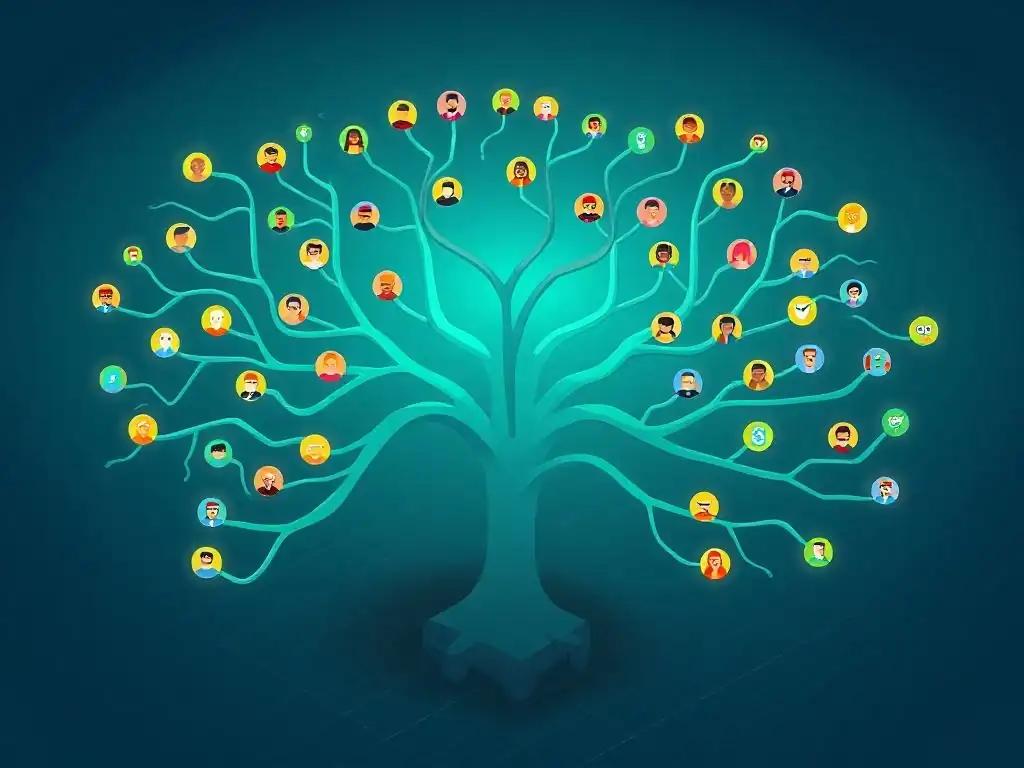
Welcome to Git and Version Control Hub, your ultimate resource for mastering the art of version control! Are you ready to unlock the power of collaborative development? This article dives deep into Git branching for collaboration, revealing strategies for seamless teamwork, especially in open source projects. But how can you effectively manage contributions from multiple developers and maintain a clean, stable codebase? Keep reading to discover the secrets to successful Git branching and revolutionize your collaborative workflow.
Git Branching for Open Source Projects: Collaboration and Contribution
- Understanding Git Branching for Collaborative Open Source Development
- Collaborative Workflows with Git Branches: A Deep Dive
- Git Branching Strategies for Open Source Contribution
- Best Practices for Git Branching in Open Source
- Resolving Merge Conflicts in Open Source Projects: A Practical Guide
- Advanced Git Branching Techniques for Open Source
- Contributing to Open Source: A Step-by-Step Guide Using Git Branching
- The Role of Continuous Integration/Continuous Deployment (CI/CD) in Open Source Branching
- Conclusion: Mastering Git Branching for Effective Open Source Collaboration
-
Frequently Asked Questions
- What is Git branching and why is it important for collaboration?
- How does Git branching facilitate open-source contributions?
- What are some common Git branching strategies for collaborative projects?
- How do I merge changes from a branch back into the main branch?
- What are some best practices for using Git branching in a team environment?
- Final Reflection: The Collaborative Power of Branches
- Ignite Your Open Source Contributions!
Understanding Git Branching for Collaborative Open Source Development
The Importance of Branching in Open Source Projects
In the realm of open source software development, Git branching is not merely a feature; it is the backbone of collaborative efforts. Open source projects inherently involve numerous contributors from diverse backgrounds, often working asynchronously and remotely. Git branching provides the essential mechanism to manage these concurrent contributions without disrupting the stability of the main project.
Imagine a large open source project like the Linux kernel, which receives thousands of contributions monthly. Without branching, integrating these changes would be chaotic, leading to constant conflicts and instability. Branching allows developers to work on new features, bug fixes, or experimental functionalities in isolation, ensuring that the main codebase remains functional and coherent.
Furthermore, branching in open source fosters a transparent and organized contribution process. Each contribution, whether it's a new feature, a bug fix, or documentation improvement, can be developed on a separate branch. This isolation enables maintainers to review changes meticulously before they are integrated into the main project. It allows for focused discussions and iterative improvements on specific contributions without impacting other parts of the project. This structured approach not only enhances code quality but also encourages broader community participation, as contributors can work confidently knowing their efforts are contained and managed effectively through Git's branching system.
Key Concepts: Branches, Forks, and Pull Requests in Open Source
To effectively navigate Git branching in open source, understanding the core concepts of branches, forks, and pull requests is crucial. A branch in Git represents an independent line of development. In open source projects, the main or develop branch typically represents the stable, production-ready codebase. Feature branches, bug fix branches, and release branches are created from this main branch to isolate specific development efforts. These branches allow for parallel work streams without directly modifying the primary codebase, ensuring stability and controlled integration.
A fork is a personal copy of the original repository, hosted on platforms like GitHub or GitLab. When contributing to an open source project, developers usually fork the repository to their own account. This fork acts as their personal workspace, where they can freely create branches, make changes, and experiment without directly affecting the upstream project. After making changes in their forked repository, contributors use pull requests to propose their changes back to the original project.
A pull request is essentially a request to merge a branch from the forked repository into the upstream repository. It initiates a code review process, allowing maintainers and other contributors to examine the proposed changes, provide feedback, and ensure the quality and relevance of the contribution before it's integrated. These three concepts—branches, forks, and pull requests—form the fundamental workflow for collaborative Git branching in open source environments.
Collaborative Workflows with Git Branches: A Deep Dive
Feature Branching for Isolated Development in Open Source
Feature branching is a cornerstone of collaborative workflows, especially vital in open source projects where multiple developers contribute diverse functionalities. In this model, each new feature or enhancement is developed in its own dedicated branch, diverging from the main branch (often main or develop). This isolation is paramount as it prevents unfinished or potentially unstable code from directly impacting the primary codebase. For instance, consider the development of a new user authentication module in an open source content management system. Developers working on this feature would create a branch named feature/user-authentication, commit their changes to this branch, and conduct thorough testing within this isolated environment.
The benefits of feature branching in open source extend beyond code isolation. It promotes focused development and easier code reviews. Because each feature is contained within its own branch, code reviews become more manageable and targeted. Reviewers can concentrate solely on the changes related to the specific feature, leading to more effective feedback and higher code quality.
Moreover, feature branches facilitate parallel development. Multiple developers can work on different features concurrently without stepping on each other's toes. Once a feature is complete and thoroughly reviewed, the feature branch is merged back into the main branch, integrating the new functionality into the project. This structured approach, leveraging Git branching for collaboration, ensures a stable and organized development process, crucial for the success of open source endeavors.
Bug fix branches are indispensable for maintaining the stability and reliability of open source projects. When a bug is identified, particularly in a widely used open source library or application, addressing it quickly and efficiently is crucial. Creating a dedicated bug fix branch, typically branched off the main or a release branch, allows developers to isolate the bug resolution process. For example, if a security vulnerability is discovered in version 1.2.0 of an open source software, a branch like bugfix/security-patch-1.2.0 can be created from the release-1.2.0 branch to specifically address this issue.
This isolated approach minimizes the risk of introducing new issues while fixing the existing bug. Developers can focus solely on resolving the identified problem within the bug fix branch, write tests to verify the fix, and ensure it doesn't disrupt other functionalities. Once the fix is implemented and tested, the bug fix branch is merged back into the relevant branch (e.g., release-1.2.0 and potentially main or develop). This process ensures that bug fixes are targeted, controlled, and thoroughly vetted before integration, contributing significantly to the overall quality and maintainability of open source projects. Git branching for collaboration becomes essential in these scenarios, enabling rapid response and efficient problem-solving in shared repositories.
Release Branches: Preparing for Stable Releases in Open Source Projects
Release branches play a pivotal role in the lifecycle of open source projects, particularly when preparing for stable and predictable software releases. As a project evolves, features and bug fixes accumulate in the main branch. When the project team decides to prepare for a release, a release branch is created from the main branch. This branch, often named like release-1.0, release-2.5, or similar, becomes the dedicated environment for stabilizing the upcoming release. From this point forward, only critical bug fixes and release-specific tasks are merged into the release branch. New feature development continues on the main branch, separate from the release preparation process.
The purpose of a release branch is to isolate the release preparation, allowing for focused testing, documentation updates, and final bug fixes specific to the intended release. This separation is crucial as it ensures that ongoing feature development doesn't destabilize the release candidate. For instance, consider the release of a new major version of an open source operating system. A release branch would be created well in advance of the intended release date. Testers, documentation writers, and release engineers would work within this branch, ensuring stability, finalizing documentation, and preparing the release artifacts. Once the release is deemed stable and ready, it is tagged and released to the public. Simultaneously, bug fixes from the release branch might be back-ported to the main branch to maintain its stability for future development. Release branches, therefore, are a vital component of Git branching strategies for open source, enabling organized and predictable software releases.
Git Branching Strategies for Open Source Contribution
GitHub Flow for Open Source Projects: A Simplified Approach
GitHub Flow is a lightweight, branch-based workflow particularly well-suited for many open source projects due to its simplicity and focus on continuous delivery. The core principle of GitHub Flow revolves around a single, long-lived branch, typically named main. All feature development and bug fixes are conducted in short-lived branches created directly from main. These branches are usually named descriptively to reflect the feature or fix they address, such as fix-login-bug or add-dark-mode. Once a feature or fix is complete, a pull request is opened to merge the branch back into main. Code review is a central part of this process, with pull requests serving as the primary mechanism for discussion and feedback before integration.
The simplicity of GitHub Flow makes it highly accessible for open source contributors of varying experience levels. It minimizes branching complexity, making it easier for newcomers to understand and participate. After a pull request is reviewed and approved, the feature branch is merged into main, and main is then immediately deployed or released. This continuous integration and deployment aspect promotes rapid iteration and frequent releases, which is often beneficial for open source projects aiming for agility and responsiveness to community needs. While simpler than Git Flow or GitLab Flow, GitHub Flow provides a robust and effective branching strategy for many open source collaboration scenarios.
GitLab Flow for Open Source: Enhanced Control and Flexibility
GitLab Flow, while sharing similarities with GitHub Flow, offers a more structured and flexible approach to Git branching, particularly beneficial for larger or more complex open source projects. GitLab Flow introduces the concept of environment branches, such as main, pre-production, and production, to align with different stages of the software development lifecycle. Typically, development starts in feature branches, which are then merged into the main branch, representing the integrated, but not yet released, state. From main, code is then merged into pre-production for staging and testing, and finally into production for the live release.
This structured approach provides enhanced control and visibility over the release pipeline, which can be crucial for open source projects with formal release cycles or those requiring rigorous testing before deployment. GitLab Flow also accommodates release branches, allowing for parallel development and hotfixes for released versions while new features are being developed on main. This flexibility makes GitLab Flow adaptable to a wider range of open source project needs, from simple projects benefiting from its streamlined approach to more complex projects leveraging its environment branches and release management capabilities. It provides a more defined structure than GitHub Flow, offering greater control over the deployment process while still maintaining a branch-based collaborative workflow.
Choosing the Right Branching Strategy for Your Open Source Project
Selecting the most appropriate branching strategy is a critical decision for any open source project, impacting its development workflow, release cycle, and contributor experience. There's no one-size-fits-all solution; the best strategy depends on factors such as project size, team distribution, release frequency, and complexity of contributions. For smaller projects or those prioritizing simplicity and rapid iteration, GitHub Flow might be ideal due to its streamlined nature and ease of use. Its single main branch and feature branch workflow minimize complexity, making it accessible for projects with fewer contributors or those aiming for continuous delivery.
For larger, more complex projects, or those with formal release cycles and a need for greater control over the deployment pipeline, GitLab Flow or a more customized branching strategy might be more suitable. GitLab Flow's environment branches ( main, pre-production, production) provide a structured approach to managing different stages of development and release, beneficial for projects requiring rigorous testing and staged deployments. Projects with established release cycles might also benefit from incorporating release branches into their strategy, allowing for parallel maintenance of stable releases and ongoing feature development. Ultimately, the chosen strategy should align with the project's specific needs and goals, balancing simplicity with the necessary level of control and organization to facilitate effective open source collaboration.
Best Practices for Git Branching in Open Source
Clear Branch Naming Conventions for Better Collaboration
Establishing and adhering to clear branch naming conventions is paramount for effective collaboration in open source projects. Consistent and descriptive branch names significantly enhance readability and understanding of the project's branching structure, particularly when multiple developers are contributing concurrently. Conventions typically involve prefixes to categorize the branch type, followed by a concise description of the branch's purpose. For example, feature/add-user-profiles clearly indicates a branch dedicated to developing the user profile feature, while bugfix/login-error-v1.2 signals a branch addressing a login error in version 1.2.
Common prefixes include feature/ for new features, bugfix/ or fix/ for bug fixes, hotfix/ for urgent fixes on production, release/ for release preparation, and docs/ for documentation updates. Using lowercase letters and hyphens to separate words within branch names improves readability and command-line usability. By adopting and consistently using these conventions, open source projects can significantly reduce confusion, streamline branch management, and improve overall team communication. Clear branch names act as self-documenting labels, making it easier for contributors to understand the project's development activity and navigate its Git repository effectively.
Keeping Branches Up-to-Date: Rebasing vs. Merging in Open Source
Maintaining up-to-date branches is crucial for smooth integration and conflict avoidance in collaborative open source projects. When working on a feature or bug fix branch, it's essential to regularly incorporate changes from the main branch to stay synchronized with the project's evolving codebase. Git provides two primary methods for updating branches: merging and rebasing.
Merging creates a merge commit, preserving the entire history of both branches being merged. This approach is generally safer and simpler, especially for less experienced Git users. When merging the main branch into a feature branch, it explicitly records the integration point in the commit history.
Rebasing, on the other hand, rewrites the commit history of the feature branch by reapplying its commits on top of the latest main branch. This results in a cleaner, linear commit history, which some developers prefer for its simplicity and readability.
However, rebasing can be more complex and potentially risky, especially in shared branches, as it alters commit history. In open source projects, it's generally recommended to use merging for feature branches that are shared or have already been pushed to a remote repository to avoid rewriting public history.
Rebasing might be more suitable for local feature branches before they are shared, or in specific situations where a clean, linear history is highly desired and the team is comfortable with the implications of rewriting history. Regardless of the chosen method, regularly updating branches with changes from the main branch is essential for minimizing merge conflicts and ensuring a smoother collaborative workflow in open source development.
Code Review and Pull Request Etiquette in Open Source Branching
Code review via pull requests is an indispensable practice in open source Git branching workflows, fostering code quality, knowledge sharing, and collaborative improvement. When a contributor completes work on a feature branch or bug fix branch, they submit a pull request (PR) to propose their changes for integration into the main project. This PR initiates a code review process where maintainers and other contributors examine the proposed code changes.
Etiquette in this process is crucial for a positive and productive open source community. PR submitters should provide clear and concise descriptions of their changes, explaining the purpose and implementation of their contribution. Breaking down large changes into smaller, more manageable PRs can also facilitate easier review.
Reviewers, in turn, should provide constructive and respectful feedback, focusing on code quality, functionality, and adherence to project standards. Tone is important; feedback should be aimed at improving the code, not criticizing the contributor. It’s beneficial to offer specific suggestions and ask clarifying questions rather than making vague or dismissive comments. Iteration is key; the PR process often involves multiple rounds of review and revisions.
Contributors should be receptive to feedback and willing to make necessary adjustments. Open communication and a collaborative spirit are essential for effective code review and pull request etiquette in open source branching. This process not only enhances code quality but also serves as a valuable learning opportunity for all involved, strengthening the open source community.
Resolving Merge Conflicts in Open Source Projects: A Practical Guide
Identifying and Understanding Merge Conflicts in Git
Merge conflicts are an inevitable part of collaborative Git workflows, particularly in open source projects with numerous contributors working on shared branches. A merge conflict arises when Git cannot automatically integrate changes from different branches because the same lines of code have been modified in incompatible ways. Git flags these conflicting sections in the affected files, marking them with special conflict markers: <<<<<<<, =======, and >>>>>>>. The section between <<<<<<< HEAD and ======= represents the changes in the current branch, while the section between ======= and >>>>>>> branch-name shows the changes from the branch being merged.
Identifying merge conflicts typically occurs during a git merge or git rebase operation. Git will halt the process and output messages indicating which files have conflicts. Understanding the cause of a conflict is the first step in resolving it. Conflicts often occur when multiple developers have edited the same lines of code concurrently, or when changes in one branch contradict changes in another. For example, if two developers independently modify the same function in different feature branches and then attempt to merge these branches, a conflict is likely to arise. Recognizing the files and code sections involved in the conflict is crucial for effectively addressing and resolving them, ensuring the integrity of the codebase.
Tools and Techniques for Resolving Merge Conflicts Effectively
Resolving merge conflicts effectively is a critical skill for open source contributors. Git provides several tools and techniques to aid in this process. After identifying a merge conflict, developers need to manually edit the conflicting files to decide how to reconcile the changes.
Most modern code editors and IDEs offer built-in merge conflict resolution tools that visually highlight conflicts and provide options to accept changes from either branch or to edit the conflicted sections directly. Tools like VS Code, Sublime Merge, and GitKraken offer graphical interfaces that simplify the conflict resolution process, making it easier to compare and merge changes.
Techniques for resolving conflicts include carefully examining the conflicting sections, understanding the intended changes from both branches, and then manually editing the code to integrate the desired outcomes. Often, this involves choosing to keep changes from one branch, combining changes from both, or rewriting the code to achieve the desired functionality while incorporating the essence of both sets of changes. After resolving the conflicts in a file, it needs to be marked as resolved using git add <resolved-file>. Once all conflicts are resolved in all affected files, the merge or rebase process can be continued using git commit. Effective conflict resolution requires careful attention to detail, a good understanding of the codebase, and sometimes communication with other contributors to clarify intentions and ensure a correct and collaborative resolution.
Communicating During Conflict Resolution in Open Source Collaboration
Effective communication is paramount during merge conflict resolution in open source collaboration. When encountering a complex or unclear merge conflict, especially in a shared open source project, reaching out to other contributors, particularly those whose changes are involved in the conflict, is highly recommended. Communication can clarify the intent behind conflicting changes and facilitate a collaborative approach to finding the best resolution. Utilizing pull request discussions or project communication channels (like chat platforms or forums) to discuss conflicts can be very beneficial.
For instance, if you're unsure how to resolve a conflict involving changes from another contributor's feature branch, initiating a conversation in the pull request thread can provide valuable context and guidance. Explaining the nature of the conflict and asking for clarification on their intended changes can lead to a quicker and more accurate resolution. Sometimes, the best resolution requires understanding the broader context of the changes and collaboratively deciding on the most appropriate code to keep or modify.
Open and respectful communication ensures that conflict resolution becomes a learning opportunity and strengthens collaboration within the open source project. It transforms a potentially frustrating situation into a chance for team members to work together towards a shared goal of maintaining a healthy and functional codebase.
Advanced Git Branching Techniques for Open Source
Cherry-Picking: Selecting Specific Commits for Integration
Cherry-picking is an advanced Git technique that allows developers to select specific commits from one branch and apply them to another. This is particularly useful in open source projects for selectively incorporating fixes or features without merging entire branches. For instance, imagine a scenario where a bug fix is implemented in a development branch, but it's critical to apply this fix immediately to the stable main branch without merging all the new features currently in development. Cherry-picking the commit containing the bug fix allows for this selective integration.
To cherry-pick a commit, you first need the commit hash of the commit you want to apply. Then, while on the target branch (e.g., main), you use the command git cherry-pick <commit-hash>. Git will then attempt to apply the changes from that specific commit to your current branch. While powerful, cherry-picking should be used judiciously. Overuse can lead to a confusing and tangled commit history if not managed carefully. It's best suited for situations where you need to isolate and apply very specific changes, such as hotfixes or targeted feature backports, in open source projects. It's a valuable tool in the Git branching toolkit for precise and controlled code integration.
Interactive Rebasing: Refining Your Commit History for Open Source
Interactive rebasing is a powerful Git technique that allows for rewriting and refining commit history. In open source projects, where a clean and understandable commit history is highly valued, interactive rebasing can be used to polish feature branches before merging them into the main project. Interactive rebasing enables actions like reordering commits, squashing multiple commits into one, editing commit messages, or even dropping commits altogether. For example, a developer might have a feature branch with several small, incremental commits that could be logically grouped into fewer, more cohesive commits before submitting a pull request.
To initiate an interactive rebase, you use the command git rebase -i <base-branch>. Git will open an editor displaying a list of commits in the branch being rebased. In this editor, you can modify the commands associated with each commit, such as pick, reword, edit, squash, or drop, to control how the rebase is performed. For instance, changing pick to squash for multiple consecutive commits will merge them into a single commit. Interactive rebasing provides fine-grained control over commit history, allowing contributors to present a cleaner and more organized set of changes to the open source project maintainers. However, it's crucial to remember that rebasing rewrites history and should be used cautiously, especially on branches that have already been shared with others.
Using Git Bisect to Identify Bugs Introduced by Branching
Git bisect is an invaluable tool for debugging and identifying the commit that introduced a bug in a codebase, especially in projects with extensive branching history. In open source projects, where bugs can sometimes be introduced through complex branching and merging operations, Git bisect provides a systematic way to pinpoint the problematic commit. Git bisect works by performing a binary search through the commit history.
You start by marking a known "good" commit (a commit before the bug was introduced) and a "bad" commit (a commit where the bug is present). Git bisect then checks out a commit halfway between these two points and asks you to test whether the bug is present in this commit.
Based on your answer ("good" or "bad"), Git bisect narrows down the range of commits to search, effectively halving the search space with each step. This process continues until Git bisect identifies the exact commit that introduced the bug. For example, if a bug suddenly appears after a recent merge of several feature branches, Git bisect can be used to efficiently determine which specific commit in the merged history caused the issue.
This drastically reduces debugging time compared to manually inspecting each commit. Git bisect is a powerful asset for open source developers, particularly when dealing with regressions or bugs that are difficult to trace in complex branching scenarios.
Contributing to Open Source: A Step-by-Step Guide Using Git Branching
Forking a Repository: Creating Your Personal Copy
The first step to contributing to an open source project using Git branching is forking the repository. Forking creates a personal copy of the project's repository under your own account on platforms like GitHub or GitLab. This fork serves as your isolated workspace where you can make changes without directly affecting the original project (often referred to as the "upstream" repository). To fork a repository, navigate to the project's repository page on GitHub or GitLab and click the "Fork" button. This action will create a copy of the repository in your account.
After forking, the next step is to clone your forked repository to your local machine. Cloning downloads a copy of the repository to your computer, allowing you to work on it locally. Use the command git clone <your-fork-repository-url> in your terminal, replacing <your-fork-repository-url> with the URL of your forked repository. Once cloned, you'll have a local working copy of the project ready for making contributions. Remember to configure the original project repository as an "upstream" remote in your local repository using git remote add upstream <original-repository-url>. This allows you to fetch updates from the original project and keep your fork synchronized. Forking sets the stage for isolated and safe contribution to open source projects using Git branching.
Creating a Feature Branch: Isolating Your Changes
Once you have forked and cloned the repository, the next crucial step is to create a feature branch for your contribution. Creating a feature branch ensures that your changes are isolated from the main codebase and allows for focused development. Before creating a branch, ensure your local main branch is up-to-date with the upstream repository by fetching changes from upstream and merging them into your local main:
git fetch upstream
git checkout main
git merge upstream/main
After updating main, create a new feature branch based on main using the command git checkout -b feature/<your-feature-name>. Replace <your-feature-name> with a descriptive name for your feature, such as add-documentation or fix-login-bug. Now you are working on your newly created feature branch, isolated from the main branch. Make your code changes, commit them regularly to your feature branch, and push this branch to your forked repository using git push origin feature/<your-feature-name>. Working in feature branches is a fundamental practice for organized and collaborative open source development, enabling parallel work streams and controlled integration of contributions.
Submitting a Pull Request: Proposing Your Contributions
After developing your feature or bug fix in a dedicated branch and pushing it to your forked repository, the final step is to submit a pull request (PR) to propose your changes to the original open source project. A pull request is a request to the project maintainers to review and merge your branch into their repository. To create a pull request, navigate to your forked repository on GitHub or GitLab. You'll typically see a prompt to "Compare & pull request" for recently pushed branches. Click this button to initiate the pull request process.
In the pull request form, provide a clear and descriptive title for your PR and a detailed description of the changes you've made and the problem they solve or the feature they implement. Reference any relevant issue numbers if applicable. Choose the base branch of the original repository (usually main or develop) to which you want to merge your changes. Once you've filled out the form, click "Create pull request." This submits your contribution for review. Project maintainers will then review your code, provide feedback, and may request changes. Be prepared to engage in discussions and make revisions based on the feedback. Once your pull request is approved and passes any automated checks, it will be merged into the original project, and your contribution becomes part of the open source project. Submitting a pull request is the culmination of the contribution process, making your work available to the wider open source community.
The Role of Continuous Integration/Continuous Deployment (CI/CD) in Open Source Branching
Automating Testing and Integration with CI/CD Pipelines
Continuous Integration and Continuous Deployment (CI/CD) pipelines play a crucial role in modern open source development workflows, particularly in conjunction with Git branching strategies. CI/CD automates the process of building, testing, and integrating code changes, ensuring code quality and reducing integration issues. When a pull request is submitted in an open source project, a CI pipeline is automatically triggered. This pipeline typically includes steps to compile the code, run automated tests (unit tests, integration tests, etc. ), and perform static code analysis.
For example, projects using GitHub Actions, GitLab CI, or Jenkins can define workflows that automatically execute tests whenever new code is pushed to a branch or a pull request is created. If the tests pass, the CI pipeline indicates a successful integration; if tests fail, it signals potential issues that need to be addressed before merging.
This automated feedback loop is invaluable for maintaining code quality in open source projects with contributions from numerous developers. CI/CD pipelines ensure that every contribution undergoes a baseline level of testing and validation before being considered for integration, streamlining the review process and preventing regressions.
Ensuring Code Quality and Stability Through Automated Checks
CI/CD pipelines are instrumental in ensuring code quality and stability in open source projects through a variety of automated checks. Beyond running tests, CI/CD systems can enforce code style guidelines using linters and formatters, identify potential security vulnerabilities through static analysis security testing (SAST) tools, and measure code coverage to ensure tests adequately cover the codebase. For instance, a CI pipeline might include steps to run ESLint for JavaScript projects, Flake8 for Python projects, or similar tools for other languages to enforce coding standards.
Static analysis tools can detect common programming errors, security flaws, and code smells early in the development cycle. Code coverage reports provide insights into how much of the codebase is exercised by automated tests, highlighting areas that may need additional testing. By automating these checks, CI/CD pipelines help maintain a consistent level of code quality across contributions from different developers in open source projects. These automated safeguards reduce the burden on human reviewers and help prevent common issues from making their way into the main codebase, contributing to a more stable and reliable open source project.
Integrating CI/CD with Git Branching Workflows
The integration of CI/CD pipelines with Git branching workflows is seamless and highly effective in open source projects. CI/CD pipelines are typically configured to trigger automatically based on Git events, such as pushes to specific branches or the creation of pull requests. For feature branch workflows, a CI pipeline is usually set up to run whenever a pull request is opened for a feature branch. The CI pipeline validates the code in the feature branch, ensuring it passes all automated checks before it's considered for merging into the main branch.
This tight integration provides immediate feedback to contributors on the quality and stability of their code changes. If the CI pipeline fails for a pull request, contributors receive notifications and can quickly identify and fix the issues before requesting a review. This iterative process, driven by automated CI checks, streamlines the code review process and reduces the likelihood of introducing regressions into the main codebase. By automating testing and validation within the Git branching workflow, CI/CD significantly enhances the efficiency and reliability of open source software development, fostering a culture of continuous improvement and code quality.
Conclusion: Mastering Git Branching for Effective Open Source Collaboration
Key Takeaways: Branching for Open Source Success
Mastering Git branching is paramount for success in open source collaboration. Effective use of branching strategies, such as feature branching, bug fix branches, and release branches, provides the necessary isolation and organization for managing concurrent contributions in open source projects. Understanding core concepts like branches, forks, and pull requests is fundamental to navigating the collaborative workflow.
Choosing the right branching strategy, whether it's the simplicity of GitHub Flow or the structured approach of GitLab Flow, depends on the project's needs and complexity. Adhering to best practices, including clear branch naming conventions, keeping branches up-to-date, and practicing good code review etiquette, fosters smoother collaboration and higher code quality.
Resolving merge conflicts effectively and utilizing advanced techniques like cherry-picking and interactive rebasing further enhances Git branching proficiency. CI/CD pipelines integrated with Git branching workflows automate testing and validation, ensuring code quality and stability. By embracing these principles and practices, open source projects can leverage Git branching to facilitate efficient, collaborative, and successful software development. Git branching, when mastered and applied thoughtfully, becomes the engine for driving innovation and community contribution in the open source world.
Resources for Further Learning: Git Branching and Open Source Contribution
To deepen your understanding of Git branching and its application in open source contribution, numerous resources are available. The official Git documentation is an invaluable resource, offering comprehensive information on all aspects of Git, including branching and merging. Websites like GitHub and GitLab provide extensive documentation on their respective workflows and features related to Git collaboration in open source projects. Online tutorials and interactive courses on platforms like Coursera, Udemy, and edX offer structured learning paths for mastering Git and branching strategies.
Books such as "Pro Git" by Scott Chacon and Ben Straub are widely recommended for in-depth knowledge of Git concepts. Exploring open source project contribution guidelines and developer documentation on platforms like the Linux Foundation or Apache Software Foundation can provide practical insights into real-world Git branching workflows in large open source ecosystems.
Engaging with the open source community through forums, mailing lists, and conferences offers opportunities to learn from experienced developers and stay updated on best practices in Git branching and collaborative software development. Continuous learning and practical application are key to mastering Git branching and becoming a proficient contributor to open source projects.
Frequently Asked Questions
What is Git branching and why is it important for collaboration?
Git branching allows developers to create separate lines of development from the main codebase. This is crucial for collaboration because it enables multiple individuals to work on different features or bug fixes simultaneously without interfering with each other's work or the stable main branch.
How does Git branching facilitate open-source contributions?
Branching lets contributors create isolated branches for their proposed changes. This allows maintainers to review and test the changes in a safe environment before merging them into the main project, ensuring code quality and stability.
What are some common Git branching strategies for collaborative projects?
Common strategies include Gitflow, which uses feature, release, and hotfix branches, and GitHub Flow, which relies heavily on feature branches. The choice depends on the project's complexity and the team's workflow.
How do I merge changes from a branch back into the main branch?
You can use the git merge command to integrate changes from a feature branch into the main branch, or use pull requests on platforms like GitHub and GitLab for code review and collaboration before merging.
What are some best practices for using Git branching in a team environment?
Establish clear branching conventions and communicate them to the team. Use descriptive branch names, keep branches short-lived, and regularly merge changes from the main branch into your feature branches to avoid integration conflicts.
Final Reflection: The Collaborative Power of Branches
The intricacies of Git branching, as explored throughout this article, are not merely technical details; they represent the fundamental building blocks of collaborative innovation in the open-source world. In a landscape increasingly reliant on distributed teams and decentralized contributions, understanding and effectively utilizing Git branching strategies is no longer optional, but essential for fostering a thriving and productive open-source ecosystem.
The impact of Git branching extends far beyond code management; it shapes the very culture of open-source projects. It allows for experimentation, parallel development, and rigorous testing without disrupting the main codebase. This ability to iterate and refine ideas in a safe and controlled environment is what truly empowers individuals to contribute meaningfully and confidently. The best way to predict the future is to create it.
- Peter Drucker. This quote perfectly encapsulates the spirit of Git branching, allowing developers to actively shape the future of software through collaborative creation.
Now, consider how you can leverage the power of Git branching in your own projects, whether large or small. Embrace the principles of isolation, experimentation, and collaboration that it embodies. Seek out opportunities to contribute to open-source projects, armed with the knowledge and confidence to navigate the branching workflows. Let us all strive to build a future where collaborative innovation thrives, fueled by the simple yet powerful tool of Git branching.
Ignite Your Open Source Contributions!
Thank you for exploring Git branching strategies for open-source projects. You've learned essential techniques for seamless collaboration. Ready to apply your new knowledge?
Here's how to make a real impact:
- Contribute to a project you're passionate about! Start by forking a project and creating a feature branch to implement a small fix or enhancement. This is the best way to learn.
- Examine the branching models employed by successful open-source projects on GitHub. Analyze their contribution management and adapt their methods for your own projects.
- Share this article with fellow developers to help build a stronger open-source community.
What exciting open-source project will you contribute to first? Tell us in the comments!