
Feature Branching in Git: Is It Right for Your Team?

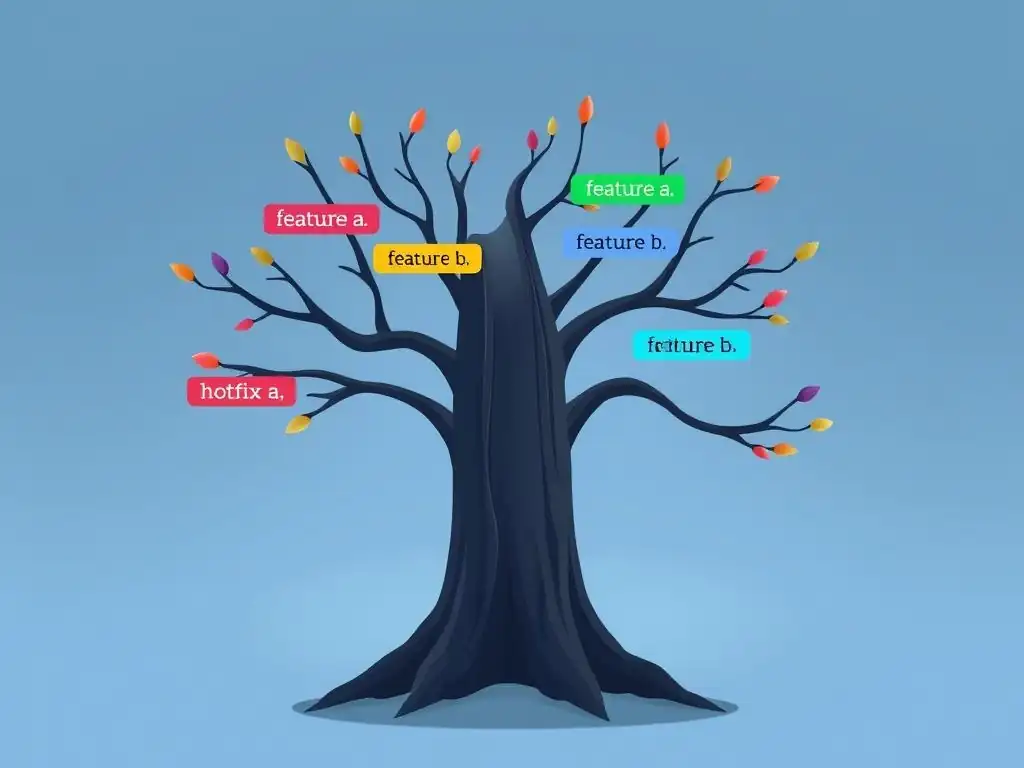
Welcome to Git and Version Control Hub!
Are you ready to unlock the full potential of collaborative coding? Dive into the world of efficient workflows and seamless teamwork. This month, we're exploring feature branching – a powerful technique, but is it right for your team? Discover the best practices for feature branching in Git and learn how to leverage this approach to streamline your development process. Intrigued? Read on to find out if feature branching can transform your team's Git strategy and enhance your project's success!
Feature Branching in Git: A Practical Guide
- Understanding Feature Branching in Git
- Feature Branching Best Practices for Git
- Feature Branching vs. Other Git Branching Strategies
- Potential Challenges of Feature Branching
- Implementing Feature Branching Effectively: A Team Guide
- Is Feature Branching the Right Choice for Your Team?
- Advanced Feature Branching Techniques
- Feature Branching and Continuous Integration
- Feature Branching and Version Control: Ensuring Code Stability
- Conclusion: Mastering Feature Branching for Enhanced Team Collaboration
- Frequently Asked Questions
- Final Reflection: Embracing the Power of Branching
- Unleash the Power of Feature Branches!
Understanding Feature Branching in Git
What is Feature Branching and Why Use It?
Feature branching is a foundational branching strategy in Git where each new feature or bug fix is developed in its own dedicated branch, diverging from the main branch (typically main or develop). This isolation is crucial because it allows developers to work on new functionalities without directly impacting the stable codebase. Imagine a team working on a complex e-commerce platform; one developer might be implementing a new payment gateway, while another is refining the user profile section. Feature branching allows these tasks to proceed in parallel, minimizing the risk of introducing unstable or incomplete code into the main project.
The primary motivation behind feature branching is to promote parallel development and maintain code stability. By isolating changes within feature branches, teams can ensure that the main branch always represents a deployable state of the application. This approach dramatically reduces the chances of introducing regressions or breaking existing functionality when adding new features or fixing bugs. Furthermore, feature branches provide a safe space for experimentation and iterative development. Developers can freely explore different approaches to solving a problem without the fear of disrupting the work of others or compromising the project's stability.
Key Benefits of Feature Branching for Collaborative Development
Feature branching significantly enhances collaboration within development teams. Consider a team of five developers working on a new mobile application. Without feature branching, all developers would be committing directly to a shared branch, leading to potential conflicts and integration headaches. Feature branches mitigate this issue by giving each developer or sub-team a dedicated workspace. This isolation allows for focused work and reduces the need for constant communication and coordination to avoid stepping on each other's toes.
Beyond isolation, feature branches facilitate code reviews, a cornerstone of modern software development practices. Before merging a feature branch back into the main branch, the changes can be reviewed by other team members. This review process helps catch potential bugs, improve code quality, and ensure that the new feature aligns with the project's overall architecture and coding standards.
Studies have shown that code reviews can reduce defect density by as much as 15%, leading to more robust and reliable software. Tools like GitHub, GitLab, and Bitbucket seamlessly integrate with feature branching workflows, providing intuitive platforms for code reviews and collaborative feedback.
Feature Branching Workflow: A Step-by-Step Guide
Implementing a feature branching workflow typically involves a consistent series of steps. First, when starting work on a new feature, a developer creates a new branch branching off from the main branch. This is usually done using the command git checkout -b feature/new-feature-name. This command both creates and switches to the new branch. All subsequent commits related to this feature are then made on this branch, isolated from the main codebase.
Once the feature is complete and tested, the next step is to merge it back into the main branch. However, best practices dictate a code review should occur before merging. The developer typically creates a pull request (or merge request in GitLab terminology) to initiate this review process. After the code review is completed and any necessary changes are incorporated, the feature branch can be merged into the main branch. This merge is often done through the platform's interface (like GitHub or GitLab) after the pull request is approved, or via the command line using git merge feature/new-feature-name followed by git push origin main. Finally, it's good practice to delete the feature branch after it has been successfully merged to keep the repository clean and manageable. This workflow, when consistently followed, ensures a structured and controlled approach to software development using Git.
Feature Branching Best Practices for Git
Creating Effective Feature Branches: Naming Conventions and Scope
Effective feature branches are characterized by clear naming conventions and well-defined scopes. Branch names should be descriptive and easily understandable, reflecting the feature or bug fix they are addressing. A common naming convention is to prefix branch names with feature/, bugfix/, or hotfix/, followed by a concise description, such as feature/user-authentication or bugfix/login-error. Using hyphens or underscores to separate words improves readability. Avoid overly generic names like feature-1 or fix-2, as these offer little context and can become confusing as the project evolves.
The scope of a feature branch should ideally be focused and relatively small. Branches that encompass multiple features or large refactoring efforts become harder to manage, review, and merge. Aim for feature branches that represent a single, cohesive unit of work that can be completed within a reasonable timeframe, ideally within a few days to a week.
Smaller branches are easier to review, reduce the likelihood of merge conflicts, and promote faster integration cycles. If a feature is inherently large, consider breaking it down into smaller, more manageable sub-features, each with its own dedicated branch. This granular approach enhances workflow efficiency and reduces the risk associated with long-lived feature branches.
Managing Feature Branch Lifecycles: Short-Lived vs. Long-Lived Branches
The lifecycle of a feature branch is a critical aspect of its effective management. Generally, feature branches should be designed to be short-lived. Short-lived branches, ideally lasting from a few hours to a few days, are easier to manage, review, and merge. They minimize the risk of accumulating significant divergence from the main branch, reducing the likelihood of complex merge conflicts. Furthermore, short-lived branches encourage frequent integration, which aligns with the principles of Continuous Integration and helps to surface integration issues early in the development cycle.
In some situations, however, long-lived feature branches are unavoidable. For instance, when developing a complex feature that spans multiple sprints or involves extensive research and development, a feature branch might exist for several weeks or even months. While long-lived branches offer the benefit of isolating large, complex changes, they also come with increased risks. These risks include a higher chance of merge conflicts with the main branch as it evolves, and the potential for code integration issues arising from significant divergence. To mitigate these risks, teams using long-lived feature branches should diligently rebase or merge their branches with the main branch frequently to stay reasonably up-to-date and proactively address potential integration problems.
Feature Branching and Code Review: Ensuring Quality and Collaboration
Feature branching is intrinsically linked to code review processes, playing a vital role in ensuring code quality and fostering collaboration. The isolation offered by feature branches provides a natural checkpoint for code review before integration into the main codebase. Once a developer completes work on a feature branch, they initiate a code review process, typically by creating a pull request. This request signals to other team members that the code is ready for inspection and feedback.
Code reviews in the context of feature branching offer several benefits. Firstly, they help identify bugs and potential issues early in the development cycle, before they reach production. Studies indicate that well-executed code reviews can catch up to 85% of defects. Secondly, code reviews promote knowledge sharing and team collaboration.
Reviewers gain insight into the changes made, and the author receives valuable feedback, leading to improved code quality and consistency across the project. Thirdly, code reviews ensure adherence to coding standards and architectural guidelines. By incorporating code reviews into the feature branching workflow, teams can significantly enhance the robustness, maintainability, and overall quality of their software.
Feature Branching vs. Other Git Branching Strategies
Feature Branching vs. Gitflow: A Detailed Comparison
Gitflow and feature branching are both popular Git branching strategies, but they cater to different needs and team sizes. Gitflow is a more elaborate branching model designed for managing scheduled releases. It utilizes multiple long-lived branches, including main (representing production-ready code), develop (for integration of features), and release branches (for preparing releases). Feature branches in Gitflow are created off the develop branch and merged back into it, eventually flowing into release and then main. This model is well-suited for projects with strict release cycles and a need for hotfixes on production.
In contrast, feature branching, in its purest form, is a simpler strategy focused primarily on isolating feature development. It typically involves only the main branch and short-lived feature branches. Features are branched off main and merged directly back into main after review. While Gitflow provides a structured approach for complex release management, it can be perceived as overly complex for smaller teams or projects with continuous delivery practices. Feature branching, on the other hand, offers a leaner and more agile approach, better suited for teams that prioritize rapid iteration and frequent deployments. Gitflow's complexity can introduce overhead, while feature branching promotes simplicity and speed in development workflows.
Feature Branching vs. GitHub Flow: Choosing the Right Approach
GitHub Flow is a streamlined branching strategy often contrasted with feature branching, although in practice, it can be seen as a simplified form of feature branching. GitHub Flow revolves around a single, long-lived branch, typically main or master. All feature branches are created directly from this main branch. The key distinction lies in the deployment aspect. In GitHub Flow, any branch can be deployed to production, and the main branch is always deployable. Pull requests are central to GitHub Flow, serving as the mechanism for code review and discussion before merging into main.
While both strategies utilize feature branches, GitHub Flow emphasizes continuous deployment and simplicity. It eliminates the develop and release branches found in Gitflow, streamlining the workflow. Choosing between feature branching and GitHub Flow often depends on the team's deployment frequency and complexity. For teams practicing continuous delivery or continuous deployment, GitHub Flow's simplicity and direct deployment from feature branches might be more efficient. Teams with more complex release processes or those needing to maintain multiple release versions might find a more structured approach, potentially closer to pure feature branching or even Gitflow, more suitable. However, it's worth noting that in many contexts, "feature branching" is often used interchangeably with workflows very similar to GitHub Flow, focusing on short-lived feature branches and pull requests.
Feature Branching vs. GitLab Flow: When to Use Each
GitLab Flow, similar to GitHub Flow, is another simplified branching strategy that builds upon feature branching principles. GitLab Flow offers a set of defined workflows designed to cater to different release cadences and environments, offering more structured options compared to the very minimal GitHub Flow. GitLab Flow typically includes a main branch and environment-specific branches like production or pre-production. Feature branches are still central, created from main and merged back into main after review. GitLab Flow provides clearer guidance on how to manage different environments and releases compared to GitHub Flow.
The choice between feature branching (in a general sense, encompassing GitHub and GitLab Flows) and GitLab Flow specifically often hinges on the team's need for structured environment management and release processes. If a team requires explicit branches to represent different environments (like staging, pre-production, and production) and needs a clear workflow for promoting code through these environments, GitLab Flow offers a more prescriptive approach.
For teams with simpler deployment pipelines or those primarily focused on continuous delivery to a single production environment, a basic feature branching strategy, potentially aligning closely with GitHub Flow, might suffice. GitLab Flow provides more defined paths for managing releases and hotfixes, while basic feature branching offers greater flexibility and simplicity, especially when combined with CI/CD practices that handle environment deployments.
Potential Challenges of Feature Branching
Managing Merge Conflicts in Feature Branches
Merge conflicts are an inherent challenge in feature branching, particularly when multiple developers are working on overlapping parts of the codebase concurrently. As feature branches diverge from the main branch, the longer they live and the more changes accumulate in main, the higher the likelihood of encountering merge conflicts when attempting to integrate the feature branch back. These conflicts arise when Git cannot automatically reconcile changes made in different branches to the same lines of code.
Resolving merge conflicts requires manual intervention. Developers need to examine the conflicting sections of code, understand the changes made in both branches, and decide how to integrate them correctly. This process can be time-consuming and error-prone, especially for complex conflicts. Strategies to mitigate merge conflicts include keeping feature branches short-lived, frequently rebasing or merging feature branches with the main branch to stay up-to-date, and practicing clear communication within the team to avoid parallel modifications to the same code areas. Tools like Git's merge conflict resolution features and visual diff tools can assist in identifying and resolving conflicts more efficiently.
Keeping Feature Branches Up-to-Date: Rebasing vs. Merging
Maintaining feature branches in sync with the main branch is crucial to minimize integration issues and simplify the final merge process. Two primary techniques for updating feature branches are rebasing and merging from main. Merging from main into a feature branch creates a merge commit in the feature branch's history, incorporating all changes from main. This approach preserves the original history of both branches, but can lead to a more complex and branched history in the feature branch.
Rebasing, on the other hand, rewrites the feature branch's history by effectively replaying its commits on top of the latest main branch. This results in a linear and cleaner history, making it easier to follow the evolution of the feature. However, rebasing modifies the commit history, which can be problematic if the feature branch has already been shared with others. The choice between rebasing and merging depends on team preferences and workflow. Rebasing often leads to a cleaner history and simpler merges back to main, but requires caution when working collaboratively. Merging preserves history but can create a more complex commit graph. Many teams adopt a strategy of rebasing feature branches locally and merging when integrating into main to balance history cleanliness with safety in shared environments.
The Risk of Long-Lived Feature Branches and Code Integration Issues
Long-lived feature branches, while sometimes necessary for complex features, pose significant risks to code integration and project stability. As feature branches diverge further from the main branch over time, the codebase in the feature branch can become increasingly out of sync with the evolving main branch. This divergence increases the likelihood and complexity of merge conflicts when the feature is eventually integrated. Furthermore, architectural changes, refactoring, or bug fixes applied to main might not be reflected in long-lived feature branches, leading to integration issues and potential regressions when the feature is merged.
The "integration tax" associated with long-lived feature branches can be substantial. The longer a branch lives, the more effort is required to resolve merge conflicts, adapt to changes in main, and ensure the feature integrates seamlessly. In extreme cases, long-lived feature branches can even become so difficult to merge that they effectively become separate projects, hindering collaboration and slowing down development velocity. To mitigate these risks, teams should strive to keep feature branches short-lived whenever possible. For unavoidable long-lived branches, frequent rebasing or merging from main, thorough testing throughout the development process, and proactive communication are essential to minimize integration problems and maintain code stability.
Implementing Feature Branching Effectively: A Team Guide
Setting Up a Feature Branching Strategy: Guidelines for Your Team
Implementing feature branching effectively requires establishing clear guidelines and conventions within the development team. Firstly, define a clear branching model that aligns with your team's workflow and release cadence. Decide on the role of the main branch and any other long-lived branches (if necessary). Establish naming conventions for feature branches to ensure clarity and consistency. For instance, agree on prefixes like feature/, bugfix/, or hotfix/ followed by descriptive names.
Secondly, define the lifecycle of feature branches. Encourage short-lived branches whenever feasible and set expectations for how frequently branches should be updated from main (rebasing or merging). Establish a clear code review process for feature branches before they are merged into main. Define who is responsible for code reviews and what criteria are used to assess code quality. Finally, communicate these guidelines clearly to all team members and provide training on feature branching best practices and Git workflows. Regularly review and refine these guidelines as your team's needs and processes evolve.
Tools and Techniques for Streamlining Feature Branching
Various tools and techniques can significantly streamline feature branching workflows. Git itself provides powerful command-line tools for creating, managing, and merging branches. Graphical Git clients like SourceTree, GitKraken, and Fork can enhance visualization and simplify common Git operations, making feature branching more accessible to developers of all skill levels. Code review platforms like GitHub, GitLab, and Bitbucket offer integrated pull request workflows, automated code review tools, and collaboration features that streamline the review process.
Task management and project tracking tools like Jira, Asana, or Trello can be integrated with Git repositories to link feature branches to specific tasks or user stories. This integration improves traceability and helps manage the scope and progress of feature development. Automation tools, such as scripts or CI/CD pipelines, can automate repetitive tasks like branch creation, merging, and cleanup, further enhancing efficiency. Leveraging these tools and techniques can significantly reduce the overhead associated with feature branching and empower teams to work more efficiently and collaboratively.
Integrating Feature Branching with CI/CD Pipelines
Feature branching seamlessly integrates with Continuous Integration and Continuous Delivery (CI/CD) pipelines, enhancing automation and accelerating the software delivery process. In a CI/CD pipeline, feature branches become the trigger for automated builds, tests, and code analysis. Whenever a commit is pushed to a feature branch, the CI server can automatically build the code, run unit tests, integration tests, and static code analysis tools to ensure code quality and detect potential issues early.
This feedback loop provides developers with rapid insights into the health of their feature branches, allowing them to address problems quickly before merging into main. Upon successful completion of automated checks, the CI/CD pipeline can also automate the deployment of feature branches to development or staging environments for further testing and validation. When a feature branch is ready to be merged into main, the CI/CD pipeline can again trigger automated builds and tests on the merged code, followed by automated deployment to production or other target environments. Integrating feature branching with CI/CD pipelines automates many aspects of the development lifecycle, reduces manual errors, and accelerates the delivery of high-quality software.
Is Feature Branching the Right Choice for Your Team?
Assessing Your Team's Needs and Workflow
Determining whether feature branching is the right approach for your team requires a careful assessment of your team's needs, workflow, and project characteristics. Consider the size of your team, the complexity of your project, your release cadence, and your team's experience with Git and version control. For larger teams working on complex projects, feature branching is often highly beneficial, providing isolation, facilitating collaboration, and enabling parallel development. Teams practicing continuous integration or continuous delivery can also leverage feature branching effectively to automate testing and deployment processes.
However, for smaller teams working on simpler projects with rapid iteration cycles, a simpler branching strategy like trunk-based development might be more efficient. Teams new to Git or version control might find the concept of feature branching initially complex, requiring training and time to adapt. Evaluate your team's current workflow and identify pain points. If you are experiencing issues with code integration, instability in your main branch, or difficulties with parallel development, feature branching could be a valuable solution. Conversely, if your team is comfortable with direct commits to main and has a very fast release cycle, feature branching might introduce unnecessary overhead.
Evaluating the Pros and Cons of Feature Branching in Your Context
Before fully adopting feature branching, weigh its pros and cons within your specific context. The advantages of feature branching include improved code stability, enhanced collaboration, facilitated code reviews, and support for parallel development. Feature branches also provide a safe space for experimentation and allow for easier rollback of changes if needed. For example, if a team is developing a new user interface, feature branches allow them to iterate on different UI designs without disrupting the existing application.
However, feature branching also introduces potential challenges. These include the complexity of managing branches, the risk of merge conflicts, and the overhead of code reviews. Long-lived feature branches can become difficult to integrate and may lead to code divergence. For instance, if a team uses long-lived feature branches for major architectural changes, merging these branches back into main can be a significant undertaking. Carefully consider these trade-offs and assess whether the benefits of feature branching outweigh the potential drawbacks for your team and project.
Scenario: Feature Branching for a New User Authentication System
Imagine a development team tasked with implementing a new user authentication system for their web application. Feature branching is an ideal strategy for this scenario. The team can create a dedicated feature branch, say feature/new-auth-system, branching off from the main branch. Within this branch, developers can work on all aspects of the new authentication system in isolation, including database schema changes, API endpoints, and UI components. This isolation ensures that the existing authentication system in the main branch remains functional and unaffected by the ongoing development.
Throughout the development process, the team can regularly commit changes to the feature/new-auth-system branch and use pull requests to conduct code reviews, ensuring code quality and catching potential security vulnerabilities in the new authentication system. Once the new authentication system is fully implemented, tested, and reviewed, the feature/new-auth-system branch can be merged back into the main branch. This merge integrates the new authentication system into the main application in a controlled and safe manner, minimizing disruption to existing users and functionalities. Feature branching in this case provides a structured and collaborative approach to developing and integrating a significant new feature.
Scenario: When Trunk-Based Development Might Be a Better Fit
While feature branching is widely applicable, trunk-based development might be a more suitable strategy in certain scenarios. Consider a small, co-located team working on a microservice with a very fast release cycle and a high degree of trust and communication. In such an environment, the overhead of creating and managing feature branches might outweigh the benefits. Trunk-based development, where developers commit directly to the main branch (or trunk), can streamline the workflow and accelerate development velocity.
For example, a team continuously deploying bug fixes and small enhancements to a microservice might find trunk-based development more efficient. With trunk-based development, code changes are integrated and deployed rapidly, reducing the need for long-lived branches and complex merge processes. However, trunk-based development requires a strong emphasis on automated testing, code review before commit (or very rapid review), and a culture of continuous integration to maintain code stability. If these prerequisites are in place, trunk-based development can be a highly effective strategy for teams prioritizing speed and agility, potentially offering advantages over feature branching in specific contexts.
Advanced Feature Branching Techniques
Using Feature Flags with Feature Branching
Feature flags, also known as feature toggles, are a powerful technique that complements feature branching, particularly for managing the release of new features. Feature flags allow developers to deploy code changes to production but control their visibility and availability at runtime. Combined with feature branching, feature flags enable teams to merge feature branches into main more frequently, even if the feature is not yet fully complete or ready for general release. The feature can remain disabled by default, controlled by a flag, and gradually rolled out to users or enabled for specific user groups as needed.
For example, a team developing a new dashboard for a SaaS application can use feature branching to isolate the development of the dashboard. Once the development is reasonably complete, the feature branch can be merged into main. However, instead of immediately making the new dashboard visible to all users, a feature flag named new-dashboard can be introduced. Initially, this flag is set to false, keeping the old dashboard active. The team can then test the new dashboard in production with a small group of beta users by enabling the new-dashboard flag for them only. As testing progresses and confidence grows, the flag can be gradually enabled for more users, eventually rolling out the new dashboard to everyone. This combination of feature branching and feature flags provides fine-grained control over feature releases and minimizes the risks associated with deploying incomplete or untested features to production.
Experimenting with Stashed Changes in Feature Branches
Git's stash feature is a valuable tool for managing work in progress within feature branches, particularly when needing to switch contexts or address urgent issues. git stash allows developers to temporarily save uncommitted changes and revert their working directory to a clean state. This is useful when, for example, a developer is working on a feature branch and needs to quickly switch to another branch to fix a critical bug. Instead of committing incomplete changes, they can stash their current work, switch to the hotfix branch, address the bug, and then return to their feature branch and unstash their saved changes to resume feature development.
Stashing provides flexibility and prevents the need to create numerous small, potentially incomplete commits just to switch branches. It allows developers to maintain a clean working directory while preserving their in-progress work. For instance, a developer working on a complex algorithm in a feature branch might need to pause their work to review a colleague's pull request. Instead of committing a partially implemented algorithm, they can stash their changes, switch to the main branch to review the pull request, and then return to their feature branch and unstash their work seamlessly. git stash enhances developer productivity and workflow efficiency when working with feature branches, especially in dynamic and interrupt-driven environments.
Automating Feature Branching Workflows with Git Hooks
Git hooks provide a powerful mechanism for automating various aspects of feature branching workflows. Git hooks are scripts that Git executes automatically before or after certain events, such as commits, pushes, or merges. They can be used to enforce coding standards, run automated tests, or trigger CI/CD pipelines based on feature branch activities. For example, a pre-commit hook can be set up to run linters or code formatters before allowing a commit to be created on a feature branch, ensuring code quality from the outset.
A pre-push hook can be configured to run unit tests before code is pushed to a remote feature branch, preventing broken code from being shared. post-merge hooks can be used to automatically trigger CI/CD pipelines when a feature branch is merged into main, initiating automated builds, tests, and deployments. By leveraging Git hooks, teams can automate repetitive tasks, enforce best practices, and streamline their feature branching workflows. For instance, a team can use a post-checkout hook to automatically create a new feature branch based on a predefined naming convention when a developer starts working on a new task, further simplifying the branch creation process. Git hooks offer a flexible and customizable way to automate and enhance feature branching practices.
Feature Branching and Continuous Integration
How Feature Branching Impacts Continuous Integration
Feature branching is a cornerstone of effective Continuous Integration (CI) practices. CI aims to frequently integrate code changes from multiple developers into a shared repository, and feature branching provides the isolation and structured workflow necessary to achieve this effectively. By isolating feature development in dedicated branches, feature branching prevents broken or incomplete code from directly impacting the main branch, ensuring that the main branch remains in a healthy and deployable state.
Feature branches act as integration points within the CI process. When a developer pushes changes to a feature branch, the CI system can automatically build and test that branch in isolation, providing early feedback on integration issues. This allows developers to address integration problems within the feature branch before merging into main, reducing the risk of introducing integration issues into the shared codebase. Feature branching, therefore, enables a more robust and reliable CI process by providing controlled integration points and facilitating early detection of integration problems.
Optimizing CI/CD Pipelines for Feature Branching
To fully leverage feature branching within CI/CD pipelines, pipelines need to be optimized to handle feature branches effectively. CI/CD pipelines should be configured to automatically detect and build new feature branches as they are created. Each feature branch should have its own isolated build and test environment to prevent interference between branches. Automated tests, including unit tests, integration tests, and UI tests, should be executed for every commit to a feature branch to provide rapid feedback on code quality and integration issues.
For longer-lived feature branches, consider implementing periodic integration builds that merge the latest main branch code into the feature branch and run integration tests to proactively identify and resolve potential merge conflicts and integration problems. Upon successful completion of all automated checks and code reviews, the CI/CD pipeline should automate the merging of feature branches into main and trigger subsequent stages of the pipeline, such as deployment to staging or production environments. Optimizing CI/CD pipelines for feature branching ensures a smooth and automated workflow from feature development to deployment, maximizing the benefits of both feature branching and CI/CD practices.
Example: Integrating Feature Branching with GitHub Actions
GitHub Actions provides a powerful platform for implementing CI/CD pipelines that seamlessly integrate with feature branching workflows. A GitHub Actions workflow can be configured to trigger automatically whenever code is pushed to a feature branch. This workflow can define a series of steps, such as checking out the code, setting up the build environment, running unit tests, and executing integration tests. For example, a workflow for a Node.js application might include steps to install Node.js, install dependencies using npm install, run unit tests using npm test, and execute end-to-end tests using a testing framework like Cypress.
name: Feature Branch CI

on:
  push:
    branches:
      - 'feature/**' # Trigger on pushes to branches starting with 'feature/'

jobs:
  build-and-test:
    runs-on: ubuntu-latest

    steps:
      - uses: actions/checkout@v3
      - name: Set up Node.js
        uses: actions/setup-node@v3
        with:
          node-version: '16.x'
      - name: Install dependencies
        run: npm install
      - name: Run unit tests
        run: npm test
      - name: Run end-to-end tests
        run: npm run cypress:run
This example workflow demonstrates how GitHub Actions can be used to automatically run tests on feature branches. By defining workflows triggered by pushes to feature branches, teams can implement robust CI pipelines that provide rapid feedback and ensure code quality within a feature branching workflow. GitHub Actions' flexibility and integration with GitHub repositories make it an ideal tool for automating CI/CD processes for feature branch-based development.
Feature Branching and Version Control: Ensuring Code Stability
Resolving Merge Conflicts Effectively in Version Control Systems
Merge conflicts are an unavoidable aspect of collaborative version control, especially within feature branching workflows. Effectively resolving merge conflicts is crucial for maintaining code stability and preventing integration issues. When a merge conflict occurs, Git marks the conflicting files and sections, requiring manual intervention to resolve them. Developers need to carefully examine the conflicting code blocks, understand the changes made in both branches, and decide how to integrate them correctly.
Using visual diff tools like Meld, DiffMerge, or integrated diff tools in IDEs can significantly simplify the conflict resolution process by providing a clear side-by-side comparison of the conflicting changes. Communication and collaboration among developers are also essential for resolving complex conflicts. When faced with a challenging conflict, reaching out to colleagues who made changes in the conflicting areas can provide valuable context and facilitate a collaborative resolution. Practicing frequent integration and keeping feature branches short-lived can minimize the frequency and complexity of merge conflicts, contributing to greater code stability.
Maintaining Code Quality with Feature Branching Practices
Feature branching, when implemented with best practices, plays a significant role in maintaining code quality. The isolation provided by feature branches allows developers to focus on specific features or bug fixes without disrupting the stability of the main branch. Code reviews, a core component of feature branching workflows, act as a quality gate, ensuring that code changes are inspected and validated before being integrated into the main codebase. Automated testing within CI/CD pipelines, triggered by feature branch activities, further enhances code quality by detecting and preventing regressions.
By encouraging smaller, focused feature branches, feature branching promotes incremental development and reduces the risk of introducing large, complex changes that are harder to review and test. Consistent application of coding standards and best practices within feature branches, enforced through linters and code formatters (potentially automated via Git hooks), also contributes to overall code quality. Feature branching, therefore, provides a structured framework for developing and integrating code changes in a way that prioritizes code quality and minimizes the introduction of defects.
Feature Branching and Version Control Collaboration Tips
Effective collaboration within feature branching workflows requires clear communication and adherence to best practices in version control. Communicate proactively with team members about ongoing feature development, potential conflicts, and changes that might impact others' work. Utilize pull requests not just for code review but also as a platform for discussion and knowledge sharing about feature implementation. Provide constructive and timely feedback during code reviews to improve code quality and promote learning within the team.
Regularly update feature branches by rebasing or merging from main to stay synchronized with the latest changes and minimize merge conflicts. Commit frequently and in small, logical units within feature branches to create a clear and understandable commit history. Use descriptive commit messages that explain the purpose of each change. When resolving merge conflicts, prioritize clear and correct integration over quick fixes. By following these collaboration tips and embracing version control best practices, teams can maximize the benefits of feature branching and work together more effectively to build high-quality software.
Conclusion: Mastering Feature Branching for Enhanced Team Collaboration
Key Takeaways for Implementing Feature Branching Successfully
Mastering feature branching involves understanding its core principles, adopting best practices, and tailoring the strategy to your team's specific needs. Key takeaways for successful implementation include: embracing short-lived feature branches to minimize integration complexity, establishing clear naming conventions for branches, integrating code reviews into the workflow to ensure code quality, and utilizing CI/CD pipelines to automate testing and integration processes. Regularly communicate and collaborate within the team to resolve merge conflicts and address integration challenges proactively.
Remember that feature branching is not a one-size-fits-all solution. Assess your team's workflow and project requirements to determine if feature branching is the right strategy. Be prepared to adapt and refine your feature branching approach as your team and project evolve. By focusing on these key takeaways, teams can effectively implement feature branching to enhance collaboration, improve code stability, and accelerate software development.
Resources for Further Learning About Feature Branching in Git
For developers seeking to deepen their understanding of feature branching and Git, numerous resources are available. The official Git documentation provides comprehensive information on branching, merging, and related concepts. Online tutorials and articles, such as those found on websites like Atlassian Git Tutorials, GitHub Guides, and GitLab documentation, offer practical guidance and examples of feature branching workflows. Books like "Pro Git" by Scott Chacon and Ben Straub provide in-depth coverage of Git and version control best practices, including detailed discussions on branching strategies.
Consider exploring online courses and workshops focused on Git and collaborative software development, often available on platforms like Udemy, Coursera, and Pluralsight. Engaging with the Git community through forums, online discussions, and conferences can also provide valuable insights and real-world experiences with feature branching. By leveraging these resources, developers can continuously expand their knowledge and skills in feature branching, becoming proficient in this essential version control strategy and maximizing its benefits for team collaboration and software development success.
Frequently Asked Questions
What is feature branching in Git?
Feature branching is a version control strategy where each new feature or bug fix is developed in a separate branch, isolated from the main branch (usually main or master). This allows for parallel development and keeps the main branch stable.
Why is feature branching considered a "best practice" in Git?
It's a best practice because it promotes clean code history, facilitates parallel development without conflicts, and allows for easier code review and testing before merging into the main branch.
What are some potential drawbacks of using feature branching?
Feature branching can lead to merge conflicts if branches diverge significantly. It also requires a solid understanding of Git branching and merging workflows, which can be a learning curve for beginners.
How does feature branching improve team collaboration?
By isolating feature development, it allows multiple developers to work on different features simultaneously without interfering with each other's code. This fosters parallel work streams and reduces the risk of introducing bugs to the shared codebase.
When might feature branching not be the right approach for a team?
For very small projects with only one or two developers, or when changes are extremely minor, the overhead of creating and managing feature branches might outweigh the benefits. Simpler workflows might be more efficient in these cases.
Final Reflection: Embracing the Power of Branching
The principles of feature branching, as explored throughout this article, are not merely theoretical exercises in version control; they are essential strategies for fostering collaboration and innovation in modern software development. In today's fast-paced tech landscape, where agility and rapid iteration are paramount, understanding and implementing feature branching best practices is no longer optional, but a crucial determinant of a team's success.
The impact of feature branching extends far beyond cleaner codebases and reduced merge conflicts. It cultivates a culture of experimentation, allowing developers to explore new ideas without jeopardizing the stability of the main codebase. This freedom to innovate, coupled with the safety net of isolated branches, is what truly empowers teams to push boundaries and deliver exceptional results. The best way to predict the future is to create it.
- Peter Drucker. This quote resonates deeply with the spirit of feature branching, as it allows us to build the future of our software, one carefully crafted branch at a time.
Now, as you consider the insights shared in this article, I invite you to reflect on your own development workflows. Are you leveraging the full potential of feature branching? Are you fostering a culture of experimentation and collaboration within your team? The power to build better software, to innovate more effectively, and to work together more harmoniously lies within your grasp. Embrace the best practices of feature branching, and unlock the next level of your team's potential.
Unleash the Power of Feature Branches!
Thanks for reading our article on feature branching! Now that you've learned about its advantages and disadvantages, it's time to apply this knowledge and improve your team's workflow. Here's how to get started:
- Try a feature branching strategy on your next small project. This practical experience will give you valuable insights.
- Share this article with your team to discuss your current branching strategy and identify areas for improvement.
- Explore our other articles on Git workflows, particularly those covering Gitflow and GitHub Flow, to compare different approaches.
What problem do you hope to solve with feature branching, and what's your first step?