
Python & Git CLI: Scripting Version Control for Advanced Automation

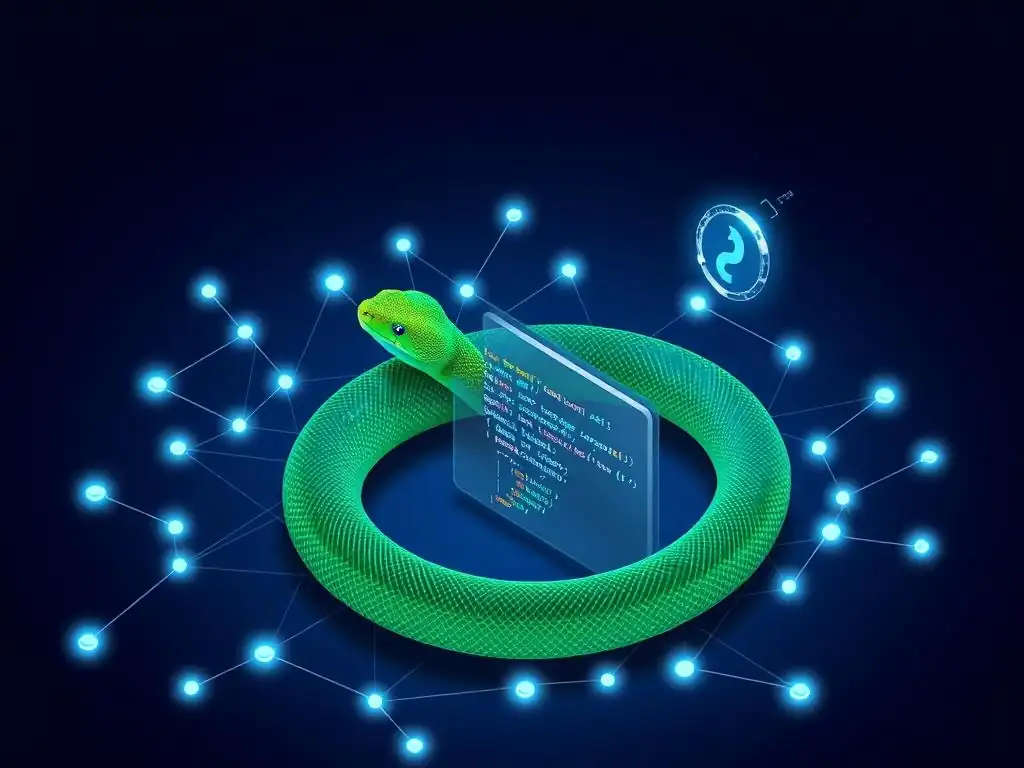
Welcome to Git and Version Control Hub, your central resource for mastering the art of version control! Are you ready to elevate your Git skills and streamline your development workflow? Dive in and discover how you can automate Git with Python scripting, unlocking a new level of efficiency and control. Curious about the possibilities? Explore our guide and transform the way you interact with Git!
Python & Git CLI: Scripting Version Control for Advanced Automation
- Introduction: Automating Git Workflows with Python
-
Frequently Asked Questions
- How can Python be used to automate Git tasks?
- What are the benefits of using Python to automate Git instead of just Git aliases?
- Which Python libraries are most helpful when automating Git with Python?
- Can I use Python to automate CI/CD pipelines with Git?
- What are some practical examples of automating Git with Python?
- Final Reflection: Empowering Automation Through Scripting
- Unleash Your Version Control Superpowers!
Introduction: Automating Git Workflows with Python
The Power of Python for Git Automation
Python has emerged as a powerhouse in automation, and its capabilities extend seamlessly into the realm of Git version control. The language's clean syntax, extensive libraries, and vibrant community make it an ideal choice for developers seeking to automate Git with Python scripting. Python's strength lies in its readability, which simplifies the creation and maintenance of complex scripts that orchestrate Git commands. Furthermore, Python’s cross-platform compatibility ensures that your Git automation scripts can run on various operating systems, mirroring the flexibility of Git itself. For tasks ranging from simple repository checks to intricate CI/CD pipeline integrations, Python provides a robust and accessible toolkit for Git automation with Python.
The rich ecosystem of Python libraries further amplifies its power in Git automation. Libraries like GitPython offer an object-oriented interface to Git repositories, abstracting away the complexities of direct command-line interactions. This allows developers to interact with Git in a more programmatic and Pythonic way, leading to cleaner and more maintainable code. Beyond specialized Git libraries, Python's standard library, particularly modules like subprocess and os, provides essential tools for executing shell commands and managing file system operations, which are often necessary when scripting Git workflows. This combination of specialized and general-purpose tools makes Python a versatile and potent ally in the quest to automate Git with Python scripting.
Why Script Git Commands?
Scripting Git commands offers a significant leap in efficiency and consistency for software development workflows. Manually executing Git commands for repetitive tasks, such as branching, tagging releases, or checking repository status across multiple projects, is time-consuming and error-prone. By scripting these processes with Python, developers can automate Git with Python scripting, drastically reducing the time spent on mundane tasks and minimizing the risk of human error. Imagine a scenario where a developer needs to update commit messages across several branches to adhere to a new project standard. Manually doing this would be incredibly tedious, but a Python script can accomplish this task quickly and consistently across all specified branches.
Moreover, scripting Git commands promotes standardization and repeatability in development processes. When Git operations are codified into scripts, they become consistent and predictable, regardless of who executes them. This is particularly crucial in team environments where ensuring uniform workflows across developers is essential for maintaining code quality and project stability. For instance, a script designed to enforce commit message conventions or automatically trigger code quality checks before commits are pushed can ensure that every contribution aligns with project standards. This automation not only saves time but also fosters a more disciplined and reliable development process, highlighting the value of Python Git scripting in modern software development.
Frequently Asked Questions
How can Python be used to automate Git tasks?
Python can interact with Git by using the subprocess module to execute Git commands directly. This allows you to create scripts that automate repetitive Git actions, such as committing changes or pushing branches.
What are the benefits of using Python to automate Git instead of just Git aliases?
While Git aliases are useful for simple shortcuts, Python scripting offers more complex automation capabilities. Python allows you to incorporate conditional logic, error handling, and external API integrations, which are difficult to achieve with Git aliases alone.
Which Python libraries are most helpful when automating Git with Python?
The subprocess module is essential for running Git commands. For more advanced tasks, libraries like GitPython provide a higher-level interface for interacting with Git repositories programmatically, simplifying complex Git operations.
Can I use Python to automate CI/CD pipelines with Git?
Yes, Python is excellent for automating CI/CD pipelines. You can use Python scripts to trigger builds, run tests, and deploy code based on Git events like pushes or pull requests, integrating seamlessly with CI/CD platforms.
What are some practical examples of automating Git with Python?
Examples include automating the creation of release branches, generating changelogs based on commit messages, or enforcing coding standards by automatically checking code before commits. Python can also streamline repetitive tasks like updating documentation.
Final Reflection: Empowering Automation Through Scripting
The ability to automate Git with Python scripting isn't just a technical advantage; it's a paradigm shift in how we approach software development and version control. By bridging the gap between the power of Git's command-line interface and the versatility of Python, we unlock unprecedented levels of efficiency and control, transforming complex workflows into streamlined, automated processes. This capability is increasingly vital in today's fast-paced development environments, where agility and speed are paramount.
This fusion of technologies has profoundly impacted the cultural landscape of software engineering, fostering a culture of automation and continuous improvement. The ability to customize and extend Git's functionality through scripting empowers developers to tailor their workflows to specific project needs, leading to increased productivity and reduced errors. The best code is no code at all.
- Martin Fowler. This sentiment underscores the value of automation, allowing us to focus on innovation rather than repetitive tasks.
Now, consider the possibilities. How can you leverage the power of Python and Git CLI to automate your own workflows? What repetitive tasks can you eliminate, freeing up your time and energy for more creative endeavors? Embrace the potential of scripting, and discover how it can transform your approach to version control, empowering you to build better software, faster.
Unleash Your Version Control Superpowers!
Thank you for exploring the world of Python and Git CLI scripting! We hope you're now ready to automate your version control workflows and significantly boost your productivity. Let's put that knowledge into action.
Here are a few ways to further develop your Git scripting skills:
- Immediately start automating a tedious Git task using Python's
subprocessmodule. Consider automating branch creation, standardizing commit messages, or streamlining code review processes. - Explore the
gitpythonlibrary for more advanced and efficient Git automation, and consider contributing to open-source projects to further hone your skills. - Share this article with fellow developers interested in automating their Git workflows, and join the discussion in the comments below to share your automation tips and tricks.
What's the first Git task you'll automate with Python today?