
Stop Losing Your Work: Git's Safety Net for Crucial Documentation

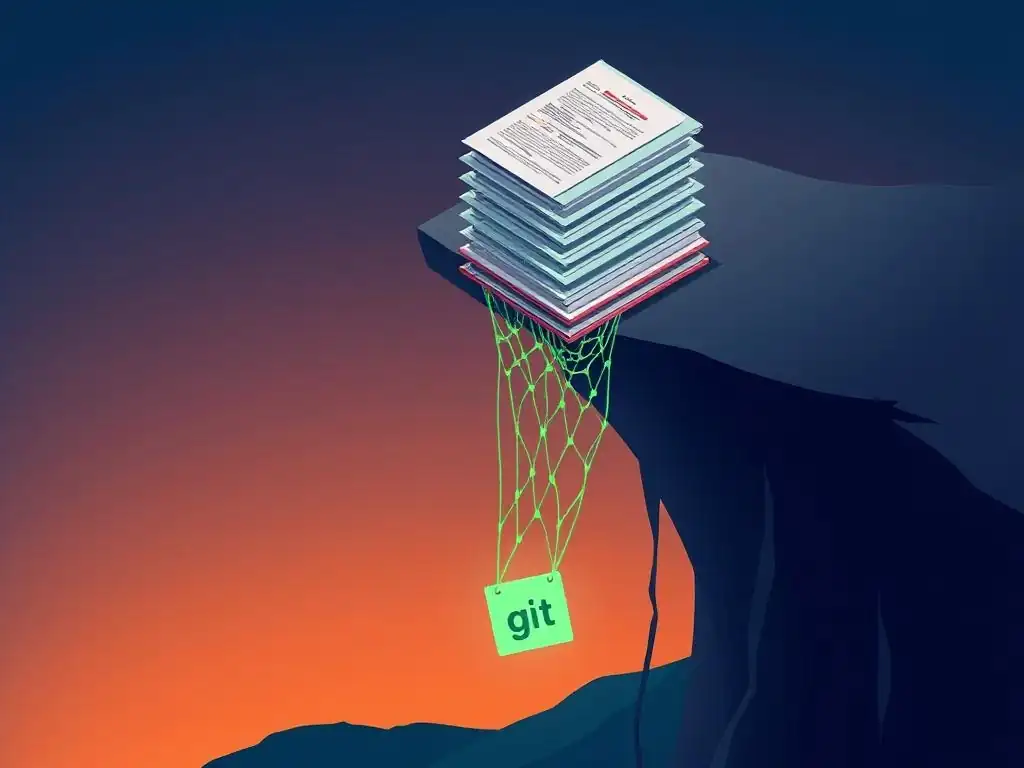
Welcome to Git and Version Control Hub!
Ever felt that sinking feeling of accidentally deleting critical documentation or overwriting important project files? This guide dives deep into Git's safety net features, revealing how you can leverage version control to protect even your non-code assets. Prepare to discover how to safeguard your vital documentation, configurations, and other essential files, ensuring your projects remain secure and recoverable. Learn how to prevent data loss and streamline your workflow – the secrets are just a scroll away...
Stop Losing Your Work: Git's Safety Net for Crucial Documentation
- Introduction: Protecting Your Documentation with Git's Version Control
- Understanding Git's Version Control Capabilities for Documentation
- Git Safety Net Features: Safeguarding Your Documentation Against Loss
- Advanced Git Strategies for Documentation Security and Recovery
- Best Practices for Using Git as a Documentation Safety Net
- Integrating Git with Documentation Tools and Platforms
- Real-World Examples: How Git Saves Documentation Projects
- Conclusion: Embrace Git's Safety Net for Reliable Documentation Management
-
Frequently Asked Questions
- How does Git act as a "safety net" for documentation?
- What are some basic Git commands that contribute to this safety net?
- How can Git help prevent accidental overwriting of important documentation?
- What are the benefits of using a remote repository (like GitHub or GitLab) for documentation version control?
- Does Git's "safety net" extend to recovering deleted documentation files?
- Final Reflection: Embracing Git's Protective Embrace
- Unlock Git Mastery: Safeguard Your Documentation Today!
Introduction: Protecting Your Documentation with Git's Version Control
The Importance of Version Control for Documentation Files
Documentation is the backbone of any successful project, whether it’s software code, hardware designs, or business processes. Just like code, documentation evolves, gets updated, and sometimes, unfortunately, gets lost or corrupted. Imagine spending hours crafting detailed user manuals or API references, only to have a system crash wipe out your latest revisions. Without version control, managing these critical changes becomes a chaotic and risky endeavor. Teams often resort to manually tracking versions, like appending dates or version numbers to filenames (e.g., documentation_v1_final_revised_02.docx), a system prone to errors, confusion, and data loss. Version control systems, especially Git, offer a structured, reliable, and efficient solution to manage documentation, ensuring that every change is tracked, recoverable, and collaborative.
Think about the scale of documentation in a modern tech company. A company like Google, for instance, maintains millions of pages of documentation across various products and services. Without a robust version control system, managing these massive documentation sets would be practically impossible.
Version control provides a centralized, auditable history of every modification, enabling teams to revert to previous versions, compare changes, and collaborate effectively on updates. This level of control is not just beneficial; it's indispensable for maintaining accuracy, consistency, and accessibility of crucial documentation over time. Using a version control system for documentation is as critical as using it for source code, ensuring that the knowledge base of an organization remains safe, accessible, and up-to-date.
Why Git is More Than Just Code Management: A Safety Net for Documents
While Git is predominantly known for its prowess in managing source code, its capabilities extend far beyond just tracking lines of code. At its core, Git is a powerful version control system designed to track changes in any collection of files. This inherent flexibility makes Git an exceptional "safety net" for all types of digital assets, including crucial documentation.
Many perceive Git solely as a tool for programmers, associating it with complex commands and coding workflows. However, the fundamental principles of Git – tracking changes, managing versions, and enabling collaboration – are equally, if not more, valuable for documentation management.
The true power of Git as a documentation safety net lies in its ability to safeguard your work against accidental deletions, overwrites, and system failures. Imagine a scenario where a technical writer accidentally deletes a crucial section of a user guide.
Without Git, recovering that lost section could be a nightmare, potentially requiring hours of rework or even complete data loss if backups are not recent or reliable. With Git, recovering that lost section is often as simple as reverting to a previous commit, effectively acting as a time machine for your documentation.
This "safety net" aspect of Git is not just about recovering from errors; it's about fostering a more confident and productive documentation workflow, knowing that every change is securely recorded and easily retrievable. Git's robust version control features transform documentation management from a precarious task into a secure and manageable process, offering peace of mind and enhanced productivity.
Understanding Git's Version Control Capabilities for Documentation
Git's Core Features: A Foundation for Document Security
Git's strength as a Git safety net for documentation stems from its core features, which are fundamentally designed for robust and reliable version control. Central to Git is the concept of a repository, which acts as a secure vault for all your documentation files and their complete history. Every change you make to your documentation is tracked as a "commit," a snapshot of your files at a specific point in time.
These commits are stored chronologically, creating a detailed and auditable history of your documentation's evolution. Unlike traditional save methods that simply overwrite previous versions, Git preserves every commit, ensuring that no version of your documentation is ever truly lost. This commit history is the foundation of Git's safety net, allowing you to easily navigate back to any previous state of your documentation.
Furthermore, Git’s distributed nature adds another layer of security. Each team member working on the documentation has a complete copy of the repository, including the entire history. This means that even if a central server fails, the documentation and its history are not lost, as they are replicated across multiple machines.
This distributed architecture provides inherent redundancy and resilience, making Git a far more secure option compared to centralized document storage systems that are vulnerable to single points of failure. The combination of commit history and distributed repositories makes Git’s core features an incredibly powerful Git safety net feature, ensuring the long-term security and recoverability of your valuable documentation assets. This robust foundation is why many organizations, beyond just software development teams, are increasingly adopting Git for managing critical documentation.
Branching and Merging for Documentation Updates: A Collaborative Approach
Branching and merging are powerful Git safety net features that enhance collaboration and minimize risks when updating documentation. Imagine a team working on a large user manual. Without branching, all writers would be directly editing the same master document, leading to potential conflicts, overwrites, and confusion. Git's branching feature allows each writer to work on their own isolated "branch," a separate copy of the documentation, where they can make changes without affecting the main documentation or other writers' work. This isolation is crucial for preventing accidental errors from being introduced into the primary documentation.
Once a writer completes their updates on their branch, Git's merging capability comes into play. Merging allows the changes from a branch to be carefully integrated back into the main documentation.
Git intelligently identifies and highlights any conflicting changes that might have occurred if multiple writers were working on the same sections concurrently. These conflicts can then be resolved in a controlled and deliberate manner, ensuring that no work is lost and that the final merged documentation is consistent and accurate.
For example, if two writers independently updated the same paragraph in the user manual, Git would flag this as a conflict, allowing them to compare their changes side-by-side and decide on the best version to keep. This branching and merging workflow not only facilitates parallel work but also acts as a Git safety net feature by preventing chaotic and error-prone direct editing of shared documentation, resulting in a more collaborative and secure documentation process.
Git Safety Net Features: Safeguarding Your Documentation Against Loss
Git's Commit History: Your Time Machine for Documentation
One of the most compelling Git safety net features is its commit history. Think of your Git commit history as a detailed, versioned timeline of your documentation's entire lifespan. Every time you commit changes, you are creating a snapshot of your documentation at that precise moment.
These snapshots are not just simple backups; they are intelligently linked together, forming a chronological chain that allows you to travel back in time to any previous version of your documentation with ease. This historical record is invaluable when you need to revert to an earlier state, compare changes between versions, or even recover accidentally deleted content.
For instance, imagine you realize that a crucial section of your API documentation was inadvertently removed during a recent update. Without Git, recovering this lost information might be a daunting task. However, with Git's commit history, you can simply browse through the timeline of commits, identify a commit from before the accidental deletion, and revert your documentation back to that state. This process is akin to using a time machine for your documentation, allowing you to instantly undo mistakes and recover lost work. The commit history acts as a robust Git safety net feature, ensuring that no matter what errors or accidents occur, you always have a reliable way to restore your documentation to a known good state. This capability is not just about disaster recovery; it also fosters a more confident and experimental approach to documentation, knowing that every change is reversible and that past versions are always accessible.
Reverting Changes: Undoing Mistakes in Your Documentation with Git
Accidents happen, and when they involve critical documentation, the consequences can be severe. Fortunately, Git provides powerful Git safety net features for reverting changes, allowing you to undo mistakes quickly and efficiently. If you realize you've made an error in your documentation, or if a recent update introduces unintended issues, Git offers several ways to revert to a previous, correct state. The git revert command, for example, creates a new commit that undoes the changes introduced by a specific previous commit. This approach is non-destructive, preserving the history of your documentation while effectively removing the problematic changes.
Alternatively, the git reset command offers more aggressive options for reverting. While git revert is like surgically undoing a specific change while keeping the timeline intact, git reset allows you to move your branch back to a previous commit, essentially rewriting history (locally, and with caution when dealing with shared repositories). For instance, if you realize that a series of recent commits have introduced significant errors into your documentation, you can use git reset to rewind your branch to a commit before those errors were introduced. Both git revert and git reset are essential Git safety net features, providing different levels of control and flexibility for undoing mistakes and ensuring the integrity of your documentation. Choosing the right command depends on the specific situation and the desired outcome, but both offer powerful mechanisms for error recovery and documentation rollback.
Git's Staging Area: Previewing Changes Before Committing Your Documentation
The staging area in Git is another crucial Git safety net feature, often overlooked but incredibly valuable for preventing errors in your documentation. Before you permanently record your changes with a commit, Git requires you to "stage" them. The staging area acts as a temporary holding area where you can review and organize your modifications before they become part of your commit history. This intermediate step provides a crucial opportunity to double-check your work, ensuring that you are only committing the intended changes and catching any accidental errors before they are permanently saved.
Imagine you're updating a large user manual, making changes across multiple files. Without the staging area, you might accidentally commit unfinished work, include unwanted files, or miss important modifications. Git's staging area allows you to selectively add changes to your commit. You can review exactly which files and which specific lines within those files are about to be committed. Using commands like git status and git diff --staged, you can meticulously examine your staged changes, ensuring that everything is correct before you finalize the commit. This preview step is a powerful Git safety net feature because it significantly reduces the chance of committing errors, typos, or incomplete updates into your documentation history. By requiring this deliberate staging process, Git encourages a more careful and considered approach to documentation management, leading to higher quality and fewer mistakes in the long run.
Advanced Git Strategies for Documentation Security and Recovery
Beyond the fundamental Git safety net features, Git offers advanced strategies to further enhance documentation security and manage important releases. Git tags are lightweight, immutable pointers to specific commits, typically used to mark significant milestones, such as documentation releases or major version updates. Tags act as permanent bookmarks in your commit history, making it easy to identify and retrieve specific versions of your documentation that correspond to releases or important milestones. Unlike branches, tags are not intended to be moved or updated, providing a stable and reliable reference point for past documentation states.
For example, when you release version 1.0 of your software, you might also release the corresponding documentation. By creating a Git tag named v1.0-documentation on the commit that represents this release, you create a permanent marker for this specific documentation version. Later, if you need to access the documentation for version 1.0, you can easily find it by referencing the v1.0-documentation tag. This is far more reliable than relying on commit hashes or branch names, which can be harder to remember and manage over time. Using Git tags as a Git safety net feature ensures that important documentation releases are permanently and easily retrievable, simplifying version management and providing a clear history of documentation milestones. This is especially useful for long-term projects where accessing past documentation versions is crucial for maintenance, auditing, or historical reference.
Git's Reflog: Recovering Lost Commits and Documentation
Even with careful use of commits and branches, mistakes can happen. You might accidentally delete a branch containing important documentation changes, or you might perform a git reset --hard and seemingly lose recent commits. This is where Git's reflog comes to the rescue. The reflog, or "reference log," is a hidden Git safety net feature that records almost every change made to your repository's references (branches, tags, HEAD, etc.). It's like a detailed activity log of your Git repository, tracking not just commits, but also branch creations, deletions, resets, and other operations. Even if you delete a branch or seemingly lose commits, the reflog often retains a record of these operations, allowing you to recover "lost" commits and documentation.
For example, if you accidentally delete a branch named documentation-updates that contained valuable documentation changes, these commits are not immediately gone from your repository. They are still present as "dangling commits," and the reflog will likely contain an entry showing when the documentation-updates branch was deleted and pointing to the last commit on that branch. Using commands like git reflog and git checkout <commit-hash-from-reflog>, you can often recover these dangling commits and recreate the deleted branch, effectively bringing your "lost" documentation back from the brink. The reflog is a powerful Git safety net feature that provides an extra layer of protection against accidental data loss, acting as a last resort for recovering commits and documentation that might seem irretrievably gone. It's a testament to Git's robustness and its commitment to data integrity.
Implementing Remote Backups with Git for Critical Documentation
While Git's local repository provides excellent version control and a Git safety net on your local machine, relying solely on local storage is still vulnerable to hardware failures or local disasters. Implementing remote backups of your Git repository is a crucial step for ensuring the ultimate security and recoverability of your critical documentation. Remote repositories, hosted on platforms like GitHub, GitLab, or Bitbucket, serve as offsite backups of your entire documentation history, providing redundancy and protection against local data loss.
Regularly pushing your local Git repository to a remote repository creates a synchronized backup in a geographically separate location. In the event of a local hard drive failure, fire, or theft, your documentation is safely stored remotely and can be easily recovered by cloning the remote repository to a new machine. This remote backup strategy is an essential Git safety net feature for any critical documentation project.
Furthermore, remote repositories often come with additional features like access control, collaboration tools, and issue tracking, enhancing not just security but also team collaboration and project management around documentation. Establishing a remote backup strategy is a best practice for any project using Git, and it's particularly vital when managing irreplaceable documentation assets, ensuring business continuity and data resilience.
Best Practices for Using Git as a Documentation Safety Net
Establishing Clear Commit Messages for Documentation Changes
Effective use of Git as a Git safety net for documentation goes beyond just using the technical features; it also involves adopting best practices, starting with writing clear and informative commit messages. Commit messages are the annotations you attach to each commit, explaining the changes you've made.
While seemingly simple, well-crafted commit messages are crucial for understanding the history of your documentation and effectively utilizing Git's version control capabilities. Imagine revisiting your documentation history months or years later; cryptic or vague commit messages will make it incredibly difficult to understand why changes were made and what those changes actually were.
Clear commit messages should concisely summarize the purpose and nature of the changes introduced in the commit. Instead of generic messages like "updated docs" or "minor changes," aim for descriptive messages such as "Fix: Correct typo in installation instructions" or "Feat: Add section on API authentication to developer guide." Following established conventions, like prefixing commit messages with types (e.g., Fix, Feat, Docs, Refactor), can further enhance readability and organization.
Well-written commit messages transform your commit history from a mere technical log into a valuable narrative of your documentation's evolution. This improved clarity is a crucial aspect of using Git as a Git safety net feature, making it easier to navigate history, understand changes, and collaborate effectively on documentation updates. Clear commit messages are not just a good practice; they are an investment in the long-term maintainability and understandability of your documentation.
Regular Commits: Ensuring Frequent Backups of Your Documentation
Frequent commits are a cornerstone of effective Git usage and a key component of leveraging Git as a Git safety net for documentation. Think of commits as checkpoints in your documentation's journey. The more frequently you commit your changes, the finer-grained and more detailed your documentation history becomes. Regular commits ensure that you have frequent backups of your work, minimizing the risk of losing significant progress due to errors, system failures, or accidental overwrites. Waiting until you've made substantial, complex changes before committing increases the risk of losing a large amount of work if something goes wrong.
Aim to commit your documentation changes frequently, ideally after each logical unit of work is completed. This could be after finishing a section, completing a set of edits, or implementing a specific update. Small, frequent commits are easier to review, understand, and revert if necessary. They also make it simpler to pinpoint the source of errors if issues are introduced.
For example, if you're writing a new chapter in your user manual, commit after drafting each section or subsection. This practice of regular commits maximizes the benefits of Git as a Git safety net feature, providing a granular and robust history that allows for easy rollback, recovery, and version management. Frequent commits are not just about backups; they are about fostering a safer, more iterative, and less stressful documentation workflow.
Utilizing Git Ignore Files: Excluding Unnecessary Documentation Files
When using Git for documentation, it's common to have files in your documentation project that are not meant to be tracked by version control. These might include temporary files, build artifacts, personal notes, or configuration files that are specific to your local environment. Including these unnecessary files in your Git repository can clutter your history, increase repository size, and potentially introduce sensitive information into version control. Git's .gitignore file is a powerful Git safety net feature that allows you to specify patterns for files and directories that Git should intentionally ignore.
By creating and properly configuring a .gitignore file in your documentation repository, you can ensure that only the relevant documentation source files and assets are tracked by Git. This keeps your repository clean, focused, and efficient. For example, you might add entries to .gitignore to exclude temporary files generated by your documentation editor (like *.tmp or *.swp), build output directories (like _build or public), or personal notes files (like my-notes.txt). Utilizing .gitignore is an essential best practice for using Git as a Git safety net feature because it streamlines your workflow, reduces repository clutter, and prevents accidental inclusion of unwanted files in your documentation history. A well-maintained .gitignore file contributes to a cleaner, more manageable, and more secure documentation repository.
Integrating Git with Documentation Tools and Platforms
Sphinx: Streamlining Documentation Version Control with Git
For technical documentation, Sphinx is a popular and powerful documentation generator that integrates seamlessly with Git, enhancing Git's role as a Git safety net for documentation projects. Sphinx is designed to convert reStructuredText (reST) or Markdown source files into various output formats like HTML, PDF, and ePub, commonly used for creating professional-quality documentation. When used in conjunction with Git, Sphinx allows you to manage your documentation source files under version control, leveraging all of Git's safety net features, while also streamlining the documentation build and publishing process.
By storing your Sphinx documentation project in a Git repository, you gain the benefits of version history, branching, merging, and all the other Git safety net features we've discussed. Sphinx also integrates well with Git workflows. For instance, you can use Git branches to work on new documentation features or revisions in isolation, and then merge them back into the main branch when ready.
Furthermore, Sphinx can be configured to automatically rebuild your documentation whenever changes are pushed to your Git repository, facilitating continuous documentation updates. This integration of Sphinx and Git creates a robust and efficient documentation workflow, combining the power of version control with a specialized documentation tool. Many large open-source projects, like Python and Django, use Sphinx and Git for their documentation, demonstrating the effectiveness of this combination for managing complex and evolving documentation sets.
Read the Docs: Automating Documentation Builds and Deployments with Git
Read the Docs (RTD) is a popular platform specifically designed to host, build, and deploy documentation, and it is tightly integrated with Git, further amplifying Git's Git safety net features for documentation projects. Read the Docs automatically builds documentation from repositories hosted on Git platforms like GitHub, GitLab, and Bitbucket. Whenever you push updates to your Git repository, Read the Docs automatically detects these changes, rebuilds your documentation, and updates the hosted version, creating a seamless and automated documentation pipeline.
By using Read the Docs in conjunction with Git, you not only benefit from Git's version control and safety net features but also gain automated documentation builds and deployments. Read the Docs eliminates the manual steps of building and publishing documentation, ensuring that your documentation is always up-to-date with the latest changes in your Git repository. This automation reduces the risk of human error in the deployment process and ensures that your audience always has access to the most current documentation.
Read the Docs effectively leverages Git as a Git safety net feature by automating the documentation lifecycle, from version control to publication. This integration is particularly valuable for projects with rapidly evolving documentation or for teams that want to streamline their documentation workflow and ensure consistent and timely documentation updates.
Real-World Examples: How Git Saves Documentation Projects
Case Study 1: Recovering Lost Documentation After a System Failure
Consider a small startup developing a complex software API. They meticulously documented their API using Markdown files, but initially, they only stored these files on a shared network drive without version control. One day, their file server experienced a catastrophic hard drive failure, resulting in the loss of several weeks' worth of recent documentation updates.
Panic ensued as the team realized they had no reliable backups and were facing the prospect of rewriting a significant portion of their API documentation from scratch. This scenario, unfortunately, is not uncommon and highlights the vulnerability of documentation without a Git safety net feature.
Had this startup been using Git, the outcome would have been drastically different. If they had stored their documentation in a Git repository and regularly committed their changes, even a complete server failure wouldn't have resulted in data loss. They could have easily recovered their entire documentation, including all recent updates, by cloning their Git repository from a remote backup or even from a team member's local machine.
Git's distributed nature and commit history would have acted as a powerful Git safety net feature, allowing them to quickly resume their work with minimal disruption. This case underscores the critical importance of using Git for documentation, not just for version control, but as a robust insurance policy against data loss due to unforeseen events.
Case Study 2: Resolving Conflicting Documentation Edits with Git's Merge Tools
Imagine a larger technical writing team collaborating on a comprehensive user guide for a complex software application. Without Git, managing concurrent edits from multiple writers would be a logistical nightmare, prone to conflicts and data overwrites. However, with Git and its branching and merging capabilities, this collaborative documentation effort becomes significantly more manageable and safer. Let's say two writers, Alice and Bob, are tasked with updating different sections of the user guide simultaneously. Alice works on a branch named alice-updates, and Bob works on a branch named bob-updates. Both make their respective changes and commit them to their branches.
Eventually, they need to integrate their changes into the main documentation branch, main. When they attempt to merge their branches into main, Git's merge tools automatically detect and highlight any conflicting edits. For example, if both Alice and Bob happened to edit the same paragraph, Git would present them with a clear conflict, showing both versions of the paragraph side-by-side. Using Git's merge tools, they can then collaboratively resolve these conflicts, choosing which version to keep or combining elements from both. This conflict resolution process, facilitated by Git's merge tools, is a crucial Git safety net feature for collaborative documentation. It ensures that conflicting edits are identified and resolved in a controlled manner, preventing data loss and maintaining the integrity of the documentation, even in a collaborative environment.
Conclusion: Embrace Git's Safety Net for Reliable Documentation Management
Key Takeaways: Securing Your Documentation with Git's Version Control System
Git offers a robust and versatile Git safety net feature for managing crucial documentation, extending far beyond its traditional role in code version control. By leveraging Git's core features like commit history, branching, merging, and the staging area, you can significantly enhance the security, recoverability, and collaborative aspects of your documentation workflow. Git's commit history acts as a time machine, allowing you to revert to previous versions and recover lost work. Branching and merging facilitate collaborative updates while preventing chaotic conflicts. The staging area provides a crucial preview step before committing changes, minimizing errors. Advanced features like tags and the reflog offer additional layers of security and recovery options.
Adopting best practices, such as writing clear commit messages, committing frequently, and utilizing .gitignore files, further optimizes Git's effectiveness as a documentation safety net. Integrating Git with documentation tools like Sphinx and platforms like Read the Docs streamlines the entire documentation lifecycle, from authoring to publication. Real-world examples and case studies demonstrate the tangible benefits of using Git for documentation, highlighting its ability to prevent data loss and facilitate collaboration. Embracing Git's Git safety net features is no longer just a best practice for software development; it's a fundamental requirement for any organization that values its documentation as a critical asset and seeks to manage it reliably and securely.
Next Steps: Implementing Git into Your Documentation Workflow
Ready to start using Git as your documentation Git safety net feature? The first step is to initialize a Git repository for your documentation project. If you're starting a new documentation project, create a new directory and run git init inside it. If you have existing documentation, navigate to its directory in your terminal and run git init to turn it into a Git repository. Next, stage your documentation files using git add . to add all files, or git add <filename> to add specific files. Then, commit your initial documentation with a descriptive commit message using git commit -m "Initial commit: Import existing documentation".
Explore Git hosting platforms like GitHub, GitLab, or Bitbucket to create a remote repository and push your local repository to it for backup and collaboration. Start practicing regular commits after each significant update to your documentation. Experiment with branching and merging for collaborative documentation updates or when working on new features. Familiarize yourself with commands like git revert, git reset, and git reflog to understand Git's recovery capabilities. Consider integrating Git with documentation tools like Sphinx or platforms like Read the Docs to streamline your documentation workflow. By taking these next steps, you can effectively implement Git into your documentation workflow and start leveraging its powerful Git safety net features to protect and manage your crucial documentation assets.
Frequently Asked Questions
How does Git act as a "safety net" for documentation?
Git provides a robust version history, allowing you to revert to previous versions of your documentation if changes are accidentally deleted or corrupted. It also allows for easy branching and merging, preventing conflicts and data loss.
What are some basic Git commands that contribute to this safety net?
Commands like git commit and git push are crucial. git commit saves your changes locally, while git push backs them up to a remote repository, ensuring data redundancy.
How can Git help prevent accidental overwriting of important documentation?
Git's branching feature allows you to work on new versions of documentation in isolation. This prevents direct changes to the main branch until the new version is properly reviewed and merged.
What are the benefits of using a remote repository (like GitHub or GitLab) for documentation version control?
Remote repositories provide an off-site backup of your documentation. They also facilitate collaboration among multiple contributors, preventing the loss of work due to individual system failures.
Does Git's "safety net" extend to recovering deleted documentation files?
Yes, Git can often recover deleted files through commands like git checkout or by examining the commit history. The commit history acts as a record of all file states, including deleted ones, from which they can be restored.
Final Reflection: Embracing Git's Protective Embrace
The digital age has made documentation more crucial than ever, and the potential for its loss is a constant threat. Git's safety net features offer a robust defense against this vulnerability, ensuring that vital information remains accessible and recoverable, safeguarding countless hours of effort and intellectual property. This isn't just about code; it's about preserving the very foundation of knowledge and collaboration.
The impact of reliable version control extends far beyond the technical realm. It fosters a culture of experimentation and innovation, knowing that mistakes can be undone and progress can be tracked. It empowers individuals and teams to push boundaries without the fear of irreversible errors. The best way to predict the future is to create it.
- Peter Drucker. Git, with its safety net features, allows us to create that future with confidence, knowing our work is secure.
Now, consider how you can leverage Git's protective embrace in your own projects, both personal and professional. Take the time to explore its features, understand its capabilities, and integrate it into your workflow. By doing so, you're not just protecting your work; you're investing in your future, ensuring that your ideas and contributions endure. Embrace the power of Git, and let its safety net empower you to create without fear.
Unlock Git Mastery: Safeguard Your Documentation Today!
Thank you for exploring how Git can revolutionize your documentation workflow. You've now seen how to protect your crucial documentation from loss and ensure version control. Ready to take the next step?
Here are a few ways to implement what you've learned:
- Immediately back up your most critical documentation to a remote Git server. Don't wait – this is the single most important step!
- Create a dedicated Git repository for your documentation, experimenting with branches for different versions or document types. Start with a single project.
- Try intentionally deleting a file in your Git repository and then recovering it using Git's powerful commands. It's a risk-free way to build confidence!
What Git command are you most excited to use to secure your documentation, and what's one challenge you anticipate? Share your thoughts in the comments below!