
Understanding Git Subtree Prefixes: Organizing Integrated Projects

Welcome to Git and Version Control Hub!
Unlock the power of streamlined project management with our deep dive into advanced Git techniques. Ever struggled with integrating multiple repositories into a single project? Our comprehensive Git subtree prefixes tutorial unveils a powerful method for organizing your integrated projects without the complexities of submodules or manual merging. Discover how to leverage subtree prefixes to maintain a clean and manageable codebase. Ready to master this essential skill? Explore further and revolutionize your workflow!
Managing Monorepos with Git Subtree: Isolating Components
- Introduction to Monorepos and Git Subtree
- Setting Up Git Subtree: Isolating a React Component
- Working with Subtree Prefixes: Developing the React Component
- Advanced Git Subtree Techniques for Monorepos
- Git Subtree vs. Git Submodules for Monorepos: A Comparison
- Real-World Examples of Using Git Subtree for React Components
- Troubleshooting Common Git Subtree Issues with React Components
- Optimizing Your Workflow with Git Subtree and CI/CD
- Conclusion: Effective Monorepo Management with Git Subtree
-
Frequently Asked Questions
- What is a Git subtree prefix, and why is it important?
- How does a Git subtree prefix differ from a Git submodule?
- When should I use a Git subtree prefix instead of other methods like copying files?
- How do I add a Git subtree with a specific prefix to my project?
- How do I update a Git subtree with a prefix to the latest version from its original repository?
- Final Reflection: Mastering Project Integration
- Uncover the Power of Organized Projects: Dive Deeper!
Introduction to Monorepos and Git Subtree
What are Monorepos and Their Advantages?
Monorepos, short for monolithic repositories, are a version control strategy where all the code for many projects or components is stored in a single repository. This approach contrasts with polyrepos, where each project has its own repository. Companies like Google, Facebook (now Meta), and Twitter have famously adopted monorepo structures, citing benefits in code sharing, simplified dependency management, and improved collaboration across large development teams. Imagine a large e-commerce platform; a monorepo could house the frontend React application, backend services in Node.js, and even mobile applications, all within the same repository.
The advantages of using a monorepo are numerous. Firstly, code reuse becomes significantly easier. Components developed for one part of the system can be readily accessed and utilized by other parts without the overhead of managing separate packages and versions. For instance, a shared UI component library developed by one team can be instantly available to another team working on a different feature, promoting consistency and reducing redundant development.
Secondly, dependency management is streamlined. Changes across multiple components can be made in a single commit, ensuring that all parts of the system are always compatible with each other. This eliminates dependency version conflicts that often plague polyrepo setups, where coordinating updates across multiple repositories can be a complex and error-prone task.
Finally, monorepos enhance collaboration. Developers gain broader visibility across the entire codebase, fostering better understanding and communication between teams. Code reviews can become more comprehensive, and refactoring efforts can be applied system-wide more easily.
Understanding Git Subtree for Component Isolation
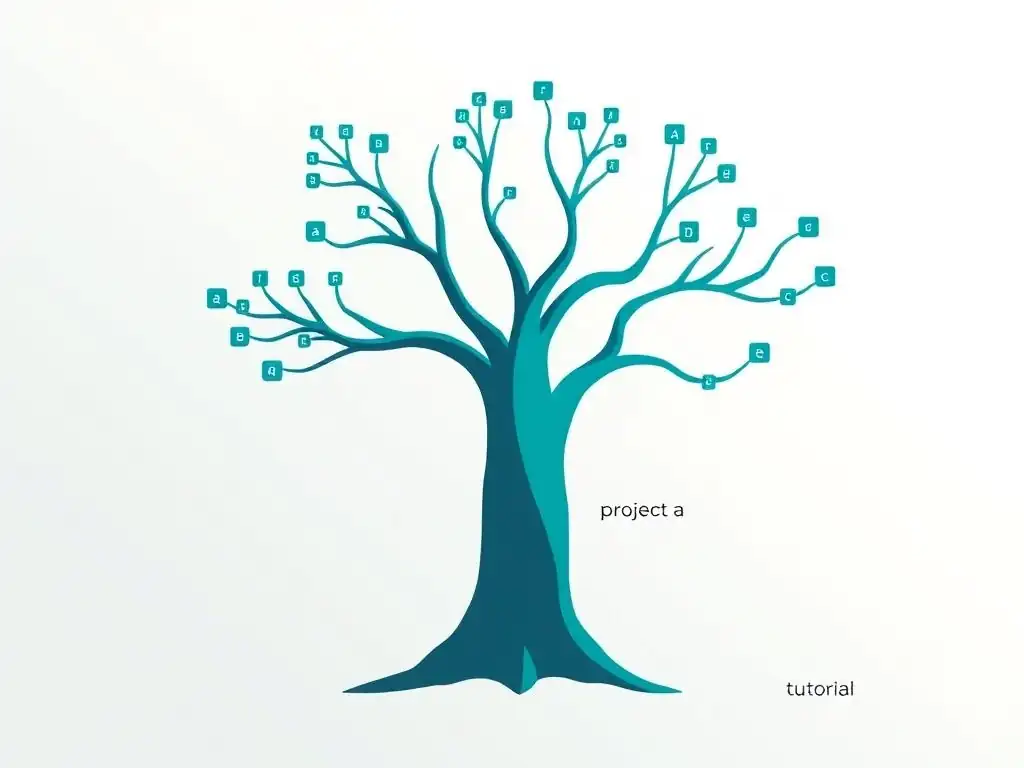
Git subtree is a powerful feature that allows you to insert and manage a repository as a subdirectory within another repository. Unlike Git submodules, which record specific commits from an external repository, Git subtree merges the entire history of the external repository into the subdirectory of your main repository. This means that the subtree becomes an integral part of the main repository's history, while still maintaining its own independent history within that subdirectory. Think of it as grafting one tree (the external repository) onto the trunk of another (the main repository), keeping the grafted branch's lineage intact.
This approach is particularly useful in monorepo architectures when you want to isolate components or projects that are logically separate but need to reside within the same repository for the broader benefits of monorepos. For example, consider a large web application built as a monorepo. Within this monorepo, you might have distinct components like an authentication service, a user profile module, and a payment gateway.
Using Git subtree, each of these components, potentially developed in separate repositories initially, can be integrated into the main application repository as subtrees. This allows each component to retain its development history and be updated independently, while still benefiting from the unified version control and collaboration offered by the monorepo.
Benefits of Using Git Subtree in a Monorepo Architecture
Employing Git subtree within a monorepo strategy brings several key advantages, especially when managing components like React applications or UI libraries. One significant benefit is simplified dependency management. Because the subtree's code becomes part of the main repository, there are no external dependency links to manage as with submodules.
All code is versioned together, ensuring consistency and reducing the risk of version mismatches. Imagine a scenario where your React component relies on a specific version of a utility library, also managed as a subtree. When you update the utility library, you can ensure that the React component within the same commit reflects and is tested against the updated library version, preventing integration issues down the line.
Another crucial advantage is the ease of contribution and modification. Developers working within the monorepo can modify the subtree code directly without needing to switch between repositories or manage submodule initializations. If a developer needs to fix a bug in the React component, they can make the changes directly within the monorepo's working directory, commit, and push.
This streamlined workflow reduces friction and accelerates development cycles. Furthermore, Git subtree simplifies the process of making atomic commits that span across multiple components. For instance, if a new feature requires changes in both the backend API and the frontend React component, a single commit in the monorepo can encompass changes in both subtrees, ensuring transactional consistency and making it easier to track related changes across the entire system.
Setting Up Git Subtree: Isolating a React Component
Prerequisites: Initializing the Monorepo
Before adding a React component as a subtree, you need to have a Git repository set up for your monorepo. If you haven't already, create a new directory for your monorepo project and initialize it as a Git repository. This will be the main repository that will house all your projects and components, including the React component you intend to integrate as a subtree. For example, using the command line, you can navigate to your desired project location and execute git init monorepo-project. This command initializes a new Git repository in the monorepo-project directory, creating a .git subdirectory which Git uses to track changes and manage version history.
Once your monorepo is initialized, it's beneficial to create an initial commit. This establishes a baseline for your repository before you start adding subtrees. You can create a simple README.md file to describe your monorepo project and then stage and commit it. For instance, you could use the commands touch README.md, add some basic project information to the README.md file, and then execute git add README.md followed by git commit -m "Initial commit: Monorepo setup". This commit serves as the starting point for your monorepo and prepares it for the integration of the React component as a subtree. Having this initial commit makes the subsequent subtree addition process cleaner and easier to manage in terms of Git history.
Adding the React Component as a Subtree with a Specific Prefix
To add your React component as a subtree, you'll use the git subtree add command. This command effectively merges the history of the React component's repository into a subdirectory within your monorepo. It's crucial to choose a meaningful prefix for your subtree, which will act as the subdirectory path within your monorepo where the React component's code will reside. A common convention is to use prefixes that clearly indicate the component's purpose or location, such as components/react-component or frontend/ui-library.
Let's assume your React component repository is located at https://github.com/your-org/react-component-repo.git and you want to add it to your monorepo under the prefix components/react-component. You would execute the following command from the root of your monorepo:
git subtree add --prefix=components/react-component https://github.com/your-org/react-component-repo.git main --squash
This command does the following:
git subtree add: Initiates the subtree addition process.--prefix=components/react-component: Specifies the subdirectory within your monorepo where the React component will be added. This creates thecomponents/react-componentdirectory if it doesn't already exist.https://github.com/your-org/react-component-repo.git: The URL of the remote Git repository containing your React component.main: The branch from the remote repository you want to add as a subtree. In this case, we're using themainbranch.--squash: This option merges all the history of the React component repository into a single commit before adding it to your monorepo. This results in a cleaner, more linear history in your monorepo, although it does lose the detailed commit history of the subtree within the main repository's commit log. If you want to preserve the full history, you can omit the--squashoption.
After running this command, Git will fetch the React component repository and merge its contents into the components/react-component subdirectory of your monorepo. You will then see the React component's files within this directory, and the changes will be staged and ready to be committed in your monorepo.
Understanding the git subtree add Command and its Parameters
The git subtree add command is the cornerstone of integrating external repositories as subtrees. Understanding its parameters is crucial for effectively managing subtrees in your monorepo. We've already covered --prefix, the remote repository URL, the branch, and --squash. Let's delve deeper into other important aspects and parameters.
The --prefix option is fundamental. It defines the path within your monorepo where the subtree will reside. The chosen prefix should be descriptive and avoid conflicts with existing directories in your monorepo. If the specified prefix directory doesn't exist, git subtree add will create it. Another important parameter is --message (or -m). This allows you to specify a commit message for the subtree addition. Using a descriptive message like Add React component as subtree under components/react-component helps in tracking the history of subtree integrations within your monorepo.
The <repository> argument can be either a URL to a remote repository, as shown in the previous example, or a path to a local repository. Using a local path can be useful if you are moving components between local repositories or setting up a monorepo from existing local projects. The <ref> argument, like main in our example, specifies the branch or commit from the remote repository to be integrated. It's good practice to specify a branch rather than a commit hash, so that future subtree updates can easily track changes on that branch. Finally, the --squash option, while creating a cleaner history, does flatten the subtree's history into a single commit in the monorepo. If you omit --squash, git subtree add will merge the entire commit history of the subtree repository into the monorepo, preserving the detailed history but potentially making the monorepo's history more complex. Choosing between --squash and preserving full history depends on your team's preference and how granular you need the commit history of the subtree to be within the main monorepo.
Working with Subtree Prefixes: Developing the React Component
Pulling Updates from the React Component Repository
Once your React component is added as a subtree, you'll need to keep it updated with changes from its original repository. Git subtree provides the git subtree pull command for this purpose. This command fetches changes from the remote repository of the subtree and merges them into your monorepo at the specified prefix. It's analogous to a git pull operation, but specifically targeted at the subtree.
To pull updates for our React component subtree located at components/react-component, you would use the following command from the root of your monorepo:
git subtree pull --prefix=components/react-component https://github.com/your-org/react-component-repo.git main --squash
The parameters are similar to git subtree add:
git subtree pull: Initiates the subtree pull operation.--prefix=components/react-component: Specifies the prefix of the subtree to be updated.https://github.com/your-org/react-component-repo.git: The URL of the remote repository from which to pull updates.main: The branch to pull updates from.--squash: Again,--squashis optional. If used, it merges all fetched commits into a single commit in your monorepo. If omitted, it will attempt to merge the fetched commits as separate commits, preserving the subtree's commit history within the pull operation.
Running this command will fetch any new commits from the main branch of the React component repository and merge them into the components/react-component directory in your monorepo. After pulling, it's recommended to review the changes, run tests, and then commit the updated subtree in your monorepo with a descriptive commit message like Update React component subtree to latest main.
Pushing Changes to the React Component Repository
If you make changes to the React component directly within the monorepo (under the components/react-component prefix), and you want to contribute these changes back to the original React component repository, you can use the git subtree push command. This command extracts the changes made within the subtree prefix in your monorepo and pushes them to the specified branch of the remote repository.
To push changes from our React component subtree back to its original repository, use the following command from the root of your monorepo:
git subtree push --prefix=components/react-component https://github.com/your-org/react-component-repo.git main
The parameters are similar to git subtree add and git subtree pull:
git subtree push: Initiates the subtree push operation.--prefix=components/react-component: Specifies the prefix of the subtree from which to push changes.https://github.com/your-org/react-component-repo.git: The URL of the remote repository to which to push changes.main: The branch to push changes to.
When you execute this command, Git will identify the commits in your monorepo that are related to changes within the components/react-component prefix and push these changes to the main branch of the React component repository. It's important to note that git subtree push pushes only the changes made within the subtree prefix, not the entire monorepo. This ensures that you are contributing only the relevant component changes back to its dedicated repository. After pushing, it's good practice to verify the changes in the React component repository to ensure they were pushed correctly.
Resolving Conflicts within the React Component Subtree
When working with subtrees, conflicts can arise during git subtree pull or git subtree merge operations, especially if changes have been made both in the subtree within your monorepo and in the original subtree repository concurrently. Git handles subtree conflicts similarly to regular merge conflicts, but it's crucial to understand how to resolve them within the subtree context.
When a conflict occurs during a git subtree pull, Git will mark the conflicting files within the subtree prefix with conflict markers (e.g., <<<<<<<, =======, >>>>>>>). You need to navigate into the subtree directory (e.g., components/react-component), open the conflicting files, and manually resolve the conflicts by editing the files to incorporate the desired changes from both branches. The process is identical to resolving regular Git merge conflicts. For example, if a conflict occurs in components/react-component/src/App.js, you would open this file, examine the conflict markers, and edit the file to resolve the conflicting sections, choosing which changes to keep or merging them as needed.
After resolving the conflicts in all conflicting files within the subtree, you need to stage the resolved files using git add from within the monorepo root (not necessarily inside the subtree directory, although it works either way). For instance, git add components/react-component/src/App.js. Once all conflicts are resolved and staged, you can continue the subtree operation by using git subtree merge --continue (if you were in the middle of a merge) or by simply committing the changes with git commit if it was a pull operation. Git will then complete the subtree merge or pull, incorporating your conflict resolutions. It is crucial to test the resolved subtree thoroughly after conflict resolution to ensure that the React component functions correctly with the merged changes.
Advanced Git Subtree Techniques for Monorepos
Rebasing Subtrees for Clean History
While merging is the default behavior for git subtree pull, rebasing can sometimes lead to a cleaner and more linear commit history, particularly within a monorepo. Rebasing a subtree involves reapplying your local commits on top of the updated subtree from the remote repository, instead of creating a merge commit. This can result in a history that is easier to follow and understand, especially when dealing with frequent subtree updates.
To rebase a subtree during a pull operation, you can use the --rebase option with git subtree pull. For example, to rebase our React component subtree:
git subtree pull --prefix=components/react-component --rebase https://github.com/your-org/react-component-repo.git main
When you use --rebase, Git will first fetch the latest changes from the remote main branch of the React component repository. Then, it will temporarily rewind your local branch to the point where your subtree diverged from the remote, and then reapply your local commits on top of the newly fetched commits. If there are no conflicts, the rebase will complete automatically, resulting in a linear history where your commits appear to be made directly on top of the latest remote changes.
However, rebasing can rewrite history, which can be problematic if you have already pushed your local commits to a shared branch. In a collaborative monorepo environment, it's generally recommended to use merging for subtree updates unless your team has a specific workflow that embraces rebasing and understands its implications. If you encounter conflicts during a rebase, you'll need to resolve them interactively, similar to resolving merge conflicts, using git add and git rebase --continue or git rebase --abort to manage the rebase process.
Splitting a Large Subtree into Smaller, More Manageable Subtrees
In a growing monorepo, a large subtree, like a complex React component library, might become unwieldy to manage as a single unit. Git subtree offers the flexibility to split a subtree into smaller, more focused subtrees. This can improve organization, reduce build times for specific components, and allow for more granular management of different parts of a larger component.
To split a subtree, you can use the git subtree split command. This command extracts the history of a subtree into a new, independent branch, which can then be added back into the monorepo as a separate, smaller subtree under a different prefix. For example, suppose our components/react-component subtree contains both core UI components and more specialized data visualization components. We might want to split out the data visualization components into their own subtree.
First, you would use git subtree split to create a new branch containing only the history of the data visualization components within components/react-component. Let's assume these components are located in components/react-component/visualizations. You could use a command like:
git subtree split --prefix=components/react-component/visualizations -b visualizations-subtree
This command creates a new branch named visualizations-subtree that contains only the history of the components/react-component/visualizations subdirectory. You can then add this new branch as a separate subtree under a new prefix, say components/visualizations:
git subtree add --prefix=components/visualizations visualizations-subtree --squash
After this, you would have two subtrees: components/react-component (now potentially excluding the visualizations) and components/visualizations, each managed independently. This splitting technique allows you to refactor and reorganize large subtrees into smaller, more manageable units as your monorepo evolves.
Best Practices for Maintaining a Clean Monorepo with Subtrees
Maintaining a clean and efficient monorepo with subtrees requires adherence to certain best practices. Consistent prefix naming is crucial. Choose prefixes that are descriptive and follow a clear convention across your monorepo. For instance, using prefixes like components/, services/, apps/ consistently makes it easier to navigate and understand the structure of your monorepo.
Regularly update your subtrees using git subtree pull. Establish a workflow for keeping subtrees synchronized with their remote repositories, whether it's through scheduled updates or as part of your development process. Commit subtree updates with clear and descriptive commit messages, specifying which subtree was updated and the version or branch it was updated to. For example, Update React component subtree to version 1.2.3 from react-component-repo main.
Avoid making direct commits to the root of subtree directories within the monorepo if those changes are intended for the original subtree repository. While Git allows this, it can lead to confusion and make it harder to track changes intended for the subtree versus changes specific to the monorepo's integration of the subtree. If you need to modify the subtree, decide whether the changes should be pushed back to the original repository (using git subtree push) or if they are specific to the monorepo's usage and should remain within the monorepo context.
Use --squash judiciously with git subtree add and git subtree pull. While --squash can create a cleaner, more linear history in the monorepo, it flattens the subtree's history. Consider whether preserving the full history of the subtree within the monorepo is important for your team's workflow and debugging needs before consistently using --squash. Finally, document your subtree setup and workflow within your monorepo's documentation. This helps team members understand how subtrees are managed, how to update them, and how to contribute changes effectively.
Git Subtree vs. Git Submodules for Monorepos: A Comparison
Key Differences Between Subtree and Submodules in a Monorepo Context
Git subtree and Git submodules are both mechanisms for including external repositories within a main Git repository, but they operate fundamentally differently, especially in the context of monorepos. Submodules essentially create pointers to specific commits in external repositories. When you add a submodule, Git records a special entry in the .gitmodules file and a "gitlink" in the main repository's index. This gitlink points to a specific commit SHA-1 of the submodule repository. To get the actual submodule code, you need to explicitly initialize and update submodules after cloning the main repository, using commands like git submodule init and git submodule update.
In contrast, Git subtree merges the entire history of the external repository into a subdirectory of the main repository. There are no submodule pointers or separate initialization steps. The subtree's code becomes an integral part of the main repository's history. When you clone a repository with subtrees, the subtree code is immediately present; no additional commands are needed to "checkout" or initialize external dependencies. Subtrees are essentially a history-merging approach, while submodules are a commit-linking approach.
Another key difference lies in how changes are managed. With submodules, changes made within the submodule directory are committed within the submodule's repository, and then the main repository records the updated submodule commit SHA-1. Updating a submodule in the main repository involves updating the recorded commit SHA-1. With subtrees, changes made within the subtree directory are directly committed in the main repository's history, affecting the subtree prefix. Pushing changes back to the original subtree repository requires using git subtree push.
Advantages and Disadvantages of Using Git Subtree Over Submodules for React Components
For managing React components in a monorepo, Git subtree offers several advantages over submodules. A primary advantage is ease of use and a simpler workflow. Subtrees require no initialization or update commands after cloning. The React component code is immediately available within the monorepo directory structure. This simplifies onboarding for new developers and reduces the chances of forgetting to initialize submodules, which is a common pitfall with submodules.
Another significant advantage is atomic commits. With subtrees, changes spanning across both the main application and the React component can be committed in a single atomic commit in the monorepo. This ensures transactional consistency and simplifies tracking related changes. Achieving atomic commits across submodules is more complex, often requiring separate commits in the submodule and then in the main repository. Furthermore, subtree operations like pull and push are generally considered more intuitive than submodule commands, especially for developers less familiar with submodule intricacies.
However, subtrees also have potential disadvantages. History merging can lead to a more complex and potentially larger repository history, especially if subtrees are frequently updated and have extensive histories themselves. While --squash can mitigate this, it also flattens the subtree's history. Submodules, by linking to specific commits, keep the main repository's history leaner and separate the submodule's history. Also, for very large external dependencies or when precise version control of external components is paramount, submodules might offer finer-grained control over dependency versions, as they explicitly track commit SHAs.
When to Choose Git Subtree for React Component Isolation
Choosing between Git subtree and submodules for isolating React components in a monorepo depends on your project's specific needs and your team's preferences. Git subtree is often a better choice when simplicity and ease of use are priorities, especially for teams new to monorepos or when atomic commits across components are essential. If you value a straightforward workflow, where React components are readily available after cloning and changes can be made and tracked within the monorepo without complex submodule commands, subtree is a strong contender.
Subtree is particularly well-suited for scenarios where the React component is tightly integrated with the monorepo's application logic, and frequent, co-ordinated changes between the component and other parts of the monorepo are common. For instance, if your React component is a custom UI library developed specifically for the monorepo's applications, and it evolves alongside the applications, subtree's integrated nature simplifies development.
However, if you are dealing with very large external React component libraries, or when strict version control and independent evolution of the component are crucial, submodules might be considered. If you need to explicitly track specific versions of a third-party React library, and updates are less frequent and more deliberately managed, submodules' commit-linking approach might provide a more controlled dependency management mechanism.
Ultimately, the decision often boils down to balancing simplicity and ease of use (subtree) against finer-grained control and potentially leaner history (submodules). For many React component isolation scenarios within monorepos, the benefits of subtree's simpler workflow and integrated nature often outweigh the potential complexities of history merging.
Real-World Examples of Using Git Subtree for React Components
Imagine a company developing a suite of web applications – an e-commerce platform, a customer support portal, and an internal dashboard – all within a monorepo. To maintain design consistency and code reusability, they decide to create a shared UI component library in React. Instead of managing this UI library in a separate repository and then using package managers or submodules, they opt for Git subtree integration.
They develop the React UI component library in its own dedicated Git repository, focusing on building reusable buttons, forms, icons, and layout components. Then, they add this repository as a subtree to their main monorepo under the prefix libs/ui-components. Each application within the monorepo (e-commerce frontend, support portal frontend, dashboard frontend) can then directly import and use these components from the libs/ui-components directory.
When developers enhance or fix components in the UI library, they can update the subtree in the monorepo using git subtree pull. If a developer working on the e-commerce frontend needs to customize a UI component or contribute a new one, they can make changes directly within the libs/ui-components directory in the monorepo and, if appropriate, push those changes back to the original UI component library repository using git subtree push. This setup ensures that all applications within the monorepo consistently use the latest version of the shared UI components, simplifying maintenance and promoting a unified user experience across all platforms.
Case Study 2: Managing a React Component Used Across Multiple Projects
Consider a scenario where a company develops several independent React-based micro-frontends, all hosted within a single monorepo for operational efficiency. One key React component, a complex data visualization widget, is used across multiple micro-frontends. To avoid code duplication and ensure consistency in data visualization across all projects, they choose to isolate this data visualization component using Git subtree.
They develop the data visualization component as a standalone React project in its own repository. Then, for each micro-frontend project within the monorepo that needs to use this component, they add the data visualization component repository as a subtree under a relevant prefix, such as microfrontend-app-1/components/data-viz, microfrontend-app-2/components/data-viz, and so on. This way, each micro-frontend project has its own isolated copy of the data visualization component within its project directory.
When updates are made to the core data visualization component, each micro-frontend team can choose to update their respective subtree independently using git subtree pull at their own pace, allowing for controlled integration of component updates. If a micro-frontend team needs to customize the data visualization component specifically for their project, they can make local modifications within their subtree prefix without affecting other micro-frontends, while still benefiting from the shared codebase and the ability to pull in upstream updates when needed.
Example Project Structure: React Component in a Monorepo with Git Subtree
To illustrate a typical project structure using Git subtree for a React component in a monorepo, consider the following directory layout:
monorepo-project/
├── .git/
├── README.md
├── apps/
│   ├── e-commerce-frontend/
│   │   ├── src/
│   │   ├── package.json
│   │   └── ...
│   ├── dashboard-frontend/
│   │   ├── src/
│   │   ├── package.json
│   │   └── ...
├── components/
│   └── react-component/  <-- React component subtree here
│       ├── src/
│       ├── package.json
│       └── ...
└── services/
    ├── auth-service/
    │   ├── src/
    │   └── ...
    ├── user-profile-service/
    │   ├── src/
    │   └── ...
In this structure:
monorepo-project/is the root directory of the monorepo..git/is the Git repository directory.README.mdprovides general information about the monorepo.apps/directory contains different frontend applications (e.g.,e-commerce-frontend,dashboard-frontend).components/directory houses shared components, withreact-component/being the subtree for our React component. The content ofreact-component/is directly fetched from the external React component repository usinggit subtree add.services/directory contains backend services (e.g.,auth-service,user-profile-service).
Within each application in apps/ and potentially within other services or components, you can import and use the React components from components/react-component/. For example, in apps/e-commerce-frontend/src/components/ProductList.js, you might import components like:
import { Button, Card } from '../../../components/react-component/src';

function ProductList() {
  return (
    <div>
      <Card>
        {/* ... product details ... */}
        <Button onClick={() => alert('Add to cart')}>Add to Cart</Button>
      </Card>
    </div>
  );
}
This structure demonstrates how Git subtree allows you to integrate a React component into a monorepo as a subdirectory, making it easily accessible and reusable across different projects within the monorepo.
Troubleshooting Common Git Subtree Issues with React Components
Dealing with Merge Conflicts in the React Component Subtree
Merge conflicts are a common challenge when working with Git, and they can also occur when using Git subtree, particularly during git subtree pull operations. Conflicts arise when changes have been made both in the remote repository of the React component and within the subtree directory in your monorepo since the last synchronization.
When a conflict occurs during git subtree pull, Git will halt the process and mark the conflicting files within the subtree prefix. You will typically see error messages indicating merge conflicts and the files involved. To resolve these conflicts, you need to manually edit the conflicting files within the subtree directory. Navigate to the subtree directory (e.g., components/react-component) and open the files marked as conflicting. Git inserts conflict markers ( <<<<<<<, =======, >>>>>>>) in these files to highlight the conflicting sections.
Carefully examine the conflicting sections and decide how to merge the changes. You might need to choose one version over the other, combine changes from both, or rewrite the code to reconcile the differences. After resolving the conflicts in each file, remove the conflict markers and save the file. Once all conflicts in the subtree are resolved, stage the resolved files using git add (from the monorepo root or within the subtree directory). Finally, continue the subtree operation using git subtree merge --continue if you were in the middle of a merge operation, or simply commit the changes with git commit if it was a pull operation. Testing the React component thoroughly after resolving conflicts is crucial to ensure that the merged code functions correctly.
Addressing Pathing Problems Specific to React Component Subtrees
Pathing issues can sometimes arise when working with React components as subtrees, especially related to module resolution and relative paths within the React component. Since the React component is now nested within the monorepo's directory structure, relative paths used within the React component might need adjustment to correctly locate assets or modules.
For example, if your React component originally assumed it was at the root of a project and used relative paths like import './styles.css', after being added as a subtree under components/react-component, this path might no longer resolve correctly if the component's build process or module bundler is not configured to account for the new nested location.
To address these issues, you might need to adjust the build configuration of your React component (e.g., webpack configuration, Babel configuration, or Create React App settings) to correctly handle module resolution and asset paths within the subtree context. This might involve updating resolve.modulesDirectories in webpack, or adjusting base URLs or public paths in your build configuration. Alternatively, you might need to refactor relative paths within the React component to be relative to the subtree root, or use absolute paths based on the monorepo's root. Careful testing of the React component within the monorepo environment is essential to identify and resolve any pathing-related issues that arise due to the subtree integration.
Common Errors and Solutions: React Component Subtree Management
Several common errors can occur when managing React components as subtrees. One frequent mistake is forgetting to use the --prefix option consistently in all git subtree commands ( add, pull, push). If you omit or mistype the prefix, Git might operate on the wrong directory or fail to identify the subtree correctly. Always double-check and ensure the prefix is correctly specified in every subtree command.
Another common error is attempting to make commits directly within the subtree directory and then expecting git push from within the subtree to push changes to the original repository. git push from inside the subtree directory will push changes to the main monorepo's remote, not to the original React component repository. Remember to always use git subtree push --prefix=... from the monorepo root to push changes back to the subtree's original repository.
Incorrectly resolving merge conflicts is also a potential source of errors. Carelessly resolving conflicts or leaving conflict markers in files can lead to broken code or unexpected behavior in the React component. Take time to understand and correctly resolve conflicts, and always test the component after conflict resolution. Finally, forgetting to regularly update subtrees using git subtree pull can lead to divergence between the monorepo's subtree and the original React component repository. Establish a routine for updating subtrees to keep them synchronized and benefit from the latest changes in the component's development. Reviewing Git documentation and practicing subtree operations in a test repository can help prevent these common errors and improve your subtree management workflow.
Optimizing Your Workflow with Git Subtree and CI/CD
Automating React Component Subtree Updates with CI/CD Pipelines
To streamline the process of keeping React component subtrees up-to-date in a monorepo, you can automate subtree updates using CI/CD (Continuous Integration/Continuous Delivery) pipelines. This is particularly useful when the React component library is developed and updated independently in its own repository. A CI/CD pipeline can be configured to automatically pull updates from the React component repository and merge them into the monorepo's subtree on a regular schedule or triggered by events like commits to the React component repository.
For example, you can set up a nightly CI/CD job that executes git subtree pull --prefix=components/react-component ... to fetch and merge any new changes from the React component's main branch into the monorepo. Alternatively, you can configure a webhook on the React component repository. When a commit is pushed to the main branch of the component repository, the webhook can trigger a CI/CD pipeline in the monorepo to automatically pull the subtree updates.
The CI/CD pipeline should also include steps to build and test the monorepo after each subtree update to ensure that the integration of the updated React component does not introduce any regressions or breaking changes. Automating subtree updates in CI/CD reduces manual effort, ensures that the monorepo always incorporates the latest component versions, and helps maintain consistency and reduce integration issues. Popular CI/CD platforms like Jenkins, GitLab CI, GitHub Actions, and CircleCI can be used to implement such automated subtree update pipelines.
Integrating Git Subtree into a Monorepo Build Process
Git subtree integration can impact the build process within a monorepo, especially for React components. If your React component is a buildable module (e.g., a component library that needs to be compiled or bundled), you need to ensure that the build process within the monorepo correctly handles the subtree.
Typically, you would configure your monorepo's build system (e.g., using npm scripts, Yarn workspaces, or more specialized build tools) to include a build step for the React component subtree. This might involve running build commands within the subtree directory (e.g., cd components/react-component && npm install && npm run build) as part of the overall monorepo build process. The output of the React component build (e.g., bundled JavaScript, CSS, and assets) should then be made available for use by other parts of the monorepo, such as the frontend applications that consume the React component library.
If you are using a monorepo build tool like Bazel or Lerna, you can configure build rules or workflows to explicitly manage the build dependencies and build order for subtrees. For example, you might define a Bazel build target for the React component subtree that produces a build artifact, and then define dependencies from frontend application build targets to this React component build target.
This ensures that the React component is built whenever it or its dependencies change, and that the frontend applications are built using the latest built version of the React component. Integrating subtree builds into the monorepo build process ensures consistent and automated building of all components and applications within the monorepo.
Tips for Efficient React Component Subtree Management in a Monorepo
For efficient management of React component subtrees in a monorepo, several tips can be beneficial. First, establish clear ownership and responsibilities for maintaining each subtree. Designate teams or individuals responsible for updating, testing, and resolving issues related to specific subtrees. This helps ensure accountability and smooth subtree management.
Document the subtree setup and workflow clearly within the monorepo's documentation. Provide instructions on how to update subtrees, how to push changes back to subtree repositories, and how to resolve common subtree issues. This documentation should be easily accessible to all developers working in the monorepo. Use descriptive commit messages for all subtree-related operations (add, pull, push, merge). Clearly indicate in the commit message which subtree is being affected and the nature of the operation. This makes it easier to track subtree changes in the monorepo's history.
Consider using Git aliases or scripts to simplify common subtree commands. For instance, you can create aliases for git subtree pull and git subtree push commands with pre-configured prefixes and remote repository URLs to reduce typing and potential errors. Implement automated testing as part of your subtree update workflow. After each subtree pull, automatically run unit tests and integration tests for the monorepo, including tests that exercise the updated React component. This helps catch integration issues early and ensures the stability of the monorepo after subtree updates. Finally, regularly review and refactor your subtree structure as your monorepo evolves. As components grow or dependencies change, you might need to split subtrees, adjust prefixes, or re-evaluate your subtree management strategy to maintain a clean and efficient monorepo.
Conclusion: Effective Monorepo Management with Git Subtree
Key Takeaways: Git Subtree for React Component Isolation
Git subtree provides a powerful and relatively straightforward method for managing React components within a monorepo architecture. It allows you to integrate external React component repositories into your monorepo as subdirectories, merging their history and making them an integral part of the monorepo's version control. Unlike submodules, subtrees offer a simpler workflow, requiring no separate initialization or update steps after cloning. This ease of use makes subtree particularly appealing for teams adopting monorepos, especially when atomic commits and simplified dependency management are priorities.
Using Git subtree for React component isolation enables code reuse, promotes consistency across projects within the monorepo, and streamlines development workflows. Components can be easily shared and updated across different applications within the monorepo, fostering collaboration and reducing redundancy. While subtrees merge history, which can lead to a larger repository size, the benefits of simplified workflow and integrated versioning often outweigh this consideration, especially for React component libraries and shared UI components. By mastering git subtree add, git subtree pull, and git subtree push, developers can effectively manage React components in monorepos, optimizing their development process and improving code organization.
Further Resources for Monorepo Architecture and Git Subtree
To deepen your understanding of monorepo architectures and Git subtree, several resources are available. The official Git documentation provides comprehensive details on the git subtree command and its options. Searching for "git subtree tutorial" online will yield numerous blog posts and articles that offer practical examples and step-by-step guides on using Git subtree in various scenarios. For broader context on monorepos, research articles and case studies from companies like Google, Facebook, and Twitter that have adopted monorepo strategies. These resources often detail the benefits, challenges, and best practices associated with monorepo architectures.
Explore online communities and forums dedicated to Git and version control, such as Stack Overflow and Git-related subreddits. These platforms are valuable for finding answers to specific questions, troubleshooting issues, and learning from the experiences of other developers using Git subtree and monorepos. Consider attending webinars or online workshops focused on Git advanced techniques and monorepo management.
These sessions often provide hands-on demonstrations and expert insights into effectively using tools like Git subtree. Experimenting with Git subtree in a test repository is highly recommended. Practice adding, pulling, pushing, and resolving conflicts with subtrees to solidify your understanding and build confidence in using this powerful Git feature for monorepo management.
Future Trends in Monorepo Management and Component Isolation
Monorepo architectures continue to evolve as software development practices advance and projects become increasingly complex. Future trends in monorepo management are likely to focus on enhancing scalability, improving build performance, and further streamlining developer workflows. Tools and techniques for optimizing monorepo build times, such as incremental builds, distributed build systems, and advanced dependency management, will become increasingly important. Expect to see more sophisticated tooling emerge to support monorepo workflows, including IDE integrations, code navigation enhancements, and specialized refactoring tools tailored for monorepo environments.
In the realm of component isolation, advancements in module federation and component sharing techniques might offer alternative or complementary approaches to Git subtree and submodules. These technologies aim to enable more dynamic and runtime-based component sharing across applications, potentially reducing the need for compile-time integration methods like subtree in certain scenarios.
However, Git subtree and similar version control-based isolation methods will likely remain crucial for managing code dependencies and ensuring consistent versions of components across large, collaborative projects within monorepos. The future of monorepo management will likely involve a blend of improved tooling, optimized build processes, and evolving component isolation techniques to address the growing demands of large-scale software development.
Frequently Asked Questions
What is a Git subtree prefix, and why is it important?
A Git subtree prefix is a directory path within your main project that represents a subdirectory containing the subtree. It is important for organizing and managing integrated projects by allowing you to treat a subdirectory as a separate Git repository.
How does a Git subtree prefix differ from a Git submodule?
Unlike Git submodules, a Git subtree prefix integrates the entire history of the external project into your main project. Submodules only store a reference to a specific commit, making subtree prefixes useful when you need to modify the integrated code directly within the main project.
When should I use a Git subtree prefix instead of other methods like copying files?
You should use a Git subtree prefix when you want to maintain the commit history of the integrated project and be able to easily pull in updates from the original source. Copying files loses all historical context and makes updates difficult.
How do I add a Git subtree with a specific prefix to my project?
You can add a Git subtree using the git subtree add command, specifying the prefix (directory path), the repository URL, and the branch you want to integrate. This will merge the history of the specified branch into the subdirectory.
How do I update a Git subtree with a prefix to the latest version from its original repository?
Use the git subtree pull command, specifying the prefix, the repository URL, and the branch to update. This will fetch and merge the latest changes from the subtree's repository into the specified prefix in your main project.
Final Reflection: Mastering Project Integration
The ability to seamlessly integrate projects, as explored in this Git subtree prefixes tutorial, is more crucial than ever in today's collaborative and modular software development landscape. Understanding and effectively utilizing Git subtree prefixes allows teams to maintain clean repositories, manage dependencies efficiently, and foster a more organized and scalable project structure. This isn't just about technical proficiency; it's about building a foundation for sustainable and collaborative development practices.
The impact of mastering Git subtree prefixes extends far beyond the immediate technical benefits. It empowers developers to navigate complex projects with greater confidence and clarity, fostering a sense of ownership and responsibility. This organizational clarity directly translates to increased productivity and reduced friction within development teams. The key to successful project integration lies not just in the tools we use, but in the way we use them to foster collaboration and understanding.
This quote encapsulates the essence of why understanding Git subtree prefixes is so valuable – it's a tool that facilitates better communication and collaboration.
Now, as you navigate your own projects, consider how you can leverage the power of Git subtree prefixes to enhance organization and collaboration. Reflect on the current state of your repositories and identify areas where this technique could streamline your workflow and improve team efficiency. Embrace the challenge of mastering this powerful tool, and you'll unlock new possibilities for building more robust, scalable, and collaborative software projects.
Uncover the Power of Organized Projects: Dive Deeper!
Thanks for exploring the intricacies of Git Subtree prefixes! We hope you now feel empowered to manage your integrated projects with greater clarity and control. Ready to put your newfound knowledge into practice?
Here's how to take the next step:
- Master Git Subtree: Begin integrating a small, independent project into your existing repository using a subtree prefix.: This is your key takeaway – start experimenting!
- Explore advanced subtree merging strategies. Understanding these will enable you to optimize project integration and minimize conflicts.
- Share this article with your team! Helping others understand Git Subtree prefixes will improve your team's collaborative workflow and version control efficiency.
What project are you excited to integrate using Git Subtree prefixes first, and what challenges are you hoping this method will solve for your team?