
Gitflow Workflow Explained: Mastering Branching for Complex Projects

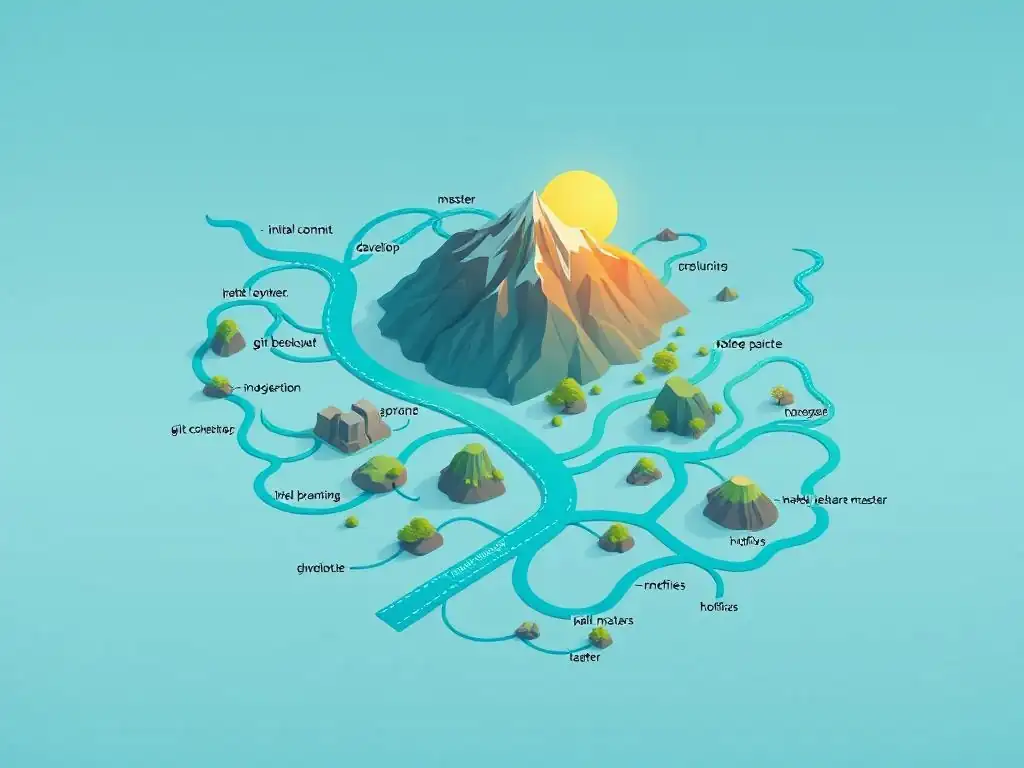
Welcome to Git and Version Control Hub, your central resource for elevating your development workflow! Ever felt lost navigating complex projects with multiple contributors? This site is designed to empower you with the knowledge and skills to thrive in any development environment. Dive in and start mastering Gitflow branching strategies with our in-depth guide below. Unlock the power of efficient collaboration and streamlined development – your journey to Git mastery starts now!
Branching Strategy: Streamlining Development with Trunk-Based Development
- Understanding Trunk-Based Development: A Collaborative Approach
- Setting Up Your Git Repository for Trunk-Based Development
- The Core Branch in Trunk-Based Development: A Detailed Look
- Trunk-Based Development in Action: A Practical Example
- Advanced Trunk-Based Development Techniques and Best Practices
- Trunk-Based Development vs. Other Branching Strategies: A Comparison
- Troubleshooting Common Trunk-Based Development Issues
- Mastering Trunk-Based Development: Key Takeaways
- Frequently Asked Questions
- Final Reflection: Embracing Gitflow for Collaborative Mastery
- Master Your Workflow with Gitflow
Understanding Trunk-Based Development: A Collaborative Approach
What is Trunk-Based Development and Why Use It?
Trunk-Based Development is a source control branching model where developers collaborate on code in a single branch called ‘trunk’, usually named main. Instead of long-lived feature branches, changes are integrated into the trunk frequently, ideally multiple times a day. This approach fosters a culture of continuous integration and delivery, emphasizing small, incremental changes over large, infrequent releases. The core idea revolves around minimizing branch divergence and maximizing collaboration directly on the mainline.
The primary reason for adopting Trunk-Based Development lies in its ability to accelerate development cycles and improve software quality. By integrating code frequently, teams can quickly identify and resolve conflicts, reduce the risk of large, complex merges, and gain faster feedback on their changes. Industry data suggests that companies using Trunk-Based Development experience up to a 30% reduction in lead time for changes.
Furthermore, the constant integration promotes better communication and shared understanding among team members, leading to a more cohesive and efficient development process. This methodology is particularly beneficial for fast-paced environments where rapid iteration and deployment are crucial.
Key Principles of the Trunk-Based Development Workflow
Several key principles underpin the effectiveness of Trunk-Based Development. Firstly, small, frequent commits are paramount. Developers are encouraged to break down large features into smaller, manageable chunks, committing their changes to main multiple times daily. This minimizes the scope of each change, making it easier to review, test, and integrate. Secondly, continuous integration (CI) is essential. Every commit to main should trigger an automated build and test process. This immediate feedback loop ensures that any integration issues are detected early and resolved promptly, maintaining the stability of the main branch.
Another crucial principle is short-lived feature branches. When a larger feature requires more than a day's work, developers might create short-lived feature branches branching off from main. However, these branches are expected to be merged back into main within a day or two, preventing them from diverging significantly. Finally, ruthless prioritization of merging to main is key. The focus is always on integrating changes back into the trunk as quickly as possible. This might involve using feature flags to release incomplete features safely or deferring less critical tasks to maintain the flow of integration into main. These principles, when diligently followed, enable teams to leverage the full potential of Trunk-Based Development for streamlined and rapid software delivery.
Benefits of Implementing Trunk-Based Development for Faster Delivery
Implementing Trunk-Based Development offers substantial benefits in terms of faster software delivery. The frequent integration of code into the main branch inherently reduces the complexity and risk associated with merging. Imagine a scenario where a team working with long-lived feature branches merges after weeks of isolated development. This often leads to significant merge conflicts and integration headaches, consuming valuable development time. Trunk-Based Development mitigates this by ensuring that integrations are small and incremental, making conflict resolution simpler and faster.
Moreover, Trunk-Based Development fosters a faster feedback loop. With every commit to main triggering automated tests and builds, developers receive immediate feedback on the impact of their changes. This rapid feedback allows for quicker identification and resolution of bugs, preventing issues from accumulating and escalating into larger problems. Studies have shown that teams using Trunk-Based Development can achieve up to a 50% reduction in bug fix time due to this early detection mechanism. This accelerated feedback cycle, combined with streamlined integration, significantly contributes to faster delivery cycles and allows teams to respond more rapidly to market demands and customer needs.
Setting Up Your Git Repository for Trunk-Based Development
Establishing a Single Source of Truth: The main Branch
In Trunk-Based Development, the main branch serves as the single source of truth, reflecting the latest state of the codebase that is potentially deployable. It is the central hub where all development efforts converge. This means that the main branch should always be kept in a releasable state, ideally passing all automated tests and ready for deployment at any time. Establishing main as this single source of truth requires a conscious effort from the team to treat it with utmost respect and prioritize its stability.
To reinforce main as the single source of truth, teams should avoid long-lived branches that diverge significantly from it. Feature branches, when used, should be kept short-lived and merged back into main promptly. Any hotfixes or urgent changes should also be applied directly to main or branched off and merged back in swiftly. This practice ensures that main consistently represents the most current and reliable version of the software, simplifying release management and reducing confusion about the codebase's authoritative state. By diligently maintaining main as the single source of truth, teams can build a robust and reliable foundation for their Trunk-Based Development workflow.
Configuring Branch Protection Rules for main
To safeguard the integrity of the main branch and enforce the principles of Trunk-Based Development, configuring branch protection rules is crucial, especially when using platforms like GitHub or GitLab. These rules act as gatekeepers, preventing accidental or unauthorized changes from directly impacting the main branch and ensuring code quality through enforced review processes. A common protection rule is to require pull requests for any changes to main. This mandates that all code modifications must undergo a review process before being integrated.
Further enhancing protection, consider enabling required status checks. This ensures that all CI/CD pipelines, including automated tests and linters, must pass before a pull request can be merged into main. Additionally, you can restrict who can push to main, typically limiting direct push access to only specific roles or disabling it entirely, forcing all changes to go through pull requests. These protection rules, when implemented thoughtfully, create a safety net around the main branch, promoting code quality, preventing accidental breakages, and reinforcing the collaborative and controlled nature of Trunk-Based Development. For example, on GitHub, you can navigate to your repository settings, then "Branches," and "Add rule" to configure these protections for your main branch.
Essential Git Configuration for Efficient Collaboration
Efficient collaboration in Trunk-Based Development hinges on a few key Git configurations that streamline workflows and minimize friction. Firstly, configure your local Git environment to track the main branch from the remote repository. This ensures you are always working with the latest changes from the central source of truth. You can achieve this by setting the upstream branch for your local main branch using the command: git branch --set-upstream-to=origin/main main.
Secondly, establish clear conventions for commit messages. Using a consistent and informative commit message format, such as the Conventional Commits specification, greatly improves code history readability and facilitates automated release note generation. Tools can then parse these commit messages to automatically determine version bumps and generate changelogs. Finally, encourage the use of Git aliases for frequently used commands. Aliases can shorten long commands and customize Git to better suit your workflow, boosting productivity. For instance, you can create an alias alias co='git checkout' to quickly switch branches using git co <branch-name>. These configurations, though seemingly small, collectively contribute significantly to smoother collaboration and a more efficient Trunk-Based Development experience.
The Core Branch in Trunk-Based Development: A Detailed Look
The main Branch: Direct Commits and Continuous Integration
The main branch in Trunk-Based Development is not just a branch; it's the lifeline of the development process. While ideally, changes are integrated via short-lived feature branches and pull requests, direct commits to main are also a possibility, especially for very small, non-breaking fixes or urgent hotfixes. The key is to maintain a balance and ensure that any direct commit is thoroughly tested and reviewed, even if it's a quick fix. The principle of continuous integration is inextricably linked to the main branch.
Every commit to main, whether direct or merged, should automatically trigger the CI pipeline. This pipeline typically includes stages for building the application, running unit tests, integration tests, and potentially even deployment to staging environments. The CI system acts as an automated quality gate, ensuring that any change introduced to main is rigorously validated before being considered releasable. A successful CI run on main gives the team confidence in the branch's stability and deployability. Failures, on the other hand, signal immediate issues that need to be addressed, reinforcing the rapid feedback loop that is central to Trunk-Based Development. For example, tools like Jenkins, GitLab CI, or GitHub Actions can be configured to monitor the main branch and automatically execute CI pipelines upon each commit.
Feature Branches (Short-Lived): Implementing Focused Changes
While Trunk-Based Development emphasizes working directly on main, feature branches still play a crucial role in managing larger, more complex feature development. However, unlike in Gitflow, feature branches in Trunk-Based Development are intentionally short-lived. Their primary purpose is to isolate work in progress for a day or at most two, allowing developers to focus on a specific feature without directly impacting the stability of main for every small change. This short lifespan is critical to preventing branch divergence and minimizing merge conflicts.
These feature branches are not meant to be long-term development silos. Instead, they serve as temporary workspaces for focused development efforts. The emphasis remains on integrating changes back into main frequently. This approach allows developers to break down larger features into smaller, manageable chunks that can be developed and integrated incrementally. By keeping feature branches short-lived and prioritizing frequent merges, teams can effectively manage feature development while maintaining the core principles of Trunk-Based Development and avoiding the pitfalls of long-lived, diverging branches.
Creating Feature Branches from main
Creating a feature branch in Trunk-Based Development is a straightforward process. It always starts by branching off from the main branch. This ensures that the feature branch is based on the latest stable version of the codebase. Using the Git command line, you would typically navigate to your local repository, ensure you are on the main branch, and then create a new branch using a command like git checkout -b feature/your-feature-name main. This command creates a new branch named feature/your-feature-name and switches your working directory to this new branch, all while ensuring it's based on the current state of main.
It is crucial to always branch from main to maintain a linear history and avoid introducing unnecessary merge complexities later on. Branching from main also reinforces the role of main as the single source of truth and ensures that feature development is always aligned with the latest changes and updates in the main codebase. This practice simplifies the integration process when the feature branch is eventually merged back into main.
Best Practices for Feature Branch Naming and Lifespan
For effective Trunk-Based Development, establishing clear best practices for feature branch naming and lifespan is essential. Feature branch names should be descriptive and concise, clearly indicating the feature being developed. A common convention is to use prefixes like feature/, bugfix/, or hotfix/ followed by a short description, for example, feature/add-user-authentication or bugfix/login-error. This naming convention provides context and improves branch management, especially in repositories with numerous branches.
The lifespan of feature branches should be strictly limited. Ideally, feature branches should live for no more than one or two days. Longer-lived branches increase the risk of divergence from main, leading to more complex and time-consuming merges. To enforce this short lifespan, teams can implement practices like daily stand-ups where branch lifespans are reviewed, or even automated reminders to merge feature branches back into main after a certain period. Encouraging developers to break down large features into smaller, independently deployable increments also helps in keeping feature branches short-lived and manageable.
Merging Feature Branches into main via Pull Requests
Merging feature branches back into main in Trunk-Based Development is typically done through pull requests (or merge requests, depending on the platform). This process enforces code review and provides an opportunity for collaboration and quality assurance before changes are integrated into the main codebase. Once a feature is complete and ready for integration, the developer creates a pull request targeting the main branch. This pull request should clearly describe the changes introduced by the feature branch and ideally link to any related issues or user stories.
The pull request then undergoes a code review process, where other team members examine the changes, provide feedback, and ensure code quality and adherence to coding standards. After the code review is completed and any necessary changes are made, the pull request is approved and merged into main. The merge should be a standard merge, avoiding rebasing at this stage to preserve the branch history and simplify traceability. This pull request process ensures that all changes integrated into main are reviewed and validated, maintaining the quality and stability of the trunk.
Trunk-Based Development in Action: A Practical Example
Scenario: Adding a New API Endpoint
Let's consider a practical scenario to illustrate Trunk-Based Development in action: adding a new API endpoint to an existing web application. Imagine a team is working on an e-commerce platform and needs to add an endpoint to retrieve product details based on a product ID. Using Trunk-Based Development, a developer would start by creating a short-lived feature branch from main, for example, feature/product-details-api.
On this feature branch, the developer would implement the necessary code to create the new API endpoint, including defining the API route, writing the controller logic to fetch product details from the database, and adding unit tests to verify the endpoint's functionality. Throughout the day, the developer would commit their changes frequently to the feature branch. Once the API endpoint implementation is complete and tested, the developer would create a pull request to merge feature/product-details-api back into main.
Step-by-Step Guide: Following the Trunk-Based Development Workflow
Following the Trunk-Based Development workflow for adding the API endpoint would involve these steps:
- Create a Feature Branch: From the
mainbranch, create a new branch namedfeature/product-details-api.git checkout -b feature/product-details-api main - Develop the Feature: Implement the API endpoint logic on the
feature/product-details-apibranch. This includes coding the API route, controller, data access logic, and writing unit tests. - Commit Frequently: Commit changes regularly throughout the development process. Each commit should represent a small, logical unit of work.
- Create a Pull Request: Once the feature is implemented and tested, create a pull request from
feature/product-details-apitomain. - Code Review: The pull request undergoes code review by other team members. Feedback is provided and addressed.
- Merge to
main: After successful code review and CI checks, the pull request is merged into themainbranch.git checkout main; git merge --no-ff feature/product-details-api; git push - Continuous Integration: The merge to
maintriggers the CI/CD pipeline, which runs automated tests and potentially deploys the changes to staging or production environments.
This step-by-step guide demonstrates how a feature is developed and integrated into main using the Trunk-Based Development approach, emphasizing short-lived feature branches, frequent commits, pull requests, and continuous integration.
Managing Feature Flags for Gradual Rollouts
In Trunk-Based Development, feature flags (also known as feature toggles) are a powerful technique for managing gradual rollouts of new features and mitigating risks. When a new feature is merged into main, it might not be immediately ready for release to all users. Feature flags allow you to deploy the code to production but keep the feature disabled by default. You can then selectively enable the feature for a subset of users or in specific environments, allowing for controlled testing and validation in a production-like setting.
For example, in our API endpoint scenario, after merging the feature/product-details-api branch into main, the new endpoint could be initially hidden behind a feature flag. This allows the team to deploy the code to production without immediately exposing the new endpoint to all users. They can then enable the feature flag for internal testers or a small group of beta users to gather feedback and monitor performance. If any issues arise, the feature can be quickly disabled by toggling the flag, minimizing the impact on users. Feature flags provide a safety net for continuous delivery in Trunk-Based Development, enabling teams to deploy code frequently and confidently, even with features that are not fully complete or tested for a wide audience. Tools like LaunchDarkly or Optimizely offer feature flag management systems that integrate well with CI/CD pipelines.
Advanced Trunk-Based Development Techniques and Best Practices
Integrating CI/CD Pipelines for Automated Testing and Deployment
A robust CI/CD (Continuous Integration/Continuous Delivery) pipeline is not just beneficial but essential for maximizing the effectiveness of Trunk-Based Development. The CI portion focuses on automated building and testing of every commit to main. This typically includes stages like code compilation, unit testing, integration testing, and static code analysis. The goal is to catch integration issues and bugs as early as possible in the development cycle, ideally within minutes of a commit.
The CD portion extends this automation to the deployment process. A well-configured CD pipeline can automatically deploy changes from main to various environments, such as staging, pre-production, and even production, after successful CI checks. This automation streamlines the release process, reduces manual errors, and enables faster delivery cycles. For Trunk-Based Development, an ideal CI/CD pipeline would trigger on every commit to main, run a comprehensive suite of tests, and upon successful completion, automatically deploy the changes to at least a staging environment. This level of automation ensures that main remains in a releasable state at all times and facilitates rapid and reliable software delivery. Popular CI/CD tools include Jenkins, GitLab CI, GitHub Actions, CircleCI, and Travis CI, each offering features to create sophisticated automated pipelines.
Implementing Comprehensive Code Reviews for Quality Assurance
Code reviews are a cornerstone of quality assurance in Trunk-Based Development. Because changes are integrated into main frequently, ensuring code quality through thorough reviews becomes even more critical. Code reviews in this context are not just about finding bugs; they are also about knowledge sharing, ensuring code consistency, and maintaining a high standard of code quality across the project. Every pull request targeting main should undergo a mandatory code review by at least one or two other developers.
The review process should focus on various aspects, including code correctness, adherence to coding standards, code clarity, performance, and security. Reviewers should provide constructive feedback, focusing on improving the code rather than criticizing the author. Tools like GitHub, GitLab, and Bitbucket provide excellent code review features directly integrated into the pull request workflow, facilitating inline comments, suggestions, and approvals.
Implementing effective code review practices not only improves code quality but also fosters a collaborative and learning environment within the development team, which is vital for the success of Trunk-Based Development. Studies suggest that teams with strong code review practices experience a 15-20% reduction in production defects.
Utilizing Feature Toggles for Risk Mitigation
Feature toggles, as briefly mentioned earlier, are a powerful risk mitigation technique in Trunk-Based Development, particularly when practicing continuous delivery. They allow teams to decouple deployment from release. Code for new features can be merged into main and deployed to production, but the features themselves remain disabled for users until the team is ready to release them. This decoupling provides a safety net, allowing for early and frequent deployments without exposing incomplete or potentially unstable features to end-users.
Feature toggles enable various release strategies, such as gradual rollouts to a percentage of users, A/B testing different feature variations, and targeted releases to specific user segments. If a newly deployed feature, even if disabled by default, introduces unexpected issues, it can be quickly rolled back by simply toggling the feature off, minimizing the impact on users and providing a rapid recovery mechanism.
Effective use of feature toggles requires careful planning, naming conventions, and a strategy for managing and eventually removing toggles once features are fully released and stable. By incorporating feature toggles into their workflow, teams adopting Trunk-Based Development can significantly reduce the risks associated with frequent deployments and continuous delivery, enabling them to iterate faster and more confidently.
Trunk-Based Development vs. Other Branching Strategies: A Comparison
Trunk-Based Development vs. Gitflow
Trunk-Based Development and Gitflow represent contrasting approaches to branching strategies. Gitflow, designed for release-driven development, utilizes multiple long-lived branches, primarily main (or master), develop, release, and hotfix. Develop is the integration branch for features, release branches prepare for releases, and hotfix branches address production issues. This model is complex, leading to longer lead times, increased merge conflicts, and slower feedback loops due to infrequent integrations. Gitflow is often perceived as more suitable for infrequent releases and projects with strict versioning requirements.
In contrast, Trunk-Based Development simplifies branching to primarily a single main branch, with short-lived feature branches as needed. It emphasizes frequent integrations, faster feedback, and continuous delivery. Trunk-Based Development excels in environments requiring rapid iteration and frequent deployments. While Gitflow might appear structured, its complexity can become a bottleneck in fast-paced development. Trunk-Based Development prioritizes simplicity and speed, making it more aligned with agile and DevOps principles. Studies comparing the two models often show Trunk-Based Development leading to faster cycle times and reduced integration overhead.
GitHub Flow is a simplified branching strategy that shares similarities with Trunk-Based Development but offers slightly more flexibility. GitHub Flow typically uses a main branch and feature branches. Similar to Trunk-Based Development, feature branches are short-lived and branched from main. However, GitHub Flow introduces the concept of deployment branches (often named production or staging). When a feature branch is ready, it's merged into main, and main is then deployed to a staging environment. If the staging deployment is successful, main is then merged into the deployment branch ( production) for release to users.
GitHub Flow provides a slightly more structured release process compared to pure Trunk-Based Development, offering an explicit deployment branch. However, it still maintains the core principles of short-lived feature branches and frequent integrations. GitHub Flow can be seen as a middle ground between the simplicity of Trunk-Based Development and the complexity of Gitflow, offering a balance between speed and controlled releases. It is well-suited for web applications and SaaS products where deployments can be more frequent and incremental, and a dedicated deployment branch adds a layer of release management.
Choosing the Right Branching Strategy for Your Project
Selecting the appropriate branching strategy depends heavily on the specific needs and context of your project and team. For projects requiring very infrequent releases, strict versioning, and formal release cycles, and where development speed is less critical, Gitflow might be considered. However, even in such cases, the complexity and overhead of Gitflow should be carefully weighed against its benefits.
For most modern software development projects, especially those aiming for continuous delivery, rapid iteration, and fast feedback loops, Trunk-Based Development or GitHub Flow are generally more suitable. Trunk-Based Development, with its extreme simplicity and focus on main, is ideal for teams comfortable with continuous integration and deployment and prioritizing speed and agility above all else. GitHub Flow provides a slightly more structured approach with deployment branches, offering a good balance between speed and controlled releases, making it a strong choice for web applications and SaaS products. Ultimately, the best branching strategy is the one that best supports your team's workflow, release cadence, and project requirements, while minimizing complexity and maximizing development velocity.
Troubleshooting Common Trunk-Based Development Issues
Managing Large Teams Committing to main
One common concern with Trunk-Based Development, especially in large teams, is managing a high volume of commits to the main branch. With many developers integrating changes multiple times a day, there's a potential for increased integration conflicts and a perceived risk of destabilizing main. However, effective practices can mitigate these challenges. Firstly, emphasize small, incremental changes and frequent commits. Breaking down large features into smaller, more manageable units reduces the scope of each integration and minimizes conflict potential.
Secondly, invest in robust CI/CD pipelines with fast feedback loops. Automated tests should run quickly to provide immediate feedback on the impact of each commit. Thirdly, promote strong communication and collaboration within the team. Developers should be aware of each other's work and proactively communicate potential conflicts or dependencies. Finally, consider feature flags for managing in-progress features. This allows large teams to continue committing to main without directly exposing incomplete or potentially breaking changes to users. By implementing these practices, even large teams can successfully adopt Trunk-Based Development and benefit from its speed and efficiency while maintaining the stability of the main branch.
Handling Breaking Changes in a Continuous Delivery Environment
Introducing breaking changes to a codebase in a continuous delivery environment, like Trunk-Based Development, requires careful planning and execution. Directly committing a breaking change to main could disrupt the continuous delivery pipeline and potentially impact users if deployed immediately. Therefore, a strategy for managing breaking changes is crucial. One effective approach is to use backward compatibility for a period. When introducing a breaking change, initially maintain backward compatibility with the old functionality alongside the new one. This allows teams to deploy the change to production without immediate disruption.
During this period of backward compatibility, teams can update dependent systems, services, or clients to use the new functionality. Once all dependencies are migrated, the old, backward-compatible code can be safely removed in a subsequent commit. Another technique is to use feature flags to control the rollout of breaking changes.
The new, breaking change can be deployed behind a feature flag, initially disabled. Then, it can be gradually enabled for internal testing and then rolled out to users in a controlled manner. These strategies, combined with thorough testing and communication, enable teams to manage breaking changes effectively in a Trunk-Based Development and continuous delivery context, minimizing disruption and ensuring a smooth transition.
Code conflicts are an inherent part of collaborative software development, and they can occur even in Trunk-Based Development, despite its emphasis on frequent integrations. However, the frequency of integration in Trunk-Based Development actually helps to minimize the severity and complexity of conflicts compared to long-lived branching strategies. When conflicts do arise, resolve them promptly and collaboratively. Git provides excellent tools for identifying and resolving merge conflicts.
Developers should be proficient in using these tools to understand the conflicting changes and make informed decisions on how to resolve them. Prioritize communication and collaboration when resolving conflicts. If a conflict is complex or involves changes from multiple developers, it's often beneficial to discuss the conflict with the involved parties to understand the context and agree on the best resolution. Aim to resolve conflicts locally before pushing changes. Pull the latest changes from main frequently and resolve any conflicts in your local working copy before pushing your commits. By adopting these practices, teams can effectively manage and resolve code conflicts in a shared main branch environment, ensuring a smooth and efficient Trunk-Based Development workflow.
Mastering Trunk-Based Development: Key Takeaways
Implementing Trunk-Based Development for Increased Velocity
Implementing Trunk-Based Development is a strategic move towards significantly increasing development velocity. By streamlining branching strategies and focusing on a single main branch, teams eliminate the overhead and complexities associated with managing multiple long-lived branches, as seen in models like Gitflow. The emphasis on frequent, small commits and continuous integration fosters a rapid feedback loop, enabling faster identification and resolution of issues, and reducing the time spent on integration and merge conflicts. Industry benchmarks indicate that teams adopting Trunk-Based Development can experience a 20-40% increase in development velocity, measured by metrics like lead time for changes and deployment frequency.
This increased velocity translates directly to faster time-to-market for new features and quicker response to changing market demands. Moreover, the collaborative nature of Trunk-Based Development, with developers frequently integrating their work, promotes better knowledge sharing and team cohesion, further contributing to overall efficiency and speed. For organizations seeking to accelerate their software delivery pipelines and achieve greater agility, Trunk-Based Development offers a proven and effective path to significantly boost development velocity.
Optimizing Your Workflow with Trunk-Based Development Best Practices
To fully optimize your workflow with Trunk-Based Development, consistently adhering to best practices is crucial. Prioritize small, frequent commits to main, breaking down large features into manageable increments. Invest in a robust and fast CI/CD pipeline that provides immediate feedback on every commit. Enforce code reviews for all changes merged into main to maintain code quality and facilitate knowledge sharing. Utilize feature flags to manage in-progress features and enable gradual rollouts, mitigating risks associated with frequent deployments.
Establish clear communication channels and collaboration practices within the team to address potential conflicts and ensure smooth integrations. Regularly monitor and analyze your development metrics, such as cycle time and deployment frequency, to identify areas for improvement and continuously refine your Trunk-Based Development workflow. By consistently implementing these best practices, teams can maximize the benefits of Trunk-Based Development, achieving a highly efficient, fast-paced, and reliable software delivery process.
Further Resources for Learning Trunk-Based Development
For those seeking to deepen their understanding and mastery of Trunk-Based Development, numerous resources are available. Online articles and blog posts from industry experts provide valuable insights and practical guidance. Martin Fowler's website and blog contain extensive writings on continuous integration and Trunk-Based Development principles. The book "Accelerate: The Science of Lean Software and DevOps" by Nicole Forsgren, Jez Humble, and Gene Kim provides data-driven evidence of the benefits of Trunk-Based Development and related DevOps practices.
Online courses and workshops on platforms like Udemy, Coursera, and Pluralsight offer structured learning paths for mastering Trunk-Based Development and related CI/CD techniques. Exploring case studies and success stories of companies that have successfully adopted Trunk-Based Development can provide real-world examples and inspire implementation strategies. Engaging with online communities and forums dedicated to DevOps and continuous delivery can also provide valuable peer learning and support. By leveraging these resources, developers and teams can continuously expand their knowledge and refine their skills in Trunk-Based Development, unlocking its full potential for streamlined and accelerated software delivery.
Frequently Asked Questions
What is Gitflow?
Gitflow is a branching model designed for larger software projects where releases are more structured. It defines a strict set of rules regarding branch naming and usage.
Why should I use Gitflow?
Gitflow promotes organized development and simplifies release management. It's particularly helpful when dealing with multiple features and hotfixes in parallel.
What are the main branches in Gitflow?
The main branches are main (or master), develop, feature/, release/, and hotfix/*. Main stores the official release history, while develop holds code for the next release.
How do I start a new feature using Gitflow?
Create a new branch off of develop with the prefix feature/. This isolates your feature from other ongoing development until it's ready to be merged.
When should I use Gitflow instead of a simpler workflow?
Consider Gitflow for complex projects with scheduled releases and multiple developers. Simpler workflows may suffice for smaller projects with continuous deployment.
Final Reflection: Embracing Gitflow for Collaborative Mastery
The intricacies of Gitflow, as explored throughout this article, might seem daunting at first glance. However, understanding and implementing these branching strategies is essential for teams navigating the complexities of large-scale software development. The ability to manage features, releases, and hotfixes with clarity and precision directly translates to increased efficiency, reduced errors, and ultimately, a more robust and reliable product.
The impact of Gitflow extends beyond mere code management; it shapes the very culture of collaboration within a development team. Witnessing a team seamlessly integrate new features while simultaneously addressing critical bugs, all thanks to a well-defined Gitflow workflow, is truly inspiring. It fosters a sense of shared responsibility and empowers developers to contribute confidently, knowing their work is integrated in a structured and predictable manner. The key to successful software development is not just writing code, but also managing the process of writing code.
- Unknown. This quote perfectly encapsulates the importance of Gitflow in providing that crucial management layer.
As you reflect on the principles and practices of Gitflow, consider how these strategies can be adapted and applied within your own projects and teams. Don't be afraid to experiment, to refine, and to tailor the workflow to your specific needs. The journey towards mastering Gitflow branching strategies is a continuous process of learning and adaptation. Embrace the challenge, and unlock the potential for greater collaboration, efficiency, and success in your software development endeavors.
Master Your Workflow with Gitflow
Thank you for exploring Gitflow! We hope this guide has clarified how this powerful branching model streamlines complex projects and improves team collaboration. Ready to put your new knowledge to work?
Start by integrating Gitflow into a smaller project to experience its benefits firsthand before applying it to larger, more critical ones. Consider exploring alternative branching strategies like GitHub Flow or GitLab Flow to find the best fit for your team's specific needs. Finally, share this guide with your colleagues to foster a productive discussion—successful collaboration thrives on shared knowledge.
Which branching strategy will you try first, and what challenges do you foresee? Share your thoughts in the comments below!