
Handling Complex Merge Conflicts: Scenarios and Solutions

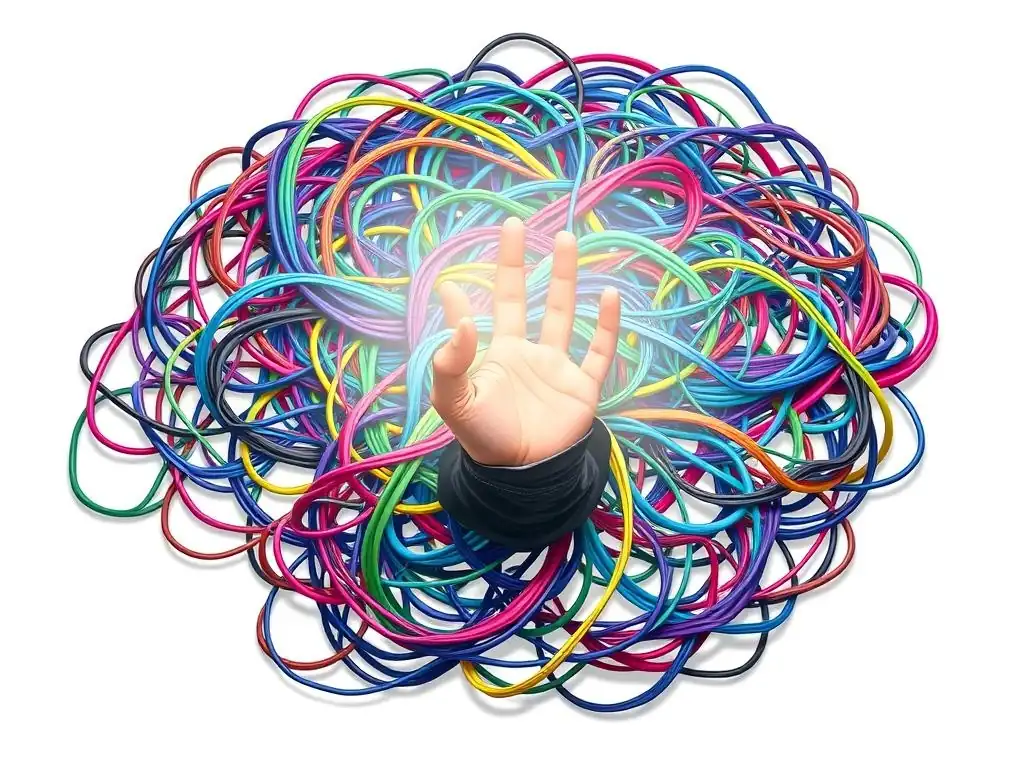
Welcome to Git and Version Control Hub, your central resource for mastering the intricacies of Git! Are you wrestling with seemingly insurmountable merge conflicts? You're not alone. Dive in as we tackle the often-dreaded, but ultimately conquerable, world of complex Git merge conflicts solutions. Discover practical strategies and real-world scenarios to navigate these challenges, and unlock a smoother, more collaborative development workflow. Ready to untangle the mess? Let's get started!
Handling Complex Merge Conflicts: Scenarios and Solutions
- Introduction to Complex Git Merge Conflicts and Resolution Strategies
- Identifying and Diagnosing Complex Merge Conflicts
- Strategies for Resolving Complex Git Merge Conflicts: A Step-by-Step Guide
- Specific Complex Merge Conflict Scenarios and Solutions
- Best Practices to Avoid Complex Merge Conflicts
- Conclusion: Mastering Complex Git Merge Conflict Solutions
-
Frequently Asked Questions
- What are some common scenarios that lead to complex Git merge conflicts?
- What are some recommended strategies for resolving complex Git merge conflicts?
- How can I prevent complex merge conflicts from occurring in the first place?
- What role does communication play in resolving complex Git merge conflicts?
- Are there any specific tools or techniques recommended by GitAndVersionControlHub.com for managing complex merge conflicts?
- Final Reflection: Navigating the Labyrinth of Collaboration
- Conquer Merge Conflicts: Unleash Your Git Mastery!
Introduction to Complex Git Merge Conflicts and Resolution Strategies
Understanding the Nuances of Complex Merge Conflicts in Git
Merge conflicts in Git are a common, yet sometimes daunting, part of collaborative software development. While Git excels at merging changes seamlessly in most cases, complex merge conflicts arise when changes from different branches modify the same lines or closely related sections of a file, and Git cannot automatically determine which changes to incorporate. These conflicts become 'complex' when they involve multiple files, significant code restructuring, or intricate logical discrepancies that go beyond simple line-by-line disagreements. They often require a deeper understanding of the code, the intentions behind the changes, and strategic resolution techniques.
The complexity isn't just about the number of conflicts; it's about the nature of the changes clashing. For instance, imagine two developers working on different features in separate branches. If one branch refactors a core module while the other adds new functionality relying on the old structure of that module, a merge will likely result in a complex conflict.
Resolving these situations necessitates not just picking one version of the code over another, but often requires rewriting or restructuring code to integrate both sets of changes harmoniously. Effectively handling these complex scenarios is crucial for maintaining a healthy codebase and ensuring smooth team collaboration.
Why Complex Merge Conflicts Occur: Common Scenarios
Complex merge conflicts typically arise from development practices and project evolution. One frequent scenario is long-lived feature branches. When feature branches diverge significantly from the main branch and remain unmerged for extended periods, the codebase can drift considerably.
Merging these branches back into the main branch then becomes a complex undertaking because the accumulated changes are substantial and likely to clash in unforeseen ways. Think of a team working for several weeks on independent features, each in their own branch, without regular integration. When these branches are eventually merged, the likelihood of intricate conflicts increases dramatically due to the sheer volume of changes.
Another common cause is extensive code refactoring or architectural changes undertaken in one branch while feature development continues in others. For example, if one team is migrating a large part of the application to a new framework in a dedicated branch, and other teams are simultaneously adding new features based on the old framework in their respective branches, merging the refactoring branch will almost certainly lead to complex conflicts.
This is because the fundamental structure and organization of the code have been altered, making it difficult to automatically integrate the feature branch changes designed for the previous architecture. These situations highlight the importance of strategic branch management and frequent integration to mitigate the risk of complex merge conflicts.
Identifying and Diagnosing Complex Merge Conflicts
Recognizing Conflict Markers: A Deep Dive
When a merge conflict occurs, Git clearly marks the conflicting sections within the affected files. These markers are essential for identifying and understanding the nature of the conflict. Git uses specific delimiters to separate the different versions of the code that are in conflict. The <<<<<<< HEAD marker indicates the code from your current branch (usually HEAD), while the ======= marker separates your branch's version from the incoming changes. The >>>>>>> branch-name marker then denotes the code from the branch being merged. These markers, while seemingly simple, are the developer's first point of contact in diagnosing a merge conflict.
However, in complex merge conflicts, the presence of these markers can be overwhelming, especially in large files or when conflicts span multiple, intertwined code blocks. It's crucial to carefully examine the code between these markers. Don't just look at the markers themselves; analyze the code differences presented within each conflict block.
Understanding the code context from both branches is key to resolving the conflict effectively. Sometimes, complex conflicts involve not just lines of code, but structural changes, function renames, or even algorithmic differences, all embedded within these marked sections. Therefore, a 'deep dive' into conflict markers means understanding the semantic differences, not just the syntactic ones, between the conflicting code versions.
Git Commands for Identifying Conflicted Files
Beyond the markers within files, Git provides commands to quickly identify which files are in a conflicted state after a merge operation. The most fundamental command is git status. After a merge attempt that resulted in conflicts, git status will clearly list the "Unmerged paths". These are the files that require manual conflict resolution before the merge can be completed. This command gives a quick overview of the scope of the conflicts, showing you exactly which files need your attention.
For a more detailed view, git diff --check can be useful. While primarily used for whitespace errors, it can also highlight lines marked with conflict markers within the conflicted files. Moreover, git ls-files -u specifically lists unmerged files, providing a clean output of just the filenames in conflict. These commands are indispensable tools in your workflow for quickly pinpointing the files requiring resolution in complex merge scenarios, allowing you to efficiently navigate to the problem areas in your codebase and begin the resolution process. Using these commands systematically can save considerable time and prevent overlooking any conflicted files, especially in large projects with numerous files.
Strategies for Resolving Complex Git Merge Conflicts: A Step-by-Step Guide
Manual Resolution: Editing Conflicted Files
Examining Conflict Markers
The most fundamental way to resolve merge conflicts, especially complex ones, is through manual editing of the conflicted files. This process begins with carefully examining the conflict markers Git has inserted. As mentioned earlier, <<<<<<< HEAD, =======, and >>>>>>> branch-name delineate the conflicting sections. Your first step is to open a conflicted file in your preferred text editor or IDE and locate these markers. Scrutinize the code blocks presented under each marker. Understand what changes were made in your current branch ( HEAD) and what changes are being introduced from the branch you are merging.
For complex conflicts, simply deleting markers and choosing one version over the other is often insufficient and can introduce bugs or break functionality. Instead, treat the markers as signposts guiding you to areas requiring careful consideration. Read the code surrounding the markers to understand the context and the intended functionality of each version. Sometimes, the conflict arises not from direct code duplication but from logical inconsistencies created by the changes in each branch. Therefore, examining markers is not just about identifying syntax differences, but about comprehending the semantic impact of each conflicting code block within the overall application logic.
Understanding Different Code Versions
Once you have located and examined the conflict markers, the next critical step is to fully understand the different code versions presented. This involves going beyond just reading the lines of code within the conflict markers. You need to grasp the purpose and intent behind the changes in each branch. Why was the code modified in your branch? What problem was being solved? Similarly, understand the rationale behind the changes in the incoming branch. What feature or fix did those changes implement?
This understanding often requires context beyond the immediate lines of code within the conflict markers. You might need to review commit messages associated with the changes in both branches, or even consult with the developers who made those changes. For example, if a conflict arises in a function that handles user authentication, understanding whether the changes are related to security enhancements, bug fixes, or new feature additions is crucial. Without this deeper understanding of the different code versions and their objectives, you risk making incorrect resolution choices that could lead to regressions or broken functionality.
Choosing Correct Code and Resolving Logic Differences
After thoroughly examining conflict markers and understanding the different code versions, the core task is to choose the correct code and resolve any underlying logic differences. This is where manual resolution becomes truly critical for complex merge conflicts. It's rarely a simple matter of picking one version entirely. Often, the correct solution involves a combination of changes from both branches, or even rewriting parts of the code to reconcile the differing approaches. You might need to integrate the new feature from one branch while preserving a crucial bug fix from the other, even if they conflict initially.
Resolving logic differences often requires more than just code selection. You might need to restructure code blocks, rewrite conditional statements, or even redesign algorithms to accommodate the changes from both branches harmoniously. This is where your programming expertise and understanding of the codebase become paramount. For instance, imagine a conflict where one branch updated a function to use a more efficient algorithm, while another branch modified the same function to handle a new edge case.
The resolution might involve integrating the new algorithm and ensuring it correctly handles the new edge case. This might require rewriting parts of the function to achieve both objectives. Ultimately, successful manual resolution of complex conflicts means creating a new version of the code that incorporates the desired functionality and fixes from all involved branches, while maintaining logical consistency and code integrity.
Leveraging Git Tools: git mergetool
Configuring git mergetool with Merge Tools
While manual editing is fundamental, Git also provides powerful tools to assist in resolving merge conflicts, particularly through git mergetool. This command allows you to launch a dedicated merge tool, often a visual diff and merge application, to facilitate the conflict resolution process. To effectively use git mergetool, you first need to configure Git to work with your preferred merge tool. Git supports various merge tools, including visual diff tools like Meld, Beyond Compare, KDiff3, and many others. You can check your current configuration using git config --get merge.tool.
To set a specific merge tool, use the command git config --global merge.tool <tool_name>. For example, to use Meld, you would run git config --global merge.tool meld. You might also need to configure the path to the executable of your chosen tool if it's not in your system's PATH environment variable. Consult the documentation of your chosen merge tool and Git documentation for detailed configuration instructions. Once configured, git mergetool will launch your selected tool when you encounter merge conflicts, providing a more visual and structured environment for resolving them.
Visual Comparison and Merging
git mergetool, when properly configured with a visual merge tool, significantly enhances the conflict resolution process, especially for complex conflicts. Visual merge tools typically present a three-way view of the conflicting file: the common ancestor version, your current branch's version, and the incoming branch's version. This side-by-side comparison makes it much easier to visually identify the exact differences and understand the context of the conflicts. Furthermore, these tools usually provide a dedicated 'result' pane where you can construct the merged version of the file by picking and choosing chunks of code from either version, or by directly editing the merged output.
For complex conflicts spanning multiple lines or involving code rearrangements, the visual diff capabilities are invaluable. They highlight not just line-by-line differences, but also moved blocks of code, renamed functions, and structural changes, which can be difficult to discern by simply reading conflict markers in a text editor. Many visual merge tools also offer features like automatic merging of non-conflicting changes, syntax highlighting, and even conflict resolution suggestions in some cases. By leveraging git mergetool and a capable visual merge tool, you can streamline the resolution of complex merge conflicts, reduce errors, and gain a clearer understanding of the changes being integrated.
Advanced Techniques
Using git cherry-pick
In certain complex merge conflict scenarios, particularly when dealing with specific commits causing issues, git cherry-pick can be a valuable advanced technique. Instead of merging an entire branch, git cherry-pick allows you to selectively apply individual commits from another branch to your current branch. This can be useful when a full merge is proving too complex due to numerous conflicts, but you know that specific features or fixes from the other branch are essential and relatively isolated in certain commits.
When using git cherry-pick, you are essentially replaying a commit from one branch onto your branch. If conflicts arise during this process, they are often more localized and easier to manage than conflicts from a large branch merge. You can cherry-pick commits one by one, resolving conflicts as they occur for each commit. This granular approach can be especially helpful when dealing with complex refactoring branches or when you want to incrementally integrate changes from a feature branch, rather than attempting a massive merge all at once. However, it's important to note that cherry-picking can alter commit history and might require careful consideration when collaborating with teams, particularly if commit history is strictly maintained.
Employing git rebase
git rebase is another advanced technique that can be strategically employed to manage and potentially simplify complex merge conflicts, although it should be used with caution, especially in shared branches. Rebasing essentially rewrites your branch's history by moving the starting point of your branch to the tip of another branch, typically the main branch. This effectively integrates the latest changes from the main branch into your feature branch before you attempt to merge back into main.
By rebasing, you are proactively addressing potential conflicts earlier in the development process, often leading to a cleaner merge history and potentially fewer complex conflicts when you eventually merge back into the main branch. The conflicts you encounter during a rebase are resolved commit by commit, which can make them more manageable than dealing with a massive conflict during a large merge.
However, rebasing modifies commit history, which can cause issues if you've already pushed your branch to a remote repository and others are collaborating on it. Therefore, rebase is generally recommended for local feature branches before sharing them, or when you are certain about its implications on the project's workflow and collaboration model.
Implications of Rebasing vs. Merging
Choosing between rebasing and merging is a strategic decision that impacts not only conflict resolution but also the project's commit history and collaboration workflow. Merging, the more traditional approach, preserves the entire history of both branches being merged, creating a merge commit that explicitly records the integration point. This results in a history that accurately reflects the timeline of feature development and integrations, which can be valuable for traceability and auditing. However, merge commits can sometimes clutter the history, especially with frequent merges.
Rebasing, on the other hand, creates a linear commit history by rewriting your branch's commits to appear as if they were developed sequentially on top of the target branch. This results in a cleaner, more streamlined history, often easier to read and navigate. However, it achieves this by altering commit history, which can complicate collaboration if branches are shared.
Furthermore, while rebasing can simplify conflict resolution in some cases by addressing conflicts incrementally, it doesn't inherently reduce the number of conflicts. The same underlying code differences still need to be resolved, whether during a merge or a rebase. The choice between rebasing and merging depends on your team's preferred workflow, the importance of preserving detailed branch histories, and the complexity of the merge scenarios you anticipate.
Specific Complex Merge Conflict Scenarios and Solutions
Scenario 1: Conflicts Across Multiple Files and Branches
Identifying the Root Cause
Conflicts spanning multiple files and branches represent a particularly challenging type of complex merge conflict. These scenarios often arise when features or refactorings touch upon core components or shared modules that are used across the project. Identifying the root cause in such cases requires a systematic approach. Start by examining the list of conflicted files provided by git status. Group these files based on their location in the project directory structure or their functional domain. Are the conflicts concentrated in specific modules, libraries, or subsystems?
Once you've grouped the files, analyze the nature of the changes within each group. Are the conflicts primarily due to interface changes, data structure modifications, or algorithmic updates? Understanding the type of changes clashing across multiple files can reveal the underlying root cause. For example, if multiple files in a core data access layer are in conflict, it might indicate a fundamental disagreement in how data is being handled or structured. This broader perspective, beyond individual file conflicts, is crucial for diagnosing the root cause of multi-file conflicts and devising an effective resolution strategy.
Resolving Interdependent Conflicts
When dealing with conflicts across multiple files, especially when these conflicts are interdependent, a piecemeal approach of resolving each file in isolation is often insufficient and can lead to inconsistencies or broken builds. Interdependent conflicts mean that the resolution in one file might affect the required resolution in another file. For example, if a function signature is changed in one file and its calling code is modified in another, resolving the function signature conflict without considering the calling code conflict can break the application.
To resolve interdependent conflicts effectively, you need to adopt a holistic approach. Start by understanding the dependencies between the conflicted files. Which files rely on others? Are there shared data structures, functions, or interfaces involved? Begin resolving conflicts at the most fundamental level of the dependency chain.
For instance, if conflicts involve changes to a shared data model and files that use this model, resolve the data model conflicts first. Then, proceed to resolve conflicts in the files that depend on the data model, taking into account the resolved changes in the data model. This iterative, dependency-aware resolution process is essential for maintaining consistency and ensuring that the application functions correctly after resolving complex, multi-file conflicts. It might also involve temporarily stepping back and re-evaluating the overall design to minimize future interdependent conflicts.
Scenario 2: Conflicts Involving Code Refactoring or Renaming
Handling File Movement or Renaming
Code refactoring, especially when it involves moving or renaming files or directories, can lead to particularly complex merge conflicts. Git, while generally good at detecting renames, can sometimes struggle when changes are made to both the original and the renamed/moved files in different branches. For instance, if one branch renames a file and modifies its contents, while another branch modifies the original file path and content, Git might not automatically recognize the rename relationship and flag these as conflicting changes.
To handle these situations, first, carefully examine the conflicted files. Look for patterns suggesting a rename or move operation. Are there conflicts involving files in the old and new locations? Git sometimes provides hints in the conflict markers, indicating potential renames. If you suspect a rename conflict, you can manually guide Git by using commands like git add <new_file_path> and git rm <old_file_path> to explicitly stage the rename in your merge resolution. Alternatively, some visual merge tools are better at detecting and resolving rename conflicts, offering options to explicitly recognize and handle file moves or renames during the merge process. Understanding whether a conflict stems from a rename is key to choosing the correct resolution strategy and avoiding data loss or code duplication.
Adapting to Code Structure Changes
Conflicts arising from significant code structure changes, such as moving code between modules, reorganizing directories, or introducing new architectural patterns, require careful adaptation. These types of changes often result in conflicts that are not just about line-by-line differences, but about how the code is organized and interconnected. For example, if one branch restructures a module into smaller sub-modules, while another branch adds new features to the original module structure, merging these changes will likely create complex conflicts requiring structural adaptation.
Resolving these conflicts necessitates understanding the intent behind the code restructuring. Why was the code reorganized? What benefits is the new structure intended to provide? When merging, you need to adapt the changes from the other branch to fit into this new structure.
This might involve not just merging code, but also relocating code snippets, updating import statements, and adjusting dependencies to align with the new module organization. It's not just about resolving conflicts within files, but also about ensuring that the overall code structure remains consistent and functional after the merge. This often requires a higher level of understanding of the application's architecture and a willingness to refactor code during the merge resolution process to accommodate the structural changes introduced in one of the branches.
Scenario 3: Conflicts in Configuration or Data Files
Merging Configuration Changes
Configuration files, such as .ini, .yaml, .json, or XML files, often become sources of complex merge conflicts, especially in projects with diverse environments or feature configurations. Conflicts in these files are particularly sensitive because they can directly impact application behavior, deployment settings, or data access. When resolving configuration file conflicts, it's crucial to understand the meaning of each configuration parameter and its impact on the application. Simply picking one version over another can lead to misconfigurations and application malfunctions.
For configuration files, manual resolution often involves carefully comparing the different configurations and merging the settings rather than just choosing one. For example, if one branch adds a new database connection setting and another modifies an existing logging level, you need to ensure that both the new database setting and the updated logging level are preserved in the merged configuration.
This might involve manually editing the configuration file to combine the necessary settings from both branches. Furthermore, consider using configuration management tools or techniques that are version control friendly, such as environment variables or configuration templates, to reduce the likelihood of complex merge conflicts in configuration files.
Resolving Conflicts in Data Structures
Conflicts in data files, particularly in projects that version control data or schema definitions (like database migrations or data fixtures), can be intricate. These conflicts are not just about code syntax, but about the integrity and consistency of the data itself. For example, if one branch adds a new column to a database table schema, and another branch modifies existing data in the original schema, merging these changes requires careful consideration to avoid data loss or schema inconsistencies.
Resolving data structure conflicts often requires a multi-step approach. First, understand the nature of the data structure changes in each branch. Are they schema modifications, data insertions, or data updates? For schema changes, like database migrations, you might need to carefully review and potentially combine the migration scripts from both branches, ensuring they are compatible and don't introduce schema conflicts.
For data conflicts, you might need to analyze the data changes and decide how to reconcile them. This could involve manually merging data entries, writing scripts to transform data, or even temporarily reverting data changes in one branch if they are incompatible with schema changes in another. Data conflicts often require a deeper understanding of the application's data model and careful planning to ensure data integrity after the merge.
Best Practices to Avoid Complex Merge Conflicts
Frequent Integration and Small Commits
One of the most effective strategies to minimize complex merge conflicts is to practice frequent integration and commit in small, focused units. Frequent integration, often referred to as continuous integration, involves regularly merging changes from feature branches back into the main branch (or a shared integration branch). By integrating changes frequently, you reduce the divergence between branches, thereby decreasing the likelihood of large, complex conflicts when merges eventually occur. Think of it as compounding interest in reverse: small, frequent integrations prevent the accumulation of large, conflicting changes.
Coupled with frequent integration, making small, atomic commits is crucial. Each commit should represent a logical, self-contained change. Smaller commits are easier to understand, review, and, importantly, to merge. When commits are small and focused, conflicts are more likely to be localized and easier to resolve. Conversely, large, sprawling commits that touch upon multiple parts of the codebase are more prone to causing complex conflicts. Adopting a workflow of frequent, small commits and regular integration is a proactive approach to preventing complex merge conflicts and promoting smoother collaboration within development teams.
Communication and Collaboration
Effective communication and collaboration within a development team are paramount in preventing and managing complex merge conflicts. When team members are aware of each other's work, especially when working on related features or modules, they can proactively coordinate their changes to minimize potential conflicts.
Regular team meetings, design discussions, and code reviews are essential for fostering this awareness and collaboration. For instance, if two developers are about to work on features that might touch the same core module, discussing their approaches beforehand can help identify potential conflict areas early on and allow them to adjust their plans to avoid or mitigate these conflicts.
Furthermore, clear communication is crucial during conflict resolution. If you encounter a complex merge conflict, don't hesitate to reach out to the developers who made the conflicting changes in the other branch. Understanding their intentions, the context of their changes, and the rationale behind their code can significantly simplify the resolution process. Collaborative conflict resolution, where developers work together to understand and resolve conflicts, is often more efficient and leads to better outcomes than isolated, individual attempts at resolution. Open communication channels and a culture of collaboration are invaluable assets in navigating the challenges of complex merge conflicts.
Using Feature Flags
Feature flags (also known as feature toggles or feature switches) are a powerful technique to decouple feature deployment from code merging, which can significantly reduce the risk of complex merge conflicts, especially in long-lived feature branches. Feature flags allow you to deploy new features to production in a disabled state. The code for the new feature is merged into the main branch, but the feature itself is not activated for users until the feature flag is enabled. This decouples the code integration process from the feature release process.
By using feature flags, you can merge large, complex feature branches into the main branch more frequently, even if the features are not yet fully complete or ready for release. This frequent integration prevents the branch from diverging too much and reduces the likelihood of complex merge conflicts down the line. The feature remains disabled in production via the feature flag until it is fully tested and ready for release.
Feature flags enable a more continuous integration and continuous delivery (CI/CD) workflow, making it easier to manage large features and reduce the merge conflict burden associated with long-lived feature branches. They also provide the flexibility to release features incrementally and control their rollout, further enhancing development agility and reducing risk.
Conclusion: Mastering Complex Git Merge Conflict Solutions
Key Takeaways
Mastering complex Git merge conflict solutions is a crucial skill for any developer working in a collaborative environment. Complex conflicts are not just about syntax clashes; they often represent deeper logical disagreements or structural divergences in the codebase.
Resolving them effectively requires a combination of technical proficiency in Git, a deep understanding of the codebase, and strong communication skills within the team. Key takeaways for handling these challenges include: understanding the nuances of complex conflicts, effectively identifying and diagnosing them using Git tools and conflict markers, and employing strategic resolution techniques like manual editing, visual merge tools, cherry-picking, and rebasing (used judiciously).
Furthermore, proactive prevention is as important as resolution. Adopting best practices such as frequent integration with small commits, fostering clear communication and collaboration within the team, and strategically using feature flags can significantly reduce the occurrence and complexity of merge conflicts. By mastering both the resolution strategies and the preventative measures, developers can streamline their workflow, enhance team collaboration, and maintain a healthy and stable codebase, even in the face of complex development scenarios.
Resources for Further Learning
To deepen your understanding and skills in handling complex Git merge conflicts, numerous resources are available. The official Git documentation is an invaluable resource, providing comprehensive information on merge strategies, conflict resolution workflows, and advanced Git commands. Websites like GitHub and GitLab offer extensive tutorials and guides on Git best practices, branching strategies, and conflict resolution techniques specific to their platforms. Online learning platforms like Coursera, Udemy, and Pluralsight offer courses dedicated to Git and version control, often including modules specifically focused on merge conflict resolution.
Exploring articles and blog posts from experienced developers and Git experts can provide practical insights and real-world examples of handling complex conflicts. Searching online for topics like "advanced git merge conflict resolution," "complex merge scenarios," or "git rebase vs merge strategies" will yield a wealth of information and perspectives. Experimenting with different merge tools and practicing conflict resolution in a safe, non-production environment (like a personal Git repository) is also highly recommended. Hands-on practice and continuous learning are key to truly mastering the art of navigating complex Git merge conflicts and becoming a proficient collaborator in software development projects.
Frequently Asked Questions
What are some common scenarios that lead to complex Git merge conflicts?
Complex merge conflicts often arise from long-lived branches, significant code divergence, or large-scale refactoring across multiple branches simultaneously. These situations make it harder for Git to automatically reconcile changes.
What are some recommended strategies for resolving complex Git merge conflicts?
The best strategies involve communication and collaboration with team members, using Git's conflict resolution tools effectively (like git mergetool), and breaking down large merges into smaller, more manageable chunks.
How can I prevent complex merge conflicts from occurring in the first place?
Preventative measures include frequent integration with the main branch, using feature flags to isolate incomplete features, and adopting a branching strategy that minimizes long-lived branches.
What role does communication play in resolving complex Git merge conflicts?
Open communication amongst developers is crucial for understanding the intent behind conflicting changes. Discussing the impact and purpose of each change helps in deciding which changes to keep, modify, or discard.
Are there any specific tools or techniques recommended by GitAndVersionControlHub.com for managing complex merge conflicts?
GitAndVersionControlHub.com recommends leveraging Git's command-line tools for manual conflict resolution, exploring visual merge tools for easier comparison, and focusing on clear commit messages to understand the history of changes.
The intricacies of Git merge conflicts, particularly the complex scenarios that can halt development, are more relevant than ever in today's collaborative software landscape. As teams grow and projects become increasingly interwoven, understanding and implementing effective solutions is no longer a luxury, but a necessity for maintaining productivity and code integrity.
The ability to resolve complex merge conflicts gracefully has profoundly impacted the cultural landscape of software development, fostering a more collaborative and less adversarial environment. It's about more than just fixing code; it's about understanding the intent behind the changes and finding a harmonious path forward. The best code is code that's never written. The best conflict resolution is the one that never happens.
This sentiment underscores the importance of proactive communication and thoughtful collaboration in preventing these challenges in the first place.
Now, consider how you can apply these strategies to your own workflow. Embrace the tools and techniques discussed, but more importantly, foster a culture of open communication and mutual understanding within your team. By doing so, you can transform the daunting task of resolving complex merge conflicts into an opportunity for learning, growth, and ultimately, a stronger, more resilient codebase.
Okay, I will use the information provided about an article on "Handling Complex Merge Conflicts: Scenarios and Solutions" for "Git and Version Control Hub" to create a CTA following the given instructions.
Conquer Merge Conflicts: Unleash Your Git Mastery!
Thanks for diving into the world of merge conflicts! We hope you've gained valuable insights into navigating even the trickiest scenarios and are now armed with effective solutions. Let's put that knowledge into action and take your Git skills to the next level!
- Practice resolving a realistic merge conflict in a personal or test repository using the techniques you've learned today. This is the best way to solidify your understanding and build confidence.
- Share your toughest merge conflict experience and the solution you found in the comments below! Let's learn from each other's challenges.
- Explore advanced Git tools like
git rerereor visual merge tools to streamline your conflict resolution process further.
What's the one merge conflict resolution technique you're most excited to try, and how do you think it will improve your workflow?