
FastForward Merge: Perfect for Personal Projects and Simple Git Workflows

Welcome to Git and Version Control Hub!
Are you looking for the most efficient way to integrate changes in your Git workflow? Dive into our fast forward merge Git tutorial and discover how this simple, yet powerful technique can streamline your personal projects and straightforward collaborations. Uncover the secrets to a clean, linear history and learn when a fast forward merge is your best option – and when you might need something more. Intrigued? Keep reading to unlock the full potential of Git branching and merging!
Fast-Forward Merge: Perfect for Personal Projects and Simple Git Workflows
- Understanding Fast-Forward Merges in Git: A Beginner's Guide
- Git Fast-Forward Merge Tutorial: Step-by-Step Instructions
- Fast-Forward Merge vs. Three-Way Merge: Choosing the Right Approach
- Advantages and Disadvantages of Using Fast-Forward Merges
- Fast-Forward Merge in Git: Practical Examples for Personal Projects
- Troubleshooting Common Issues with Fast-Forward Merges
- Advanced Git Merge Techniques: Beyond Fast-Forward
- Conclusion: Mastering Git Merges for Efficient Development
- Frequently Asked Questions
- Final Reflection: Embracing Simplicity in Version Control
- Master Your Git Workflow: Dive Deeper!
Understanding Fast-Forward Merges in Git: A Beginner's Guide
What is a Fast-Forward Merge and Why Use It?
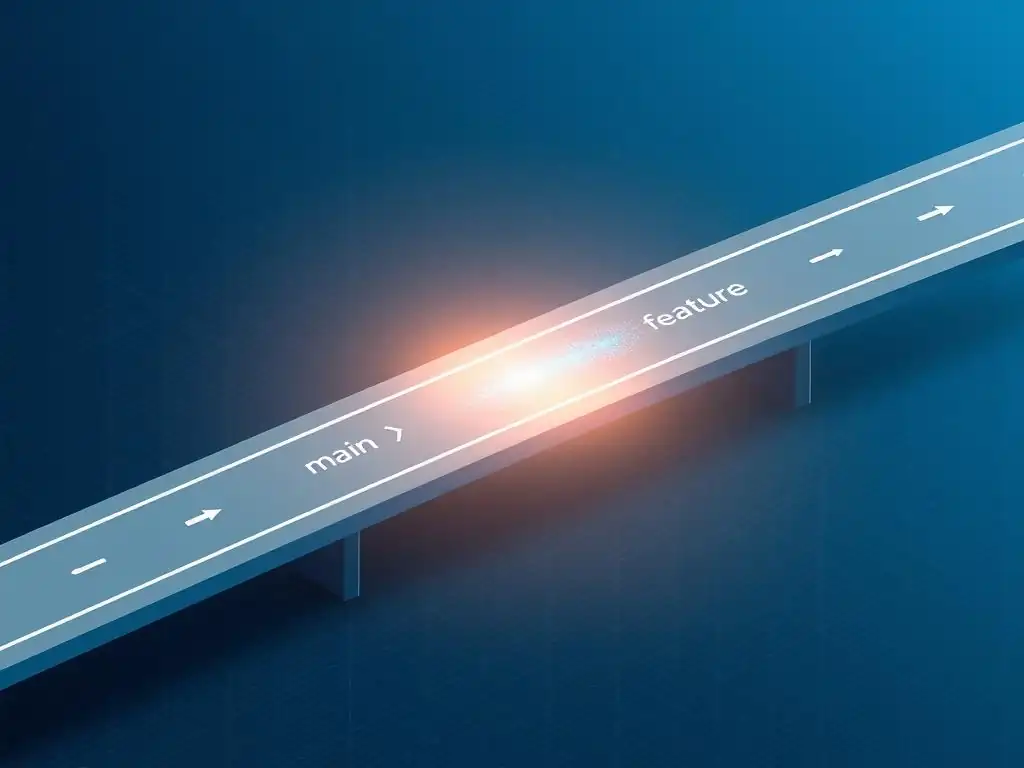
In Git, a fast-forward merge is a type of merge operation that occurs when the branch you are merging into (like main) has not diverged from the branch you are merging from (like a feature branch). Imagine your project's history as a straight line. When you create a new branch and add commits to it, you are essentially creating a parallel line of development. A fast-forward merge happens when you decide to bring the changes from your feature branch back into the main branch, and the main branch has not been updated since you branched off. Git simply "moves" the tip of the main branch forward to the latest commit of your feature branch. This results in a linear project history, which can be very clean and easy to follow, especially for smaller projects or individual developers.
The primary reason to use a fast-forward merge is its simplicity and the clean, linear history it creates. It avoids creating an extra "merge commit" that is typical of other merge types, thus keeping the commit history straightforward. This makes it easier to track changes and understand the project's evolution over time. For developers working on personal projects or in small teams with simple workflows, fast-forward merges are often sufficient and preferred because they reduce visual clutter in the commit history and simplify the overall Git management process.
The Benefits of Fast-Forward Merges for Simpler Git Management
Fast-forward merges offer several key benefits that contribute to simpler Git management. Firstly, as mentioned, they maintain a linear project history. This linearity makes it significantly easier to understand the sequence of changes and how the project evolved. When looking at the commit history, you can clearly see the progression of features and bug fixes without the distraction of merge commits cluttering the timeline. This is especially advantageous when reviewing the project history for debugging or understanding past decisions.
Secondly, fast-forward merges are incredibly straightforward to execute. The process is typically just a single command if conditions are right, making it less error-prone, especially for beginners. This simplicity reduces the cognitive load on developers, allowing them to focus more on development tasks rather than wrestling with complex Git operations. For personal projects or smaller teams where workflow simplicity is paramount, the ease of use and the clean history provided by fast-forward merges can significantly enhance productivity and reduce the overhead of version control management.
Git Fast-Forward Merge Tutorial: Step-by-Step Instructions
Prerequisites: Setting Up Your Git Repository for Fast-Forward Merges
Before you can perform a fast-forward merge, you need to have a Git repository set up. If you haven't already, initialize a new Git repository in your project directory by running git init in your terminal. Alternatively, if you are working on an existing project managed by Git, ensure you are in the root directory of your repository. To check the current status of your repository and confirm you are in the correct directory, use the command git status. This command will show you the current branch you are on and whether there are any pending changes.
Next, it's crucial to ensure your main branch (typically main or master) is up-to-date before starting any feature development. Navigate to your main branch using git checkout main (or git checkout master). Then, fetch the latest changes from the remote repository using git pull origin main (or git pull origin master). This step is vital because a fast-forward merge requires your target branch to be directly ahead of or at the same point as the branch you are merging. If your local main branch is behind the remote, pulling will bring it up to date and set the stage for a successful fast-forward merge.
Creating a New Branch for Feature Development
Once your main branch is up-to-date, create a new branch for your feature development. This practice of using feature branches is fundamental to Git workflows and is highly recommended even for personal projects. To create and switch to a new branch, use the command git checkout -b feature-branch-name. Replace feature-branch-name with a descriptive name for your branch, such as fix-login-bug or implement-user-profile. Branch names should be concise and clearly indicate the purpose of the branch.
Working on a dedicated feature branch isolates your changes, preventing them from directly affecting the main branch until you are ready to merge. This isolation is crucial for maintaining a stable main branch and allows you to experiment and develop features without disrupting the primary codebase. After creating your branch, Git automatically switches you to this new branch, allowing you to begin working on your feature or bug fix. You can verify you are on the correct branch by running git branch --show-current, which will display the name of your active branch.
Committing Changes to Your Feature Branch
After making changes to your project on your feature branch, you need to stage and commit these changes. First, stage the changes you want to include in your commit using git add . (to stage all changed files) or git add <file-name> (to stage specific files). It's good practice to review the changes you are about to commit using git status to ensure you are adding only the intended modifications.
Once you have staged your changes, commit them using the command git commit -m "Your descriptive commit message". Replace "Your descriptive commit message" with a clear and concise message summarizing the changes you made in this commit. Well-written commit messages are essential for maintaining a clear and understandable project history. They help you and other collaborators (if any) quickly grasp the purpose and context of each change. Commit frequently and with meaningful messages as you develop your feature.
Performing a Fast-Forward Merge: The git merge Command
To perform a fast-forward merge, you first need to switch back to the target branch, which is usually your main branch. Use the command git checkout main (or git checkout master). Ensure your main branch is still up-to-date by running git pull origin main again just before merging, especially if some time has passed since you last updated it. This step is crucial to guarantee a fast-forward merge is possible.
Once you are on your main branch and it is up-to-date, initiate the merge using the command git merge feature-branch-name. Replace feature-branch-name with the name of the branch you want to merge into main. If the conditions for a fast-forward merge are met (i.e., the main branch has not diverged since you branched off), Git will perform a fast-forward merge. You will see a message in your terminal indicating that a fast-forward merge has occurred, and the tip of your main branch will now point to the same commit as your feature branch.
Verifying the Fast-Forward Merge: Checking Your Git History
After performing the merge, it's important to verify that a fast-forward merge indeed occurred and that your Git history is as expected. You can check the commit history using the command git log --oneline --graph --decorate. This command displays a simplified, graphical representation of your commit history, showing branches and commit relationships in a linear fashion for fast-forward merges.
In a successful fast-forward merge, you will notice that there is no separate merge commit. Instead, the commits from your feature branch are now directly integrated into the main branch history in a linear sequence. The branch labels (like main and feature-branch-name) will indicate that they are now pointing to the same commit. This clean, linear history is a hallmark of a fast-forward merge and confirms that the operation was successful in maintaining a simple and easy-to-follow project timeline.
Fast-Forward Merge vs. Three-Way Merge: Choosing the Right Approach
When to Use Fast-Forward Merge: Ideal Scenarios
Fast-forward merges are ideally suited for scenarios where you want to maintain a clean, linear project history and when the target branch has not diverged from the feature branch since it was created. This situation is most common in personal projects or in small teams with straightforward workflows where feature branches are short-lived and merged back into the main branch relatively quickly.
If you are the sole developer or part of a small team where branches are frequently integrated and the main branch remains mostly untouched during feature development, fast-forward merges are often the most efficient and visually appealing option.
Specifically, consider using fast-forward merges when you are working on isolated features or bug fixes in dedicated branches and want to integrate these changes into the main branch without creating extra merge commits. For instance, in a personal blog project, if you create a branch to add a new blog post and then merge it back into the main branch after writing and reviewing the post, a fast-forward merge would be perfectly appropriate and maintain a clean, chronological history of your blog's development.
Understanding Three-Way Merges and Their Use Cases
In contrast to fast-forward merges, three-way merges are necessary when the target branch (e.g., main) has diverged from the feature branch since the feature branch was created. This divergence typically happens when other developers have made changes to the main branch while you were working on your feature branch. In such cases, Git cannot simply "move" the main branch pointer forward because there are new commits on the main branch that are not present in the feature branch. Instead, Git needs to create a new "merge commit" that combines the changes from both the feature branch and the main branch.
Three-way merges are essential for collaborative development environments where multiple developers are working on different features concurrently and integrating their changes into a shared branch like main. They are crucial for handling parallel development streams and ensuring that all changes are properly incorporated. For instance, in a larger software project, if several developers are working on different features simultaneously and regularly merging their changes into the main branch, three-way merges become the standard and necessary approach to manage these concurrent changes and integrate them effectively.
Comparing Fast-Forward and Three-Way Merges: A Detailed Analysis
The fundamental difference between fast-forward and three-way merges lies in how they handle the commit history and when they are applicable. Fast-forward merges result in a linear history, keeping the commit timeline clean and straightforward, and are suitable for simple workflows where the target branch remains unchanged during feature development. They avoid creating extra merge commits, which simplifies history tracking. However, they are only possible when the target branch is directly an ancestor of the branch being merged.
Three-way merges, on the other hand, create a non-linear history with explicit merge commits. This approach is necessary when the target branch has diverged, indicating parallel development. While they introduce merge commits into the history, which some might consider less "clean," they accurately represent the branching and merging points in a collaborative development process.
Three-way merges are essential for complex projects and team environments where concurrent development is the norm, and they provide a clear record of when and how different branches were integrated, even if it results in a slightly more complex commit graph. The choice between them depends largely on the project's complexity, team size, and the desired level of historical detail versus simplicity.
Advantages and Disadvantages of Using Fast-Forward Merges
The Pros of Fast-Forward Merges: Simplicity and Linearity
The primary advantage of fast-forward merges is their simplicity. They are easy to understand and execute, especially for developers new to Git. The process usually involves a single git merge command, provided the prerequisites are met. This simplicity reduces the chances of errors during merging and streamlines the workflow, particularly for personal projects and small teams.
Another significant benefit is the linear commit history they produce. This linearity makes it much easier to trace the project's evolution over time. When reviewing the commit history, you can follow a straight line of development, making it simpler to understand when and how features were added or bugs were fixed. This clean history is invaluable for debugging, auditing, and generally comprehending the project's timeline. For projects where historical clarity and simplicity are paramount, fast-forward merges are an excellent choice.
The Cons of Fast-Forward Merges: Potential History Loss
Despite their advantages, fast-forward merges also have a notable drawback: they can lead to a loss of branch history. Because a fast-forward merge simply moves the branch pointer without creating a merge commit, it effectively "hides" the fact that feature branches were ever used. After a fast-forward merge, the commit history appears as if all development happened directly on the main branch.
This lack of explicit branch history can be a disadvantage in scenarios where you want to preserve a clear record of feature branches and their lifecycles. For teams that rely on branch history to track feature development, understand team contributions, or revert specific features easily, fast-forward merges might not be ideal. In such cases, the merge commit created by a three-way merge acts as a marker, clearly indicating where a feature branch was integrated, which is information lost in a fast-forward merge.
Fast-Forward Merges and Branching Strategies: Best Practices
To effectively use fast-forward merges, especially in team environments, it's essential to adopt appropriate branching strategies. Fast-forward merges are best suited for simpler, centralized workflows, often involving short-lived feature branches. One common strategy is to use feature branches for small, isolated tasks that are quickly merged back into the main branch. This approach minimizes the chance of the main branch diverging and maximizes the applicability of fast-forward merges.
In collaborative settings, it's crucial to encourage frequent integration and communication among team members. Regular merging of feature branches back into the main branch, ideally after code reviews and testing, helps maintain a linear history and reduces the need for complex merge resolutions later on. For teams aiming for a very clean and linear history and prioritizing simplicity, fast-forward merges can be a valuable tool when combined with disciplined branching practices and frequent integration. However, for more complex workflows or teams requiring detailed branch history, other merge strategies like three-way merges or even squash merges might be more appropriate.
Fast-Forward Merge in Git: Practical Examples for Personal Projects
Example 1: Merging a Bug Fix Branch
Imagine you are working on your personal website and discover a bug on the contact form. You decide to create a branch to fix it. First, you create a branch named fix-contact-form-bug from your main branch. After diagnosing and fixing the bug, you commit your changes to this branch.
git checkout main
git checkout -b fix-contact-form-bug
# ... fix the bug ...
git add .
git commit -m "Fix: Contact form submission bug"
Now, to merge this bug fix back into your main branch using a fast-forward merge, you first switch back to the main branch and then merge:
git checkout main
git merge fix-contact-form-bug
Since the main branch hasn't changed since you created the fix-contact-form-bug branch, Git performs a fast-forward merge. Your main branch is now updated with the bug fix commit, and your commit history remains linear and clean.
Example 2: Integrating a New Feature into the Main Branch
Let's say you are adding a new "About Us" section to your personal portfolio website. You create a feature branch called add-about-us-section from your main branch. You develop the new section, adding content, styling, and necessary code, and commit your changes to this feature branch.
git checkout main
git checkout -b add-about-us-section
# ... develop the "About Us" section ...
git add .
git commit -m "Feat: Implement 'About Us' section"
Once you are satisfied with the new section, you decide to merge it into your main branch. Again, assuming your main branch hasn't been modified in the meantime, you can perform a fast-forward merge:
git checkout main
git merge add-about-us-section
This fast-forward merge integrates the "About Us" section into your main branch, maintaining a linear history without creating a separate merge commit. This approach is ideal for personal projects where you want a simple and easy-to-follow commit timeline.
Streamlining Your Git Workflow with Fast-Forward Merges
For personal projects and simple workflows, fast-forward merges can significantly streamline your Git process. By consistently using feature branches for isolated tasks and merging them back into the main branch using fast-forward merges, you can maintain a clean and linear project history. This approach simplifies commit history reviews, makes it easier to understand the project's evolution, and reduces the visual clutter often associated with more complex merge strategies.
To maximize the benefits, ensure your main branch is always up-to-date before creating feature branches and merge feature branches back frequently. This practice minimizes the chances of divergence and ensures that fast-forward merges remain applicable. For individual developers or small teams prioritizing simplicity and a linear history, incorporating fast-forward merges into their regular workflow can lead to a more organized and manageable Git repository.
Troubleshooting Common Issues with Fast-Forward Merges
Resolving Conflicts During a Fast-Forward Merge (Rare Cases)
Generally, fast-forward merges do not involve merge conflicts because they are designed for scenarios where the target branch has not diverged. However, in rare cases, especially if you are working in a slightly more complex environment or have misunderstood the state of your branches, you might encounter a situation that appears like a conflict during a fast-forward merge attempt. This usually happens when Git cannot perform a simple fast-forward because the target branch is not directly ahead of or at the same point as the source branch anymore, even if it seems like it should be.
If you encounter a message suggesting a conflict during what you expected to be a fast-forward merge, the first step is to double-check the status of your branches. Use git status and git log --oneline --graph --decorate to visually inspect your branch history and understand where the branches might have diverged unexpectedly. Often, this situation arises from mistakenly updating the target branch separately or not pulling the latest changes before attempting the merge. In such cases, resolving the "conflict" usually involves ensuring your target branch is indeed up-to-date with the remote repository and then re-attempting the merge. In most genuine fast-forward scenarios, actual conflicts are not expected.
Recovering from an Accidental Non-Fast-Forward Merge
It's possible to unintentionally perform a three-way merge when you intended a fast-forward merge, especially if the conditions for a fast-forward merge were not met. This usually results in an extra merge commit in your history, which you might want to avoid if you are aiming for a purely linear history. If you realize you have accidentally created a merge commit when you wanted a fast-forward merge, the recovery process depends on whether you have already pushed these changes to a remote repository.
If you haven't pushed the changes, you can potentially undo the merge commit and attempt a fast-forward merge again, provided you can adjust the branch states to allow for it. This might involve resetting your main branch to a point before the merge and then re-applying the changes from your feature branch in a way that allows for a fast-forward. However, this process can be complex and potentially risky, especially for beginners.
If you have already pushed the changes, altering the history becomes more complicated and is generally discouraged in collaborative environments. In personal projects, if you are comfortable with Git history manipulation, you might consider techniques like rebasing to achieve a linear history, but proceed with caution and ensure you understand the implications before rewriting history, especially if it involves public repositories.
Best Practices for Avoiding Merge Conflicts with Fast-Forward
To minimize the chances of encountering any issues, including unexpected conflicts or accidentally performing non-fast-forward merges when aiming for fast-forward merges, adhere to best practices. Firstly, always ensure your target branch (typically main) is up-to-date before starting any feature development and immediately before attempting a merge. Regularly use git pull origin main to keep your local main branch synchronized with the remote.
Secondly, keep feature branches short-lived and focused on specific, isolated tasks. Merge feature branches back into the main branch frequently. The shorter the lifespan of a feature branch, the less likely the main branch is to diverge, thus increasing the likelihood of successful fast-forward merges. For personal projects, this disciplined approach to branching and merging, combined with regular synchronization with the remote repository, will significantly reduce the potential for any merge-related issues and help maintain a clean, linear, and easy-to-manage Git history.
Advanced Git Merge Techniques: Beyond Fast-Forward
Exploring Alternative Merge Strategies in Git
While fast-forward merges are excellent for simple workflows and maintaining a linear history, Git offers other merge strategies that are essential for more complex projects and collaborative environments. The most common alternative is the three-way merge, which, as discussed earlier, is crucial for handling diverged branches and creating explicit merge commits. Beyond three-way merges, Git also provides strategies like squash merges and recursive merges, each serving different purposes and offering varying levels of history preservation and workflow flexibility.
Squash merges, for example, combine all commits from a feature branch into a single commit on the target branch. This strategy results in a linear history but simplifies it by collapsing the detailed commit history of the feature branch into one commit. Recursive merges are often used in more complex scenarios, particularly when dealing with submodules or when Git needs to resolve intricate merge scenarios. Understanding these different merge strategies allows developers to choose the most appropriate method for their specific project needs and workflow preferences.
When to Consider Squash Merges or Rebasing
Squash merges are particularly useful when you want to keep the main branch history clean and concise, focusing on high-level changes rather than the detailed commit history of each feature branch. This approach is often favored in projects where the granularity of feature branch commits is less important in the main branch history. For instance, when merging a large feature that involved many intermediate commits, squashing them into a single commit on the main branch can make the main branch history easier to navigate and understand at a glance.
Rebasing, while not strictly a merge strategy, is another powerful technique that alters commit history to achieve a linear project timeline. Rebasing involves moving the starting point of a branch to the tip of another branch, effectively replaying the commits of the first branch on top of the second. Rebasing can be used to "clean up" commit history before merging, making the history appear as if all changes were developed sequentially.
However, rebasing rewrites history and should be used with caution, especially in collaborative environments, as it can cause confusion and conflicts if not handled carefully. Both squash merges and rebasing offer alternatives to traditional merges and can be valuable tools for managing Git history in specific situations.
Integrating Fast-Forward Merges into a Comprehensive Git Workflow
Fast-forward merges can be effectively integrated into a broader Git workflow, especially for parts of a project that benefit from a simple, linear history. While fast-forward merges might be the default for personal projects or small, isolated features, a comprehensive Git workflow might incorporate a mix of merge strategies depending on the context. For larger features or collaborative development, three-way merges or even squash merges might be more appropriate to preserve branch history or simplify the main branch history.
A well-rounded Git workflow often involves a combination of branching strategies (like Gitflow or GitHub Flow) and merge techniques. For example, in a GitHub Flow-based workflow, short-lived feature branches can be fast-forward merged into the main branch for smaller features or bug fixes, while larger features or releases might use three-way merges or squash merges to better manage history and releases. The key is to understand the strengths and weaknesses of each merge strategy and choose the most suitable approach for different types of changes and project phases. A flexible and informed approach to Git merging is crucial for efficient and effective version control in any software development project.
Conclusion: Mastering Git Merges for Efficient Development
Key Takeaways: Understanding and Utilizing Fast-Forward Merges
Fast-forward merges are a fundamental and valuable tool in Git, particularly for personal projects and simpler development workflows. They provide a straightforward way to integrate changes from feature branches into a target branch while maintaining a clean, linear commit history. This simplicity makes them easy to use and understand, especially for beginners. The key benefits of fast-forward merges include a clear and uncluttered project timeline, ease of execution, and reduced visual complexity in the commit history.
However, it's also important to recognize the limitations of fast-forward merges. They can lead to a loss of explicit branch history, which might be crucial in some collaborative environments. They are best suited for scenarios where the target branch has not diverged and where a linear history is desired. Understanding when and how to use fast-forward merges, as well as their advantages and disadvantages compared to other merge strategies like three-way merges, is essential for mastering Git and optimizing your development workflow.
Next Steps: Expanding Your Git Knowledge and Skills
To further enhance your Git skills beyond fast-forward merges, explore other merge strategies like three-way merges, squash merges, and recursive merges. Delve into more advanced Git concepts such as rebasing, cherry-picking, and reflog to gain a deeper understanding of Git's capabilities and history manipulation techniques. Experiment with different branching strategies like Gitflow or GitHub Flow to learn how to manage more complex development workflows and collaborative projects effectively.
Practice regularly with Git, both in personal projects and team settings, to solidify your understanding and develop practical experience. Explore online resources, tutorials, and documentation to continually expand your knowledge and stay updated with best practices in Git and version control. Mastering Git is an ongoing journey, and continuously learning and practicing will significantly improve your efficiency and effectiveness as a developer.
Frequently Asked Questions
What is a fast-forward merge in Git?
A fast-forward merge in Git occurs when the branch you're merging into is directly behind the branch you're merging from. In this scenario, Git simply moves the target branch pointer forward to the latest commit of the source branch, resulting in a linear history. There is no merge commit created.
When is a fast-forward merge suitable?
Fast-forward merges are best suited for personal projects or when working on a branch that has diverged from the main branch but hasn't had any new commits added to the main branch since the branch was created. It's ideal for keeping history clean and easy to follow.
How do I perform a fast-forward merge in Git?
Typically, if the conditions are met, Git will perform a fast-forward merge automatically when you use the git merge command. You first need to checkout the target branch (e.g., git checkout main) and then run git merge <feature-branch>.
Can I prevent a fast-forward merge?
Yes, you can prevent a fast-forward merge by using the --no-ff option with the git merge command. This will force Git to create a merge commit, even if a fast-forward is possible, preserving the branch's history.
What are the advantages and disadvantages of using fast-forward merges?
The advantage is a cleaner, linear history. The disadvantage is that it can lose the context of when a feature branch was created, making it harder to track specific feature development over time.
Final Reflection: Embracing Simplicity in Version Control
The principles of a fast-forward merge, as explored in this tutorial, might seem like a small detail in the vast world of Git, but their impact on personal projects and streamlined workflows is undeniable. This simplicity, this directness, is precisely what makes Git accessible and empowering for individuals and small teams. In a world often overwhelmed by complexity, the elegance of a fast-forward merge offers a refreshing reminder that effective version control doesn't always require intricate maneuvers.
The beauty of the fast-forward merge lies in its ability to maintain a clean and linear history, making it easier to understand the evolution of a project. This clarity is invaluable, especially when revisiting code months or even years later. It's a testament to the power of choosing the right tool for the job, prioritizing readability and maintainability. Simplicity is the ultimate sophistication.
- Leonardo da Vinci. This quote resonates deeply with the fast-forward merge, highlighting how a straightforward approach can often be the most effective and elegant solution.
As you embark on your coding journey, remember the lessons of the fast-forward merge. Embrace simplicity, prioritize clarity, and choose the tools that empower you to work efficiently and effectively. Let this tutorial serve as a reminder that even the smallest details, when mastered, can contribute to a more enjoyable and productive development experience. Reflect on how you can apply these principles not only to your Git workflows, but also to other areas of your life, striving for clarity and simplicity in all that you do.
Master Your Git Workflow: Dive Deeper!
Thank you for exploring the power of Fast-Forward Merges! We hope you now have a clearer understanding of how this streamlined approach can benefit your personal projects and simpler workflows. Now, let's put that knowledge into action!
Here are a few ways to solidify your understanding and enhance your Git skills:
- Experiment with a Fast-Forward Merge in your own repository. This is the best way to truly grasp the concept and see its benefits firsthand.
- Explore other branching strategies, like merge commits or rebasing, to broaden your Git expertise and choose the right tool for more complex projects.
- Share this article with fellow developers who might benefit from a simpler Git workflow!
What's the first project where you'll leverage the simplicity of a Fast-Forward Merge? Share your plans in the comments below!