
From Bug Report to Bug Fix: The Efficient Git Bisect Path

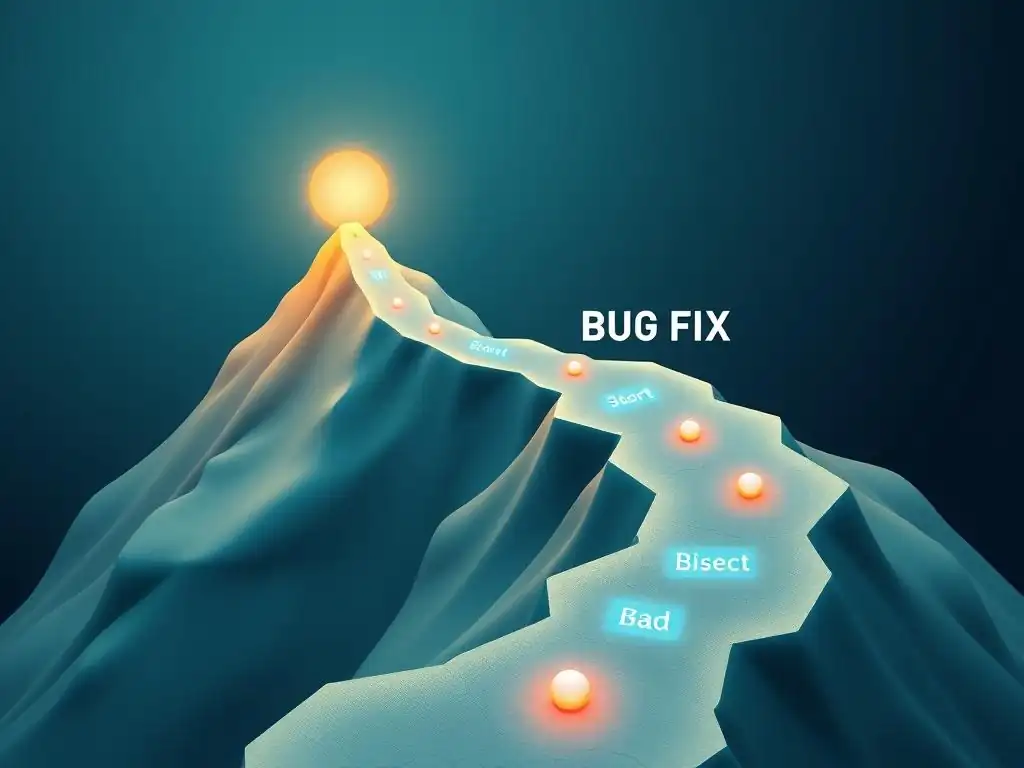
Welcome to the Git and Version Control Hub, your ultimate resource for conquering Git and version control!
Ever spent countless hours tracking down a pesky bug introduced somewhere in your project's history? Our efficient git bisect tutorial unveils a powerful technique to dramatically streamline this process. Discover how to pinpoint the exact commit responsible for the error, saving you precious time and frustration. Ready to become a Git detective? Dive in and unlock the secrets of git bisect!
Introduction to Efficient Bug Hunting with Git Bisect
Understanding the Power of Git Bisect for Bug Localization
Imagine you've just received a bug report for a feature that was working perfectly a few weeks ago. You know the bug exists in the current version, but pinpointing exactly when and where it was introduced feels like searching for a needle in a haystack. Manually going through each commit, testing, and reverting changes would be incredibly time-consuming and inefficient. This is where git bisect shines. Git Bisect is a powerful Git command that helps you efficiently locate the commit that introduced a bug by automating a binary search through your commit history. Instead of manually checking hundreds or even thousands of commits, Git Bisect drastically reduces the search space, often finding the culprit commit in just a handful of steps. This tool is invaluable for developers seeking an efficient bug-finding methodology within their Git workflow.
Git Bisect operates on the principle of divide and conquer. It requires you to identify a "bad" commit (where the bug is present) and a "good" commit (where the bug is absent). Once you provide these starting points, Git Bisect checks out a commit halfway between the "good" and "bad" commits. You then test this commit to see if the bug exists.
Based on your assessment – whether the bug is present or absent in this middle commit – Git Bisect intelligently narrows down the range of commits to search. This process repeats, halving the search space with each step, until you are left with the single commit that introduced the bug. This efficient process makes Git Bisect an indispensable tool for any developer aiming to master efficient bug resolution techniques.
Why an Efficient Git Bisect Workflow is Crucial
In the fast-paced world of software development, time is a precious commodity. Bug fixing, while essential, can be a significant drain on development time, especially when the source of the bug is elusive. Without an efficient workflow, developers can spend hours, even days, manually debugging and stepping through code to find the root cause of an issue.
An efficient Git Bisect workflow directly addresses this challenge by significantly reducing the time spent on bug localization. By automating the process of searching through commit history, Git Bisect allows developers to quickly pinpoint the problematic commit and focus their attention on understanding and fixing the bug itself, rather than wasting time on a manual, exhaustive search.
Moreover, an efficient Git Bisect workflow improves the overall quality and stability of software projects. Faster bug localization means quicker bug fixes and faster release cycles. When bugs are resolved efficiently, development teams can maintain momentum, reduce technical debt, and deliver more reliable software.
Integrating Git Bisect into the standard debugging process empowers developers to handle bug reports proactively and systematically. This proactive approach not only saves time but also contributes to a more robust and maintainable codebase in the long run. Therefore, mastering an efficient Git Bisect tutorial is not just about learning a command; it's about adopting a crucial practice for professional software development.
Frequently Asked Questions
What is git bisect and why is it useful?
git bisect is a powerful Git command that helps you quickly identify the commit that introduced a bug. It uses a binary search algorithm to efficiently narrow down the commit range. This significantly reduces the manual effort of checking each commit.
How does git bisect actually work?
git bisect works by repeatedly checking out commits and asking you if they are "good" (bug-free) or "bad" (contain the bug). Based on your input, it narrows the range of commits it needs to check. This process continues until the faulty commit is found.
What's an "efficient" git bisect tutorial mean?
An efficient tutorial focuses on strategies to streamline the git bisect process. This includes using automated testing, knowing how to handle merge commits, and leveraging helper scripts to reduce manual intervention and speed up the bug hunt.
What are some common challenges when using git bisect?
One challenge is dealing with merge commits where the bug might have been introduced in either branch. Another is the need for reliable "good" and "bad" tests. Finally, bisecting can be time-consuming if you don't automate the process.
Can git bisect be used with automated tests?
Yes! Integrating git bisect with automated tests is highly recommended for efficiency. You can write a script that automatically determines if a commit is "good" or "bad" based on the test results, eliminating the need for manual checks.
Final Reflection: Embracing Precision in Problem Solving
The journey from a frustrating bug report to a satisfying bug fix, as illuminated by the efficient Git bisect tutorial, speaks to a broader truth about problem-solving in the digital age. What was once a daunting task of manual code inspection can now be approached with surgical precision, thanks to tools like git bisect. This shift not only saves valuable time and resources but also empowers developers to tackle complex issues with confidence and clarity.
The power of git bisect extends beyond the realm of software development; it underscores the importance of methodical investigation and the beauty of algorithmic efficiency. The ability to pinpoint the exact commit that introduced a bug is a testament to the meticulous record-keeping inherent in Git and a powerful reminder that even the most complex systems can be understood through careful analysis. Give me six hours to chop down a tree and I will spend the first four sharpening the axe.
- Abraham Lincoln. This quote perfectly encapsulates the value of preparation and the strategic advantage gained from employing the right tools for the job.
Now, consider how you can apply the principles of git bisect – the systematic reduction of complexity, the relentless pursuit of the root cause – to challenges in your own life. Whether it's debugging a software application or untangling a personal problem, remember the power of methodical investigation. Embrace the tools available to you, sharpen your analytical skills, and approach every obstacle with the unwavering belief that a solution, however elusive, is within reach.
Unearth the Root Cause: Conquer Bugs with Git Bisect!
Thank you for exploring efficient bug hunting with Git bisect! Now that you've learned how to pinpoint problematic commits, it's time to apply this knowledge. Let's turn those bug reports into swift bug fixes!
Here are a few ways to get started:
- Master the
git bisectWorkflow: Practice usinggit bisecton a recent bug in one of your projects. Hands-on experience is key to mastering this powerful tool. - Explore Advanced Techniques: Delve deeper into advanced
git bisecttechniques, such as using custom search criteria, to refine your bug-hunting strategy. - Share Your Success: Help others by sharing your experience using
git bisect. Comment with a brief account of a bug you tracked down and howgit bisecthelped you resolve it!
What challenging bug are you tackling with Git bisect this week?