
Open Source Git Mastery: Collaborative Workflows for Community Projects

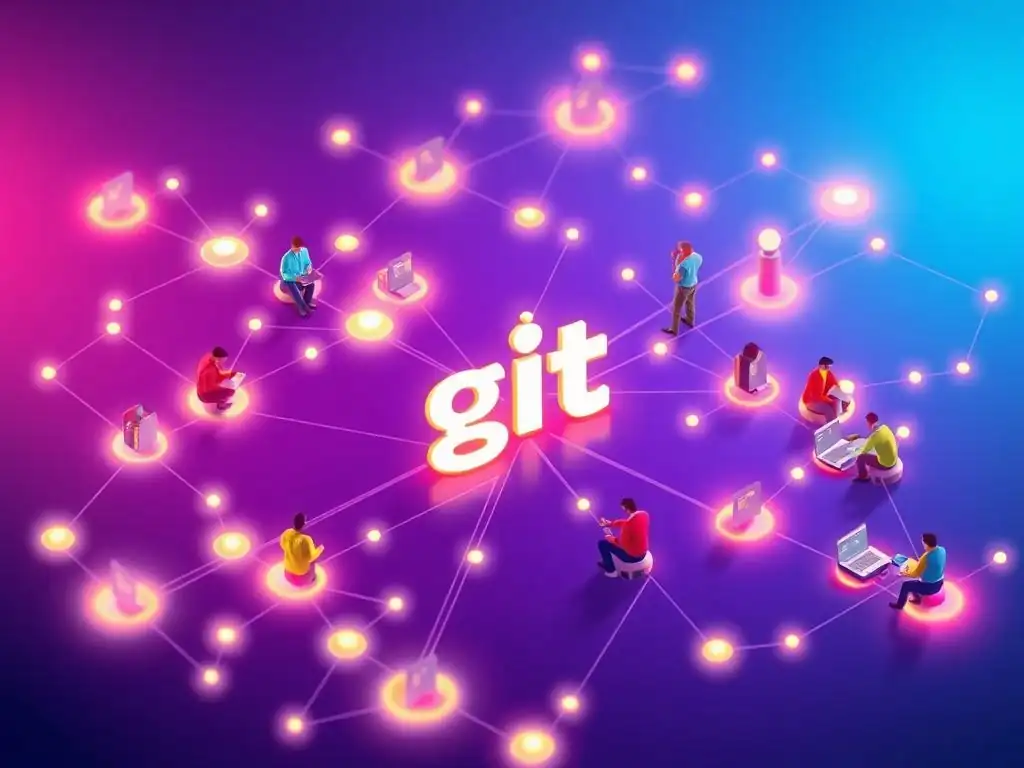
Welcome to Git and Version Control Hub, your go-to resource for mastering Git and unlocking the power of collaborative development! Are you ready to elevate your teamwork and build software more efficiently? Dive in and discover our comprehensive Collaborative Git Workflows Tutorial, designed to help you navigate the complexities of open-source projects and team-based development. Curious how to streamline your processes and contribute seamlessly to the community? Let's explore the future of software development, together!
Open Source Git Mastery: Collaborative Workflows for Community Projects
- Introduction: Mastering Collaborative Git Workflows for Open Source Projects
- Understanding the Challenges of Open Source Collaboration with Git
- Essential Git Workflow Models for Open Source Collaboration
- Setting Up Your Open Source Git Repository for Collaboration
- Practical Guide: Creating and Managing Pull Requests in Open Source
- Resolving Conflicts and Rebasing in Open Source Git
- Automating Open Source Git Workflows with CI/CD
- Advanced Open Source Git Techniques for Large Projects
-
Frequently Asked Questions
- What is a collaborative Git workflow and why is it important?
- What are some common types of collaborative Git workflows?
- How can Git help manage conflicts when multiple developers are working on the same file?
- What role do pull requests (or merge requests) play in collaborative Git workflows?
- How does branching contribute to effective collaborative Git workflows?
- Final Reflection: Embracing Collaborative Code
- Unleash Your Inner Collaborator!
Introduction: Mastering Collaborative Git Workflows for Open Source Projects
Open source projects thrive on community contributions, and Git, as the dominant version control system, is the backbone of this collaboration. Mastering collaborative Git workflows is paramount for any open source project seeking to efficiently manage contributions, maintain code quality, and foster a healthy community. This article serves as a comprehensive guide to understanding and implementing effective Git workflows tailored for the unique challenges and opportunities presented by open source development. We will explore various workflow models, essential setup steps, practical pull request management, conflict resolution strategies, and advanced automation techniques to empower your open source projects.
Understanding the Challenges of Open Source Collaboration with Git
Open source collaboration, while incredibly rewarding, presents distinct challenges compared to closed-source or in-house development. The distributed nature of open source teams, the varying skill levels of contributors, and the sheer scale of some projects necessitate robust and adaptable Git workflows. Successfully navigating these challenges is crucial for maintaining project stability, encouraging participation, and ensuring the long-term health of the open source endeavor. Understanding these unique hurdles is the first step towards implementing Git workflows that truly facilitate effective and scalable open source collaboration.
The Problem: Scalable Collaboration in Open Source Git Projects
Open source projects, by their very nature, aim for broad participation. This inherent openness, while a strength, presents a significant challenge: scalability. Unlike closed-source projects with defined teams and hierarchies, open source projects can attract contributions from individuals around the globe, with varying levels of experience and understanding of the project's codebase. Without well-defined collaborative Git workflows, managing contributions effectively becomes incredibly difficult, potentially leading to chaos and hindering project progress.
Imagine an open source project attracting hundreds of contributors. If each contributor were to directly push changes to the main branch, the project would quickly become unmanageable. Code quality could plummet, conflicts would become rampant, and it would be nearly impossible to track changes or maintain a stable codebase.
Therefore, structured collaborative Git workflows are not just beneficial but essential for open source projects to thrive. These workflows provide the necessary framework for managing contributions, ensuring code quality, and maintaining project stability as the community and codebase grow. They act as the backbone for scalable collaboration in the open source realm.
Essential Git Workflow Models for Open Source Collaboration
Choosing the right Git workflow model is a foundational decision for any open source project. Different workflows offer varying levels of structure, flexibility, and complexity, each with its own advantages and disadvantages in the context of open source collaboration. Selecting a model that aligns with the project's size, community dynamics, and development goals is critical for establishing an efficient and sustainable contribution process. Let's explore some of the most popular and effective Git workflow models tailored for open source environments.
GitHub Flow for Streamlined Open Source Contributions
GitHub Flow is a lightweight, branch-based workflow designed for continuous deployment and is particularly well-suited for open source projects that prioritize simplicity and rapid iteration. At its core, GitHub Flow revolves around a single main branch representing the production-ready state. When a contributor wants to work on a feature or bug fix, they create a new branch branched off from main. This branch is dedicated to their specific change and should be named descriptively.
The workflow is straightforward: developers create branches for changes, commit their work to these branches, and then open pull requests (PRs) against the main branch. Code review is a central tenet, with PRs serving as the primary mechanism for discussion and quality assurance. Once a PR is reviewed and approved, the branch is merged back into main and typically deployed immediately. GitHub Flow's simplicity makes it exceptionally accessible for new contributors and encourages frequent, small contributions, fostering a dynamic and collaborative open source environment. Projects like many web applications and smaller libraries often find GitHub Flow to be an ideal choice due to its agility and low overhead.
GitLab Flow for a More Structured Open Source Environment
GitLab Flow builds upon the principles of GitHub Flow but introduces more structure and flexibility, particularly beneficial for larger or more complex open source projects requiring different environments and release cycles. While GitHub Flow primarily focuses on continuous deployment to a single production environment, GitLab Flow accommodates scenarios with multiple environments like staging and production, or projects following more defined release schedules. It achieves this by introducing environment branches, such as main for production-ready code, and potentially pre-production or staging branches for testing and stabilization.
In GitLab Flow, feature branches are still created off main, and pull requests (or merge requests in GitLab terminology) are used for review. However, instead of directly merging into main, changes are first merged into an environment branch, for example, pre-production. After successful testing in the pre-production environment, the changes are then merged into main for production deployment. This layered approach provides better control over releases and allows for more rigorous testing and stabilization phases, especially valuable for open source projects with stricter quality requirements or complex deployment processes. GitLab Flow offers a good balance between simplicity and structure, making it a versatile choice for a wide range of open source projects.
Gitflow: A Powerful but Complex Open Source Workflow
Gitflow is a more comprehensive and feature-rich Git workflow designed for projects with scheduled releases and a need to manage hotfixes and releases concurrently. While potentially overkill for smaller, rapidly iterating open source projects, Gitflow can be advantageous for larger projects with established release cycles, such as open source software libraries or frameworks with versioned releases. Gitflow introduces several persistent branches beyond main, most notably develop and release branches, in addition to feature and hotfix branches.
The develop branch serves as the integration branch for all new features. Feature branches are branched from develop and, upon completion, merged back into develop. When a release is planned, a release branch is created from develop. This branch is used for final stabilization and bug fixing for the upcoming release. Once the release is ready, the release branch is merged into both main (tagged with the release version) and develop. Hotfixes, for addressing critical bugs in production, are branched directly from main, merged back into both main and develop, and also tagged. Gitflow provides a robust framework for managing complex release cycles and hotfixes, but its complexity can be a barrier for new contributors and may introduce unnecessary overhead for simpler open source projects. Its adoption should be carefully considered based on the project's specific needs and community dynamics.
Setting Up Your Open Source Git Repository for Collaboration
A well-configured Git repository is the foundation for effective open source collaboration. Beyond choosing a workflow, setting up the repository with appropriate permissions and guidelines is crucial for fostering a welcoming and productive environment for contributors. This involves configuring branch protections to safeguard critical branches and creating clear contribution guidelines to onboard new contributors and streamline the contribution process. These setup steps are essential for maintaining repository integrity and promoting healthy community participation.
Configuring Branch Protections in GitHub/GitLab
Branch protections are a vital feature in platforms like GitHub and GitLab for safeguarding the integrity of critical branches, such as main or develop, in open source projects. They allow project maintainers to enforce rules on who can push to these branches and under what conditions, preventing accidental or malicious changes that could destabilize the project. Common branch protection settings include requiring pull request reviews before merging, enforcing status checks (like CI/CD pipelines), and restricting direct pushes to protected branches.
For example, in GitHub, you can enable branch protection for the main branch, requiring at least one approving review from a project maintainer before a pull request can be merged. You can also configure it to require all status checks to pass, ensuring that automated tests and linters are successful before code is integrated. Furthermore, you can restrict who can push directly to main, typically limiting it to project maintainers. These protections are crucial for maintaining code quality, preventing accidental breakages, and establishing a controlled and reliable contribution process, particularly in open source projects where contributions come from a diverse range of individuals. Properly configured branch protections are a cornerstone of secure and scalable open source collaboration.
Creating a CONTRIBUTING.md File for Open Source Projects
A CONTRIBUTING.md file is an indispensable asset for any open source project seeking to encourage and streamline community contributions. This file, placed at the root of the repository, serves as the central guide for potential contributors, outlining the project's contribution process, coding standards, and community guidelines. A well-written CONTRIBUTING.md file significantly lowers the barrier to entry for new contributors and ensures consistency and quality across contributions.
Effective CONTRIBUTING.md files typically include sections on: how to set up the development environment, coding style guidelines (e.g., using linters, formatting conventions), the process for submitting bug reports and feature requests, the pull request workflow, and community conduct expectations. For instance, a project might specify the use of a particular code formatter like Prettier and detail the steps to run tests locally before submitting a pull request. Providing clear and concise instructions in CONTRIBUTING.md not only saves maintainers time by reducing repetitive questions but also fosters a more welcoming and professional environment for contributors, ultimately leading to increased and higher-quality contributions to the open source project.
Practical Guide: Creating and Managing Pull Requests in Open Source
Pull requests (PRs), or merge requests in GitLab, are the linchpin of collaborative Git workflows in open source projects. They provide a structured mechanism for contributors to propose changes, for maintainers to review and provide feedback, and for code to be integrated into the project's codebase. Mastering the art of creating and managing pull requests effectively is crucial for both contributors and maintainers in open source environments. This involves writing clear commit messages, conducting thorough code reviews, and engaging in constructive feedback to ensure high-quality contributions.
Writing Effective Commit Messages: A Guide for Open Source Contributors
Clear and concise commit messages are essential for maintaining a comprehensible and auditable Git history, particularly crucial in collaborative open source projects where numerous individuals contribute over time. Well-crafted commit messages not only explain what changes were made but also why they were made, providing valuable context for future developers (including your future self) trying to understand the project's evolution. Following established conventions for commit messages enhances readability and facilitates easier navigation through the commit history.
A widely adopted convention for commit messages includes a concise summary line (typically 50 characters or less) followed by a blank line and then a more detailed explanation if necessary. The summary line should use the imperative mood (e.g., "Fix bug...", "Add feature..."). For example, instead of "Fixed bug in login", a better summary would be "Fix: Resolve login authentication issue".
The body of the commit message can provide more context, explaining the problem being solved, the approach taken, and any relevant background information. Adopting these best practices for commit messages contributes significantly to the long-term maintainability and understandability of an open source project's codebase.
Code Review Best Practices for Open Source Git Projects
Code review is a cornerstone of effective collaborative Git workflows, especially in open source projects where maintaining code quality and consistency across contributions from diverse sources is paramount. Code reviews, conducted through pull requests, provide an opportunity for maintainers and other contributors to examine proposed changes, identify potential issues, and ensure that contributions align with the project's standards and goals. Effective code review processes are crucial for preventing bugs, improving code quality, and fostering knowledge sharing within the open source community.
Best practices for code review in open source include focusing on code clarity, correctness, and maintainability. Reviewers should provide constructive feedback, explaining the reasoning behind their suggestions and offering alternative solutions when necessary. It's important to maintain a respectful and collaborative tone during code reviews, recognizing that contributors are volunteering their time and effort.
Automated code analysis tools, such as linters and static analyzers, can also be integrated into the code review process to automatically identify potential style violations and bugs. By establishing a culture of thorough and constructive code review, open source projects can significantly enhance the quality and reliability of their codebase and foster a more collaborative and learning-oriented community.
Resolving Conflicts and Rebasing in Open Source Git
Merge conflicts are an inevitable part of collaborative Git workflows, particularly in open source projects with parallel contributions and frequent changes. Understanding how to effectively resolve these conflicts is a fundamental skill for open source contributors. Furthermore, the choice between rebasing and merging branches can significantly impact the project's Git history and collaboration style. Choosing the right approach based on the project's needs and community conventions is crucial for maintaining a clean and understandable repository.
Understanding and Resolving Merge Conflicts in Open Source Git
Merge conflicts arise when Git cannot automatically integrate changes from different branches, typically because the same lines of code have been modified in conflicting ways. In open source projects, where multiple contributors might be working on similar areas concurrently, merge conflicts are a common occurrence when integrating contributions through pull requests. Understanding how to identify, diagnose, and resolve these conflicts is an essential skill for any open source contributor.
When a merge conflict occurs, Git will mark the conflicting files, inserting special conflict markers ( <<<<<<<, =======, >>>>>>>) to delineate the conflicting sections from different branches. Resolving a merge conflict involves manually editing these files, choosing which changes to keep, modify, or discard to create a unified version of the code. Contributors typically need to examine the conflicting sections, understand the changes made in each branch, and decide on the desired outcome. After resolving the conflicts, the modified files need to be staged and committed to complete the merge process. Proficiently resolving merge conflicts ensures smooth integration of contributions and minimizes disruptions to the open source development workflow.
Rebasing vs. Merging: Choosing the Right Approach for Open Source
In collaborative Git workflows, particularly in open source, the choice between rebasing and merging branches when integrating changes is a significant decision that impacts the project's Git history and collaboration style. Both merging and rebasing achieve the goal of integrating changes from one branch into another, but they do so in fundamentally different ways, resulting in distinct Git histories. Understanding the implications of each approach is crucial for choosing the right strategy for an open source project.
Merging creates a new merge commit that explicitly records the integration of two branches. This preserves the history of all branches as they were developed, resulting in a more detailed but potentially more complex Git history with branching and merging points clearly visible. Rebasing, on the other hand, rewrites the commit history of the feature branch by reapplying its commits on top of the target branch (e.g., main). This results in a linear, cleaner Git history without merge commits, making it easier to follow the project's evolution in a straight line. However, rebasing modifies commit history, which can be controversial in collaborative environments if not used cautiously. For open source projects, merging is often preferred as it preserves the full history of contributions and is generally considered safer in collaborative settings, while rebasing might be used in specific scenarios, such as cleaning up local feature branches before submitting a pull request, but usually not on shared branches. The project's coding style and community conventions often dictate the preferred approach.
Automating Open Source Git Workflows with CI/CD
Automation plays an increasingly important role in modern software development, and open source projects are no exception. Continuous Integration and Continuous Delivery (CI/CD) pipelines can significantly streamline open source Git workflows by automating tasks such as building, testing, and even deployment upon code changes. Implementing CI/CD in open source projects not only improves efficiency but also enhances code quality and reduces the burden on maintainers.
Setting Up CI/CD Pipelines with GitHub Actions/GitLab CI for Open Source
GitHub Actions and GitLab CI are powerful and readily accessible CI/CD platforms tightly integrated with their respective Git repository hosting services, making them ideal for automating open source Git workflows. These platforms allow project maintainers to define automated pipelines that trigger in response to Git events, such as pushes and pull requests, enabling automated building, testing, and deployment processes. Setting up CI/CD pipelines in open source projects can significantly enhance code quality, reduce manual effort, and accelerate the development cycle.
For instance, using GitHub Actions, an open source project can define a workflow that automatically builds the project, runs unit tests, and performs code linting every time a pull request is opened or updated. If any of these automated checks fail, the pull request can be automatically flagged, preventing the integration of potentially broken or low-quality code. Similarly, GitLab CI offers comparable capabilities, allowing open source projects hosted on GitLab to define CI/CD pipelines using .gitlab-ci.yml configuration files within the repository. These pipelines can be customized to perform a wide range of tasks, from running security scans to automatically deploying documentation updates upon merges to the main branch. By leveraging CI/CD platforms, open source projects can automate many repetitive tasks, ensure code quality through automated checks, and streamline their development workflows, freeing up maintainers to focus on higher-level project tasks and community engagement.
Advanced Open Source Git Techniques for Large Projects
Large open source projects, particularly those dealing with substantial amounts of data or binary files, often encounter challenges that require more advanced Git techniques. Managing large files directly within Git can lead to repository bloat and performance issues. Git Large File Storage (LFS) provides a solution for efficiently handling large files in Git repositories, crucial for projects dealing with assets like images, audio, video, or datasets.
Using Git LFS for Managing Large Files in Open Source Projects
Git Large File Storage (LFS) is a Git extension designed to handle large files by storing pointers to the file content in the Git repository instead of storing the actual file content directly. The large file content itself is stored separately on a dedicated LFS server. This approach prevents repository bloat, improves Git repository performance, and makes it feasible to manage large files within version control, which is particularly relevant for open source projects dealing with multimedia assets, datasets, or other large binary files.
For example, an open source game development project might use Git LFS to manage large texture files, audio assets, and 3D models. Without Git LFS, these large files would be stored directly in the Git repository, leading to a rapidly growing repository size and slower Git operations, such as cloning and fetching. By using Git LFS, only small pointer files are stored in the main repository, while the large asset files are stored and managed separately by the LFS server.
When a user clones the repository, Git LFS automatically downloads the required large files on demand. This significantly improves repository performance and scalability for open source projects that need to manage large files, making Git LFS an invaluable tool for specific types of open source projects.
Frequently Asked Questions
What is a collaborative Git workflow and why is it important?
A collaborative Git workflow is a structured approach to managing code changes in a team environment. It's important because it helps prevent conflicts, ensures code quality, and promotes efficient teamwork.
What are some common types of collaborative Git workflows?
Some common workflows include Gitflow, GitHub Flow, and GitLab Flow. Each workflow defines a specific branching strategy and set of processes for integrating changes into the main codebase.
How can Git help manage conflicts when multiple developers are working on the same file?
Git provides tools like merge conflict resolution to help developers identify and resolve conflicting changes. Developers can use git diff and git merge to understand and manually address conflicts.
What role do pull requests (or merge requests) play in collaborative Git workflows?
Pull requests (PRs) or merge requests (MRs) allow developers to propose changes to the main codebase. They provide a platform for code review, discussion, and automated testing before integration.
How does branching contribute to effective collaborative Git workflows?
Branching allows developers to work on features or bug fixes in isolation without directly affecting the main codebase. This enables parallel development and reduces the risk of introducing bugs into the production environment.
Final Reflection: Embracing Collaborative Code
The journey through open-source Git mastery reveals that collaboration transcends mere coding; it's the lifeblood of thriving community projects. Understanding and implementing effective collaborative Git workflows is not just a technical skill, but a crucial component in fostering innovation and shared ownership in the digital age. This isn't just about writing code; it's about building something together, democratically and transparently.
The impact of collaborative Git workflows extends far beyond the realm of software development. It's a model for how diverse individuals can contribute meaningfully to a shared goal, fostering a sense of belonging and collective achievement. The principles of branching, pull requests, and code review, when applied thoughtfully, create a culture of continuous improvement and shared responsibility. None of us is as smart as all of us,
a sentiment that perfectly encapsulates the power of collaborative coding and the open-source ethos.
As you embark on your own open-source adventures, remember that mastering Git is only half the battle. The true power lies in fostering a collaborative spirit, embracing diverse perspectives, and building a community where everyone feels empowered to contribute. Take the lessons learned here, apply them to your projects, and become a catalyst for positive change in the open-source world. Your contributions, no matter how small, can ripple outwards, shaping the future of collaborative innovation.
Unleash Your Inner Collaborator!
Thanks for diving into the world of open-source Git workflows! We hope you’ve gained valuable insights into contributing effectively to community projects. Now, let's put that knowledge into action!
Here's how you can take your Git skills to the next level:
- Start Contributing to Your Favorite Project: Dive into the issue tracker of a project you're passionate about and find a beginner-friendly task. Don't be afraid to ask questions!
- Explore the GitAndVersionControlHub.com forums and share your new knowledge by helping other developers with their Git challenges.
- Consider creating a short tutorial or blog post based on your learnings from this article and share it on your preferred social media platforms. Let's spread the Git love!
What open-source project will you choose to contribute to first, and what initial issue will you tackle? Share your plans in the comments below!