
CommunityFirst Git: Prioritizing Collaboration in Your Open Source Workflow

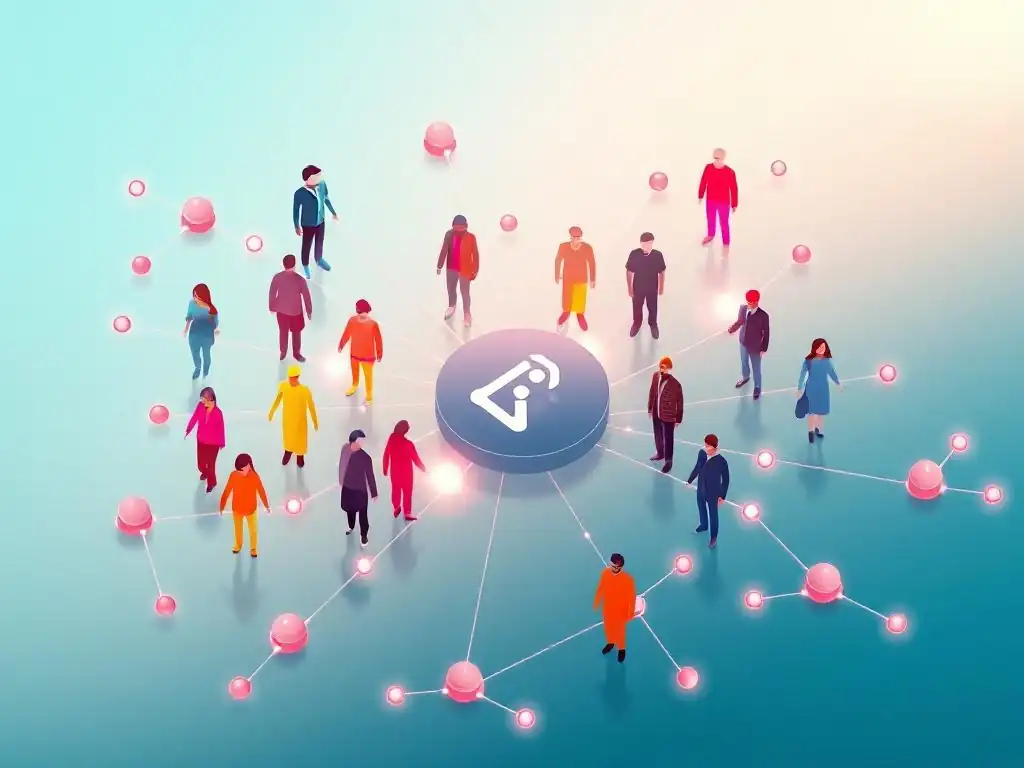
Welcome to Git and Version Control Hub, your central resource for mastering Git!
Are you ready to unlock the power of a truly collaborative open source Git workflow? This article delves into strategies that prioritize teamwork and efficiency within your projects. Discover how to foster a thriving community around your code, streamline contributions, and build a robust, shared foundation. Intrigued? Let's explore the best practices for a Community-First Git approach and revolutionize the way you work!
Collaborative Git Workflow: Enhancing Open Source Projects
- Introduction: Fostering Collaboration with a Git Workflow
- Understanding the Foundations of Collaborative Git
- Implementing a Collaborative Git Workflow
- Advanced Techniques for Collaborative Git Workflows
- Best Practices for Maintaining a Collaborative Git Environment
- Case Studies: Successful Collaborative Git Implementations
- Tools and Resources for Collaborative Git Development
- Overcoming Common Challenges in Collaborative Git
- The Future of Collaborative Git in Open Source
- Conclusion: Building Projects Through Collaborative Git
- Frequently Asked Questions
- Final Reflection: Cultivating Collaborative Open Source
- Unlock Collaborative Magic: Reimagine Your Git Workflow Now!
Introduction: Fostering Collaboration with a Git Workflow
Why a Collaborative Open Source Git Workflow Matters
In the realm of open source software, the strength of a project lies not just in its code, but in its community. A well-defined collaborative open source Git workflow is the backbone of a thriving open source project. It’s more than just version control; it's the engine that drives collective progress, allowing developers from diverse backgrounds and locations to contribute seamlessly.
Without a structured workflow, open source projects can quickly become chaotic, leading to duplicated efforts, integration nightmares, and ultimately, a decline in community engagement. Conversely, a robust workflow fosters transparency, predictability, and inclusivity, attracting more contributors and ensuring the project's long-term health and sustainability.
Imagine an open source project without a clear contribution process. Developers would be unsure how to submit their code, leading to a flood of unorganized patches or, worse, stagnation as potential contributors become discouraged by the lack of clarity. A collaborative Git workflow addresses this by establishing clear channels for contribution, review, and integration.
It defines roles, responsibilities, and processes, ensuring that everyone understands how they can participate and contribute meaningfully. This structure not only streamlines development but also cultivates a sense of ownership and shared responsibility among the community, which is crucial for the vitality and evolution of any open source endeavor.
The Collaborative Git Philosophy: Streamlining Contributions
The core philosophy behind a collaborative Git workflow in open source is centered on lowering the barrier to contribution while maintaining code quality and project stability. It's about creating an environment where contributing feels intuitive and welcoming, regardless of a developer's experience level or familiarity with the project. This philosophy emphasizes transparency and open communication at every stage of the development process.
From suggesting new features to fixing bugs, every contribution path should be clearly defined and easily accessible. The goal is to transform potential contributors from passive users into active participants, fostering a dynamic and growing community around the project.
This approach often involves embracing principles like "easy to contribute, hard to merge." This means making it simple for anyone to propose changes – perhaps through clear instructions and templates for issue reporting and pull requests. However, it also necessitates rigorous review processes before code is integrated into the main project codebase.
This balance ensures that the project remains open and welcoming to new ideas and contributions, while simultaneously safeguarding its integrity and quality. By streamlining the contribution process, projects can tap into the collective intelligence and creativity of a wider community, leading to faster innovation and more robust software.
Understanding the Foundations of Collaborative Git
Core Git Principles for Open Source Projects
For open source projects aiming for effective collaboration, a solid understanding of core Git principles is non-negotiable. Branching, committing, and merging are not just commands; they are the fundamental building blocks of a collaborative workflow. Branching allows for isolated development, enabling multiple contributors to work on features or bug fixes concurrently without interfering with each other's work or the main codebase.
Committing provides a traceable history of changes, essential for understanding the evolution of the project and for reverting to previous states if needed. Merging is the process of integrating these isolated changes back into the main branch, ideally after thorough review and testing.
Furthermore, understanding the concept of remote repositories and forking is critical in open source. Forking allows contributors to create their own personal copy of the project repository, where they can freely experiment and develop features. This decentralized approach empowers individuals to contribute without needing direct write access to the main project, promoting wider participation. Pull requests then serve as the mechanism to propose changes from a forked repository back to the main project, initiating the review and integration process. These core Git principles, when applied thoughtfully, form the bedrock of any successful collaborative open source Git workflow.
Branching Strategies for Enhanced Collaboration
Effective branching strategies are paramount in collaborative open source projects, directly influencing the speed and stability of development. Feature branching, for example, is a widely adopted strategy where each new feature or bug fix is developed in its own dedicated branch, isolated from the main development line (often main or develop). This isolation prevents unfinished or potentially unstable code from directly impacting the project's core, ensuring that the main branch remains in a releasable state. This strategy allows teams to work on multiple features concurrently without stepping on each other's toes.
Beyond feature branching, other strategies like Gitflow and GitHub Flow build upon these principles to provide more structured workflows. Gitflow, with its develop and release branches, is suitable for projects with scheduled releases, providing a clear separation between ongoing development and release preparation. GitHub Flow, simpler and more streamlined, is often favored for projects with continuous deployment, emphasizing frequent merges to the main branch. Choosing the right branching strategy depends on the project's release cycle, team size, and complexity. However, the overarching goal is to facilitate parallel work, maintain code stability, and streamline the integration of contributions, all essential for a thriving collaborative open source environment.
Mastering Pull Requests: Contribution Management
Pull requests (PRs) are the cornerstone of contribution management in collaborative open source Git workflows. They are not merely about submitting code; they are the central hub for discussion, code review, and ultimately, the integration of contributions. A well-managed pull request process is vital for ensuring code quality, fostering knowledge sharing, and maintaining a healthy community interaction. When a contributor submits a PR, it signals their intention to merge their changes into the main project, initiating a formal review process.
The PR process should be clearly defined and communicated to contributors. This includes guidelines on what constitutes a good pull request – for example, it should be focused on a single feature or bug fix, include relevant tests, and adhere to the project's coding style. Code reviews within PRs are crucial, allowing maintainers and other community members to examine the proposed changes, provide feedback, and suggest improvements before merging.
This collaborative review not only enhances code quality but also serves as an educational opportunity for both reviewers and contributors. A streamlined and welcoming pull request process is key to encouraging contributions and building a vibrant and collaborative open source community.
Implementing a Collaborative Git Workflow
Step 1: Defining Contribution Guidelines
The first crucial step in implementing a collaborative open source Git workflow is to clearly define contribution guidelines. These guidelines serve as the project's rulebook for contributions, setting expectations and ensuring consistency. They should articulate the project's philosophy, coding standards, and the process for contributing. Clear guidelines minimize ambiguity and frustration for new and existing contributors alike, making the contribution process more approachable and efficient. These guidelines should be readily accessible, ideally placed in a prominent location within the project repository, such as a CONTRIBUTING.md file.
Effective contribution guidelines should cover several key areas. Firstly, they should outline the types of contributions welcomed, from bug fixes and feature requests to documentation improvements and translations. Secondly, they should detail the technical requirements, including coding style conventions, testing procedures, and documentation standards. Thirdly, they should explain the contribution workflow, step-by-step, from forking the repository to submitting a pull request. Finally, they should address community conduct, promoting respectful and constructive interactions. Well-defined contribution guidelines are not just documentation; they are a welcoming invitation to participate and a foundation for a healthy and collaborative open source community.
Step 2: Setting Up Branching Conventions
Establishing clear branching conventions is essential for organizing and managing development efforts in a collaborative Git workflow. Branching conventions dictate how branches are named, their purpose, and their lifecycle. Consistent naming conventions, for example, make it easy to understand the function of each branch at a glance. Common conventions include using prefixes like feature/ for feature branches, bugfix/ for bug fix branches, and hotfix/ for urgent fixes. These conventions, when consistently applied, improve project clarity and reduce the risk of confusion and errors.
Beyond naming, defining the purpose and lifecycle of different branch types is crucial. For instance, the main branch is typically reserved for stable, production-ready code. Feature branches are created from main, used for developing new features, and then merged back into main after review. Release branches might be created from main to prepare for a software release, allowing for final bug fixes and stabilization. Documenting these branching conventions and making them easily accessible to all contributors is vital. This ensures that everyone is on the same page regarding how to use branches effectively, fostering a more organized and collaborative development process.
Step 3: Encouraging Code Reviews
Encouraging code reviews is a cornerstone of a high-quality collaborative Git workflow. Code reviews are more than just error detection; they are a vital practice for knowledge sharing, improving code quality, and fostering a collaborative development culture. They provide a structured opportunity for multiple developers to examine code changes before they are merged into the main codebase. This process helps identify potential bugs, ensures adherence to coding standards, and promotes better code design and maintainability.
To effectively encourage code reviews, it's important to integrate them seamlessly into the workflow. Making code review a mandatory step before merging pull requests is a common and effective approach. Tools provided by platforms like GitHub and GitLab make the code review process straightforward, allowing reviewers to comment directly on code lines and suggest changes.
Furthermore, fostering a positive and constructive code review culture is key. Reviews should focus on the code itself, not the person who wrote it, and feedback should be given respectfully and helpfully. Encouraging code reviews not only improves the quality of the codebase but also strengthens the collaborative spirit of the open source project.
Step 4: Utilizing Git Tools for Communication
Effective communication is paramount in any collaborative project, and Git tools, along with associated platforms, offer a range of features that facilitate this communication within a collaborative Git workflow. Pull requests, for instance, are not just for code submission; they are also powerful communication channels. The comment threads within pull requests allow for detailed discussions about code changes, design decisions, and implementation details. This asynchronous communication is particularly valuable in distributed open source teams working across different time zones.
Beyond pull requests, issue trackers integrated with Git platforms like GitHub and GitLab are essential for managing tasks, bug reports, and feature requests. Issues provide a centralized place to discuss problems, propose solutions, and track progress. Furthermore, many projects utilize team communication tools like Slack or Discord alongside Git platforms for more real-time discussions and community building. These tools, when used in conjunction with Git's version control capabilities, create a comprehensive communication ecosystem that supports efficient collaboration, transparency, and community engagement within open source projects.
Advanced Techniques for Collaborative Git Workflows
Leveraging Git Hooks for Code Quality
Git hooks are powerful tools that can significantly enhance code quality in collaborative Git workflows by automating checks and enforcing standards at various stages of the development process. Git hooks are scripts that Git executes before or after events such as commits, pushes, and merges. They can be used to perform a wide range of tasks, from running linters and formatters to executing unit tests and checking commit message formatting. By automating these checks, Git hooks help prevent common errors and ensure code consistency across contributions from different developers.
For example, a pre-commit hook can be set up to automatically run code linters and formatters before a commit is allowed, ensuring that all code adheres to the project's style guidelines. A pre-push hook can be configured to run unit tests before code is pushed to a remote repository, preventing broken code from being shared. Git hooks can be customized to fit the specific needs of a project and can be version-controlled within the repository itself, ensuring that all contributors are using the same hooks. Leveraging Git hooks is an advanced technique that proactively enhances code quality and consistency, contributing to a more robust and maintainable collaborative open source project.
Integrating Continuous Integration/Continuous Deployment (CI/CD)
Integrating Continuous Integration and Continuous Deployment (CI/CD) into a collaborative Git workflow significantly streamlines the development process and enhances the reliability of open source projects. CI/CD automates the build, test, and deployment pipelines, ensuring that code changes are automatically validated and integrated frequently. In a collaborative environment, where multiple developers are contributing code regularly, CI/CD provides a critical safety net, catching integration issues early and reducing the risk of introducing bugs into the main codebase.
When a pull request is created, a CI system automatically builds the code, runs automated tests, and reports the results back to the pull request. This immediate feedback allows contributors and reviewers to quickly identify and address any issues. Continuous Deployment can further automate the process by automatically deploying code changes to staging or production environments after they have passed all CI checks and been merged. Popular CI/CD platforms like Jenkins, GitHub Actions, and GitLab CI integrate seamlessly with Git repositories, providing powerful tools to automate and optimize collaborative development workflows in open source projects.
Using Gitflow or GitHub Flow
Gitflow and GitHub Flow are two popular branching models that provide structured approaches to managing development in collaborative Git workflows. Gitflow is a more comprehensive branching model designed for projects with scheduled releases. It utilizes branches like develop, release, and hotfix in addition to feature branches, providing a detailed framework for managing both feature development and releases. While powerful, Gitflow can be perceived as complex for simpler projects or those with continuous deployment practices.
GitHub Flow, on the other hand, is a simpler, streamlined branching model favored for projects with continuous deployment or frequent releases. It primarily uses feature branches and the main branch. Feature branches are created from main, and once ready, they are merged back into main after review and testing. GitHub Flow emphasizes simplicity and continuous integration, making it well-suited for fast-paced development environments. Choosing between Gitflow and GitHub Flow depends on the project's release cycle, complexity, and team preferences. Both models offer valuable frameworks for organizing collaborative Git workflows, enhancing clarity and efficiency.
Best Practices for Maintaining a Collaborative Git Environment
Promoting Communication and Feedback
Promoting open and effective communication is paramount for maintaining a healthy and productive collaborative Git environment. Communication is the lifeblood of collaboration, especially in open source projects where contributors may be geographically dispersed and working asynchronously. Encouraging open dialogue, providing constructive feedback, and actively listening to community input are crucial for fostering a positive and inclusive environment.
Establishing clear communication channels is important. Utilizing pull request discussions for code-specific feedback, issue trackers for bug reports and feature requests, and dedicated communication platforms like forums or chat channels for broader project discussions can create a well-rounded communication ecosystem. Furthermore, setting a tone of respectful and constructive communication is vital. Encouraging contributors to provide thoughtful and helpful feedback, and ensuring that maintainers are responsive and approachable, builds trust and strengthens the community. Regular communication and feedback loops are essential for keeping everyone informed, aligned, and engaged in the collaborative open source project.
Resolving Conflicts
Conflicts are an inevitable part of collaborative Git workflows, especially when multiple developers are working on the same codebase concurrently. Merge conflicts, arising when Git cannot automatically integrate changes from different branches, are a common challenge. Effectively resolving these conflicts is crucial for maintaining workflow efficiency and preventing disruptions. Providing clear guidance on how to resolve merge conflicts is an important aspect of maintaining a collaborative Git environment.
This guidance should include practical steps for identifying and understanding conflicts, using Git tools to resolve them, and testing the resolved code to ensure correctness. Encouraging contributors to communicate and collaborate when resolving complex conflicts can also be beneficial. Beyond merge conflicts, other types of conflicts can arise in collaborative projects, such as disagreements on design decisions or coding styles. Establishing clear processes for conflict resolution, whether through code review discussions, community forums, or designated decision-makers, is essential for maintaining a harmonious and productive collaborative environment.
Recognizing and Rewarding Contributors
Recognizing and rewarding contributors is a vital, yet often overlooked, aspect of maintaining a thriving collaborative Git environment in open source projects. Acknowledging contributions, both large and small, fosters a sense of value and appreciation within the community, encouraging continued participation and attracting new contributors. Recognition can take many forms, from simply thanking contributors in commit messages or pull request reviews to publicly acknowledging significant contributions in project release notes or community blog posts.
More formal reward systems can also be implemented, such as contributor badges, points systems, or even small financial rewards or merchandise for exceptional contributions. Highlighting contributors and their work not only boosts individual morale but also showcases the collaborative nature of the project and inspires others to get involved. Regularly recognizing and rewarding contributions is an investment in the community, fostering a positive and motivating environment that sustains long-term engagement and growth of the open source project.
Case Studies: Successful Collaborative Git Implementations
Kubernetes: Large-Scale Open Source Collaboration
Kubernetes, the container orchestration platform, stands as a prime example of successful large-scale open source collaboration leveraging Git. With thousands of contributors worldwide, Kubernetes' development relies heavily on a robust and well-defined collaborative Git workflow. The project's GitHub repository is a testament to this, showcasing a high volume of pull requests, issues, and active discussions. Kubernetes employs a sophisticated branching strategy, extensive code review processes, and automated CI/CD pipelines to manage its massive codebase and distributed contributions.
Their workflow emphasizes thorough code review, requiring multiple approvals from maintainers before a pull request can be merged. They utilize Git hooks for automated code checks and enforce strict coding standards. The Kubernetes community also actively uses GitHub's issue tracking and project management tools to organize tasks and coordinate development efforts. The success of Kubernetes as a widely adopted and rapidly evolving open source project is intrinsically linked to its effective and scalable collaborative Git implementation, demonstrating best practices for managing contributions in very large open source projects.
Apache HTTP Server: Long-Standing Open Source Project
The Apache HTTP Server project, a cornerstone of the internet, provides a compelling case study of a long-standing open source project that has thrived through collaborative Git workflows over decades. Having transitioned to Git from older version control systems, Apache HTTP Server has refined its collaborative processes to manage contributions from a global community of developers. The project's longevity and continued relevance are a testament to the effectiveness of its established collaborative practices.
Apache HTTP Server utilizes a well-defined branching model to manage different release versions and ongoing development. They have a strong emphasis on code quality and stability, with rigorous code review processes in place. The project's community emphasizes open communication and decision-making through mailing lists and issue trackers, fostering a transparent and inclusive environment for collaboration. The Apache HTTP Server project demonstrates how a collaborative Git workflow, adapted and refined over time, can sustain a large and complex open source project for decades, ensuring its continued evolution and widespread adoption.
Tools and Resources for Collaborative Git Development
Git Extensions and Plugins
Numerous Git extensions and plugins are available to enhance the collaborative Git development experience, streamlining workflows and providing additional functionalities. These tools integrate with Git clients or command-line interfaces, offering features that go beyond basic Git commands. For instance, Git GUI clients like Sourcetree, GitKraken, and Fork provide visual interfaces for managing branches, commits, and merges, making Git more accessible to developers who prefer graphical tools.
Plugins and extensions for code editors and IDEs (Integrated Development Environments) further enhance productivity by integrating Git functionality directly into the development environment. Tools like GitLens for Visual Studio Code or the Git integration in IntelliJ IDEA provide features like inline blame annotations, commit history visualization, and branch comparison, improving code understanding and collaboration. Exploring and utilizing these Git extensions and plugins can significantly boost efficiency and collaboration within a Git-based open source project, tailoring the development environment to specific needs and preferences.
Online Platforms for Hosting Open Source Projects
Online platforms for hosting open source projects are indispensable resources for collaborative Git development. Platforms like GitHub, GitLab, and Bitbucket provide not only Git repository hosting but also a comprehensive suite of tools designed to facilitate collaboration. These platforms offer features such as pull requests, issue trackers, wikis, project boards, and CI/CD pipelines, all integrated into a single web-based interface. They serve as central hubs for open source projects, enabling developers to collaborate effectively regardless of their location.
GitHub, for example, is the largest platform for open source hosting, boasting a vast community and a rich ecosystem of integrations. GitLab offers a similar feature set, with a strong focus on DevOps and CI/CD capabilities, and also provides options for self-hosting. Bitbucket, integrated with Atlassian tools like Jira and Confluence, is popular among teams using those platforms. Choosing the right hosting platform depends on project needs and preferences, but these platforms are essential for enabling and streamlining collaborative Git workflows for open source projects.
Collaborative Code Editing Tools
Collaborative code editing tools are emerging as valuable assets for real-time collaboration in Git-based open source projects. These tools allow multiple developers to simultaneously edit the same code files in real-time, similar to collaborative document editing platforms. This real-time collaboration can be particularly beneficial for pair programming, code reviews, and brainstorming sessions, especially in distributed teams.
Tools like Visual Studio Live Share, CodeSandbox, and Replit offer features for shared editing, cursor tracking, and integrated communication, facilitating synchronous collaboration on code. While asynchronous collaboration through pull requests remains the primary mode of contribution in most open source projects, real-time collaborative editing tools can complement this workflow by enabling more interactive and immediate collaboration for specific tasks. These tools are evolving and becoming increasingly integrated with Git workflows, offering new possibilities for enhancing collaboration in open source development.
Overcoming Common Challenges in Collaborative Git
Addressing Merge Conflicts
Merge conflicts are a common challenge in collaborative Git workflows, particularly in projects with frequent contributions and overlapping changes. While inevitable, understanding how to effectively address merge conflicts is crucial for maintaining a smooth and efficient workflow. When a merge conflict occurs, Git marks the conflicting sections in the affected files, requiring manual resolution. The key to resolving merge conflicts efficiently lies in understanding the conflicting changes and deciding how to integrate them.
Git provides tools to help visualize and resolve conflicts, such as git mergetool, which integrates with visual merge tools to compare and edit conflicting files. Communicating with collaborators to understand the context of their changes can also be helpful in resolving complex conflicts. Best practices for minimizing merge conflicts include frequent merging of branches, keeping feature branches short-lived, and clearly communicating changes being made to avoid overlapping modifications. Proficiently addressing merge conflicts is a vital skill for any developer working in a collaborative Git environment.
Managing Large Codebases
Managing large codebases in collaborative Git projects presents unique challenges. Large repositories can become slow to clone, branch, and perform other Git operations, impacting developer productivity. Furthermore, navigating and understanding a vast codebase can be daunting for new contributors. Strategies for effectively managing large codebases in collaborative Git workflows are essential for maintaining performance and accessibility.
Techniques like shallow cloning, which downloads only a portion of the repository history, can reduce clone times. Modularizing the codebase into smaller, more manageable components can also improve navigability and reduce the impact of changes in one area on other parts of the project. Clear code documentation, well-defined project structure, and effective search tools are also crucial for helping developers navigate and understand large codebases. Adopting these strategies can help mitigate the challenges associated with managing large codebases in collaborative open source projects, ensuring continued efficiency and maintainability.
Preventing Code Review Bottlenecks
Code review bottlenecks can significantly slow down collaborative Git workflows, hindering progress and frustrating contributors. When pull requests accumulate and reviews are delayed, it can create a bottleneck that impacts the entire development process. Preventing code review bottlenecks is crucial for maintaining a responsive and efficient collaborative environment.
Strategies for preventing bottlenecks include distributing review responsibilities among multiple maintainers, setting clear expectations for review turnaround times, and encouraging smaller, more frequent pull requests. Automating parts of the code review process with linters and static analysis tools can also reduce the manual review burden. Promoting a culture of timely and constructive code reviews, and ensuring that there are sufficient reviewers available, are key to preventing bottlenecks and maintaining a smooth and efficient collaborative Git workflow.
The Future of Collaborative Git in Open Source
Emerging Trends in Version Control
The field of version control is continuously evolving, with emerging trends shaping the future of collaborative Git in open source. One notable trend is the increasing adoption of monorepos, where multiple projects or components are stored in a single repository. Monorepos can simplify dependency management and code sharing across large projects, but they also present new challenges for Git workflows and tooling, particularly in terms of scale and performance.
Another trend is the growing interest in decentralized version control systems, which aim to address some of the limitations of centralized systems like Git in terms of resilience and censorship resistance. While Git remains the dominant version control system for open source, exploring and adapting to these emerging trends will be important for ensuring that collaborative Git workflows continue to evolve and meet the changing needs of open source development in the future.
The Role of AI and Automation
Artificial Intelligence (AI) and automation are poised to play an increasingly significant role in the future of collaborative Git workflows in open source. AI-powered tools can automate various aspects of the development process, from code review and testing to issue triage and dependency management. For example, AI-based code review tools can assist human reviewers by automatically identifying potential bugs, style violations, and security vulnerabilities, speeding up the review process and improving code quality.
Automation, through CI/CD pipelines and Git hooks, is already playing a crucial role in streamlining workflows and enforcing standards. As AI and automation technologies advance, we can expect to see even more sophisticated tools that further enhance collaboration, improve code quality, and reduce the manual burden on developers in open source projects. Embracing these technologies will be key to maximizing the efficiency and effectiveness of collaborative Git workflows in the future.
Conclusion: Building Projects Through Collaborative Git
Key Takeaways
Collaborative Git workflows are fundamental to the success of open source projects, enabling distributed teams to work together effectively and efficiently. Key takeaways for building strong collaborative Git workflows include: establishing clear contribution guidelines, implementing effective branching strategies, mastering the pull request process for contribution management, and fostering open communication and feedback within the community. Utilizing advanced techniques like Git hooks and CI/CD integration further enhances code quality and workflow efficiency. Addressing common challenges like merge conflicts and code review bottlenecks proactively is essential for maintaining a smooth and productive collaborative environment.
Furthermore, recognizing and rewarding contributors is crucial for building and sustaining a vibrant and engaged open source community. By adopting best practices and leveraging the right tools and resources, open source projects can create collaborative Git workflows that not only streamline development but also foster a welcoming and inclusive environment for contributors from around the world.
Embracing Collaboration
Embracing collaboration is at the heart of open source development, and a well-structured collaborative Git workflow is the engine that drives this collaboration. It's more than just technical processes and commands; it's about building communities, sharing knowledge, and collectively creating software that benefits everyone. By prioritizing collaboration in your Git workflow, you not only enhance the quality and pace of development but also cultivate a thriving ecosystem around your open source project. In the world of open source, the power of the community, facilitated by collaborative Git, is the true force behind innovation and progress.
Frequently Asked Questions
What is a collaborative open source Git workflow?
A collaborative open source Git workflow is a structured approach to version control that emphasizes teamwork and community contributions in open source projects. It typically involves branching, pull requests, and code reviews to ensure quality and maintainability.
Why is collaboration important in open source Git workflows?
Collaboration is crucial because it leverages the collective expertise of the community, leading to better code quality, faster bug fixes, and innovative features. It also fosters a sense of ownership and encourages wider adoption of the project.
What are some key elements of a CommunityFirst Git workflow?
Key elements include clear contribution guidelines, a robust branching strategy (like Gitflow), and a strong emphasis on code review and communication. These elements help create a welcoming and productive environment for contributors.
How does a collaborative Git workflow benefit my open source project?
By using a collaborative workflow, your project benefits from increased code quality through peer review, reduced bugs due to wider testing, and faster feature development thanks to community contributions. It also enhances project visibility and adoption.
How do I encourage more collaboration in my Git workflow?
Encourage collaboration by establishing clear and accessible contribution guidelines, actively engaging with contributors, providing timely feedback on pull requests, and fostering a welcoming and inclusive community atmosphere.
Final Reflection: Cultivating Collaborative Open Source
The principles outlined in this article, centered around a CommunityFirst Git workflow, are not merely theoretical exercises. They represent a crucial shift in how we approach open source development, recognizing that the strength of any project lies not just in its code, but in the vibrant community that sustains it. In a world increasingly reliant on open source solutions, fostering inclusive and collaborative environments is paramount to ensuring innovation and long-term project health.
This emphasis on collaboration has profoundly influenced the open source landscape, moving it away from individualistic coding towards a more collective and supportive model. The shift towards prioritizing community engagement is not just a trend, but a fundamental requirement for successful and sustainable open source projects. If you want to go fast, go alone. If you want to go far, go together.
This African proverb perfectly encapsulates the essence of CommunityFirst Git, highlighting the enduring power of collaboration in achieving meaningful and lasting impact.
As you navigate your own open source journey, remember that the tools and techniques discussed here are more than just technical guidelines. They are invitations to build bridges, foster understanding, and cultivate a thriving community around your project. Embrace the spirit of collaboration, prioritize inclusivity, and actively contribute to a world where open source truly empowers everyone.
Unlock Collaborative Magic: Reimagine Your Git Workflow Now!
Thank you for exploring how to prioritize collaboration in your Git workflow. We hope this article provided valuable insights into fostering a more inclusive and productive open-source environment. Now, it's time to put these ideas into practice and transform your project's dynamics.
Ready to elevate your team's collaborative spirit? Start by:
- Implementing a robust code review process that emphasizes constructive feedback and knowledge sharing. This will become a cornerstone of collaborative excellence within your project.
- Exploring various Git branching strategies, such as Gitflow or GitHub Flow, to find the approach best suited to your team's specific needs and collaborative goals.
- Scheduling a team workshop to discuss and document your collaborative Git workflow, ensuring everyone is on the same page and contributing effectively. Share your refined process with the wider community.
What's one simple change you can implement today to instantly improve collaboration in your Git workflow? Share your thoughts in the comments below!