
Support Branches: Ensure LongTerm Success for Your Software with Git Support

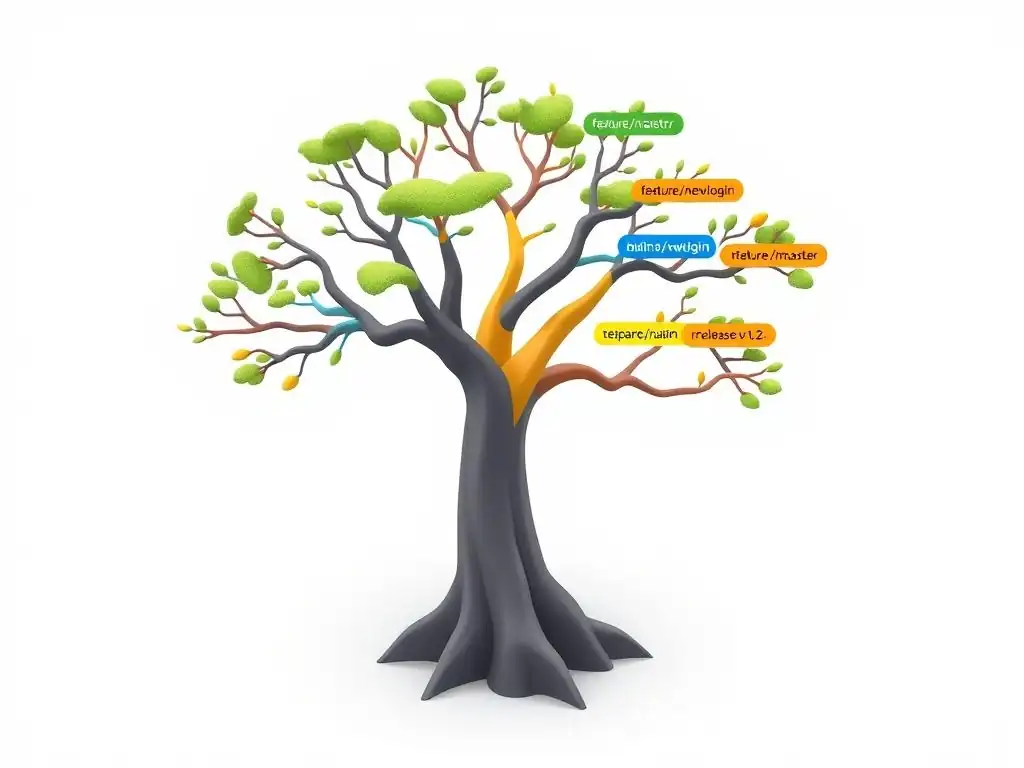
Welcome to the Git and Version Control Hub, your central resource for mastering the art of collaborative code management! Are you ready to unlock the secrets to maintaining stable and scalable software? Dive into our latest guide, " Support Branches: Ensure LongTerm Success for Your Software with Git Support," where we unravel the intricacies of Git support branches and how they can revolutionize your development workflow.
Discover how to effectively manage long-term projects, address critical bugs, and ensure seamless updates. Curious how this branching strategy can elevate your project's resilience? Read on to learn more and transform your Git expertise!
Support Branches: Ensuring Long-Term Software Maintainability with Git
- Introduction to Git Support Branches for Software Maintenance
- What are Git Support Branches?
-
Creating and Managing Git Support Branches: A Step-by-Step Guide
- Step 1: Branching from a Released Version (e.g., Tag or Release Branch)
- Step 2: Naming Conventions for Git Support Branches (e.g., support/1.2.x)
- Step 3: Committing Bug Fixes and Patches to the Support Branch
- Step 4: Merging Support Branch Changes into Development or Main Branches
- Step 5: Maintaining the Support Branch Over Time
- Common Use Cases for Git Support Branches
- Best Practices for Working with Git Support Branches
- Strategies for Merging Changes from Support Branches
- Avoiding Common Pitfalls with Git Support Branches
- Git Support Branches vs. Hotfix Branches: Key Differences
- Advanced Techniques for Managing Git Support Branches
- Conclusion: Mastering Git Support Branches for Long-Term Software Success
- Frequently Asked Questions
- Final Reflection: Cultivating Sustainable Software
- Embrace Long-Term Success: Unlock Your Software's Potential!
Introduction to Git Support Branches for Software Maintenance
Understanding the Role of Support Branches in Version Control
In the realm of software development, version control systems are indispensable tools for managing code changes and collaboration. Git, a leading version control system, offers powerful branching strategies to handle various development workflows. Among these strategies, support branches play a crucial role in maintaining older versions of software that are already released and in production.
Unlike feature branches that focus on upcoming functionalities or release branches that prepare for new software versions, support branches are specifically designed to provide ongoing maintenance and bug fixes for released versions. They act as a lifeline for users who may not be ready or able to upgrade to the latest version, ensuring continued stability and reliability of the software they depend on.
Support branches are essential for organizations that offer long-term support (LTS) for their software products. Imagine a company that has released version 1.0 of their application and is now actively developing version 2.0. While most users might migrate to the newer version, some might rely on version 1.0 due to specific dependencies, compliance requirements, or simply a slower upgrade cycle.
Without support branches, any bug fixes or security patches would have to be applied to the main development branch, potentially introducing instability or unwanted features into the older, stable version. Support branches isolate these maintenance efforts, allowing developers to address issues in older versions without disrupting the development of newer ones. This separation is critical for maintaining the integrity and stability of both current and past software releases.
Why Use Git Support Branches for Long-Term Software Projects?
For long-term software projects, the need to maintain older versions becomes increasingly important. Consider enterprise software, operating systems, or even popular libraries that are used by a vast community. These projects often have multiple active versions in use simultaneously. Users might be running version 1.5 of a software library while the latest stable release is 2.0, and the development team is working on version 2.1. In such scenarios, Git support branches are not just beneficial; they are often a necessity for providing continued value and support to users.
The benefits of using Git support branches are manifold. Firstly, they ensure that bug fixes and security patches can be delivered to users of older software versions promptly and efficiently. For instance, if a critical security vulnerability is discovered in version 1.5, a support branch dedicated to 1.5.x can be created to address this issue without affecting the ongoing development of version 2.1.
Secondly, support branches allow for focused maintenance efforts. Developers working on a support branch can concentrate solely on fixing bugs and applying necessary patches for that specific version, without the distractions of new feature development or major refactoring happening in the main development branch. Lastly, they contribute to user satisfaction and trust.
By providing ongoing support for older versions, organizations demonstrate a commitment to their users, even those who are not on the latest release, fostering loyalty and confidence in the software product. This long-term support strategy is crucial for maintaining a positive reputation and ensuring the continued success of software projects, especially in industries where stability and reliability are paramount.
What are Git Support Branches?
Defining Git Support Branches: A Practical Explanation
Git support branches are long-lived branches in Git repositories dedicated to maintaining specific released versions of software. Think of them as parallel development lines that diverge from a past release point and continue to exist alongside the main development branch. Their primary purpose is to provide bug fixes, security patches, and minor updates to users who are using older, released versions of the software. These branches are not intended for new feature development. Instead, they focus solely on stabilizing and improving existing released versions without introducing significant changes that could disrupt the established functionality.
To illustrate, imagine a software company that releases version 2.0 of its application. After the release, they continue developing new features on the main branch, aiming for version 2.1. However, some users might still be using version 2.0 and encounter bugs or security issues. To address these, the company creates a support branch, perhaps named support/2.0.x, branching it off from the commit that represents the 2.0 release. Any bug fixes or security patches relevant to version 2.0 are then committed to this support/2.0.x branch. These changes can then be released as updates to the 2.0.x series, for example, version 2.0.1, 2.0.2, and so on. This ensures that users of version 2.0 receive necessary updates without being forced to upgrade to the potentially more complex or feature-rich version 2.1. This practical approach allows for targeted maintenance of specific software releases, ensuring continued stability and support for users across different versions.
Distinguishing Support Branches from Other Branching Strategies (Release, Hotfix)
Understanding the difference between support branches and other Git branching strategies like release branches and hotfix branches is crucial for effective version control. While all three are essential for managing software releases, they serve distinct purposes and operate under different timelines.
Release branches are created to prepare for a new software release. They branch off from the main development branch ( main or develop) and are used to stabilize the code for an upcoming release. Release branches typically involve bug fixing, documentation updates, and final preparations before the actual release. Once the release is made, the release branch is usually merged back into both main and develop. Release branches are short-lived and focused on the immediate release cycle.
Hotfix branches, on the other hand, are created to quickly address critical bugs in a production release. They branch off directly from a released version (often a tag on main) and are used to develop a fix for a specific urgent issue. Once the fix is implemented and tested, the hotfix branch is merged back into both main and the release branch (if one exists) and tagged with a new version number. Hotfix branches are very short-lived and focused on resolving immediate, critical problems in production.
Support branches, in contrast to both release and hotfix branches, are long-lived branches that provide ongoing maintenance for released versions. They are not about preparing for a new release or fixing immediate production issues. Instead, they are about sustaining older versions over an extended period.
Support branches are created after a release has been made and are maintained for as long as that version needs support. They are used for backporting bug fixes and security patches from newer versions or developing specific fixes for issues found in the older version. The key distinction lies in their longevity and purpose: release branches prepare for release, hotfix branches fix critical production issues, and support branches maintain older releases for the long term.
Creating and Managing Git Support Branches: A Step-by-Step Guide
Step 1: Branching from a Released Version (e.g., Tag or Release Branch)
The first step in creating a Git support branch is to identify the exact point in your project's history that represents the released version you intend to support. This is typically a specific commit that was tagged at the time of release, or the tip of a release branch that was used for the release process. Branching from the correct point is crucial because it ensures that your support branch accurately reflects the state of the released software you are maintaining.
To create a support branch, you'll use the git checkout -b command, specifying the new branch name and the starting point. For example, if you released version 1.2 and tagged it as v1.2.0, you would create a support branch named support/1.2.x using the following command:
git checkout -b support/1.2.x v1.2.0
Alternatively, if you used a release branch named release-1.2 for the release, and it's now merged into main and tagged, you could branch from the tag v1.2.0 that points to the merge commit on main. It's vital to verify that the commit you are branching from genuinely represents the released code. Using a tag is generally preferred as tags are meant to be immutable pointers to specific releases, providing a reliable starting point for your support branch. This ensures that any fixes applied on the support branch are directly relevant to the intended released version.
Step 2: Naming Conventions for Git Support Branches (e.g., support/1.2.x)
Choosing a clear and consistent naming convention for your Git support branches is essential for team collaboration and branch management. A well-defined naming convention helps developers quickly identify the purpose and scope of each branch, reducing confusion and errors. A widely adopted convention for support branches is to prefix them with support/ followed by the major and minor version numbers of the release they are supporting, and ending with .x to indicate that it's a support branch for that version series.
For instance, if you are supporting version 1.2 of your software, a suitable name for the support branch would be support/1.2.x. If you later need to support version 2.5, you would create a branch named support/2.5.x. The .x at the end is a common placeholder indicating that this branch is intended for patches and minor updates within the 1.2 or 2.5 series. This convention is informative and easily sortable, making it simple to find and manage support branches within your repository.
Other possible naming conventions might include using the full version number like support/1.2 or support-1.2, or incorporating the year of support, such as support/1.2-lts-2024. The key is to choose a convention that is descriptive, consistent across your project, and easily understood by all team members. Documenting this naming convention in your project's development guidelines is also crucial to ensure everyone adheres to it, maintaining clarity and organization in your Git repository.
Step 3: Committing Bug Fixes and Patches to the Support Branch
Once your support branch is created and correctly named, the next step is to commit bug fixes and patches to it. The workflow here is crucial: only commit fixes relevant to the specific released version that the support branch represents. Avoid introducing new features or major refactorings into a support branch. The focus should be strictly on resolving bugs, addressing security vulnerabilities, and applying minor, non-breaking improvements.
When you identify a bug in the supported version (e.g., version 1.2.x), you should switch to your support/1.2.x branch and implement the fix there. Develop the necessary code changes, ensuring they are targeted and minimal. Write clear and descriptive commit messages that explain the bug being fixed and the solution implemented. For example, a commit message might read: "Fix: Correctly handles edge case in user authentication module (CVE-YYYY-XXXX)". Including the CVE number for security fixes is a best practice.
After committing the fix, it's essential to thoroughly test the changes within the context of the supported version. Run regression tests to ensure the fix doesn't introduce new issues and verify that the original bug is indeed resolved. Remember, the goal is to maintain stability and reliability for users of the supported version, so rigorous testing is paramount before releasing any updates from the support branch. This focused approach to committing and testing changes ensures that support branches remain stable and serve their intended purpose effectively.
Step 4: Merging Support Branch Changes into Development or Main Branches
After committing and thoroughly testing bug fixes or patches on a support branch, it's often necessary to merge these changes back into your main development branch (e.g., main or develop) and potentially other relevant branches. This process, often referred to as "upstreaming" or "forward-porting," ensures that the fixes applied to older versions are also incorporated into newer versions of the software. This prevents the same bugs from reappearing in future releases and maintains consistency across different versions.
The method for merging support branch changes depends on the nature of the fixes and the state of your main development branch. For simple bug fixes, a straightforward merge from the support branch into the development branch might be sufficient. From your development branch, you would execute:
git merge support/1.2.x
However, if the changes in the support branch are more complex or if the development branch has diverged significantly, a simple merge might lead to conflicts or introduce unintended side effects. In such cases, cherry-picking specific commits from the support branch to the development branch can be a more controlled and safer approach. Cherry-picking allows you to select only the relevant commits containing bug fixes and apply them to the development branch, avoiding the merge of potentially unrelated changes.
Regardless of the method used, it's crucial to test the merged changes thoroughly in the context of the development branch as well. Ensure that the fixes apply correctly and don't introduce any regressions in the newer codebase. The decision of whether to merge or cherry-pick and the extent of testing should be based on the specific changes being merged and the overall branching strategy of your project. Properly merging support branch changes ensures that bug fixes are not isolated to older versions but contribute to the overall quality and stability of the software across all supported versions.
Step 5: Maintaining the Support Branch Over Time
Maintaining a Git support branch is an ongoing process that requires consistent attention and effort. Support branches are not "set it and forget it" entities. They need regular monitoring and updates to remain effective and valuable. Over time, new bugs might be discovered in the supported version, or new security vulnerabilities might emerge that affect it. Furthermore, fixes and improvements made in the main development branch might also be relevant and need to be backported to the support branch.
One key aspect of maintenance is regularly checking for and applying relevant fixes from the main development branch to the support branch. This is especially important for security patches. If a security vulnerability is fixed in the latest version, it's crucial to assess whether the same vulnerability exists in the supported older version and, if so, backport the fix to the support branch. This backporting process often involves cherry-picking commits or adapting the fixes to the older codebase.
Another important maintenance task is periodically reviewing the support branch itself. Are there any outstanding bugs that need addressing? Is the branch still receiving necessary updates? Is it still actively used and needed by users?
These reviews help determine the ongoing value and necessity of the support branch. In some cases, if the usage of an older version dwindles to almost zero, or if the cost of maintaining the support branch becomes prohibitive, a decision might be made to sunset the support branch and officially end support for that version. This decision should be communicated clearly to users well in advance. Continuous maintenance and periodic reviews are essential to ensure that support branches remain effective and valuable throughout their lifecycle.
Common Use Cases for Git Support Branches
Providing Bug Fixes for Older Software Versions
The most fundamental use case for Git support branches is to provide bug fixes for older software versions that are still in use. Consider a company that releases a new major version of its operating system, say OS version 11. While they focus development efforts on OS 12 and beyond, a significant user base may still rely on OS 11 due to hardware compatibility, specific application dependencies, or organizational policies. If critical bugs are discovered in OS 11 after the release of OS 12, a support branch for OS 11 becomes essential.
For example, imagine a scenario where users of OS 11 report a critical bug causing system crashes under specific workloads. The development team can create a support branch, say support/os11.x, branched from the OS 11 release tag. They can then investigate and fix the bug on this branch, without disrupting the development of OS 12. Once the fix is tested and verified, it can be released as an update to OS 11, such as OS 11.1. This ensures that users of OS 11 receive necessary bug fixes, maintaining the stability and usability of their systems, even though they are not on the latest version. This ability to provide targeted bug fixes for older versions is a primary driver for adopting Git support branches.
Addressing Security Vulnerabilities in Legacy Systems
Security vulnerabilities are a constant concern in software development, and addressing them in legacy systems is a critical use case for Git support branches. Even after a new version of software is released, older versions might still be vulnerable to newly discovered security threats. Organizations often have a responsibility to provide security patches for older, supported versions to protect their users.
For instance, consider a web server software like Apache. If a new security vulnerability, such as a cross-site scripting (XSS) vulnerability, is discovered in an older version of Apache (e.g., version 2.2), and that version is still officially supported, the Apache Software Foundation would likely create a support branch for the 2.2.x series. Developers would then work on this branch to develop and test a patch for the XSS vulnerability.
Once the patch is ready, it can be released as an updated version, like Apache 2.2.55, addressing the security issue for users who are still running version 2.2. Without support branches, providing security updates for older versions would be significantly more complex and risky, potentially forcing users to upgrade to newer, possibly incompatible versions just to get security fixes. Support branches provide a focused and efficient mechanism for maintaining the security of legacy systems.
Maintaining Compatibility with Specific Operating Systems or Hardware
In some cases, software needs to maintain compatibility with specific operating systems or hardware platforms, even as newer versions evolve. This is particularly relevant for embedded systems, hardware drivers, or software that integrates with specialized equipment. Older versions of software might be certified or specifically designed to work with particular hardware or older operating systems that are no longer the primary focus of development. Git support branches can be used to maintain this compatibility.
Imagine a company producing industrial control software that needs to run on both the latest Windows Server and older versions like Windows Server 2008 for legacy industrial equipment. While the main development branch focuses on new features and compatibility with the latest operating systems, a support branch, say support/win-server-2008, could be created and maintained. This branch would specifically receive updates and fixes to ensure continued compatibility and optimal performance on Windows Server 2008. This might involve backporting specific driver updates, addressing OS-specific bugs, or ensuring that the software continues to function correctly on the older platform. Support branches, in this context, become crucial for maintaining compatibility with specific environments, ensuring that users on older platforms continue to receive a stable and functional software experience tailored to their needs.
Backporting Features to Older Stable Versions
While support branches primarily focus on bug fixes and security patches, there are situations where backporting certain features to older stable versions can be beneficial. This is not as common as backporting fixes, but it can be valuable when a relatively small, non-breaking feature from a newer version would significantly improve the usability or value of an older supported version without introducing instability.
For example, consider a database management system. A new version might introduce a performance optimization for a specific type of query. If this optimization is relatively self-contained and can be safely backported without major code changes or dependencies on newer features, it might be worthwhile to backport it to a support branch for an older, still widely used version. This could provide performance benefits to users of the older version, improving their experience without requiring a full upgrade.
Backporting features to support branches should be approached cautiously. It's crucial to ensure that the backported feature is indeed non-breaking, well-tested in the context of the older version, and does not introduce new dependencies or complexities. The decision to backport a feature should be carefully weighed against the potential risks and benefits, ensuring that it aligns with the primary goal of maintaining stability and reliability in the support branch. When done judiciously, backporting select features can enhance the value of older supported versions and improve user satisfaction.
Best Practices for Working with Git Support Branches
Clear Communication and Collaboration within the Team
Effective communication and collaboration are paramount when working with Git support branches, especially in teams of multiple developers. Since support branches deal with maintaining older software versions, it's crucial to ensure that everyone involved understands the purpose, scope, and ongoing maintenance of these branches. Lack of clear communication can lead to confusion, duplicated efforts, and even introduce regressions into stable releases.
Establish clear guidelines and documentation for working with support branches. This should include the naming conventions, the intended purpose of support branches (bug fixes, security patches, etc. ), the process for committing changes, and the workflow for merging changes back to other branches. Regular team meetings or communication channels should be used to discuss the status of support branches, any issues encountered, and upcoming maintenance tasks.
When a developer works on a support branch, they should clearly communicate their intentions to the team. For example, before starting to fix a bug on support/1.2.x, they should inform the team about the bug, the proposed fix, and the estimated timeline. Similarly, after committing changes, they should notify the team so that others are aware of the updates. Using pull requests or merge requests for changes to support branches can also facilitate communication and code review, ensuring that changes are reviewed and approved by other team members before being integrated. Open and consistent communication is key to the successful and coordinated management of Git support branches.
Thorough Testing of Changes Before Merging
Rigorous testing is absolutely essential for any changes made in Git support branches. Since these branches are intended to maintain stable, released versions of software, introducing regressions through poorly tested fixes can be highly detrimental to users who rely on these versions. Therefore, a comprehensive testing strategy must be in place for support branches.
Before merging any changes from a support branch, ensure that they have been thoroughly tested in the context of the supported version. This includes running unit tests, integration tests, and system tests that are relevant to the specific version being maintained. Regression testing is particularly crucial to verify that the fixes applied do not inadvertently break existing functionality. Automated testing frameworks should be utilized as much as possible to ensure consistent and repeatable testing.
In addition to automated tests, manual testing might also be necessary, especially for user-facing changes or complex bug fixes. Consider involving quality assurance (QA) engineers to manually test the changes in a representative environment. Document the testing process and results for each change made in a support branch. Only after thorough testing and verification should changes be merged from a support branch and released to users. Prioritizing testing in support branch workflows minimizes the risk of introducing instability and maintains the quality and reliability of older software releases.
Documenting Changes Made in Support Branches
Detailed documentation of changes made in Git support branches is crucial for long-term maintainability and understanding. Support branches often exist for extended periods, and developers who work on them in the future might not be familiar with the initial context or the reasons behind specific changes. Clear and comprehensive documentation ensures that the history and rationale behind modifications are easily accessible and understandable.
Start with writing informative commit messages. Each commit message should clearly describe the bug fixed, the security vulnerability addressed, or the specific change made in the support branch. Include references to bug tracking systems, security advisories (like CVE numbers), or any other relevant external documentation. Well-written commit messages serve as the first line of documentation for changes.
Beyond commit messages, consider maintaining a separate changelog or release notes specifically for the support branch. This document should summarize the changes included in each release from the support branch, such as version 1.2.1, 1.2.2, etc. This changelog can be used to inform users about the updates in each release and provide context for the changes.
For more complex changes or significant bug fixes, consider adding more detailed documentation, such as design documents or technical notes, explaining the problem, the solution, and any potential impact. Proper documentation ensures that the knowledge about support branch changes is preserved and easily accessible, facilitating future maintenance and troubleshooting efforts.
Regular Review and Maintenance of Support Branches
Git support branches require regular review and ongoing maintenance to remain effective and valuable. They are not static entities; they need periodic attention to ensure they continue to serve their purpose and do not become a source of technical debt or confusion. Regular reviews help assess the current state of support branches, identify any outstanding issues, and plan for future maintenance tasks.
Schedule periodic reviews of your support branches, perhaps monthly or quarterly, depending on the activity and criticality of the supported versions. During these reviews, assess the following:
- Activity: Is the support branch still actively receiving bug fixes and patches? Is there ongoing user demand for the supported version?
- Outstanding Issues: Are there any known bugs or security vulnerabilities that still need to be addressed in the support branch?
- Upstream Changes: Are there relevant fixes or improvements in the main development branch that should be backported to the support branch?
- Branch Health: Is the support branch diverging too far from the main development branch? Are there any merge conflicts or technical debt accumulating?
- Support Timeline: Is the planned support period for this version still relevant? Is it time to consider sunsetting support for this version?
Based on these reviews, prioritize maintenance tasks for support branches. This might include addressing outstanding bugs, backporting fixes, refactoring code to improve maintainability, or planning for the end-of-life of a support branch. Regular review and maintenance ensure that support branches remain healthy, effective, and continue to provide value throughout their intended lifecycle.
Strategies for Merging Changes from Support Branches
Cherry-Picking Specific Commits from Support to Main Branch
When merging changes from a support branch back into the main development branch, cherry-picking specific commits is often a preferred strategy, particularly for bug fixes and targeted patches. Cherry-picking allows you to selectively choose individual commits from the support branch and apply them to the target branch, such as main or develop. This is in contrast to a full merge, which brings over the entire history of the support branch, potentially including changes that are not relevant or desirable for the main development line.
To cherry-pick a commit, you first need to identify the commit hash of the commit you want to apply from the support branch. You can find this using git log on the support branch. Once you have the commit hash, switch to your target branch (e.g., main) and use the git cherry-pick command followed by the commit hash:
git checkout main
git cherry-pick <commit-hash>
Git will then attempt to apply the changes from that specific commit to your main branch. If the cherry-pick is successful, a new commit will be created on main with the same changes as the cherry-picked commit. However, conflicts can occur if the code in the target branch has diverged significantly from the support branch. In such cases, you will need to resolve the conflicts manually, just like in a regular merge.
Cherry-picking is advantageous when you only want to bring over specific, isolated fixes or patches from a support branch without merging the entire branch history. It provides fine-grained control over what changes are integrated into the main development line, making it suitable for selectively backporting bug fixes or security patches.
Using git rebase for a Cleaner History
Another strategy for integrating changes from support branches is using git rebase. Rebasing essentially replays the commits from your support branch on top of the target branch, creating a linear history. This can result in a cleaner and more straightforward commit history compared to merging, which creates merge commits and potentially a more branching history.
To rebase a support branch onto the main branch, you would first checkout the support branch and then execute the rebase command:
git checkout support/1.2.x
git rebase main
This command will replay the commits from support/1.2.x on top of the current main branch. If there are no conflicts, the rebase will complete successfully, and your support/1.2.x branch will now be based on the latest main. However, if conflicts arise, you will need to resolve them during the rebase process, commit the resolved changes, and then continue the rebase using git rebase --continue.
While rebasing can create a cleaner history, it's important to understand its implications, especially in collaborative environments. Rebasing rewrites commit history, which can cause issues if other developers have already based their work on the original commits that are being rebased. Therefore, rebasing should be used cautiously, particularly on public or shared branches. For support branches, which are often maintained by a smaller team and have a more defined purpose, rebasing can be a viable option for creating a cleaner history, but team agreement and clear communication are essential before adopting rebasing as a regular strategy.
Resolving Merge Conflicts Effectively
Regardless of whether you choose to merge or cherry-pick changes from support branches, merge conflicts can arise, especially if the target branch has diverged significantly. Resolving merge conflicts effectively is a crucial skill for managing Git support branches. When a merge conflict occurs, Git will indicate the files with conflicts and mark the conflicting sections within those files.
To resolve a merge conflict, you need to manually edit the conflicted files. Git will insert conflict markers ( <<<<<<<, =======, >>>>>>>) to show the conflicting changes from both branches. You need to examine these sections, understand the conflicting changes, and decide which changes to keep or how to combine them to produce the desired outcome. After resolving the conflicts in a file, you need to mark it as resolved using git add <resolved-file>.
Use a visual diff tool or a merge tool to help you understand and resolve conflicts more efficiently. Tools like git mergetool can provide a three-way view of the conflicted file, showing the common ancestor, your changes, and the incoming changes, making it easier to compare and resolve conflicts.
After resolving all conflicts in all conflicted files, you can complete the merge or cherry-pick process by running git commit. Write a clear commit message explaining that you resolved merge conflicts and summarizing the resolution. Effective conflict resolution is a key skill for working with Git, and mastering it is essential for smoothly integrating changes from support branches and maintaining a consistent and functional codebase.
Avoiding Common Pitfalls with Git Support Branches
Branching from the Wrong Commit
One of the most common pitfalls when creating a Git support branch is branching from the wrong commit. If you branch from an incorrect point in your project's history, your support branch will not accurately represent the released version you intend to maintain. This can lead to applying fixes that are not relevant to the intended version, or missing fixes that are actually needed.
To avoid this pitfall, always branch support branches from a specific tag or a well-defined release branch that unequivocally marks the released version. Do not branch from the main branch or a development branch, as these branches may contain changes that were not part of the released version. Before creating a support branch, carefully verify the tag or release branch you are using as the starting point. Use git show <tag-name> or git log <release-branch-name> to examine the commit history and ensure it accurately represents the intended released code.
Double-check the branch creation command. For example, if you intend to support version 1.2.0 tagged as v1.2.0, the command should be git checkout -b support/1.2.x v1.2.0. Carefully review the starting point v1.2.0 before executing the command. Branching from the correct commit is fundamental to ensuring the integrity and effectiveness of your support branch.
Ignoring Code Quality in Support Branches
It's a mistake to assume that code quality is less important in support branches compared to main development branches. While the focus of support branches is on bug fixes and maintenance, neglecting code quality can lead to significant problems in the long run. Poor code quality in support branches can make it harder to maintain, debug, and apply future fixes. It can also increase the risk of introducing new bugs when applying fixes, undermining the stability of the supported version.
Maintain the same code quality standards in support branches as you do in your main development branches. This includes writing clean, well-structured code, following coding style guidelines, and writing unit tests for changes. Conduct code reviews for changes made in support branches to ensure code quality and catch potential issues early. Do not rush fixes in support branches without proper consideration for code quality, even under time pressure. Remember that support branches often have a long lifespan, and maintaining code quality is essential for their long-term maintainability and stability.
Neglecting to Merge Critical Fixes
Failing to merge critical fixes from support branches back into the main development branch is another common pitfall. If bug fixes or security patches applied to support branches are not eventually integrated into the main development line, these issues can resurface in future releases of the software. This leads to duplicated effort, inconsistency across versions, and potentially reintroducing known bugs in newer releases.
Establish a clear process for merging relevant fixes from support branches into the main development branch. As discussed earlier, cherry-picking or merging can be used for this purpose. Regularly review the changes made in support branches and assess which fixes are relevant and should be incorporated into the main development branch. Prioritize merging critical bug fixes and security patches.
Don't let support branches become isolated islands of code changes. Ensure that there is a systematic workflow for "upstreaming" fixes from support branches to the main development line, preventing the recurrence of issues in future software versions. This proactive approach to merging fixes contributes to the overall quality and stability of the entire software project, not just the older supported versions.
Allowing Support Branches to Diverge Too Far from Main Development
Allowing support branches to diverge too far from the main development branch can create significant challenges in the long run. As support branches accumulate fixes and the main development branch evolves with new features and changes, the divergence between them can increase over time. This divergence can make it increasingly difficult to merge changes between branches, backport fixes, or even understand the codebase of the support branch compared to the main development line.
Periodically assess the divergence between your support branches and the main development branch. Use Git commands like git log --oneline --graph --decorate --all to visualize the branch divergence. Consider rebasing support branches onto the main development branch periodically (with caution, as discussed earlier) to reduce divergence. Alternatively, regularly merge changes from the main development branch into support branches (when appropriate and safe) to keep them reasonably synchronized.
Avoid letting support branches become completely separate codebases over time. Maintain a reasonable level of synchronization and manage divergence to ensure that support branches remain manageable, maintainable, and that changes can be integrated between branches when necessary. Controlling branch divergence is a key aspect of long-term support branch management.
Git Support Branches vs. Hotfix Branches: Key Differences
When to Use a Support Branch vs. a Hotfix Branch
Choosing between a support branch and a hotfix branch depends on the specific situation and the nature of the issue you are addressing. While both branch types are crucial for maintaining released software, they serve distinct purposes and are used in different scenarios.
Use a Hotfix Branch when:
- You need to address a critical bug in production immediately. Hotfix branches are designed for urgent situations where a production release is broken or severely impacted by a bug.
- The fix needs to be deployed to production as quickly as possible. Hotfix branches are short-lived and focused on rapidly developing and deploying a fix for an urgent production issue.
- The issue affects the current production release. Hotfix branches are typically branched directly from a released version (tag on
main) and are meant to fix problems in that specific release.
Use a Support Branch when:
- You need to provide ongoing maintenance for an older, released version of software. Support branches are for long-term maintenance of older versions, providing bug fixes, security patches, and minor updates over time.
- The issue is not necessarily urgent or production-breaking, but still needs to be addressed for users of an older version. Support branches handle non-critical bug fixes, security vulnerabilities, and compatibility issues in older releases.
- You are managing multiple supported versions of software simultaneously. Support branches allow you to maintain different versions in parallel, providing targeted updates for each version.
In essence, hotfix branches are for reactive and urgent fixes to the current production release, while support branches are for proactive and long-term maintenance of older, already released versions. The urgency and scope of the issue, as well as the target version, dictate whether a hotfix branch or a support branch is the appropriate choice.
Understanding the Scope and Purpose of Each Branch Type
The scope and purpose of Git support branches and hotfix branches are fundamentally different, reflecting their distinct roles in software maintenance.
Hotfix Branches:
- Scope: Very narrow and specific. Hotfix branches focus on fixing a single, critical bug in a production release.
- Purpose: To rapidly resolve a production issue and deploy a fix as quickly as possible. They are about immediate problem resolution.
- Lifespan: Extremely short-lived. Hotfix branches are created, used to develop a fix, merged, and then typically deleted.
- Branching Point: Directly from a released version (tag on
main). - Merging Target: Merged back into
mainand the release branch (if one exists), and often tagged with a new version number (e.g., patch release).
Support Branches:
- Scope: Broader and ongoing. Support branches are used to maintain a specific released version over an extended period, addressing multiple bugs, security vulnerabilities, and compatibility issues that arise over time.
- Purpose: To provide long-term stability and support for users of older software versions. They are about sustained maintenance and ongoing value.
- Lifespan: Long-lived. Support branches exist for as long as the corresponding software version needs to be supported, which can be months or even years.
- Branching Point: From a released version (tag or release branch).
- Merging Target: Changes from support branches may be merged back into
main(or cherry-picked) to incorporate fixes into newer versions. Updates from support branches are released as minor version increments within the supported version series (e.g., 1.2.1, 1.2.2 fromsupport/1.2.x).
Understanding these differences in scope and purpose is crucial for correctly applying each branch type in your Git workflow. Hotfix branches are for emergencies, while support branches are for planned, ongoing maintenance. Choosing the right branch type for the situation ensures efficient and effective software maintenance practices.
Advanced Techniques for Managing Git Support Branches
Using Git Flow with Support Branches
Git Flow, a popular branching model, can be effectively combined with support branches to create a robust and organized version control workflow. Git Flow defines branches like main, develop, release, and hotfix. To integrate support branches into Git Flow, you would typically treat them as long-lived branches that branch off from release tags on the main branch, similar to how hotfix branches are created.
In a Git Flow setup with support branches:
- Release a version: When you release a new version (e.g., 1.2), tag the commit on
mainasv1.2.0. - Create a support branch: If you need to support version 1.2, create a support branch
support/1.2.xbranching from thev1.2.0tag onmain. - Develop fixes on support branch: Commit bug fixes and patches to the
support/1.2.xbranch. - Release updates from support branch: When you have fixes ready for release, create a new tag from
support/1.2.x(e.g.,v1.2.1) and release this version. - Merge fixes to
develop(and potentiallymain): Cherry-pick or merge relevant fixes fromsupport/1.2.xinto thedevelopbranch (and potentiallymainif applicable).
Git Flow provides a structured framework for managing releases and hotfixes. Adding support branches to this model extends its capabilities to include long-term maintenance of older versions. By following Git Flow principles and incorporating support branches appropriately, you can create a well-organized and scalable branching strategy that handles both new feature development and ongoing maintenance of multiple software versions. Tools and extensions that support Git Flow often also provide commands to simplify the creation and management of support branches within this workflow.
Automating Support Branch Processes with CI/CD
Continuous Integration and Continuous Delivery (CI/CD) pipelines can significantly enhance the efficiency and reliability of managing Git support branches. Automating processes like testing, building, and releasing updates from support branches can reduce manual effort, minimize errors, and ensure consistent delivery of fixes and patches.
Here are ways to automate support branch processes with CI/CD:
- Automated Testing: Configure your CI/CD pipeline to automatically run unit tests, integration tests, and regression tests whenever changes are pushed to a support branch. This ensures that every commit is thoroughly tested, preventing regressions and maintaining code quality.
- Automated Builds: Automate the build process for support branches. When changes are pushed, the CI/CD pipeline can automatically compile the code, build packages, and prepare release artifacts for the supported version.
- Automated Release Process: Automate the release process from support branches. Upon tagging a commit on a support branch (e.g., tagging
v1.2.1onsupport/1.2.x), the CI/CD pipeline can automatically trigger the release process, which might involve publishing packages to repositories, deploying updates to servers, or creating release notes. - Notifications and Reporting: Set up notifications within your CI/CD pipeline to inform developers about build status, test results, and release deployments for support branches. Generate reports on test coverage, build history, and release activity to monitor the health and progress of support branch maintenance.
By automating these processes with CI/CD, you can streamline the management of Git support branches, ensure consistent quality and reliability of updates, and reduce the manual overhead associated with maintaining older software versions. This automation is especially valuable for projects that support multiple versions concurrently, as it allows for efficient and scalable maintenance across all supported versions.
Using Semantic Versioning to Manage Support Branch Releases
Semantic Versioning (SemVer) is a widely adopted versioning scheme that can be particularly beneficial for managing releases from Git support branches. SemVer uses a three-part version number: MAJOR.MINOR.PATCH. Applying SemVer to support branch releases provides clarity and consistency in versioning and helps users understand the nature of updates.
When using Semantic Versioning with support branches:
- Major Version: The major version number typically remains the same for a support branch series. For example, for
support/1.2.x, the major version is 1. - Minor Version: The minor version number also generally remains constant for a support branch series (e.g., 1.2). Minor version increments usually indicate new features or significant changes, which are typically not introduced in support branches.
- Patch Version: The patch version number is incremented for each release from a support branch that contains bug fixes, security patches, or minor updates. For example, releases from
support/1.2.xwould be versioned as 1.2.1, 1.2.2, 1.2.3, and so on.
Following SemVer in support branches clearly communicates to users that releases from these branches are primarily focused on maintenance and bug fixes (patch releases) for a specific major and minor version series. This helps users understand the type of updates they are receiving and manage their upgrades accordingly. Automate your release process to automatically increment the patch version number when releasing from a support branch, ensuring consistent and SemVer-compliant versioning. Using Semantic Versioning in support branches enhances clarity, predictability, and maintainability of your software releases.
Conclusion: Mastering Git Support Branches for Long-Term Software Success
Mastering Git support branches is crucial for ensuring the long-term success and maintainability of your software projects. By understanding their purpose, creation, management, and best practices, development teams can effectively provide ongoing support for released software versions, ensuring continued value and satisfaction for users, even those who are not on the latest release.
Git support branches offer a structured and efficient way to deliver bug fixes, security patches, and essential updates to older versions without disrupting the development of newer features. They enable organizations to honor long-term support commitments, maintain compatibility with legacy systems, and build trust with their user base. By adopting sound strategies for merging changes, avoiding common pitfalls, and leveraging advanced techniques like Git Flow, CI/CD, and Semantic Versioning, you can optimize your support branch workflow and ensure the sustained quality and reliability of your software across all supported versions.
Ultimately, effective use of Git support branches is not just about technical proficiency; it reflects a commitment to customer satisfaction, product longevity, and responsible software stewardship. By embracing support branches as a core component of your version control strategy, you invest in the long-term success and reputation of your software projects, ensuring they remain valuable and reliable for years to come.
Frequently Asked Questions
How do support branches differ from feature branches in Git?
Support branches are designed for long-term maintenance of specific releases, while feature branches are for developing new features. Support branches address critical bugs and security patches on older versions.
When should I create a support branch?
You should create a support branch when you need to maintain a stable release of your software that is no longer actively developed with new features, but still requires bug fixes or security patches.
What is the typical workflow for working with a support branch?
The typical workflow involves creating the branch from a release tag, applying fixes to the branch, and then cherry-picking or merging those fixes into later releases as needed.
How do support branches relate to versioning in Git?
Support branches are often named according to the version number they support (e.g., support/1.2), allowing for clear identification and tracking of specific releases.
What are the risks of not using support branches effectively?
Failing to use support branches can lead to unmaintained releases, forcing users to upgrade to newer versions for security fixes, or potentially introducing bugs when trying to patch older versions directly.
Final Reflection: Cultivating Sustainable Software
The journey through Git support branches underscores a vital truth: software longevity hinges on proactive maintenance and strategic planning. The techniques explored, from hotfixes to release branches, aren't merely technical exercises; they represent a commitment to the ongoing health and evolution of our digital creations. Ignoring these principles risks stagnation, vulnerability, and ultimately, obsolescence.
The impact of robust Git support strategies extends far beyond individual projects. It shapes the entire software ecosystem, fostering collaboration, reducing technical debt, and enabling continuous improvement. The ability to seamlessly address bugs, integrate new features, and manage releases is paramount in today's rapidly evolving technological landscape. The best way to predict the future is to create it.
- Peter Drucker. This quote resonates deeply, reminding us that the future of our software, and indeed our digital world, is directly shaped by the choices we make today regarding its support and maintenance.
Now, consider the power you hold as a developer, a team leader, or even a user. Embrace the principles of Git support branches not just as a technical skill, but as a philosophy. Let's cultivate a culture of sustainable software development, ensuring that our creations not only meet the needs of today but also thrive and adapt for years to come. The future of software is in our hands, let's build it responsibly, thoughtfully, and with unwavering commitment to long-term success.
Embrace Long-Term Success: Unlock Your Software's Potential!
Thank you for exploring strategies to ensure your software remains robust and maintainable through effective Git practices. You've gained valuable insights into building a future-proof system. Now, let's put that knowledge into action!
Here's how you can take the next step:
- Prioritize a dedicated Git strategy for your project. Document your branching model, establish clear pull request processes, and empower your team to become proficient with Git.
- Consider exploring different branching strategies. Experiment with alternative workflows, even if they initially seem complex—you may find one that significantly improves your process.
- Share this article with your team and initiate a discussion on optimizing your current Git practices. Collaborative knowledge sharing will amplify your team's understanding and efficiency.
What small, impactful change will you implement in your Git workflow this week to improve your software's long-term maintainability and prevent future challenges?