
Support Branches: Providing LongTerm Value and Stability to Your Software

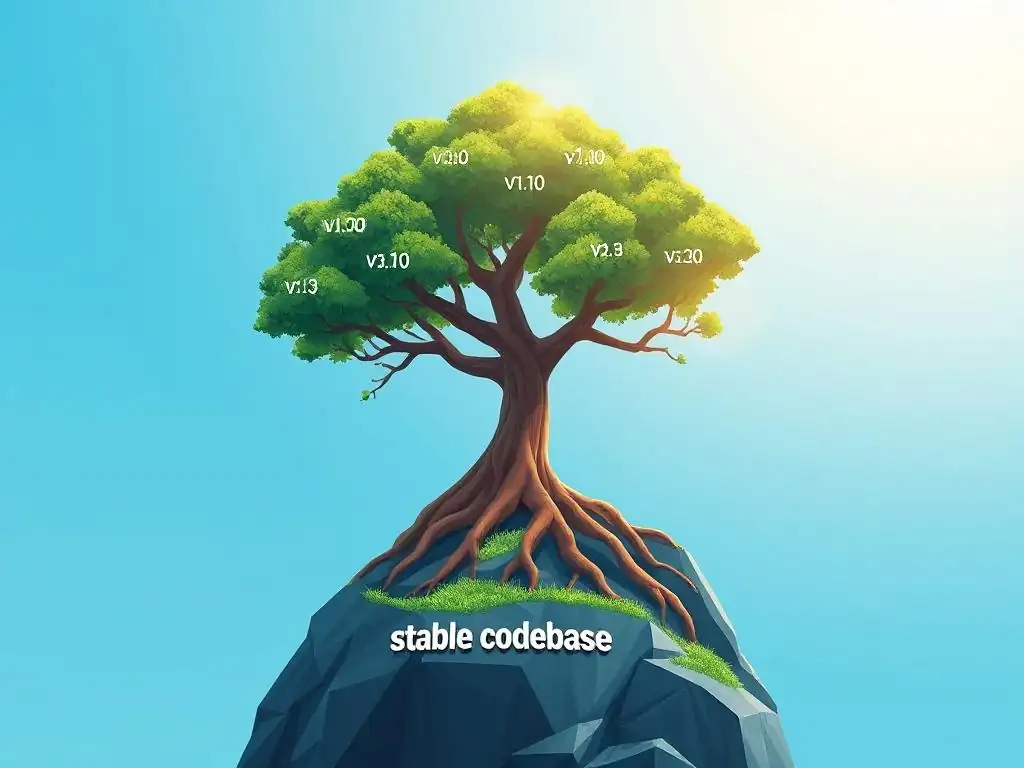
Welcome to Git and Version Control Hub, your central resource for all things Git!
Are you ready to unlock the power of stable and predictable software releases? Dive into our latest article and discover the critical role of support branches in Git. Learn how these often-overlooked branches can provide long-term value and stability to your projects, ensuring your users receive the support they need. Intrigued? Let's explore the strategies and best practices for effectively managing support branches and elevate your version control mastery!
Support Branches: Providing Long-Term Value and Stability to Your Software
- Understanding Support Branches in Git: A Deep Dive
- Creating and Managing Support Branches for Long-Term Stability
- Working with Support Branches: Patching and Bug Fixing
- Releasing Updates from Support Branches: Maintaining Software Integrity
- Integrating Support Branches with Your Git Workflow
- Real-World Examples of Effective Support Branch Usage
- Best Practices for Long-Term Support Branch Maintenance
- Advanced Techniques for Managing Complex Support Branch Scenarios
- The Benefits of Using Support Branches for Software Development
- Conclusion: Harnessing the Power of Support Branches for Sustainable Software Development
- Frequently Asked Questions
- Final Reflection: The Enduring Strength of Support
- Unleash the Power of Stable Code: Dive Deeper Now!
Understanding Support Branches in Git: A Deep Dive
What are Support Branches and Why are They Important?
Support branches in Git are long-lived branches created to maintain specific versions of software in production. Unlike feature branches that are short-lived and focused on developing new functionalities, support branches are designed to provide ongoing maintenance and bug fixes for released versions of your application. They become crucial when you have multiple versions of your software deployed and need to ensure the stability and reliability of older versions while continuing development on newer ones.
Imagine a scenario where a critical security vulnerability is discovered in a version of your software that is still actively used by a significant portion of your user base. Without support branches, addressing this issue in the older version while simultaneously working on new features in the main development branch becomes complex and risky.
The importance of support branches stems from the practical realities of software deployment and user adoption. Not all users immediately upgrade to the latest version of your software. Some may have valid reasons to remain on older versions, such as compatibility issues with their existing systems, internal validation processes, or simply a preference for the features and stability of a specific release.
Furthermore, enterprise clients often require long-term support (LTS) for the versions they deploy, expecting bug fixes and security patches for an extended period. Support branches allow development teams to efficiently manage these scenarios, providing dedicated channels for backporting fixes to older releases without disrupting the ongoing development of newer versions. This structured approach ensures that users on older versions receive the necessary updates to maintain security and stability, enhancing user satisfaction and trust in your software.
The Role of Support Branches in Software Maintenance
Support branches play a pivotal role in streamlining software maintenance workflows, particularly for projects with a continuous delivery model or those that cater to enterprise clients with strict stability requirements. In essence, they act as dedicated maintenance lines for specific released versions of your software. Consider a company that releases a new major version of its software annually. After each major release, there will likely be users who remain on the previous version for various reasons. Support branches allow the development team to concurrently work on the next major version in the main development branch (often main or develop) while simultaneously maintaining the stability of the older, released versions through dedicated support branches.
The primary role of these branches is to isolate bug fixes and security patches for specific releases. When a bug is reported in a released version, developers can target their fixes directly to the corresponding support branch. This isolation is crucial because applying fixes directly to the main development branch might introduce instability or unintended side effects in the newer, in-development version.
By using support branches, teams can ensure that fixes are carefully backported to older versions without disrupting the progress of new feature development. This separation of concerns significantly reduces the risk of regressions and makes the maintenance process more predictable and manageable. Moreover, support branches facilitate the creation of point releases or patch releases for older versions, allowing for targeted updates that address specific issues without requiring users to upgrade to the latest major version.
Creating and Managing Support Branches for Long-Term Stability
Best Practices for Naming Support Branches
Choosing a clear and consistent naming convention for support branches is crucial for maintainability and team understanding. A well-defined naming scheme makes it easy to identify the purpose and scope of each branch, reducing confusion and errors, especially in projects with multiple active support branches. A common and effective practice is to base support branch names on the major or minor version number they are intended to support. For example, if you release version 2.5 of your software, you might name the support branch support/2.5 or release-2.5-support. This immediately indicates that this branch is dedicated to providing support and maintenance for the 2.5 release series.
Another approach is to use a date-based naming convention, particularly when dealing with time-based releases or LTS versions. For instance, you might name a support branch support/lts-2023 or support/extended-support-2022. This method is especially useful for clearly delineating support periods and aligning branch names with release schedules. Regardless of the specific convention you choose, consistency is paramount. Document your naming strategy clearly and ensure that all team members adhere to it. Avoid using ambiguous or overly complex names. Simplicity and clarity are key to making support branches easily identifiable and manageable within your Git repository. Using prefixes like support/ or maintenance/ can further enhance clarity by immediately signaling the branch's purpose.
Creating a Support Branch from a Release Tag
The most reliable and recommended method for creating a support branch is to branch it off from a release tag. Release tags in Git mark specific points in the project history that correspond to official releases of your software. By branching from a tag, you ensure that your support branch accurately reflects the exact state of the codebase at the time of release. This is crucial for maintaining consistency and avoiding unintended changes that might have been introduced after the release tag was created.
To create a support branch from a release tag, you first need to identify the tag corresponding to the release you want to support. Assuming you have tagged your release as v2.5.0, you can create a support branch named support/2.5 using the following Git command:
git checkout -b support/2.5 v2.5.0
This command creates a new branch named support/2.5 and sets its starting point to the commit referenced by the tag v2.5.0. It's important to use the tag directly rather than branching from the main or develop branch after a release, as these branches might have already moved forward with new features or changes that are not part of the released version you intend to support. Branching from a tag guarantees that your support branch starts with the precise code that was released, providing a clean and stable base for applying bug fixes and patches.
Establishing a Clear Workflow for Support Branch Management
A well-defined workflow for managing support branches is essential for ensuring their effectiveness and preventing confusion within the development team. This workflow should outline the processes for identifying bugs, applying fixes, testing changes, and releasing updates from support branches. A typical workflow starts with bug reporting. When a bug is reported in a released version of the software, it should be triaged and determined if it affects a version that is under support. If it does, the bug fix process should be initiated on the corresponding support branch.
Once a bug is confirmed and a fix is developed on the support branch, it's crucial to thoroughly test the fix. This testing should ideally mirror the testing processes used for regular releases, including unit tests, integration tests, and potentially user acceptance testing, depending on the severity and scope of the fix. After testing and verification, the fix can be merged back into the support branch. For releasing updates from the support branch, a common practice is to create a new tag (e.g., v2.5.1) indicating a patch release. This tag can then be used to build and deploy the updated version. It is also important to document all changes made to support branches and communicate these updates to stakeholders, including users and other development teams. Clear communication and a consistent workflow are key to successfully managing support branches and ensuring the long-term stability of your software.
Working with Support Branches: Patching and Bug Fixing
Identifying and Isolating Bugs on Support Branches
The process of identifying bugs that require patching on support branches often begins with user reports, internal testing, or monitoring systems that detect anomalies in production environments. When a bug is suspected to affect a supported version of the software, the first step is to confirm its existence and determine the specific versions impacted. This often involves reproducing the bug locally, examining logs, and potentially analyzing crash reports or error traces provided by users.
Once a bug is confirmed and identified as relevant to a support branch, the next step is to isolate the bug within the codebase of that specific branch. Since support branches are based on older releases, the codebase might differ significantly from the main development branch. Therefore, debugging and isolating the bug should be done directly within the support branch environment. This might involve using Git commands like git bisect to pinpoint the commit that introduced the bug, or stepping through the code using a debugger within a local development setup that mirrors the support branch's environment. Isolating the bug effectively within the support branch context is crucial for developing a targeted and accurate fix that minimizes the risk of introducing regressions or unintended side effects in the supported version.
Developing and Testing Bug Fixes for Support Branches
Developing bug fixes for support branches requires careful consideration to ensure that the fixes are targeted, effective, and do not introduce new issues into the stable, released version of the software. When developing a fix, it's best practice to keep the changes as minimal and focused as possible. Avoid refactoring large sections of code or introducing new features while working on a support branch. The goal is to address the specific bug with the least amount of change necessary to maintain the stability and predictability of the supported release.
Thorough testing is paramount after developing a bug fix for a support branch. Testing should encompass unit tests to verify the fix in isolation, integration tests to ensure the fix works correctly within the broader system, and ideally some form of manual or exploratory testing to confirm that the bug is indeed resolved and that no new issues have been introduced.
Automated testing suites, if available for the supported version, should be run to ensure comprehensive coverage. Given the critical nature of fixes applied to support branches – as they address issues in released software used by users – rigorous testing is non-negotiable to maintain user trust and software reliability.
Applying Patches to Support Branches: Cherry-Picking and Merging
Applying bug fixes to support branches often involves two primary Git techniques: cherry-picking and merging. Cherry-picking is particularly useful when a bug fix has already been developed and committed on another branch, such as the main development branch or a hotfix branch. If the fix is self-contained and applicable to the support branch without significant modifications, cherry-picking can be an efficient way to bring the specific commit containing the fix into the support branch. For example, if the commit hash of the fix on the main branch is abcdef12345, you can apply it to the support/2.5 branch using:
git cherry-pick abcdef12345
However, cherry-picking is not always seamless. Conflicts can arise if the codebase in the support branch has diverged significantly from the branch where the fix was originally developed. In such cases, manual conflict resolution might be necessary. Alternatively, if multiple related fixes need to be applied or if the codebase divergence is substantial, merging might be a more appropriate approach.
You could merge changes from a dedicated hotfix branch or even back-merge relevant sections of the main development branch into the support branch. When merging, it’s crucial to carefully review the changes being merged and test thoroughly to ensure compatibility and avoid unintended side effects in the support branch. The choice between cherry-picking and merging depends on the specific context, the nature of the fixes, and the degree of divergence between the branches involved.
Releasing Updates from Support Branches: Maintaining Software Integrity
Creating Release Candidates from Support Branches
When it's time to release an update from a support branch, such as a patch release containing bug fixes or security updates, creating a release candidate (RC) is a crucial step to ensure software integrity. A release candidate is a pre-release version that is considered feature-complete and is intended to be identical to the final release, barring any critical issues discovered during final testing. Creating an RC from a support branch involves tagging a specific commit on the branch as a potential release and then building and packaging the software from that tag.
For instance, if you are preparing a patch release for version 2.5, and your support branch is support/2.5, you would first ensure that all desired fixes are merged into this branch. Then, you might create a tag like v2.5.1-rc1 on the commit that represents the release candidate. This tag signifies that this version is a candidate for the v2.5.1 release. The command to create such a tag would be:
git tag -a v2.5.1-rc1 -m "Release candidate for v2.5.1"
git push origin v2.5.1-rc1
After tagging, you would build the software from this tag and distribute it internally or to a limited set of beta testers for validation. The RC phase is essential for catching any last-minute regressions or issues that might have been missed during earlier testing phases before making the update publicly available.
Testing and Validating Updates from Support Branches
Testing and validation of release candidates derived from support branches are paramount to maintaining software integrity. Given that these updates are intended for already released and potentially widely used versions of the software, any regressions or newly introduced bugs can have a significant negative impact on users. Therefore, the testing process for release candidates should be rigorous and comprehensive. It should ideally include all levels of testing, from unit and integration tests to system and acceptance tests.
A crucial aspect of testing RCs from support branches is regression testing. This involves re-running tests from previous releases to ensure that bug fixes have not inadvertently broken existing functionality. Performance testing is also important, especially if the updates include performance-related fixes or changes.
Security testing should be conducted to confirm that any security patches are effective and have not introduced new vulnerabilities. Furthermore, user acceptance testing (UAT), even if on a smaller scale with internal users or beta testers, can provide valuable feedback on the stability and usability of the release candidate in real-world scenarios. Only after thorough testing and validation, and confirmation that the release candidate meets the required quality standards, should it be promoted to a final release.
Deploying Updates from Support Branches to Production
Deploying updates from support branches to production requires a carefully planned and controlled process to minimize disruption and ensure a smooth transition for users. Once a release candidate from a support branch has passed all testing and validation stages, it is ready to be promoted to a final release. This typically involves removing the "-rc" suffix from the release candidate tag (e.g., renaming v2.5.1-rc1 to v2.5.1) and creating an official release tag.
The deployment process itself should be tailored to your specific infrastructure and deployment methodologies. For some systems, this might involve a phased rollout, where the update is initially deployed to a subset of servers or users before being rolled out to the entire production environment. This allows for monitoring the update in a live production setting and quickly identifying and addressing any unforeseen issues before they affect a wider user base.
Rollback plans should be in place in case a critical issue is discovered post-deployment. Clear communication with users about the update, including what fixes and improvements are included, is also essential to manage expectations and ensure a positive user experience. Post-deployment monitoring is crucial to verify the stability and performance of the updated version in production and to promptly address any issues that might arise.
Integrating Support Branches with Your Git Workflow
Support Branches vs. Hotfix Branches: Key Differences
While both support branches and hotfix branches are used for addressing issues in released software, they serve distinct purposes and are integrated differently into a Git workflow. Hotfix branches are typically used for addressing critical, production-breaking bugs that require immediate attention and deployment. They are usually short-lived and focused on a very specific, urgent fix. The workflow for hotfixes is often expedited to ensure rapid resolution of critical issues impacting users. Once the hotfix is developed, tested, and deployed, it is usually merged back into both the main development branch (e.g., main or develop) and the relevant release or support branch to ensure that the fix is incorporated into all relevant versions of the software.
Support branches, on the other hand, are long-lived branches dedicated to maintaining specific released versions of software over an extended period. They are used for backporting bug fixes, security patches, and occasionally minor enhancements to these released versions. Support branches are not typically for urgent, production-down issues like hotfixes.
Instead, they are part of a planned maintenance strategy to provide ongoing stability and value to users who are using older, supported versions of the software. The key difference lies in their urgency and longevity. Hotfixes are for immediate, critical issues and are short-lived, while support branches are for ongoing maintenance of released versions and are long-lived.
Combining Support Branches with Feature Branches: A Holistic Approach
Support branches and feature branches are designed to coexist and complement each other within a comprehensive Git workflow. Feature branches are used for developing new functionalities and enhancements in isolation, typically branching off from the main development branch. Support branches, as we've discussed, are for maintaining released versions. Combining these branching strategies allows development teams to simultaneously innovate and maintain stability.
In a typical workflow, new features are developed in feature branches and eventually merged into the main development branch. Periodically, when a release is planned, a release branch might be created from the main development branch, and after final testing, it is tagged and released. At this point, if long-term support is required for this release, a support branch is created from the release tag.
While new features continue to be developed in feature branches and integrated into the main development branch for future releases, bug fixes and patches for the released version are developed and applied to the support branch. This separation ensures that new development doesn't destabilize released versions, and conversely, maintenance activities on support branches don't interfere with ongoing feature development.
When a fix is developed on a support branch, it's often beneficial to also merge it into the main development branch if the bug is also relevant there, ensuring that the fix is incorporated into future releases as well. This holistic approach ensures both innovation and stability are effectively managed within the Git workflow.
Automating Support Branch Processes with CI/CD Pipelines
Automating processes related to support branches using CI/CD (Continuous Integration/Continuous Delivery) pipelines can significantly improve efficiency and reduce the risk of errors in maintaining long-term software stability. CI/CD pipelines can be configured to automate various tasks associated with support branches, such as building, testing, and even deploying updates.
For instance, a CI pipeline can be set up to automatically build and run unit and integration tests whenever changes are pushed to a support branch. This ensures that any bug fixes or patches applied to the support branch are automatically validated. A CD pipeline can be configured to automate the creation of release candidates from support branches. When a tag is created on a support branch (e.g., v2.5.1-rc1), the CD pipeline can automatically build the software, run a more comprehensive suite of tests, and package it as a release candidate. Furthermore, deployment to staging or beta environments for validation can also be automated. For final releases from support branches, the CD pipeline can be configured to automate the deployment to production environments, potentially with phased rollouts and rollback capabilities. Automation not only streamlines the workflow but also ensures consistency and repeatability in the processes of building, testing, and releasing updates from support branches, contributing significantly to maintaining software integrity and stability.
Real-World Examples of Effective Support Branch Usage
Case Study 1: Red Hat and Their Support Branch Strategy for Enterprise Linux
Red Hat, a leading provider of open-source solutions, including Red Hat Enterprise Linux (RHEL), provides a compelling example of effective support branch usage in a large-scale enterprise software environment. RHEL is known for its long-term support and stability, which is crucial for enterprise customers who rely on it for critical infrastructure. Red Hat employs a robust support branch strategy to maintain different versions of RHEL over extended lifecycles.
For each major version of RHEL (e.g., RHEL 7, RHEL 8, RHEL 9), Red Hat maintains dedicated support branches. These branches are used to backport security patches, bug fixes, and critical updates to the respective RHEL versions throughout their supported lifecycles, which can span many years. For example, even years after the release of a newer major version of RHEL, older versions still under support receive regular updates from their respective support branches to address newly discovered vulnerabilities or critical bugs.
This strategy allows Red Hat to provide long-term stability and security for their enterprise customers, enabling them to rely on RHEL versions for extended periods without needing to constantly upgrade to the latest major release. Red Hat's approach demonstrates how support branches are essential for maintaining enterprise-grade software with long lifecycles and stringent stability requirements.
Case Study 2: Mozilla Leveraging Support Branches for Firefox ESR (Extended Support Release)
Mozilla, the organization behind the Firefox web browser, utilizes support branches effectively through its Extended Support Release (ESR) program. Firefox ESR is a version of Firefox specifically designed for organizations like universities and businesses that need long-term stability and minimal feature changes. Unlike the regular Firefox release cycle which focuses on frequent feature updates, Firefox ESR prioritizes stability and security for an extended period, typically around a year.
Mozilla maintains support branches for each Firefox ESR version. These branches receive security updates and critical stability fixes throughout the ESR lifecycle. New features and major UI changes are deliberately avoided in ESR versions to maintain consistency and minimize disruption for users who prioritize stability over the latest features.
For instance, while the rapidly evolving standard Firefox version receives frequent feature updates, the corresponding ESR version receives only essential security and stability patches, backported from the main development stream to its dedicated support branch. This strategy allows Mozilla to cater to different user needs – those who want the latest features and those who prioritize long-term stability – by effectively leveraging support branches to manage and maintain the Firefox ESR versions. Firefox ESR exemplifies how support branches can be used to provide distinct, long-term support versions of software alongside a more rapidly evolving main product line.
Best Practices for Long-Term Support Branch Maintenance
Regularly Reviewing and Updating Support Branches
Maintaining support branches is not a passive activity; it requires regular review and updates to ensure they remain effective and relevant throughout their lifecycle. Periodically reviewing support branches involves assessing their continued necessity, checking for new security vulnerabilities that need to be backported, and evaluating the overall health and stability of the supported version. This review process should be scheduled regularly, perhaps quarterly or semi-annually, depending on the expected lifespan and criticality of the supported software version.
Updating support branches goes beyond just applying bug fixes. It also includes ensuring that the build environment and dependencies for the support branch remain compatible and up-to-date, within the constraints of maintaining stability for the supported version.
For example, while you wouldn't introduce major dependency upgrades that could introduce instability, you might need to apply minor updates to build tools or libraries to address security issues or maintain compatibility with the underlying operating system. Regular reviews and updates ensure that support branches continue to provide value and stability over time, preventing them from becoming stale or vulnerable due to neglect.
Communicating Changes and Updates to Stakeholders
Effective communication about changes and updates made to support branches is crucial for maintaining transparency and managing expectations among stakeholders. Stakeholders can include users of the supported software version, internal support teams, and other development teams who might depend on the stability of the supported version. When bug fixes or security patches are applied to a support branch and released as an update, it's essential to clearly communicate what changes are included in the update, why they were necessary, and any potential impact on users.
Release notes should be created for each update from a support branch, detailing the specific issues addressed, the fixes implemented, and any known issues or limitations. These release notes should be easily accessible to users and support teams. Furthermore, proactively communicating the lifecycle of support branches, including end-of-support dates, is important for allowing users to plan for upgrades or migrations. Transparency and clear communication build trust and ensure that stakeholders are well-informed about the ongoing maintenance and support of the software versions they rely on.
Deprecating Support Branches: When and How to Do It
Support branches are not meant to last indefinitely. Eventually, the cost of maintaining an older version of software outweighs the benefits, and it becomes necessary to deprecate or sunset support for that version. Deciding when to deprecate a support branch involves considering factors such as the age of the software version, the number of users still relying on it, the cost of maintenance, and the availability of newer, more secure versions. A clear end-of-life policy for support branches should be established and communicated to stakeholders well in advance, ideally months or even a year before the actual deprecation date.
When deprecating a support branch, provide users with ample notice and guidance on migrating to a newer supported version. This might involve providing migration guides, tools, or support resources to facilitate a smooth transition. Clearly communicate the end-of-support date and the implications for users who continue to use the deprecated version, such as no longer receiving security updates or bug fixes.
After the deprecation date, the support branch can be archived in the Git repository to preserve the history but should no longer be actively maintained. Properly managing the deprecation process ensures a smooth transition for users and allows development resources to be focused on maintaining and improving actively supported versions.
Advanced Techniques for Managing Complex Support Branch Scenarios
Handling Multiple Support Branches for Different Software Versions
In scenarios where a software project has multiple major versions in active use and under long-term support, managing multiple support branches concurrently becomes essential. This complexity requires careful organization and clear processes to avoid confusion and ensure that fixes and updates are applied correctly to the intended versions. A well-defined naming convention for support branches, as discussed earlier, is crucial for differentiating between branches for different versions (e.g., support/v1.x, support/v2.x, support/v3.x).
When working on bug fixes or security patches, developers must be meticulous in identifying the correct support branch for the target version. Automated tooling and scripts can help streamline the process of applying fixes across multiple support branches if a bug affects multiple versions. However, careful testing on each branch is still necessary as codebases can diverge over time.
CI/CD pipelines should be configured to handle builds and tests for each support branch independently. Managing multiple support branches effectively requires strong organizational practices, clear communication within the development team, and robust tooling to minimize errors and maintain the integrity of each supported software version.
Using Git Bisect to Find the Root Cause of Bugs on Support Branches
Git bisect is a powerful Git command that can be invaluable for finding the commit that introduced a bug on a support branch, especially when dealing with legacy codebases where the history might be complex and less familiar. When a bug is reported on a support branch, and its origin is unclear, git bisect helps automate the process of binary search through the commit history to pinpoint the problematic commit.
To use git bisect, you first need to identify a commit in the support branch's history that is known to be "good" (i.e., does not contain the bug) and a commit that is "bad" (i.e., exhibits the bug). Git bisect then checks out a commit midway between the "good" and "bad" commits, and you test if the bug is present in this commit. Based on your test result (good or bad), Git bisect narrows down the range of commits to search, repeating this process until it isolates the single commit that introduced the bug. This technique is particularly useful for support branches because it allows you to efficiently identify the root cause of bugs in older versions of the software, even if the codebase has evolved significantly since the bug was introduced. Once the culprit commit is found, it becomes much easier to understand the bug and develop an appropriate fix.
Managing Dependencies and Conflicts in Support Branches
Managing dependencies and resolving conflicts can become more challenging in support branches compared to the main development branch, especially as support branches diverge further from the main development line over time. Dependencies used by older versions of the software might become outdated or have security vulnerabilities. When applying updates to support branches, it's crucial to carefully manage dependencies, aiming to update them for security reasons while minimizing the risk of introducing instability or breaking compatibility with the supported software version.
Conflict resolution can also be more frequent and complex in support branches due to codebase divergence. When backporting fixes or merging changes into a support branch, conflicts are more likely to arise compared to merging within the main development branch. Developers working on support branches need to be proficient in resolving merge conflicts and thoroughly test the resolved code to ensure that the fixes are applied correctly and no new issues are introduced during the conflict resolution process.
In some cases, it might be necessary to adapt fixes originally developed for newer versions to be compatible with the older codebase of a support branch, which requires careful consideration and potentially more extensive testing. Proactive dependency management and skillful conflict resolution are essential skills for maintaining stability and integrity in long-term support branches.
The Benefits of Using Support Branches for Software Development
Reduced Risk of Introducing New Bugs
One of the primary benefits of using support branches is the reduced risk of introducing new bugs into stable, released versions of your software. By isolating bug fixes and patches within dedicated support branches, you minimize the chances of inadvertently carrying over new features or changes from the main development branch that could destabilize the released version. Support branches provide a controlled environment for making targeted fixes to released software without disrupting the ongoing development of new features.
This isolation is particularly crucial for maintaining the reliability and predictability of released versions. Users who rely on older versions of your software for stability-critical applications can be confident that updates from support branches are focused solely on addressing known issues and not introducing new, potentially untested functionalities. This focused approach significantly reduces the regression risk associated with applying fixes to released software, contributing to a more stable and dependable user experience.
Improved Stability and Reliability of Software
Support branches directly contribute to improved stability and reliability of software, especially for users who rely on long-term support versions. By providing a dedicated channel for bug fixes and security patches, support branches ensure that released versions of the software remain secure and functional throughout their supported lifecycle. Regular updates from support branches address known issues, vulnerabilities, and performance bottlenecks, enhancing the overall quality and dependability of the software.
This improved stability and reliability translates to increased user satisfaction and trust in your software. Users are more likely to adopt and continue using software that is consistently maintained and provides a stable and predictable experience. For enterprise clients, in particular, the stability and reliability provided by support branches are often critical factors in their software adoption decisions. Support branches, therefore, play a vital role in building a reputation for producing high-quality, dependable software.
Enhanced Customer Satisfaction and Retention
Ultimately, the use of support branches leads to enhanced customer satisfaction and improved customer retention. By providing long-term support for released versions of your software, you demonstrate a commitment to your users and their needs. Users appreciate knowing that they can rely on older versions of your software for extended periods and still receive necessary updates and bug fixes. This commitment builds trust and loyalty, increasing customer satisfaction.
Satisfied customers are more likely to remain customers and advocate for your software to others. Long-term support, facilitated by support branches, becomes a valuable differentiator in the market, especially for software targeted at enterprise or stability-conscious users. By investing in support branch maintenance, you invest in customer satisfaction and retention, creating a positive feedback loop that benefits both your users and your business. Support branches are not just a technical branching strategy; they are a customer-centric approach to software development that fosters long-term relationships and sustainable growth.
Conclusion: Harnessing the Power of Support Branches for Sustainable Software Development
Support branches are a cornerstone of sustainable software development, offering a structured and efficient approach to maintaining long-term stability and value for released software versions. By understanding their role, implementing best practices for their management, and integrating them effectively into your Git workflow, development teams can significantly enhance the quality, reliability, and longevity of their software products.
From reducing the risk of introducing new bugs to improving customer satisfaction, the benefits of harnessing the power of support branches are undeniable. Embracing support branches is not just about managing code; it's about building trust, ensuring user satisfaction, and fostering a sustainable approach to software development that benefits both developers and users alike.
Frequently Asked Questions
What is a support branch in Git, and why is it important?
A support branch in Git is a long-lived branch used to maintain older versions of your software. It's crucial for providing ongoing bug fixes and security patches without disrupting the development of newer features on the main branch.
How does a support branch differ from a feature branch?
A feature branch focuses on adding new functionality and is typically short-lived. In contrast, a support branch is dedicated to maintaining existing releases and addresses issues in older codebases, making it long-lived.
When is it appropriate to create a support branch?
It's appropriate when you need to provide updates and fixes for a released version of your software while simultaneously developing new features. This allows users who are not ready to upgrade to still receive critical security and stability updates.
How do you merge changes from a support branch back into the main branch?
Changes from a support branch can be merged into the main branch using a cherry-pick or a regular merge. Cherry-picking is useful for selecting specific commits, while a merge integrates all changes, but requires careful consideration of potential conflicts.
What are some best practices for managing support branches?
Keep support branches well-documented, clearly indicating the version they support. Regularly backport critical fixes from the main branch to the support branch and establish a clear process for handling bug reports and updates related to that version.
Final Reflection: The Enduring Strength of Support
The journey through the intricacies of Git support branches reveals more than just technical strategies; it highlights the fundamental importance of long-term stability in a rapidly evolving technological landscape. In a world obsessed with the newest features and immediate gratification, the commitment to maintaining and supporting older versions of software speaks volumes about a company's dedication to its users and the enduring value of its work.
The concept of support branches has profoundly influenced how we perceive software development, shifting the focus from fleeting trends to sustainable growth and user trust. It's a testament to the idea that true innovation lies not only in creating something new but also in nurturing and preserving what already exists. The best way to predict the future is to create it.
- Peter Drucker. This quote resonates deeply because support branches are a proactive step in shaping a future where software remains reliable and valuable, even as technology advances.
Now, as you navigate your own projects and contribute to the ever-expanding world of software, consider the lasting impact of your work. Embrace the principles of stability and support, and strive to build systems that stand the test of time. Let the lessons learned from understanding support branches inspire you to create software that not only meets immediate needs but also provides enduring value and unwavering reliability for years to come.
Unleash the Power of Stable Code: Dive Deeper Now!
Thanks for exploring how support branches can fortify your software's long-term stability and value. We hope you've gained valuable insights into managing and maintaining your projects effectively. Ready to put this knowledge into practice?
Here are some next steps:
- Implement support branches in your most critical projects to ensure consistent updates and bug fixes for your users. This is fundamental to long-term stability.
- Explore various branching strategies, such as Gitflow, to better manage features, releases, and hotfixes, integrating support branches seamlessly.
- Share this article with your team and discuss how support branches can improve your collaborative workflow and overall project health.
How have you creatively used support branches to maintain older software versions, or how do you plan to integrate them into your workflow? Share your thoughts in the comments below!